


Key Takeaway
Rendered content refers to the version of a webpage that a browser displays after executing HTML, CSS, and JavaScript. Most AI crawlers like GPTBot, ClaudeBot, and PerplexityBot, cannot execute JavaScript, meaning any content loaded dynamically may be completely invisible to them. To maximize AI visibility, critical page content should appear in the raw HTML, not rely on JavaScript to load.
Your website might look perfect to a human visitor. Polished layout, fast load times, great content. But what a browser shows a user and what an AI crawler actually sees can be two very different things.
This gap comes down to rendered content, or more specifically, how much of your page's content is delivered upfront in static HTML versus loaded dynamically through JavaScript.
For search engines like Google, this distinction is less critical.
But for AI systems like ChatGPT, Claude, and Perplexity, it remains a hard technical barrier.
According to data from Cloudflare, AI bots accounted for an average of 4.2% of HTML requests in 2025, while GPTBot’s request volume grew by 305% between May 2024 and May 2025.
As AI-powered search continues to grow, the way your website delivers content will directly determine whether AI engines can find, read, and cite it.
This post breaks down exactly what rendered content is, how different rendering methods work, why AI crawlers tend to struggle with JavaScript-heavy pages, and what you can do about it.
Related Reading: LLM Optimization: How to Get Cited in AI Answers
What is Rendered Content?
Rendered content is the final version of a webpage that appears in a user's browser after all the page's code has been processed. This includes HTML structure, CSS styling, and any JavaScript that dynamically loads or modifies the page's content.
When a browser loads a page, it goes through a series of steps:
- It fetches the raw HTML from the server.
- It parses the HTML to understand the page’s structure.
- It loads any linked stylesheets and scripts.
- It executes the JavaScript.
- It displays the fully rendered page to the user.
For some websites, the raw HTML and the rendered page look almost identical.
For others, like those built with modern JavaScript frameworks, the raw HTML might be little more than an empty container and a few script tags, with all the actual content only appearing after JavaScript executes.
That distinction matters a lot for AI crawlers.
How is Website Content Rendered?
There are four main ways websites deliver content to visitors.
Each one has a different impact on how accessible that content is to AI crawlers.
Server-Side Rendering (SSR)
With server-side rendering, the server processes JavaScript and generates a complete HTML page before sending it to the browser. By the time the browser receives the response, the full page content is already present in the HTML.
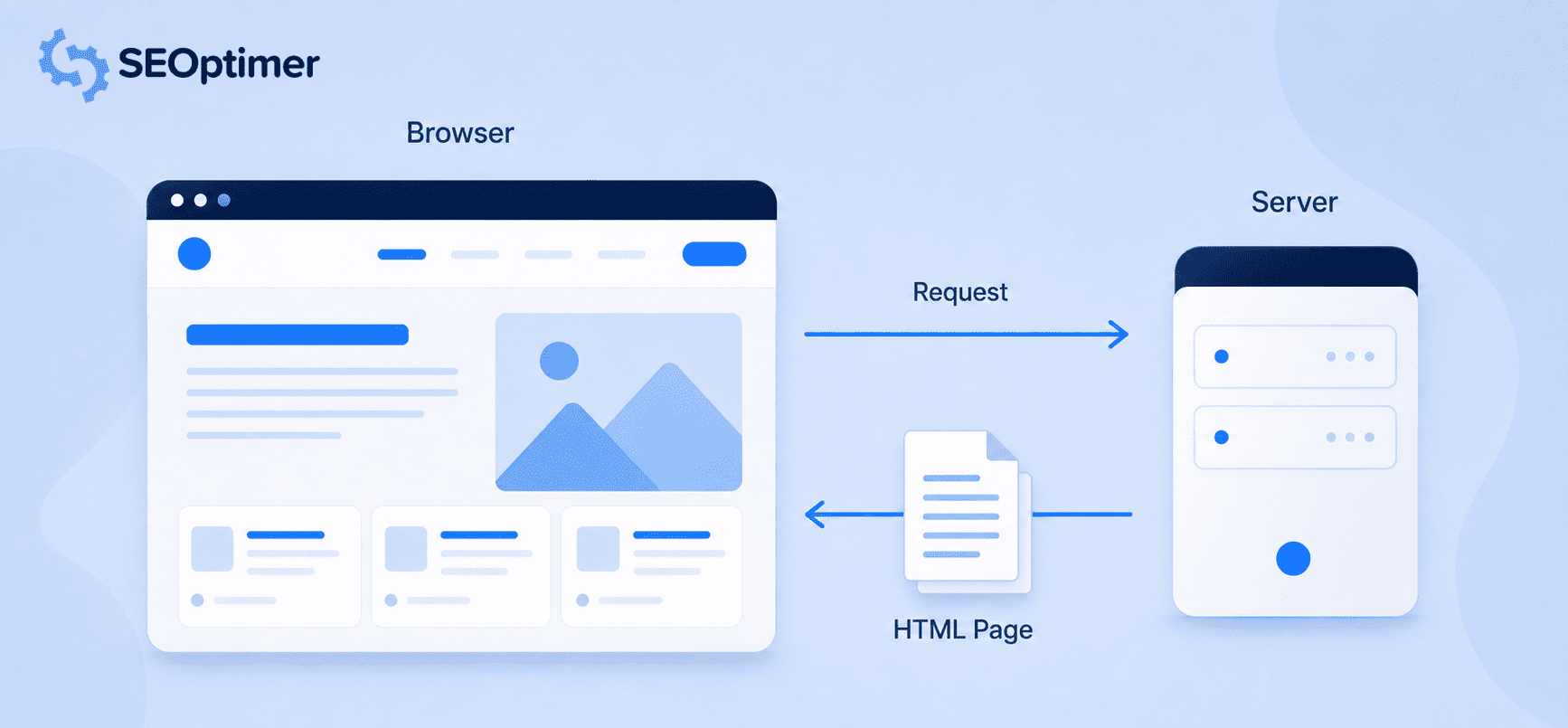
This rendering method is excellent for AI visibility because the initial HTML response contains all the content an AI crawler needs, meaning no JavaScript execution is required.
Client-Side Rendering (CSR)
Client-side rendering is commonly used for single-page applications built with frameworks such as React, Vue, and Angular.
With this method, the server may send a minimal HTML shell containing little more than a root <div> and several script tags.
The browser then executes JavaScript to build and display the page’s main content.
Although this can create a smooth experience for users, it poses a problem for AI crawlers that do not execute JavaScript.
Vercel recorded 569 million GPTBot requests across its network in one month and found no evidence that GPTBot rendered JavaScript. If important content is only added through client-side rendering, GPTBot may receive the initial HTML shell without the text it needs to understand or cite the page.
Static Site Generation (SSG)
Static site generation pre-builds fully rendered HTML files at deployment time.
Rather than generating pages dynamically on each request, the server simply delivers pre-made HTML files.
Blog posts, documentation, and marketing pages are good candidates for this method.
SSG produces fast, fully crawlable pages with no rendering dependencies making it one of the most AI-friendly options available.
Hybrid Rendering
Many modern websites use a combination of approaches.
Critical content is rendered server-side so it appears in the initial HTML, while interactive or personalized elements are loaded client-side afterward. This hybrid model balances AI crawlability with the dynamic features users expect.
How do AI Crawlers Access Website Content?
When an AI crawler such as GPTBot, ClaudeBot, or PerplexityBot visits a page, it requests the page from the website’s server. The server then sends back the page’s HTML.
The crawler reads this HTML to find text, links, metadata, structured data, and other useful information.
Most standalone AI crawlers cannot load a page in the same way as a regular web browser. They generally do not run JavaScript and wait for additional content to appear. Instead, they mainly rely on the content already included in the HTML sent by the server.
What happens to this information depends on the crawler.
Some crawlers collect content to help train AI models, while others use it to support AI search results, find current information, or identify sources that could be referenced in AI-generated answers.
On a traditionally rendered or server-side rendered website, the initial HTML can include all the page’s important content. This may include headings, body copy, product descriptions, FAQs, structured data, and internal links.
On a client-side rendered website, the initial HTML may contain only a basic page structure and links to JavaScript files. If the crawler cannot run those files, it may not be able to access the page’s main content.
Google’s systems work a bit differently.
Gemini can benefit from Google’s existing crawling and rendering technology, which can process pages that rely on JavaScript. Google’s documentation on JavaScript SEO explains how Google crawls, renders, and indexes JavaScript-powered pages.
For this reason, important text and page elements should be included in the HTML sent by the server whenever possible.
Why does Your Website's Level of Rendered Content Matter for AI Visibility?
A page may rank well on Google because Googlebot can process its JavaScript, but that doesn’t guarantee that standalone AI crawlers can access the same content. This can create a gap between a website’s traditional search rankings and its visibility in AI-generated answers.
That gap can affect conversions.
A 2025 analysis from Superpromt found that AI-referred visitors converted at 14.2%, compared with 2.8% for Google organic visitors. However, conversion rates vary by website, industry, and conversion type.
Commercial pages are particularly important. Lantern’s analysis of more than 200 million AI citations found that product pages received 20.1% of ChatGPT citations, while comparison content represented 9.3% of citations across the platforms studied.
If important product details, pricing, or comparisons rely on JavaScript, some AI crawlers may struggle to access and cite them. Your rendering setup can therefore directly affect how often AI platforms mention and recommend your brand.
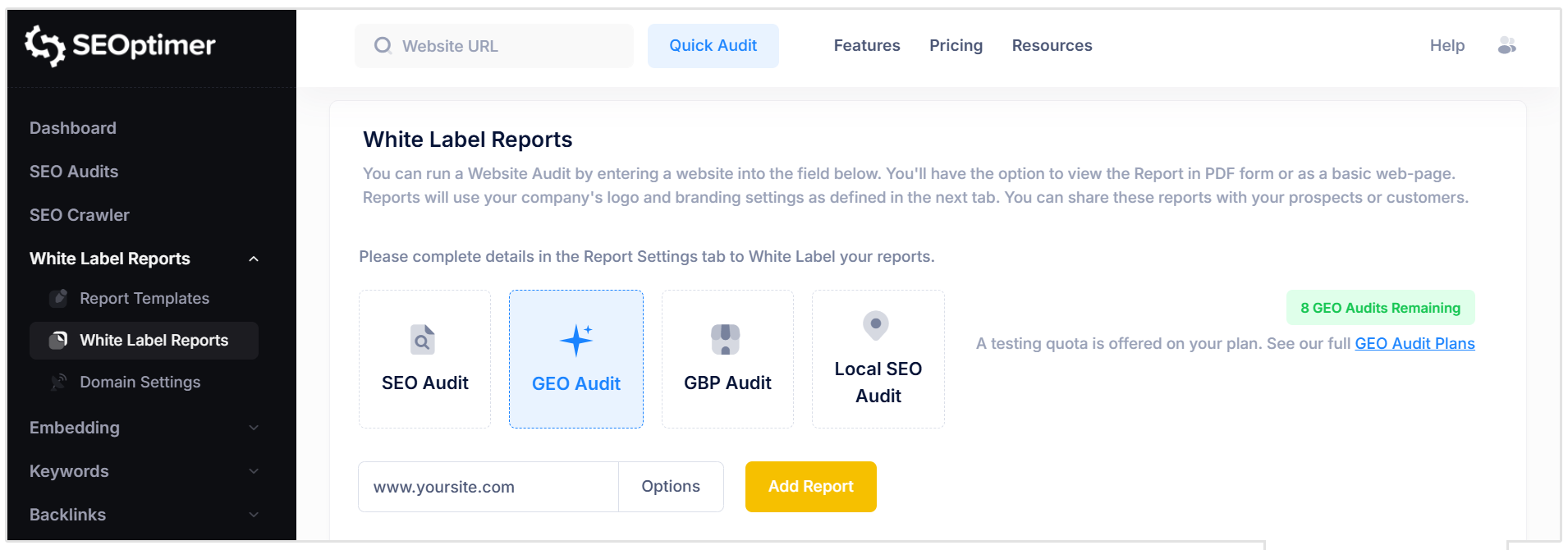
Check Your Website’s AI Visibility with SEOptimer’s GEO Audit
Want to see whether AI crawlers can access and understand your website? The GEO Audit gives you a complete view of how well your site is prepared for AI search.
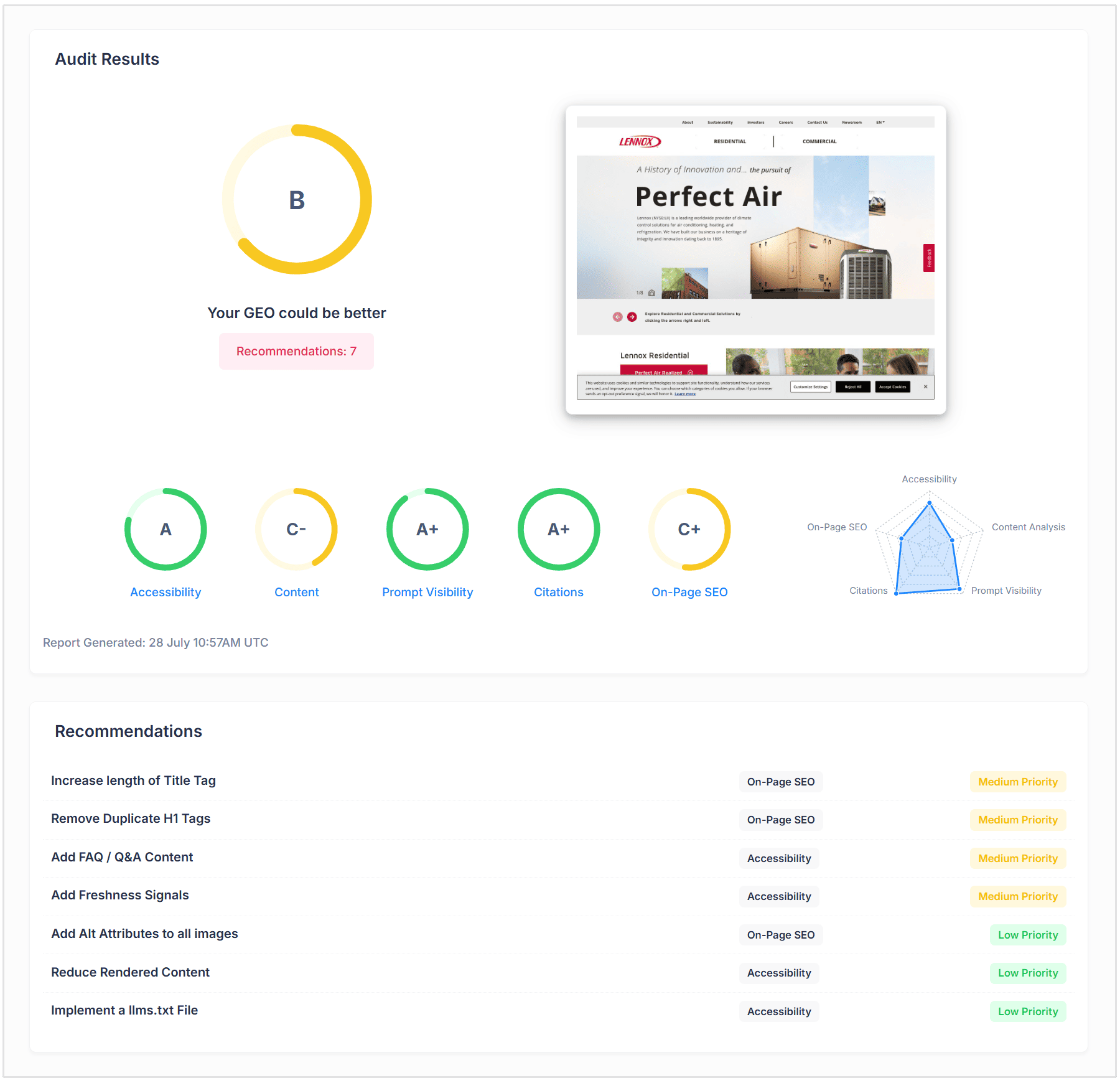
The report checks:
- LLM Accessibility: Find out whether AI crawlers are blocked by your robots.txt file, whether your site has an llms.txt file, and how much of your content is visible without JavaScript rendering.
- LLM Content Analysis: Check whether your page clearly defines the business, organization, or person it represents, uses suitable identity schema, and presents information in a structure that AI systems can understand.
- AI Search Rankings: See whether your website appears in Google AI Overviews and AI Mode for relevant searches.
- Prompt Visibility: Discover how your brand appears for relevant prompts across ChatGPT, Gemini, Claude, and Perplexity.
- Important Citations: Check for brand citations and links across Wikipedia, Reddit, and YouTube—three sources frequently referenced by AI platforms.
- On-Page SEO: Review the traditional SEO elements that continue to support your visibility across search engines and AI-powered results.
The GEO Audit helps you identify technical barriers, content gaps, citation opportunities, and areas where your website could improve its visibility in AI-generated answers.
Run your GEO Audit and see how easily AI crawlers can access, understand, and recommend your website.
What Content should not Depend Entirely on JavaScript?
The following types of content should always be present in the raw HTML response.
Relying on JavaScript to load any of these creates an immediate AI visibility risk.
Primary Page Content
The main body text of every page, this includes introductions, explanations, descriptions, and key messaging.
It is essential that these appear in the initial HTML.
If a user disables JavaScript in their browser and your core content disappears, AI crawlers are seeing the same empty page.
Headings and Page Titles
Your H1, H2, and H3 headings are among the first signals AI crawlers use to understand what a page is about.
These must be in the static HTML. A page with dynamically injected headings is a page with no clear topic signal for AI systems.
Internal Links and Navigation
Internal links help AI crawlers discover other pages on your site and understand your site's structure and authority.
Navigation menus and contextual links built entirely with JavaScript may not be followed or registered at all.
Product Information
Product names, descriptions, specifications, and pricing are among the most-cited content types across AI platforms.
Trust and Contact Information
Testimonials, reviews, author bylines, credentials, and contact details all contribute to the trust and authority signals AI systems use to evaluate content.
If this information loads dynamically, it doesn't exist from the AI crawler's perspective.
Structured Data
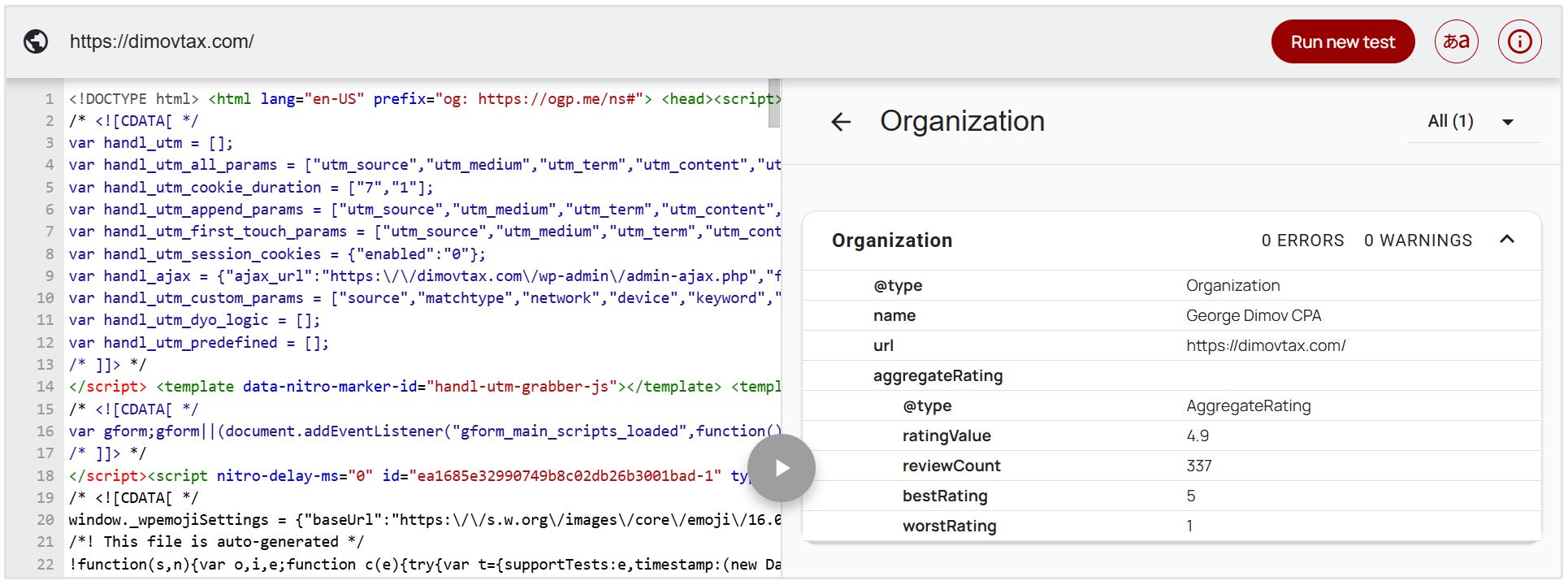
JSON-LD schema markup placed in <script> tags within the <head> of your HTML is accessible to AI crawlers without JavaScript execution. But if your structured data is injected dynamically after page load, AI crawlers will never see it.
All schema markup should be present in the server's initial HTML response.
What Content is Safe to Render with JavaScript?
Not everything needs to be server-rendered. JavaScript is perfectly appropriate for content and features that don't need to be crawled or cited.
Interactive Features
Filters, sorting controls, modal windows, tabs, carousels, and other UI elements can be JavaScript-dependent without affecting AI visibility.
These features enhance the user experience. They don't carry content that AI systems need to cite.
Personalized Content
Recommendations based on user behavior, logged-in account dashboards, and user-specific data are inherently dynamic.
Since this content is unique to each user, it isn't crawlable by design.
Frequently Changing Information
Real-time stock prices, live sports scores, and inventory counts change too quickly to be meaningfully crawled.
Rendering these dynamically is fine. Just ensure the surrounding context and key page content remain in the static HTML.
Content Not Intended for Search
Anything inside a logged-in area, admin panel, or private user portal doesn't need to be accessible to crawlers.
How to Check Whether Your Content is Properly Rendered for AI Visibility
The fastest diagnostic is free and takes about ten seconds.
Open any important page, right-click anywhere on the screen, and select View Page Source.
Scroll through the raw HTML and look for your main headings, body copy, product descriptions, and FAQ content. If they're there, you're in good shape.
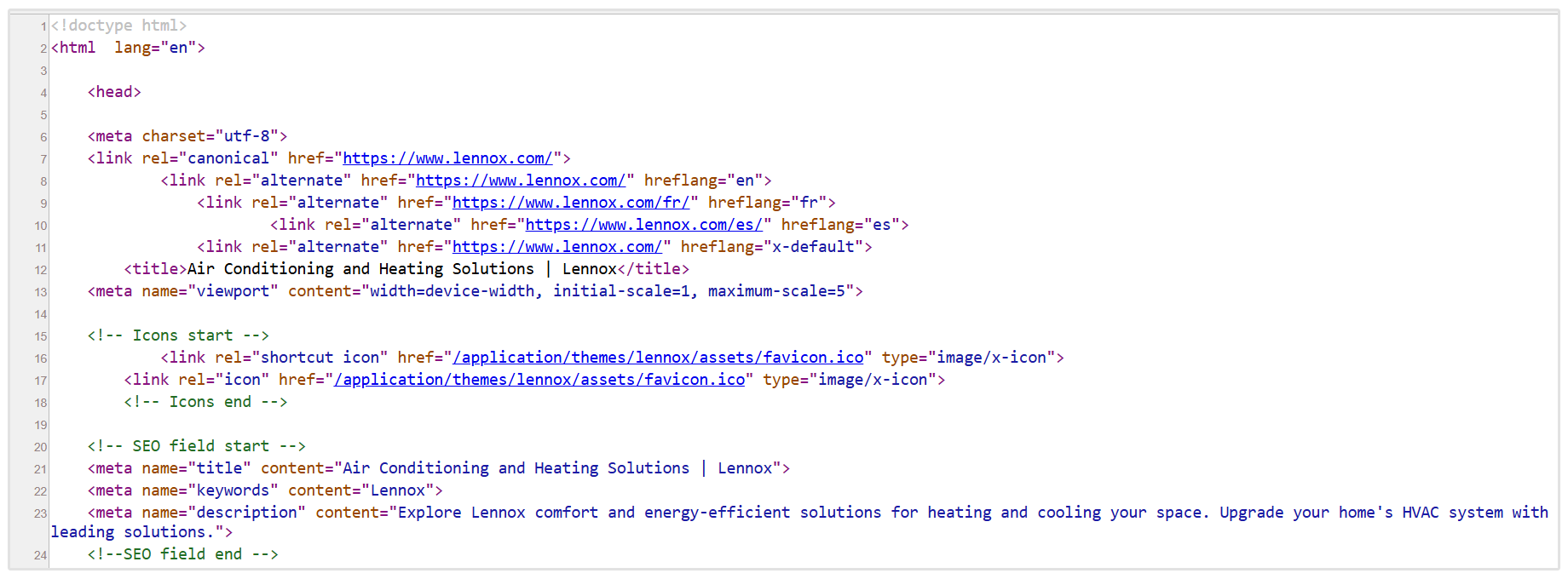
If you see only an empty <div> and script references, AI crawlers see nothing.
You can also load the page with JavaScript disabled in your browser settings.
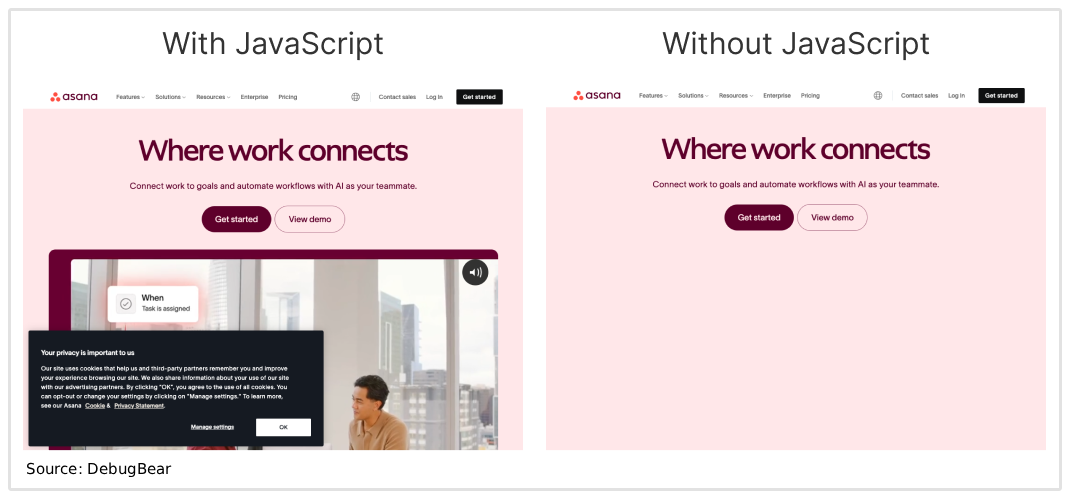
If critical content disappears, that's exactly what AI crawlers see on every visit.
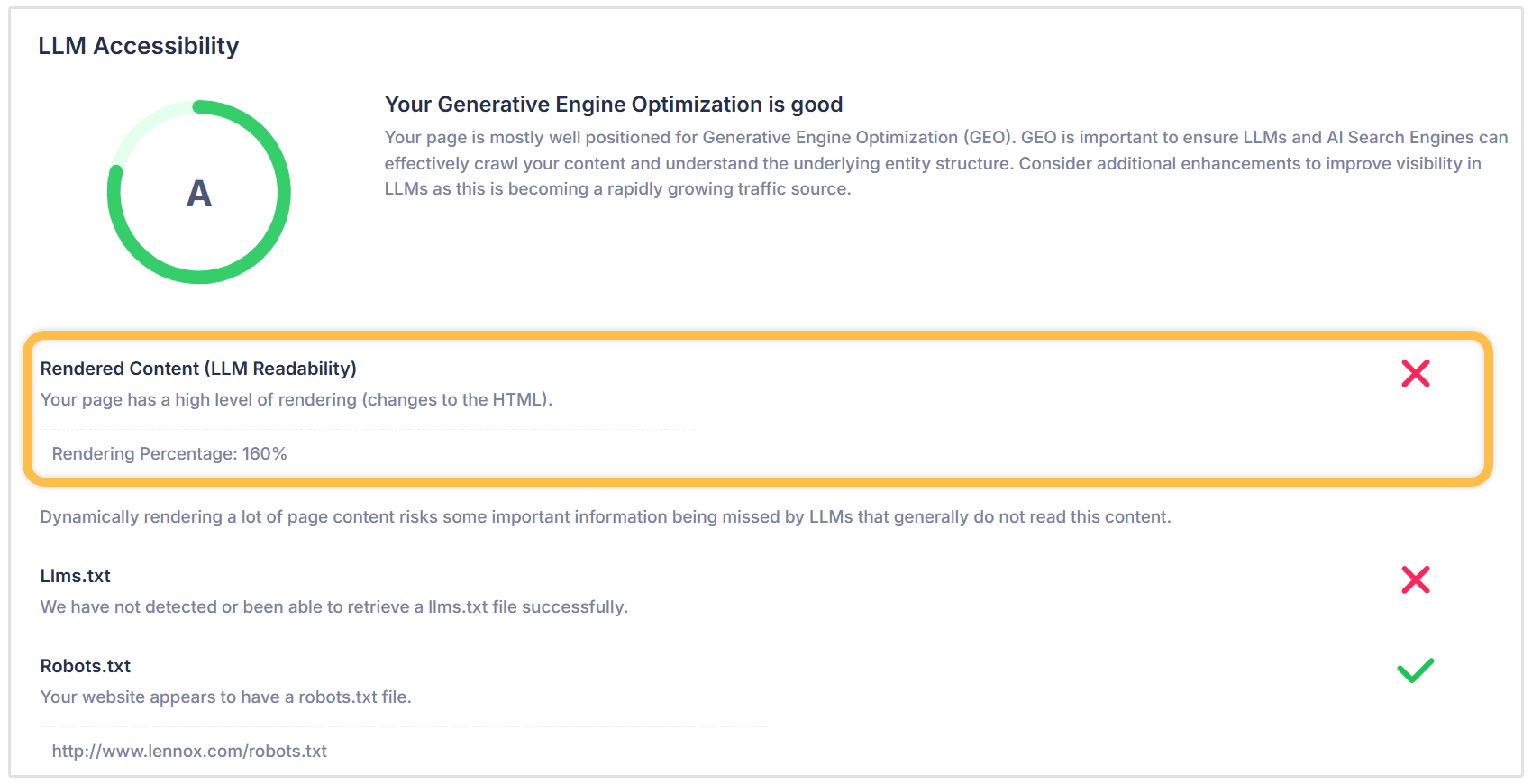
For an even easier and faster check, SEOptimer's standard SEO Audit and dedicated GEO Audit both include a Rendered Content (LLM Readability) check.
This check analyzes your pages and measures how much content is loaded through JavaScript after the initial HTML response.
The output is a rendering percentage score. Meaning, the lower the score, the more of your content is available in the raw HTML, and the more readable your page is for AI crawlers and LLMs.
The Rendered Content check sits within the LLM Accessibility section of SEOptimer's GEO Audit, alongside other checks like AI Crawler Access, LLMs.txt, and XML Sitemaps.
Ensure Your Website is Ready for AI Search
Rendered content is a fundamental factor in AI visibility that many teams overlook until they notice the gap between their Google rankings and their AI citation rates.
A site that has invested years in SEO can still be completely invisible to ChatGPT, Claude, and Perplexity if its critical content loads through JavaScript.
The solution is to use server-side rendering for content-heavy pages.
Apply static site generation for stable, evergreen content and use hybrid rendering to layer interactive features on top of a strong HTML foundation. And always verify that headings, body copy, product information, and structured data are present in the raw HTML response.
Frequently Asked Questions
What is rendered content in web development?
Rendered content is the complete version of a webpage as displayed in a browser after all HTML, CSS, and JavaScript has been processed.
This is distinct from the raw HTML that a server initially delivers, which may be incomplete if the page relies on JavaScript to load key content.
Why can't AI crawlers read JavaScript-rendered content?
AI crawlers like GPTBot, ClaudeBot, and PerplexityBot fetch the raw HTML response from a server and move on without executing JavaScript.
Any content that only appears after JavaScript runs is invisible to these crawlers.
Does server-side rendering help with AI visibility?
Yes, server-side rendering (SSR) ensures that the full page content is delivered in the initial HTML response before any JavaScript executes.
AI crawlers receive a content-rich page rather than an empty shell, making all text, headings, product information, and structured data immediately accessible.
Which AI crawlers cannot execute JavaScript?
As of 2026, no major AI crawler (except for Gemini/Google) executes JavaScript.
This includes the following crawlers:
- GPTBot and OAI-SearchBot (OpenAI)
- ClaudeBot and Claude-SearchBot (Anthropic)
- PerplexityBot
- Meta-ExternalAgent
- Bytespider
How do I check if my site's content is visible to AI crawlers?
You can run a Rendered Content (LLM Readability) check through SEOptimer's GEO Audit for a structured, percentage-based analysis.