


Your competitors may already be ranking for valuable searches you haven’t even thought of yet. By analyzing competitor keywords, you can find new topics and spot keyword gaps in your own content.
In this guide, we’ll walk you through how to find the keywords your competitors rank for and then decide which opportunities are truly worth exploring further.
How to Find Keywords Used by Competitors
The process of finding the keywords your competitors are using can be broken down into the following 7 steps:
- Identify your real search competitors
- Search the competitor’s domain for relevant keywords
- Filter the keywords by opportunity
- Examine the competitor’s ranking page
- Compare the keywords against your own website
- Map the selected keywords to your content plan
- Track your keyword rankings
Let's take a closer look at each step in more detail.
1. Identify Your Real Search Competitors
Before you start collecting competitor keywords, you need to identify the websites you actually compete with in search results for your primary keyword and related secondary keywords.
Your business competitors and search competitors are not always the same.
Business competitors sell similar products or services, while search competitors are the websites that consistently rank for the target keyword, its variations, and related search terms you want to target. These could include other businesses, industry publications, directories, marketplaces, or informational websites.
Start by searching Google for your target keyword and three to five related secondary keywords that are important to your business.
Make a note of the domains that appear repeatedly across the results, paying particular attention to websites that:
- Offer similar products or services.
- Rank for your target keyword or closely related secondary keywords.
- Target the same audience or geographic area.
- Publish content about the same core topics.
Try to select three to five relevant competitors for your initial research.
So let's imagine that we own a plumbing business in Austin, Tx. If I search for a generic keyword like "emergency plumbing austin tx," I would firstly see the Local Map Pack results.

From this SERP feature, I can see the following top competitors:
- Reliant Plumbing
- ABC Home & Commercial
But then if I scroll further down the search results page, I can see even more competitors like Abacus Plumbing, Roto-Rooter, Goettl, and more.

These will be the competitors that I would add to my spreadsheet.
Tip: Avoid automatically choosing large websites such as Wikipedia, Amazon, or major news publications simply because they appear in the same results. Although you may share the same keywords, their size, authority, and content strategy might make them poor benchmarks for your website.
For instance, a local accounting firm may consider other nearby accounting practices its primary business competitors.
However, when searching for a target keyword such as “small business tax deductions,” it might also compete with financial blogs, accounting software companies, and government websites.
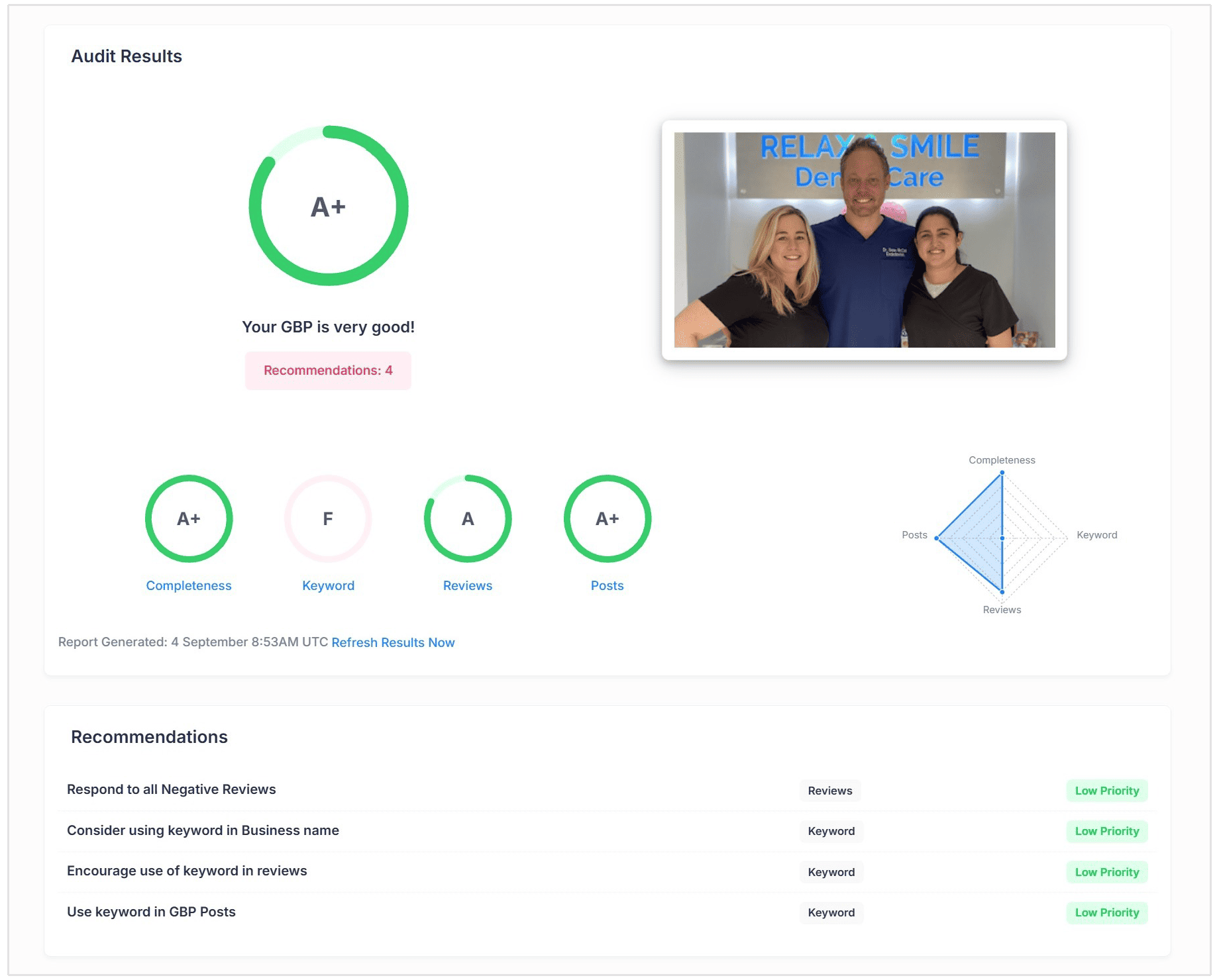
Got a local business with a Google Business Profile? Try our Google Business Profile Audit tool to see if your profile is optimized according to Google's best practices and recommendations.
2. Search the Competitor’s Domain
If you want to know how to find the keywords of a competitor’s website, our Keyword Research Tool lets you search an entire domain rather than entering individual seed keywords.
- Log in to SEOptimer and open the Keyword Research tool in your dashboard.
- Select Search by Domain.

- Enter the competitor’s website address.
- Choose the country you want to analyze.
Choosing the correct country is important because keyword rankings and search volumes can differ between locations.
SEOptimer will generate a list of keywords associated with the competitor’s domain, together with useful metrics for evaluating each one.

You can then:
- See which keywords the competitor ranks for.
- Check the estimated monthly search volume.
- Review the competitor’s current ranking position.
- Identify the page ranking for each keyword.
- Compare the estimated competition and CPC.
- Export promising keywords for further analysis.
At this stage, your goal is to only gather potential opportunities instead of chosing keywords immediately. Repeat the search for each of the three to five competitors you identified in the previous step, and export the results into a spreadsheet.
3. Filter the Keywords by Opportunity
Not every keyword your competitors rank for will be worth targeting. For instance, it would be silly to try and target a location keyword that your competitor is ranking for if you don't operate in that area.
Start by removing branded terms, irrelevant topics, locations you do not serve, and searches for products or services you do not offer.
Next, narrow the list using these factors:
- Relevance: Does the keyword closely relate to your business and audience?
- Search intent: Can you create the type of page the searcher expects?
- Search volume: Is there enough demand to justify targeting it?
- Competition: Does your website have a realistic chance of ranking?
- Conversion potential: Could the traffic lead to enquiries, sign-ups, or sales?
The best keywords are not always the ones with the highest search volume. Prioritize relevant terms with clear intent, achievable competition, and genuine value to your business.
So for instance, in the screenshot we shared above, the keyword "how do you turn off water to a toilet" is a great content opportunity with 6,600 estimated monthly searches and Low competition according to SEOptimer's Keyword Research tool data.
You can even open up the SERP for that specific keyword to see all the other competing pages that are ranking for this term:

4. Examine the Competitor’s Ranking Page
Once you have identified a promising keyword, open the competitor’s page ranking for it. The keyword tells you what attracts visitors, while the actual landing page or blog post helps you understand why it ranks.
Pay attention to:
- The type of page, such as a blog post, product page, comparison, or landing page.
- How thoroughly it answers the search query.
- The main headings and related topics it covers.
- Whether it includes examples, images, tables, FAQs, tools, or original data.
- When the content was published or last updated.
- Any useful information that appears to be missing.
You shouldn’t try to copy the competitor’s content.
You can just use the page to understand what searchers expect, identify weaknesses or unanswered questions, and determine how you could create something more helpful, current, or complete.
5. Compare the Keywords Against Your Own Website
Now compare your shortlisted competitor keywords with the pages on your own website.
Sort each keyword into one of these categories:
- Missing: Your competitors rank for it, but your website has no relevant page.
- Underperforming: You have a suitable page, but it ranks below competing pages.
- Already covered: Your website already ranks well and does not require attention.
For missing keywords, you can create a new page that satisfies the search intent. For underperforming keywords, updating the old post or page may be more effective than publishing something new.
You could expand outdated information, answer missing questions, strengthen the title and headings, or add useful examples and visuals.
Avoid creating a new page when an existing one already targets the same intent, as this could cause your pages to compete with one another.
6. Map the Selected Keywords to Your Content Plan
Once you have identified the best opportunities, assign each keyword to a specific page or content action. This prevents useful insights from disappearing into an export that nobody opens again.
Create a simple content map containing:
| Keyword | Search Intent | Target Page | Action | Priority |
|---|---|---|---|---|
| Primary keyword | Informational | Existing blog post | Update | High |
| Related keyword | Commercial | New landing page | Create | Medium |
Group closely related keywords with the same search intent on one page rather than creating separate content for every variation.
Choose one primary keyword for the page, then use relevant variations as secondary keywords.
You need to prioritize pages that address clear content gaps, support important products or services, and have a realistic chance of ranking. This turns your competitor research into a focused content plan instead of an overwhelming list of keywords.
7. Track Your Keyword Ranking
After creating or updating your content, add the selected keywords to our advanced Keyword Tracking Tool to monitor how your rankings change over time.
The tool allows you to track your keyword positions, see which pages are ranking, and identify whether your SEO efforts are improving visibility.

You can also use our Local Rank Tracker if you want more granular keyword tracking results on a local level. This includes city, town, or even postal code.
You should monitor the same keywords for your competitors to compare performance and spot any changes in the search results.
Continue repeating this competitor research process regularly, like once a month or every three months. Your competitors will publish new content and gain or lose rankings, which means fresh keyword opportunities can appear at any time.
How to Find Competitor Keywords for Free
Search Google Manually
You can also use Google search operators to search for important topics related to your business.
For example, if I had a plumbing business in Austin, Reliant Plumbing would be one of my main competitors. By using Google search operators, I can find all of the content they have on any related topic like "emergency plumbing."

You can use any one of the following search operators to try and find competitor keywords:
- site:competitor.com
- site:competitor.com/blog
- site:competitor.com "target topic"
- site:competitor.com intitle:"target keyword"
Review the page titles, headings, URLs, and descriptions to identify the topics and keywords the competitor appears to target.
While this offers a quick and easy way to get some idea of the topics your competitors are using, this method does not confirm which keywords actually generate traffic.
Check the Competitor’s Sitemap
A competitor’s XML sitemap can show pages that are difficult to find through its site navigation. Try visiting the following URLs:
- competitor.com/sitemap.xml
- competitor.com/sitemap_index.xml
Alternatively, you can just use our Free Sitemap Checker tool which scans your competitor's website to find the exact destination of their sitemap.

Look through the listed URLs for recurring topics, product categories, services, locations, and recently published content. While a sitemap will not show ranking data, it can help you discover gaps and content ideas to investigate further.
How to “Steal” Competitors’ Keywords without Copying Them
To steal keywords from competitors just means using their rankings to uncover opportunities, not copying their content.
Multiple websites can target the same keyword, but each should offer original and genuinely useful information.
Here are a few ways that you can steal competitor keywords without copying them:
- Study several competitors: Combine insights from multiple pages instead of recreating one competitor’s structure.
- Find unanswered questions: Identify details, examples, or concerns the existing results fail to address.
- Offer a different angle: Tailor the topic to a particular audience, industry, location, or use case.
- Add original value: Include expert insights, first-hand experience, original data, templates, examples, or custom visuals.
- Improve outdated information: Provide newer statistics, tools, screenshots, and recommendations.
- Match the intent, not the wording: Give searchers the type of content they expect without copying titles, headings, or passages.
- Use your own brand expertise: Connect the topic to your experience, products, services, and customer needs.
Competitor keywords should guide what you cover, while your own expertise determines how you cover it.

Conclusion
Now you know how to find the keywords your competitors are using on their websites. If you want to improve your performance in search, you definitely need to use this guide as a resource.
"Spying" on your competitors and the best performing sites in your niche is one of the top ways you can get more traffic to your site and potential customers to engage with your brand.
You can follow the steps we outlined in this blog post if you want to find insipiration for new content and page ideas.
You can also use SEOptimer's suite of SEO tools and comprehensive site audits to find where your website is lacking compared to your competitors. All SEOptimer audits have the ability to add your competitors to get a detailed comparison of your performance.

Related: Competitor research doesn’t have to stop at keywords. You can also learn how to find your competitors’ backlinks to uncover the websites linking to their content and identify new link-building opportunities for your own site.