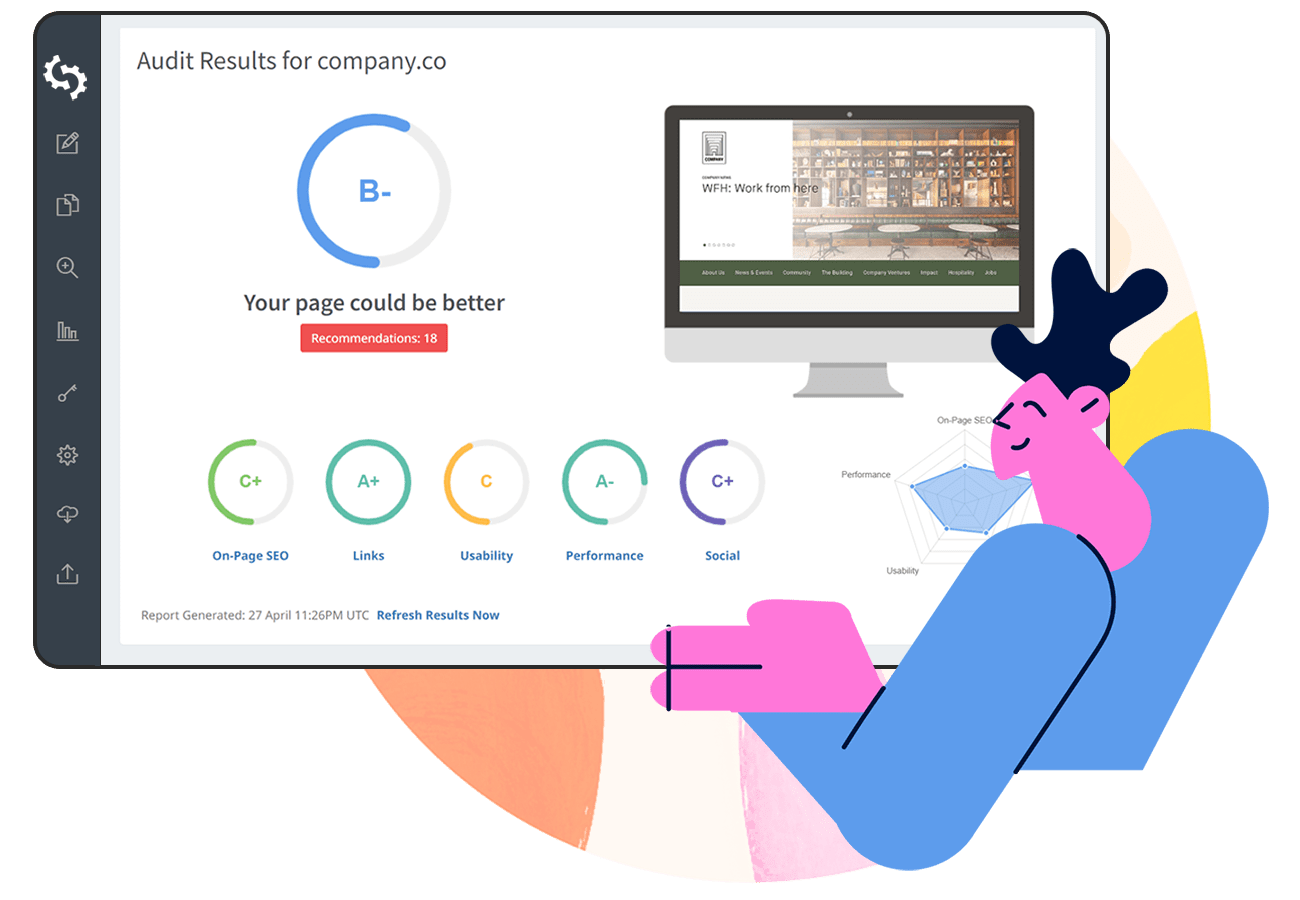


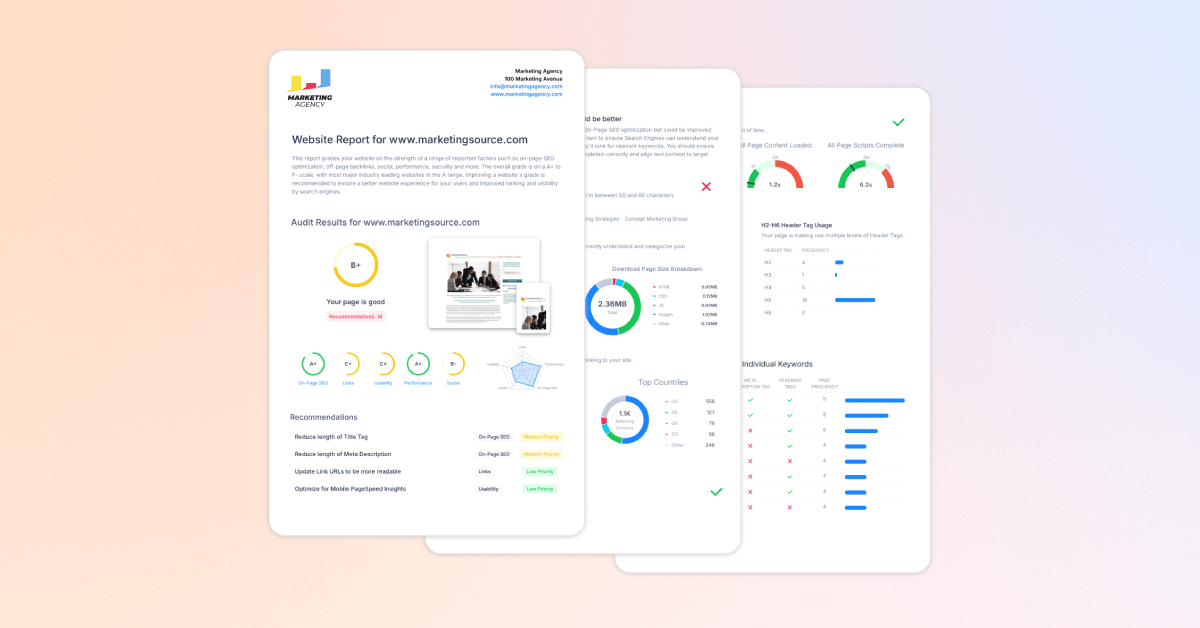
Creating SEO reports for clients is an essential part of running an SEO agency.
At the end of the day, your clients want to see the real impact of your work. This can include how search rankings are climbing, how organic traffic is increasing compared to before, and how those results translate into real leads and revenue.
When done right, creating SEO reports is a powerful tool for client retention, showing clear ROI, and building long-term trust.
In this guide, we’ll walk you through how to create an SEO report that leaves clients genuinely impressed.
You’ll discover what to include in an SEO report, which metrics actually matter (including new AI search visibility), and how to streamline the entire process to save your agency hours every month.
What is an SEO Report
An SEO report is a structured document that summarizes a website’s organic search engine performance over a specific period (typically monthly or quarterly).
It brings together key data from analytics platforms, rank tracking tools, and technical SEO tools to show progress, track SEO key performance indicators (KPIs), identify areas for improvement, and demonstrate the ROI of SEO efforts.
Why SEO Reporting is Important for Agencies
- Proves Tangible ROI: SEO clients may not understand every technical aspect of SEO, but they do understand revenue, leads, and their bottom line. Regular reporting connects your work to measurable business outcomes, helping position your SEO retainer as an ongoing investment rather than just another expense.
- Sets Clear Expectations: SEO is a long-term strategy, and meaningful results often take time to build. Consistent reporting highlights incremental progress, keeps clients informed, and helps manage expectations while larger gains develop over time.
- Reduces Churn During Periods of Volatility: When algorithm updates or seasonal swings occur, transparent reports allow you to explain traffic shifts before the client panics.
- Uncovers Upsell & Expansion Opportunities: Detailed reports can show untapped search opportunities, such as emerging high-intent keywords or gaps in content. This opens the door to pitch additional services like content creation, Local SEO, or Generative Engine Optimization.
Tools for Creating SEO Reports
Creating comprehensive SEO reports relies on the right stack of tools. Here are the core tools every agency should use to create website SEO reports:
SEOptimer Website Audits
SEOptimer’s Website Audit Tool is built specifically for agencies and marketers who need fast, white-label reporting at an affordable price.
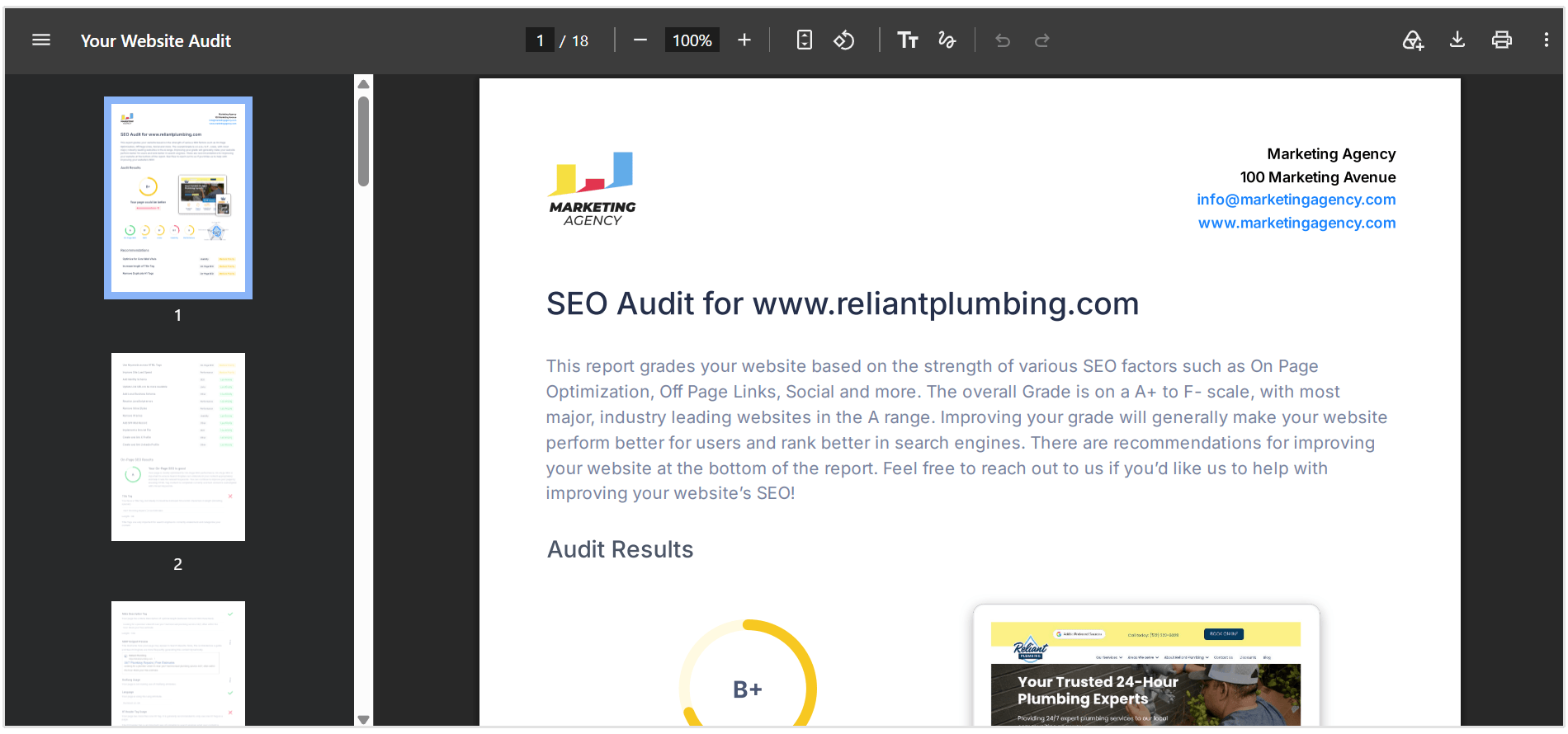
Instead of spending hours gathering technical data, SEOptimer crawls any site in seconds, evaluating over 100 critical data points across On-Page SEO, Usability, Performance, Backlinks, and Generative Engine Optimization (GEO).
Key Reporting Features:
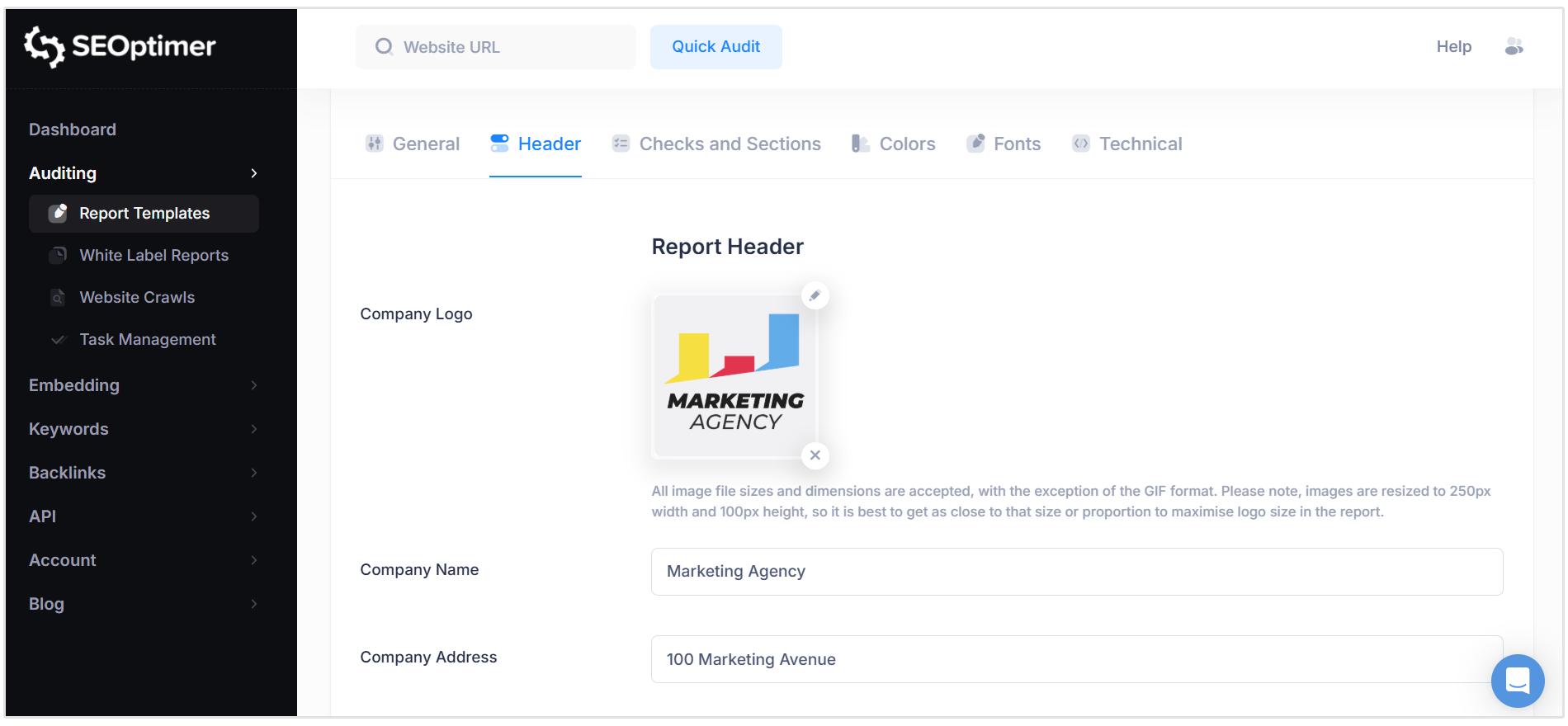
- White-Label PDFs: Customize reports with your agency logo, brand colors, custom domain, and tailored commentary.
- Generative Engine Optimization (GEO): Evaluates site visibility for AI search engines (like ChatGPT and Google AI Overviews) alongside traditional SEO.
- Automated Scheduling: Set up recurring audits that deliver fresh reporting straight to your inbox or client dashboard.
SEOptimer SEO MCP
The SEOptimer SEO MCP Server allows you to connect SEOptimer’s audit, ranking, and technical data directly to your favourite AI assistant like Claude or ChatGPT.
The SEO MCP pulls real-time site audit scores, backlink data, and performance issues into your AI workspace to write custom summaries automatically.
You can ask your AI assistant any questions related to your client's site, so you could ask something like, “What are the easiest wins that I can fix today?” or “how has website Core Web Vitals improved since the last audit?”
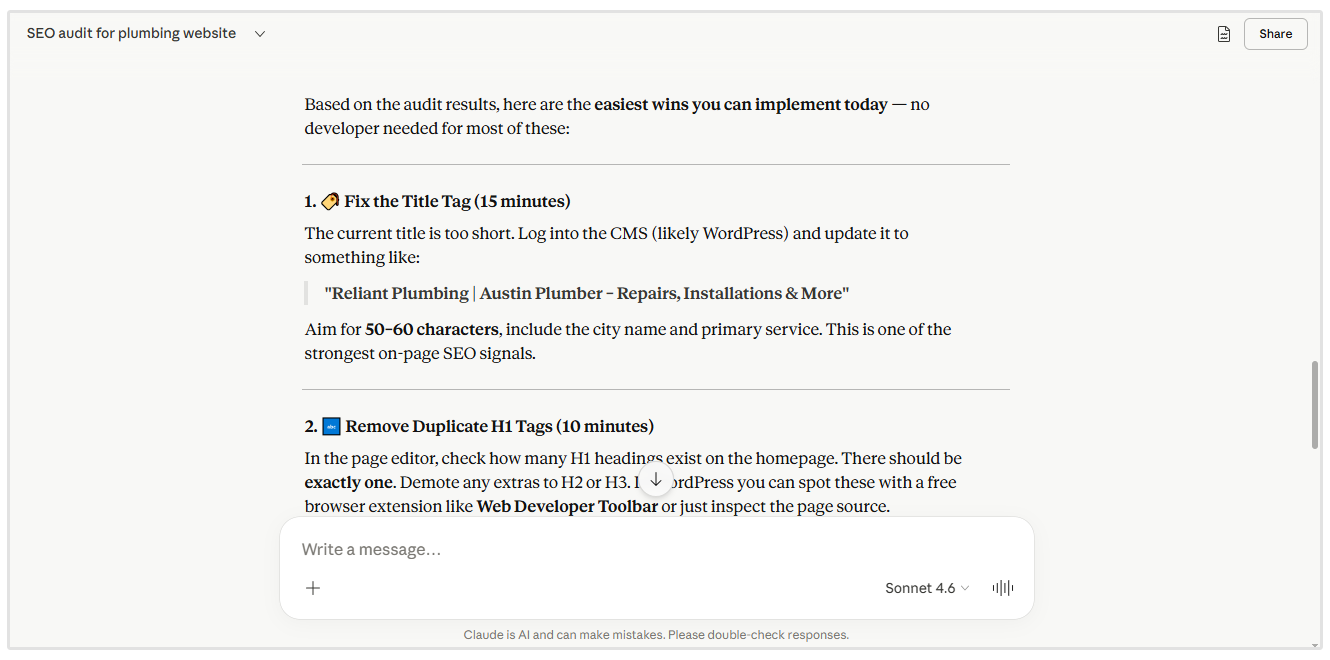
The MCP is also handy for getting quick answers to client questions or queries if you have to get an answer for a client on the fly.
Google Analytics
Google Analytics 4 (GA4) is still the gold standard for tracking traffic sources, conversions, user engagement, and proving actual business value.
Agencies can connect SEO performance directly to form submits, ecommerce purchases, and key conversion events using GA4.
Google Data Studio
Google Data Studio is Google’s free data visualization tool, perfect for aggregating multi-channel metrics into interactive dashboards.
Agencies can pull real-time data from GA4, Google Search Console, and Google Ads into a single view and build interactive charts and maps for non-technical clients.
Google Search Console
Google Search Console is essential for understanding how a website performs directly in Google Search.
It shows key metrics such as clicks, impressions, average position, and click-through rate (CTR), as well as the exact search queries and pages driving organic visibility.
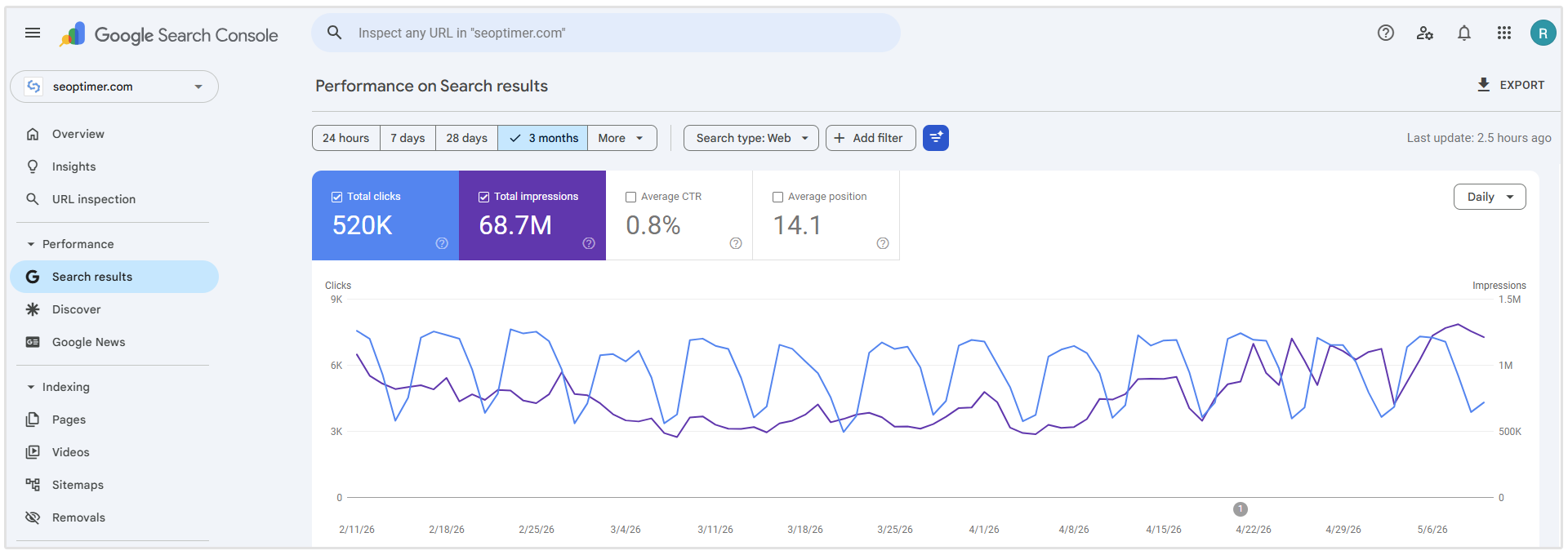
For SEO reporting, GSC is especially useful for spotting keyword growth, identifying pages gaining or losing visibility, and showing clients how often their site appears in search results even before those impressions turn into clicks.
What to Include when Creating an SEO Report
You should include the following sections when creating an SEO report:
- Executive summary and highlights
- Organic traffic and conversion trends
- Keyword ranking changes
- AI search visibility summary
- Backlink profile
- Technical and on-page SEO health
- Local SEO and Google Business Profile performance (if applicable)
- Recommendations and next steps
Let’s take a more detailed look at each of the sections you should include in each SEO report.
1. Executive Summary and ROI Highlights
The Executive Summary is the most critical page of your entire SEO report.
"The most important element every report needs is an executive summary that leads with 3-5 core KPIs the client actually cares about."
- Pat Ahern, Partner and Growth Strategist at Intergrowth
Business owners will read this section first so it is essential to highlight value immediately in this part of your client SEO reports.
This part of the SEO report should feature a brief recap of overall site growth and key metrics compared to the previous period or year-over-year (YoY).
You can also include a clear record of major work delivered during the month (e.g., “Published 4 optimized blog posts, fixed 12 Core Web Vitals errors, acquired 3 high-authority backlinks”).
The Executive Summary should also include leads generated, form submissions, phone calls, or ecommerce revenue tied directly to organic search marketing.

2. Organic Traffic and Conversion Trends (GA4)
Traffic for the sake of traffic does not pay your client’s bills.
As Raquel Geylman, an SEO Manager at seoplus+, puts it:
"If I can't connect a report back to "did this move the business forward," the client has no real reason to trust the work is paying off."
- Raquel Geylman, SEO Manager at seoplus+
This section should use Google Analytics 4 data to show that organic search is driving qualified visitors who take meaningful actions, such as submitting a quote request, making a phone call, or completing a purchase.
Here’s what this section should feature:
- Organic Sessions & Users: Month-over-month (MoM) and YoY comparisons to account for industry seasonality.
- Key Events & Conversions: Total conversions (leads, sales, sign-ups) attributed strictly to the organic search channel.
- Top Performing Landing Pages: Insights into which specific pages are bringing in the highest volume of qualified traffic and revenue.
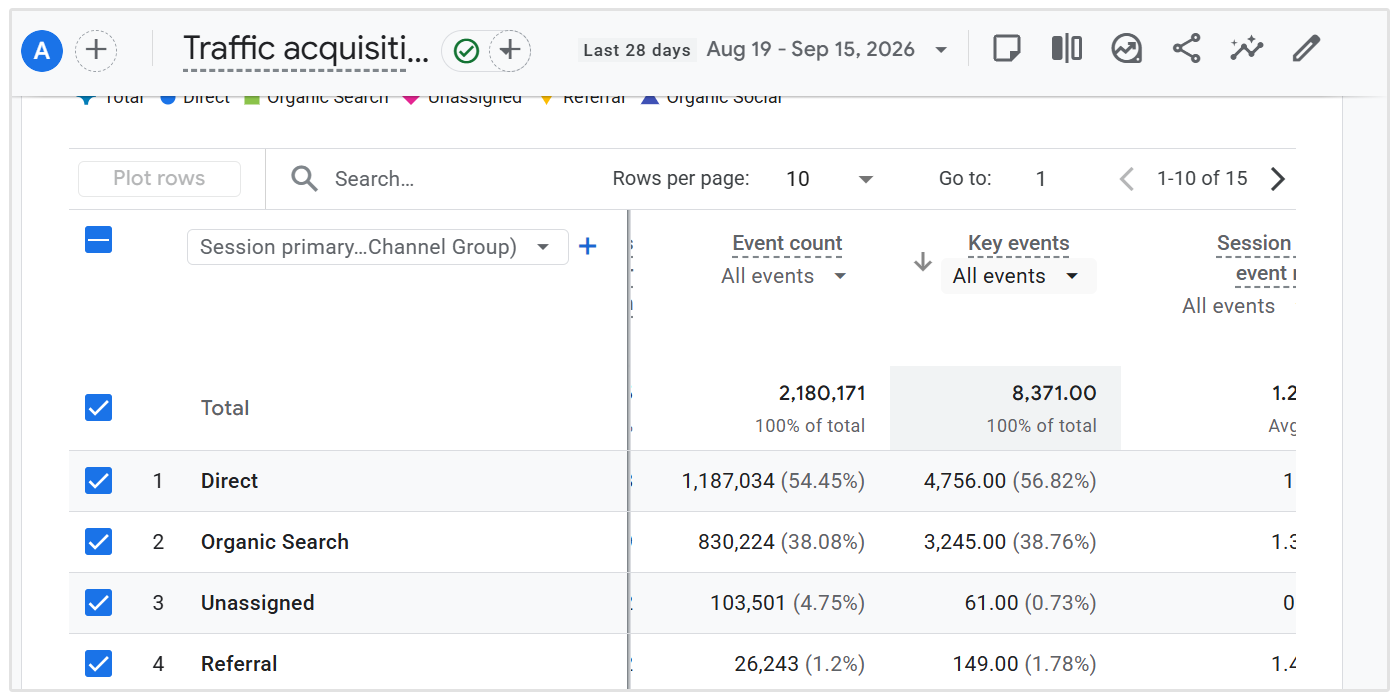
To view these traffic trends and conversion events in Google Analytics 4 is quite simple.
Simply log in to your Google Analytics 4 account and click on Reports on the left. Then, under Generate leads, click on Traffic acquisition.
This will show you the number of organic sessions as well as traffic via other marketing channels like Google Ads, social media, email, etc.
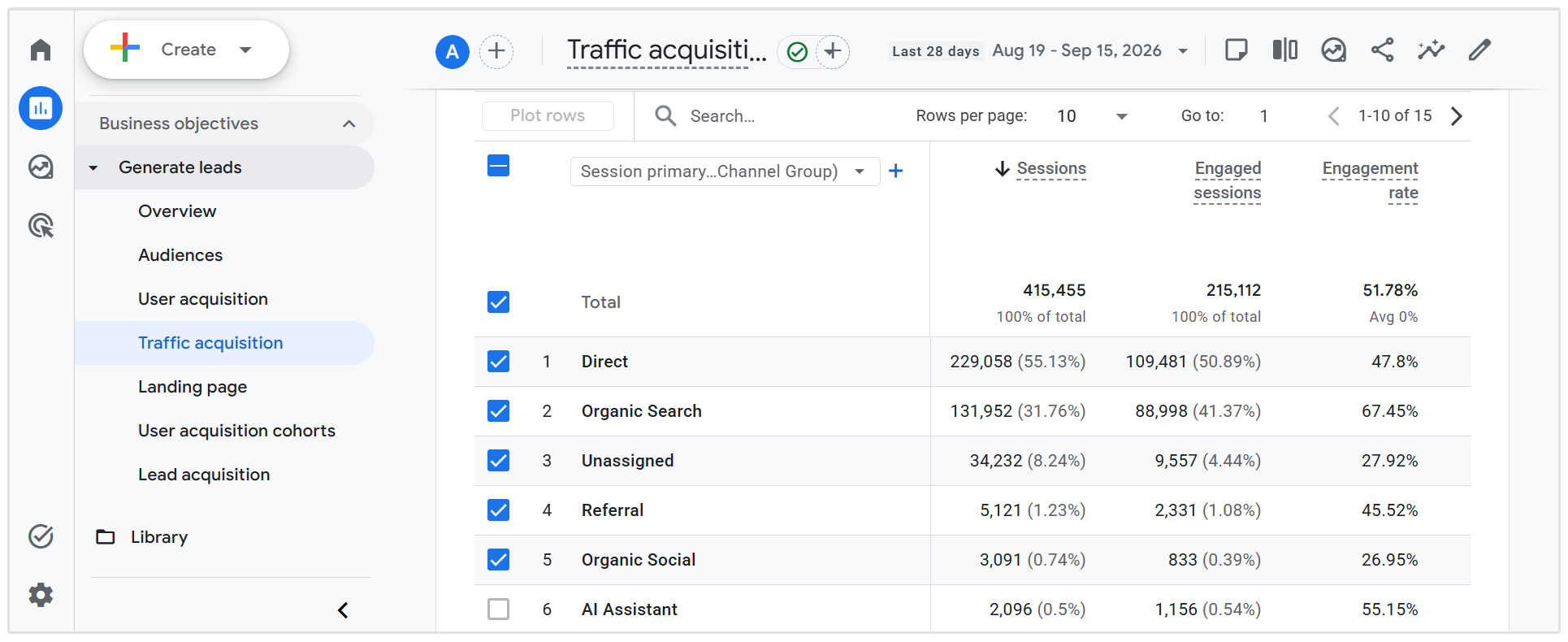
You can also view conversions by traffic source. For SEO reports, focus specifically on conversions attributed to Organic Search.
So scroll all the way to the right of the table and click on the dropdown button next to Key events, then select the conversion event you want to measure.
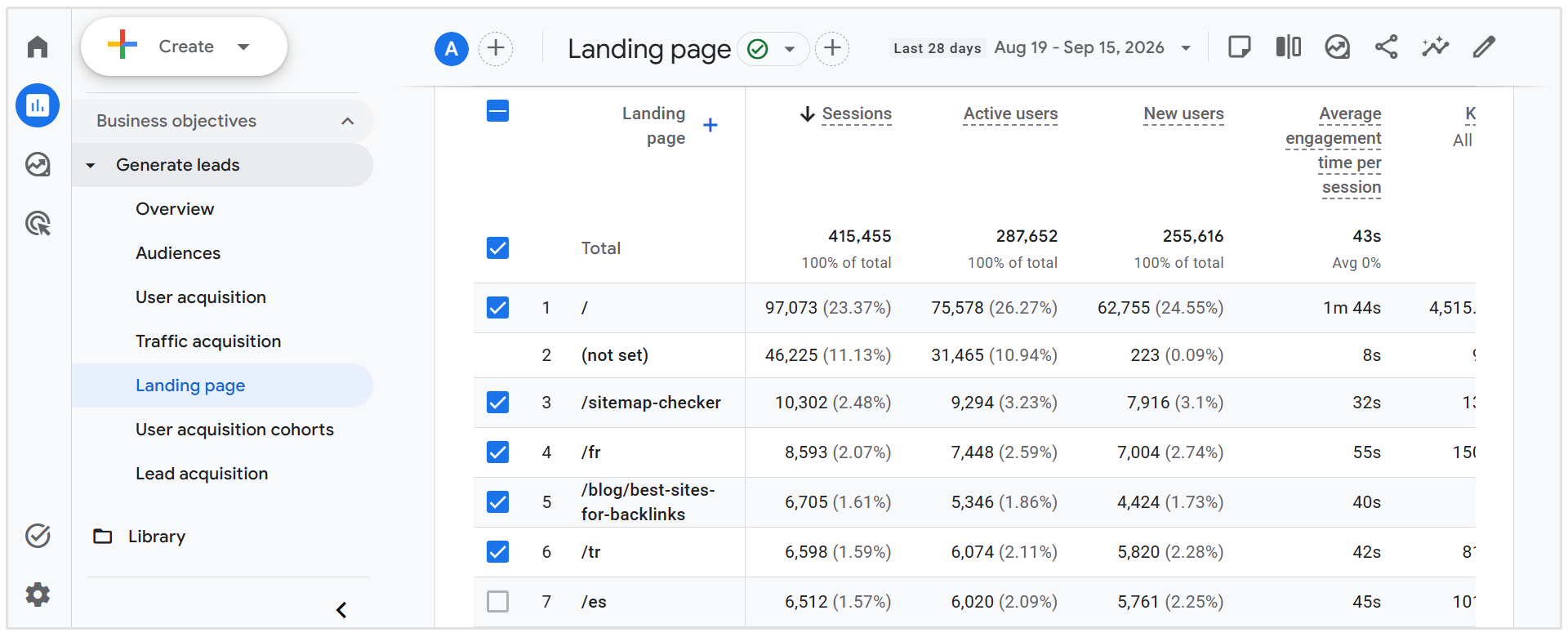
To view performance for individual landing pages you need to navigate to the Landing page report under Generate leads. This will show you the number of sessions, active users, average engagement time, and more for each landing page on a website.
You can also view top traffic sources for each page as well as the conversions on a page-by-page level in this report.
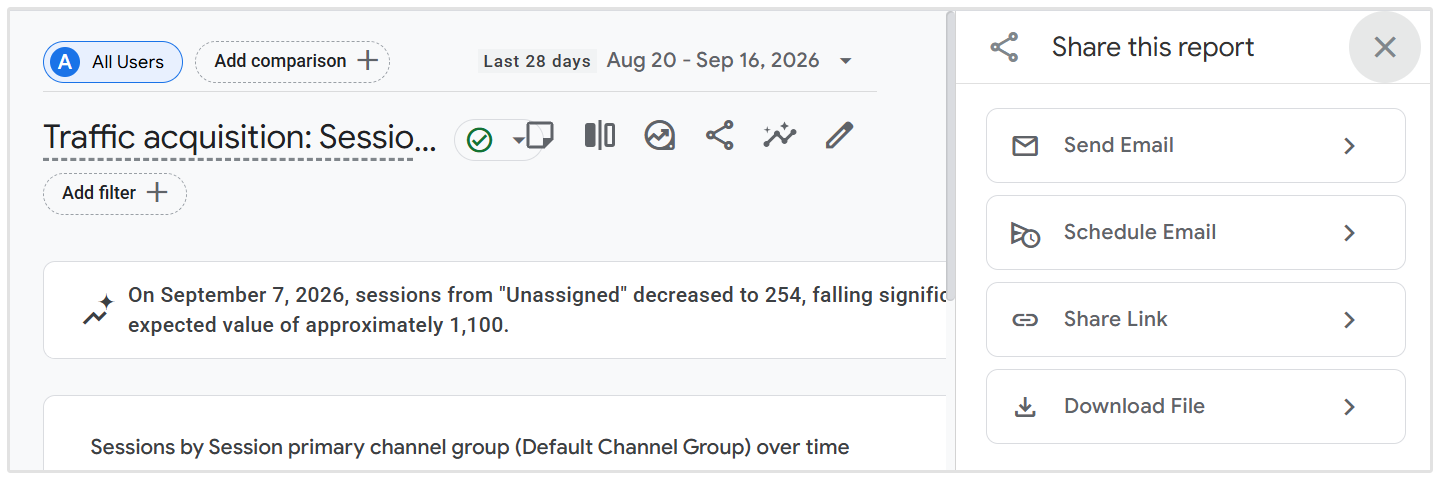
Note: All of these results and metrics can be easily exported by clicking on the Share icon at the top right of the dashboard. Results can be emailed, shared via a link, downloaded to CSV, Google Sheets, or PDF, and scheduled to be sent via email.
3. Keyword Rankings
A core component of any client SEO report is showing search engine positioning changes over time.
Clients want to see how their primary keywords are moving up the rankings and how those movements translate into organic impressions and traffic growth.
"The single most important metric our reports include are keyword tracking from month to month and clicks. Most SEO reports include generic reporting like impressions, but leave off keyword rankings for keywords that have declined."
- Kriszta Grenyo, COO at Suff Digital
When creating SEO reports, it’s crucial to present keyword data cleanly so clients can immediately spot top-performing terms and high-momentum wins.
You can use SEOptimer’s keyword tracking tool to monitor the way keyword rankings change over time. View the estimated search volume and competition on each keyword.
You should ensure your client’s target keywords are set up in the keyword tool when you first kick off with them. That way, the rankings evolution history is maintained in SEOptimer.
There’s nothing like sharing the moment a particular keyword ranks in the top 5 or top 3 with your client! Doing so within the context of the report helps build client loyalty through the success of your efforts!
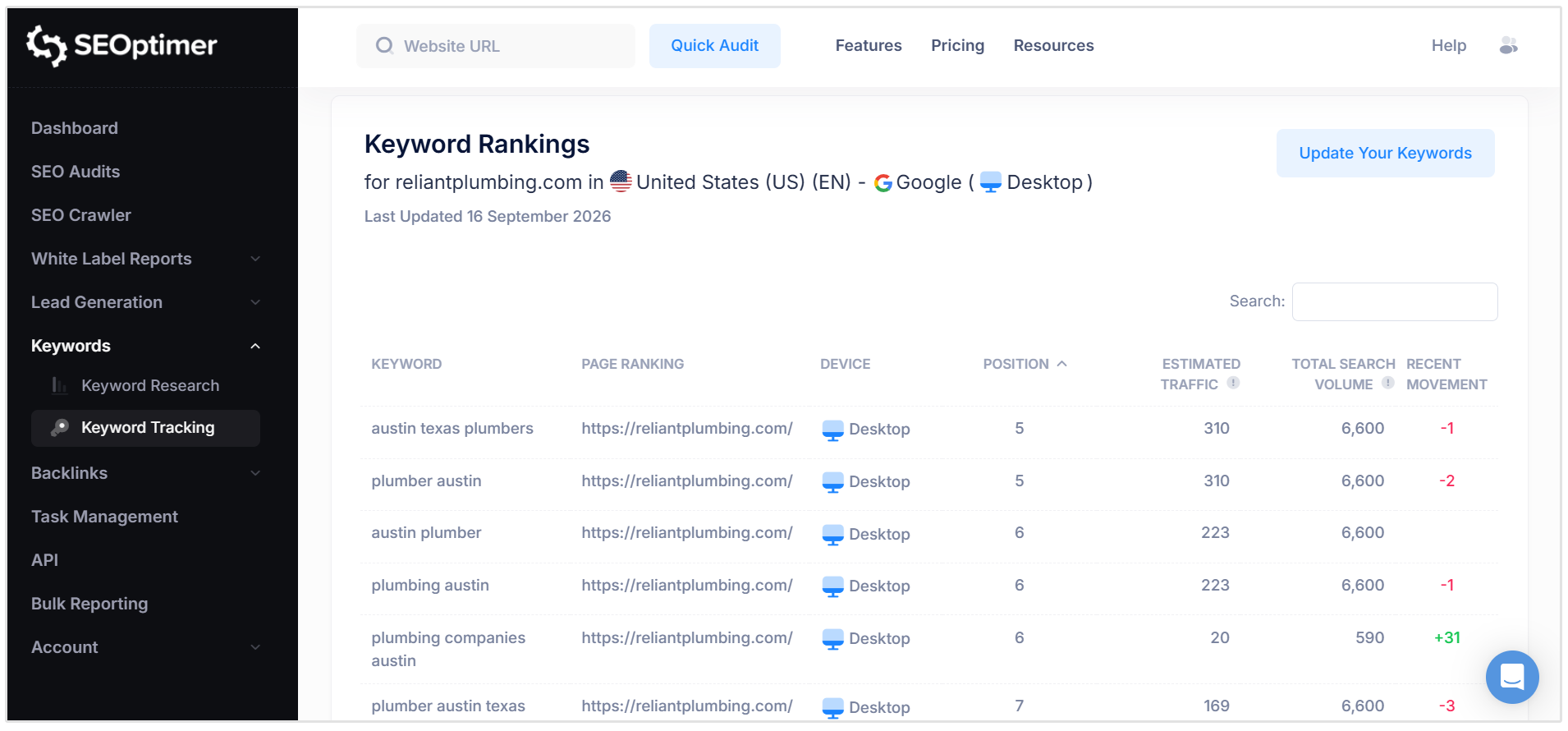
You can export these results to CSV, PDF, Excel, or Print which you can then share with clients.
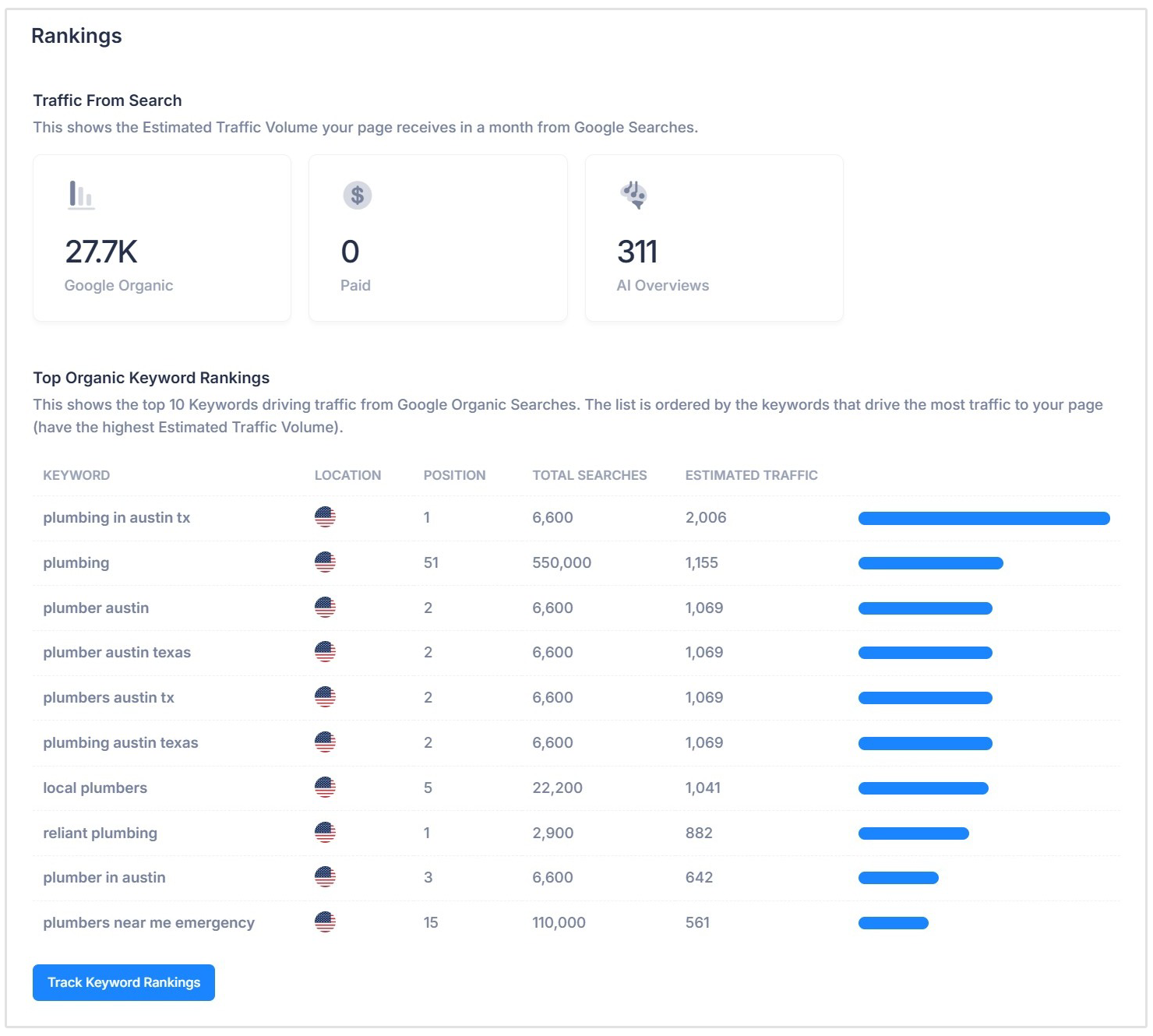
Alternatively, each SEOptimer site audit has a dedicated keyword rankings section which shows you the client or prospect's top 10 keywords driving traffic from Google search.
4. AI Search Visibility Summary
When creating SEO reports, clients also need to understand how visible their brand is across AI-powered search experiences such as Google AI Overviews, ChatGPT, Gemini, and Perplexity.
AI search is still much smaller than traditional organic search in terms of referral traffic, but it is growing quickly.
Adobe found that referral traffic from generative AI platforms increased more than 10x between July 2024 and February 2025, while Conductor found that 16% of the 118 million keywords it analyzed in September 2025 triggered a Google AI Overview.
Related Reading: How to Rank in AI Overviews
This means an SEO report that only tracks traditional rankings and organic clicks can miss an increasingly important part of how potential customers discover a brand online.
"We’re watching whether clients are showing up in Google AI Overviews, ChatGPT and other AI search results for important questions around their services. It’s definitely becoming part of SEO reporting."
- Uday Rajaram, Founder at Medical Marketing Firm
That’s where Generative Engine Optimization (GEO) comes in. GEO focuses on improving how easily AI systems can understand, access, reference, and cite your website and brand in generated answers.
The problem is that manually checking all of these signals can become extremely time-consuming for agencies.
SEOptimer makes this much easier.
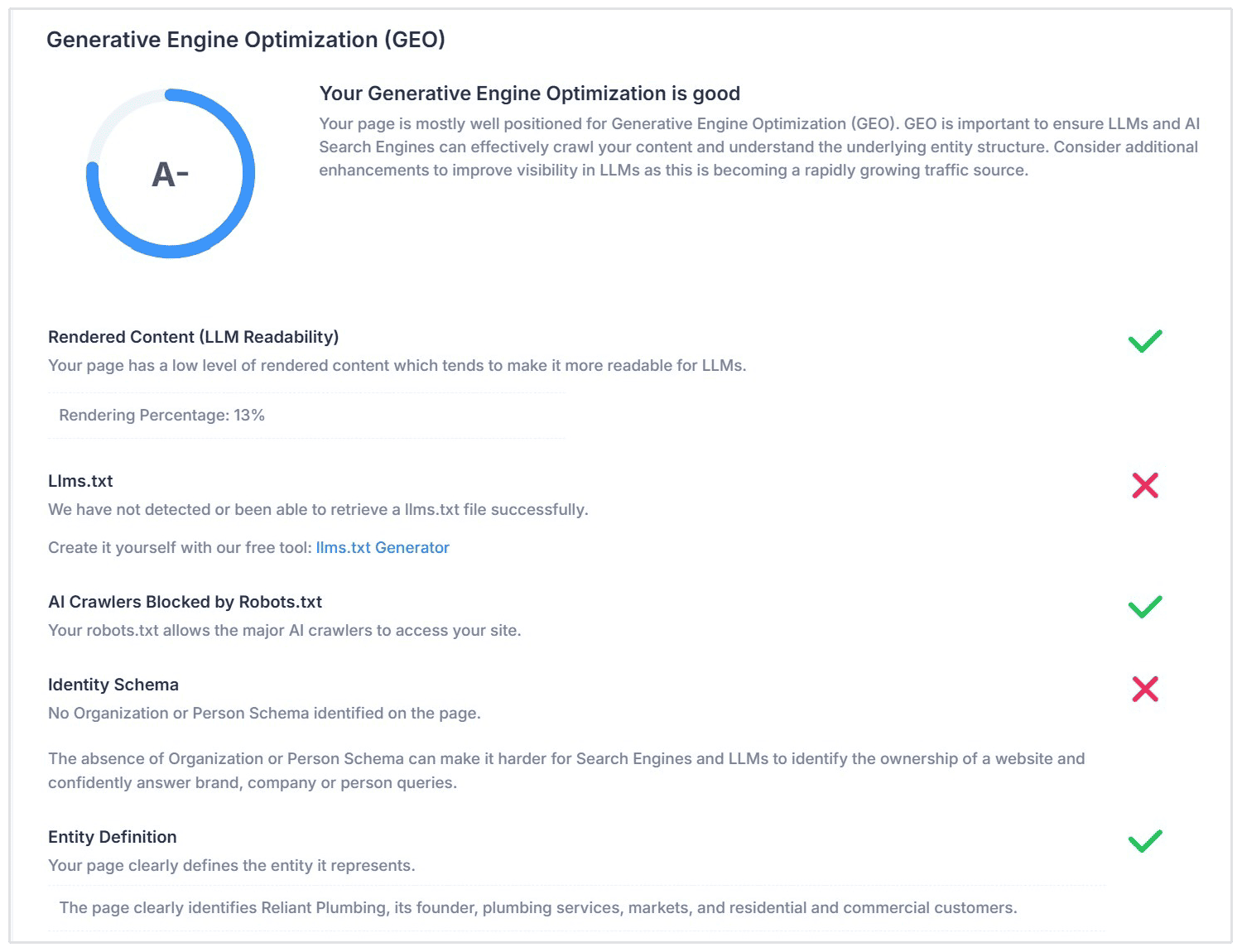
Our standard SEO reports include a dedicated GEO section, allowing agencies to add AI search insights to their client reports without having to manually check dozens of technical signals and search results.
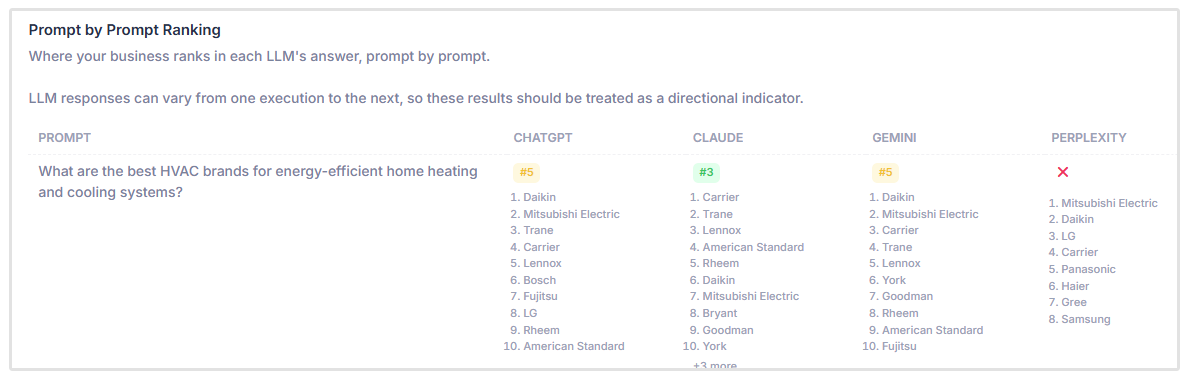
And for those that want to dive much deeper into AI visibility, our GEO Audit tool takes it a step further with deeper insights, prompt tracking, AI content analysis, and everything else you need to optimize for AI search.
Every SEOptimer report includes a dedicated section that breaks down a site’s AI search readiness across crucial technical and structural signals:
- LLM Readability & Heavy Rendering: AI crawlers and agents may not reliably render content that depends heavily on client-side JavaScript. SEOptimer checks the site's rendering percentage and flags pages that rely too heavily on dynamic HTML updates where AI crawlers might miss core text.
- llms.txt Detection: The tool checks for a valid llms.txt file in the root directory, which helps AI agents parse key markdown assets.
- AI Crawler Access: Verifies that your robots.txt file permits major AI crawlers (like GPTBot, ClaudeBot, and PerplexityBot) to access and process your site's content.
- Entity Schema & Identity: Confirms that structured Organization or Person schema is present so LLMs can clearly identify and categorize the business entity.
- Answer Alignment & Citation Readiness: Evaluates whether your page includes structured Q&A formats, easily citable facts, and clear headings that make it easy for AI models to extract direct quotes and answers.
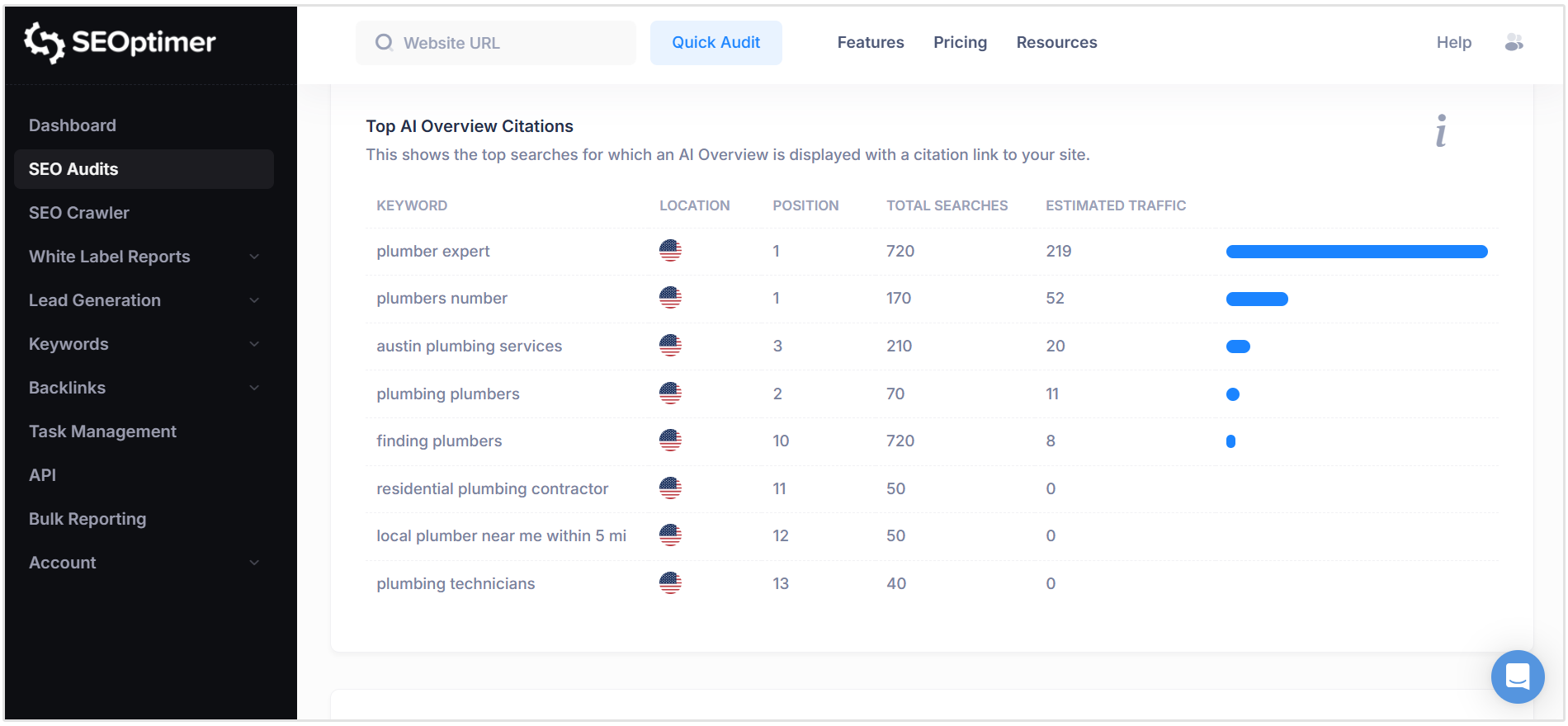
An effective SEO client report must highlight actual visibility in AI search results. SEOptimer directly tracks and reports on Top AI Overview Citations, showing the exact queries where an AI Overview links directly back to your client's site.
5. Backlink Profile
Backlinks remain an important off-page ranking signal, but reporting on them should go beyond simply showing clients a long list of referring domains.
Non-technical clients may struggle to tell the difference between a low-quality spam link and a valuable editorial mention from a trusted website.
A good backlink section should therefore focus on the quality, growth, and distribution of a site's link profile rather than backlink volume alone.
The Backlink Profile section of your SEO report should include:
- High-Level Backlink Summary: Show the total number of backlinks and unique referring domains to track overall link growth over time.
- Top Backlinks: Highlight the most valuable external pages linking to the website, using metrics such as Domain Strength and Page Strength to indicate link quality.
- Top Landing Pages: Show which pages on the client's website are attracting the most backlinks, helping identify content that is naturally earning authority.
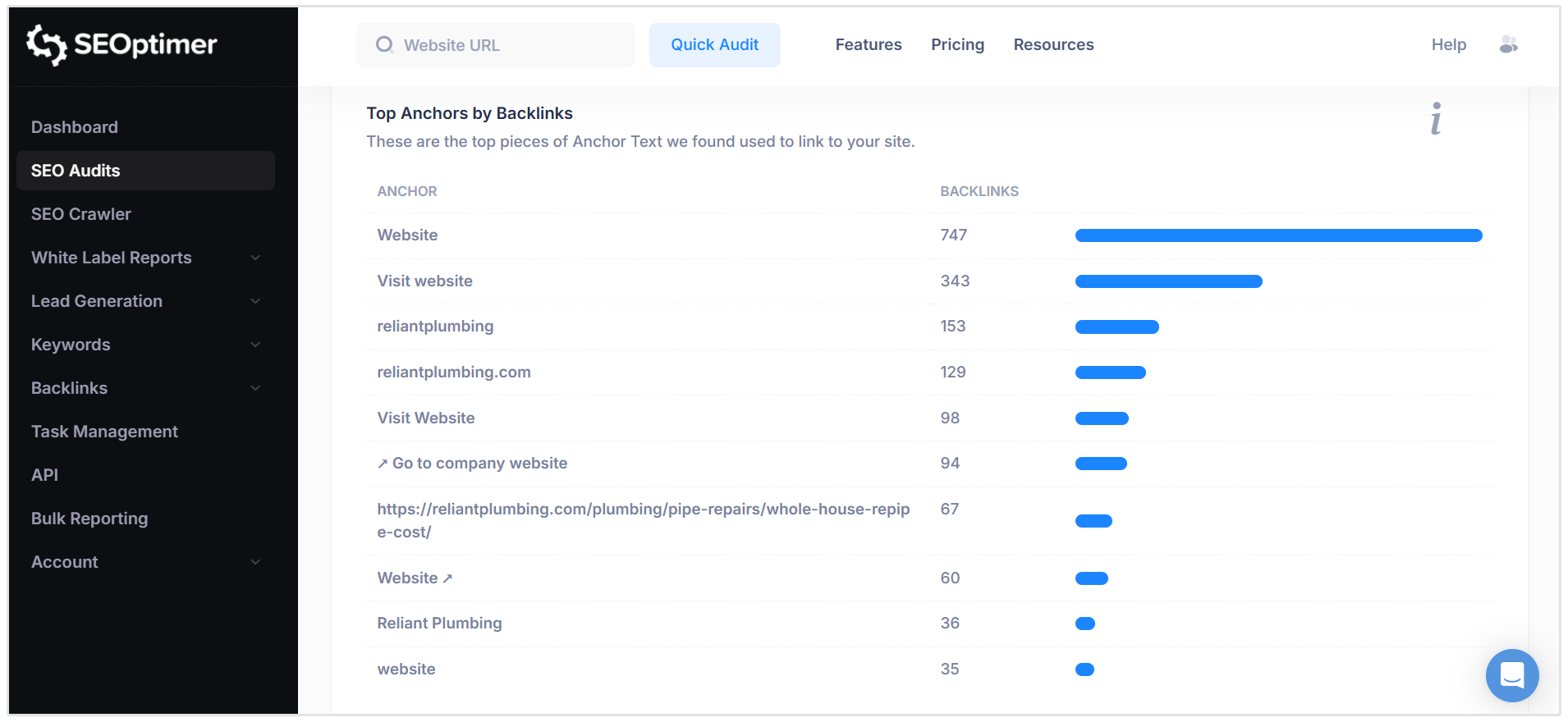
- Anchor Text Diversity: Provide a breakdown of the most common anchor text used in incoming links to help assess whether the backlink profile looks natural and relevant.
Collecting and organizing all of this backlink data manually can take up valuable agency time.
With SEOptimer, these metrics are automatically collected and presented directly inside your SEO reports for clients.
You can quickly show backlink growth, referring domains, top links, landing pages, anchor text distribution, and other off-page insights without having to pull the data together manually from multiple sources.
6. Technical and On-Page SEO Health
Even the best SEO strategy will struggle if a website has underlying technical issues.
Including a clear technical SEO section in your client reports helps demonstrate the important maintenance and optimization work your agency handles behind the scenes, much of which clients may never see otherwise.
This section should cover areas such as:
- On-Page SEO Basics: Report on essential HTML and content signals, including title tags, meta descriptions, heading structure, image ALT text, canonical tags, and structured data.
- Mobile Usability & UX: Check whether the website works properly across mobile devices, including responsive design, viewport configuration, tap target sizing, and general mobile usability.
- Performance & Load Speed: Track important performance indicators such as server response times, page asset sizes, render-blocking resources, and Google's Core Web Vitals, including Largest Contentful Paint (LCP), Cumulative Layout Shift (CLS), and Interaction to Next Paint (INP).
- Security & Infrastructure: Confirm that HTTPS and SSL are configured correctly, identify mixed-content or security issues, and review important technical signals such as email authentication and security headers.
SEOptimer makes it easy to include these insights in your client reports without manually checking each area individually.
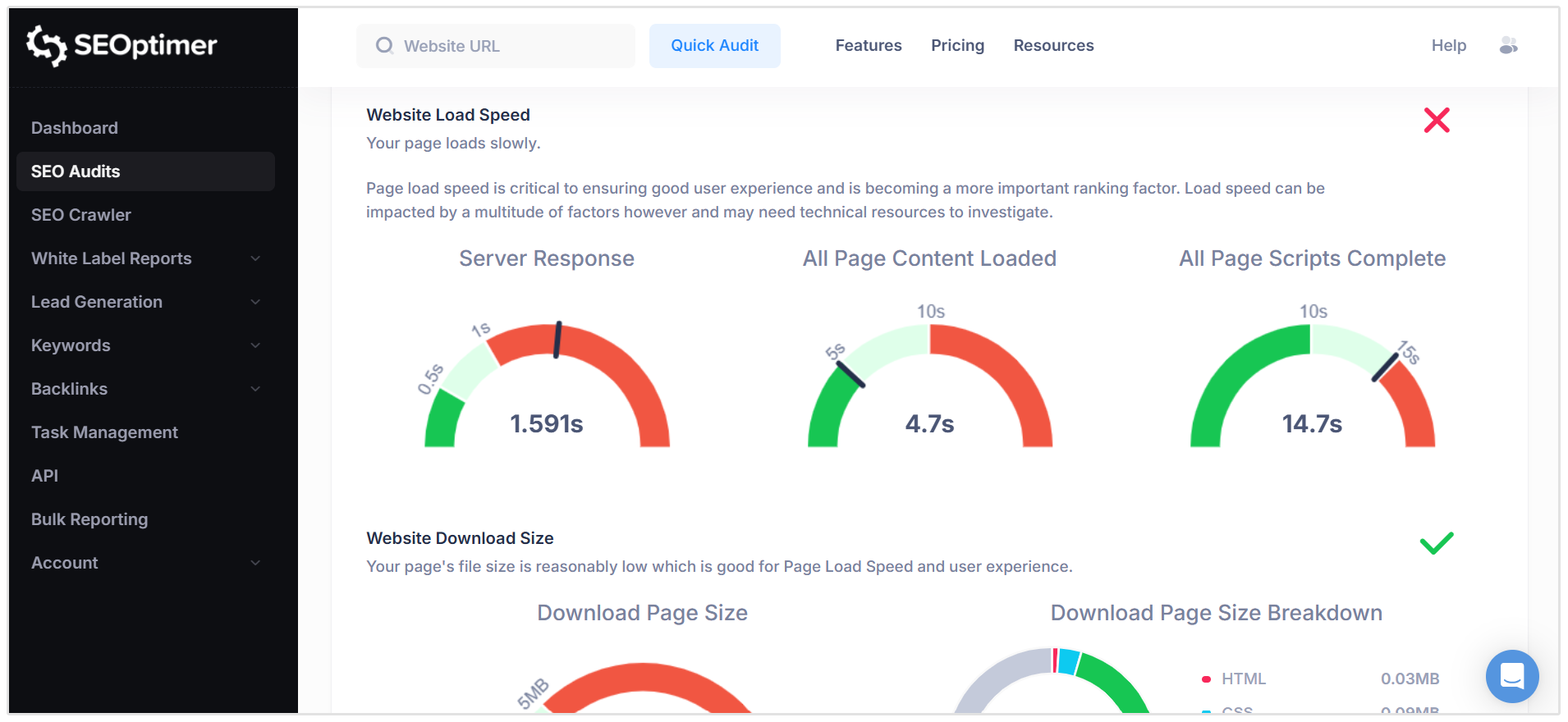
Our SEO reports evaluate more than 100 technical and on-page SEO data points across four dedicated sections:
- On-Page SEO Results: Reviews title tags, meta descriptions, H1 usage, keyword consistency, schema markup, canonical tags, and other on-page signals, with clear pass and issue indicators.
- Usability Checks: Analyzes mobile responsiveness, viewport settings, device rendering, and Core Web Vitals such as LCP, CLS, and INP.
- Performance Checks: Highlights page response times, JavaScript and CSS usage, file optimization, and overall asset download sizes to identify potential speed issues.
- Security & Technology Overview: Checks SSL implementation, mixed-content issues, security headers, and the technologies powering the website, including CMS and marketing platforms.
This gives clients a clear view of the technical health of their website while also making it easier for your agency to explain where issues exist and what needs to be prioritized next.
7. Local SEO and Google Business Profile Performance (if Applicable)
For local businesses, your SEO report should also include visibility across local search results and Google Maps.
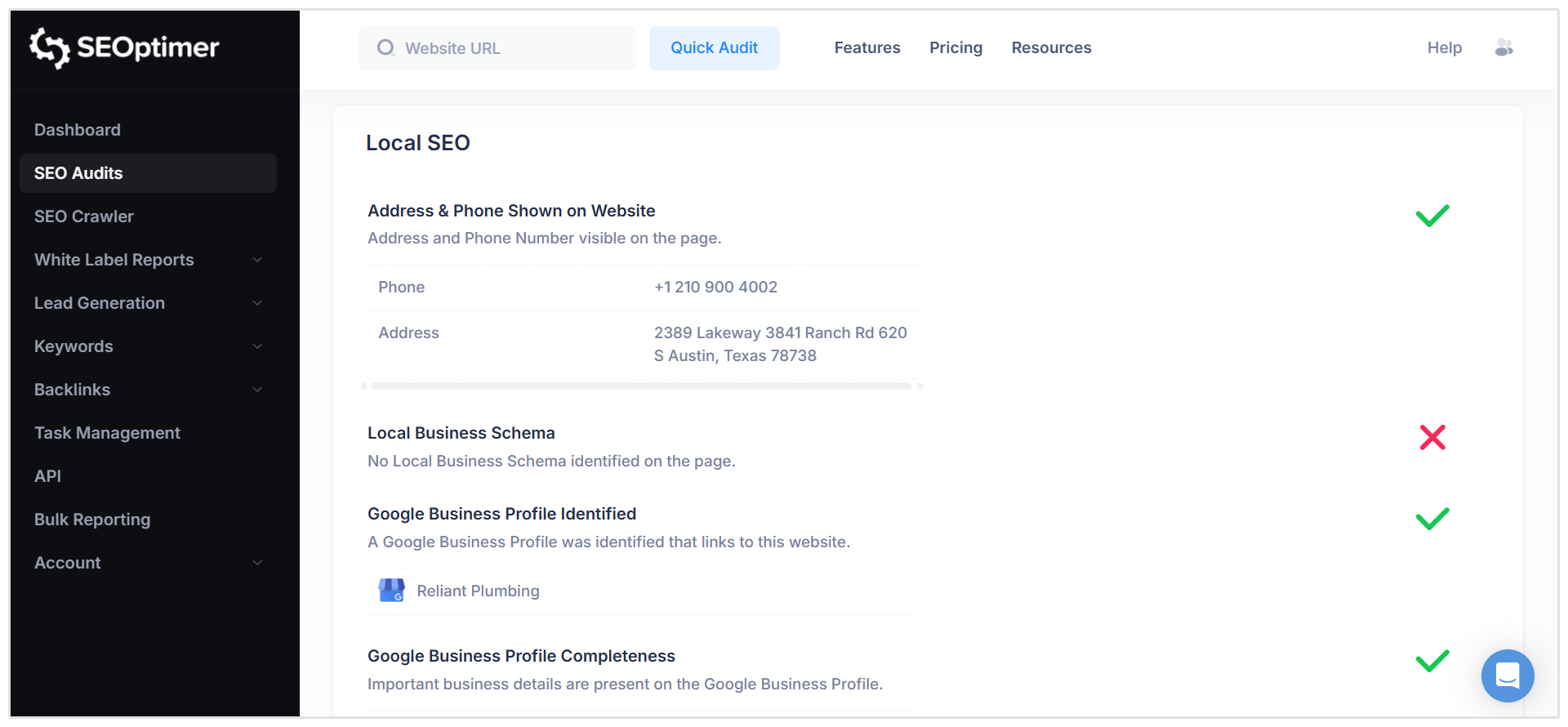
Key metrics can include Google Business Profile completeness, local ranking performance, reviews, NAP consistency, and other local SEO signals that influence how prominently the business appears in nearby searches.
"For businesses with physical locations, I prioritize actions that indicate real customer intent, including calls, website visits, direction requests, appointments, and other location-specific conversions. I also monitor review recency, review patterns, and the types of searches generating local visibility."
- J. Ivy Boyter, Founder and SEO Strategist at Full Throttle SEO
All of our standard SEO reports includes a Local SEO section which checks some high-level local SEO metrics to give you an overview of the client's local SEO and GBP performance.
However, if you want more detailed local SEO audits, check out our Local SEO Audit which makes it easy to identify local search issues across the website. Our Google Business Profile Audit evaluates the GBP listing itself and highlights opportunities to improve local visibility.
These insights are especially useful for clients that rely on phone calls, directions, bookings, or in-store visits from local search.
8. Recommendations and Next Steps
The final section of your SEO report should turn the data into clear, actionable recommendations.
Rather than leaving clients to interpret the numbers themselves, explain what the results mean, what should be prioritized next, and how your agency plans to respond.
A simple framework many agencies use is START, STOP, CONTINUE:
- START: New actions or opportunities you plan to introduce based on the latest data.
- STOP: Tactics or activities that are no longer delivering results or are no longer worth prioritizing.
- CONTINUE: Strategies that are working well and should remain part of the SEO plan.
By adding a "Next Steps" section to your SEO reports, you give clients a clear understanding of what happens next and show that your reporting process is directly informing your ongoing SEO strategy.
"A report that presents data without a stated conclusion transfers the analytical work back to the client, which is the work they hired the agency to do.
Every section in our reports ends with one sentence in plain language: what this means and what we are doing about it. If we cannot write that sentence, the metric does not belong in the report."
- Manuel Garcia, Founder and CEO of Sell with Marketing
Choosing the Right SEO Reporting Cadence & Delivery Format
How often you send SEO reports, and the format you use to deliver them, can have a big impact on how useful those reports are to clients.
At the end of the day your goal is to provide enough visibility to keep clients informed without overwhelming them with data or reporting on changes before there is anything meaningful to show.
Monthly vs. Quarterly SEO Reports
For most agencies, monthly SEO reporting is the best option.
SEO takes time, so sending reports too frequently can result in very little meaningful change between reporting periods. Weekly reports, for example, may create unnecessary noise and encourage clients to focus too heavily on short-term ranking or traffic fluctuations.
Monthly reports provide enough time for trends to develop while still giving clients regular visibility into campaign progress, completed work, and upcoming priorities.
Quarterly reports can work well for larger organizations, long-term SEO campaigns, or clients who prefer a more strategic overview rather than detailed monthly updates. However, agencies may still want to provide lighter monthly updates between these more comprehensive reports.
If you hold monthly client meetings, consider sending the SEO report a day or two beforehand. This gives the client time to review the results, prepare questions, and arrive at the meeting with a better understanding of performance.
"The reporting schedule that works best for us is monthly reporting cadence within a quarterly planning cycle. At Space’M Online, our process is to create a quarterly plan for each client and we set monthly meetings to review the written plans.
This way, our clients have the access and visibility into where their budgets are being spent each month and how their tailored strategy is progressing. We can say this scheduling works because SEO results are expected to take 2-6 months before you can actually see it."
- Bram Vermolen, Founder at Space’M Online
PDF Reports vs. Live Dashboards
Agencies also need to decide whether clients should receive a traditional report, access a live dashboard, or both.
PDF reports are ideal for periodic client updates because they provide a clear snapshot of performance for a specific reporting period. They are easy to share, archive, brand, and discuss during client meetings.
Live SEO dashboards, on the other hand, give clients ongoing access to the latest performance data. They can be useful for clients who want to monitor rankings, traffic, conversions, or other SEO metrics between formal reporting periods.
Customizing SEO Reports for Client Preferences
When it comes to SEO reports for clients, you’ll likely need a collection of different report templates to suit different clients.
Several factors can affect the way you structure the content and layout.
These include your client’s industry, business stage, objectives, and other subjective factors like the relationship you have with them, their level of knowledge, and their layout preferences. Some clients are skimmers and prioritize brevity over detail.
Other clients like to pore over results, read everything and get into the finer details.
These different styles can greatly influence the way clients interpret your reports and retain information. Knowing this upfront and optimizing for this will set your reports up for success!
Report Length
The report length will determine the level of detail you go to on your reports.
We recommend showing your client a default report template to start with. Go through it together and highlight the things they like and don't like.
That way you can make modifications to the report that you know satisfy their expectations.
Stakeholders
You should also ask your client what they do with the report once they receive it.
Do they forward it to other members of their team?
If so, these other team members might have completely different expectations of what the report should contain. This is actually quite common. So it's important to identify all the stakeholders upfront and cater to everyone’s needs, especially if these other stakeholders are more senior.
This might mean sending multiple report versions (eg: one report for the CMO and one report for the Digital Marketing Manager).
This might sound like a lot of work but you can set up and automate multiple report templates with ease in SEOptimer!
How to Automate SEO Reports with SEOptimer
All this talk of multiple templates and report contexts may have you thinking it takes many hours to create all these reports but don’t worry, you can automate all your SEO reports for clients with SEOptimer.
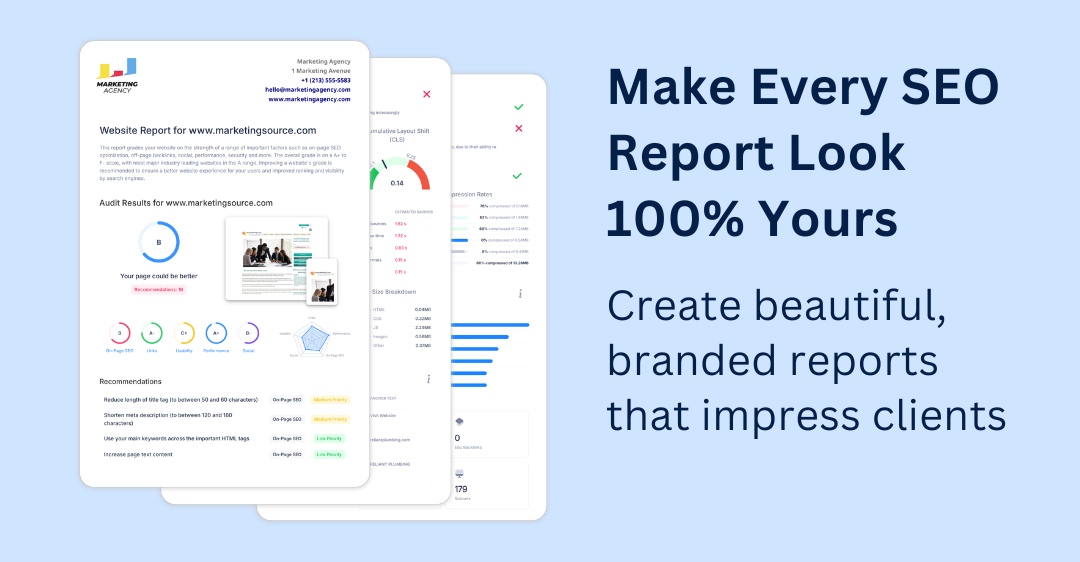
Our White Label SEO audit reports make it easy to create multiple templates and customize the level of detail in each one.
The level of customization is endless with users being able to change report colors, fonts, text, and more.
Our tool will perform more than 100 checks on your client’s website and their closest competitors. These checks can be scheduled to run at weekly or monthly intervals, and then be automatically delivered by email to your clients.
Then you can sit back and put your reporting on autopilot with our report scheduling feature.
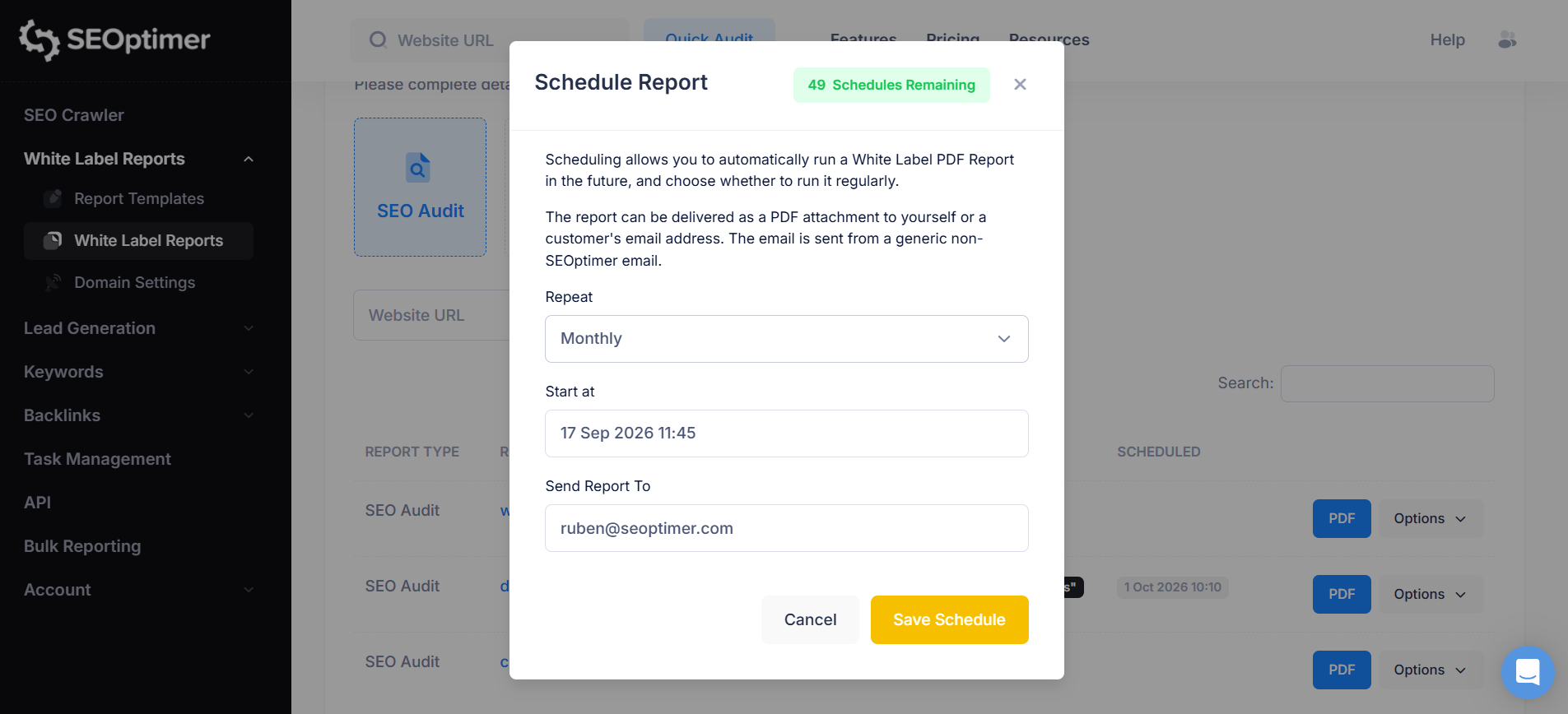
To schedule reports simply click on the Options dropdown next to the client's website. Then, click on the Schedule option.
With SEOptimer, you have the option to send reports on auto-pilot every week or month. You also have the flexibility to choose the day of the week and time that these reports are sent, as well as to which email they should be delivered.
Or you can just download your white-labeled reports in a client-ready PDF file.
FAQs about Creating SEO Reports
How long should an SEO report be?
An SEO report should be long enough to cover the most important results without overwhelming the client. Focus on key metrics, insights, and next steps rather than page count.
How do you explain SEO results to a non-technical client?
Focus on business outcomes like traffic, leads, rankings, and revenue rather than technical jargon. SEOptimer is known for making results easier to understand with clear visual reporting.
What is the best frequency for client SEO reporting?
Monthly reporting works best for most agencies because it gives enough time for meaningful SEO trends to develop. SEOptimer can also automate recurring reports to make this process easier.
Conclusion
Creating SEO reports is about more than presenting rankings, traffic, and technical data. A strong client report should clearly show what has improved, why it matters, and how your SEO work is contributing to real business outcomes.
The best SEO reports are easy to understand, focused on the metrics that matter most, and backed by clear recommendations for what to do next.
With SEOptimer, agencies can simplify the entire reporting process with white-label SEO reports, automated scheduling, keyword tracking, backlink insights, technical SEO checks, and AI visibility data all in one place.
Start your free 14-day trial and spend less time building reports and more time improving client results.