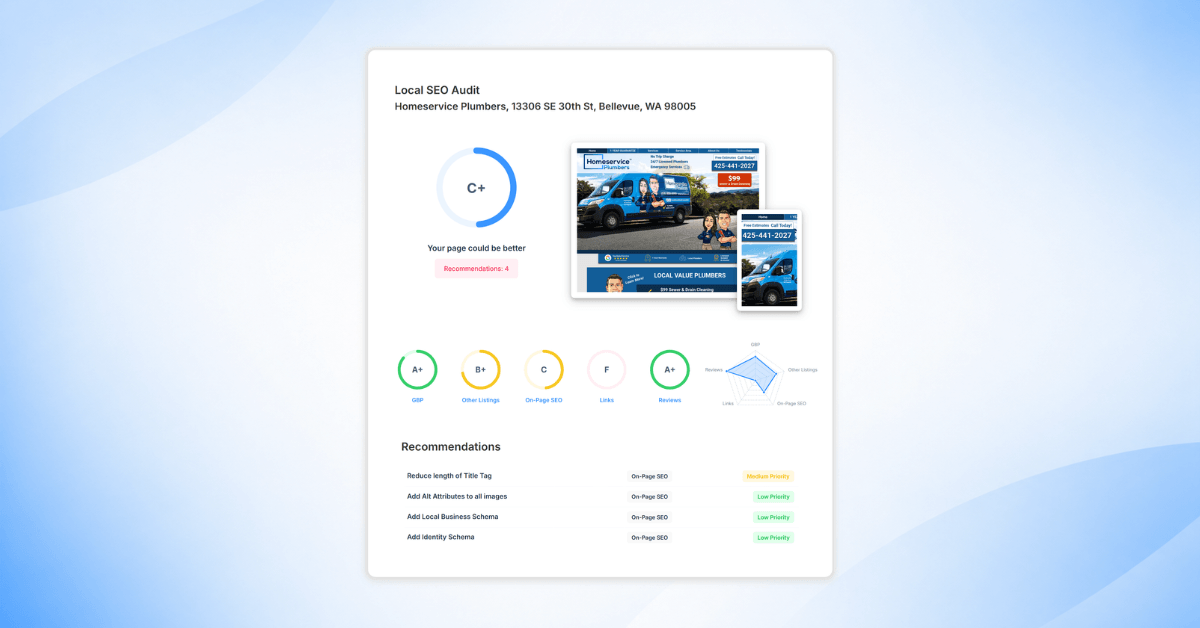
Local SEO visibility depends on how easily customers and search engines can find, verify, and trust your business online. SEOptimer’s Local SEO Audit tool helps bring all of those signals together in one clear report.
Instead of checking each platform manually, our Local SEO Audit report gives you a complete overview of your business’s local search presence in one place.
The report helps you see what is working, what needs attention, and which issues should be fixed first.
In this guide, we’ll walk through the Local SEO Audit report in detail.
You’ll learn what the report checks, how to understand each section, and how to use the recommendations to improve local visibility.
We’ll also cover the basics of running a Local SEO Audit, creating a white label version of the report, and setting up scheduled reports for clients or internal teams.
What the SEOptimer Local SEO Audit Checks
Overall Local SEO Score
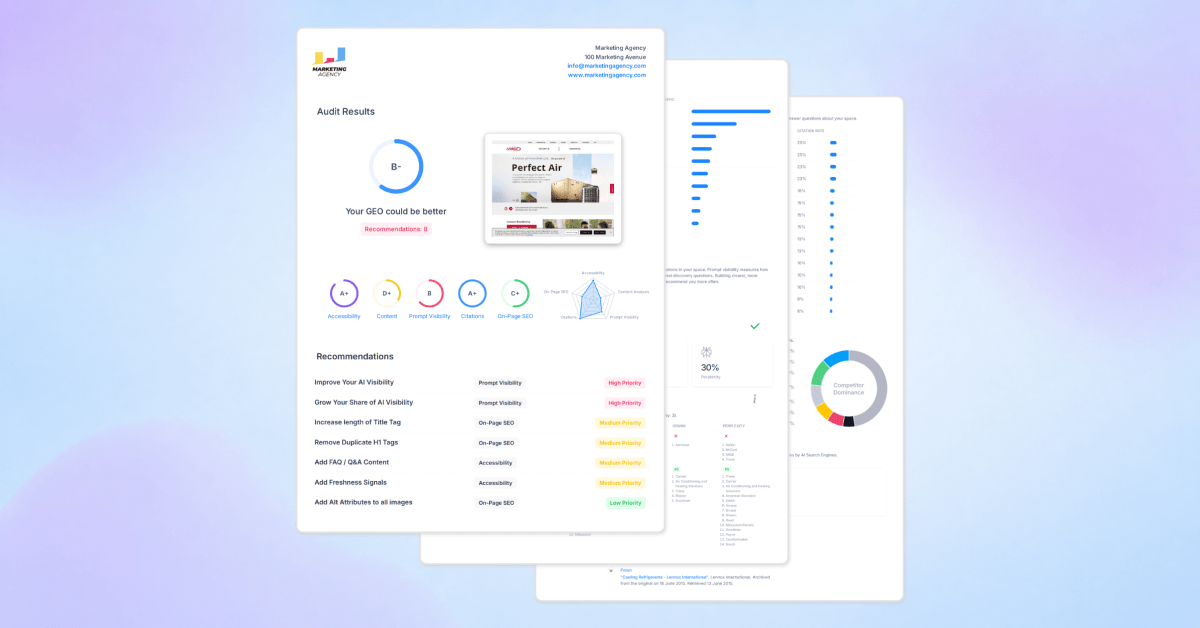
The report starts with an overall Local SEO score.
This gives you a quick snapshot of the business’s local SEO performance, graded on a scale from A+ to F.
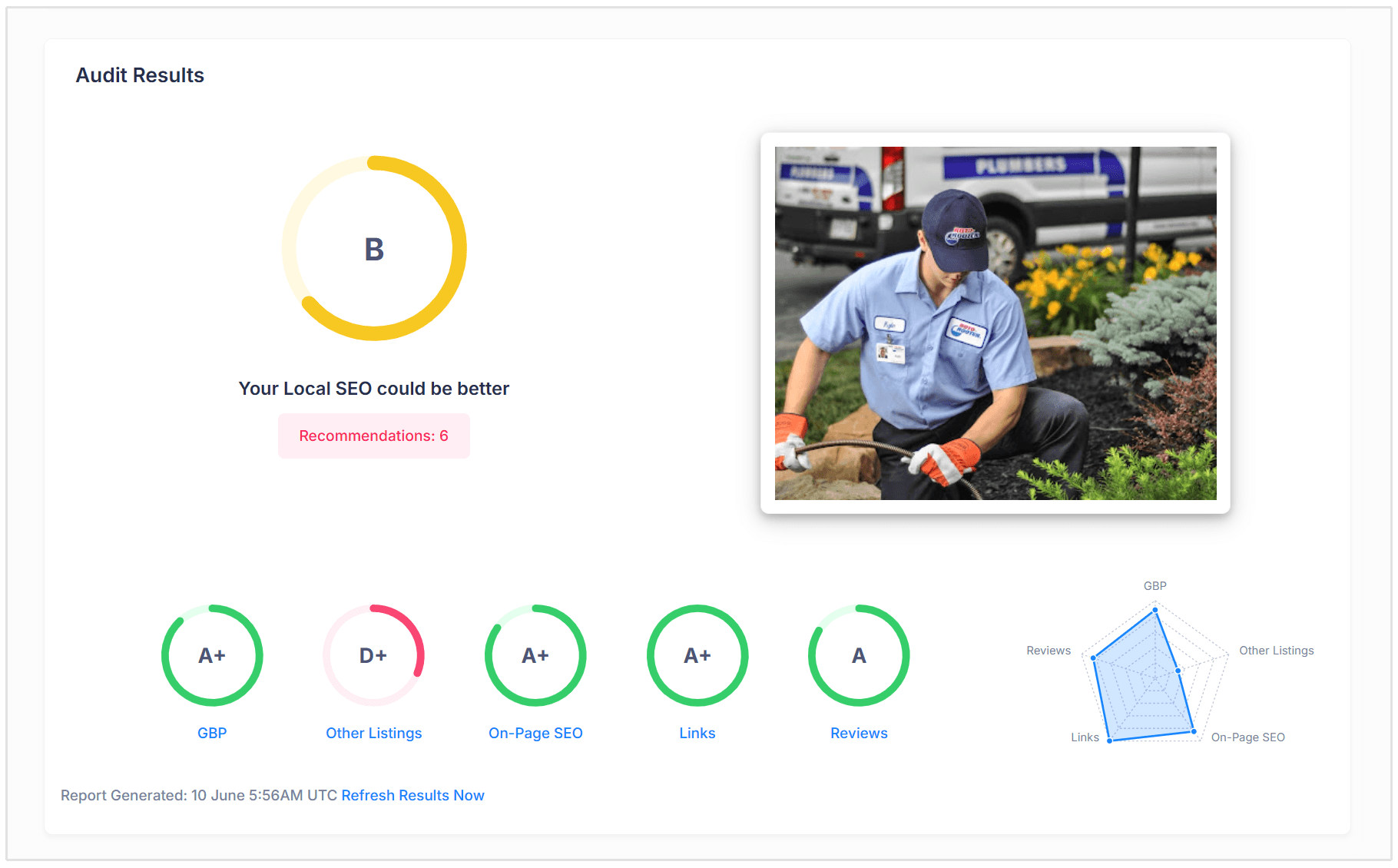
The score is based on several local SEO factors, including the business’s Google Business Profile, website SEO, rankings, backlinks, local listings, and reviews.
This is useful because it gives agencies and business owners a simple way to understand the general health of their local SEO before going into the detailed checks.
Along with the overall score, the report also shows individual grades for key areas such as:
- Google Business Profile
- Other Listings
- On-Page SEO
- Links
- Reviews
These section scores make it easy to see where the business is performing well and where it needs more attention.
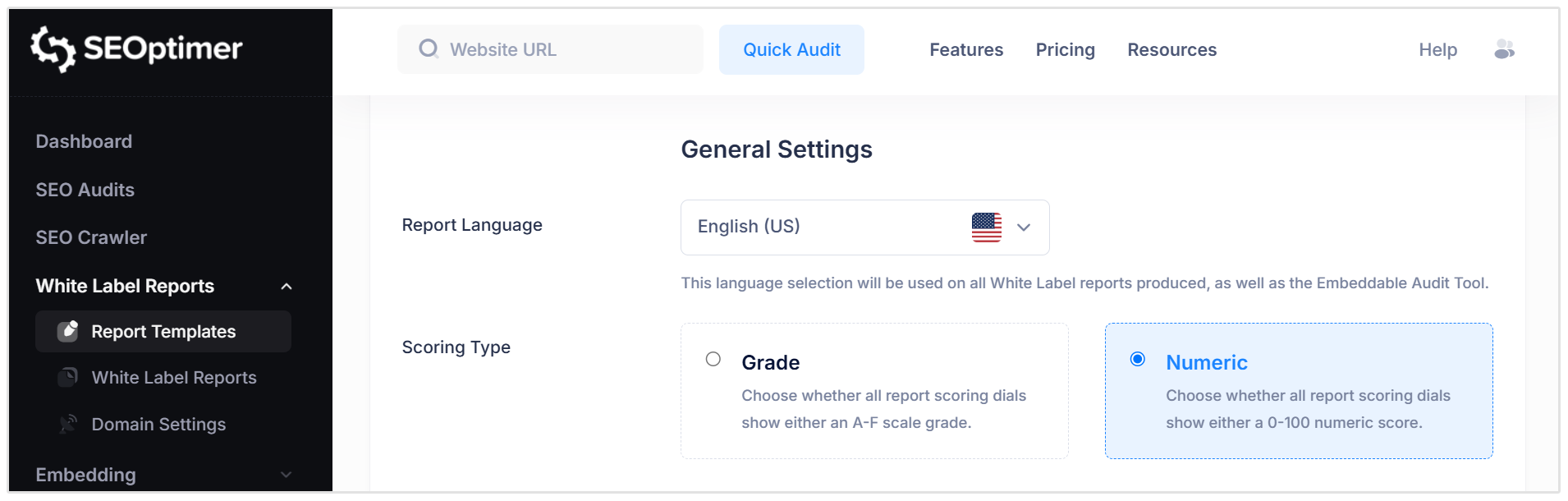
Note: By default, reports can display grades such as A+, B, or C, but you can also change the scoring format in the Report Templates section. If you prefer a numeric score, you can set the scoring type to Numeric, which will score the report from 0 to 100 instead.
Recommendations
The Recommendations section highlights the most important issues found during the audit.
Each recommendation includes the specific issue, the category it belongs to, and the priority level. This makes it easier to turn the audit into an action plan rather than just a long list of SEO checks.
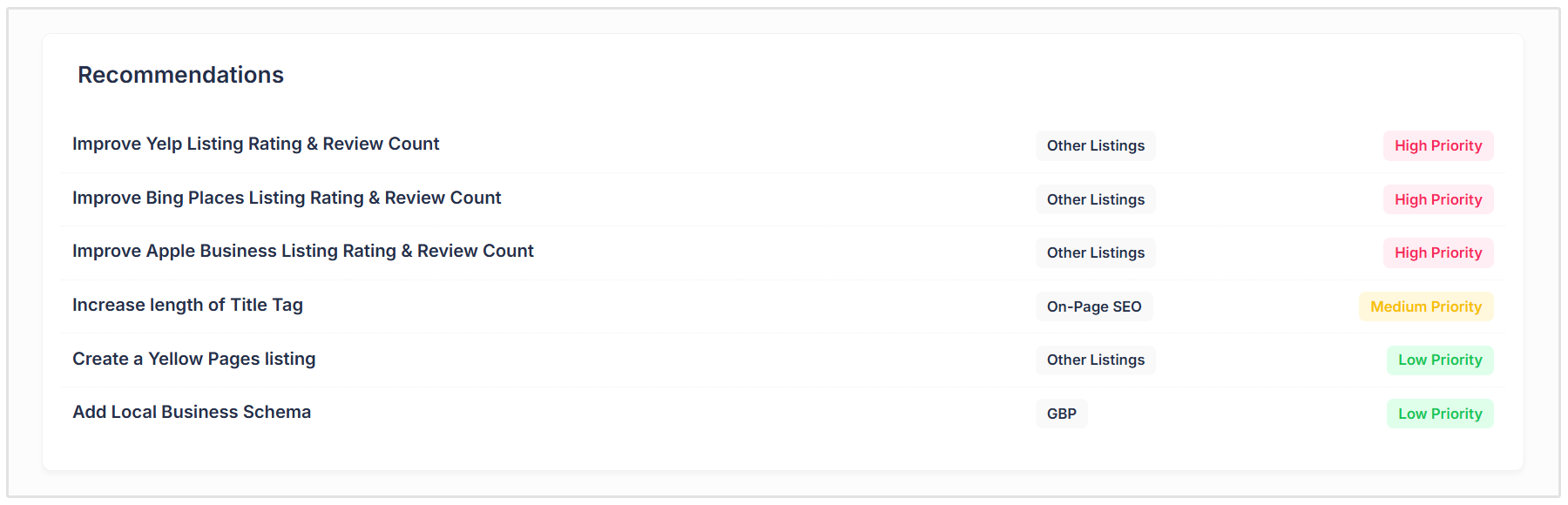
For example, recommendations may include improving review counts on local listings, updating incomplete business profiles, optimizing title tags, or adding Local Business Schema to the website.
This section is great for agencies because it helps explain what should be fixed first.
Instead of overwhelming clients with every technical detail, you can start with the highest priority items and show them exactly where improvements can be made.
Google Business Profile Checks
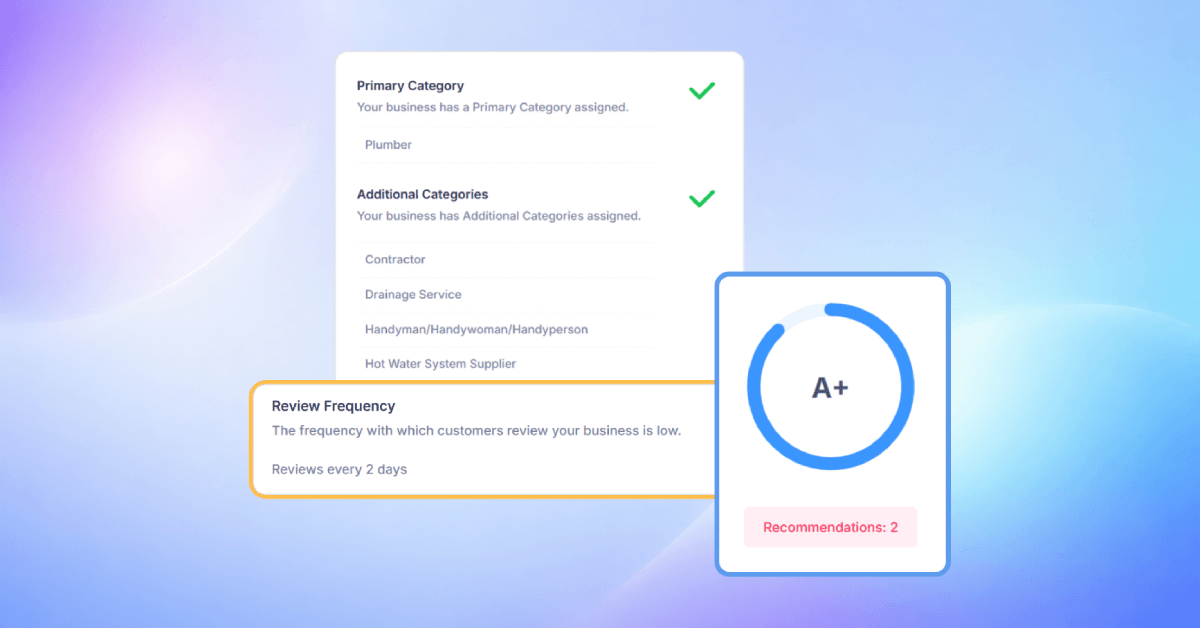
Your Google Business Profile is one of the most important elements of local SEO, especially for businesses that want to appear in Google Maps and local search results.
Each Local SEO Audit checks whether a Google Business Profile was identified for the business and whether it links to the correct website.
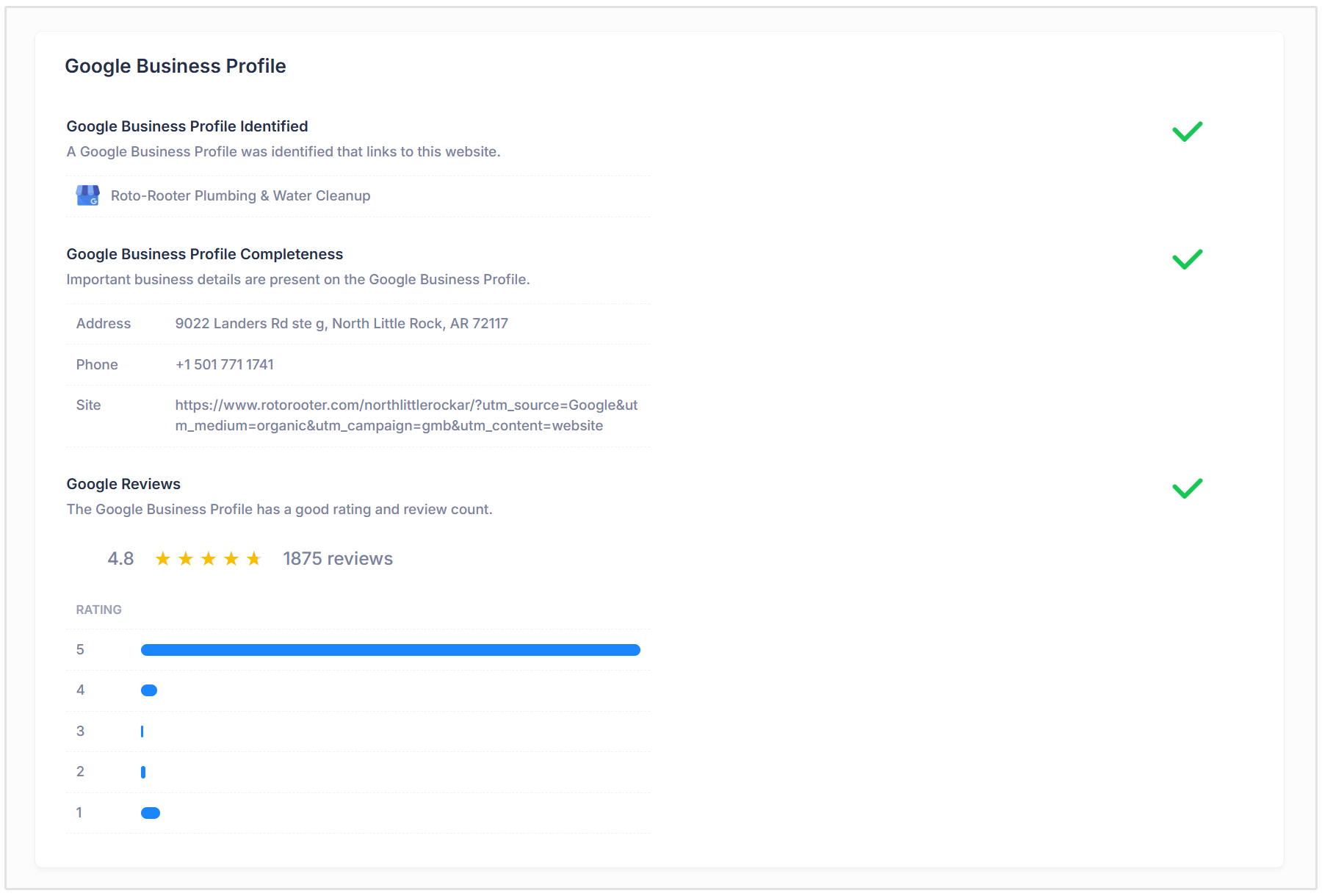
The report checks for important business details such as:
- Business name
- Address
- Phone number
- Website
These details are often referred to as NAP information, which stands for Name, Address, and Phone number.
Accurate NAP information helps customers contact or visit the business, but it also helps Google understand that the business information is trustworthy and consistent.
The report also checks Google reviews, including the business’s average rating and total review count.
Reviews are important because they influence customer trust and can also affect local rankings. A business with a strong rating and a healthy number of reviews is usually more likely to stand out in local search results.
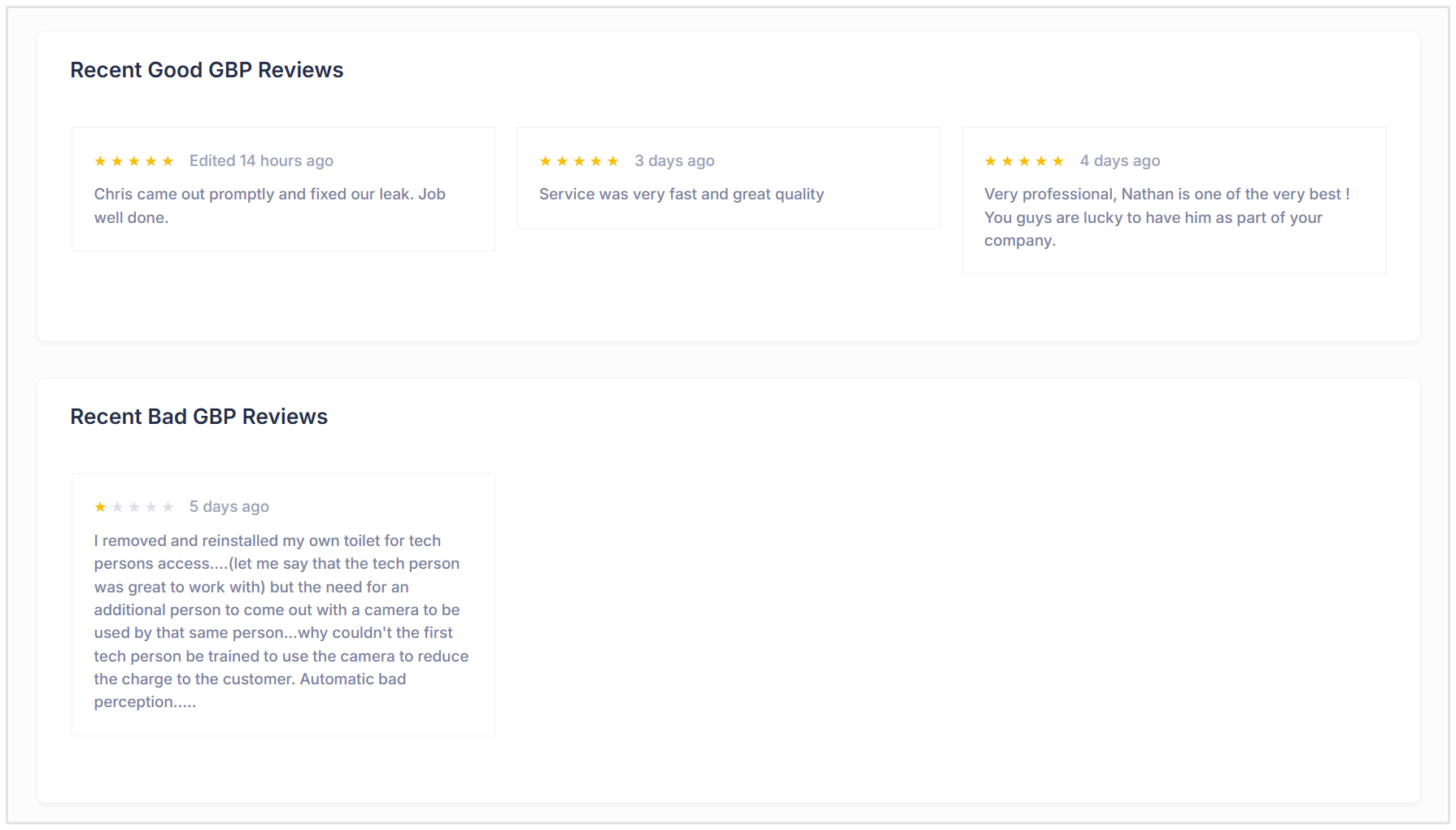
The report may also display recent reviews so you can quickly see what customers are saying about the business.
Bing Places Checks
The report also checks the business’s presence on Bing Places.
Bing Places is Microsoft’s local business listing platform, and it helps businesses appear in Bing search results and Bing Maps.
While many local SEO efforts focus mainly on Google, Bing still plays an important role in local visibility, especially because it is connected to Microsoft’s search ecosystem.
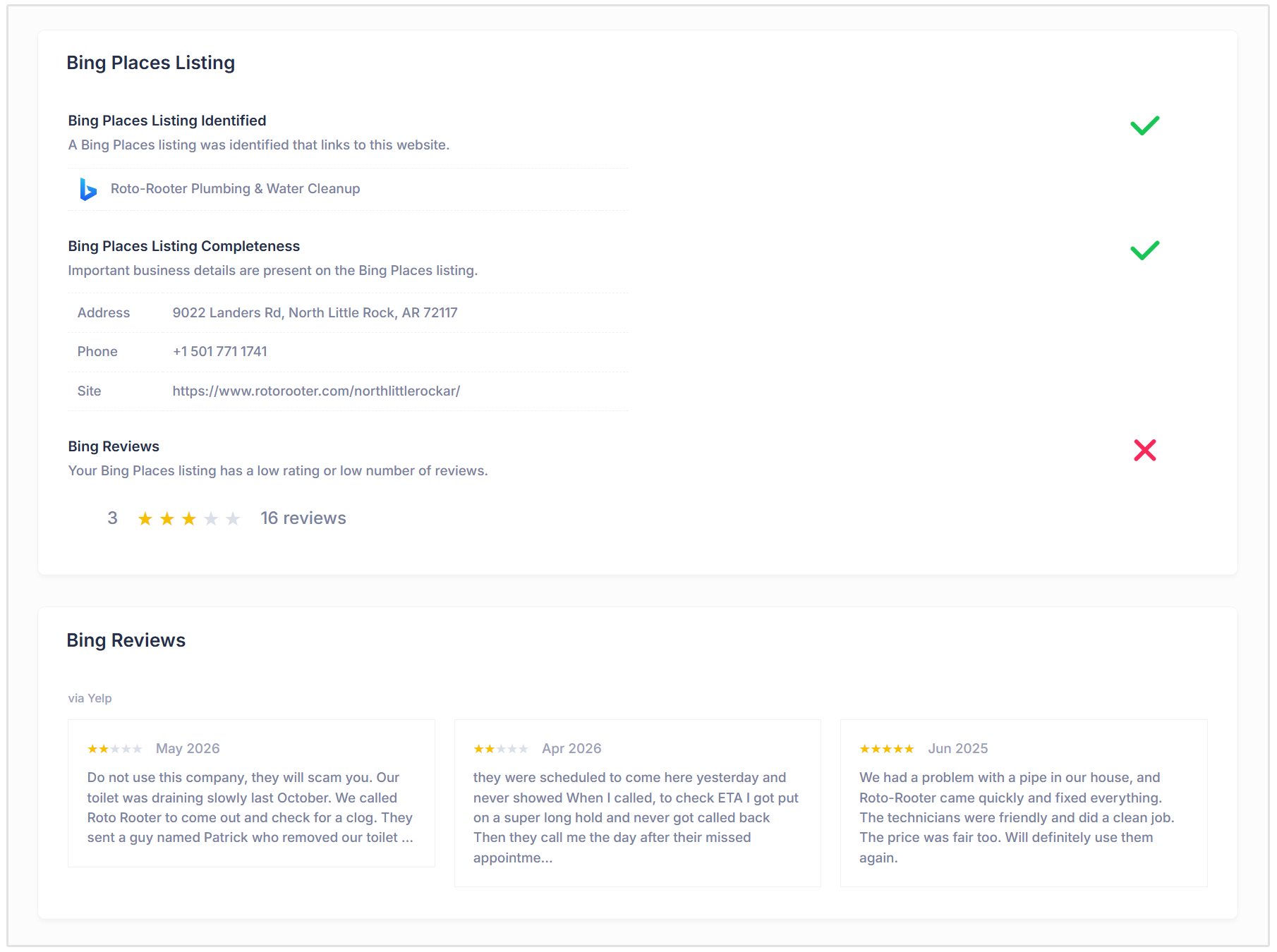
The Local SEO Audit checks whether a Bing Places listing was identified and whether the listing contains important business details such as:
- Address
- Phone number
- Website URL
The report also checks Bing review data, including the rating and number of reviews associated with the listing.
This section helps businesses identify whether their Bing Places listing is complete, accurate, and strong enough to support their wider local SEO presence.
Apple Business Listing
Apple Business Connect is another important local listing platform included in the report.
An Apple Business Connect listing helps a business appear across Apple Maps, Siri, Spotlight, and other Apple search experiences.
This is important because many local customers use iPhones and Apple Maps when searching for nearby businesses.
Each Local SEO Audit checks whether an Apple Business listing was found for the business and whether key information is present.
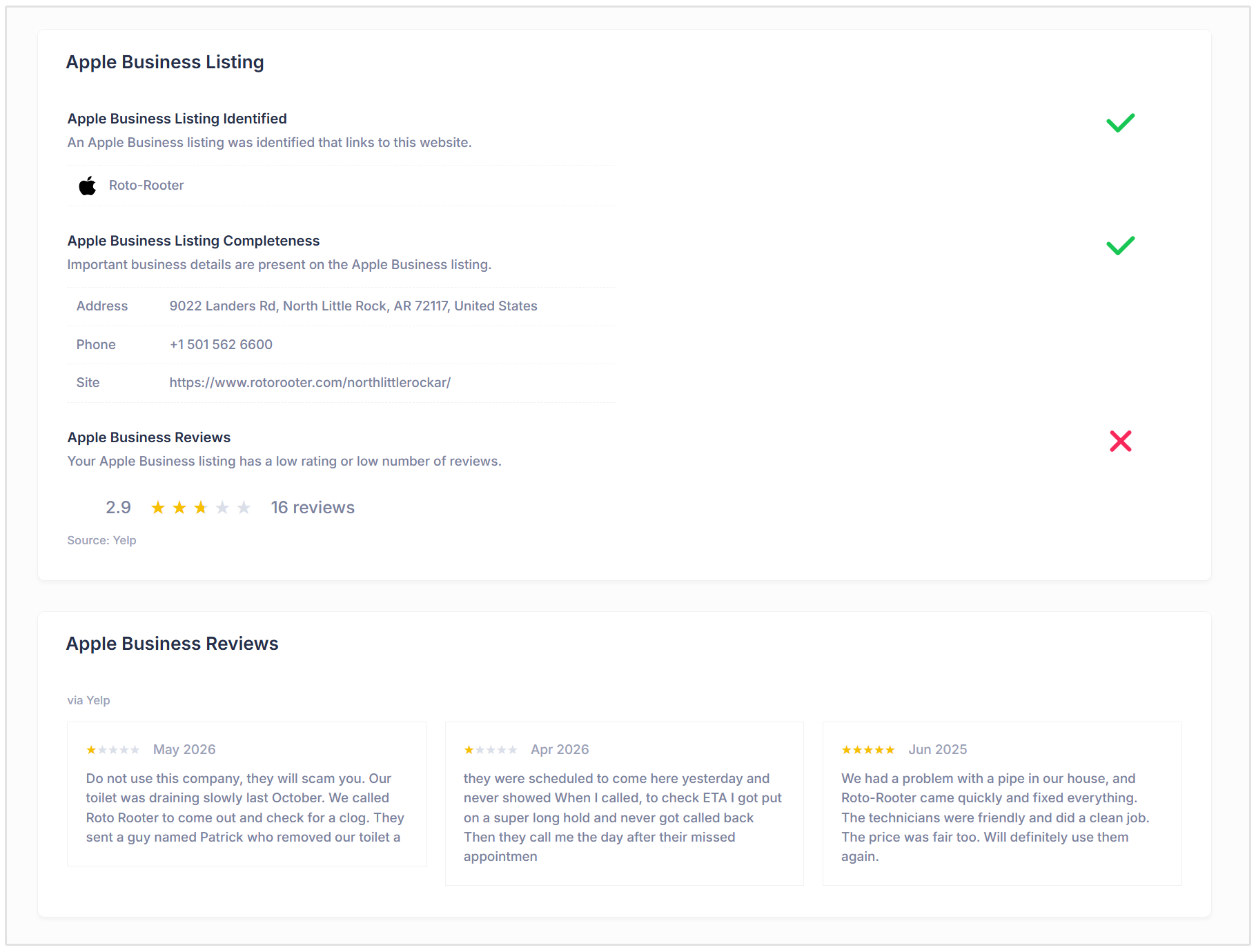
This includes details such as:
- Business address
- Phone number
- Website URL
The report also checks Apple review data, including the rating and review count. If the listing has a low rating or only a small number of reviews, the report can flag this as an area for improvement.
This section is useful because many businesses claim and optimize their Google Business Profile but forget about Apple Maps. The report helps uncover that gap.
Other Local Listings and Citations
The Local SEO Audit also checks other local business listings and citations including a Yelp and Yellow Pages listing.
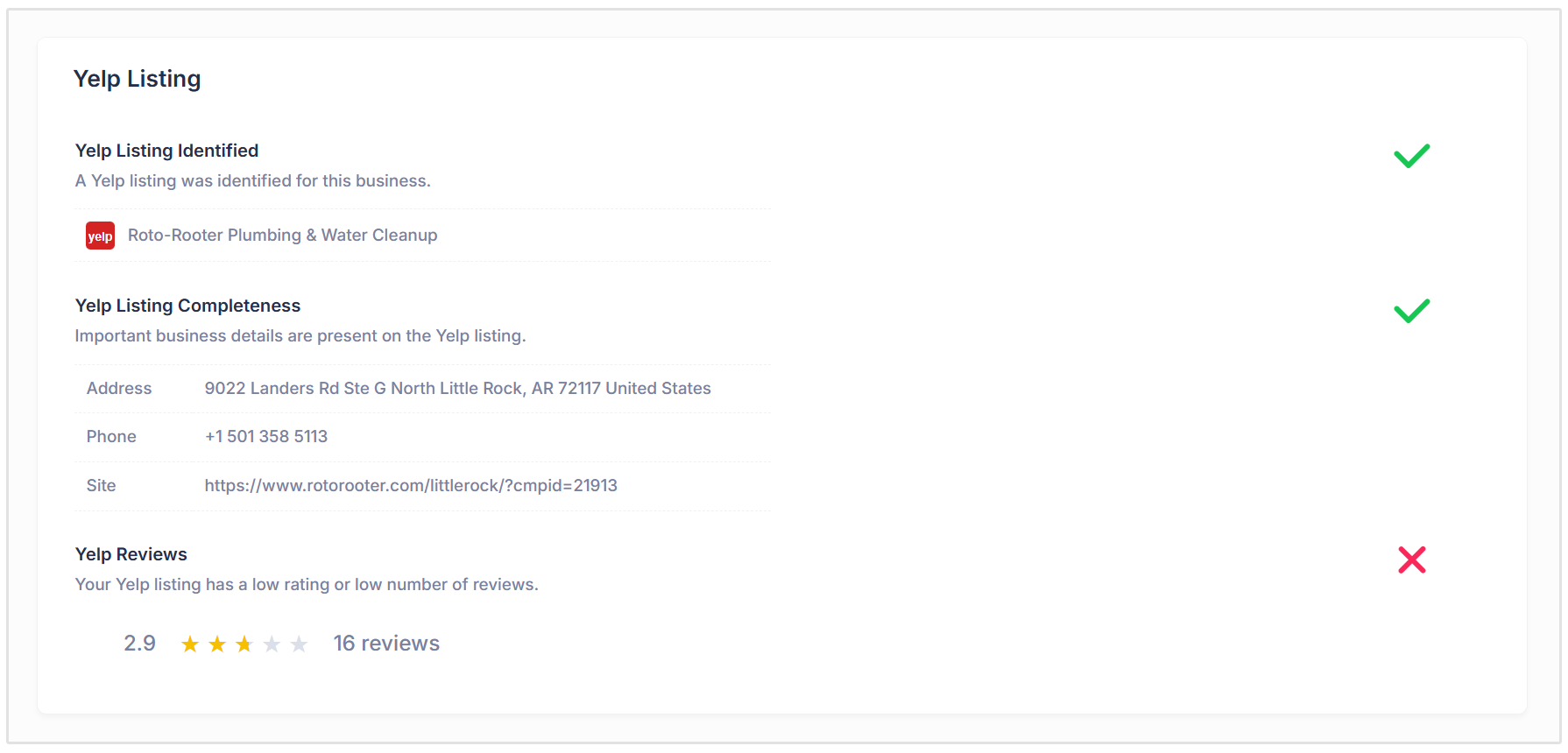
Depending on the business location and data available, these listings can help search engines confirm that the business is real, active, and consistently represented online.
Local citations usually include the business’s name, address, phone number, and website. When this information is consistent across different platforms, it can support trust and local SEO performance.
The report checks whether the listing was identified and whether important business details are present.
This section is useful for finding citation issues such as:
- Incorrect phone numbers
- Inconsistent addresses
- Wrong website URLs
- Incomplete business details
For agencies, this can also be used to identify citation cleanup opportunities.
Local GeoGrid Rankings
The Local GeoGrid Ranking section shows how the business ranks in map search results for a keyword associated with its business category.
For example, a plumbing business may see GeoGrid rankings for a keyword like “Plumber” in its relevant city, town, county, or service area.
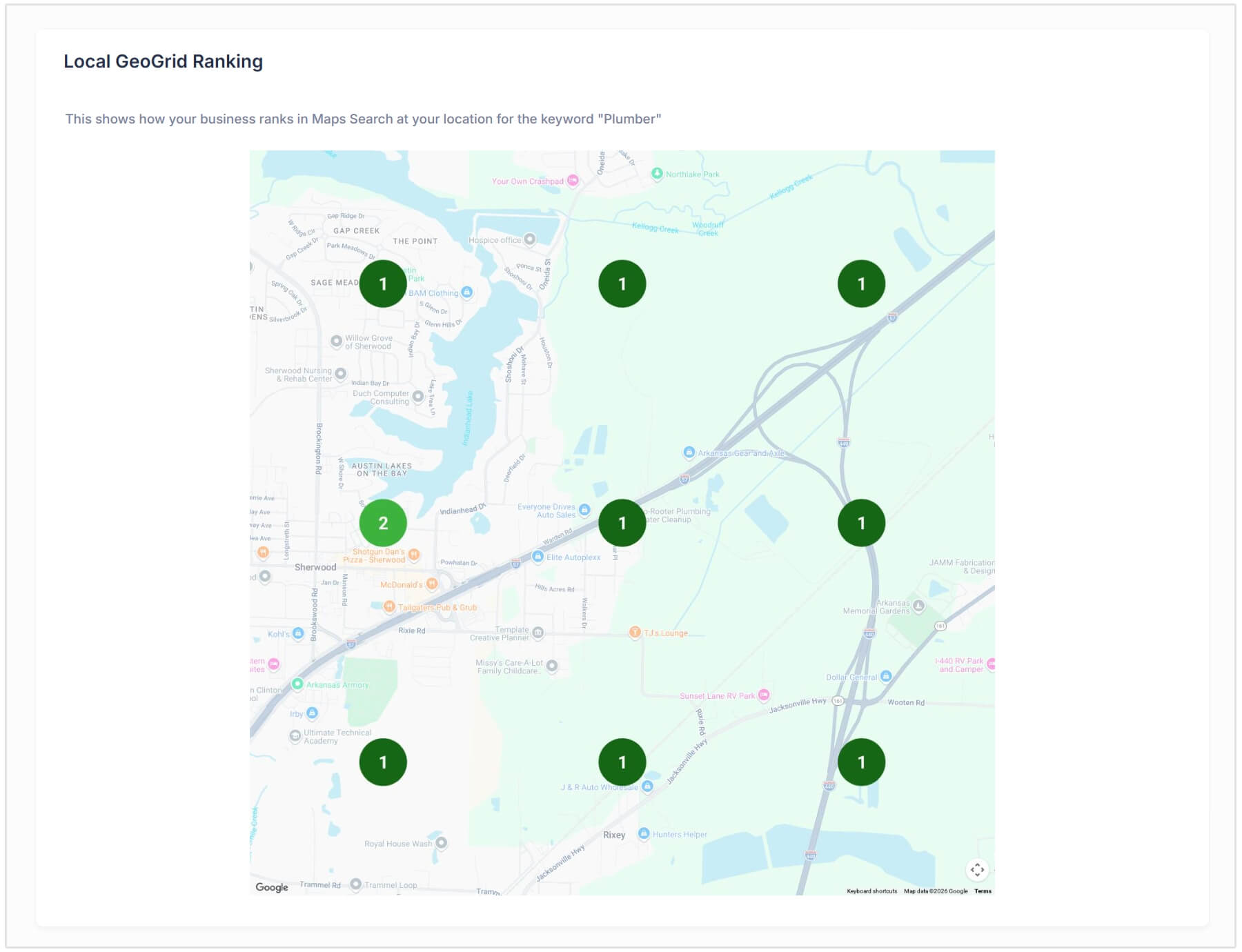
This is important because local rankings can change depending on where the searcher is located. A business may rank well close to its physical address but perform poorly a few miles away.
The GeoGrid gives a visual view of local ranking coverage by showing ranking positions across a map grid.
This helps you understand:
- Where the business ranks strongly
- Where visibility drops off
- How competitive the business is across nearby areas
- Whether local SEO improvements are helping expand map visibility
For local SEO reporting, this is one of the most useful visual sections because it shows that local rankings are not always the same across an entire city or service area.
Website On-Page SEO Checks
The report also audits the business website to identify on-page SEO issues that could affect local search performance.
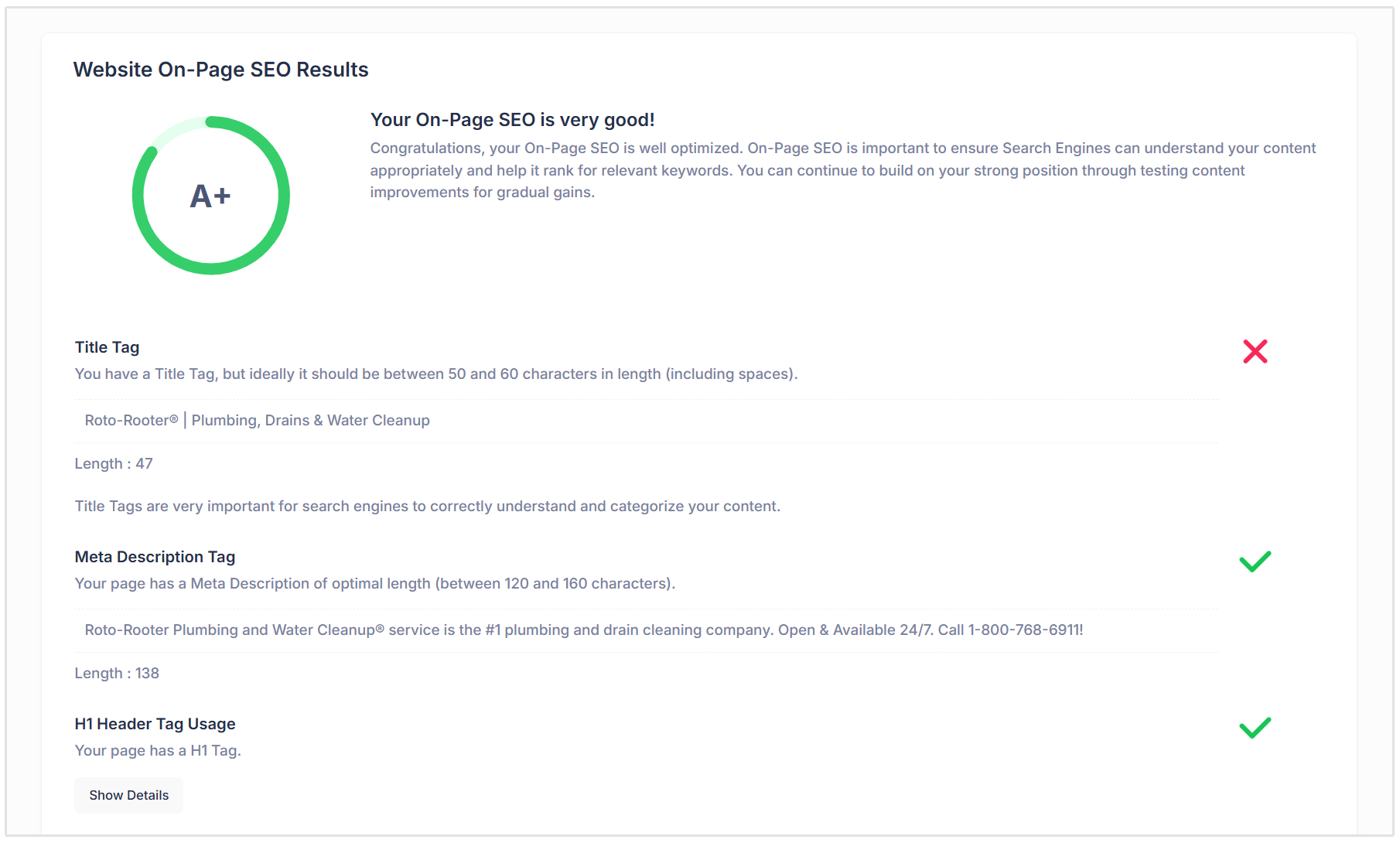
This section checks important page elements such as:
Title Tag
The report checks whether the page has a title tag and whether it is an appropriate length.
Title tags help search engines understand the main topic of a page. For local businesses, a strong title tag should usually include relevant service keywords and, where appropriate, a location.
Meta Description
The report checks whether the page has a meta description and whether it falls within the recommended length range.
Meta descriptions do not directly guarantee rankings, but they help explain the page in search results and can influence whether users click through to the website.
H1 Header Tag
The report checks whether the page has an H1 tag.
The H1 is usually the main heading on the page and helps search engines and users understand what the page is about.
Image Alt Attributes
The report checks whether images are missing alt attributes.
Alt text helps search engines understand image content and also improves accessibility for users who rely on screen readers.
Canonical Tag
The report checks whether the page uses a canonical tag.
These tags help search engines understand the preferred version of a page, especially when duplicate or similar URLs exist.
Noindex Tag
The report checks whether the page is using a noindex tag.
This is important because a noindex tag tells search engines not to index the page. If this is added by mistake, the page may not appear in search results at all.
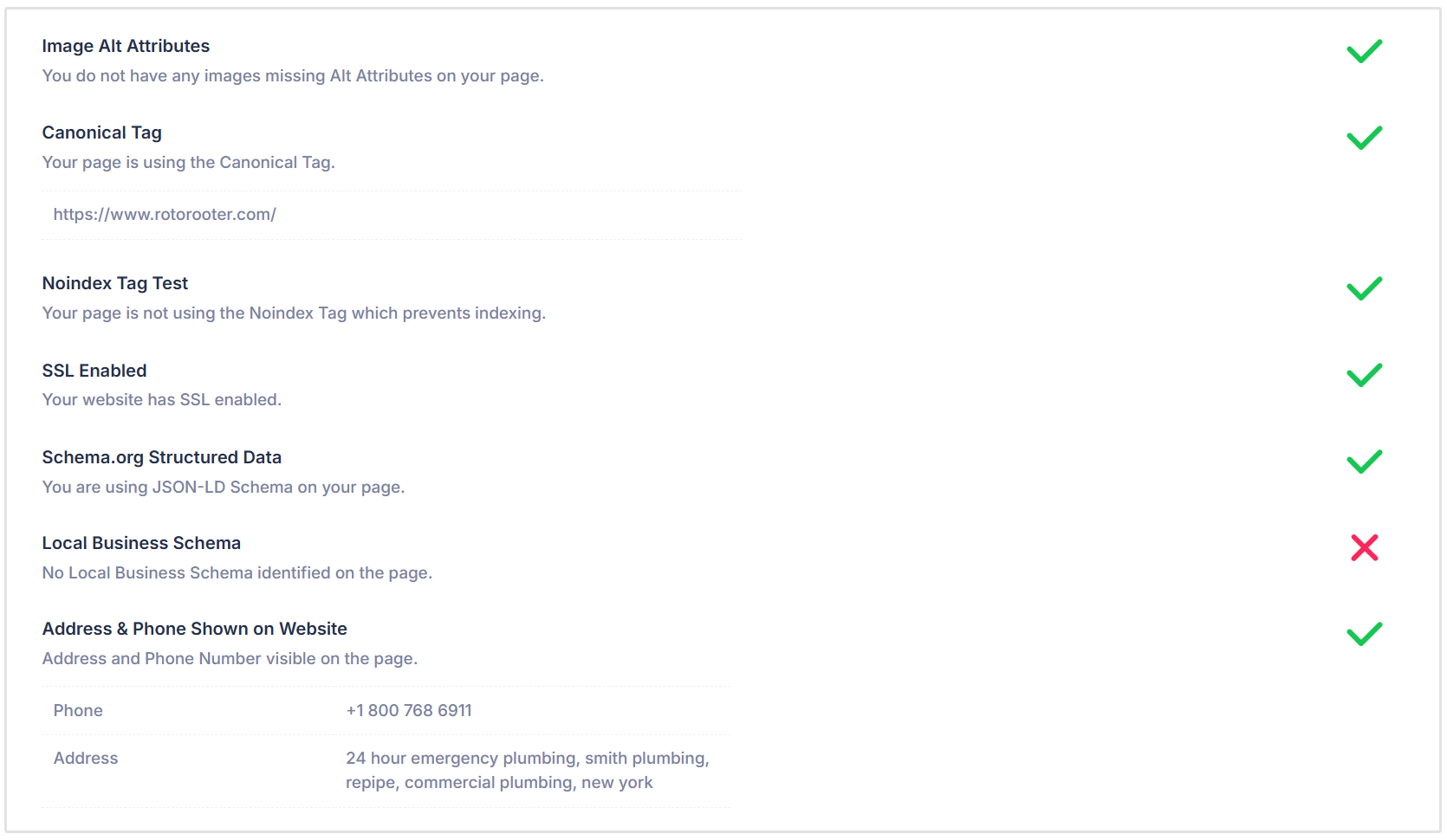
SSL Enabled
The report checks whether the website uses SSL, meaning the website loads over HTTPS.
SSL is important for security, user trust, and modern SEO best practice.
Schema.org Structured Data
The report checks whether Schema.org structured data is present on the page.
Structured data helps search engines better understand the content of the page and can support richer search result features.
Local Business Schema
The report checks whether Local Business Schema has been added to the page.
Local Business Schema is especially useful for local SEO because it can provide search engines with structured information about the business, such as its name, address, phone number, category, and location.
Address and Phone Shown on Website
The report also checks whether the business address and phone number are visible on the website.
This is important because customers need to find contact details easily, and search engines use this information to connect the website with the business’s local listings.
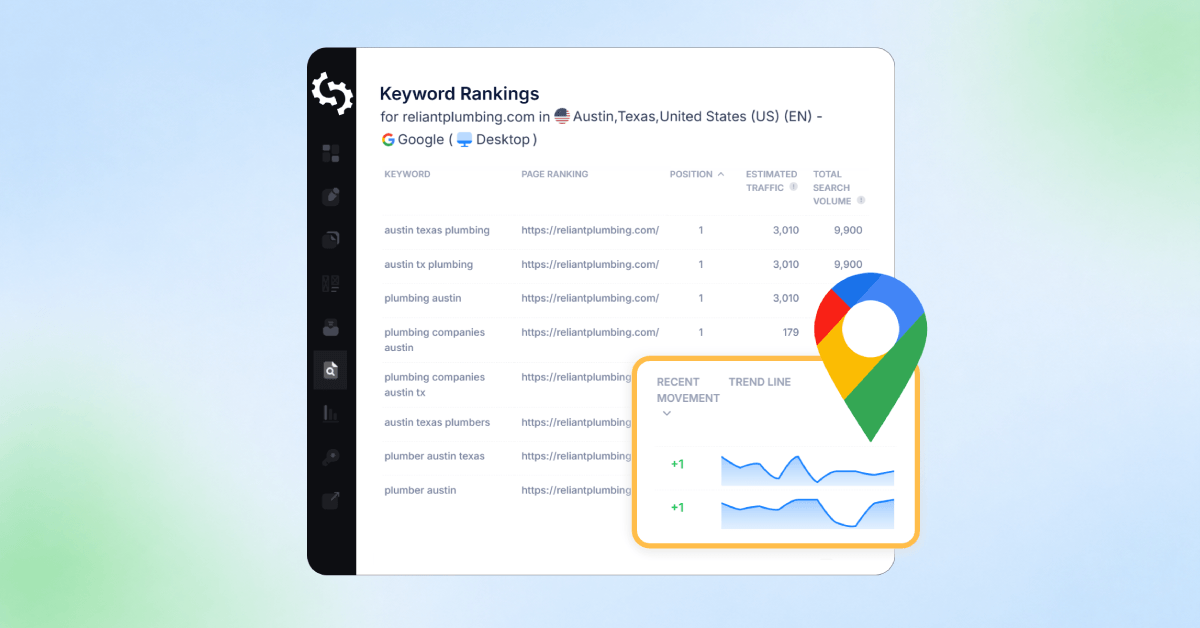
Search Traffic and Website Rankings
Each Local SEO Audit Report also includes search traffic and keyword ranking data.
This helps you understand how the business is currently performing in Google search results.
The report may include estimated traffic from search, including organic, paid, and AI Overview visibility. This gives a broader view of how users may be finding the business through search.
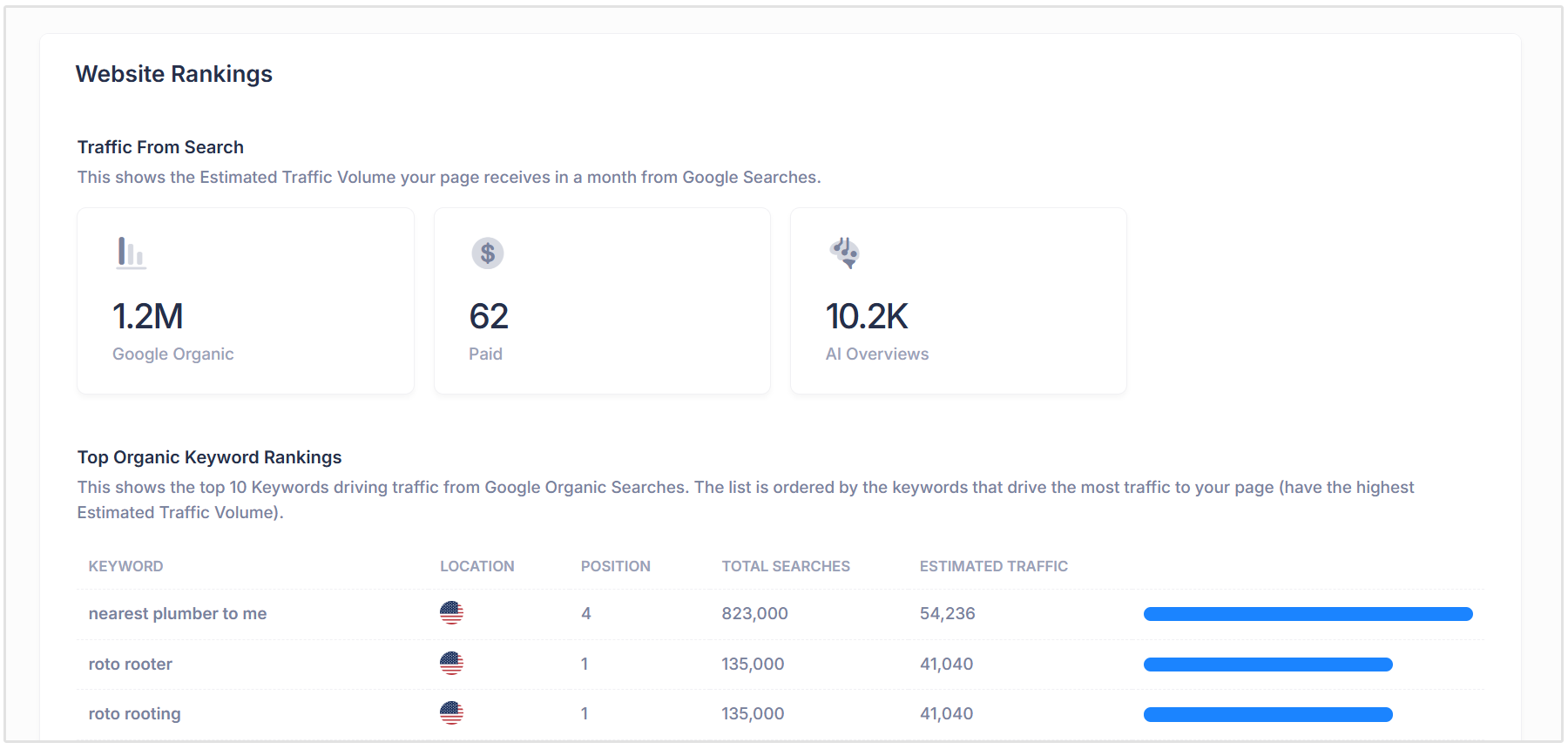
You'll also see a breakdown of your site's top organic keyword rankings. These are the keywords that are likely driving the most organic traffic to the website.
For each keyword, the report can show:
- Keyword
- Location
- Ranking position
- Total searches
- Estimated traffic
This section helps identify which keywords the business already ranks for and where there may be opportunities to improve.
The report can also show paid keyword rankings, which helps reveal whether the business is appearing in Google Ads for relevant search terms.
Finally, the Organic Keyword Positions section groups keyword rankings by position ranges, such as position 1, positions 2 to 3, positions 4 to 10, and beyond. This gives a quick overview of how much visibility the website has across different ranking positions.
Backlink Summary
At the end of the report, you'll see a section about your site's backlink summary.
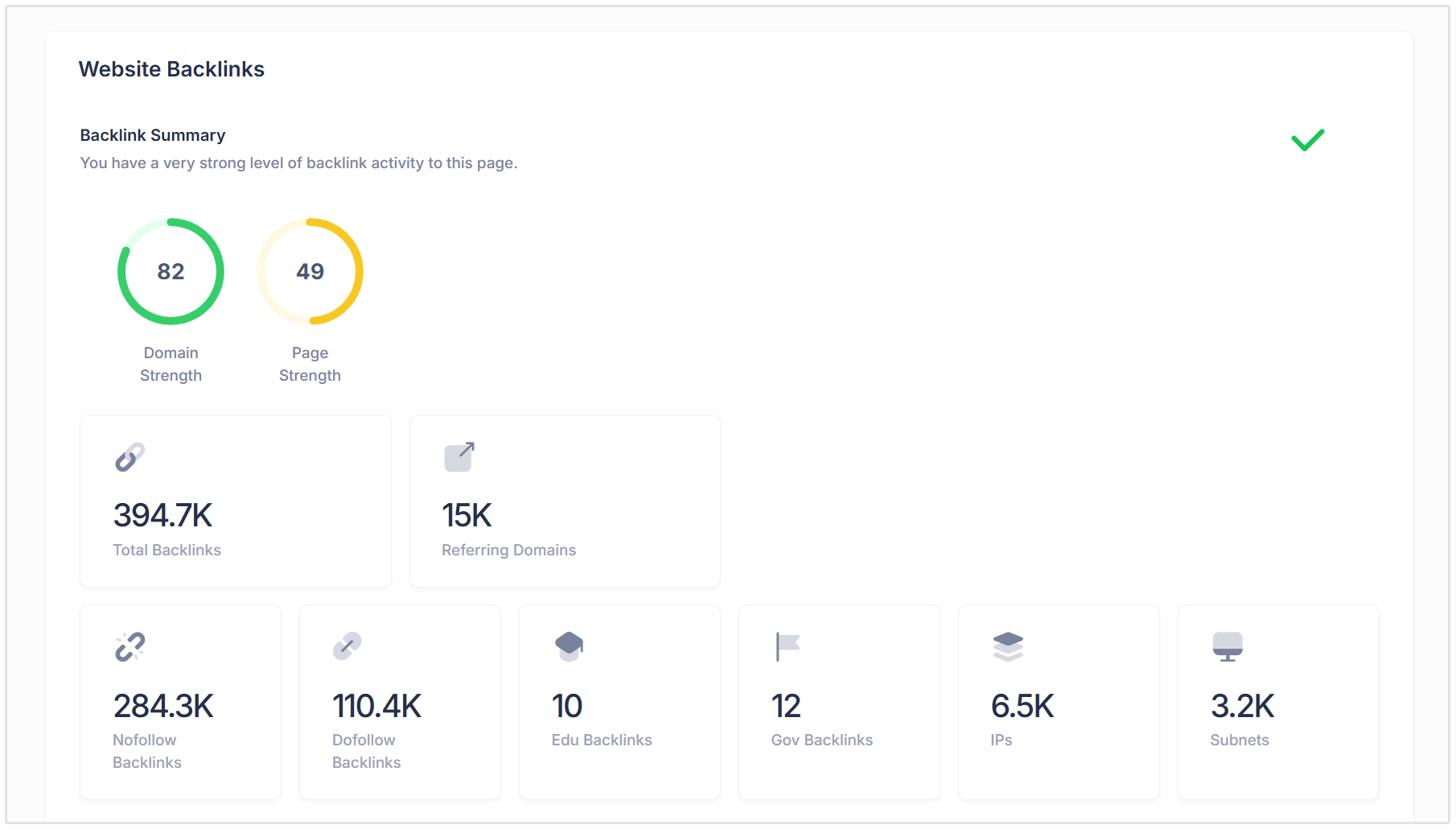
Backlinks are links from other websites pointing to the business’s website. They are important because search engines use backlinks as a signal of authority, trust, and relevance.
The Local SEO Audit Report shows backlink strength metrics such as Domain Strength and Page Strength, as well as examples of top backlinks pointing to the website.
This section helps users understand whether the business has a strong backlink profile or whether it may need more authority-building work.
For local businesses, useful backlinks may come from:
- Local directories
- Business associations
- Local news websites
- Sponsorship pages
- Partner websites
- Industry blogs
- Community organizations
A strong backlink profile can support both traditional organic rankings and local SEO performance.
How to Run a Local SEO Audit
Running a Local SEO Audit in SEOptimer is simple and can be done directly from the White Label Reports section of your dashboard.
To get started, go to White Label Reports and select the Local SEO Audit report type. From there, choose the relevant country and enter the business name into the open field.
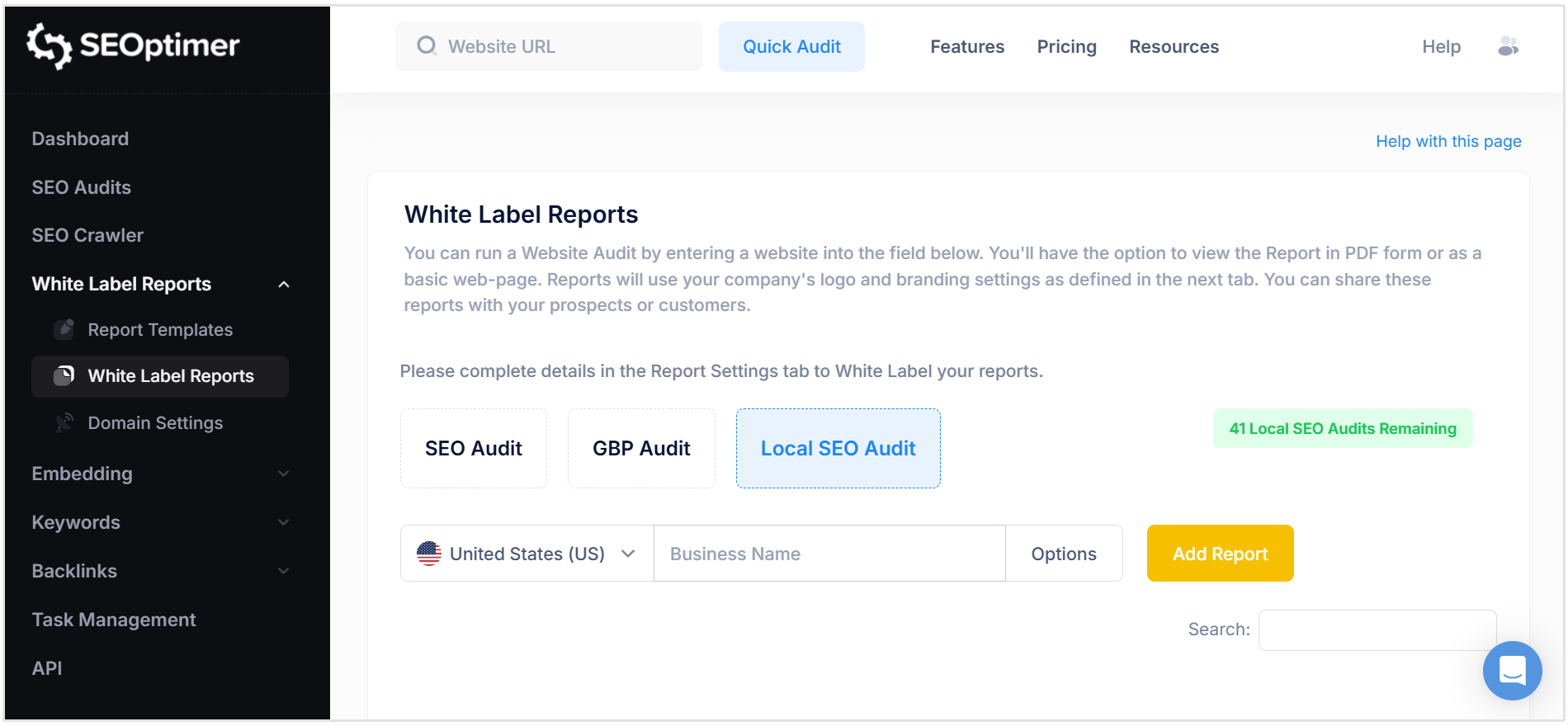
Once you have added the business name, SEOptimer will search for matching business listings and show you a list of possible results. This helps make sure the audit is connected to the correct local business profile.
For example, if you search for a business like “Reliant Plumbing,” the tool may return multiple listings for different locations.
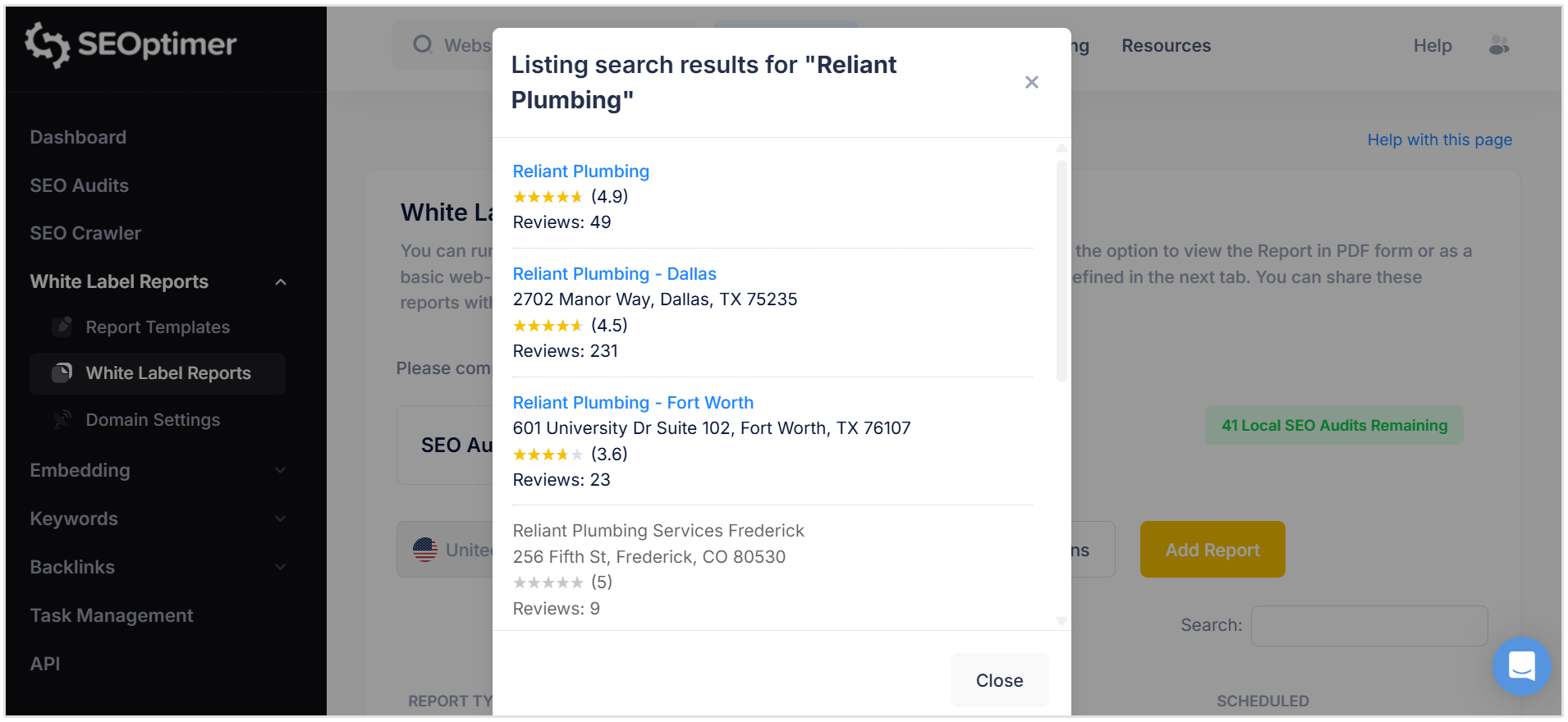
You will then need to choose the correct business from the list based on details such as:
- Business name
- Address
- Review rating
- Number of reviews
This step is important, especially for businesses with multiple branches or similar names in different cities.
Selecting the correct listing ensures the report pulls the right local SEO data for that specific location.
How to White Label a Local SEO Audit Report
SEOptimer’s Local SEO Audit Reports can be fully white labeled, making them ideal for agencies, consultants, and marketers who want to send branded reports to clients.
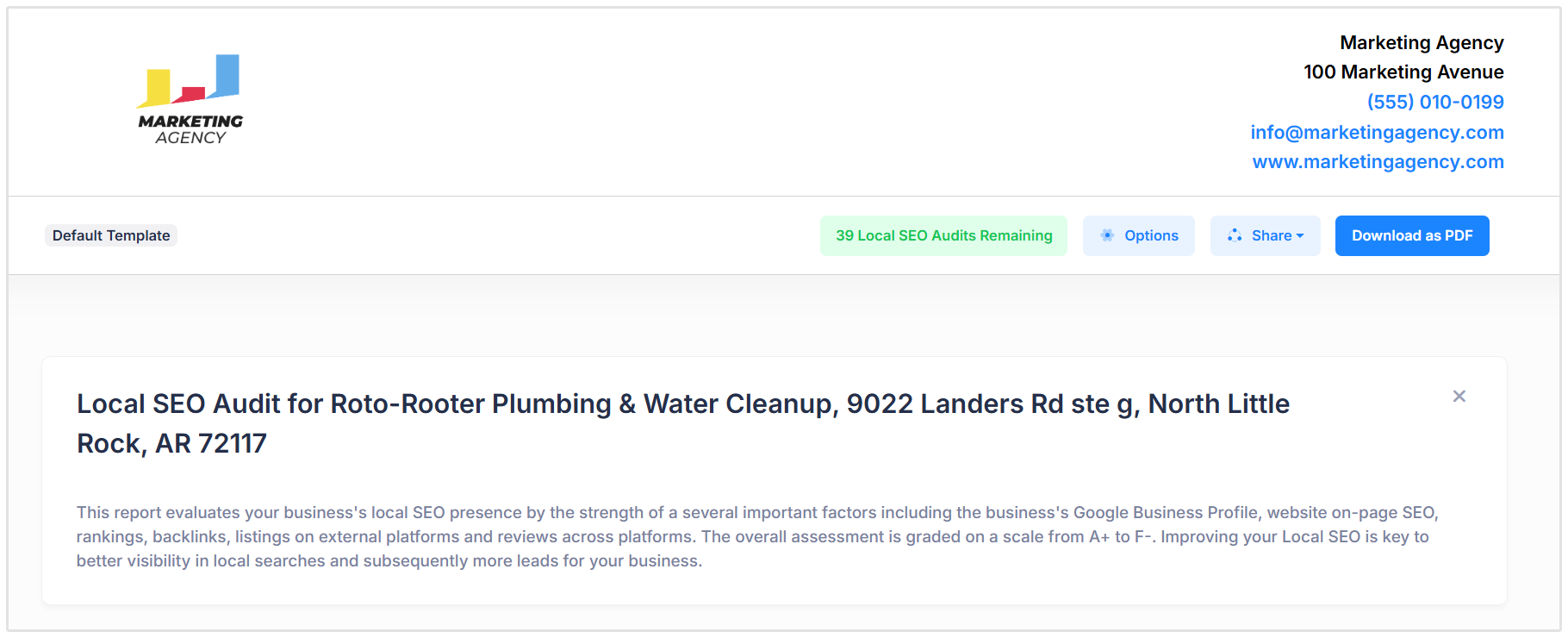
Both the Local SEO Audit and Google Business Profile Audit use your default report template settings. This means your reports can automatically include your agency logo, business details, colors, and other branding elements based on the template you already have set up inside SEOptimer.
This helps you create professional client-facing reports without having to manually redesign each report every time you run an audit.
You can manage your report branding from the Report Templates section in your dashboard.
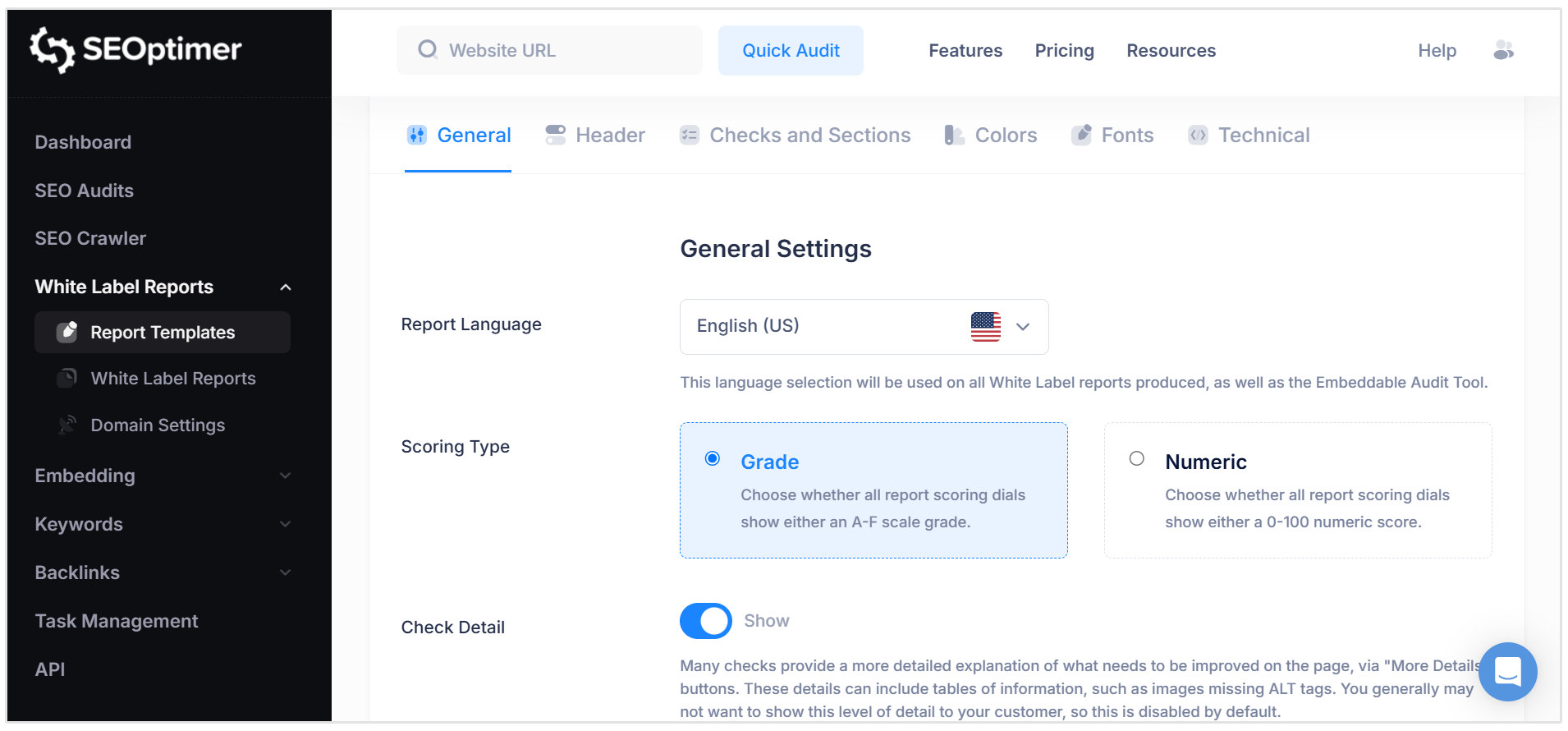
Once your default template has been configured, SEOptimer will apply those settings to your Local SEO Audit and Google Business Profile Audit reports.
You can also change the report template for an individual report if needed. To do this, click Options next to the report setup field, then choose the report template you would like to apply from the available list.
From the Options menu, you can also add a Target Keyword for the audit. This keyword is used for the Local GeoGrid Ranking section, helping you see how the business ranks in local map results for a specific search term.
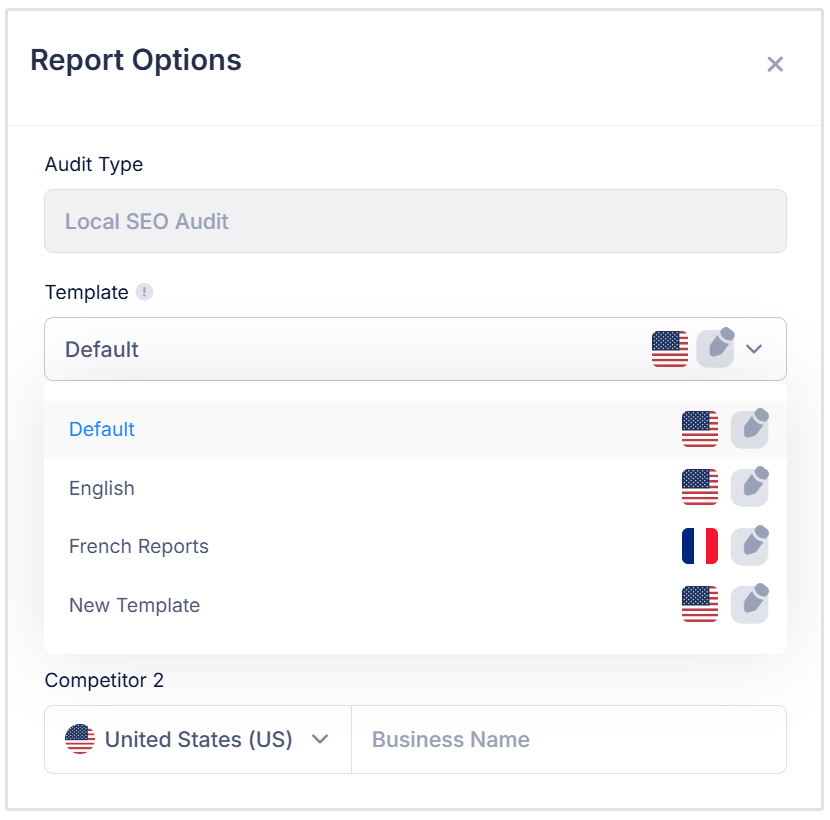
You can also add up to two competitors to compare against the business being audited.
In short, the white label settings allow you to present the report under your own brand, while the report Options section lets you customize the audit with the right template, keyword, and competitor data.
How to Schedule Local SEO Audit Reports
SEOptimer also lets you schedule Local SEO Reports so they can run automatically in the future.
This is useful if you want to send recurring reports to clients, monitor local SEO progress over time, or include Local SEO Audit Reports as part of your monthly reporting process.
To schedule a report, go to the White Label Reports section and find the Local SEO Audit Report you want to automate. Then, click the Options button next to the report and select Schedule.
This will open the Schedule Report window.
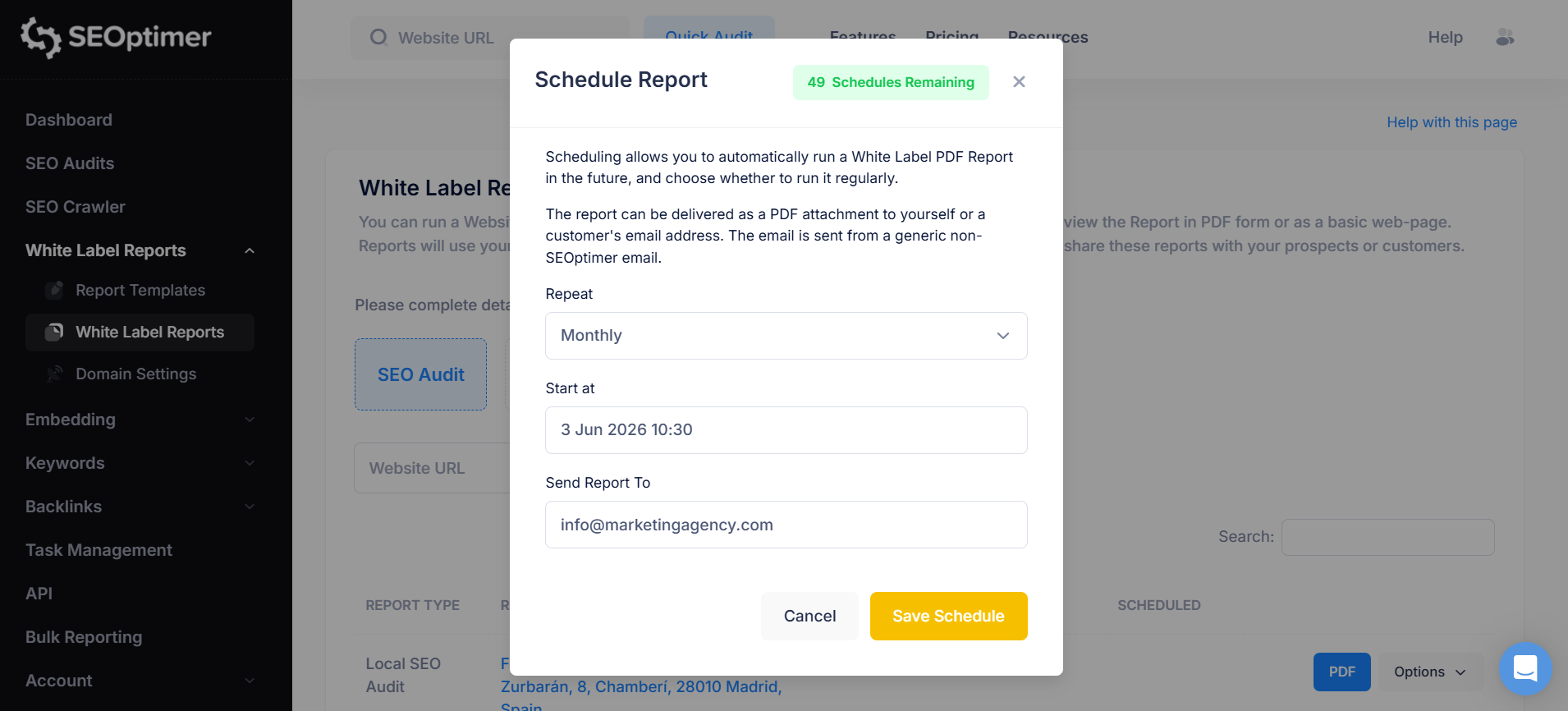
From here, you can choose how often the report should run. For example, you can set the report to repeat weekly, monthly, or at another available interval depending on your reporting needs.
You can also choose the start date and time for the scheduled report. This controls when the first report will be generated.
Next, add the email address where the report should be sent. SEOptimer will deliver the report as a PDF attachment, making it easy to send reports directly to yourself, your team, or a client.
Once everything has been set, click Save Schedule.
After the schedule is saved, the report will automatically run according to the frequency you selected. This means you do not need to manually rerun the same audit each time you want to send an updated report.
How Agencies Can Use the Report with Clients
SEOptimer’s Local SEO Audit Report can be used across several parts of an agency’s workflow, from prospecting to ongoing client reporting.
For new prospects, the report gives agencies a simple way to show where a local business is missing opportunities.
Instead of making broad claims about local SEO, you can point to specific issues such as weak local listings, low review counts, missing Local Business Schema, or poor visibility across nearby map results.
For new clients, the report works well as part of the onboarding process. It gives both the agency and the client a clear baseline of the business’s current local SEO performance before any work begins. This makes it easier to set priorities, explain the strategy, and track improvements over time.
The recommendations section is especially useful for turning the audit into an action plan.
Agencies can use it to show clients which issues should be fixed first and why they matter. This helps make local SEO feel more concrete, rather than just another mysterious marketing cloud floating around the internet.
The report can also be used for monthly or recurring client updates.
By scheduling Local SEO Audit Reports, agencies can automatically send updated PDF reports to clients and show progress across areas such as local listings, reviews, GeoGrid rankings, website SEO, keyword visibility, and backlinks.
Because the report can be white labeled, agencies can present these insights under their own brand. This makes it easier to deliver professional, client-ready local SEO reports without having to manually build each report from scratch.
Conclusion
Local SEO works best when it’s measured consistently.
With SEOptimer’s Local SEO Audit Report, agencies can move from guesswork to a clear, repeatable reporting process that helps clients understand their local visibility and the next steps needed to improve it.