When someone searches for a local business, they’re usually looking for quick answers. Are you open? Do you have good reviews? Where are you located? What services do you offer?
More often than not, those questions can be answered in your Google Business Profile.
Because of that, your GBP plays a big role in shaping first impressions. An incomplete or outdated profile can make potential customers hesitate, while a well-maintained profile helps build confidence and encourages people to get in touch.
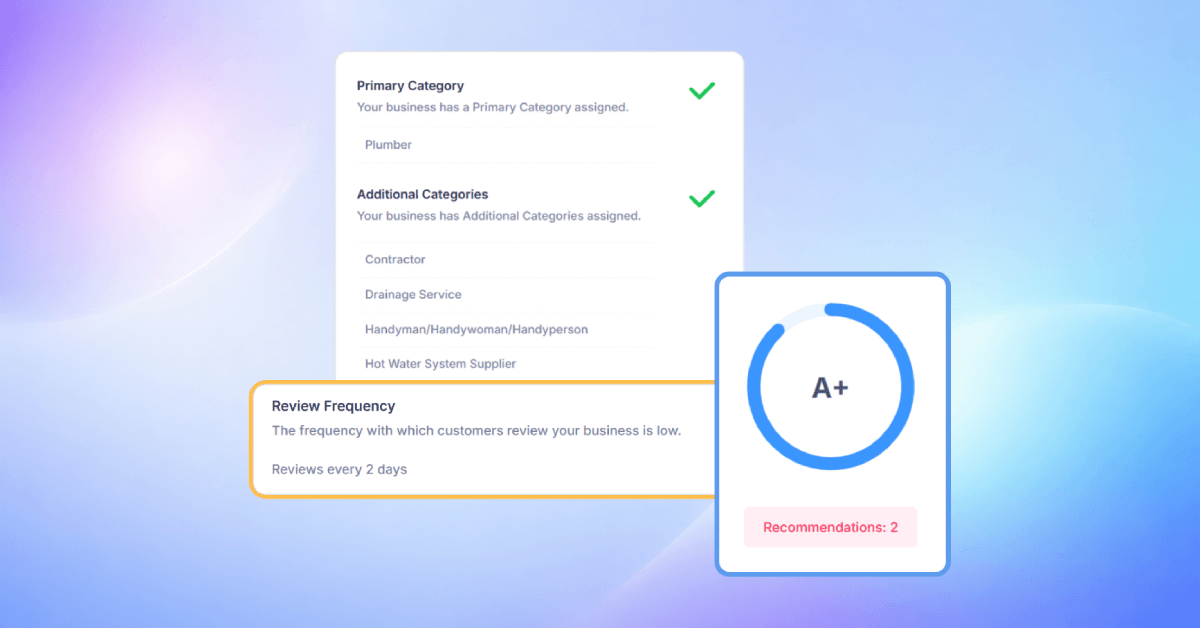
SEOptimer’s Google Business Profile Audit tool helps you see how well your profile is performing.
It checks important areas like profile completeness, keyword usage, reviews, review responses, and Google Posts, then gives you a clear score and recommendations for improvement.
In this guide, we’ll walk through each section of the GBP Audit Report and explain what each means.
What’s Inside the GBP Audit?
Overall GBP Audit Score
The report starts with an overall GBP Audit Score.
This gives you a quick snapshot of how well the business’s Google Business Profile is performing.
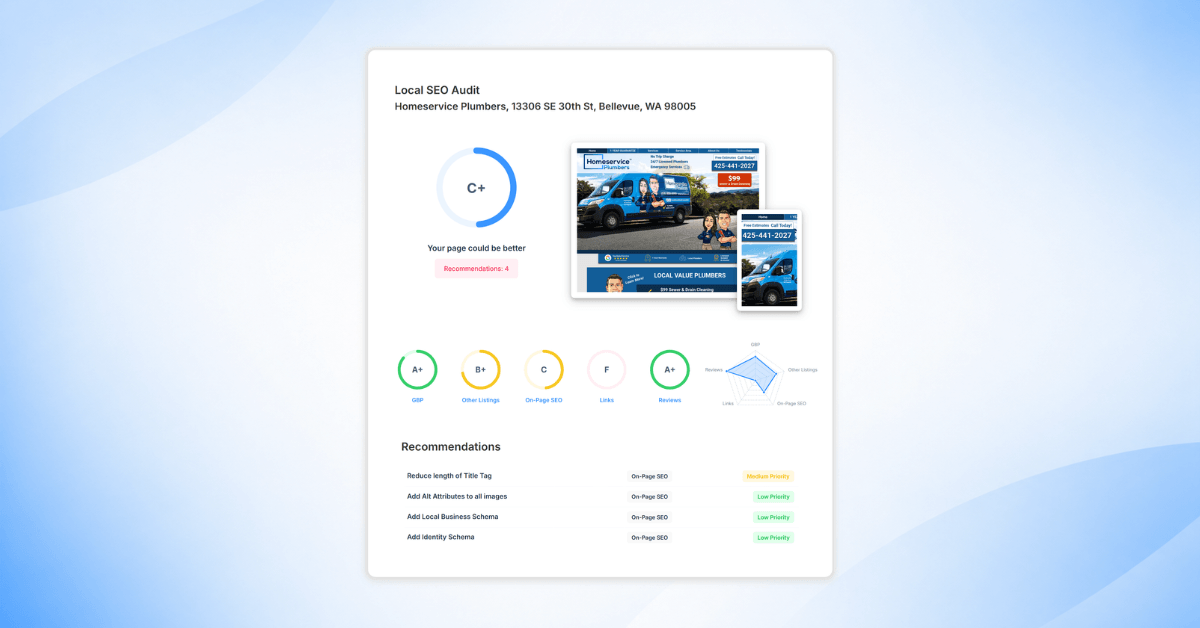
Depending on your Report Template, the score may be shown as a letter grade from A+ to F or as a numeric score from 0 to 100.
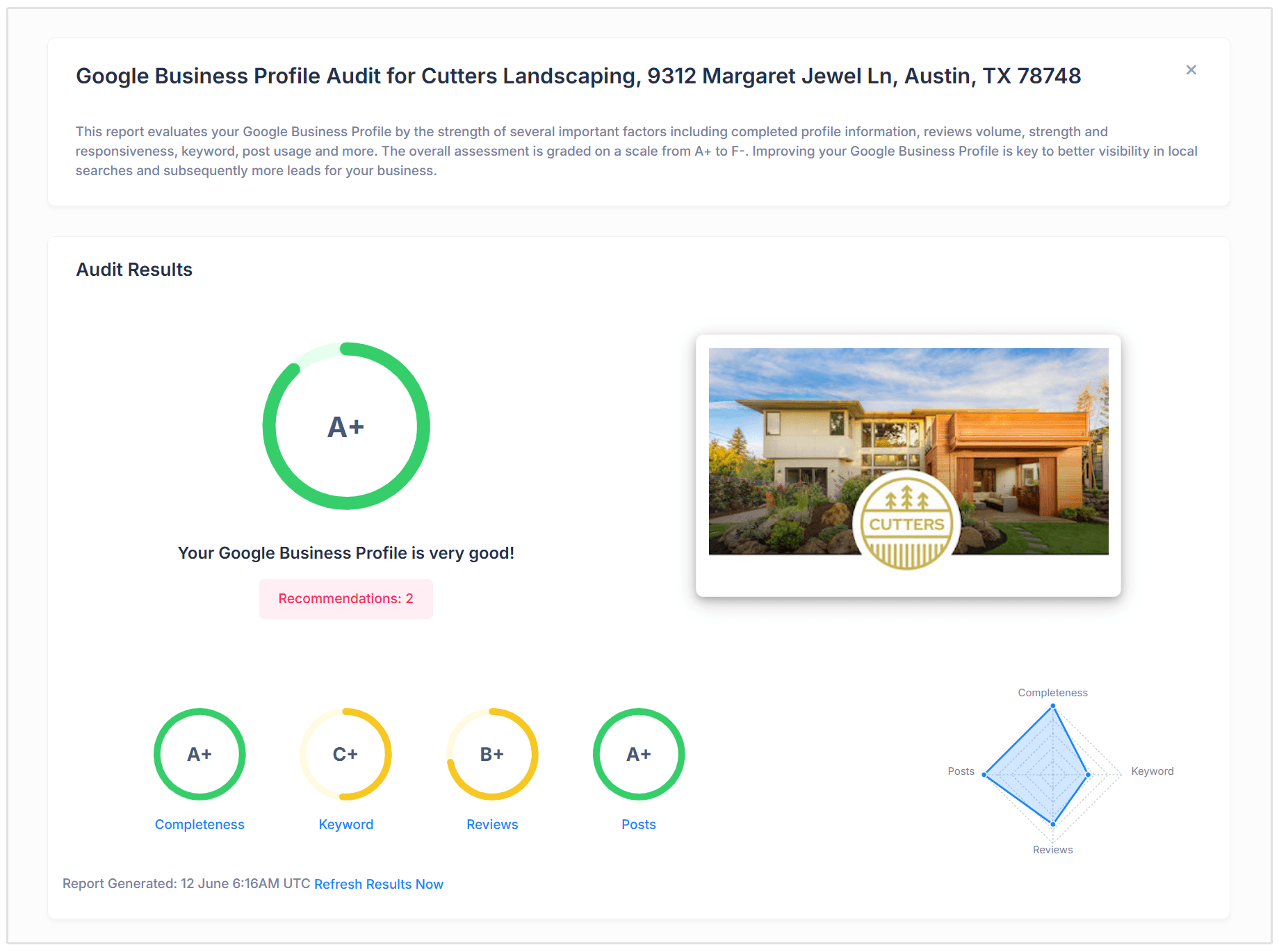
The score is based on several profile factors, including how complete the listing is, how well keywords are used, how strong the review profile is, and how active the business is with Google Posts.
This makes it easy to understand the profile’s overall performance before looking at each section in more detail.
Google Business Profile Recommendations
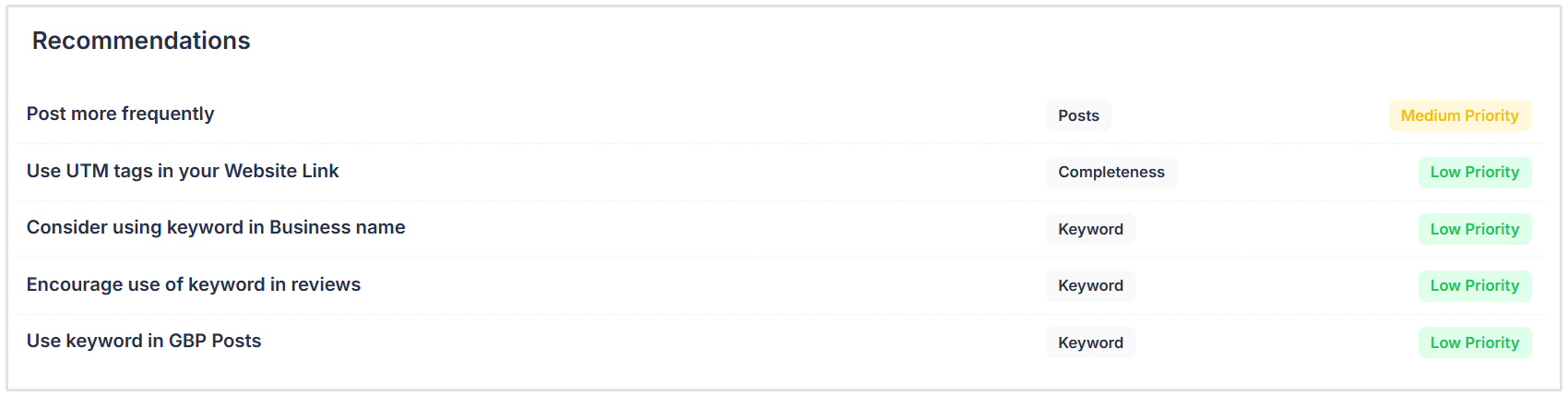
The recommendations section highlights the main actions that should be taken to improve the Google Business Profile.
Instead of making you search through the entire report, it pulls out the most important issues and turns them into clear next steps.
For example, the report may recommend the following:
- Respond to all negative reviews
- Improve keyword usage
- Add missing profile details
- Post more frequently on Google.
This helps business owners and marketers quickly understand what needs attention first.
Profile Completeness
The Profile Completeness section checks whether the basic details on your Google Business Profile are filled in correctly.
These details help Google understand your business and help customers decide whether to contact you.
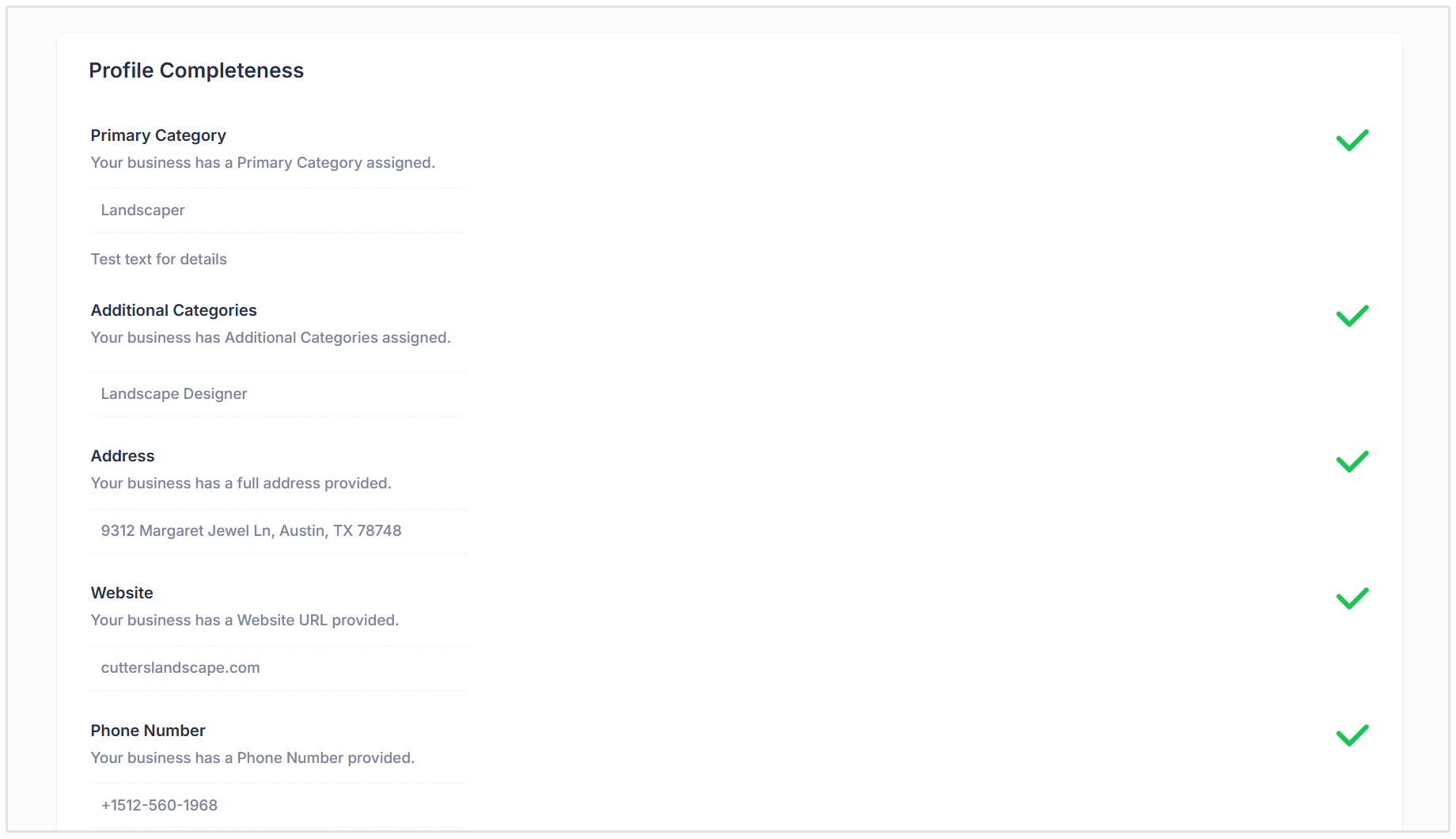
The report checks:
- Primary category
- Additional categories
- Business address
- Website URL
- Phone number
- Opening hours
- Photos
- UTM tags
- Claimed profile status
This section is important because missing or outdated information can create friction for customers.
If someone cannot find your hours, phone number, or website, they may simply choose another business.
Keyword Usage
The Keyword Usage section checks whether the target keyword appears in important parts of the Google Business Profile.
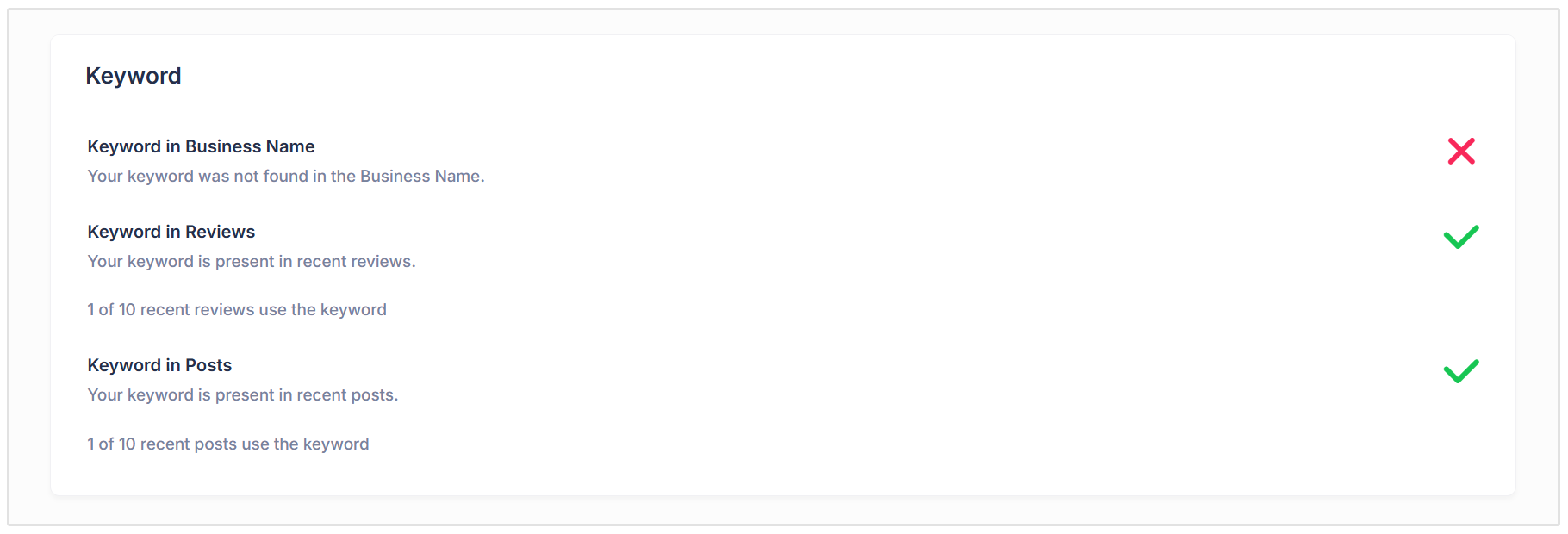
This includes the business name, recent reviews, and recent Google Posts.
The goal is not to force keywords into every part of your GBP listing. Instead, it is to see whether the profile naturally reflects the services the business wants to be found for.
For example, the report can show whether customers are using the keyword in their reviews, or whether recent posts mention the keyword in a helpful and relevant way.
This gives you a better idea of how closely the profile aligns with what local customers are searching for.
Review Performance
The Reviews section shows how strong the business’s reviews are on Google.
It looks at more than just the star rating. The report also checks the total number of reviews, how often new reviews are coming in, how often the business responds, and whether negative reviews have been answered.
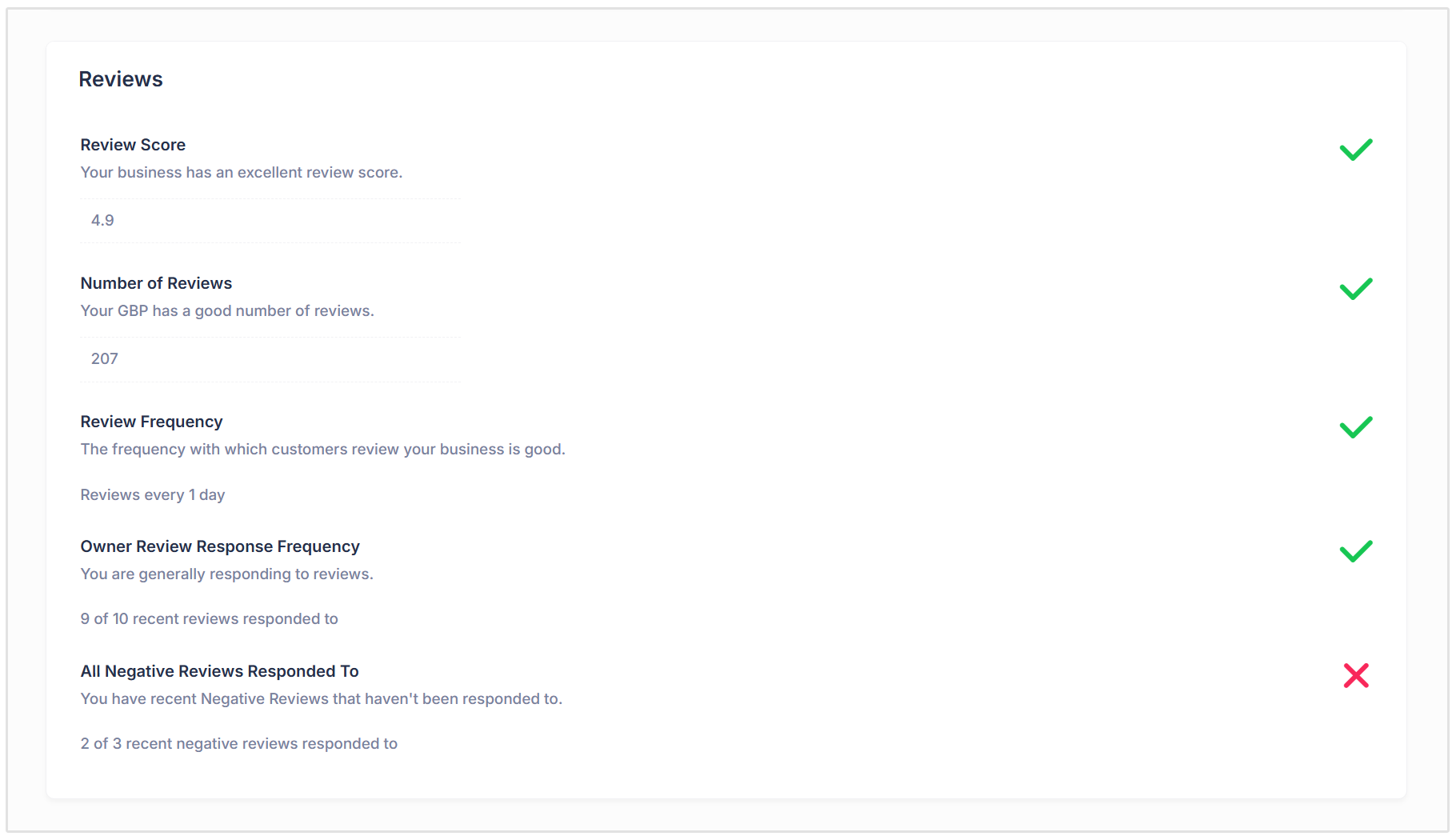
This helps you understand both the quality and consistency of the business’s review profile.
For example, a business may have a strong rating, but if it rarely gets new reviews or does not respond to negative feedback, there is still room for improvement.
Reviews play a big role in customer trust, so this section helps you spot where the business is doing well and where its reputation management needs attention.
Recent Good and Bad Reviews
The GBP report also shows examples of recent good and bad reviews.
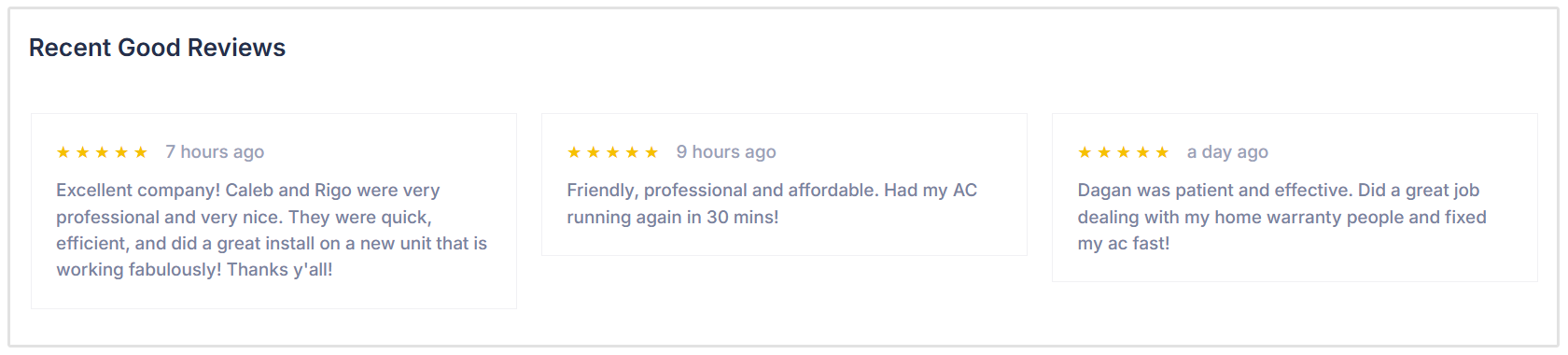
This helps you understand what customers are actually saying, not just what the overall review score looks like.
Good reviews can show what customers value most about the business. This might include service quality, fast responses, friendly staff, or the final result.
Bad reviews can highlight issues that need attention. They may point to gaps in communication, delays, poor service experiences, or unresolved complaints.
This section is useful because it turns customer feedback into practical insight.
You can use it to improve service, respond to concerns, and identify patterns that may affect future customers.
Reviews Word Cloud
The Reviews Word Cloud gives you a quick visual summary of the words customers use most often in their reviews.
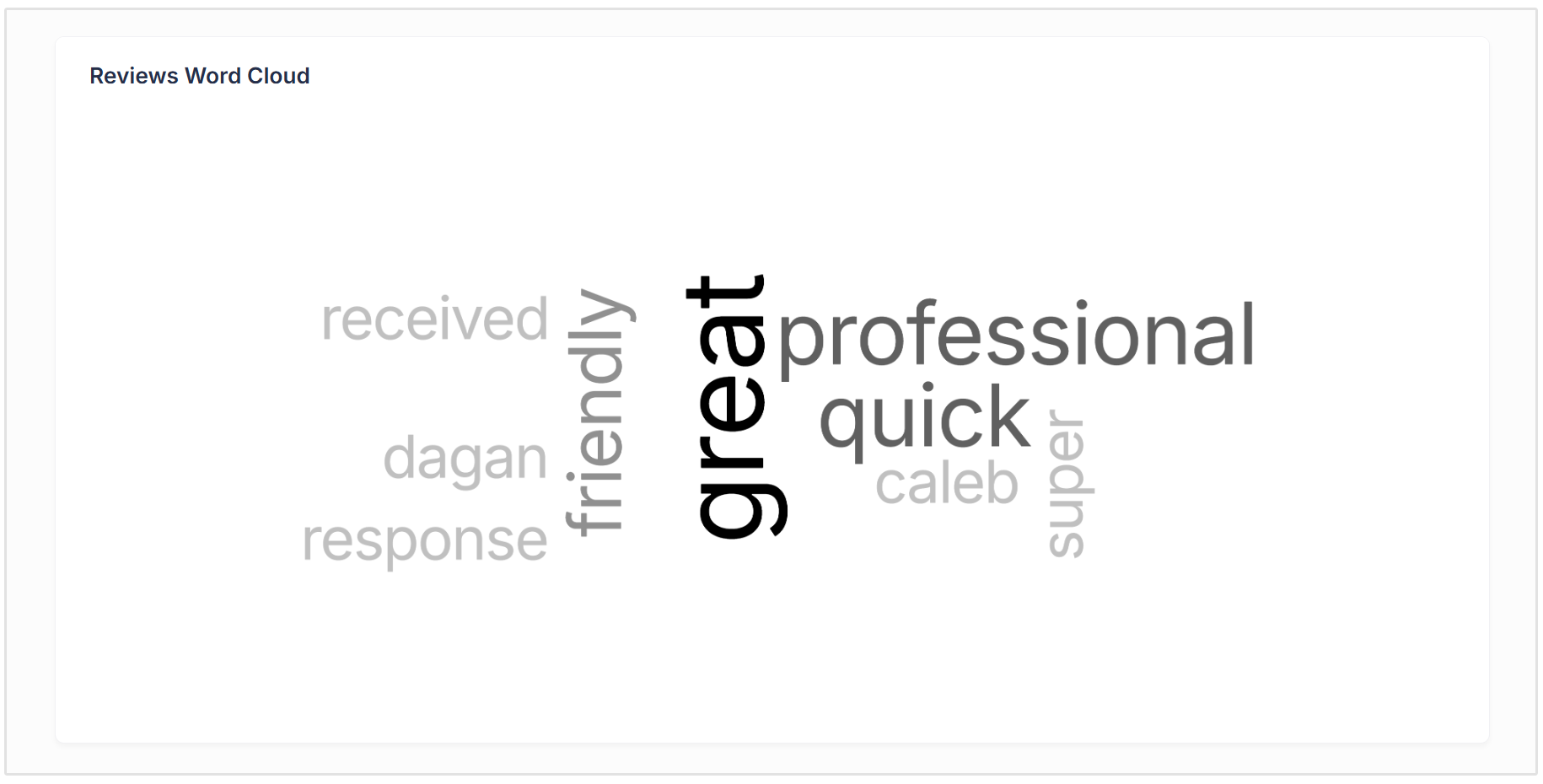
This makes it easier to spot common themes without reading every review one by one.
For example, you might see repeated words related to specific services, locations, staff members, customer experience, or the quality of work.
These insights can help you understand what customers already associate with the business. You can then use that language in Google Posts, website copy, location pages, and future marketing content.
It is a simple way to turn customer feedback into useful content and reputation insights.
Google Posts Activity
The Google Posts Activity section checks whether the business is using Google Posts and how often new posts are being published.
Google Posts are useful for sharing updates directly on the Business Profile. This can include services, promotions, announcements, events, seasonal offers, or helpful information for local customers.
The report shows whether posts are in use and whether the business is posting consistently.
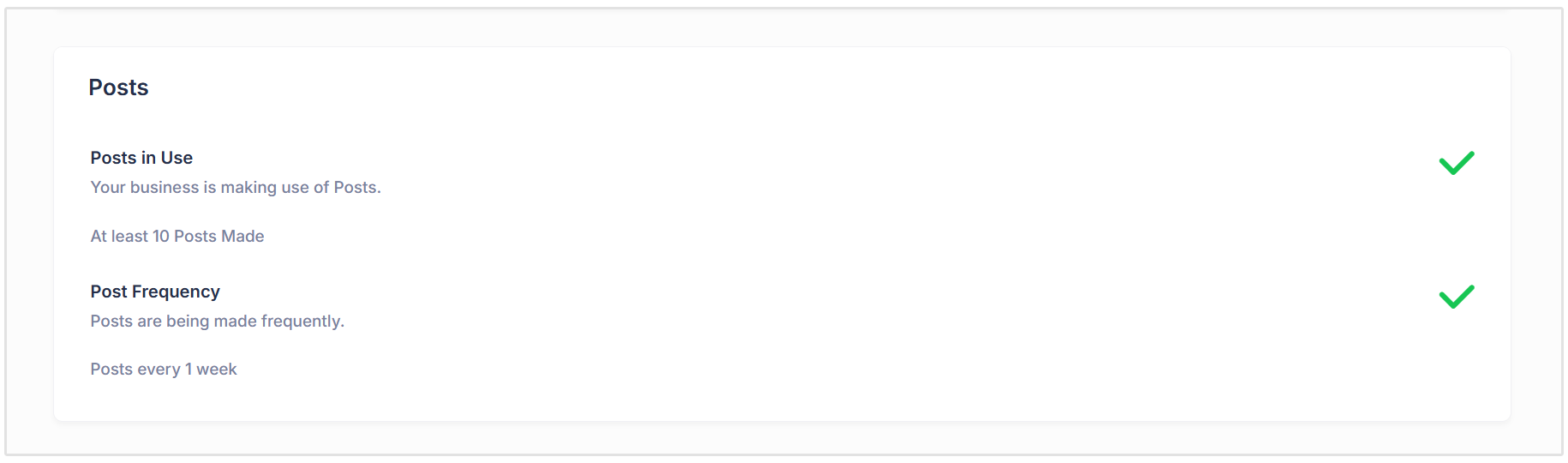
This matters because an active profile gives customers more current information and shows that the business is being maintained.
For agencies, this section can also help identify an easy opportunity to sell local SEO services. If a client is not posting regularly, Google Posts can become part of their monthly local SEO activity.
Recent Posts
The Recent Posts section shows examples of the latest posts published on the Google Business Profile.
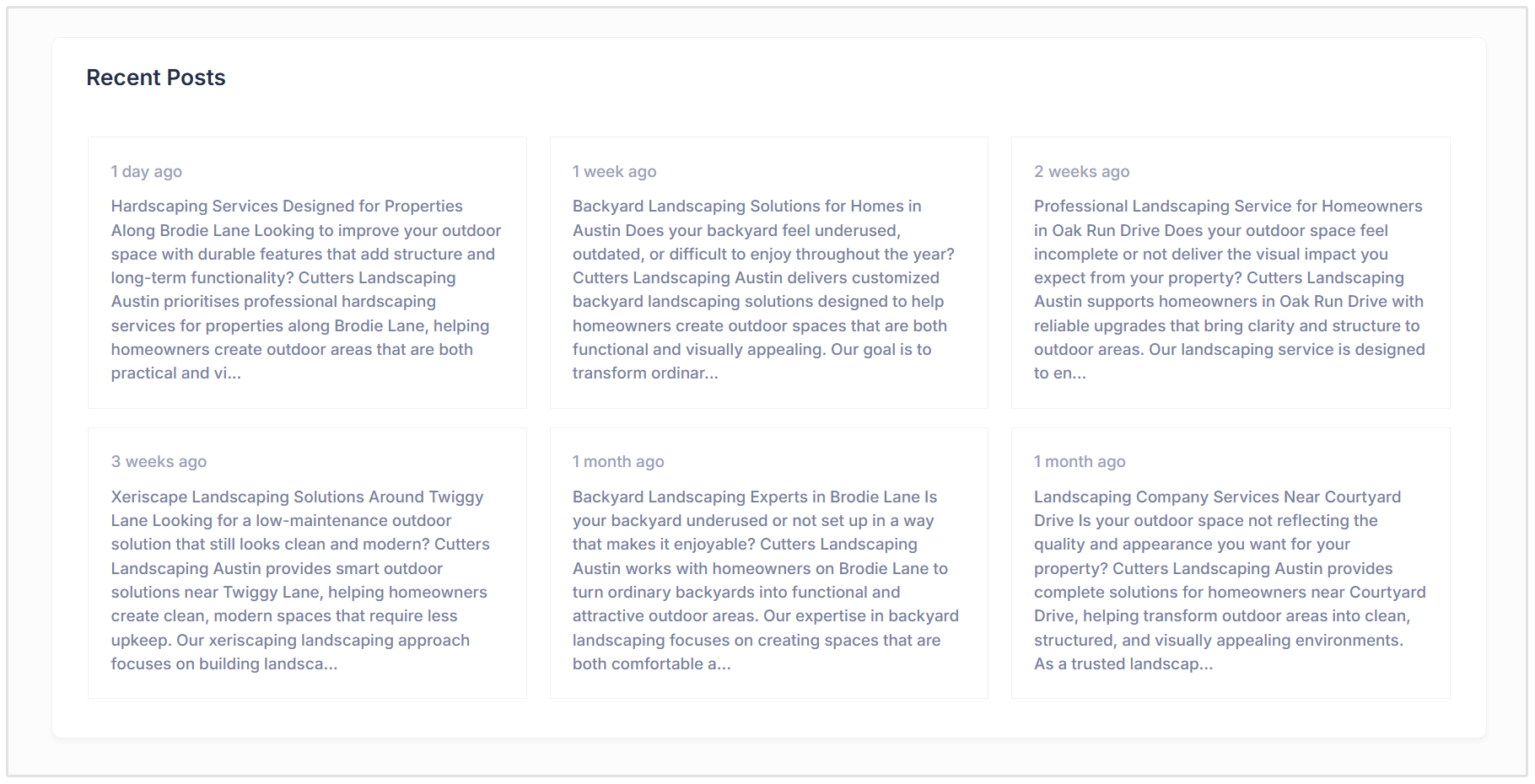
This helps you review the quality and relevance of the content being shared.
You can quickly see whether the posts are service-focused, location-specific, and useful for potential customers.
For example, in the example screenshot above you can see recent posts about hardscaping services, backyard landscaping, xeriscape landscaping, and landscaping services in specific local areas.
This section is useful because it shows whether the business is using posts strategically, not just posting for the sake of it.
Strong Google Posts should highlight key services, answer customer questions, and reinforce the areas the business wants to target.
How Agencies can Use the GBP Audit Report
For agencies, the GBP Audit Report is useful for both sales and client reporting.
You can use it to audit a prospect’s Google Business Profile before a sales call and quickly show where their profile needs work.
For existing clients, the report can help you turn GBP issues into clear action items on your to-do list.
For example, you can recommend updating missing profile details, responding to negative reviews, improving Google Posts, or encouraging more regular customer reviews.
It also gives clients an easy way to understand the value of ongoing local SEO work. Instead of only saying their profile needs improvement, you can show them exactly what is missing and what should be fixed next.
Agencies can also include the GBP Audit Report in monthly reporting to track profile improvements over time and show progress in a simple, client-friendly way.
How to Create a GBP Audit Report in SEOptimer
Creating a GBP Audit Report in SEOptimer follows a similar process to creating a Local SEO Audit Report.
First, log in to your SEOptimer account and go to the White Label Reports section.
From there, choose the GBP Audit report type.
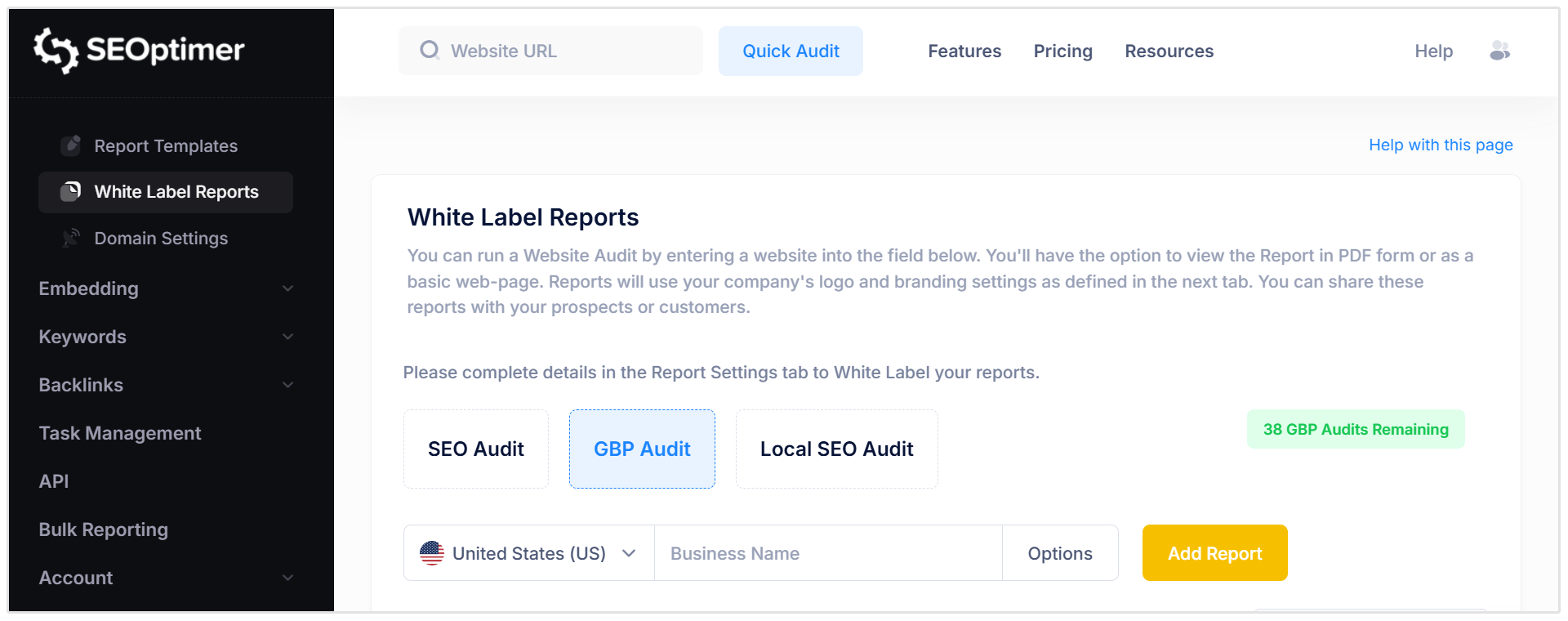
Next, select the country where the business is located and search for the business by name.
SEOptimer will show a list of matching Google Business Profiles. Choose the correct listing from the results.
Once the right profile has been selected, SEOptimer will generate the audit report.
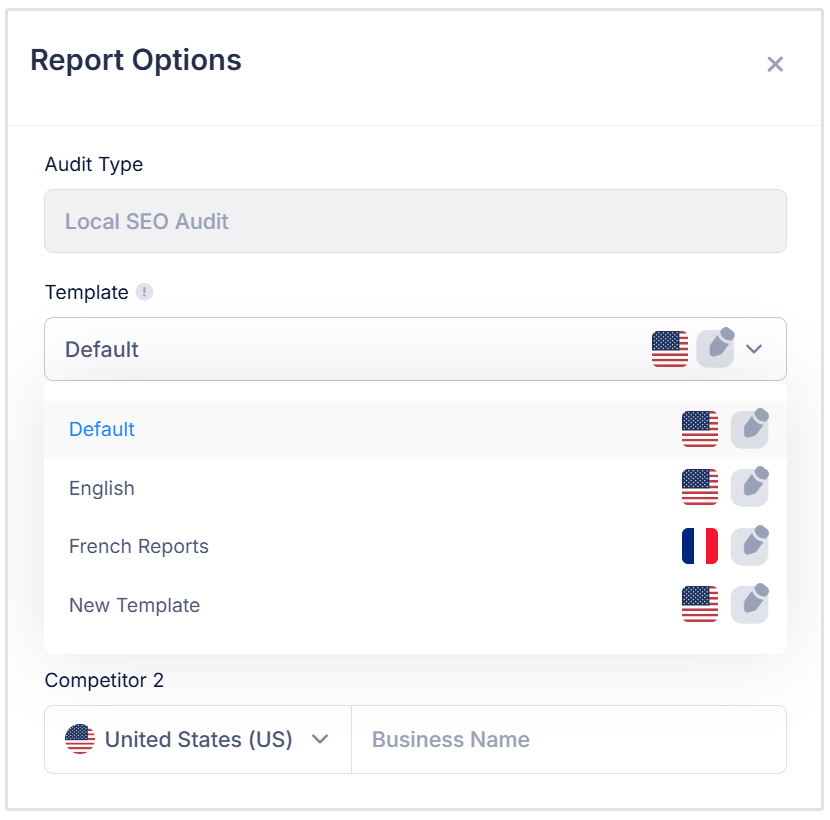
By default, the GBP Audit Report will use your default Report Template.
If you want to use a different template, click Options, then Options again. From there, you can choose which Report Template should be used for the audit.
Conclusion
Your Google Business Profile is the foundation of your local search presence.
It helps customers find key information, read reviews, view recent updates, and decide whether your business is the right choice.
SEOptimer’s GBP Audit Report checks how well your profile is performing and highlights important areas for improvement.
By regularly auditing your Google Business Profile, you can keep your listing accurate, active, and better positioned to attract local customers.