We’ve released the SEOptimer SEO MCP, a new way to run and analyze SEO audits directly from your AI tool.
Instead of generating a report and reviewing it manually, you can now audit any website from your chat, get the results instantly, and ask follow-up questions to understand what needs to be improved.
The MCP works alongside the SEOptimer SEO API and uses your API key to fetch audit data in real time. This makes it easy to integrate SEO analysis into your existing workflows, whether you are building tools, automating processes, or working inside an AI environment.
In this guide, we’ll explain what the MCP is, how to connect it, and how to use it to run audits and get useful insights.
Related Reading: Top SEO MCP Servers in 2026
What is SEOptimer MCP?
SEOptimer MCP is a connector that allows your AI tool to interact directly with SEOptimer’s SEO audit system.
In simple terms, it lets you run official SEOptimer audits from within your AI chat and work with the results in a more interactive way.
Instead of switching between your AI chat to your SEOptimer dashboard, you can request an audit, review the findings, and ask follow-up questions all in one place.
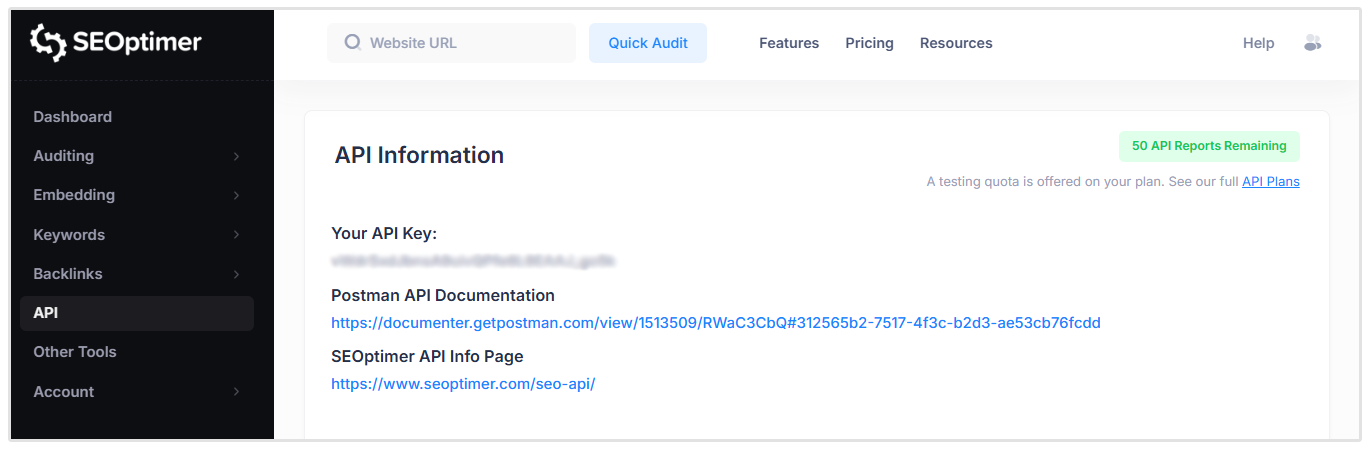
SEOptimer MCP is available to all users on White Label and Embedding plans. These users receive 50 free API credits per month to test the feature and start building workflows with it.
What can You do with SEOptimer MCP?
Run Audits from Your AI Chat
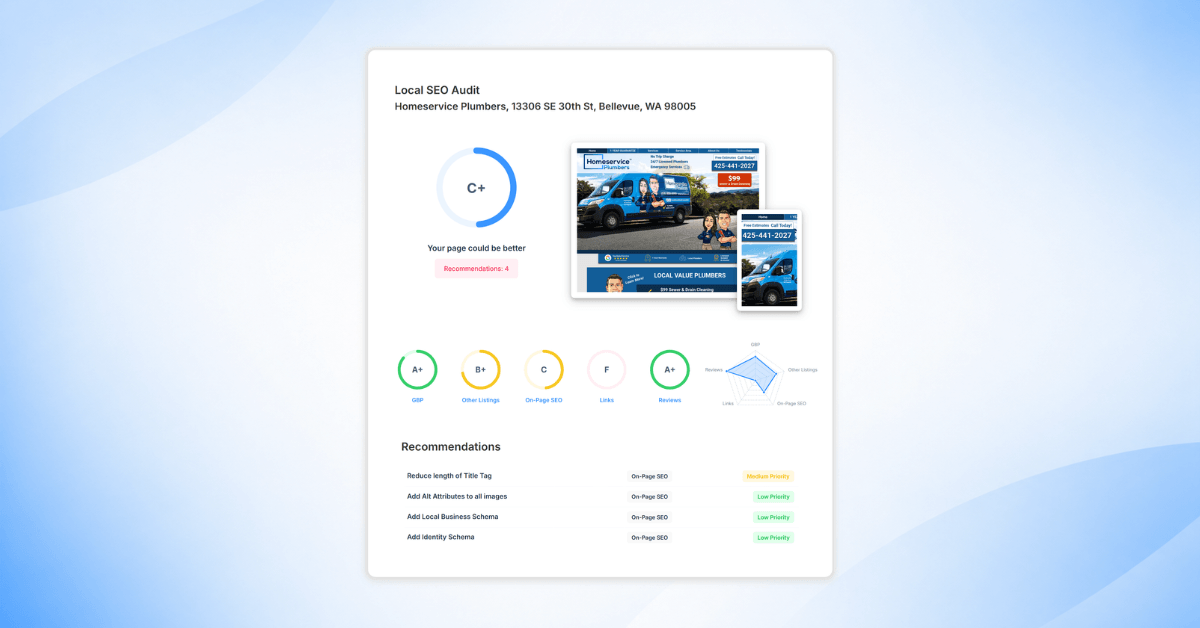
You can ask your AI tool to run an official SEOptimer audit on any website.
For example:
“Audit my client’s website at this URL: www.reliantplumbing.com”
The MCP will fetch the audit data from SEOptimer and return the results inside your chat.
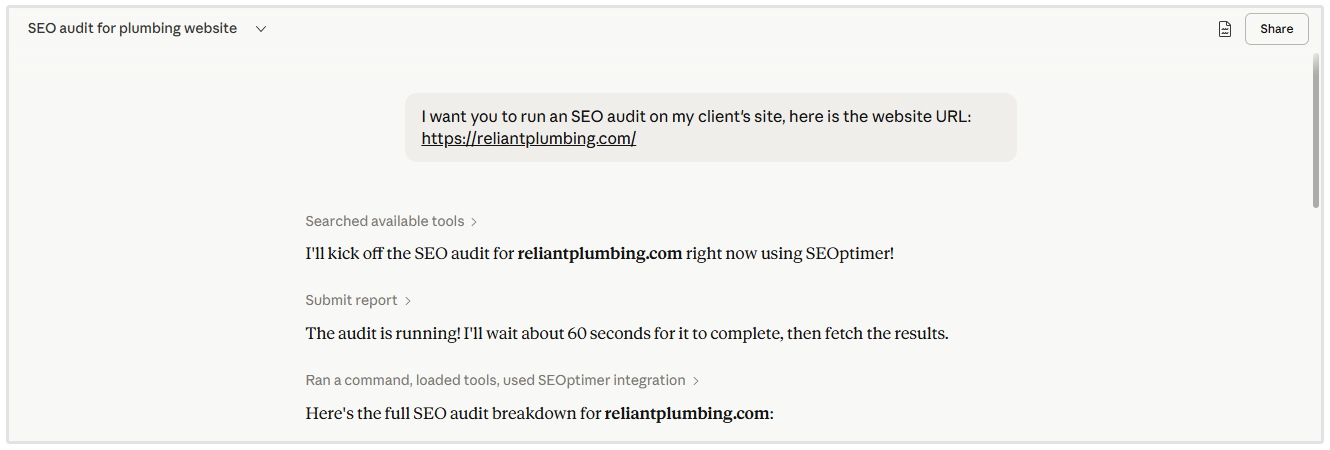
This is useful when you want a quick overview of a site without logging into a separate dashboard or manually creating a report.
Chat with AI about SEO Data
Once the audit is complete, you can ask follow-up questions about the results.
For example, you can ask the following questions:
- What are the biggest SEO issues on this site?
- Which fixes should I prioritise first?
- Explain the technical SEO problems in simple terms.
This makes the audit way more interactive than before.
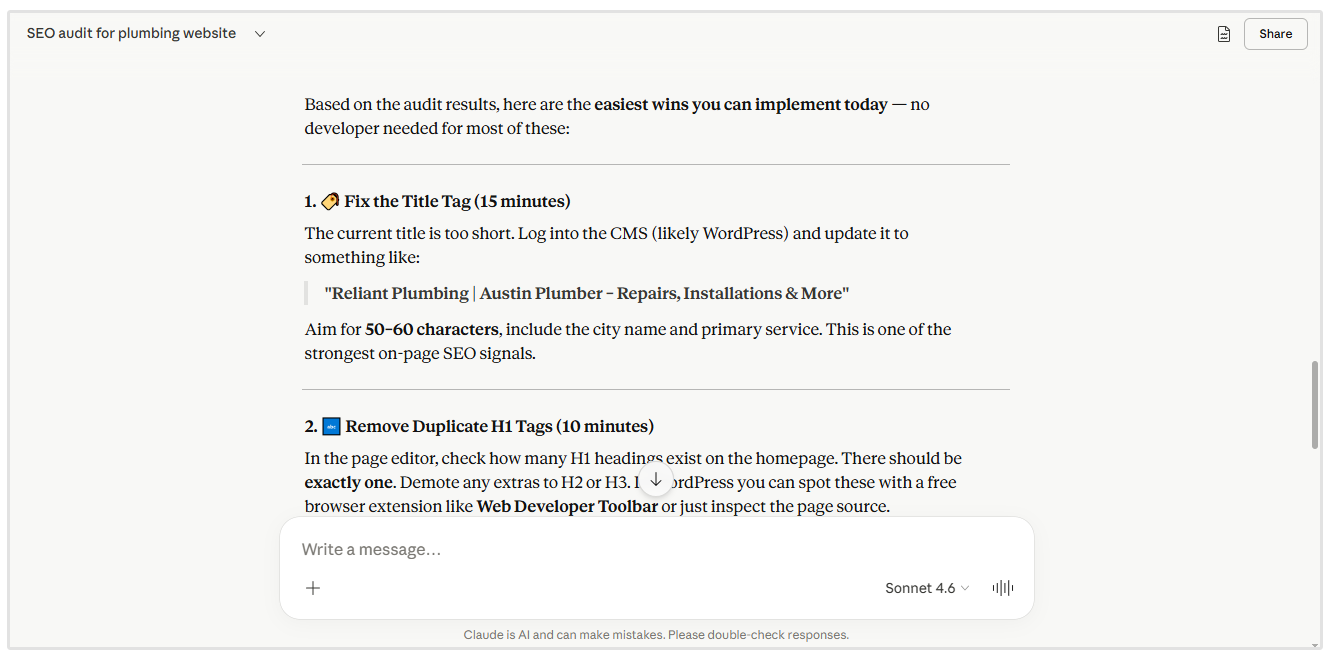
Instead of only reading through a static report, you can explore the results in conversation and focus on the issues that matter most.
Generate Insights & Recommendations
The MCP can help turn audit data into clear next steps.
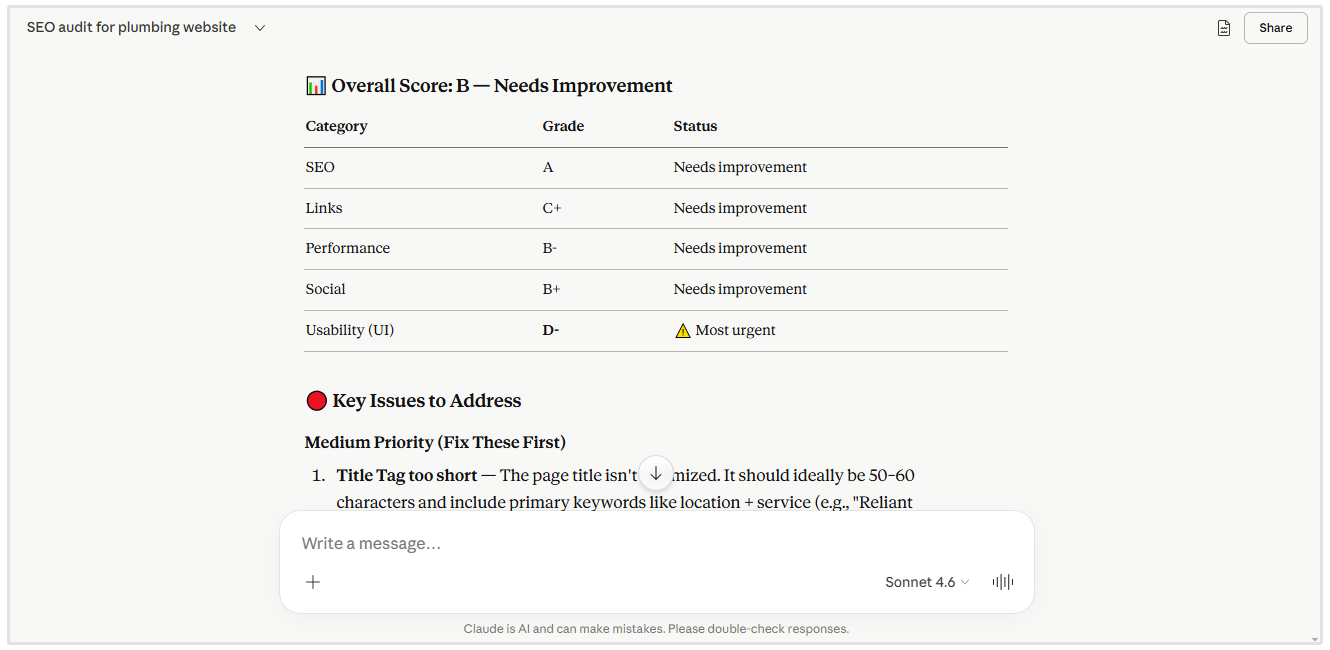
You can ask your AI tool to summarize the main issues, group recommendations by priority, or create an action plan for improving the website.
For example, I asked Claude to audit a plumbing website. Without any extra context, it correctly identified the site as a local business and provided SEO recommendations unique to local search.
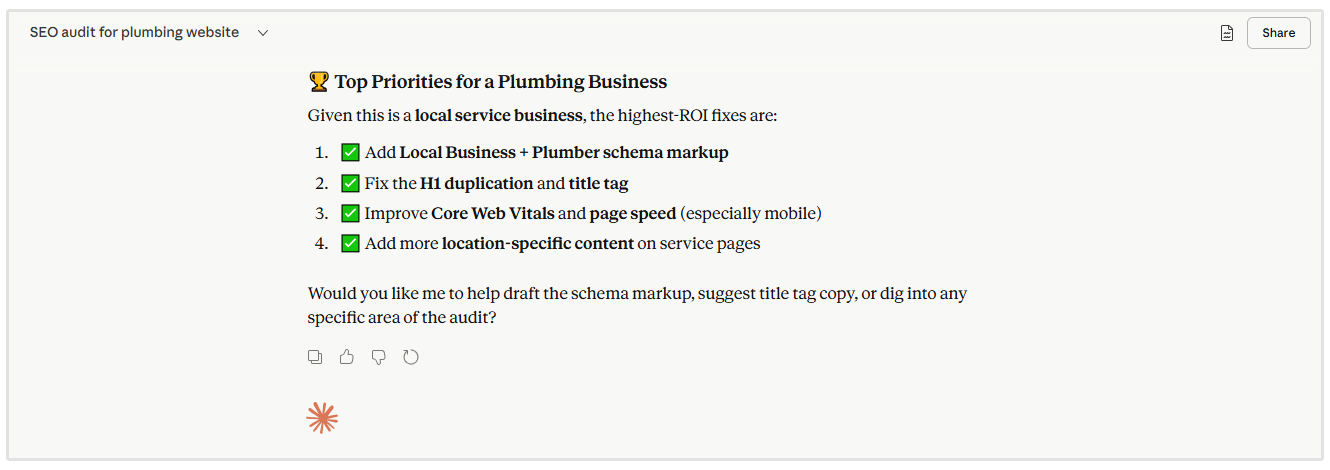
This is useful for agencies, consultants, and internal teams that need to quickly understand what needs to be fixed and explain those recommendations to clients or stakeholders.
How to Connect SEOptimer MCP (Step-by-Step)
You can connect SEOptimer MCP to your AI tool in a few simple steps. The example below shows how to do this in Claude.
Step 1: Open Connectors
Go to Profile Icon > Settings > Connectors in Claude.
Step 2: Add a New Connector
Click to add a new connector and enter a name. You can use something simple like SEOptimer.
Step 3: Add the MCP URL
In the connector URL field, enter the following:
https://mcp.seoptimer.com/mcp?key=YOUR_API_KEY
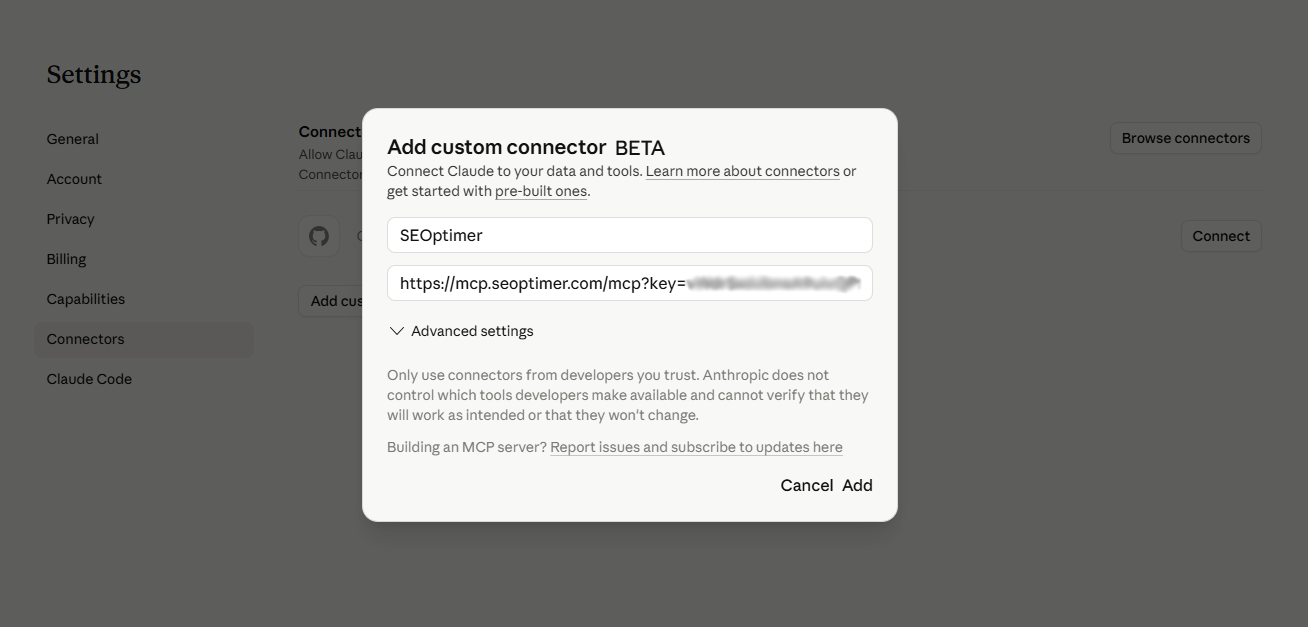
Step 4: Add Your API Key
Replace YOUR_API_KEY with your SEOptimer API key.
You can find your API key in your SEOptimer account under the API section.
Step 5: Save the Connector
Save the connector to complete the setup.
Once connected, your AI tool will be able to run SEOptimer audits and retrieve data directly through the MCP.
How to Access the MCP in Your Chats
Once you’ve connected to the SEOptimer MCP, you can start using it directly in your AI chat. There’s no separate interface. Everything happens inside the conversation.
Check if MCP is Active
Open a new chat in your AI tool and ensure the SEOptimer MCP connector is enabled.
In Claude, you should see your connected tools or connectors available in the chat. If SEOptimer MCP is active, it will be listed and ready to use.
A quick way to confirm is to run a simple request like:
“Audit www.example.com”
If the MCP is connected correctly, the audit will run and return results in the chat.
Disable or Enable MCP
You can turn the MCP connector on or off at any time from your AI tool’s connector or tools settings.
In Claude:
- Click the plus (+) icon.
- Then click on Connectors.
Here you can activate or disable the SEOptimer connection.
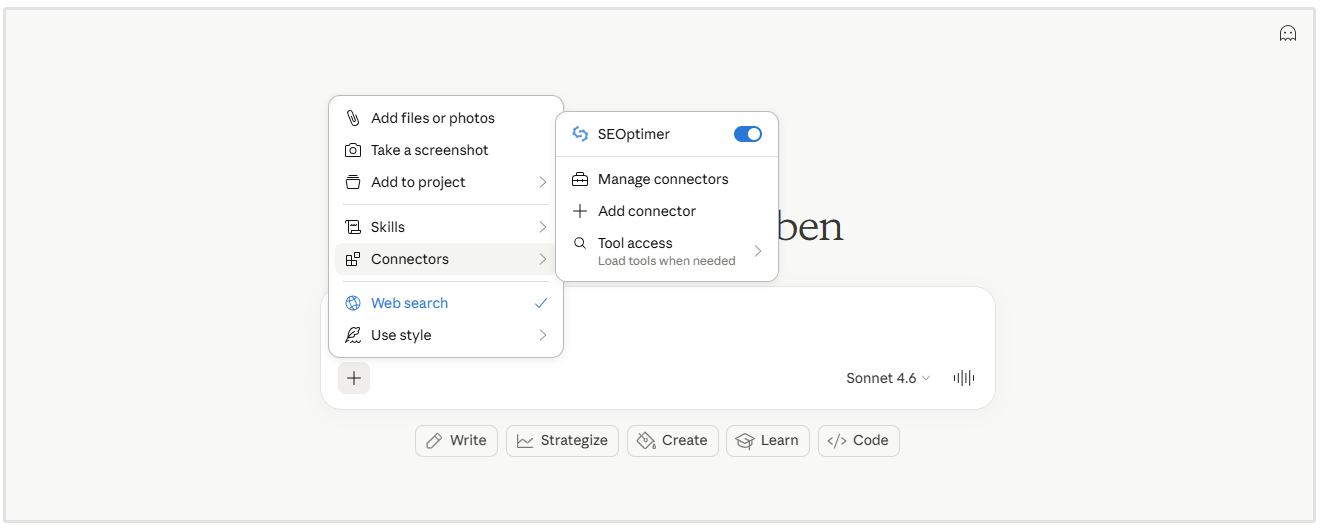
Disabling the connector will stop your AI tool from accessing SEOptimer data until it is enabled again.
Viewing Your MCP Activity
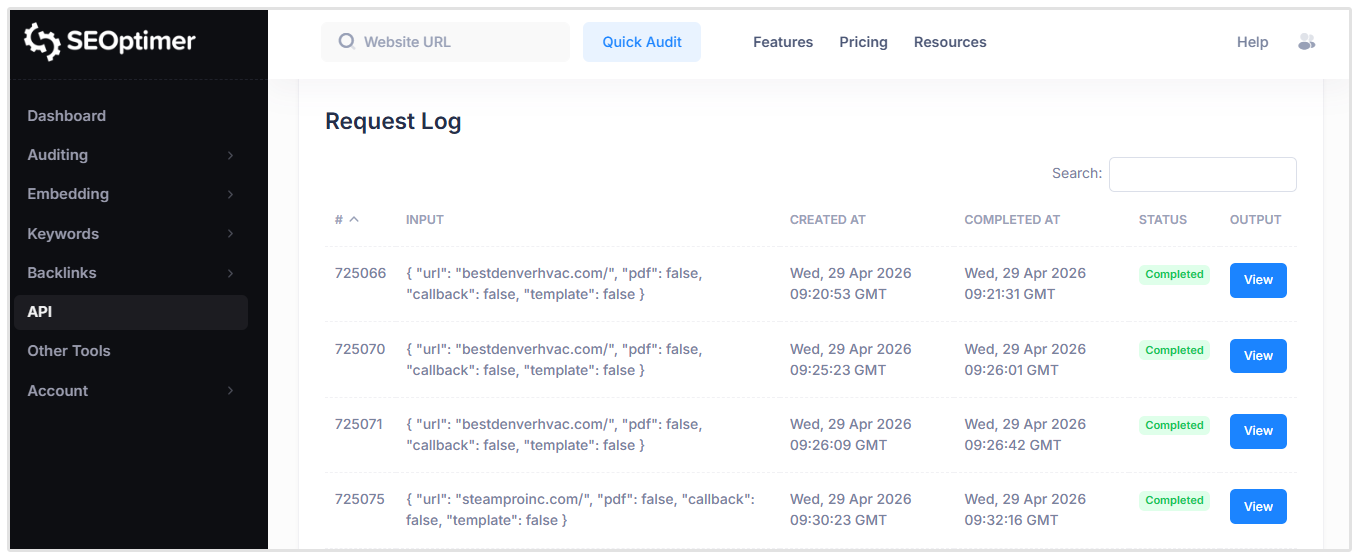
You can view all MCP directly from your SEOptimer dashboard using the Request Log under the API menu in your dashboard.
The Request Log shows a history of all API calls made using your API key, including those triggered through MCP.
What You Can See
For each request, the log includes:
- The input parameters (for example, the URL being audited)
- The date and time the request was created
- The completion time
- The request status
- A link to view the report
Conclusion
SEOptimer MCP makes it easier to run, understand, and act on SEO audits directly from your favorite AI tool.
By connecting your API key, you can move beyond static reports and work with your SEO data in a more interactive way. Run audits, ask questions, and get clear recommendations without switching between tools.
For agencies, consultants, and teams, this can speed up analysis, improve communication, and simplify reporting workflows.
If you’re already using a White Label or Embedding plan, you can start testing the MCP today using your included API credits. Connect it to your AI tool and begin exploring your SEO data in a more flexible way.