

What is Google Maps SEO?
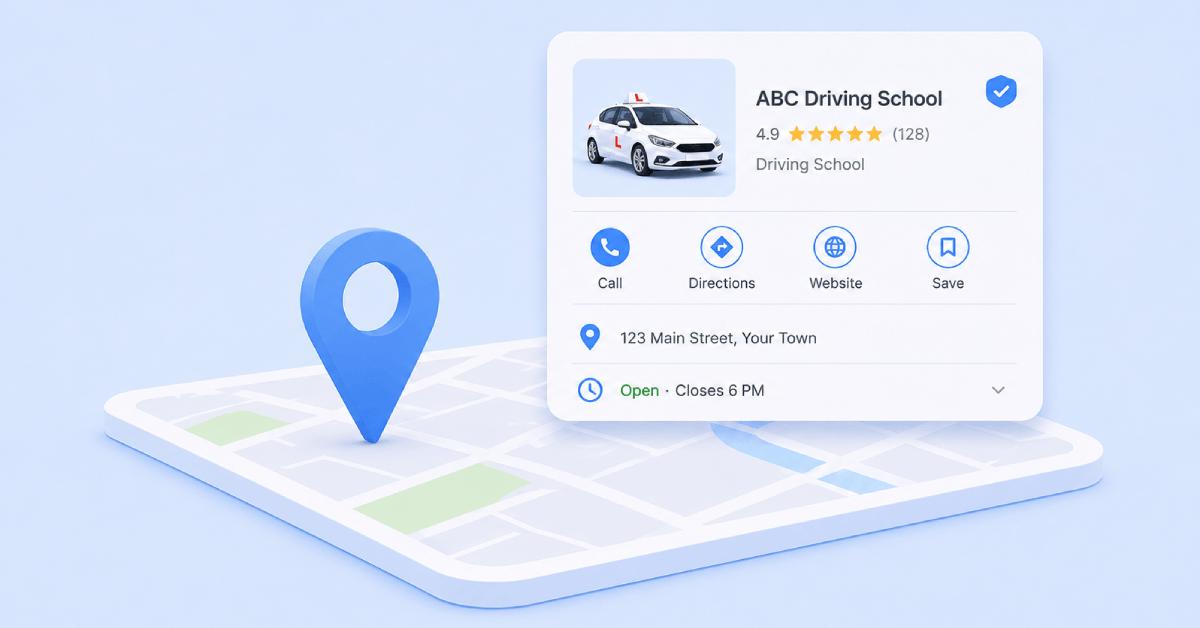
Google Maps SEO is the process of optimizing your online presence so your business ranks higher in Google Maps and the local map pack.
Traditional SEO targets global or national website rankings, but Maps SEO focuses strictly on local intent, powered by three core factors: proximity (distance to the searcher), relevance (matching the query), and prominence (online authority and reputation).
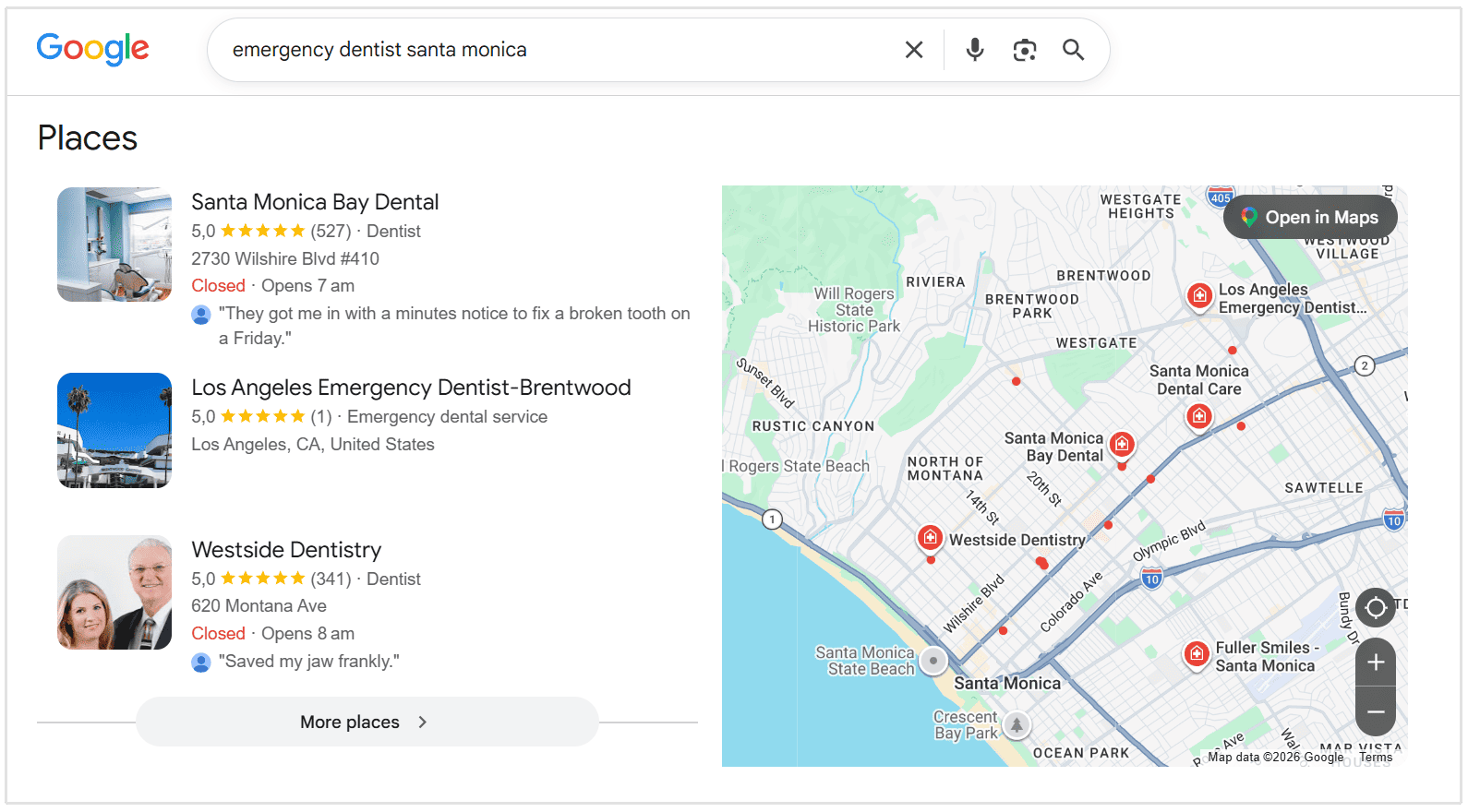
For instance, consider Santa Monica Bay Dental a dental clinic in Santa Monica.
When someone nearby searches "emergency dentist Santa Monica," Google scans local signals to rank the best options. Santa Monica Bay Dental snags the top spot in the map pack because of specific Google Maps SEO elements which we'll discuss in this blog post.
What's the Difference between Google Maps SEO vs Local SEO?
Local SEO covers your entire online presence to capture local search traffic, while Google Maps SEO focuses strictly on ranking your Google Business Profile inside Google Maps and the Local 3-Pack.
Why is Google Maps SEO Important?
Ranking at the top of Google Maps directly drives phone calls and foot traffic from nearby buyers who are ready to make a decision.
In addition to that, here are several other reasons why Google Maps SEO is so important for local businesses:
- Prime Search Real Estate: The Local 3-Pack sits at the top of Google search results and captures up to 44% of all clicks for local queries.
- High-Intent Traffic: People searching on Google Maps are actively looking to visit or call a business right now.
- Zero-Click Conversions: Customers get driving directions, check store hours, and click to call directly from your profile without ever visiting your website.
- Equal Footing for Local Businesses: It allows small local operators to outrank massive national brands based on proximity, reviews, and profile optimization rather than giant marketing budgets.
How does Google Maps SEO Work?
Google determines local map rankings by evaluating three distinct core factors to match a user with the most helpful nearby result.
Relevance
This is how accurately your business profile matches what the user is searching for.
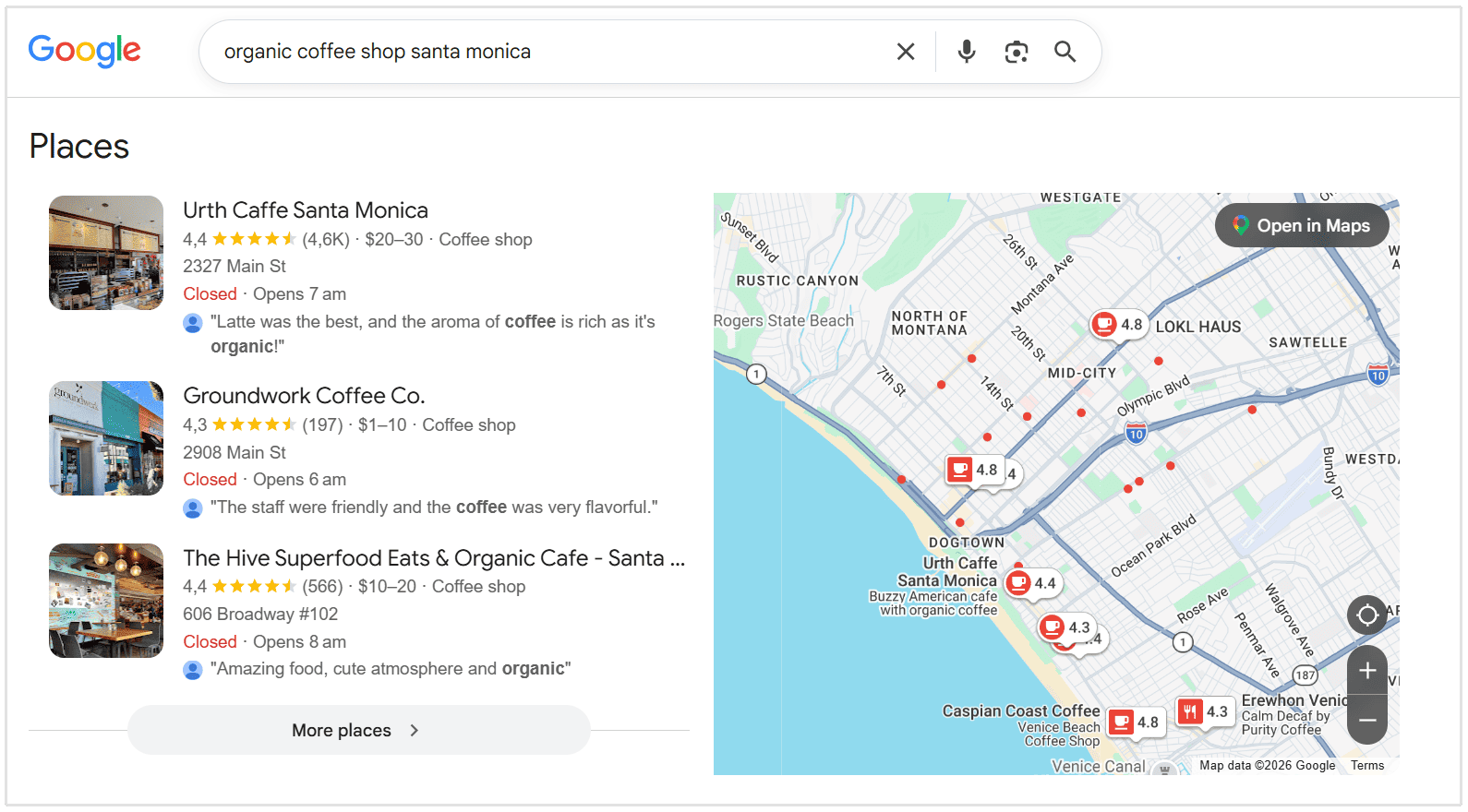
For example, if someone searches for "organic coffee shop Santa Monica," a cafe with the primary category Coffee Shop like Urth Caffe Santa Monica which talks about organic coffee on their profile will outrank a nearby Bakery that happens to sell basic drip coffee on the side.
Distance
This factor looks at how close your physical location is to the user, or to the specific location named in their search.
For example, if a user standing downtown searches for "hardware store." And Hardware Store A is 0.5 miles away, while Hardware Store B is 3 miles away.
Even if Store B has slightly better web authority, Google will often push Store A higher simply because it offers the fastest physical access.
Prominence
This deals with how well-known, authoritative, and trusted your business is online. Google measures this through review counts, ratings, local backlinks, directory citations, and overall web presence.
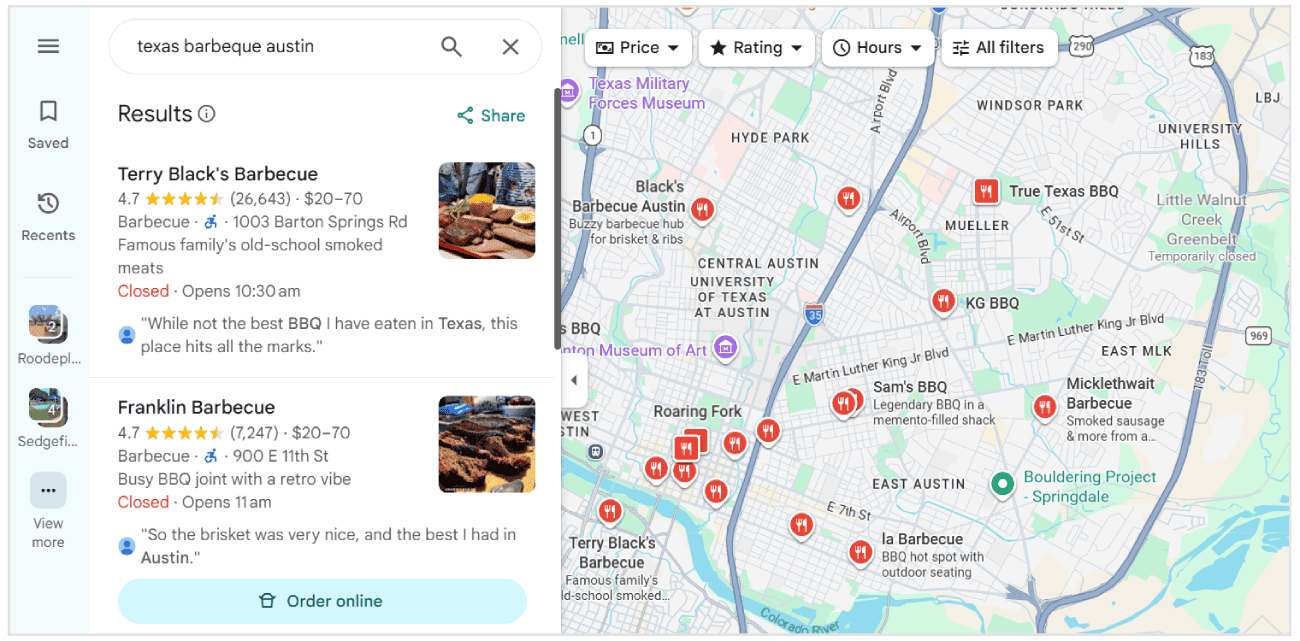
For instance, imagine a traveler in East Austin uses Google Maps to search for "Texas barbecue."
Terry Black's Barbecue sits firmly in the #1 map spot. They have 27,000+ Google reviews with a 4.7-star rating, along with thousands of backlinks and coverage from major media outlets.
How to Optimize for Google Maps SEO
Now that you know why Google Maps SEO is so important for your business, let’s take a look at the actual steps involved in optimizing for Maps SEO.
1. Claim and Fully Optimize Your Google Business Profile
Your Google Business Profile (GBP) is the baseline requirement for Google Maps SEO.
It is the listing Google uses to display information about your business across Google Search and Maps, including your location, phone number, website, opening hours, reviews, photos, services, and other important details.
If your profile isn't verified, Google simply won't rank you in the Local 3-Pack, and you lose control over how your business information appears across Maps and Search.
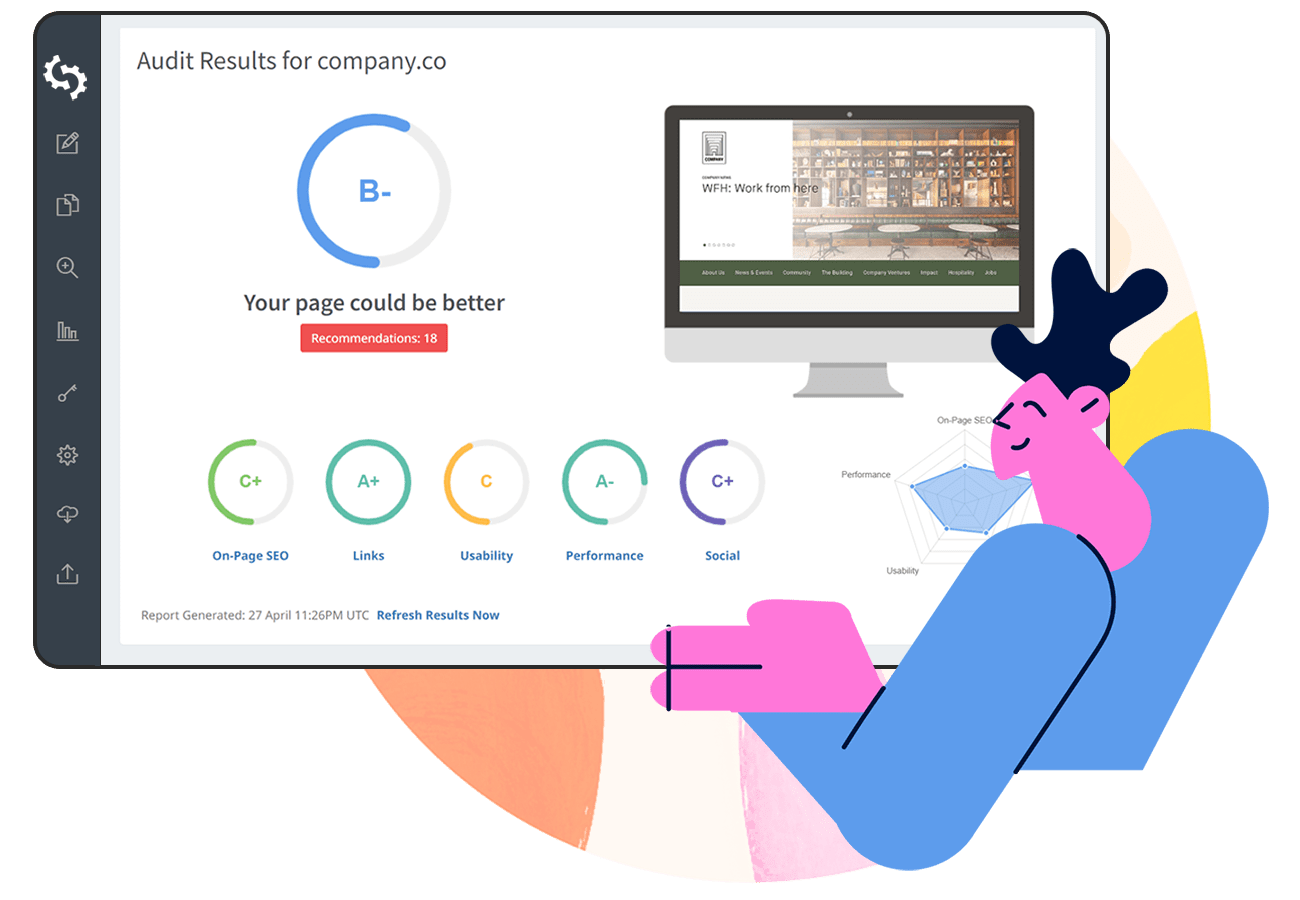
Before we get into the individual steps, it's worth mentioning our Google Business Profile Audit tool.
It automatically audits your entire GBP against many of the factors we'll be covering below and highlights areas that may need improvement.
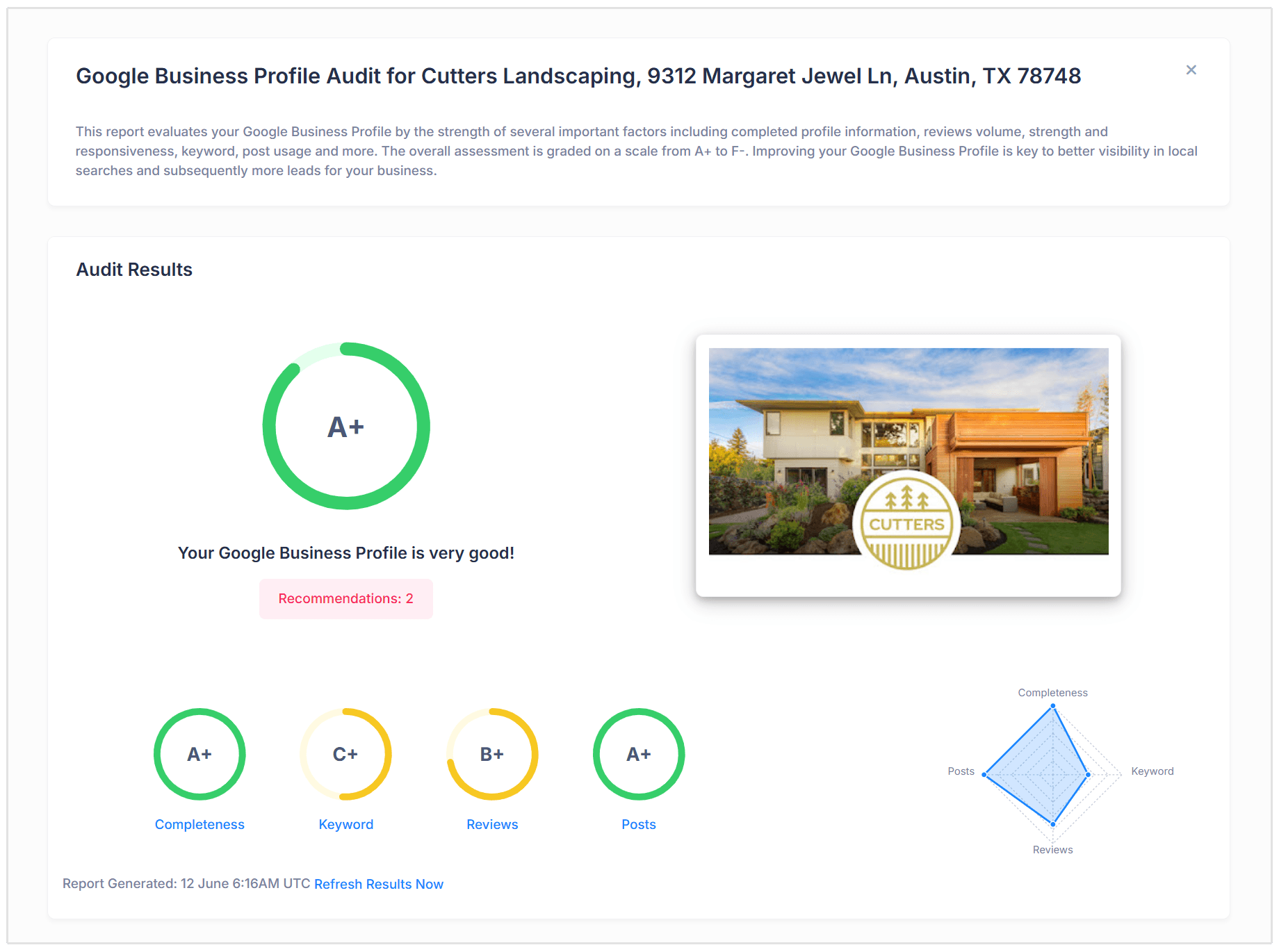
Instead of manually working through your profile and guessing what might be holding it back, you can run a GBP Audit to quickly identify issues and opportunities across your listing.
From there, you'll have a much clearer idea of where to focus your Google Maps optimization efforts.
Claim and Verify Your Business Profile
If your business already appears on Google Maps, don't immediately create a new listing. Search for the existing profile first and claim it instead.
If there isn't an existing listing, you can create a new Google Business Profile and add your business information.
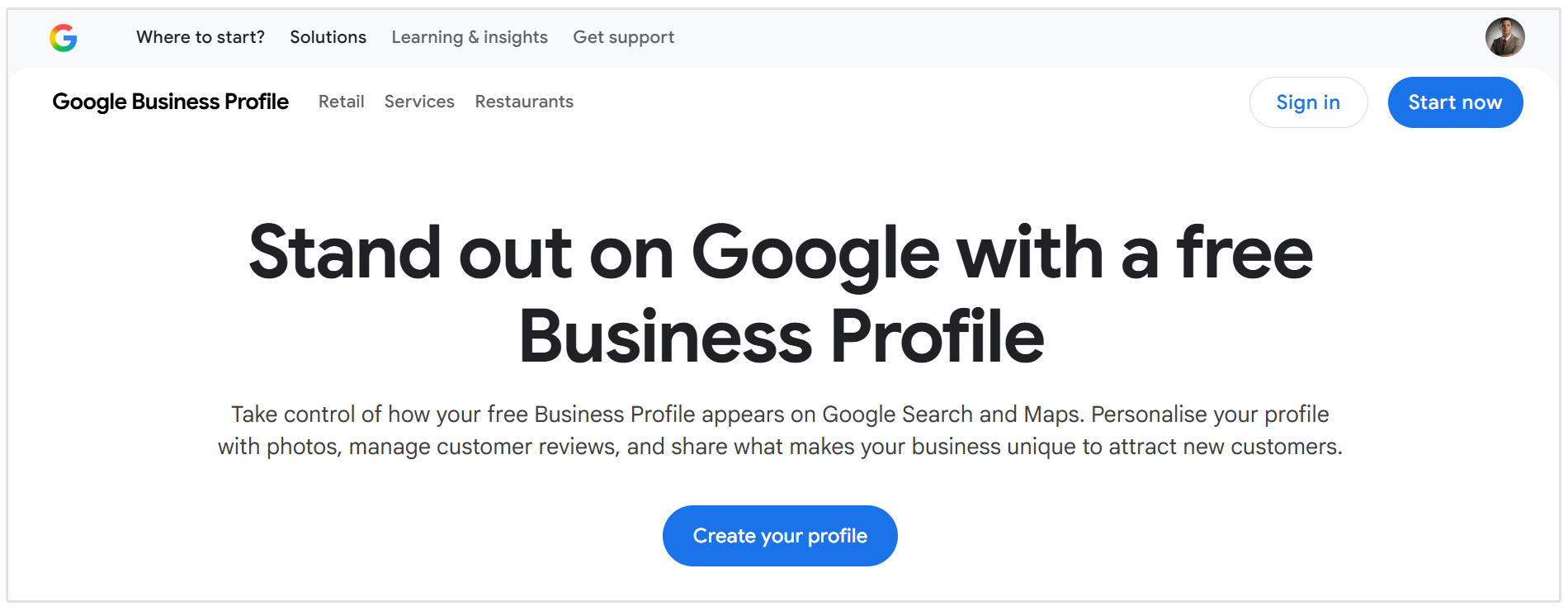
You'll then need to complete Google's verification process to confirm that you're authorized to manage the business.
Depending on the business, Google may offer verification methods such as phone, email, video recording, or other options.
Verification is an important first step because it gives you control over the information appearing on your listing and allows you to start making the optimizations covered below.
Add Accurate Business Information
Start with the basic information customers need in order to find or contact your business.
Make sure your profile contains the correct:
- Business name
- Address
- Phone number
- Website
- Business description
- Service area, where applicable
It's very important that you use accurate information when adding your information to GBP.
Your business name should be the real name your company uses in the physical world and across your branding. Don't add extra keywords purely to try to rank higher in Maps.
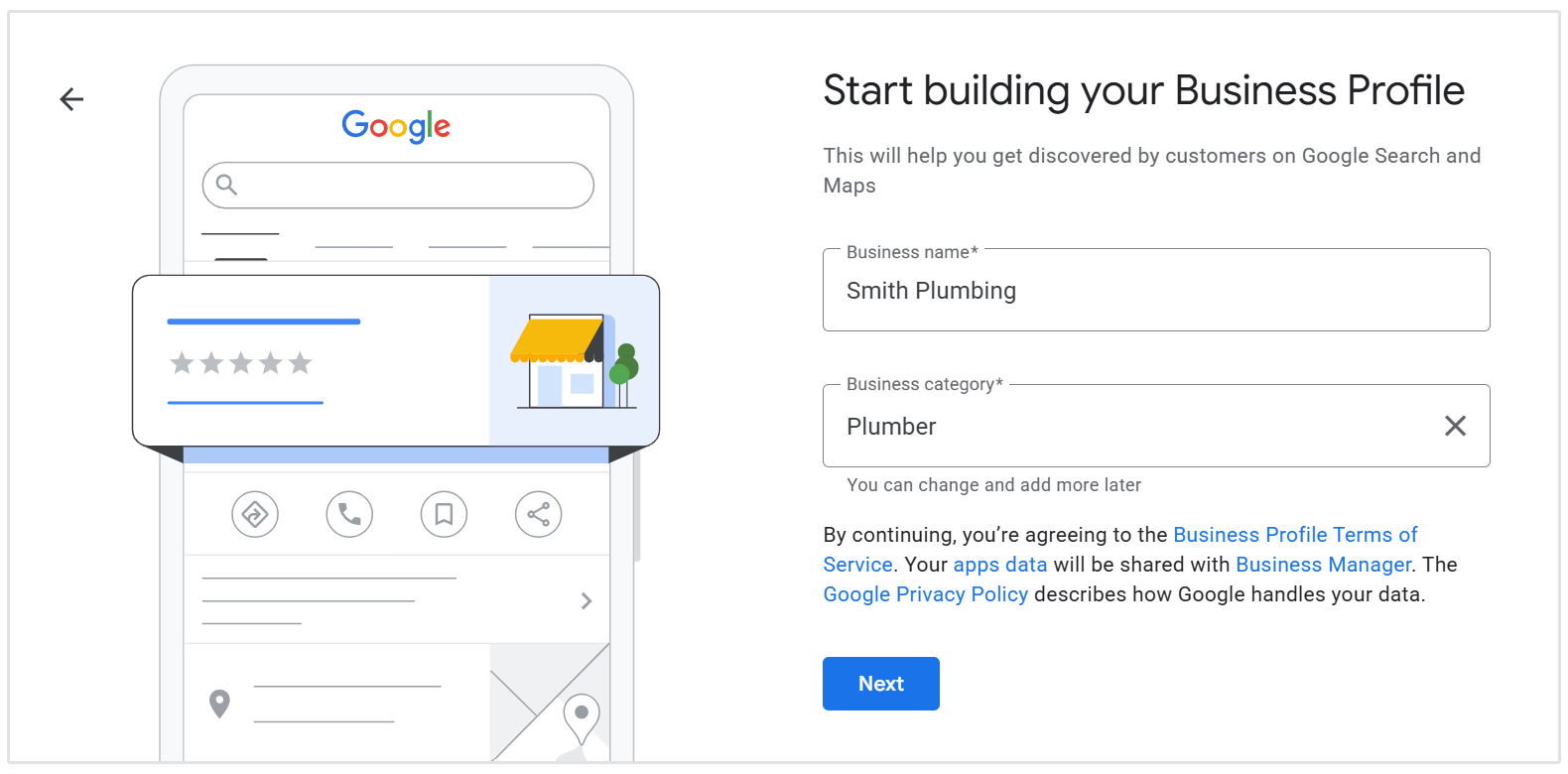
For example, if your real business name is Smith Plumbing, avoid changing it to something like Smith Plumbing – Best Emergency Plumber in Denver unless that wording is genuinely part of your business name.
Choose the Right Primary and Secondary Categories
Your business categories help Google understand what type of business you operate and which searches your profile may be relevant for.
Your primary category should describe the main purpose of your business as specifically as possible.
For example, if you own a plumbing business, instead of choosing a broad category such as Contractor, you will be better represented by Plumber.
You can then add secondary categories for other important services you provide.
A dental practice, for example, might use Dentist as its primary category, and then the following secondary categories:
- Cosmetic Dentist
- Dental Clinic
- Emergency Dental Service
Avoid adding categories simply because you want to rank for more searches. They should genuinely describe what your business does.
Write a Useful Business Description
Your business description gives potential customers a quick overview of what you offer.
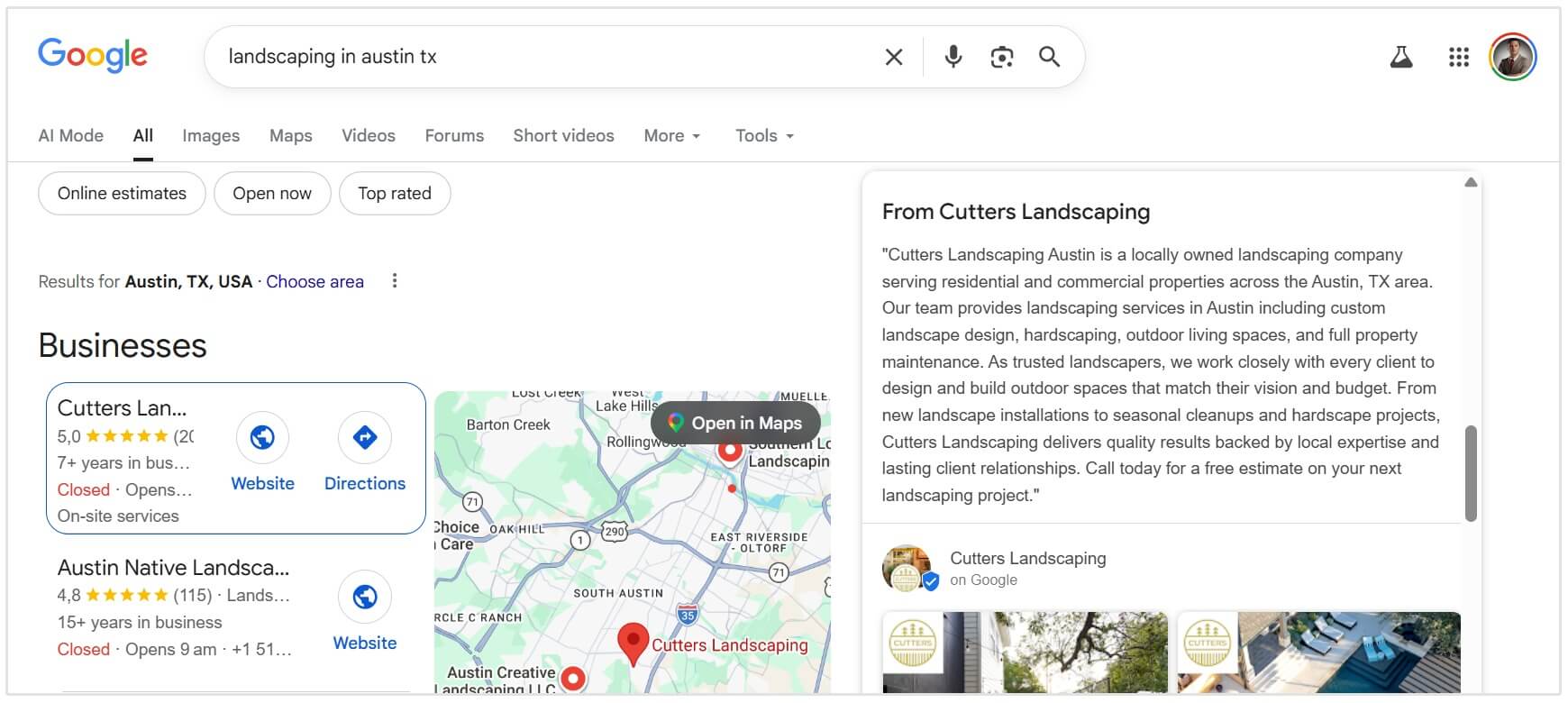
Use it to clearly explain:
- What your business does
- The main products or services you provide
- Who you serve
- Where you operate
- Anything genuinely useful that distinguishes your business
You can naturally mention your main services and location, but avoid turning the description into a block of keywords.
For example, a natural description for our made-up plumbing business might say:
Smith Plumbing provides residential and commercial plumbing services throughout Denver, including emergency repairs, drain cleaning, water heater installations, and leak detection.
That gives both Google and potential customers useful context without awkwardly repeating phrases like "Denver plumber" over and over again.
Add Your Products and Services
Depending on your business type, Google allows you to add products or services directly to your Business Profile.
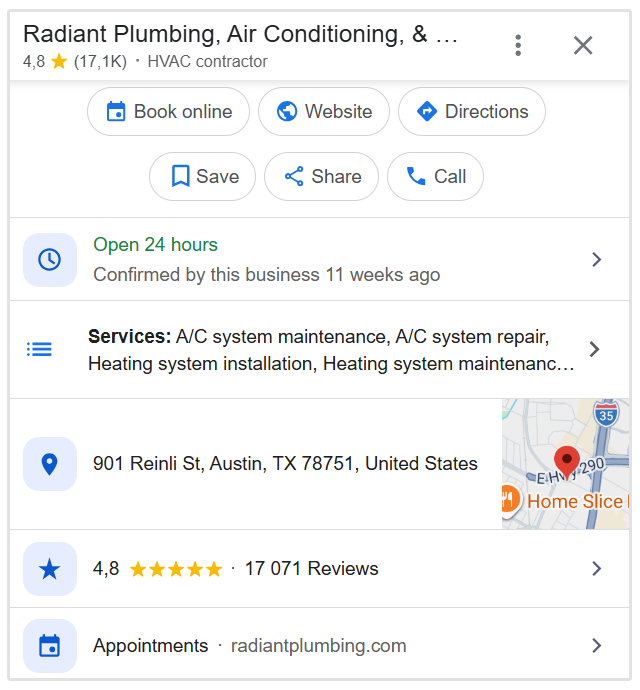
So, a plumber might add services such as:
- Emergency plumbing
- Drain cleaning
- Leak detection
- Water heater repair
- Pipe replacement
And a beauty salon might add:
- Haircuts
- Hair coloring
- Blowouts
- Hair extensions
Adding these gives customers a clearer idea of what you actually offer and gives Google additional context about the business.
Be specific, but keep the list focused on real services rather than trying to add every keyword variation you can think of.
Keep Your Opening Hours Up to Date
Accurate opening hours are one of the simplest parts of Google Maps optimization, but they're also one of the easiest to overlook.
Make sure your normal trading hours are correct and update your profile for:
- Public holidays
- Seasonal hours
- Temporary closures
- Special opening times
This is especially important for people searching with immediate intent, such as "coffee shop open now" or "pharmacy near me."
Even beyond SEO, incorrect hours create a poor customer experience. Few things are more frustrating than driving across town because Google says a business is open, only to find a locked door.
Add Relevant Business Attributes
Google Business Profiles can include additional attributes depending on your business category.
These may include information such as:
- Accessibility options
- Payment methods
- Outdoor seating
- Wi-Fi
- Delivery
- Takeaway
- Appointment requirements
- Parking options
The attributes available will vary depending on the type of business you operate.
Add any that genuinely apply. They can help customers quickly determine whether your business meets their needs and give Google more structured information about what you offer.
Upload High-Quality Photos and Videos
Photos can have a major influence on how people perceive your business when they find it in Google Maps.
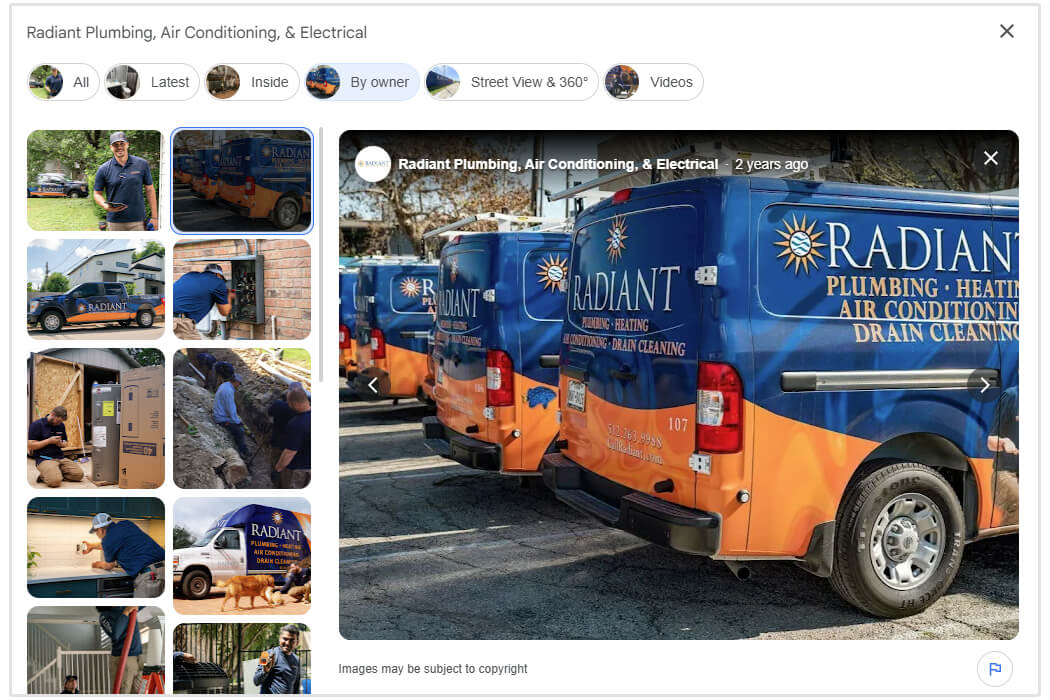
Instead of uploading only a logo and leaving it there, build out your profile with useful, recent images.
Depending on the business, this could include:
- Exterior photos
- Interior photos
- Staff photos
- Products
- Services being performed
- Completed work
- Facilities
- Food or menu items
- Before-and-after examples
For a restaurant, for example, customers will probably want to see the food and dining area. A contractor might benefit more from showing completed projects.
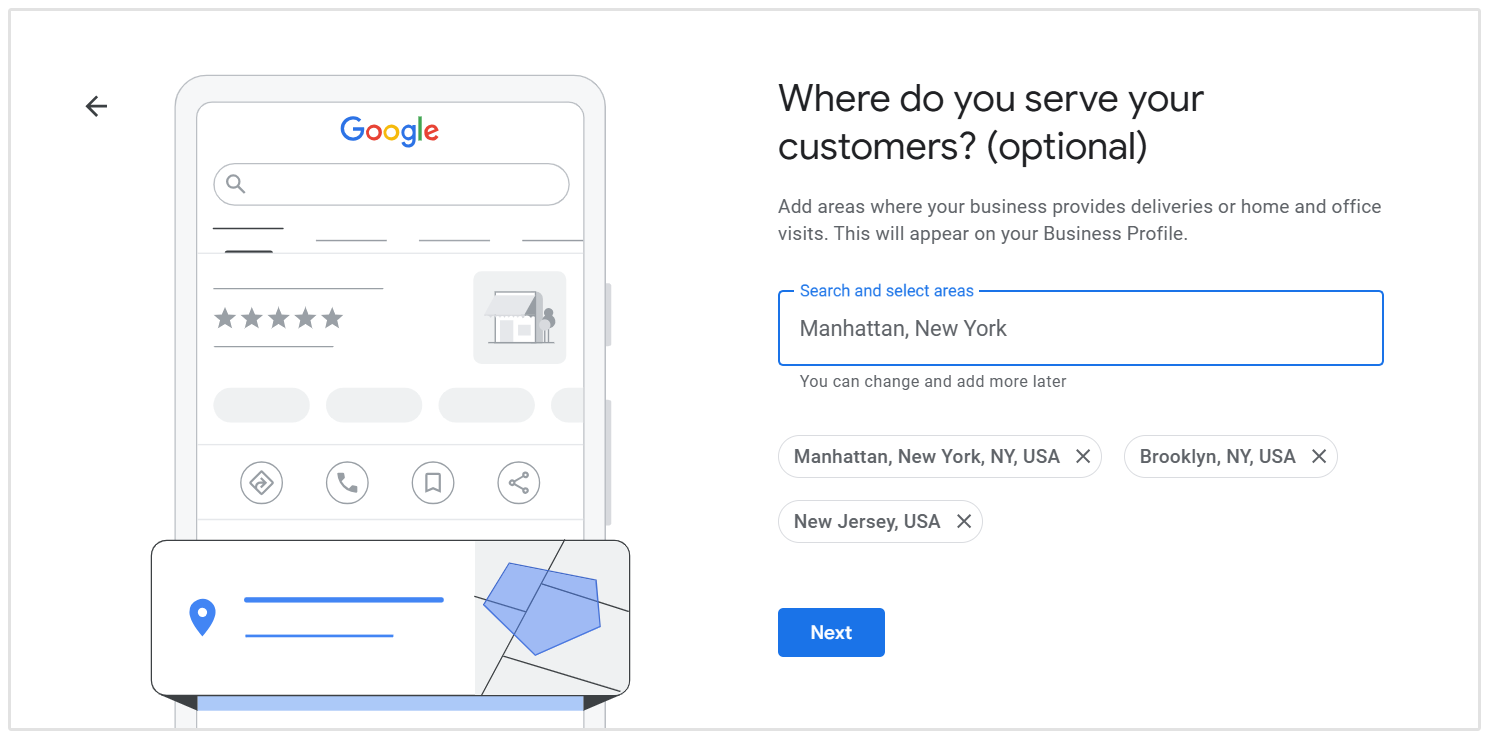
Set an Accurate Service Area
If you travel to customers rather than serving them at a physical storefront, you can configure your Google Business Profile as a service-area business.
This is common for businesses such as:
- Plumbers
- Electricians
- Cleaners
- Landscapers
- Mobile mechanics
- HVAC contractors
Choose the cities, towns, or areas you genuinely serve.
Don't create fake locations or add areas simply because you want to rank there. Your Business Profile should reflect how the business actually operates.
Once all of these elements are in place, you'll have a much stronger foundation for your Google Maps SEO strategy.
2. Get More Google Reviews and Respond to Them
Reviews are one of the most important parts of Google Maps SEO because they influence both how Google evaluates your business and whether potential customers decide to choose you.
So, rather than treating review collection as something you do once, aim to build a steady flow of genuine reviews over time.
How to Get More Google Reviews
The easiest and most straightforward way to get more reviews is to ask for them.

In fact, BrightLocal found that 83% of consumers who were asked to leave a review went on to leave one, which shows that customers are often more willing to provide feedback than businesses assume.
A few simple ways to encourage more Google reviews include:
- Ask shortly after a positive experience. The best time is usually when the customer has just received your product, completed an appointment, or had a problem successfully resolved.
- Send customers your direct Google review link. Google allows businesses to generate a review link or QR code that takes customers straight to the review screen.
- Include the review link in follow-up emails or SMS messages. A short message thanking the customer and asking for feedback can work well.
- Add a QR code at your physical location. Restaurants, clinics, salons, and retail businesses can place one near reception, checkout areas, receipts, or other appropriate touchpoints.
- Make review requests part of your normal process. Instead of running a big review campaign once a year, consistently ask happy customers for feedback throughout the year.
Keep the request neutral. You shouldn't tell customers what rating to leave or ask them to include specific SEO keywords in their review.
And don't offer discounts, free products, vouchers, or other incentives in exchange for positive reviews. Google considers incentivized reviews fake or misleading content and prohibits the practice.
Respond to Your Reviews
Getting reviews is only half the job. You should also respond to them.
Google recommends replying to customer reviews because it shows that you value customer feedback, and helpful responses can make your Business Profile stand out.
For positive reviews, you don't need to write an essay. A short, genuine response thanking the customer and referencing something specific from their experience is usually enough.
Negative reviews deserve attention too. Respond professionally, acknowledge the customer's concern, and explain how they can contact you directly if the issue needs to be resolved offline.
Over time, a profile with a healthy number of recent reviews, strong ratings, and thoughtful responses sends much stronger trust signals than one that collected 30 reviews three years ago and has been silent ever since.
3. Publish Google Business Profile Posts
Google Business Profile Posts let you share updates directly on your listing, including:
- Offers and promotions
- Events
- New products or services
- Company news
- Seasonal updates
- Important announcements
Publishing posts can help keep your profile fresh and give potential customers more reasons to engage with your business when they find you in Search or Maps.
We wouldn't treat posting frequency as a major Google Maps ranking factor on its own, but it is still a useful way to maintain an active, informative profile.
Aim to publish updates when you actually have something useful to share rather than posting simply for the sake of activity.
4. Optimize Your Website for Local Search
Your Google Business Profile is only one part of your local search presence. Google also looks at information from your website and the wider web to better understand your business, what you offer, and where you operate.
You don't need to completely rebuild your website for local SEO, but there are a few important elements to get right:
- Target relevant local keywords by naturally combining your services with the locations you serve, such as dentist in Chicago or emergency plumber Denver.
- Optimize key pages including your homepage, service pages, contact page, and location pages with locally relevant titles, headings, and copy.
- Create dedicated location pages for each genuine business location or major service area where appropriate.
- Make your NAP information consistent by displaying the same business name, address, and phone number used on your Google Business Profile.
- Add clear local signals such as your address, areas served, opening hours, directions, and nearby landmarks where useful.
- Improve internal linking so important service and location pages are easy for both users and search engines to find.
- Make sure your site is mobile-friendly and fast, especially since many local searches happen while people are on the move.
- Add relevant local structured data to help search engines better understand your business information.
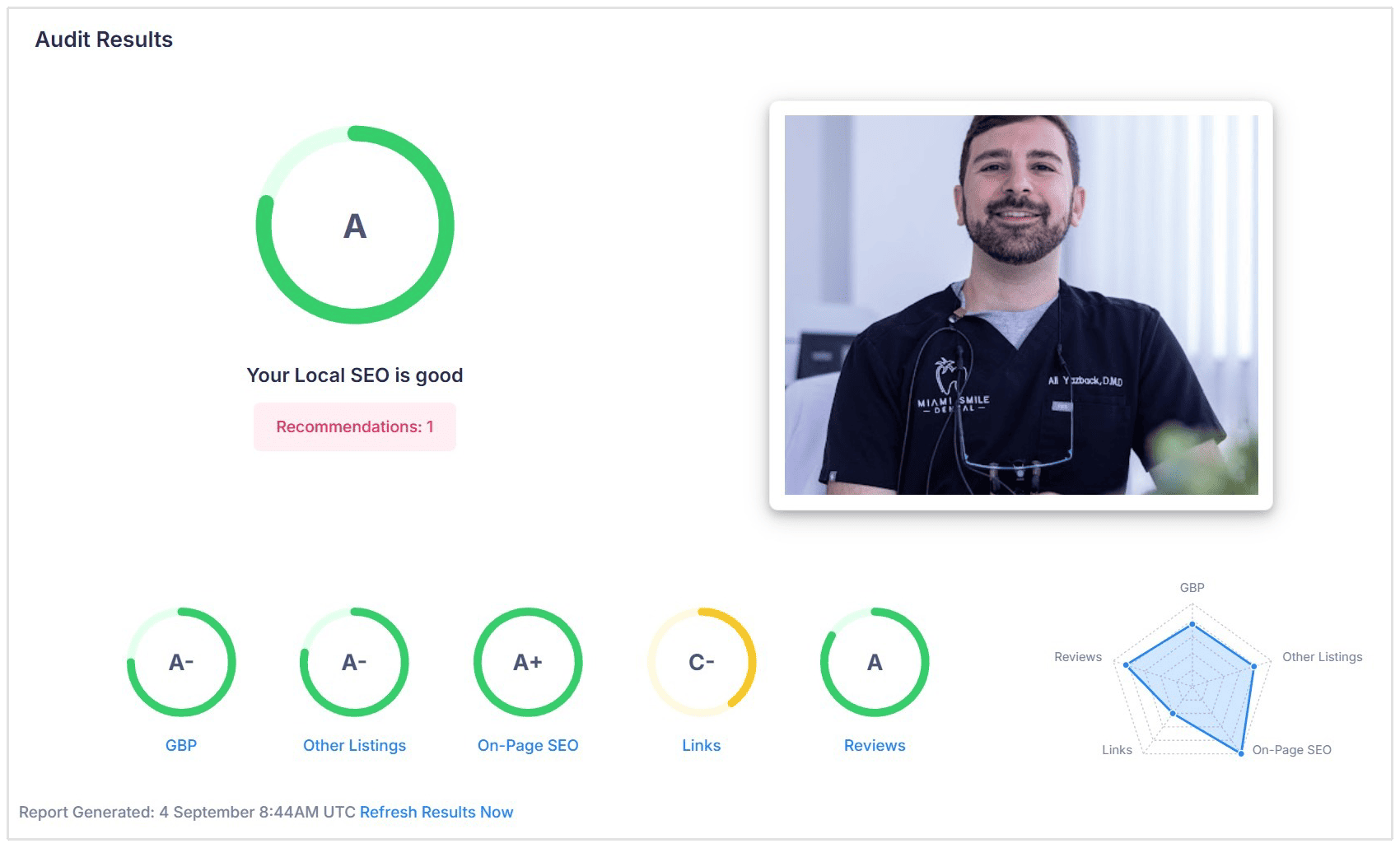
If you want a broader view of how well your website is optimized for local search, you can also run a SEOptimer Local SEO Audit.
It checks the key local SEO elements of your site and highlights areas that may be limiting your local visibility, giving you a much clearer idea of what to improve next.
5. Add LocalBusiness Schema Markup
Adding LocalBusiness schema markup to your website can help search engines better understand important information about your business.
Depending on the schema you use, this can include details such as:
- Business name
- Address
- Phone number
- Website
- Opening hours
- Business type
- Geographic location
Schema markup is not a shortcut to higher Google Maps rankings, but it does give Google clearer, structured information about your business and can help reinforce the details shown on your Google Business Profile.
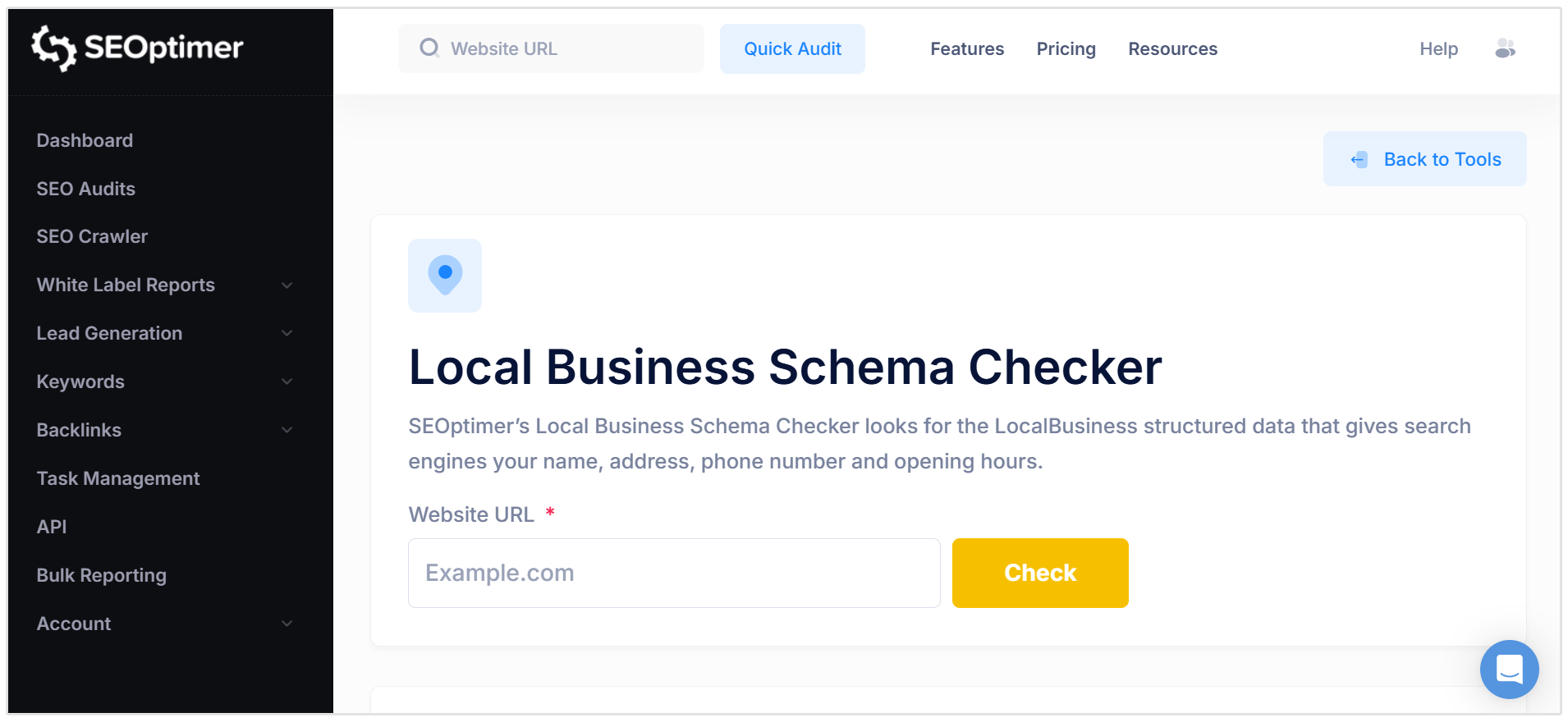
If you want to check whether your website already has the correct local business markup in place, you can use SEOptimer's Local Business Schema Checker to identify missing or incorrect schema.
6. Keep Your NAP Information Consistent
Your NAP information (which stands for Name, Address, and Phone) should be consistent wherever your business appears online.
That includes your:
- Google Business Profile
- Website
- Social media profiles
- Apple Maps and Bing Places
- Local directories
- Industry-specific directories
Small differences aren't always a disaster, but outdated or conflicting information can create confusion for both customers and search engines.
For example, if your website shows one phone number while several directories show an old one, Google may have less confidence in which information is correct.
The easiest approach is to choose one standard format for your core business details and keep it updated everywhere your business is listed.
7. Build Local Citations
Local citations are online mentions of your business, usually including your name, address, and phone number.
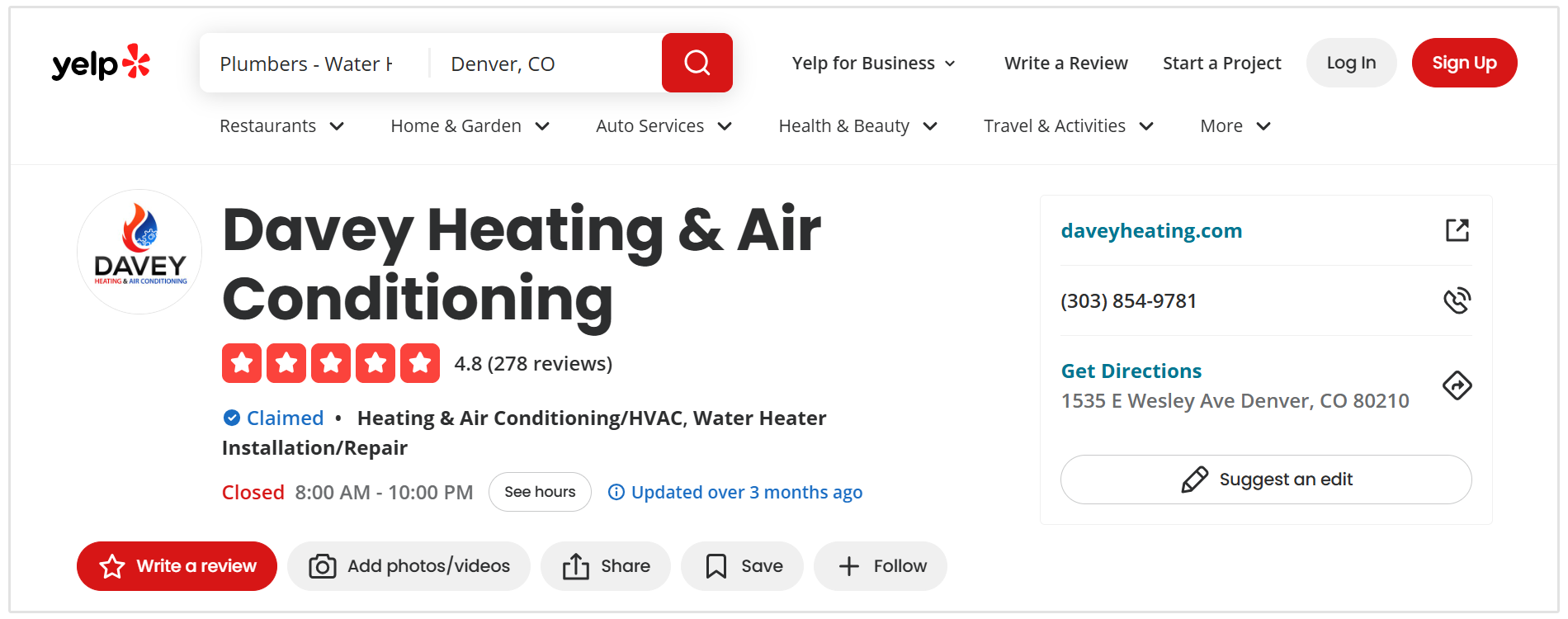
They can appear on places such as:
- Local business directories
- Industry-specific directories
- Chamber of commerce websites
- Local association websites
- Review platforms
- Maps and navigation services
Citations help strengthen your business's presence across the web and give search engines more consistent information about who you are and where you're located.
The key is to focus on relevant, trustworthy directories, not to submit your business to hundreds of low-quality sites just to increase the number of listings.
Start with the major platforms and any directories that are genuinely important in your industry or local area, then make sure the information on those listings matches the details on your Google Business Profile and website.
8. Build Relevant Local Backlinks and Mentions
Backlinks and mentions from reputable local websites can help strengthen your business's prominence and authority in local search.
Focus on earning links from websites that are genuinely relevant to your business or location, such as:
- Local news websites
- Chambers of commerce
- Business associations
- Local blogs
- Community organizations
- Suppliers and business partners
- Event and sponsorship pages
- Industry-specific websites
Sponsoring a local event, contributing to a community initiative, or being featured in a local publication can earn your business both a backlink and greater local visibility in your community.
Google Maps SEO for Service-Area Businesses
A service-area business (SAB) is a business that travels to customers or delivers services directly to them rather than serving customers at a physical storefront.
Common examples include plumbers, electricians, cleaners, landscapers, and mobile repair services.
This differs from a traditional location-based business, such as a restaurant or retail store, where customers visit the business at its listed address.
If you operate a service-area business, there are a few additional Google Maps SEO considerations to keep in mind:
- Hide your address if customers don't visit you there. Google specifically requires service-area businesses without a customer-facing storefront to remove their address from the public profile.
- Set accurate service areas based on the cities, postal codes, or regions you genuinely serve. Google currently allows up to 20 service areas.
- Don't create fake locations simply to try to rank in additional towns or cities.
- Optimize your website for the areas you serve, including relevant service and location pages where they genuinely provide value.
- Build reviews, citations, and local backlinks that reinforce your presence within those areas.
- Track rankings from different points across your service area, since Google Maps visibility can change significantly depending on the searcher's location.
Service-area businesses often require a slightly different local SEO approach because there isn't always a customer-facing address to rely on.
For a more detailed breakdown of how to improve visibility across the locations you serve, read our guide on SEO for service area businesses.
How to Track Your Google Maps SEO Performance
One of the most important things to understand about Google Maps SEO is that rankings can change depending on where the searcher is located.
You might rank near the top of the results close to your business, but appear much lower just a few kilometres away.
That means manually searching your target keywords from one location won't give you a complete picture.
SEOptimer's Local Rank Tracker helps you monitor your local search performance across different geographic locations, making it easier to see where your business is visible and where there may still be opportunities to improve.
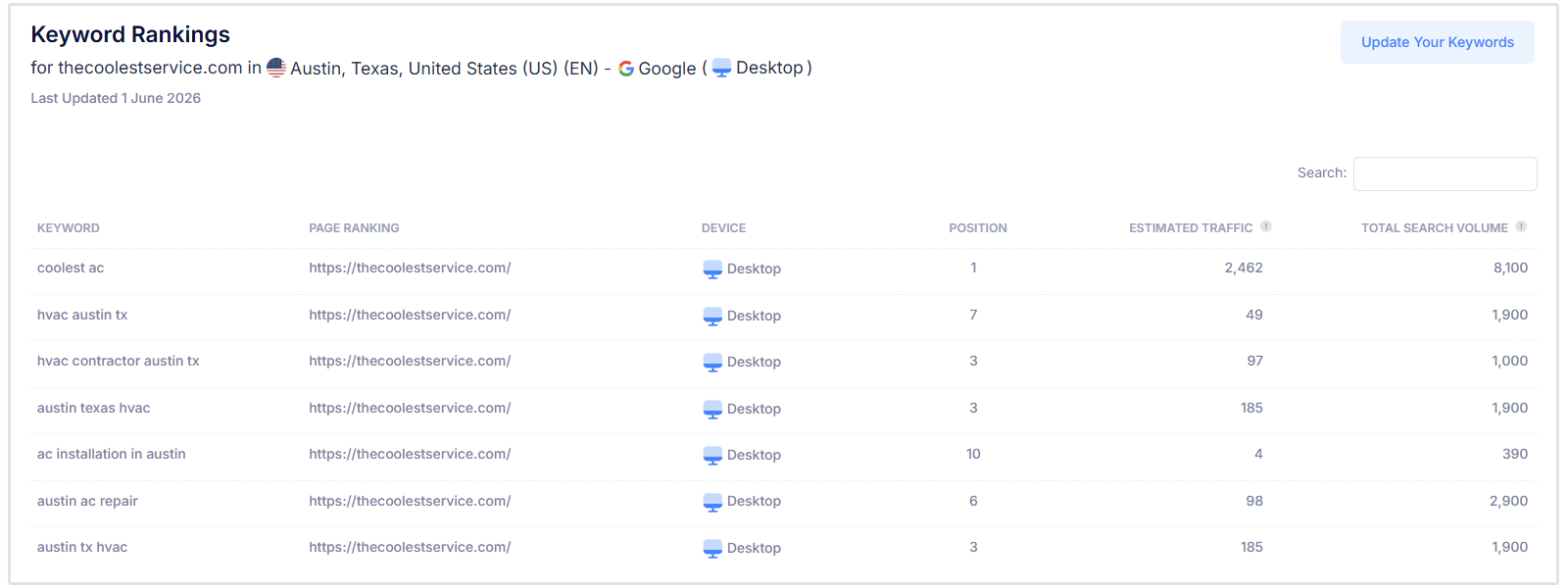
Tracking this regularly also gives you a clearer idea of which Google Maps SEO efforts are actually working, rather than relying on guesswork.
Your should also try and run scheduled audits of your Google Business Profile as well as your site's local SEO performance.
Conclusion
Google Maps SEO is ultimately about making it easier for nearby customers to find and choose your business when they’re ready to act.
With a strong local presence in place and the right tracking tools behind it, you can make smarter decisions about where to focus your efforts and keep improving your visibility over time.