Creating high-quality location pages for SEO is the absolute best way to capture local search traffic and drive actual foot traffic to your business.
When you operate a business with multiple branches or service areas, relying on a single, generalized homepage is a big mistake.
Each location needs its own page with relevant local information, keywords, and content that speaks directly to customers in that area.
In this guide, we’ll show you how to create location pages that are useful for visitors, easy for search engines to understand, and better positioned to rank in local search results.
What are Location Pages in SEO?
Location pages are dedicated pages on your website created for a specific branch, office, store, or service area.
Instead of using one generic page to target every city or region you serve, each location page focuses on one specific area.
For example, Reliant Plumbing is a plumbing company that has separate pages for “Plumber in Austin,” “Plumber in Fort Worth,” and “Plumber in Dallas.”
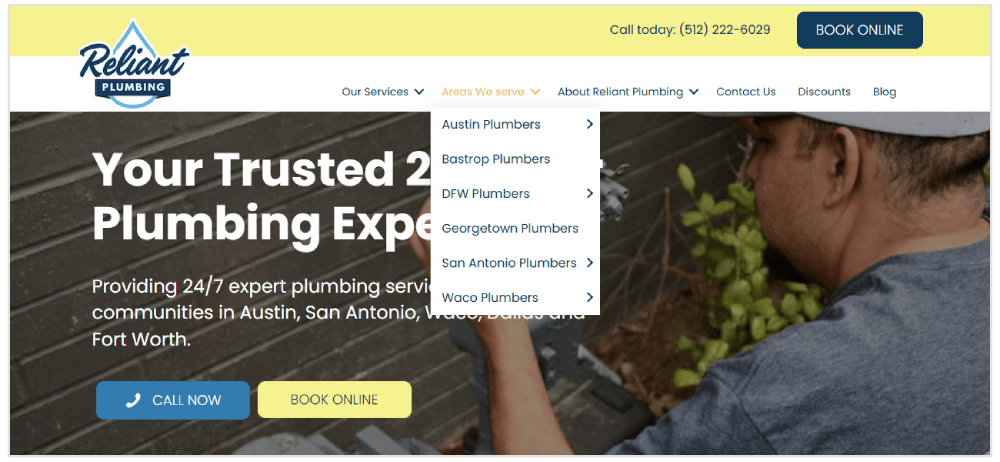
These pages help customers find the most relevant location, contact details, operating hours, services, and directions.
They also help search engines understand where your business operates, which can improve your chances of ranking for local searches such as “dentist in Austin” or “coffee shop near me.”
For businesses with multiple locations or service areas, location pages are one of the most effective ways to build local relevance and attract more search traffic from nearby customers.
Examples of Location Pages for SEO
To understand what makes a strong location page, it helps to look at real local businesses that use their pages to provide useful, location-specific information.
The best location pages do more than list an address.
They include practical details such as opening hours, directions, parking information, local reviews, service details, staff information, and clear calls to action.
Pear Tree Dental: Burton Joyce
Pear Tree Dental’s Burton Joyce page is a strong example of a local location page because it immediately connects the practice to the area.
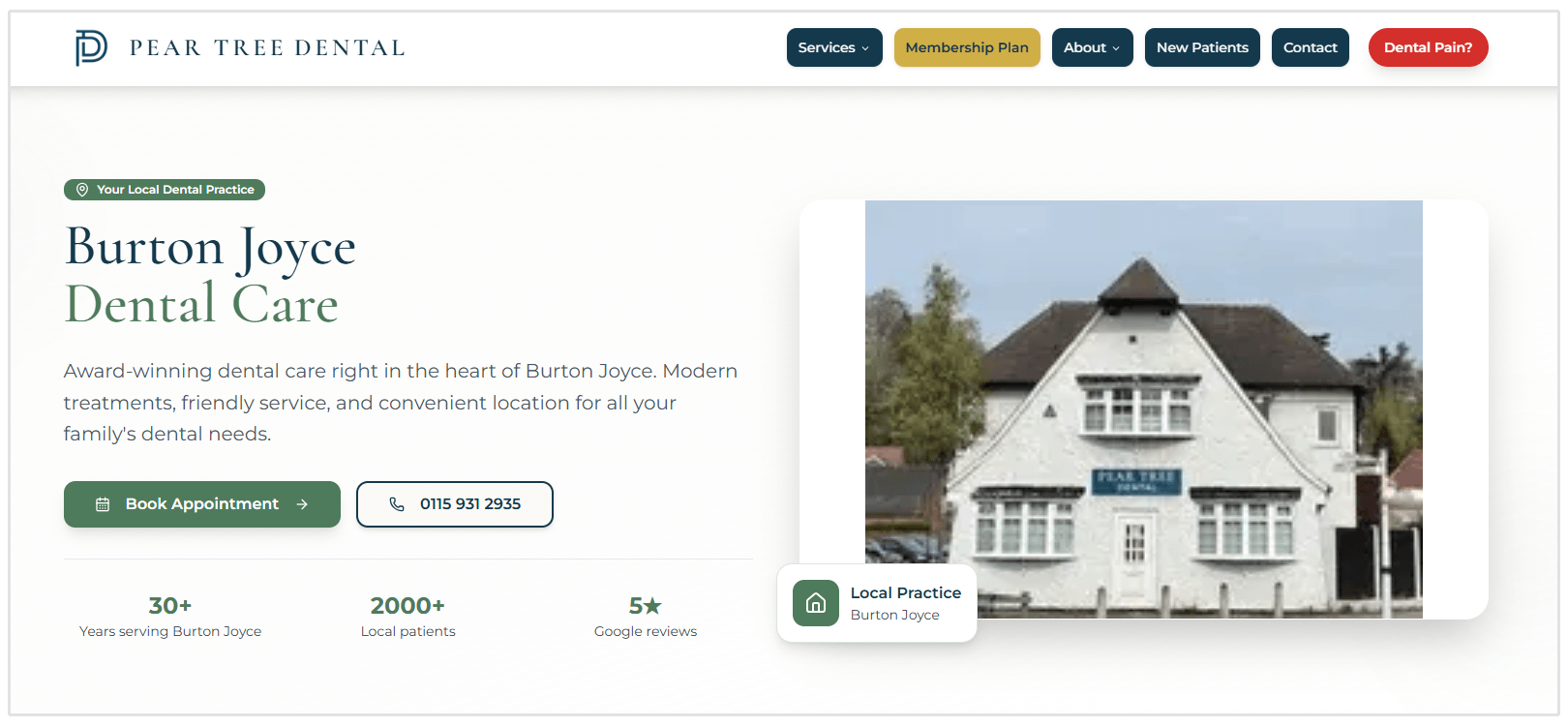
The page mentions that the practice is located on Nottingham Road, highlights free parking and convenient opening hours, and includes local trust signals such as “30+ years serving Burton Joyce,” “2000+ local patients,” and 5-star Google reviews.
This works well because the page does not feel generic. It gives potential patients reasons to trust this specific practice in this specific location.
Father & Sons Plumbing: Willowbrook
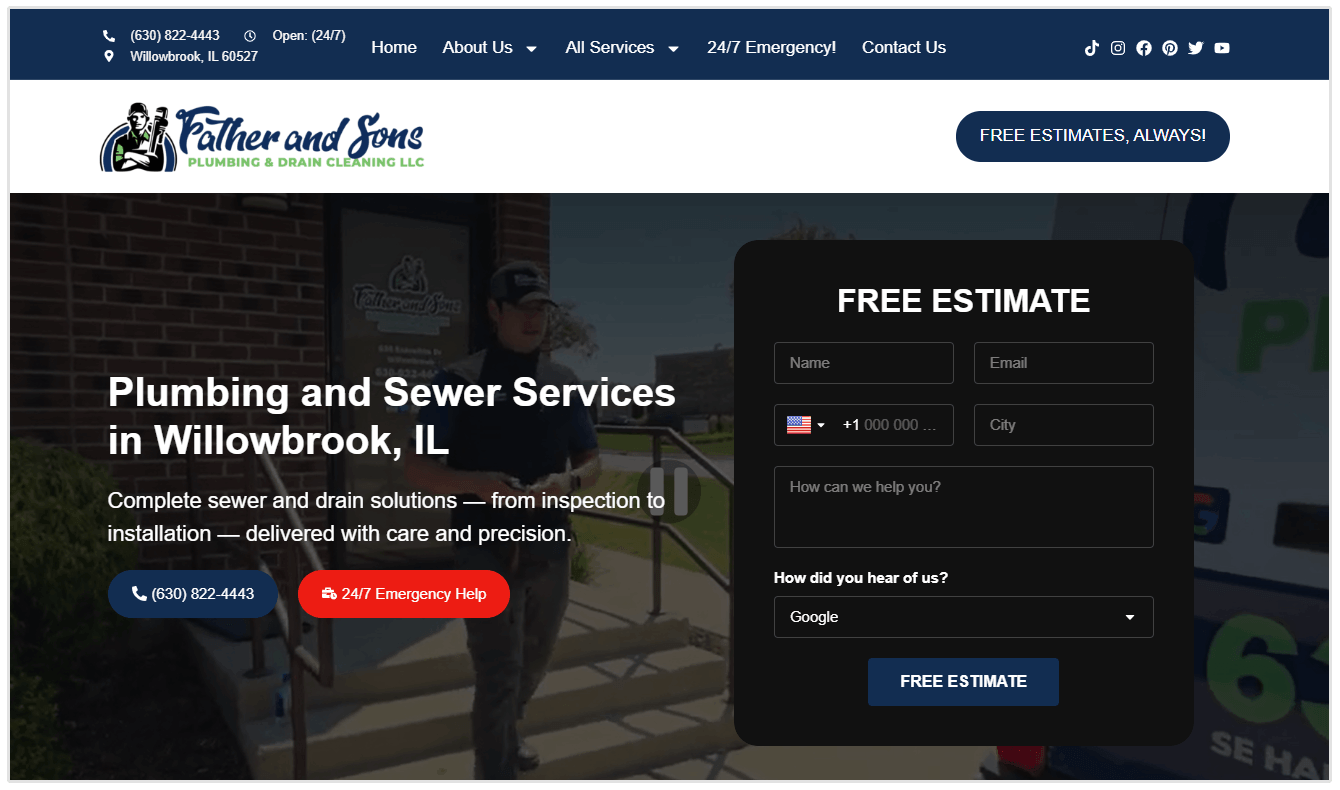
Father & Sons Plumbing’s Willowbrook page is a strong example of a local service-area page because it includes highly specific details about the area it serves.
The page mentions local neighborhoods, roads, landmarks, schools, churches, and nearby businesses, which helps the content feel genuinely connected to Willowbrook instead of copied from a generic plumbing template.
It also includes important conversion elements such as a prominent phone number, 24/7 emergency help, a free estimate form, service-specific sections, customer reviews, FAQs, and examples of local plumbing problems like basement flooding, sewer backups, sump pump issues, and frozen pipes.
Austin Skyline Cleaning: Downtown Austin, Texas
Austin Skyline Cleaning’s Downtown Austin page is a strong example of a local cleaning location page because it targets a specific neighborhood and speaks directly to the needs of people living in that area.
The page mentions downtown-specific homes like high-rise apartments, lofts, and condos, and highlights practical benefits such as flexible scheduling, online booking, recurring cleaning, deep cleaning, move-in/move-out cleaning, and post-construction cleaning.
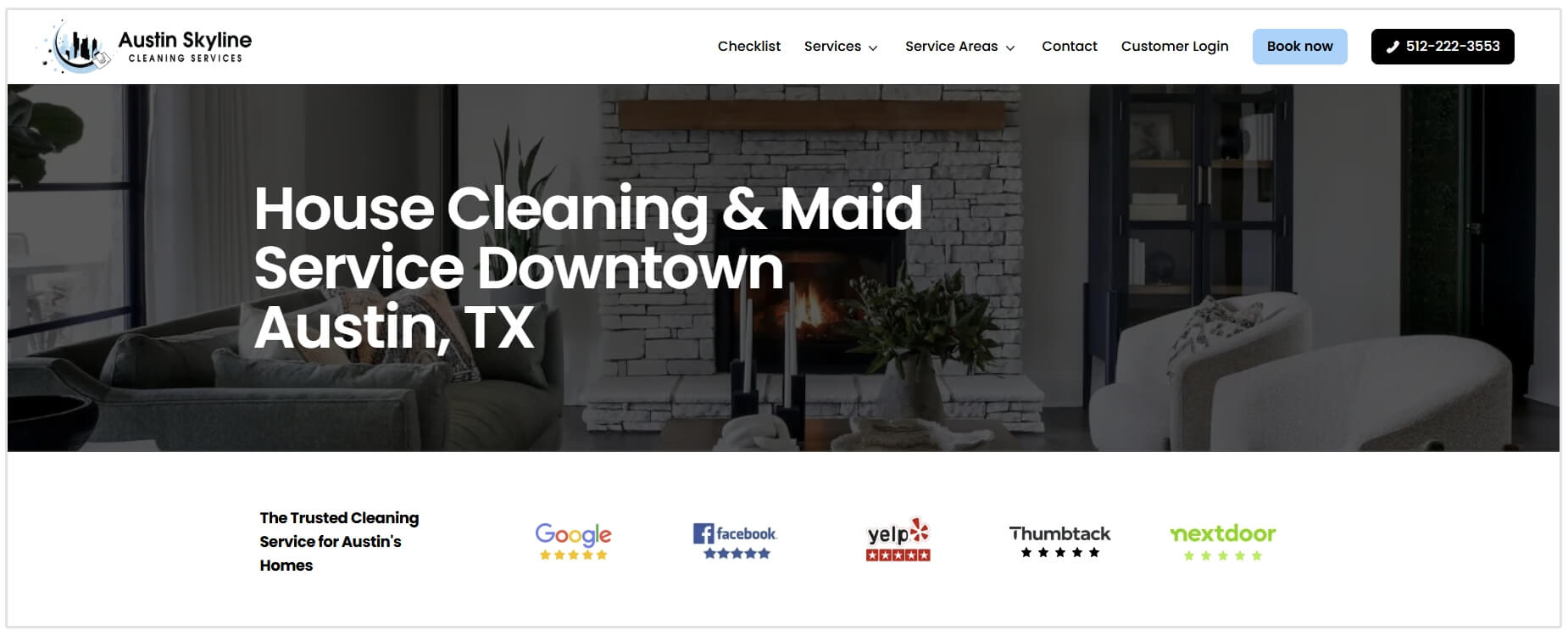
It also includes strong conversion elements, including repeated “Get a Quote” CTAs, a phone number, review badges, 5-star customer reviews, trust signals such as insured cleaners and background-checked professionals, and a simple “How It Works” section.
How to Create Location Pages for SEO That Rank and Convert
Target the Right Local Keywords
The first step in optimizing location pages for SEO is choosing keywords that match how people search in each area.
These keywords usually combine your service, product, or business type with a specific location.
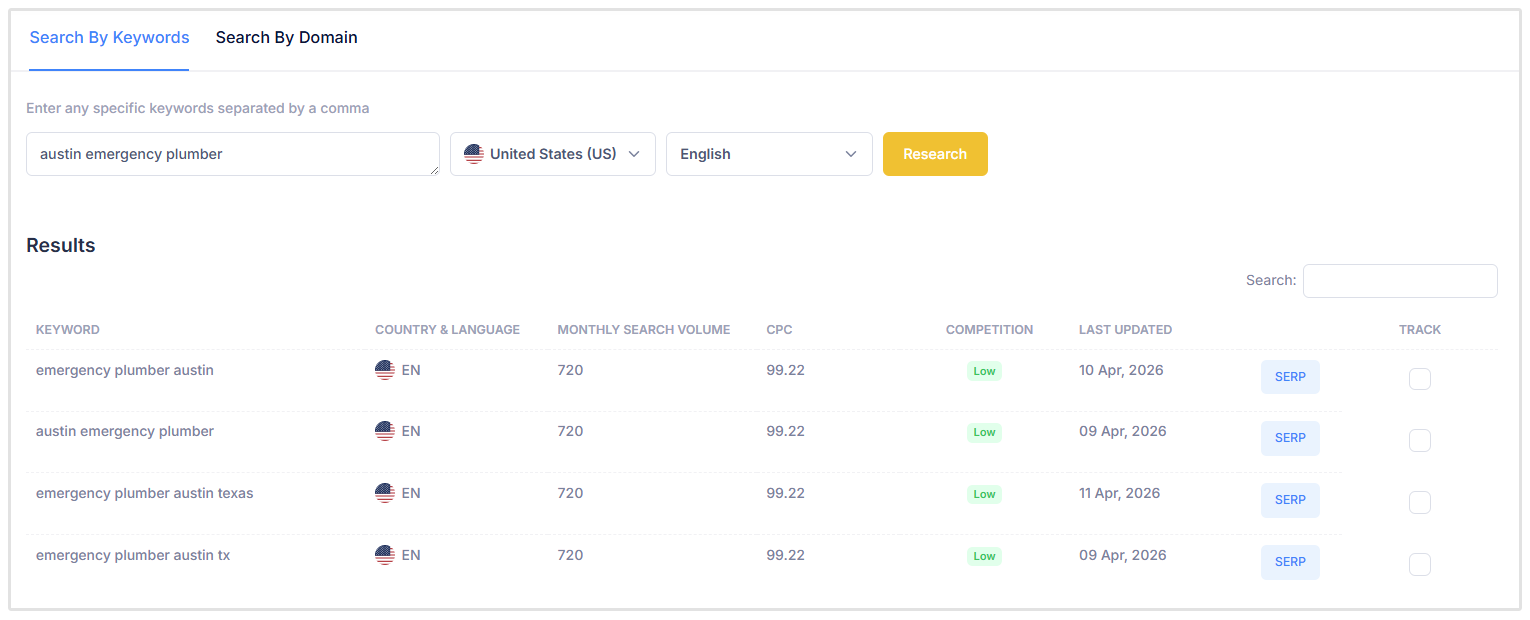
For example, a plumbing company might target terms like “emergency plumber in Austin,” “residential plumber in Seattle,” or “drain cleaning in Denver.”
Focus on keywords with clear local intent.
These are searches where the user is looking for a nearby business, service provider, or physical location.
You can use tools like SEOptimer’s Keyword Research Tool to compare search volume, competition, and related keyword ideas.
Also, avoid using the exact same keyword structure across every page.
Your New York page, Chicago page, and Miami page should each be optimized around the terms people actually use in those areas.
Optimize the Main On-Page SEO Elements
Once you know which local keyword each page should target, use it in the main on-page elements of the page.
This helps search engines understand which location the page is about, while also making the page more relevant to users scanning the search results.
Include your primary local keyword in these areas:
Title tag: Add the service and location near the beginning of the title. Keep it clear and under 60 characters where possible.
Example: Emergency Plumber in Tuscaloosa, AL | Fast Service
Meta description: Write a short, helpful summary that includes the location and gives users a reason to click. Keep it under 155 characters where possible.
Example: Need a plumber in Tuscaloosa? Get fast, reliable plumbing repairs, emergency service, and upfront pricing. Call today.
URL slug: Use a short, descriptive URL that includes the location.
Example: yourwebsite.com/locations/downtown-chicago/
H1 heading: Make the main page heading specific to the location and service.
Example: Emergency Plumbing Services in Tuscaloosa, AL
Subheadings: Use H2s and H3s to organize the page around useful local information, such as services offered, areas served, reviews, directions, FAQs, and contact details.
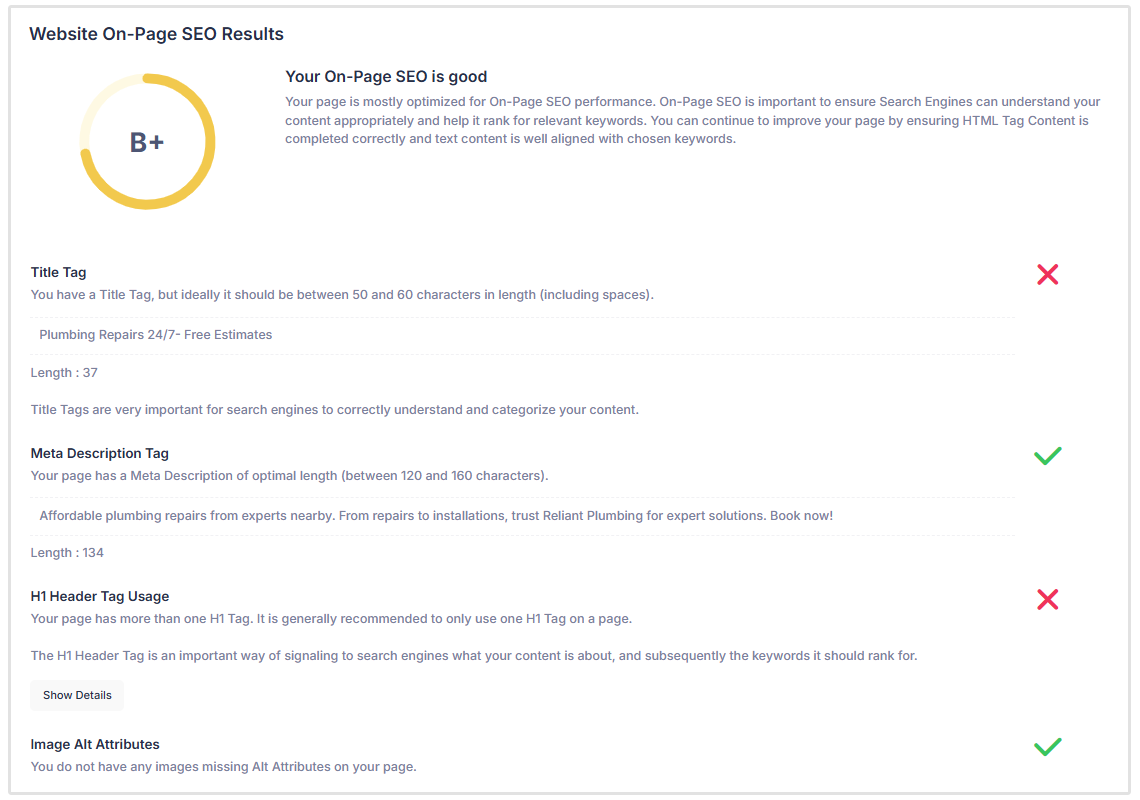
You don’t have to check every location page manually.
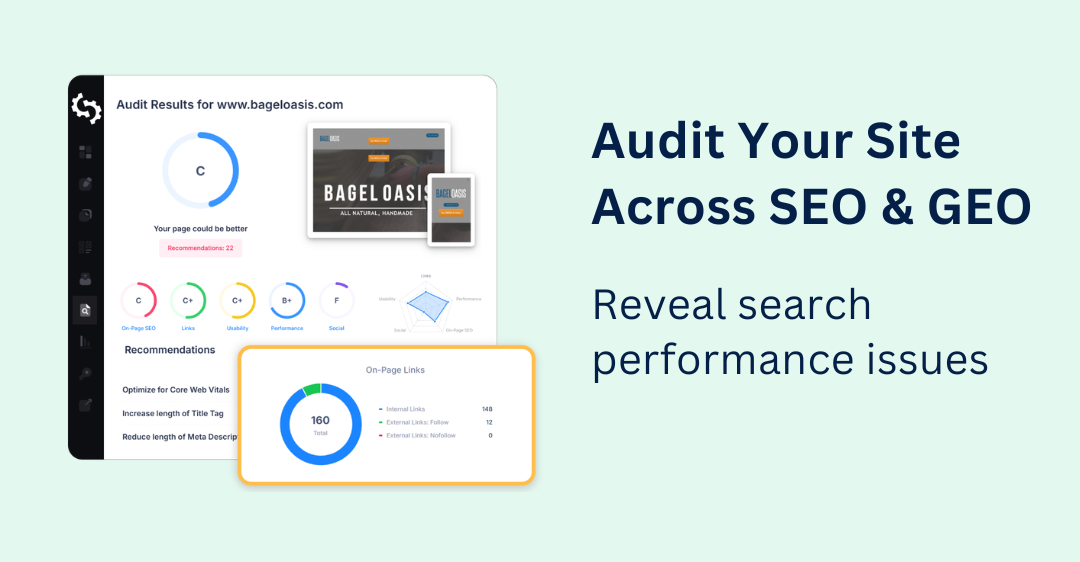
With SEOptimer’s Local SEO Audit Tool, you can quickly scan each page to see whether key on-page elements like title tags, meta descriptions, headings, keyword usage, image alt attributes, and internal links are properly optimized for local SEO.
The audit highlights missing, duplicated, or weak elements, making it easier to improve each location page before small issues start affecting local rankings, traffic, or leads.

This makes it much easier to find missing, duplicated, or weak SEO elements across your location pages before they cost you local rankings, traffic, or leads.
For businesses managing multiple location pages, this can save hours of manual review and help ensure every page is built to rank and convert.
Add Local Business Schema Markup
Schema markup is structured data that helps search engines understand key details about your business.
Kristie Forsman is the Marketing Manager at Huemor, a website design and development agency, and she added her comments on why location pages need schema markup:
"Adding LocalBusiness Schema to your local landing page helps search engines and LLMs better understand important business details, including name, address, phone number and business hours. This added context can improve visibility and strengthen local search performance."
For location pages, adding LocalBusiness schema can help clarify the business name, address, phone number, opening hours, service area, and other location-specific details.
This is especially useful for businesses with multiple branches because each page should clearly represent one specific location.
Make sure the information in your schema matches the visible details on the page and your Google Business Profile. Inconsistent names, addresses, phone numbers, or hours can create confusion for both search engines and potential customers.
Where possible, use the most specific schema type that matches the business.
For example, instead of only using the general LocalBusiness type, an HVAC company could use HVACBusiness, a plumber could use Plumber, a dentist could use Dentist, and a restaurant could use Restaurant.
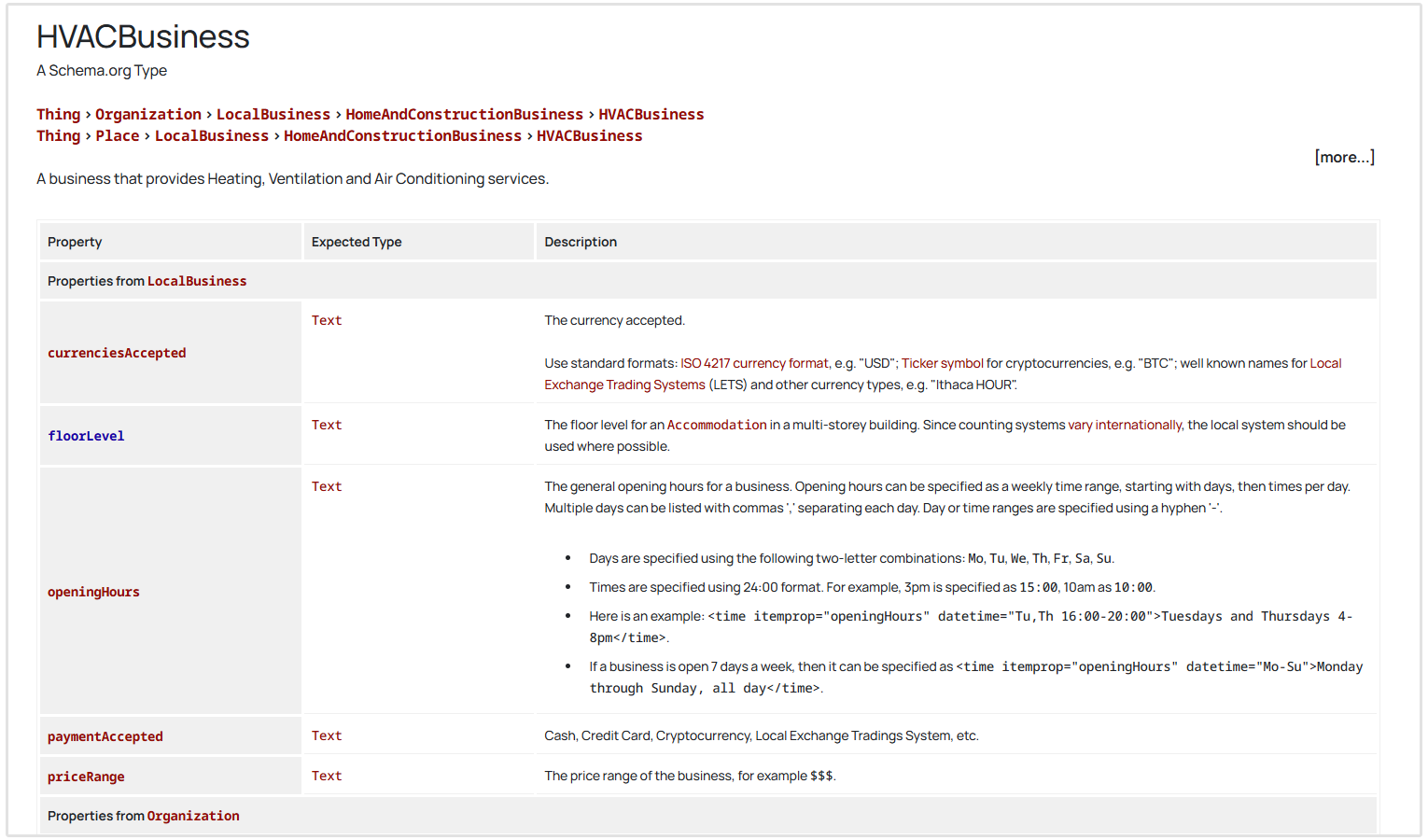
Schema.org defines LocalBusiness as a type for a specific physical business or branch, and includes more specific subtypes for different industries.
Feature Customer Reviews on the Location Page
Customer reviews help visitors feel more confident about choosing your business, especially when they come from people in the same city, suburb, or service area.
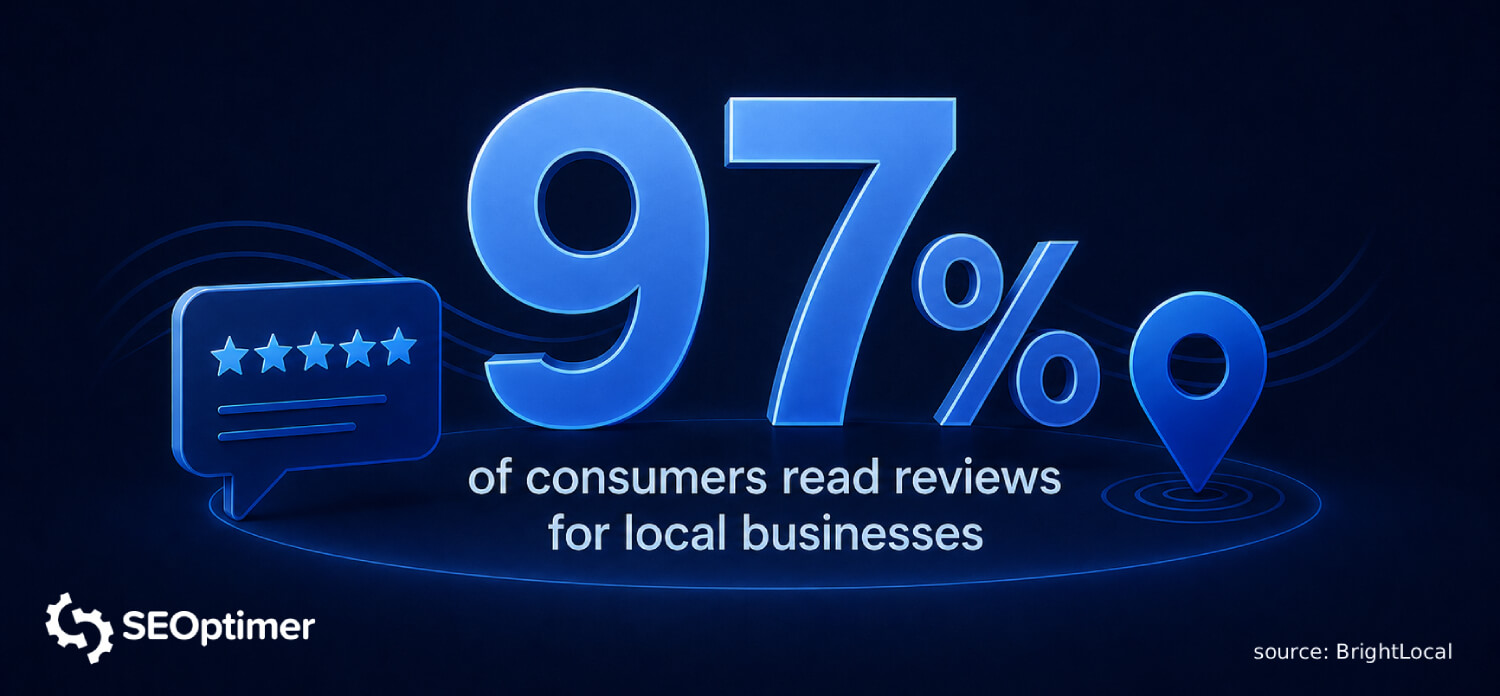
Add a few relevant reviews to each location page, ideally from customers who mention the specific location, service, staff member, or experience they had.
Reviews also make the page feel more trustworthy and specific, which can help improve conversions. Just make sure the reviews are genuine, recent, and relevant to that location.
Add a Google Map
Embedding a Google Map on your location page makes it easier for customers to find your business and get directions.
If you have a physical storefront, add a map with a pin showing your exact address. This is especially useful for businesses like dentists, restaurants, retail stores, clinics, gyms, or local offices where customers visit in person.
"This is one of the most important elements to include in your location pages. If your business has an address within the service area, it's a must to include a Google Maps embed that links directly to your Google Business Profile. This gives users an easy path to click straight into your profile and engage."
- Kevin Noyola, Digital Marketing Specialist at JET Advertising
The easiest way to add one is to open your business location in Google Maps, click Share, select Embed a map, and copy the iframe code into your page.
On WordPress, you can usually paste this into a Custom HTML block or use a Google Maps plugin. On Wix, Squarespace, or other website builders, use their built-in map element and enter your business address.
For service-area businesses without a public office, avoid showing a fake address.
Instead, use the page content to clearly explain the areas you serve, and consider adding a service area map or nearby landmarks where relevant.
Create Location Specific Content for the Page
One of the biggest mistakes businesses make is copying and pasting the same text across multiple city or branch pages.
When every location page looks almost identical, it becomes harder for search engines to understand why each page deserves to rank. It also creates a poor experience for visitors who expect details that are relevant to their area.
"Don't just swap town names into a template. Google treats those as doorway pages and either ignores them or penalises the site. Every location page needs unique content. Local case studies, named clients in that area, photos taken on location and ideally a real address with an associated Google Business Profile."
- Paul Clapp, Co-Founder of Priority Pixels
Make each page as unique and useful as possible by including details about the specific services offered at that branch, nearby suburbs or neighborhoods served, local landmarks, parking information, staff members, customer reviews, or common problems customers face in that region.
Even one or two specific local references can make the page feel more relevant.
For example, TheCoolestService, an Austin-based HVAC company, makes its AC repair page feel more local by referencing the area’s climate with the line, “Summers in Texas hit hard.”
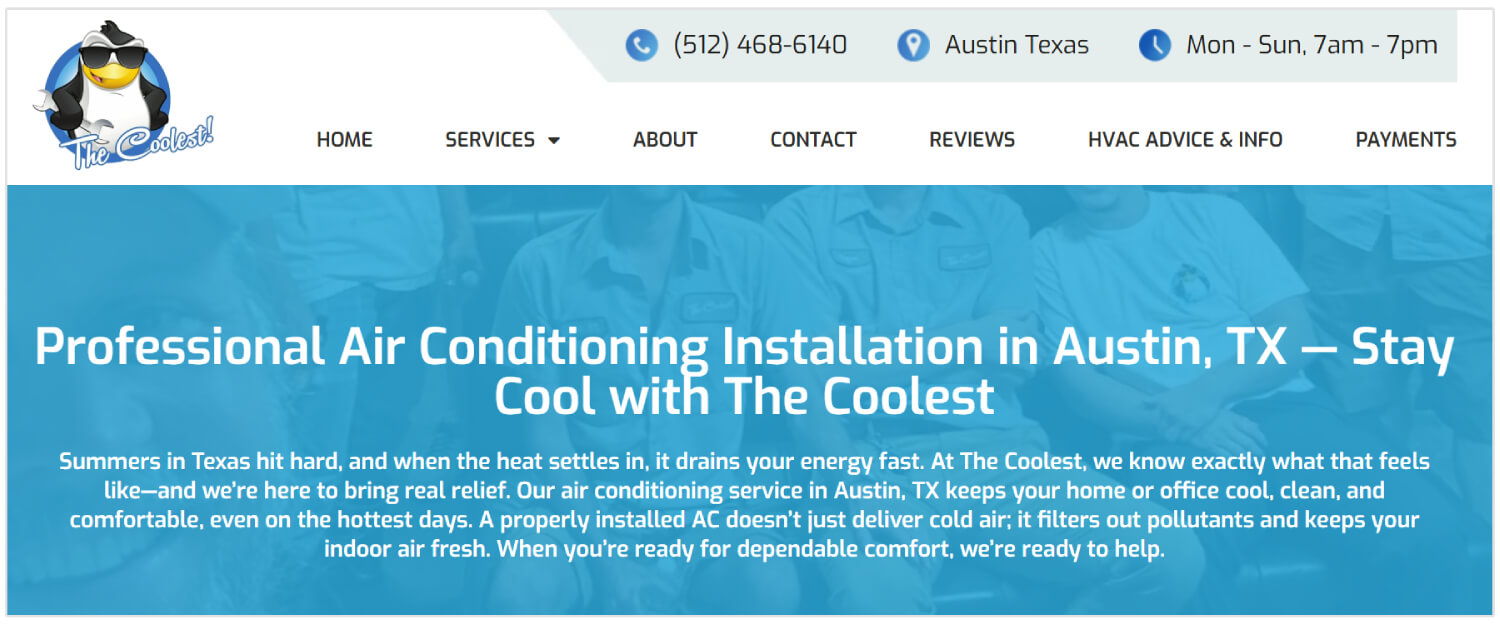
That small detail works because it connects the service directly to a real local problem. Instead of using generic AC repair copy, the page speaks to the reason Austin homeowners are likely searching for help in the first place.
The more specific the page is to the location, the more useful it becomes for both visitors and search engines.
Peter Hall from Perpetual10 actually have another brilliant idea for making your location pages unique:
"Implementing case studies into these pages is a great way to ensure uniqueness and show your website visitors what you have done in their area. Every case study is different. Include local challenges faced in the case study and high-quality accompanying images."
Embed Location Specific Images
Visuals break up heavy blocks of text and keep users engaged.
Avoid generic stock photos whenever possible.
Instead, upload high-quality images of your actual storefront, your branded vehicles parked in recognized local neighborhoods, or your team members actively working on-site.
Be sure to add descriptive alt text to these images, incorporating your local keywords to improve accessibility and image search rankings.
How to Track Location Pages SEO Rankings
Once your seo location pages are live, you need to monitor their performance to ensure your strategy is working.
Use tools like Google Search Console to monitor organic traffic, impressions, and click-through rates for your localized URLs.
For more granular tracking, utilize a platform like SEOptimer’s Local Rank Tracking tool, which allows you to track keyword rankings down to the specific zip code level.

Regularly reviewing these metrics will help you identify which pages are thriving and which require further content updates or technical tweaks.
Related Reading: 5 Simple Ways to Monitor Organic Rank in Search Engines
Location Pages vs. Geo Pages: What’s the Difference?
Location pages and geo pages are often used for the same goal: ranking in local search results. But they are not exactly the same.
A location page represents a real business location.
This could be a store, office, clinic, restaurant, showroom, or branch that customers can visit. The page should include details such as the address, opening hours, contact number, directions, parking information, staff, reviews, and services available at that specific location.
A geo page is different. It targets an area where the business offers services but does not have a physical address.
For example, a roofing company based in Phoenix might create separate service area pages for Scottsdale, Mesa, and Tempe if it regularly serves customers in those cities.
A better approach is to only create geo pages for areas you genuinely serve, and make each one useful enough to stand on its own.
If the page would not help a customer understand your service in that area, it probably should not exist.
If your business does not have a physical storefront and instead serves customers at their homes or business locations, read our guide on local SEO for service area businesses.
It explains how to improve local visibility without relying on a public office address.
Conclusion
Location pages for SEO can help your business appear in more local searches and attract customers in the specific areas you serve.
The most effective pages are not just copied templates with a different city name. They include useful local details, relevant keywords, accurate business information, customer reviews, Google Maps, schema markup, and content that reflects the needs of customers in that area.
By improving these pages, you can build stronger local visibility and make it easier for nearby customers to find, trust, and contact your business.