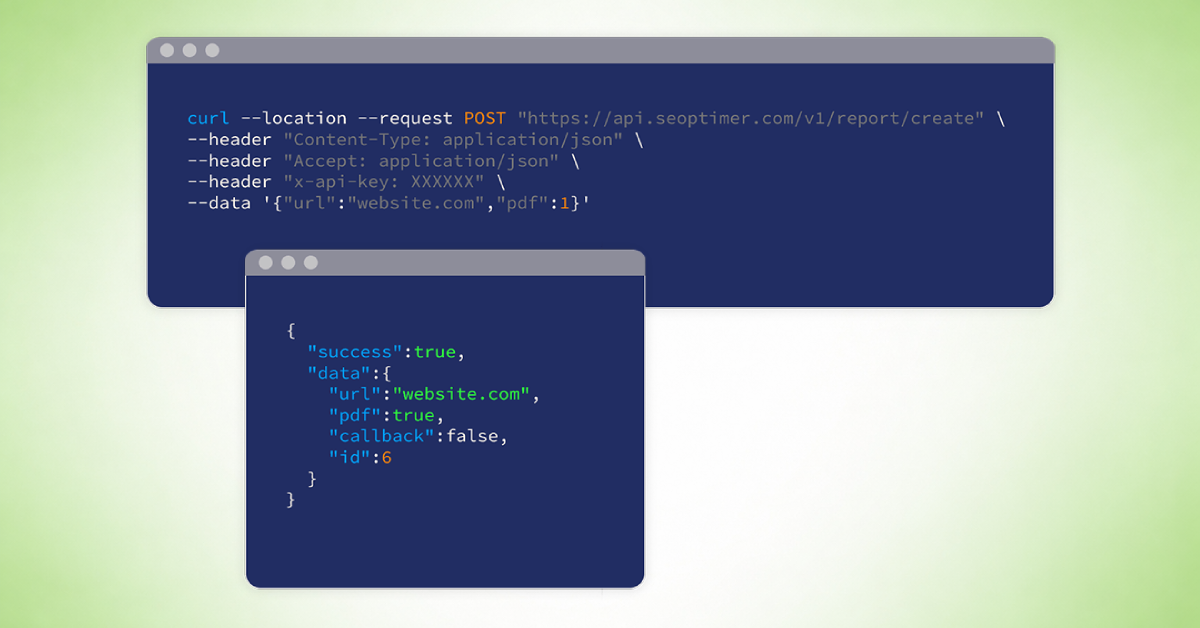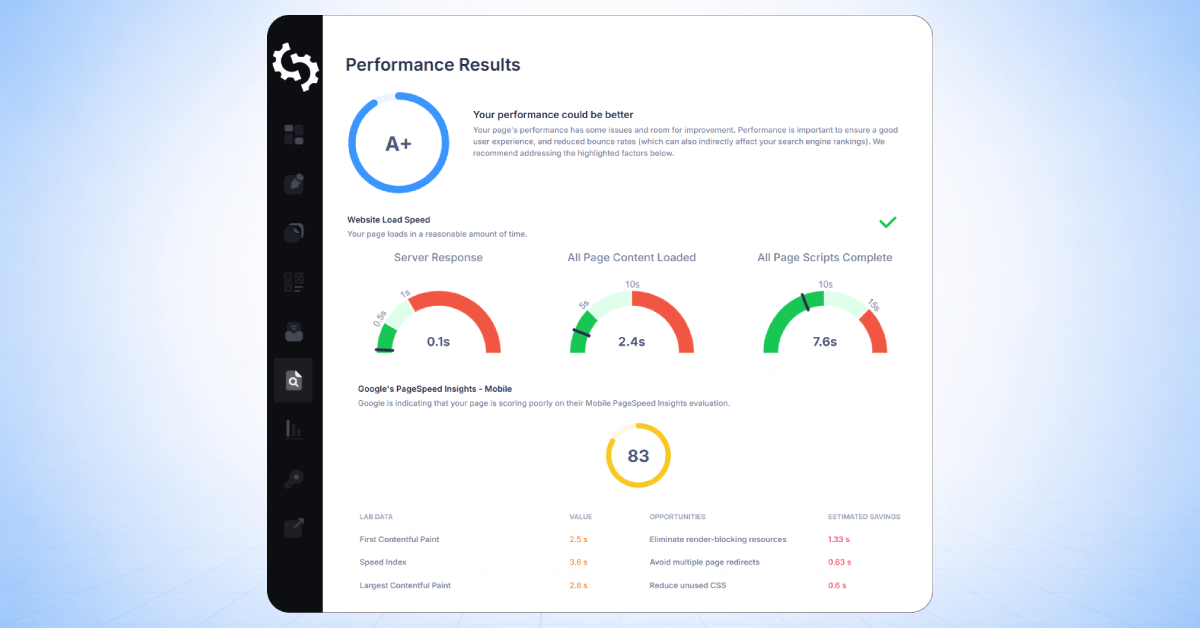
SEOptimer’s SEO Audit Report is made up of a series of individual checks designed to evaluate different aspects of a website’s performance.
Each check falls under one of the eight primary SEO elements we assess:
- On-Page SEO
- Keyword Rankings
- Links
- Usability
- Performance
- Social
- Local SEO
- Technology
These categories help organize the audit into clear focus areas, making it easier to understand where a website is performing well and where improvements may be needed.
This guide explains what each report check means, why it matters, and how it influences your overall audit results.
We also outline the pass and fail conditions for every check, so you can clearly understand how the audit determines compliance and what actions may be required to resolve any flagged issues.
By understanding how these checks work, you’ll be better equipped to interpret your report, prioritize improvements, and take meaningful action to strengthen your website’s SEO.
On-Page SEO
The On-Page SEO section evaluates how well your website’s content and HTML elements are optimized for search engines.
This includes factors such as title tags, meta descriptions, heading structure, keyword usage, and other on-page elements that influence how search engines understand and rank your content.
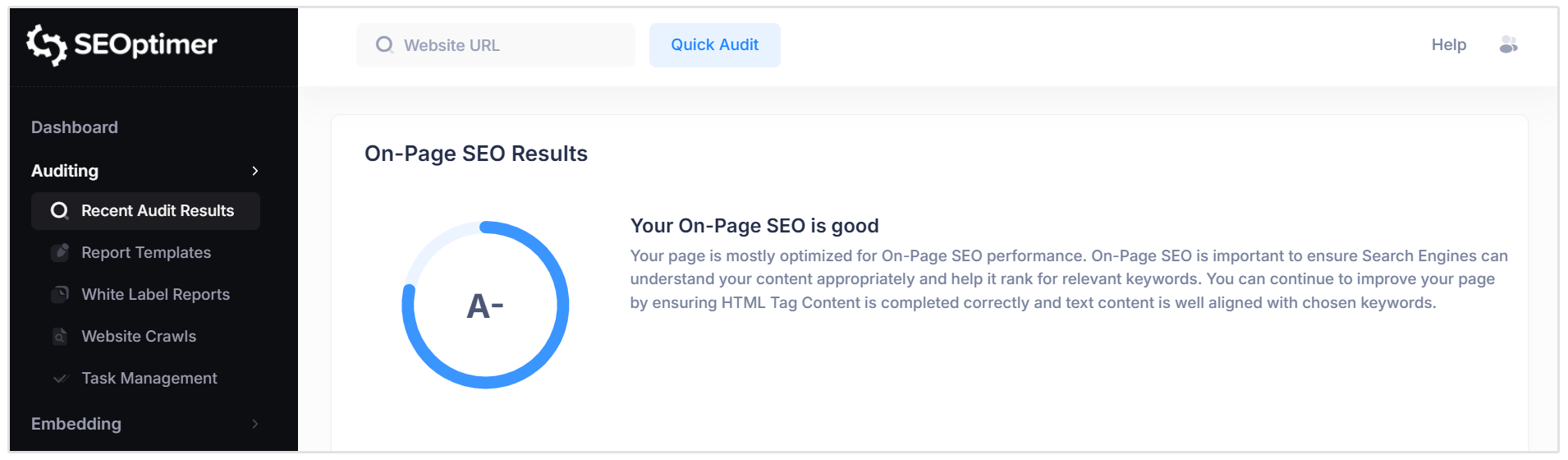
Our tool analyzes these elements and assigns an overall grade to summarize your website’s On-Page SEO performance.
This grade provides a quick, high-level overview of how well your page is optimized.
Title Tag
The Title Tag is an HTML element that defines the title of a webpage.
It tells search engines and users what the page is about and plays a key role in determining which keywords the page may rank for. The Title Tag appears in browser tabs and is typically shown as the clickable headline in search engine results.
Because it directly influences both rankings and click-through rates, the Title Tag is one of the most important on-page SEO elements.
Pass Condition:
- A Title Tag is present and its length is between 50–60 characters (including spaces).
Fail Conditions:
- No Title Tag is detected.
- The Title Tag is too short or too long (outside the recommended 50–60 character range).
For best results, use a clear, keyword-focused title that accurately reflects the page’s content while staying within the recommended length.
Related Reading: What is a Title Tag? Best Practices & Examples
Meta Description Tag
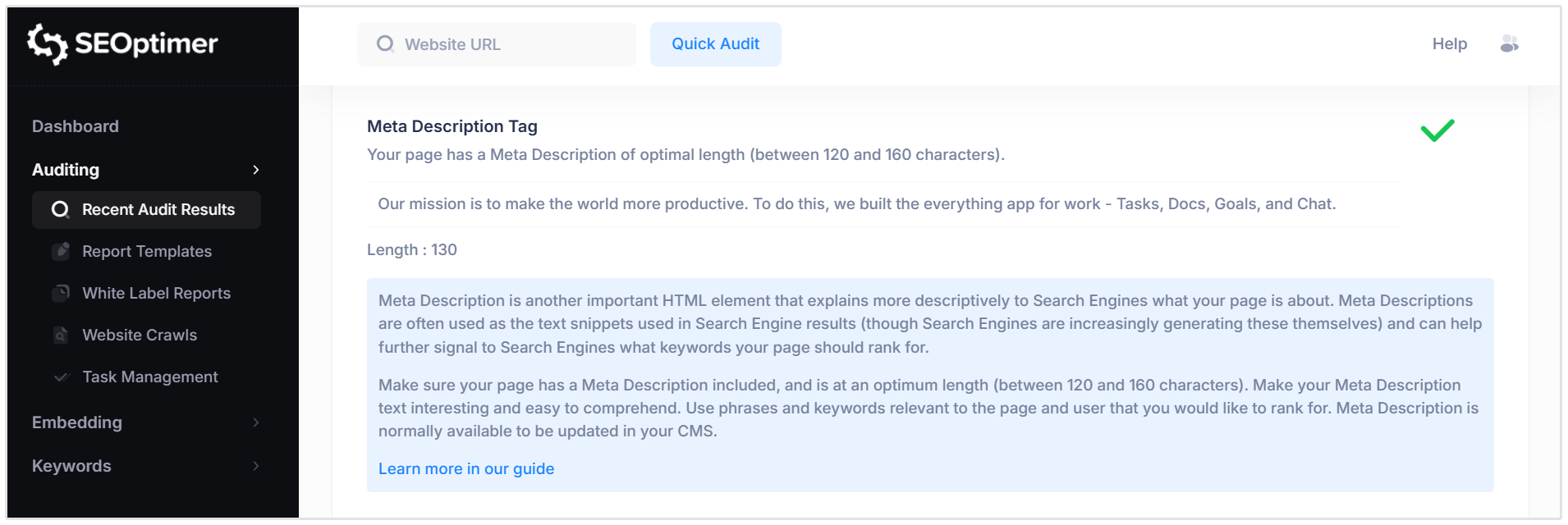
A Meta Description is an HTML element that provides a brief summary of a webpage’s content. It is often displayed as the descriptive snippet in search engine results and helps users decide whether to click on your page.
While Meta Descriptions are not a direct ranking factor, they help search engines understand page context and can significantly influence click-through rates.
Pass Condition:
- A Meta Description is present and its length is between 120–160 characters (including spaces).
Fail Conditions:
- No Meta Description is detected.
- The Meta Description is too short or too long (outside the recommended 120–160 character range).
For best results, write a clear, compelling summary that includes relevant keywords and accurately reflects the page content.
Related Reading: How to Write the Best Meta Descriptions for SEO
SERP Snippet Preview
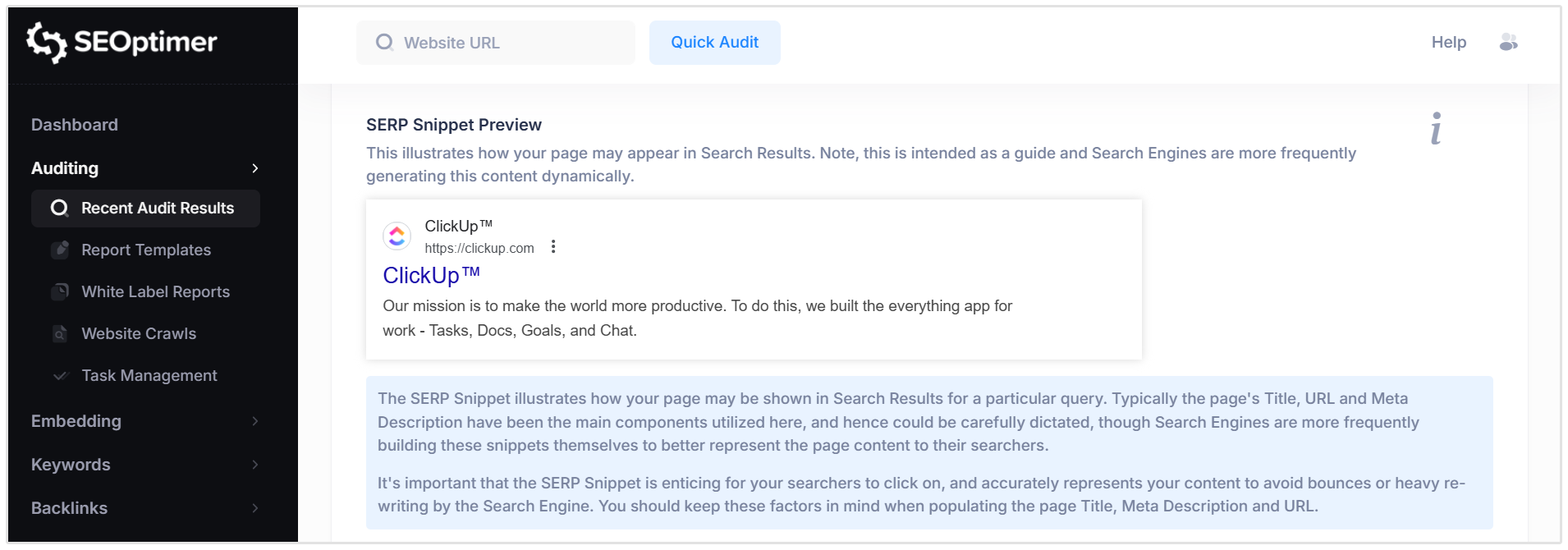
The SERP Snippet Preview shows how your webpage may appear in search engine results.
It typically displays the page’s Title Tag, URL, and Meta Description as they could be presented to users.
This preview is intended as a guide only. Search engines may rewrite or dynamically generate snippets to better match a user’s query.
There are no strict pass or fail conditions for this check.
Instead, it provides a visual reference to help you assess whether your Title, URL, and Meta Description are clear, compelling, and accurately reflect your page content.
Hreflang Usage
The hreflang attribute is an HTML tag used to specify the language and, optionally, the geographic targeting of a webpage.
It helps search engines understand which version of a page should be shown to users based on their language or region.
Hreflang tags are typically used on websites that offer the same content in multiple languages or for different countries.
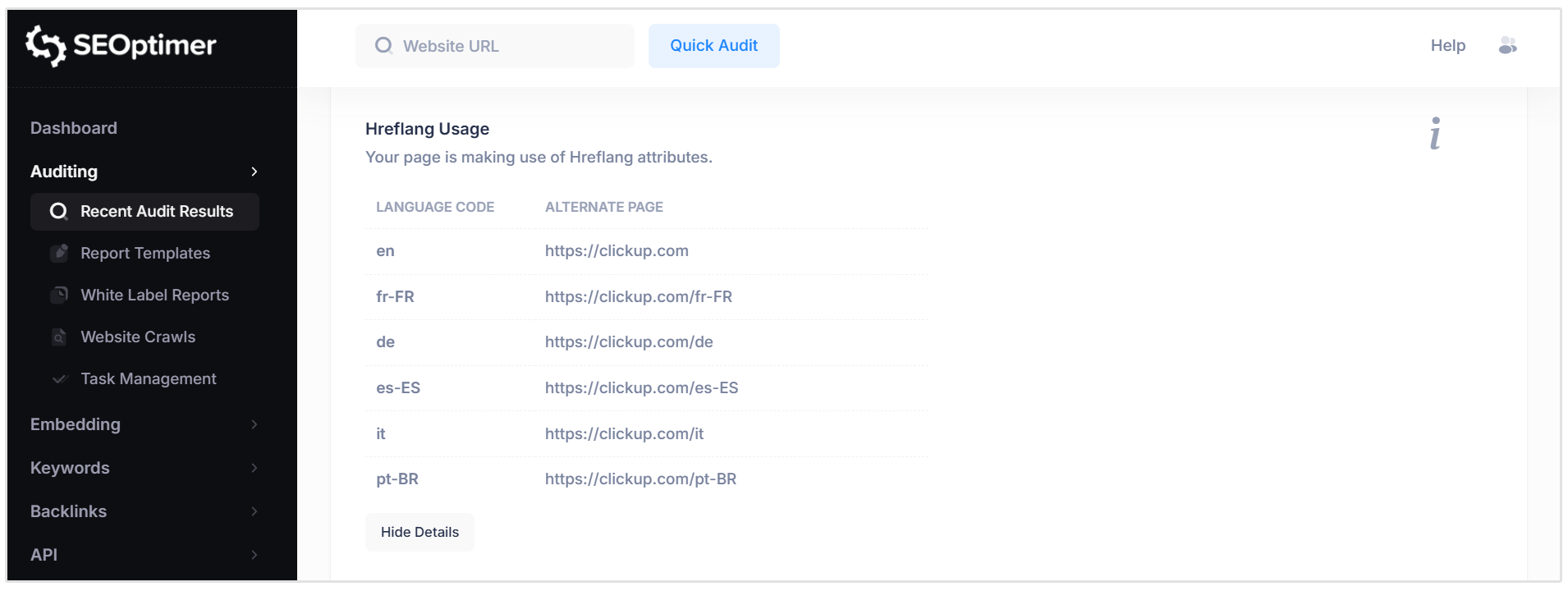
They are implemented using the rel="alternate" attribute in the page’s HTML or managed through a CMS or multilingual plugin.
Pass Condition:
- Valid hreflang attributes are detected for pages that have alternate language or regional versions.
Fail Condition:
- No hreflang attributes are detected on a site that appears to serve multiple language or regional audiences.
If your website only targets a single language or country, this check may not be applicable.
However, for multilingual or international websites, correct hreflang implementation is important to avoid duplicate content issues and incorrect regional rankings.
Related Reading: Hreflang Tag: How to Implement & Common Errors
Language
The Lang attribute is an HTML attribute that specifies the primary language of a webpage.
It is added to the <html> tag and helps browsers and search engines correctly interpret the page’s language.
Search engines may use this attribute to deliver language-specific results, while browsers can use it to support accessibility features such as screen readers and translation tools.
Pass Condition:
- A valid Lang attribute is detected on the page (e.g., lang="en" for English).
Fail Condition:
- No Lang attribute is detected.
We recommend declaring the correct language on every page to improve accessibility, prevent misinterpretation, and support accurate indexing by search engines.
Related Reading: HTML Lang Attribute: What Is It? Why Is It Important?
H1 Header Tag Usage
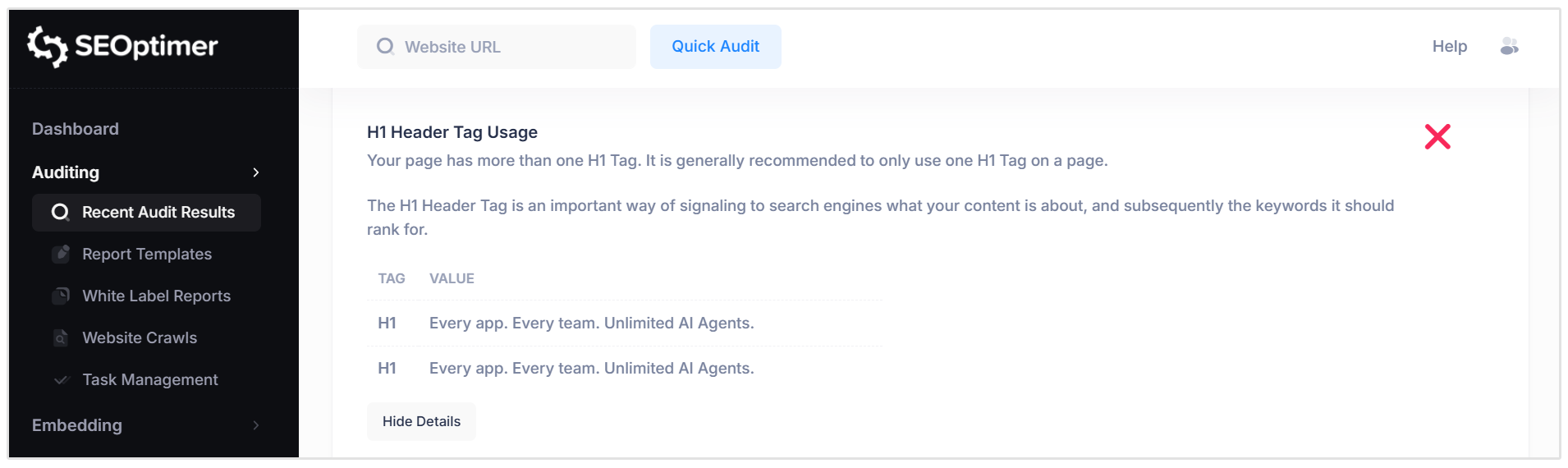
The H1 tag is the primary heading on a webpage. It signals to search engines the main topic of the page and helps define which keywords the content should rank for.
The H1 is typically displayed as the largest visible heading on the page.
Because it represents the main subject of the page, it is recommended to use one clear and descriptive H1 tag that includes relevant keywords.
Pass Condition:
- Exactly one H1 tag is detected on the page.
Fail Conditions:
- No H1 tag is detected.
- More than one H1 tag is present.
Using a single, well-structured H1 tag near the top of your content helps improve clarity, structure, and SEO performance.
Related Reading: H1 HTML Tag: What Is It? How to Create One and Best Practices
H2 - H6 Header Tag Usage
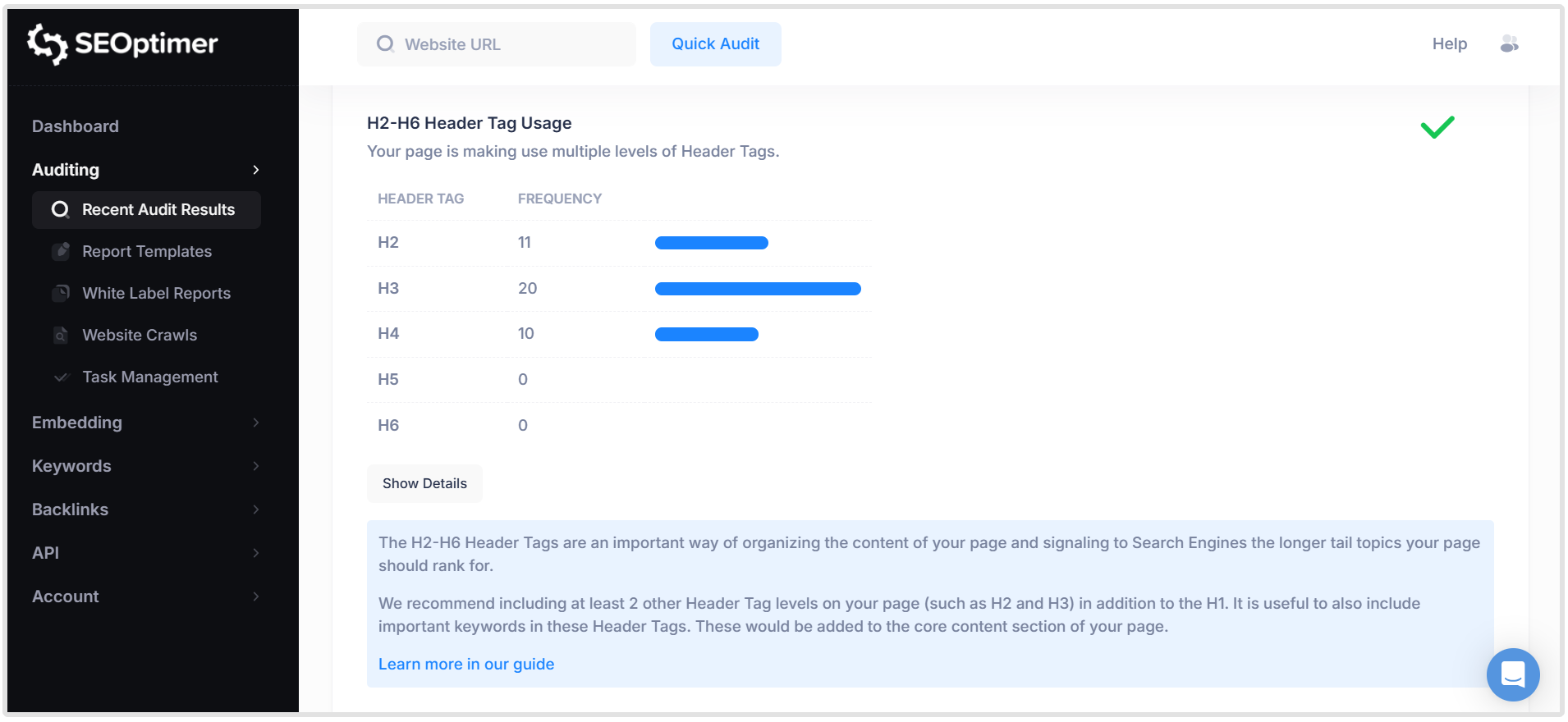
H2–H6 header tags are used to structure and organize the content within a webpage.
They help break content into sections and signal to search engines the supporting topics and subtopics covered on the page.
Proper use of multiple header levels improves readability, accessibility, and SEO by clearly defining content hierarchy and highlighting relevant keywords.
Pass Condition:
- At least two additional header levels (such as H2 and H3) are used appropriately in addition to the H1 tag.
Fail Condition:
- No additional header levels are detected, or only a single subheading level is used without proper content structure.
We recommend using structured header levels (H2, H3, etc.) to organize your content logically and include relevant keywords where appropriate.
Related Reading: SEOptimer's Guide to Header Tags
Keyword Consistency
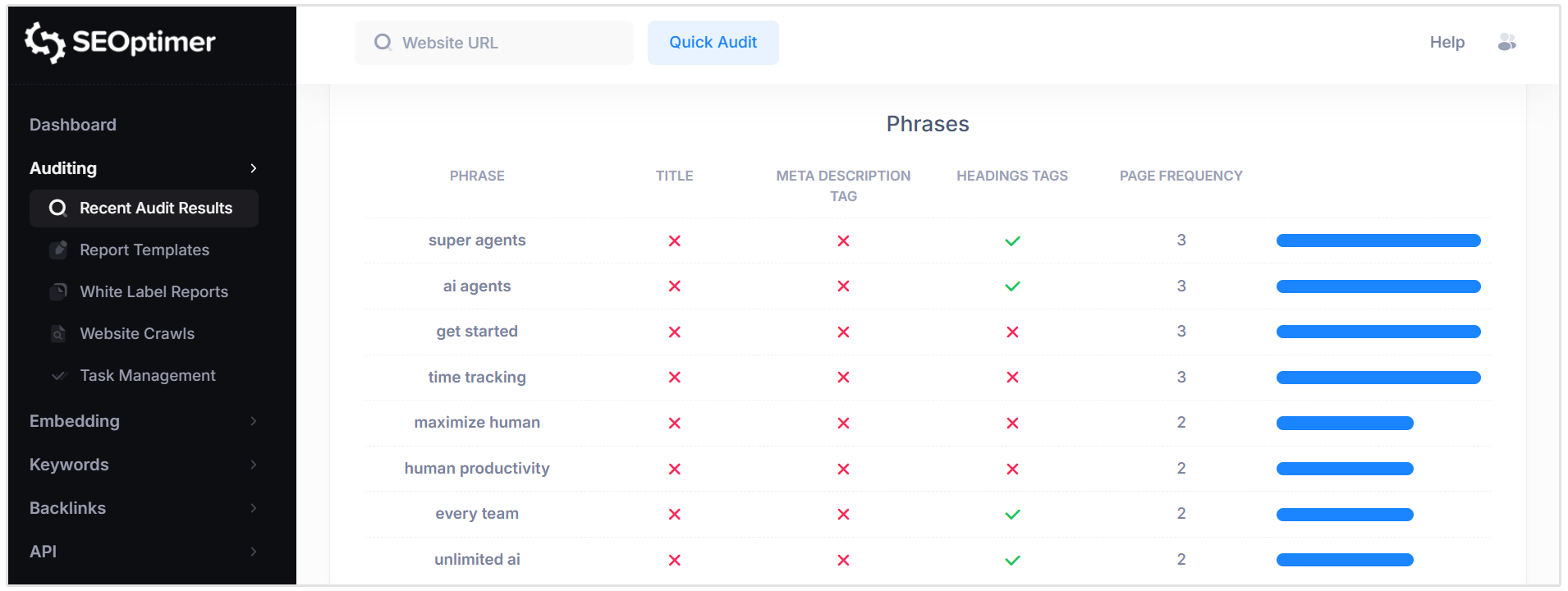
The Keyword Consistency check analyzes how your page’s primary keywords are distributed across important HTML elements, including the Title Tag, Meta Description, header tags, and body content.
For a page to rank effectively, it should focus on a clear set of target keywords or phrases.
These keywords should appear naturally and consistently across key on-page elements without overuse or keyword stuffing.
The report identifies the most frequently used individual keywords and phrases, and shows where they appear (Title, Meta Description, Headings, and overall page frequency).
Pass Condition:
- Primary keywords are clearly aligned with the page topic and appear consistently across key HTML tags and body content.
Fail Condition:
- Keywords are not well distributed across important HTML elements, or the detected keywords do not match the page’s intended ranking targets.
If the identified keywords do not reflect your target search terms, consider revising your Title, headings, Meta Description, and on-page content to improve alignment and consistency.
Related Reading: What is Keyword Consistency?
Amount of Content
The Amount of Content check evaluates the total word count of visible, selectable text on a page at load time.
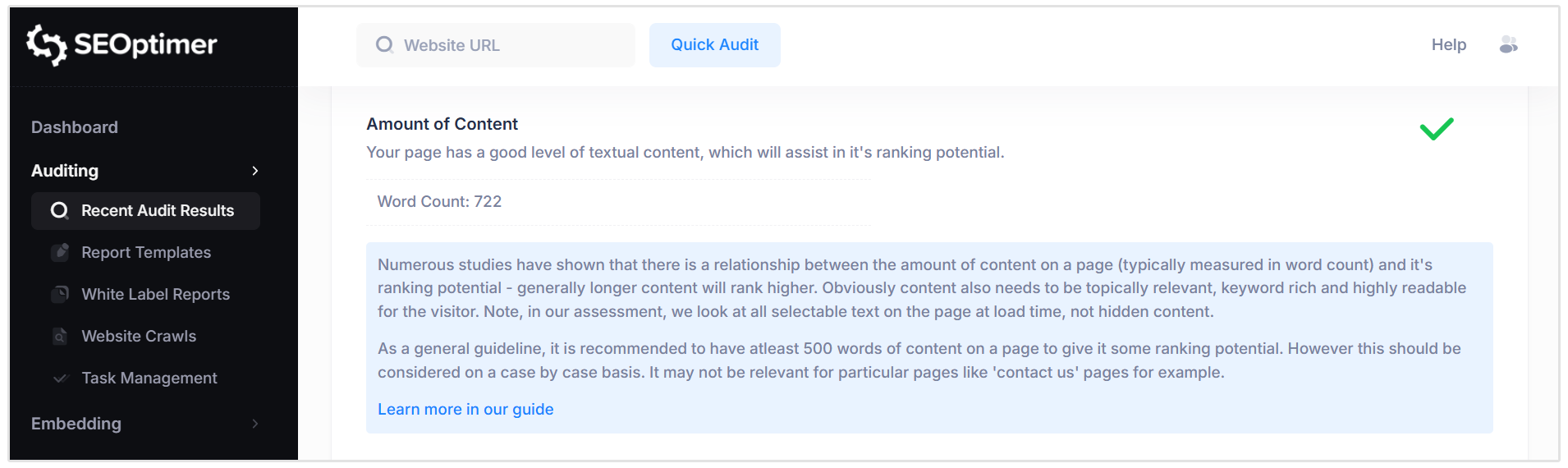
Pages with very low word counts may be interpreted by search engines as “thin content,” which can limit ranking potential.
Research has shown a general correlation between longer, high-quality content and improved search performance. However, content must also be relevant, readable, and aligned with the page’s purpose.
Pass Condition:
- The page contains approximately 500 words or more of relevant, visible text content.
Fail Condition:
- The page contains a low volume of text content that may be considered thin (typically well below 500 words).
This guideline should be considered in context. Some pages, such as contact or login pages, may not require extensive content, while informational or service pages typically benefit from more comprehensive text.
Related Reading: SEO Content Length: How Long Should a Blog Be?
Image Alt Attributes
The Image Alt Attributes check evaluates whether images on your page include descriptive alternative text (Alt Text).
Alt Text helps search engines understand what an image represents and improves accessibility for users relying on screen readers.
Alt Text is also displayed if an image fails to load and can contribute to visibility in image search results.
Pass Condition:
- All relevant images on the page include descriptive Alt Attributes.
Fail Condition:
- One or more relevant images are missing Alt Attributes.
We recommend adding clear, descriptive Alt Text to important images, especially those that support the page’s main topic. Where appropriate, include relevant keywords naturally.
Related Reading: Ultimate Guide to Alt Attribute (or Alt Text)
Canonical Tag
The Canonical Tag is an HTML element that specifies the preferred (primary) URL of a webpage.
It helps search engines understand which version of a page should be indexed when multiple URLs contain similar or duplicate content (such as parameterized URLs or www and non-www variations).
Search engines recommend that pages include a canonical tag to prevent duplicate content issues and consolidate ranking signals.
Pass Condition:
- A valid canonical tag is detected and points to the preferred version of the page.
Fail Condition:
- No canonical tag is detected.
If not already managed by your CMS, you may need to manually define the canonical URL to ensure search engines index the correct version of your page.
Related Reading: Canonical URLs: Why They Are Important & How to Use Them
Noindex Tag Test
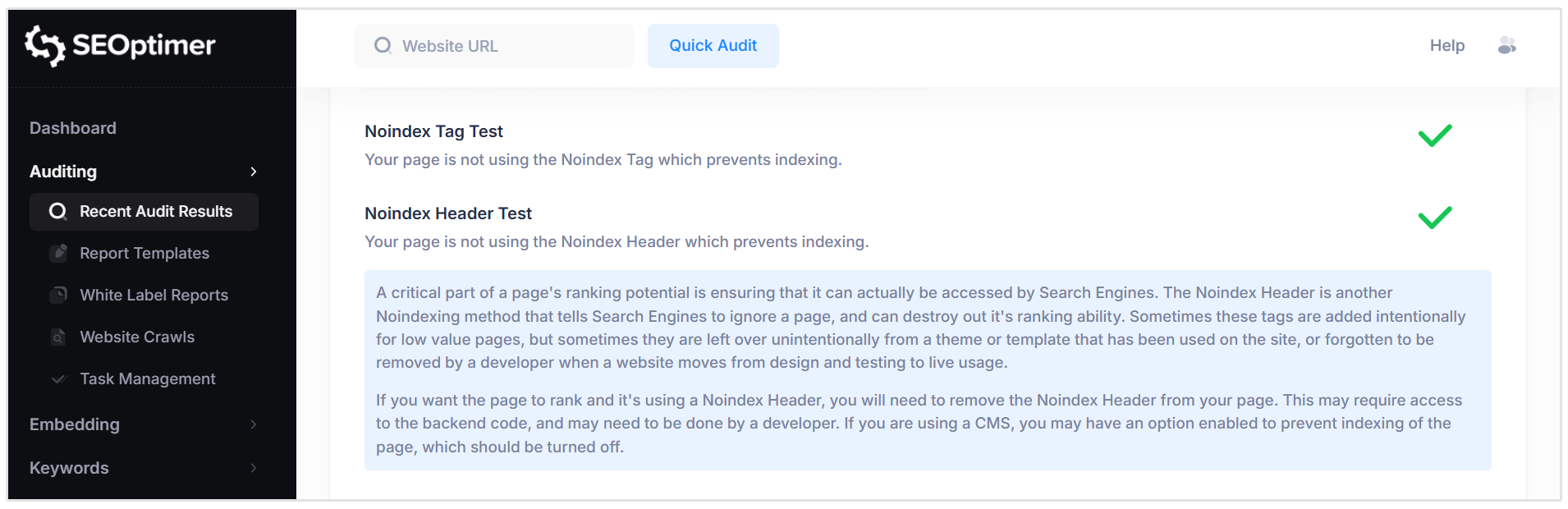
The Noindex Tag is an HTML directive that tells search engines not to index a specific page.
If a page includes this tag, it will not appear in search engine results, regardless of its content quality or optimization.
This tag is sometimes used intentionally for low-value or private pages. However, it can also be left in place unintentionally during site development or after a website migration.
Pass Condition:
- No Noindex directive is detected, and the page is eligible for indexing.
Fail Condition:
- A Noindex directive is detected on the page.
If you intend for the page to rank in search results, the Noindex tag should be removed from the HTML or disabled within your CMS settings.
Noindex Header Test
The Noindex Header is an HTTP response header that instructs search engines not to index a specific page.
Like the Noindex meta tag, it prevents the page from appearing in search results.
This directive is sometimes applied intentionally to restrict indexing of low-value or private pages.
However, it can also be added unintentionally through server configurations, development settings, or CMS options.
Pass Condition:
- No Noindex directive is detected in the HTTP response headers.
Fail Condition:
- A Noindex directive is present in the page’s HTTP headers.
If the page is intended to rank in search results, the Noindex Header must be removed from the server configuration or CMS settings to allow search engines to index the page properly.
SSL Enabled
The SSL Enabled check verifies whether your website is served over HTTPS. SSL (Secure Sockets Layer) is a security protocol that encrypts data transferred between your website and its visitors.
Using HTTPS helps protect sensitive information such as login details and payment data.
It is also considered a ranking signal by search engines and is now a standard requirement for modern websites.
Pass Condition:
- The website loads securely over HTTPS with a valid SSL certificate.
Fail Condition:
- The website does not load over HTTPS or does not have a valid SSL certificate installed.
If SSL is not enabled, you will need to install and configure an SSL certificate and ensure your site redirects users from HTTP to HTTPS.
Related Reading: Ultimate Guide to SSL - What it is, Why it's Important and How to get it
HTTPS Redirect
The HTTPS Redirect check verifies whether your website automatically redirects users from the non-secure HTTP version of a page to the secure HTTPS version.
Even if SSL is installed, users and search engines may still access the HTTP version unless a redirect is properly configured.
Without this redirect, duplicate versions of the page can exist, and visitors may access an insecure version.
Pass Condition:
- The HTTP version of the page automatically redirects to the HTTPS version.
Fail Condition:
- The HTTP version does not redirect and remains accessible.
To ensure full security and SEO benefit, configure your website to force HTTPS by implementing a server-level redirect or enabling this setting within your CMS.
Robots.txt
The Robots.txt check verifies whether your website has a robots.txt file in place.
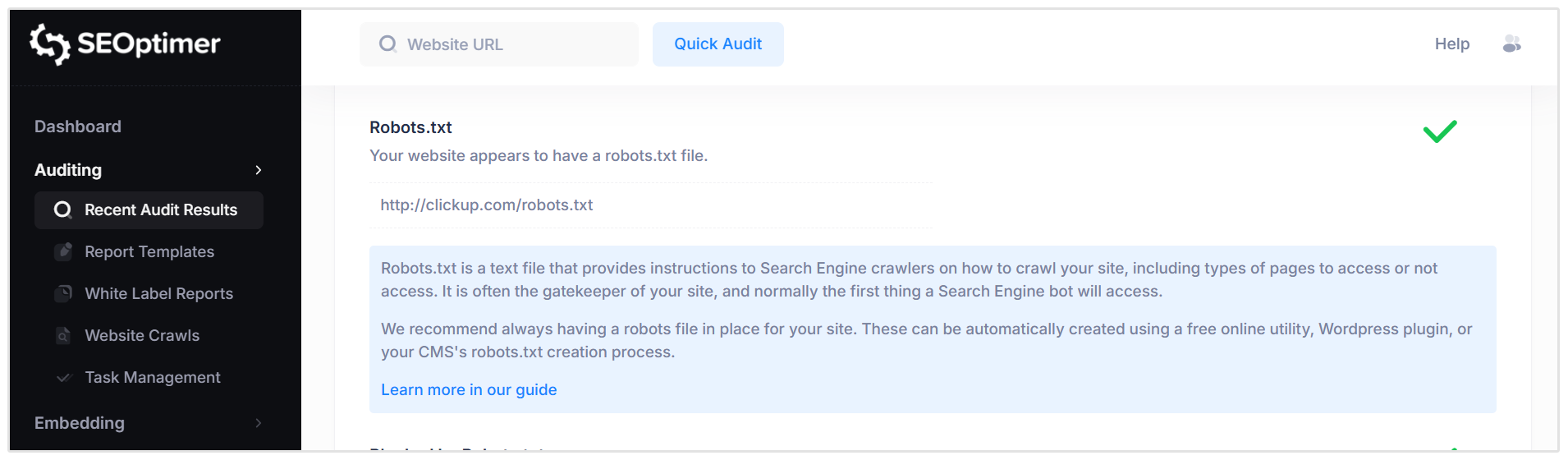
This file provides instructions to search engine crawlers on how to access and crawl your site.
Robots.txt is typically located at the root of your domain (e.g., /robots.txt) and is often the first file accessed by search engine bots. It can be used to allow or restrict access to specific pages, directories, or file types.
Pass Condition:
- A robots.txt file is detected on the website.
Fail Condition:
- No robots.txt file is found.
We recommend having a properly configured robots.txt file to guide search engine crawlers and prevent unintended crawling of restricted or low-value pages.
Related Reading: Robots.txt - The Ultimate Guide
Blocked by Robots.txt
This check verifies whether the page is being blocked from crawling by a rule in the website’s robots.txt file.
The robots.txt file can contain instructions that prevent search engines from accessing specific pages or directories.
While this is sometimes intentional, incorrect or outdated rules can accidentally block important pages from being crawled.
Pass Condition:
- The page is not blocked by any rule in the robots.txt file and is accessible to search engine crawlers.
Fail Condition:
- The page is blocked by a directive in robots.txt.
If a page intended to rank is being blocked, review your robots.txt file and update or remove the relevant rule to allow proper crawling.
Llms.txt
The Llms.txt check verifies whether your website has a llms.txt file available.
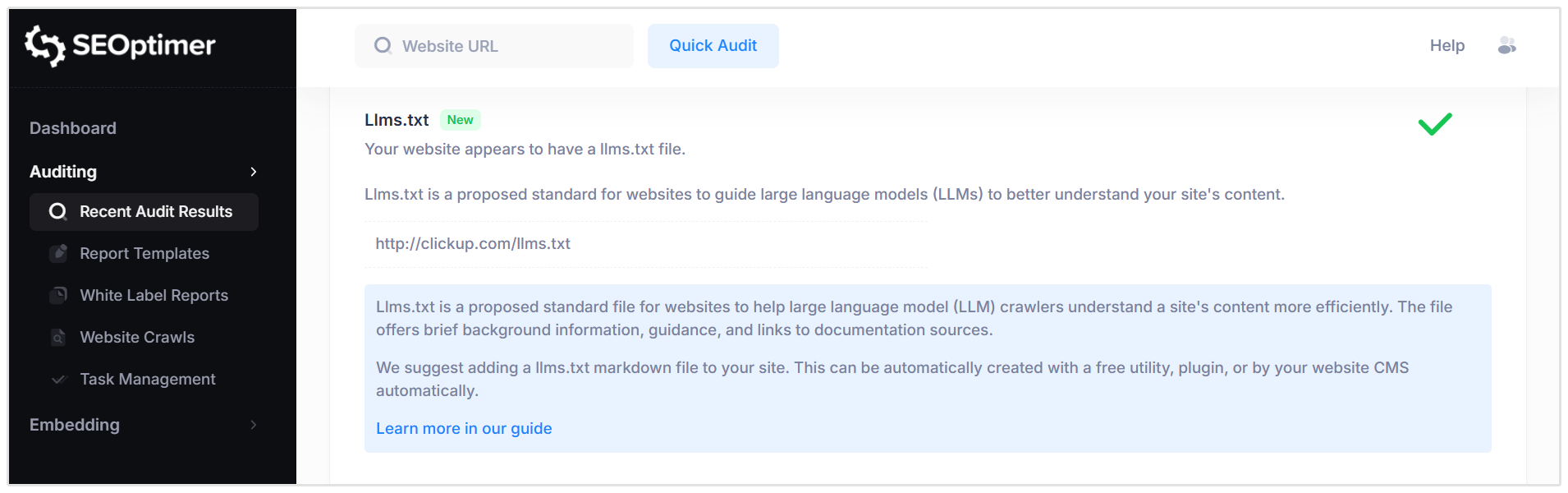
Llms.txt is a proposed standard designed to help large language model (LLM) crawlers better understand and reference your site’s content.
This file typically includes background information about the website, guidance for AI systems, and links to key documentation or resources.
It is intended to improve how AI tools interpret and use your content.
Pass Condition:
- A valid llms.txt file is detected and accessible.
Fail Condition:
- No llms.txt file is found or the file cannot be retrieved.
While not yet a universal standard, adding a llms.txt file can help prepare your site for improved visibility and clarity in AI-driven systems.
Related Reading: What is LLMs.txt and Will it Help Your AI Mentions?
XML Sitemaps
The XML Sitemap check verifies whether your website provides an XML sitemap.
An XML sitemap is a structured file that lists the important URLs on your site and helps search engines discover and crawl your content more efficiently.
Sitemaps can also include additional information, such as video or image-specific sitemaps, to help search engines better understand different content types.
Pass Condition:
- One or more valid XML sitemap files are detected and accessible.
Fail Condition:
- No XML sitemap is found.
We recommend maintaining an up-to-date XML sitemap to support efficient crawling and indexing, especially for larger or frequently updated websites.
Related Reading: The Ultimate Guide to XML Sitemaps
Analytics
The Analytics check verifies whether your website is using a web analytics tool, such as Google Analytics.
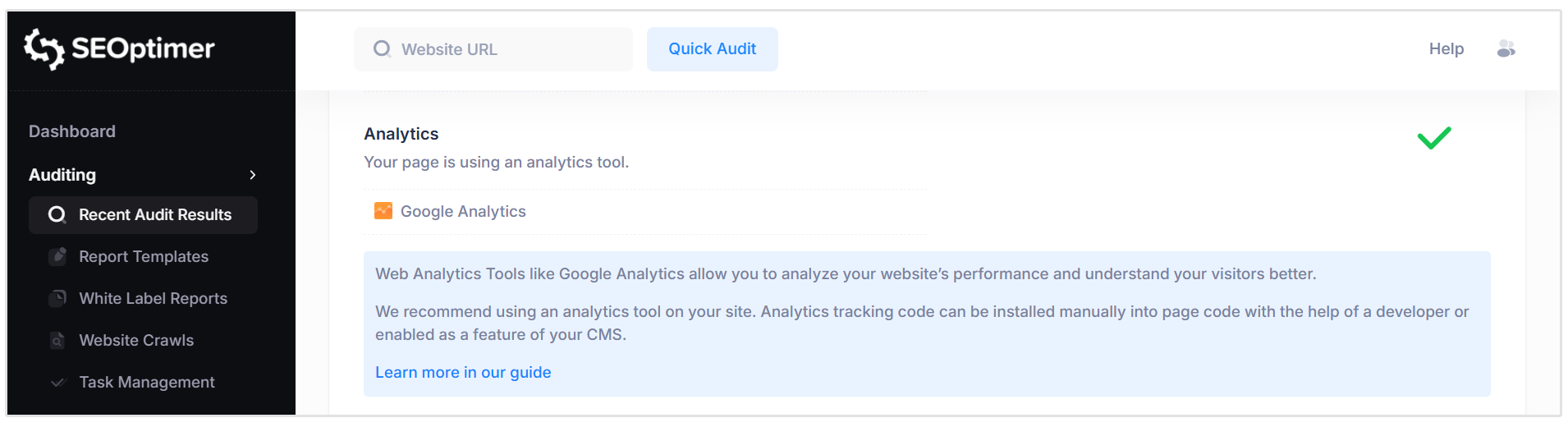
Analytics tools help you measure website traffic, monitor user behavior, and evaluate overall performance.
By tracking metrics such as visits, engagement, and conversions, you can make informed decisions about your SEO and marketing strategy.
Pass Condition:
- An analytics tracking tool is detected on the page.
Fail Condition:
- No analytics tracking tool is detected.
We recommend installing a reliable analytics solution to monitor performance and gain insights into how users interact with your website.
Related Reading: Best Web Analytics Tools and Why They're Important for Your Website
Schema.org Structured Data
The Schema check verifies whether your page is using Schema.org structured data markup.
Schema markup is a form of structured data that helps search engines better understand the content and context of your webpage.
When implemented correctly, Schema can enhance search results with rich snippets, such as business information, product details, reviews, events, and more. This can improve visibility and click-through rates.
Pass Condition:
- Valid Schema.org structured data is detected on the page.
Fail Condition:
- No Schema.org structured data is found.
We recommend implementing relevant structured data types that align with your content (such as Local Business, Product, or Article schema) to improve how search engines interpret and display your pages.
Identity Schema
The Identity Schema check verifies whether Organization or Person structured data is present on the page.
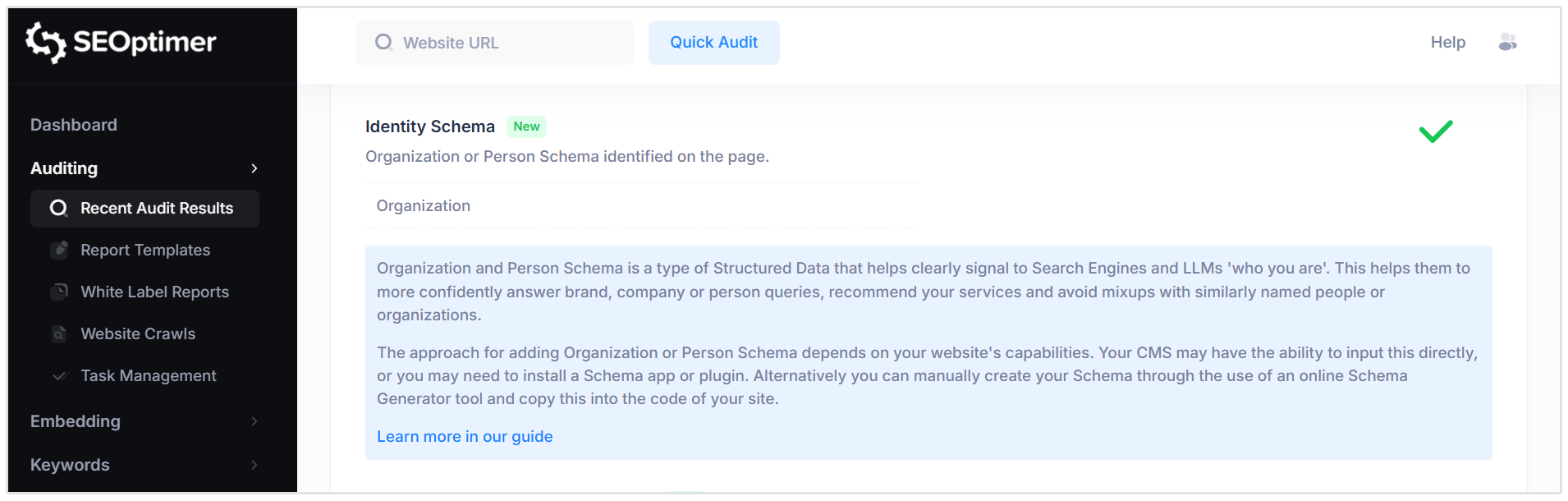
This type of Schema helps clearly define who owns or represents the website.
Adding Organization or Person Schema helps search engines and AI systems confidently associate your website with a specific brand, company, or individual.
It can improve brand recognition in search results and reduce confusion with similarly named entities.
Pass Condition:
- Valid Organization or Person Schema markup is detected on the page.
Fail Condition:
- No Organization or Person structured data is found.
We recommend implementing Identity Schema to clearly define your brand or personal identity, either through your CMS, a Schema plugin, or by manually adding structured data to your site’s code.
Related Reading: Schema Markup for AI Search: Complete Guide
Rendered Content (LLM Readability)
The Rendered Content check evaluates how much of your page’s content is dynamically generated or modified after the initial HTML load.
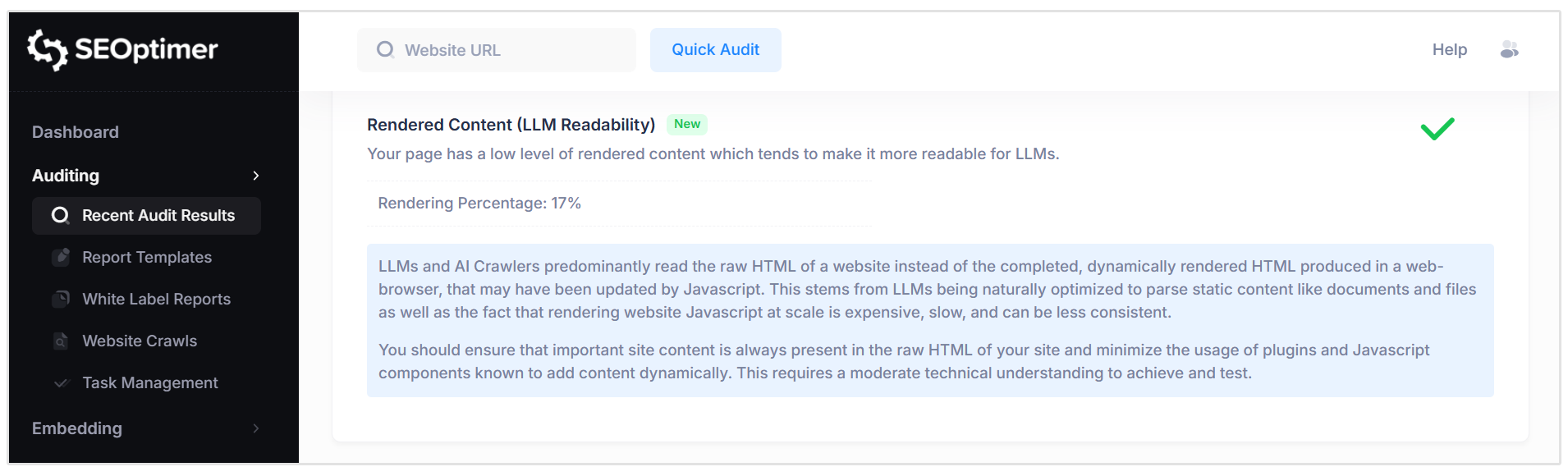
A high rendering percentage indicates that significant content is added or altered using JavaScript.
Many LLMs and AI crawlers primarily read the raw HTML of a page rather than fully rendered browser content. If important information is only available after JavaScript execution, it may not be reliably detected.
Pass Condition:
- Most important page content is present in the raw HTML with minimal reliance on dynamic rendering.
Fail Condition:
- A high percentage of content is dynamically rendered, potentially limiting visibility to LLMs and certain crawlers.
To improve readability and accessibility, ensure critical content is included directly in the raw HTML and reduce reliance on JavaScript for essential page information.
Rankings
Traffic From Search
The Traffic from Search check provides an estimate of the monthly visitors your website receives from Google search results. This includes traffic from Organic listings, Paid ads, and AI Overview placements where applicable.
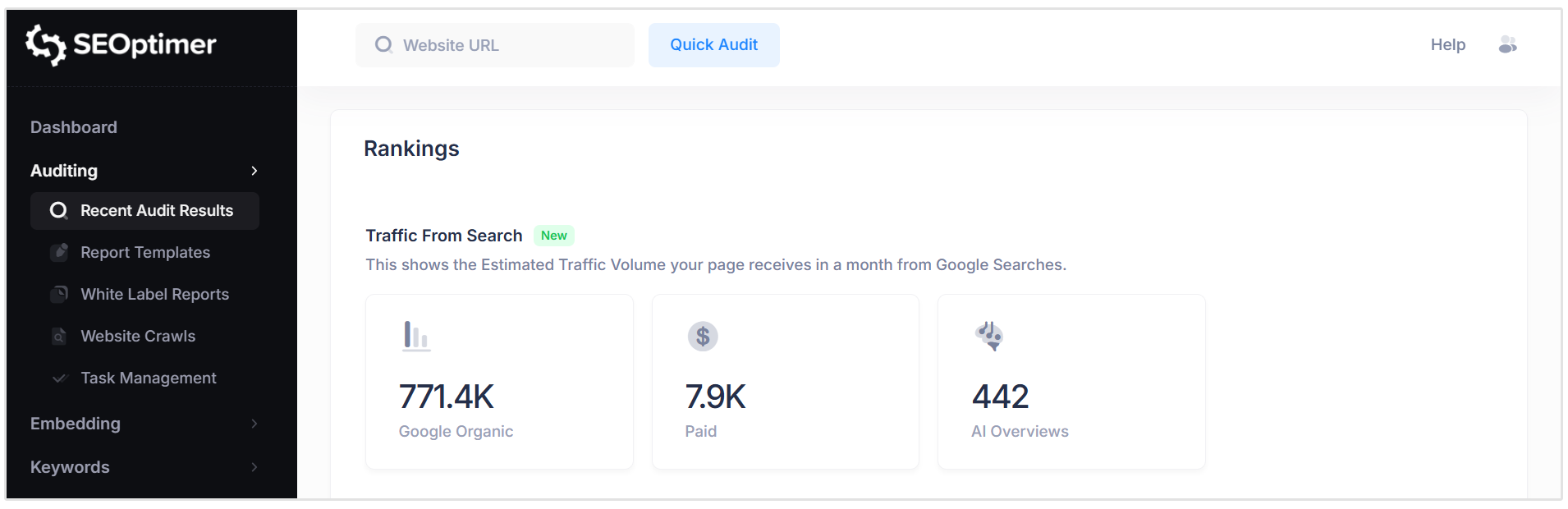
Search traffic is estimated by analyzing the keywords your site ranks for, their monthly search volumes, and the expected click-through rate (CTR) for those ranking positions.
Top Organic Keyword Rankings
The Top Organic Keyword Rankings check displays the top 10 keywords driving traffic to your website from Google’s organic search results (the standard “10 blue links”).
The keywords are ordered by estimated traffic volume, highlighting those likely contributing the most visits.
For each keyword, the report shows the ranking position, country, total monthly searches, and estimated traffic. This helps you understand which search terms are currently generating visibility and where opportunities may exist for improvement.
Related Reading: Importance of Tracking SERPs: 4 Reasons to Track Search Performance
Top Paid Keyword Rankings
The Top Paid Keywords check displays the top keywords driving traffic to your website through Google Ads (Pay-Per-Click advertising).
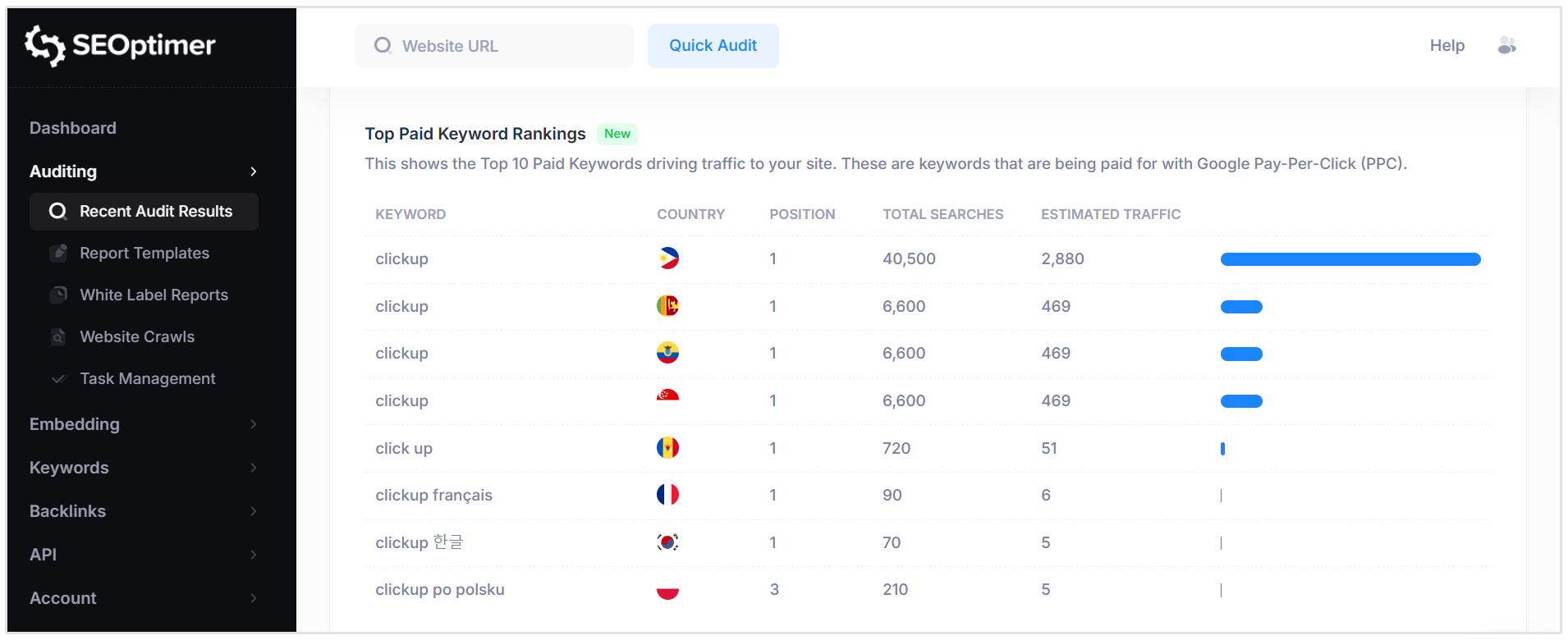
These keywords represent search terms where your website appears in paid search results.
The report lists each keyword along with its ranking position in the ad results, total monthly search volume, and the estimated traffic generated from those ads.
Related Reading: CPC (Cost-Per-Click): What is It and How Do You Optimize It?
Top AI Overview Citations
The Top AI Overview Citations check shows the search queries where Google displays an AI Overview that includes a citation link to your website.
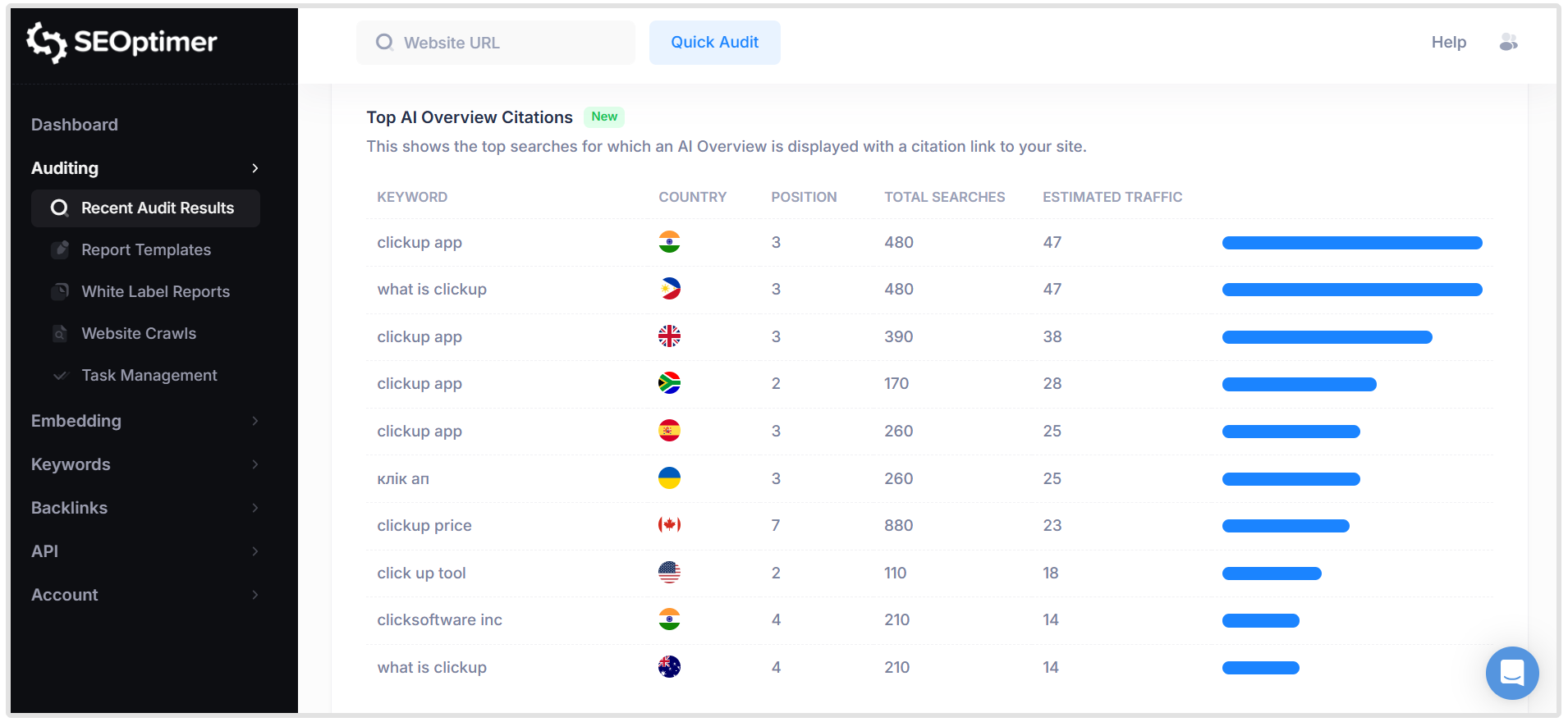
AI Overviews are AI-generated summaries that appear at the top of certain search results, most commonly for informational queries.
These summaries may reference and link to external websites as supporting sources.
If your site is cited, it can still receive traffic even if traditional organic listings appear lower on the page.
For each keyword, the report shows ranking position, total searches, and estimated traffic associated with the citation.
Related Reading: How to Rank in AI Overviews (with Insights from Top SEO Experts)
Organic Keyword Positions
The Organic Keyword Positions check provides a summary of how many keywords your website ranks for in Google’s organic search results, grouped by ranking position.
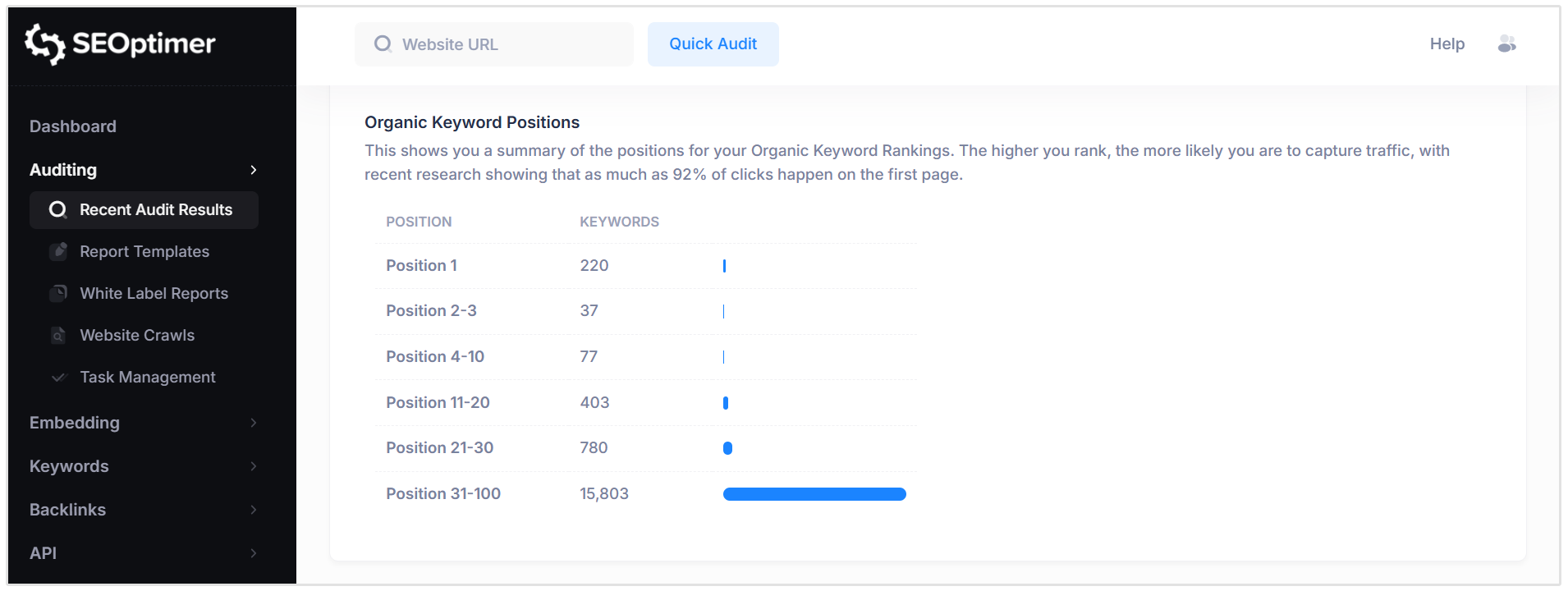
Keywords are categorized into position ranges (e.g., Position 1, 2–3, 4–10, etc.) to help you quickly assess overall visibility. Higher ranking positions typically generate more traffic, with the majority of clicks occurring on the first page of results.
This summary helps you identify how strong your first-page presence is and where opportunities exist to move keywords into higher positions for increased traffic potential.
Links
Backlink Summary
The Backlink Overview provides a high-level summary of your page’s backlink profile.
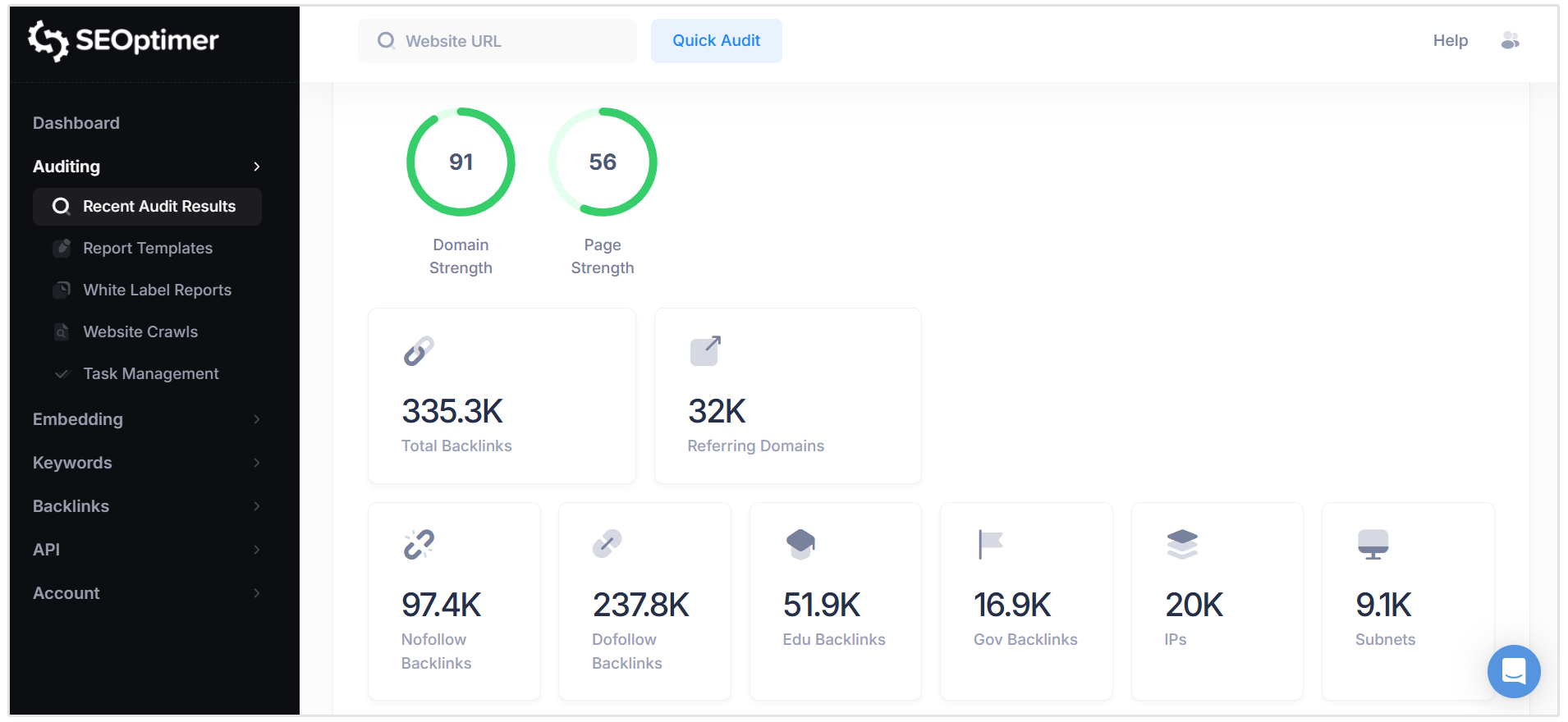
This overview includes key metrics such as:
- Domain Strength: An overall score representing the authority of the entire domain.
- Page Strength: A score representing the authority of the specific page being analyzed.
- Total Backlinks: The total number of links pointing to the page.
- Referring Domains: The number of unique websites linking to the page.Dofollow vs Nofollow
- Links: A breakdown of link types.
- IP Addresses and Subnets: Indicators of link diversity.
- .edu and .gov Backlinks: Links from educational and government domains, where applicable.
Together, these metrics provide a snapshot of the quantity, quality, and diversity of your backlinks. A stronger and more diverse backlink profile generally improves a page’s ability to rank in search results.
We recommend developing a consistent backlink strategy to grow high-quality, relevant links over time.
Related Reading: What are Backlinks and How Do You Get Them?
Top Backlinks
The Top Backlinks section highlights the highest value external pages linking to your website. These links are typically from domains with strong Domain Strength and are likely to pass greater ranking value.
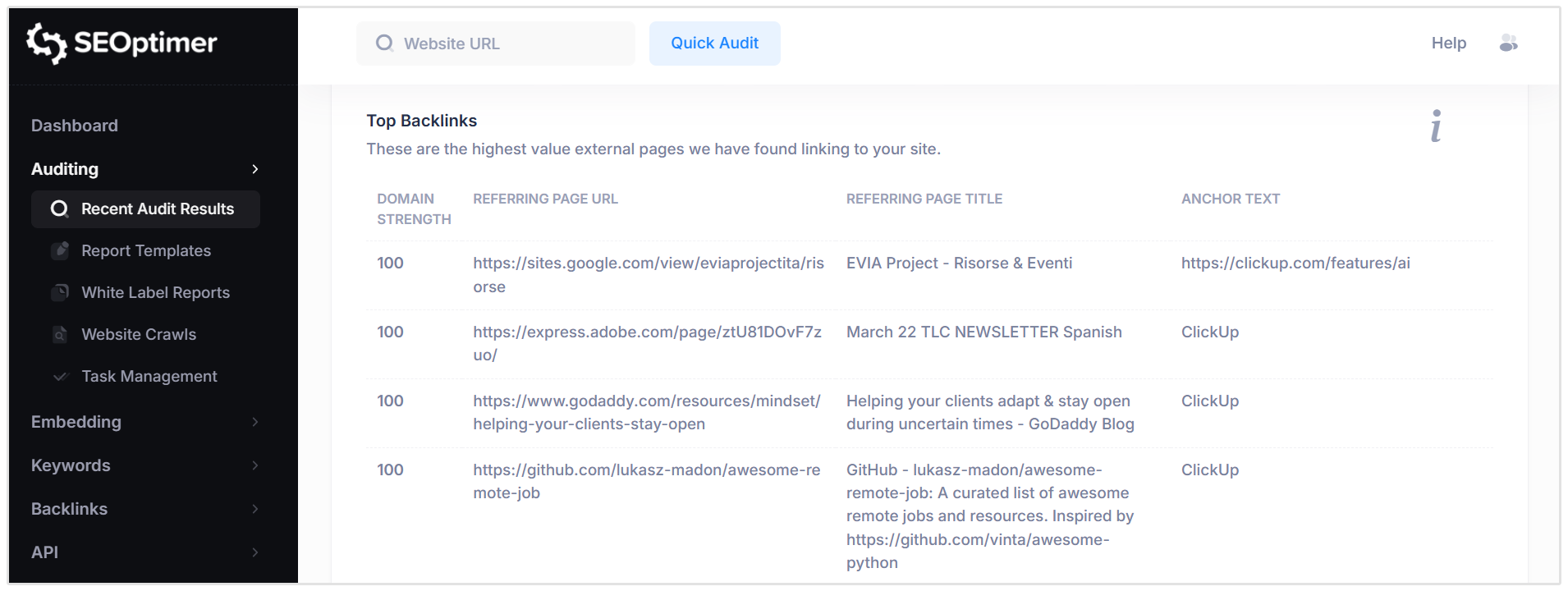
For each backlink, the report displays:
- Domain Strength: A score indicating the overall strength of the linking domain.
- Referring Page URL: The exact page linking to your site.
- Referring Page Title: The title of the linking page.
- Anchor Text: The clickable text used in the link.
Reviewing your top backlinks helps you understand which external sources are providing the most value and how your site is being referenced.
This section provides a sample of the most impactful backlinks detected in your profile.
Top Pages by Backlinks
The Top Pages by Backlinks section shows which pages on your website have received the most external links from other sites.
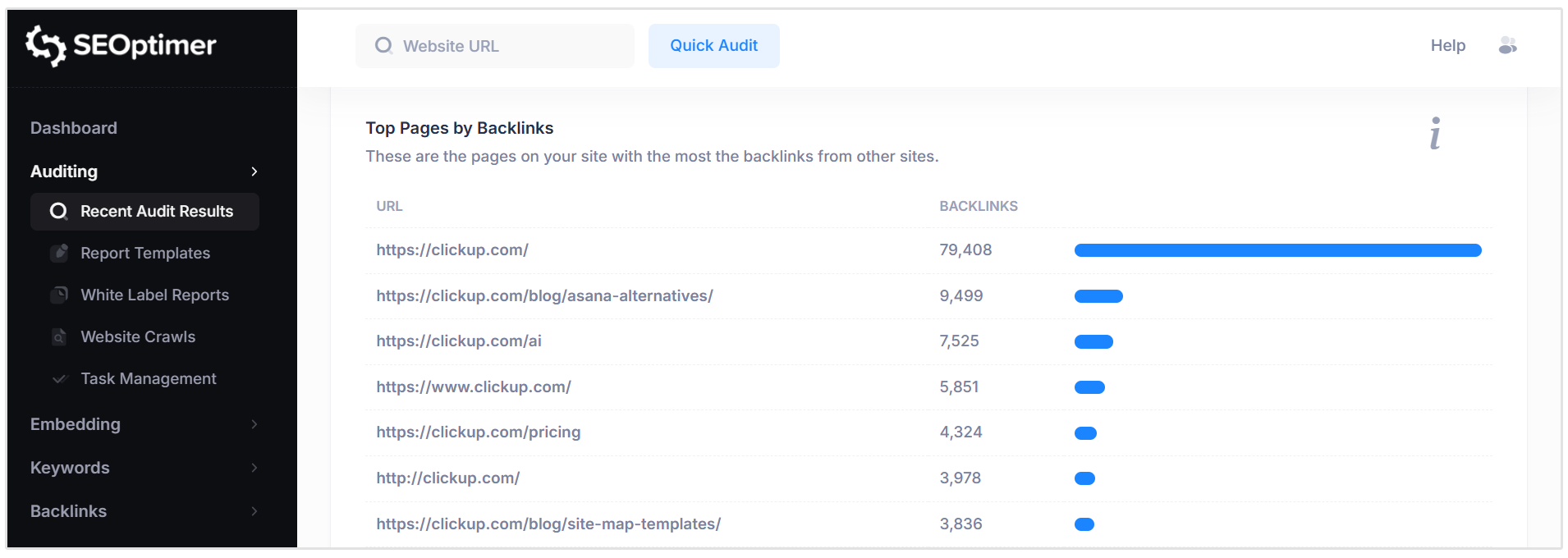
For each URL, the report displays the total number of backlinks pointing to that specific page. Pages with more backlinks typically hold greater ranking potential and may pass more value internally to other pages through internal linking.
This section is particularly important when planning site updates, redesigns, or migrations. High-link pages should not be removed without proper redirection, as doing so may result in lost ranking value.
It can also provide insight into why certain pages attract more links, helping guide future content and link-building strategies.
Top Anchors by Backlinks
The Top Anchors by Backlinks section shows the most common anchor text used by external websites when linking to your site.
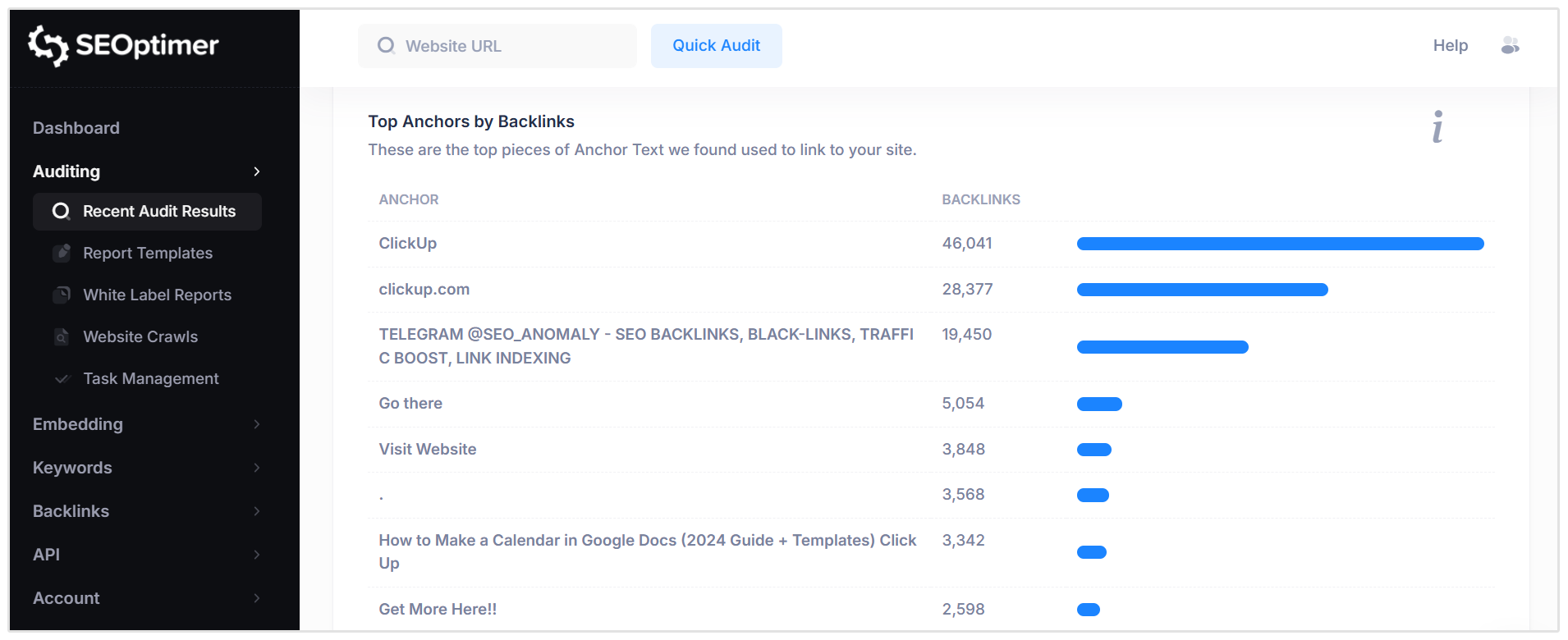
Anchor text is the clickable text within a hyperlink. It provides context to search engines about the content of the linked page and can influence which keywords the page ranks for.
For each anchor phrase, the report displays the total number of backlinks using that text.
A healthy backlink profile typically includes a natural mix of branded, URL-based, and descriptive anchor text. Overuse of overly optimized or repetitive keyword anchors can appear unnatural and may be treated as a spam signal.
Reviewing this section helps you understand how your site is being referenced and whether your anchor text distribution appears balanced and organic.
Top Referring Domain Geographies
The Top Referring Domain Geographies section shows the geographic and top-level domain (TLD) distribution of the websites linking to your site.
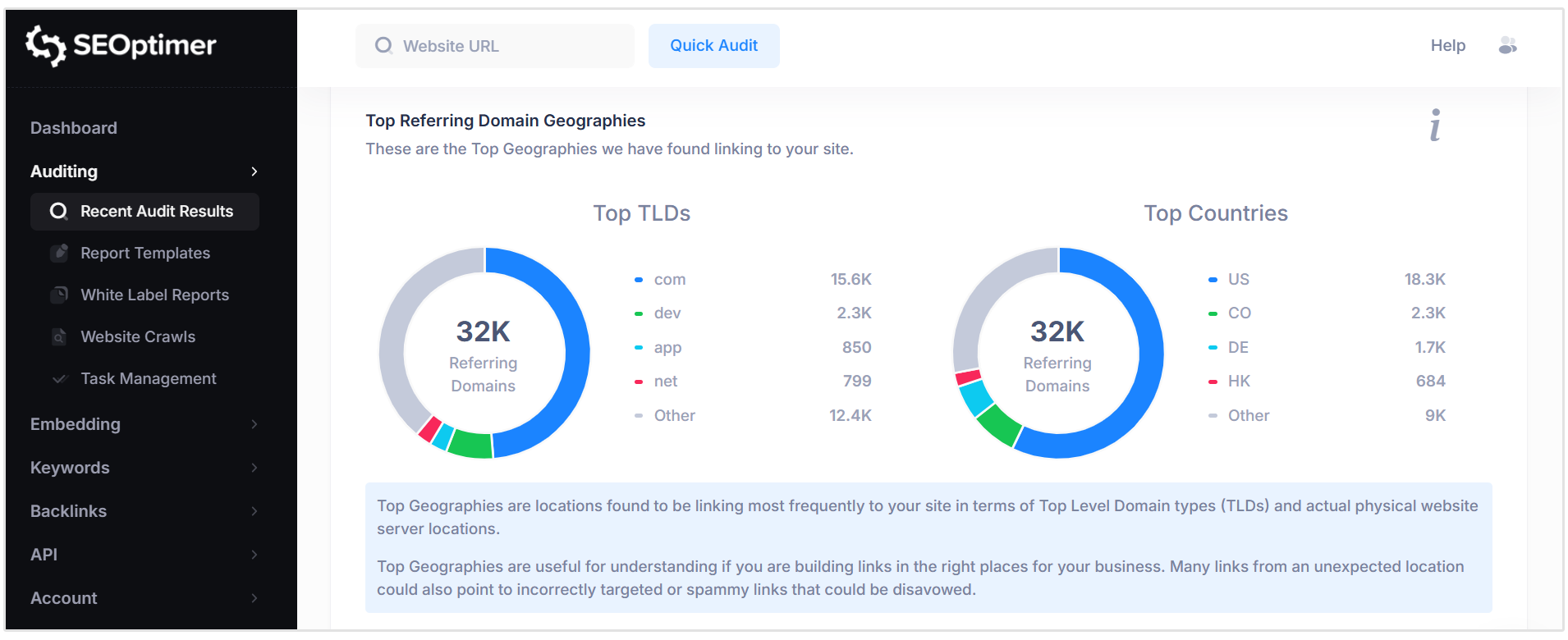
This includes:
- Top TLDs: The most common domain extensions (such as .com, .org, .us) linking to your site.
- Top Countries: The countries where referring domains are located.
Understanding the geographic spread of your backlinks helps assess whether your link profile aligns with your target audience and market.
For example, a business targeting the United States would typically expect a majority of referring domains from US-based sites.
A diverse and relevant geographic distribution can strengthen your overall backlink profile and support international visibility where applicable.
On-Page Link Structure
The On-Page Link Structure check provides a breakdown of the links found on your page, including internal links, external links, and nofollow links.
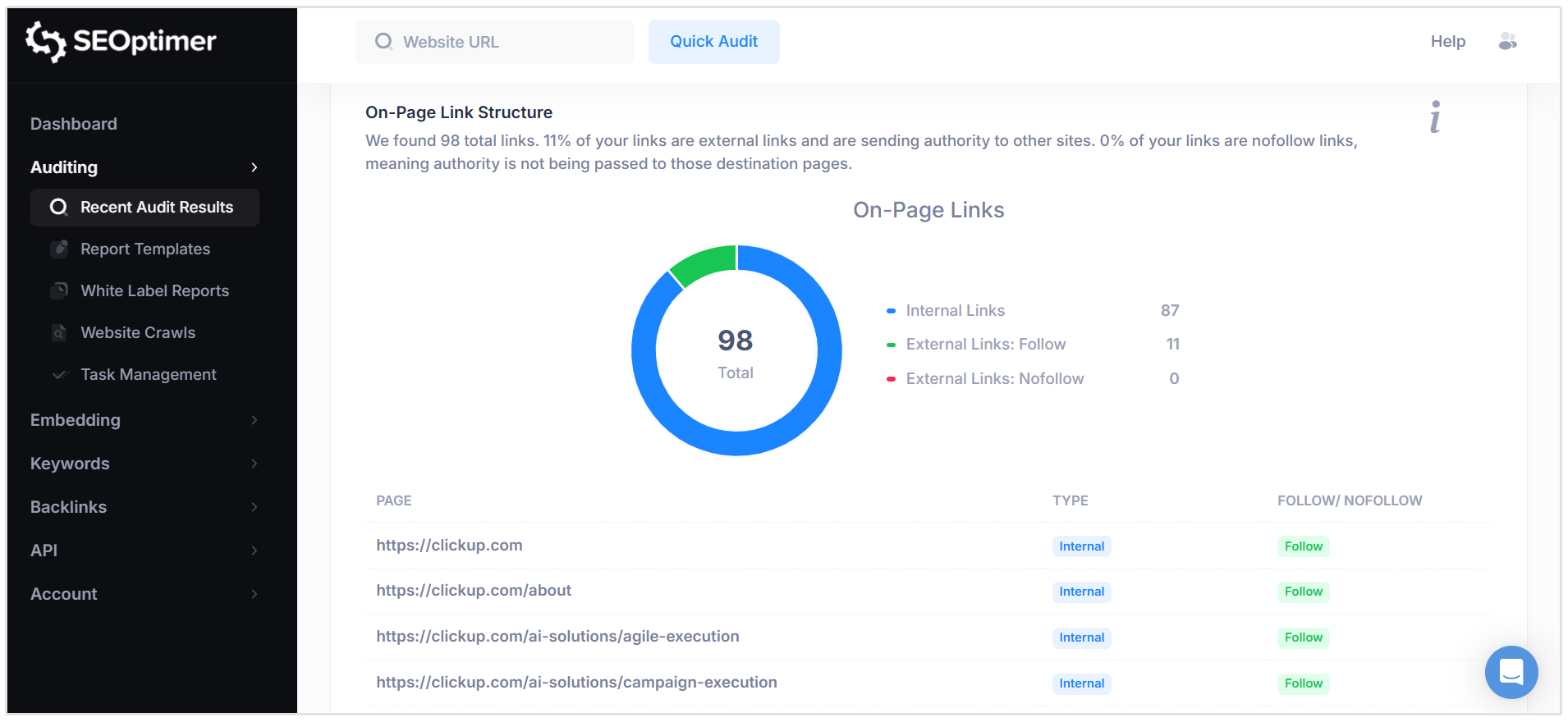
Internal links connect to other pages within your website and help distribute ranking value across your site.
External links point to other websites and may pass value unless marked as “nofollow.” Nofollow links instruct search engines not to pass ranking signals to the destination page.
The report summarizes:
- Total number of links
- Number of internal links
- Number of external follow links
- Number of external nofollow links
A well-balanced link structure typically includes a strong proportion of internal links to support site architecture, while using nofollow appropriately for lower-trust or user-generated external links.
This section helps you evaluate how ranking value flows both within your site and to external pages.
Friendly Links
The Friendly Links check evaluates whether your page URLs are clear, simple, and easy to read for both users and search engines.
Search-friendly URLs typically use descriptive words separated by hyphens, avoid unnecessary parameters or code strings, and minimize excessive subfolder levels. Clean URLs improve user experience, make links easier to share, and provide additional context to search engines about the page content.
Pass Condition:
- URLs are short, readable, and structured using clear words separated by hyphens.
Fail Condition:
- URLs contain long query strings, special characters, file names, or complex structures that reduce readability.
We recommend using simple, descriptive URL structures wherever possible, which can usually be configured within your CMS or website settings.
Related Reading: How to Create Properly Optimized URLs for SEO
Usability
The Usability section evaluates how user-friendly and accessible your website is across different devices and screen sizes.
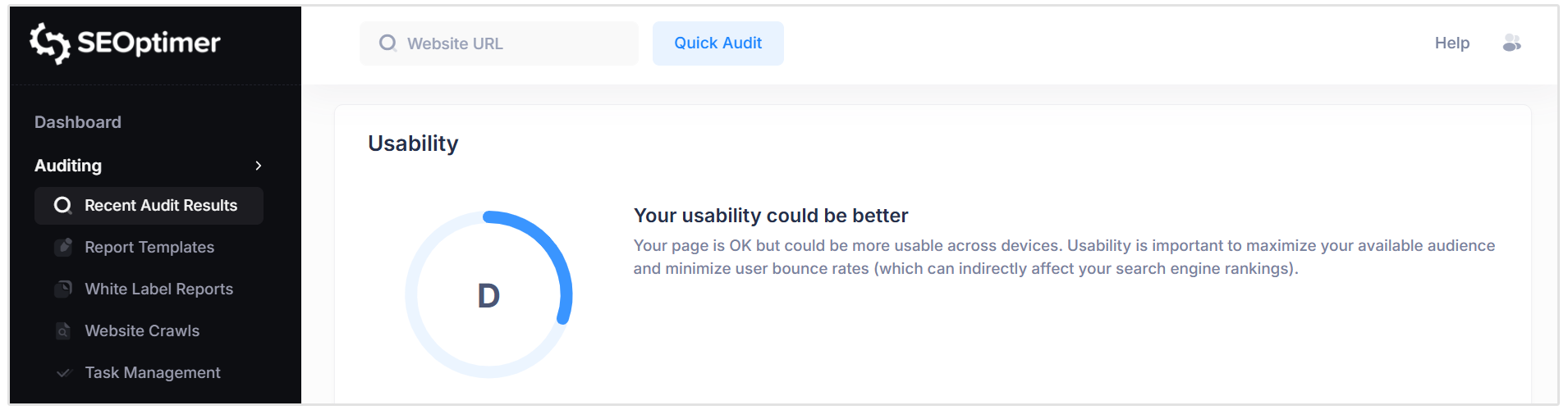
Based on a range of usability-related checks, the tool assigns an overall grade to summarize your site’s usability performance.
Device Rendering
The Device Rendering check visually demonstrates how your webpage appears across different devices, such as desktop, tablet, and mobile.
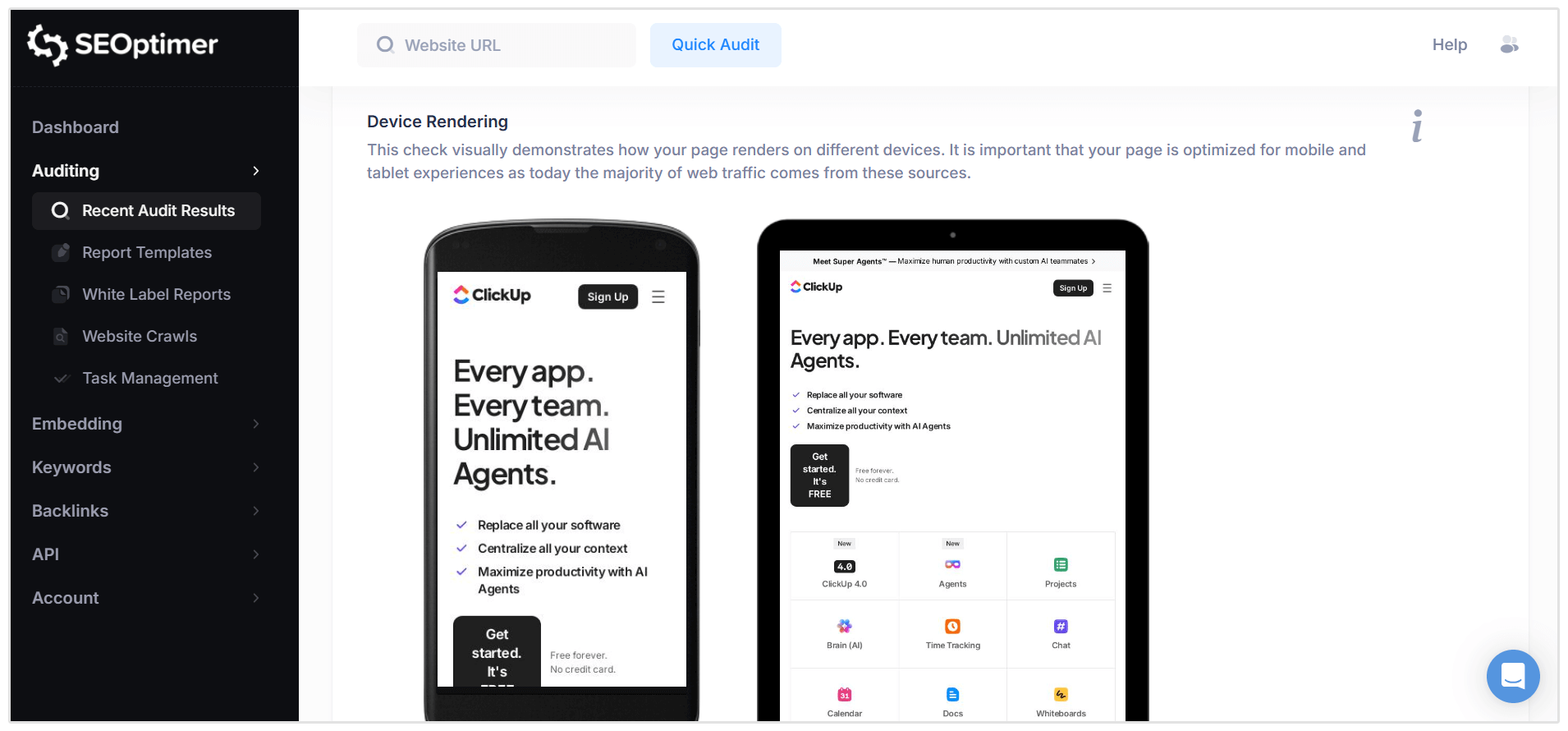
With the majority of web traffic now coming from mobile devices, it is essential that your page is responsive and displays correctly across various screen sizes. Poor rendering on smaller screens can negatively impact user experience and engagement.
There are no strict pass or fail conditions for this check. Instead, it provides a visual reference to help you assess whether your layout, text, images, and navigation elements are properly optimized for all device types.
Google’s Core Web Vitals
The Google Core Web Vitals check evaluates your page’s performance against Google’s user experience metrics. These metrics measure real-world page experience and are considered a ranking factor.
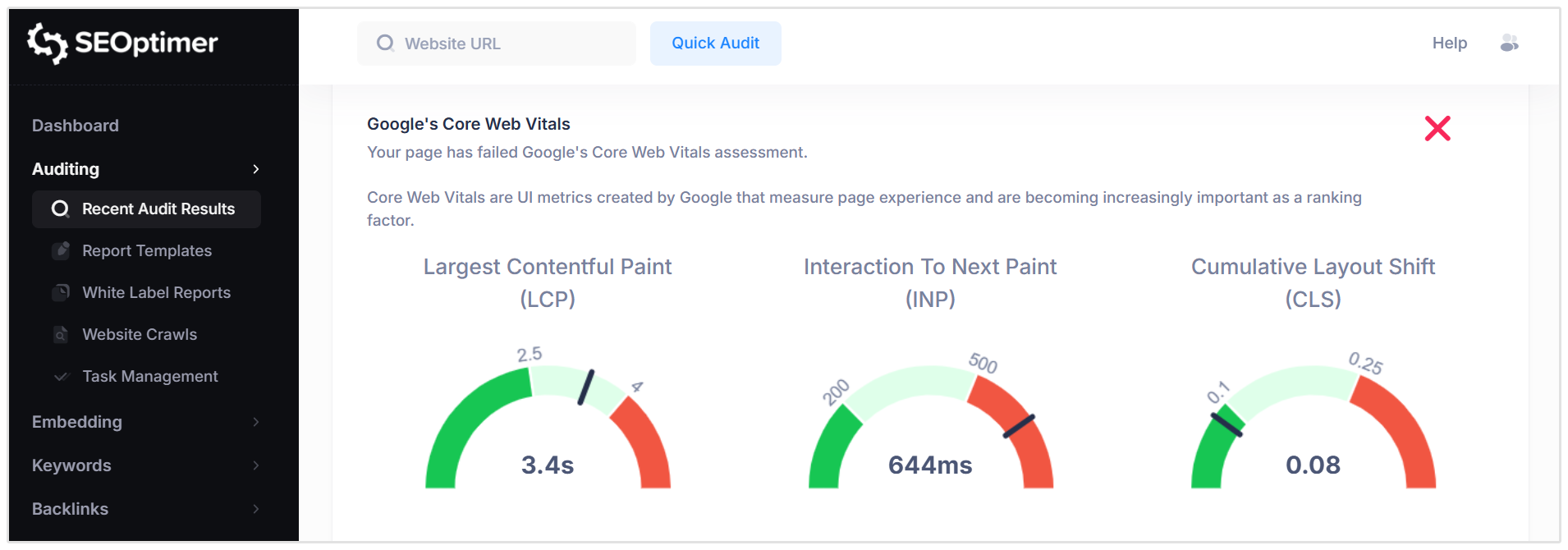
Core Web Vitals include:
- Largest Contentful Paint (LCP): Measures loading performance (how quickly the main content appears).
- Interaction to Next Paint (INP): Measures responsiveness (how quickly the page reacts to user interactions).
- Cumulative Layout Shift (CLS): Measures visual stability (how much the layout shifts unexpectedly during load).
Pass Condition:
- The page meets Google’s recommended thresholds for all Core Web Vitals metrics.
Fail Condition:
- One or more Core Web Vitals metrics fall outside Google’s recommended performance thresholds.
Improving Core Web Vitals may require technical optimization, such as reducing render-blocking resources, improving server response times, optimizing images, or minimizing layout shifts.
Related Reading: Core Web Vitals: What are They? How are They Crucial to SEO?
Use of Mobile Viewports
The Use of Mobile Viewports check verifies whether your page includes a viewport meta tag that allows it to scale and render correctly on mobile devices.
The viewport tag instructs the browser to adjust the page’s width and layout to match the user’s device screen size. Without it, pages may appear zoomed out, improperly scaled, or difficult to navigate on mobile devices.
Pass Condition:
- A valid viewport meta tag is detected, allowing the page to render responsively across devices.
Fail Condition:
- No viewport meta tag is detected.
Including a properly configured viewport tag is essential for responsive design and mobile usability.
Related Reading: Guide to Viewport (HTML Meta Viewport Tag)
Google’s PageSpeed Insights - Mobile
This check reports your page’s performance score based on Google’s Mobile PageSpeed Insights evaluation. It reflects how well your site performs on mobile devices using Google’s lab testing data.
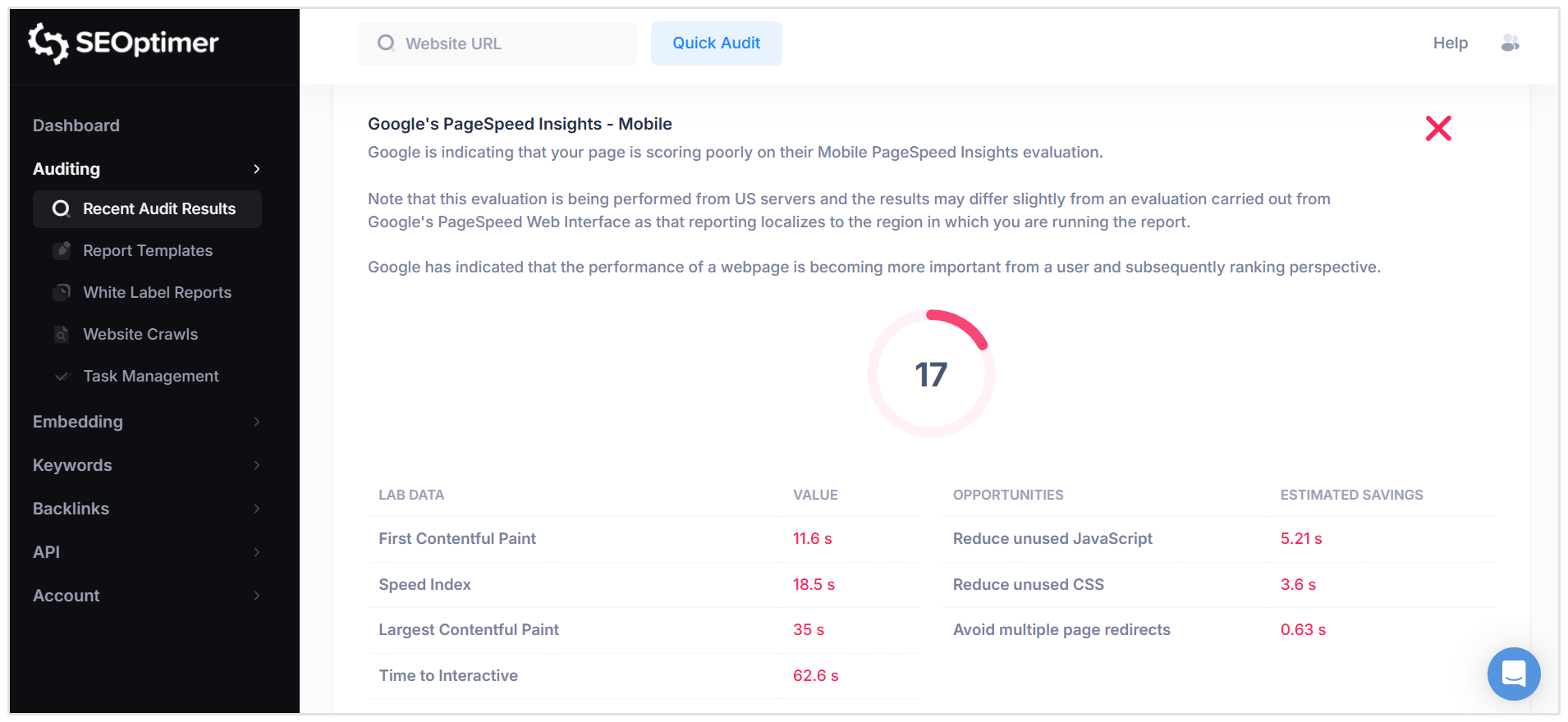
The report includes key performance metrics such as:
- First Contentful Paint (FCP): Time until the first visible content appears.
- Speed Index: How quickly the page content is visually displayed.
- Largest Contentful Paint (LCP): Time until the main content loads.
- Time to Interactive (TTI): Time until the page becomes fully interactive.
- Total Blocking Time (TBT): Time blocked by heavy scripts.
- Cumulative Layout Shift (CLS): Visual stability during load.
It also lists optimization opportunities with estimated time savings.
Pass Condition:
- The page achieves a strong performance score in Google’s Mobile PageSpeed evaluation.
Fail Condition:
- The page receives a low performance score or shows significant optimization opportunities.
Improving mobile performance may involve reducing unused CSS or JavaScript, minimizing redirects, optimizing images, and improving server response times. Faster pages generally lead to better user engagement and improved search performance.
Google’s PageSpeed Insights - Desktop
This check reports your page’s performance score based on Google’s Desktop PageSpeed Insights evaluation. It measures how efficiently your website loads and performs on desktop devices using Google’s lab testing data.
The report includes the same performance metrics as the “Google’s PageSpeed Insights - Mobile” check.
Pass Condition:
- The page achieves a strong Desktop performance score in Google’s PageSpeed Insights.
Fail Condition:
- The page receives a low Desktop performance score or shows significant optimization opportunities.
Improving desktop performance may involve reducing redirects, minimizing blocking resources, and optimizing scripts or assets. Faster-loading pages typically result in better user experience and improved engagement.
Flash Used?
The Flash Used check verifies whether your page contains Adobe Flash content.
Flash is an outdated technology that is no longer supported by modern browsers and is not compatible with most mobile devices. Its use can negatively impact usability, security, and accessibility.
Pass Condition:
- No Flash content is detected on the page.
Fail Condition:
- Flash elements are identified on the page.
Websites should avoid using Flash and instead rely on modern web technologies such as HTML5, CSS, and JavaScript to ensure compatibility and performance across all devices.
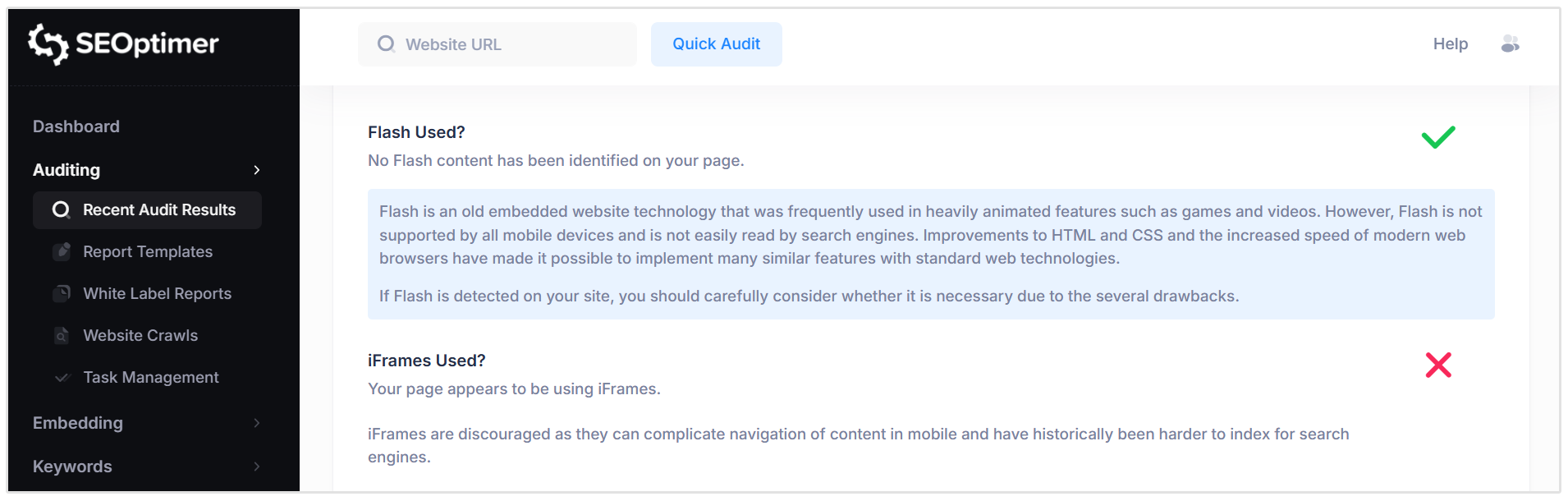
iFrames Used?
The iFrames Used check verifies whether your page contains any <iframe> elements.
iFrames allow external webpages or content to be embedded within a page. While they can be useful in certain cases, excessive or unnecessary use may complicate navigation, reduce usability on mobile devices, and make content harder for search engines to interpret.
Pass Condition:
- No iFrames are detected on the page.
Fail Condition:
- One or more iFrames are identified.
If iFrames are present, review whether they are essential. In some cases, tools such as tag management systems may use iFrames as part of their functionality. Otherwise, consider replacing non-essential iFrames with more SEO-friendly alternatives.
Favicon
The Favicon check verifies whether your website has a favicon specified. A favicon is the small icon displayed in browser tabs, bookmarks, and sometimes in search results.
Favicons help users quickly identify your website when multiple tabs are open and contribute to brand recognition and trust.
Pass Condition:
- A favicon is detected and properly linked in the page’s HTML.
Fail Condition:
- No favicon is specified.
We recommend creating and uploading a favicon that reflects your brand identity, which can typically be configured within your CMS or website settings.
Related Reading: What Is a Favicon, Why Is It Important, and How Do I Add One?
Email Privacy
The Email Privacy check verifies whether any email addresses are displayed in plain text on your page.
Email addresses published in clear text can be easily detected and scraped by automated bots, increasing the risk of spam and unsolicited emails.
Pass Condition:
- No plain text email addresses are detected on the page.
Fail Condition:
- One or more email addresses are found in plain text.
To reduce spam risk, consider replacing visible email addresses with contact forms, obfuscated text, or other protective methods that prevent automated scraping.
Related Reading: Email Address on Website - Best Practice to Protect From Spam
Legible Font Sizes
The Legible Font Sizes check evaluates whether the text on your page is readable across different devices and screen sizes.
Clear, appropriately sized text is essential for accessibility and overall user experience. Small or poorly scaled text can be difficult to read, especially on mobile devices or in lower lighting conditions.
Pass Condition:
- Text appears legible and appropriately sized across devices.
Fail Condition:
- Text appears too small or difficult to read on certain devices.
We recommend reviewing font sizes throughout your page, including body text, navigation elements, and footer links, to ensure consistent readability across all screen types.
Tap Target Sizing
The Tap Target Sizing check evaluates whether buttons, links, and other interactive elements on your page are large enough and spaced appropriately for touchscreen users.
On mobile and tablet devices, tap targets that are too small or placed too close together can make navigation difficult and lead to accidental clicks.
Pass Condition:
- Interactive elements are appropriately sized and spaced for easy tapping.
Fail Condition:
- Tap targets are too small or positioned too closely together.
We recommend reviewing all clickable elements, including navigation links and footer items, to ensure they are easily accessible on touch devices.
Performance Results
The Performance section provides an overall grade based on how efficiently your page loads and responds during testing.
This high-level score summarizes your site’s speed and technical performance, helping you quickly assess whether it delivers a smooth user experience.
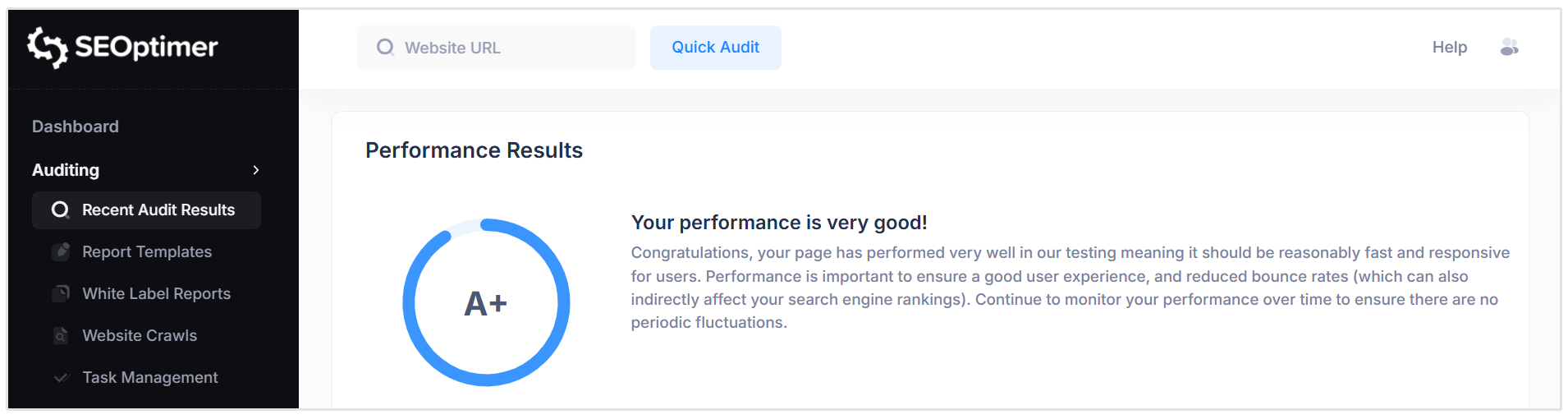
Strong performance supports better engagement, lower bounce rates, and can positively influence search rankings.
Website Load Speed
The Website Load Speed check measures how long it takes for your page to fully load in a user’s browser.
This includes server response time, the time required for all visible content to load, and when all scripts have finished executing.
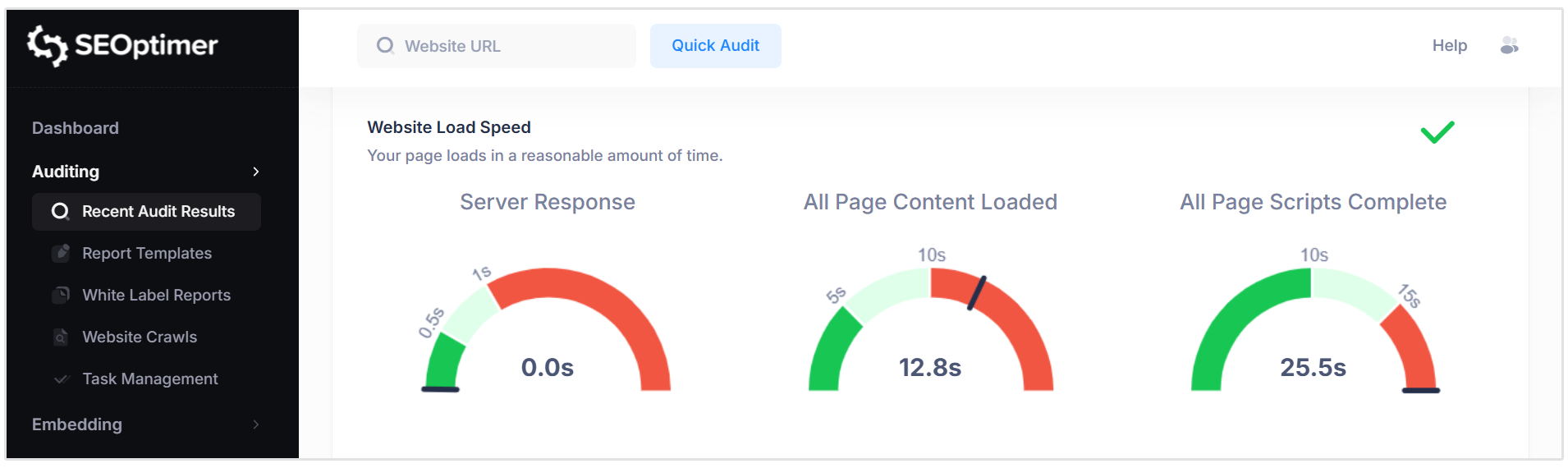
Page speed is influenced by factors such as server performance, file sizes, scripts, images, and overall page complexity.
Faster-loading pages provide a better user experience, reduce bounce rates, and are considered a ranking factor by search engines.
Pass Condition:
- The page loads within a reasonable timeframe across key loading milestones.
Fail Condition:
- The page takes an excessive amount of time to fully load or execute scripts.
Improving load speed may involve optimizing images, reducing file sizes, minimizing scripts, improving server performance, or resolving coding inefficiencies.
Related Reading: Page Speed: What It Is, and How It Impacts SEO
Website Download Size
The Website Download Size check measures the total amount of data that must be downloaded by a user’s browser to load the page. This includes HTML, CSS, JavaScript, images, and other resources.
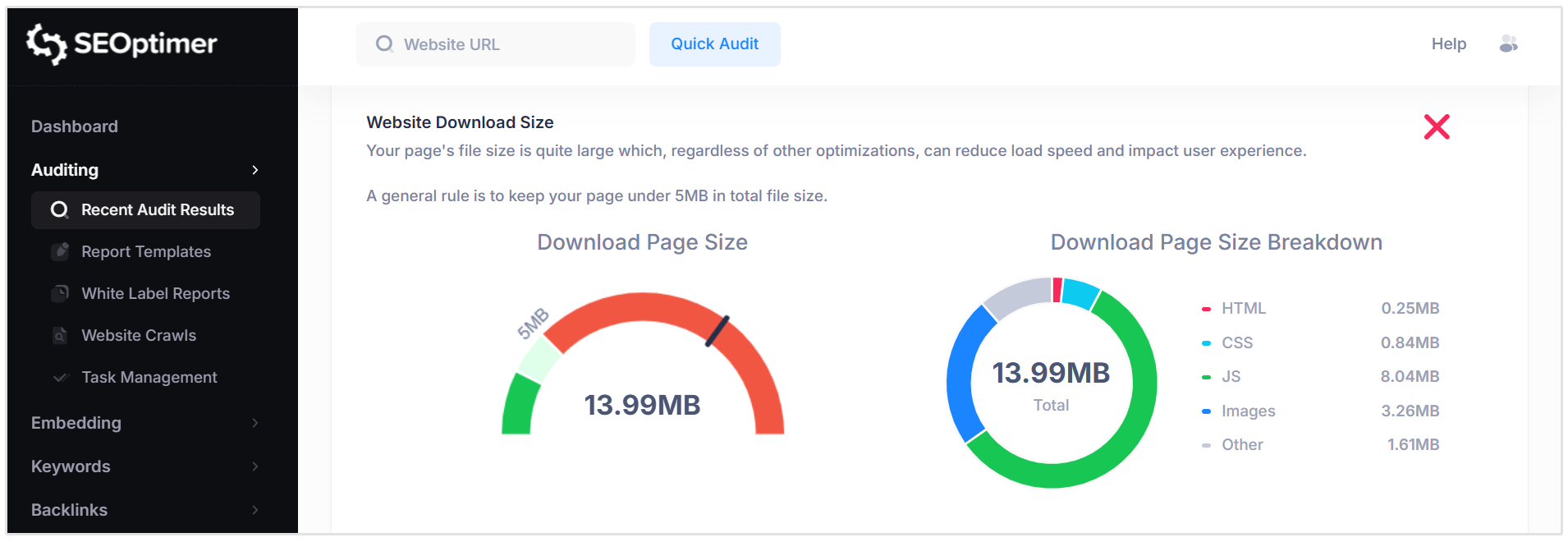
The report provides a breakdown of file types to help identify which elements contribute most to the total size. Media files, particularly images and videos, typically account for the largest portion and present the greatest opportunity for optimization.
It is important to distinguish between download size (compressed during transfer) and raw file size (the original file size before compression). Optimizations are usually made to the raw files.
Pass Condition:
- The total download size is within a reasonable range for modern websites (generally under 5MB).
Fail Condition:
- The page size is excessively large, which may negatively impact load speed.
Reducing unnecessary files, compressing images, and minifying CSS and JavaScript can help improve performance and user experience.
Related Reading: Webpage Size - Why is It Important? And How do you Optimize It?
Compression Usage (Gzip, Deflate, Brotli)
The Compression Usage check evaluates whether your web server is compressing files before they are sent to users’ browsers.
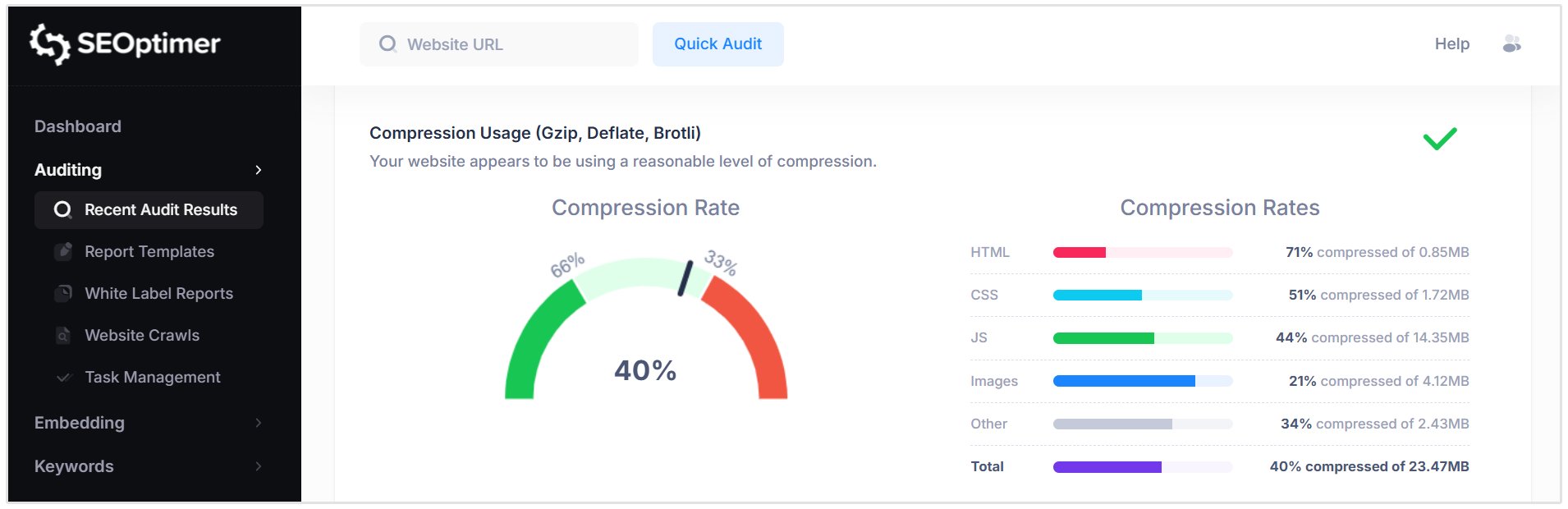
Compression reduces file sizes during transfer, improving page load speed and overall performance.
Modern compression methods such as Gzip, Deflate, and Brotli can significantly decrease the amount of data downloaded, particularly for HTML, CSS, and JavaScript files.
The report shows the overall compression rate as well as a breakdown by file type.
Pass Condition:
- Compression is enabled and effectively reducing file sizes across key resource types.
Fail Condition:
- Compression is not enabled or is only partially applied.
Ensuring compression is properly configured can provide a quick performance improvement.
Server settings may need to be reviewed to confirm that all applicable file types are being compressed using an efficient method.
Related Reading: Webpage Size - Why is It Important? And How do you Optimize It?
Resources Breakdown
The Resources Breakdown check shows the total number of files (objects) that must be requested from web servers in order to fully load your page.
These resources typically include HTML files, CSS stylesheets, JavaScript files, images, and other media.
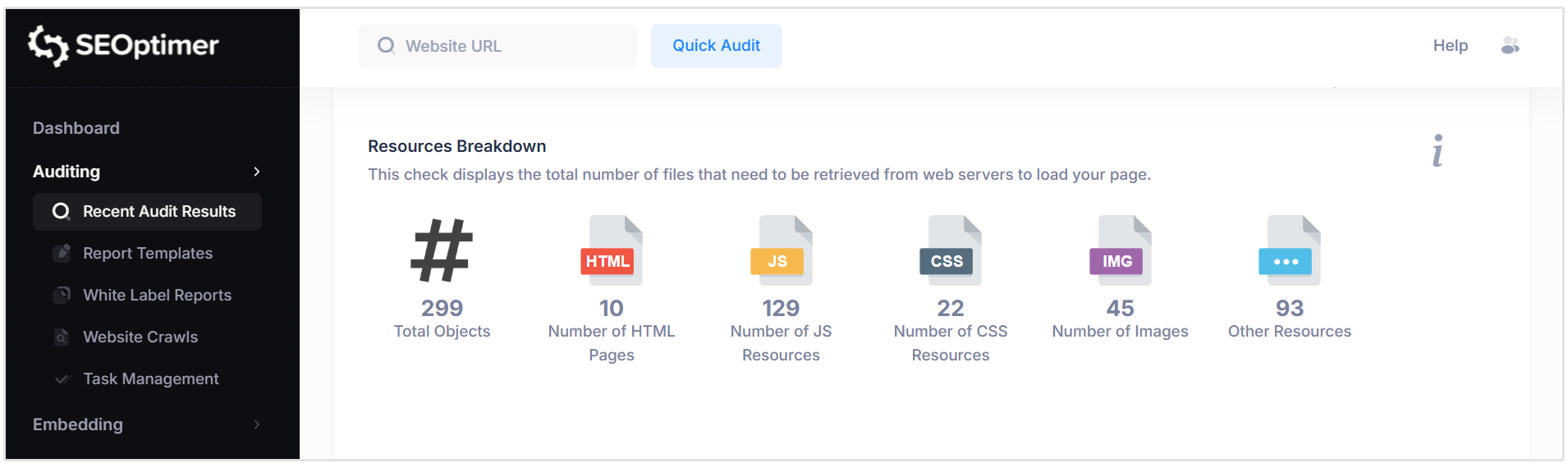
Each file requires a separate network request, and a higher number of requests can increase page load time due to connection overhead.
The report provides a count of total objects along with a breakdown by resource type.
Google Accelerated Mobile Pages (AMP)
The Google Accelerated Mobile Pages (AMP) check verifies whether your page has AMP enabled.
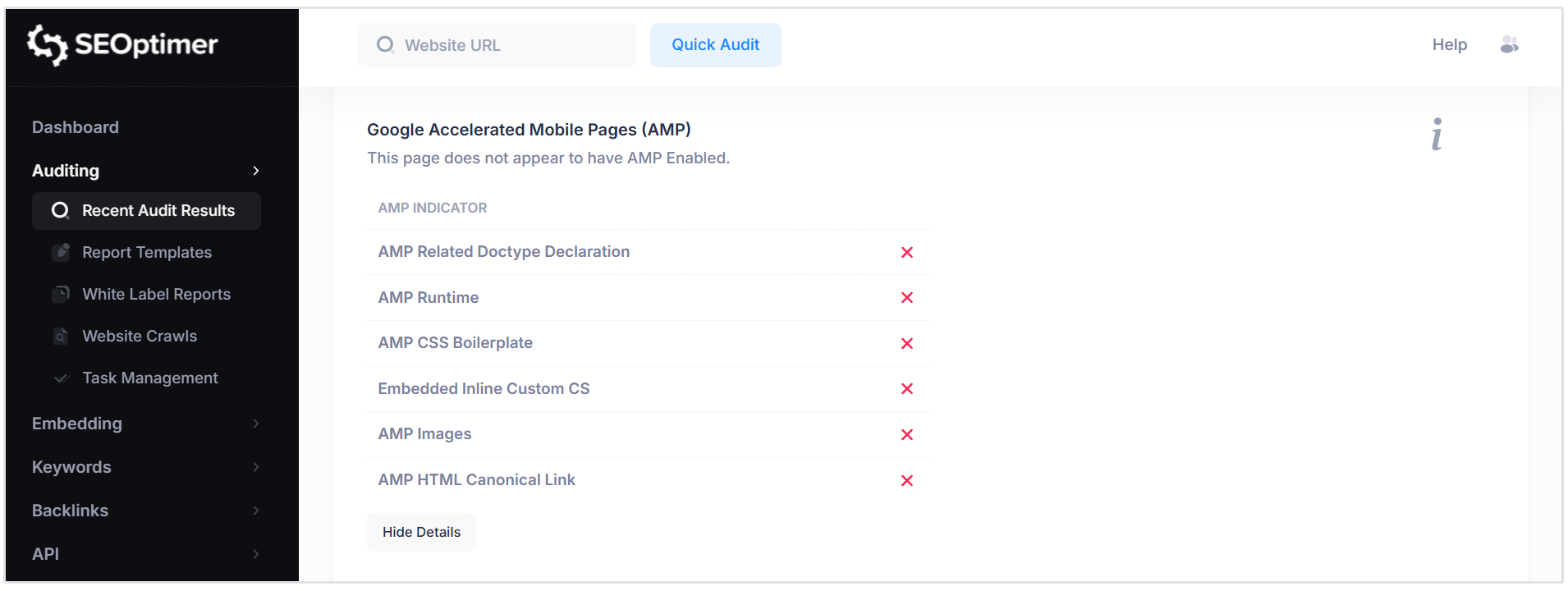
AMP is a framework originally introduced to help mobile pages load faster by following a restricted set of performance-focused guidelines.
In the past, AMP pages were sometimes associated with improved visibility in mobile search results.
While AMP can improve mobile speed in certain cases, its relevance has declined as modern web performance standards and responsive design practices have improved.
Consider whether AMP aligns with your current performance and development strategy.
JavaScript Errors
The JavaScript Errors check detects whether any script errors are occurring when the page loads.
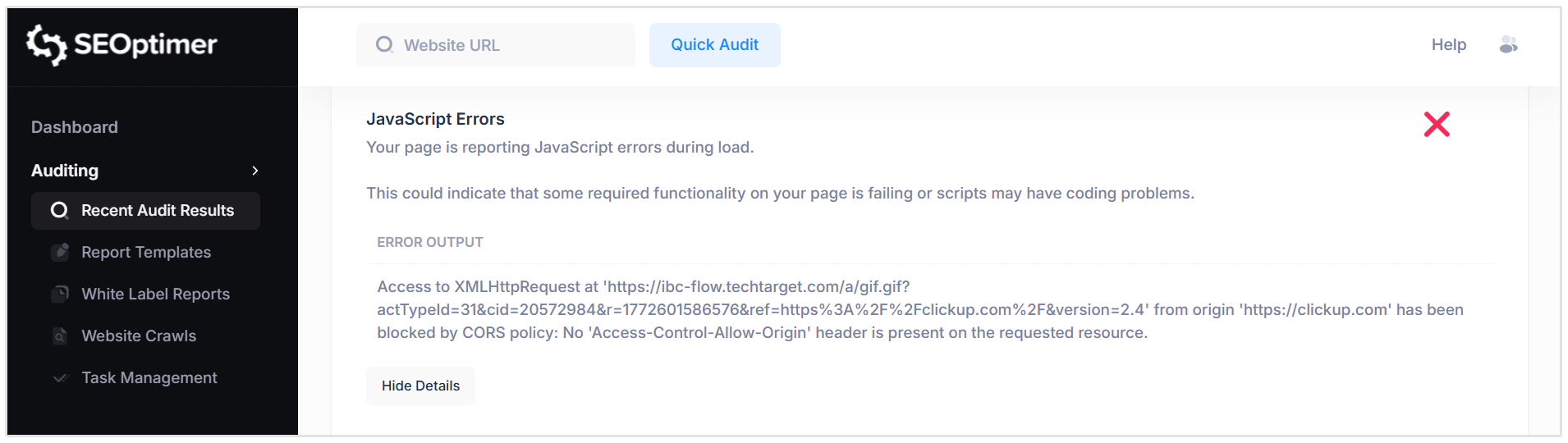
JavaScript is widely used to power interactive elements, dynamic content, and advanced functionality on modern websites.
However, coding issues, loading conflicts, or version mismatches can cause scripts to fail.
Unresolved JavaScript errors may interrupt page functionality, affect user experience, or interfere with content rendering.
Pass Condition:
- No JavaScript errors are detected during page load.
Fail Condition:
- One or more JavaScript errors are reported.
If errors are identified, they should be reviewed and resolved to ensure proper functionality and optimal performance.
HTTP2 Usage
The HTTP/2 Usage check verifies whether your website is using the newer HTTP/2 (or higher) protocol.
HTTP is the core protocol used by browsers to communicate with web servers. HTTP/2 and later versions provide performance improvements such as faster data transfer, better request handling, and reduced latency compared to older HTTP versions.
Pass Condition:
- The website is detected using HTTP/2 or a newer protocol.
Fail Condition:
- The website is using an outdated HTTP protocol version.
Upgrading to HTTP/2 or higher can provide immediate performance benefits.
Configuration changes may be required at the server level to enable newer protocol support.
Optimize Images
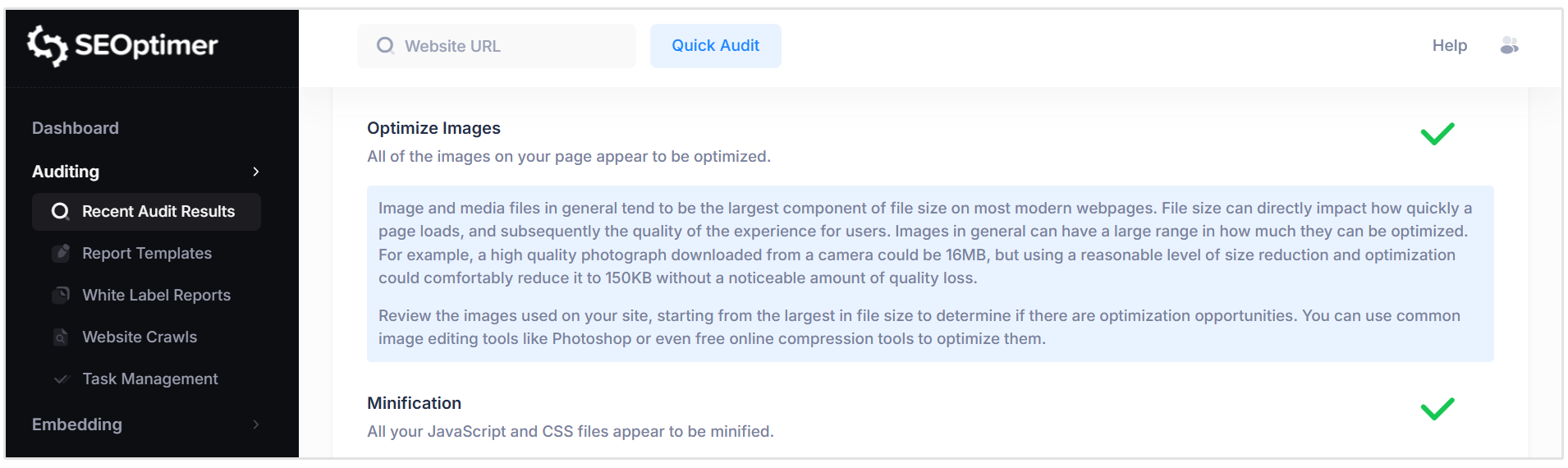
The Optimize Images check evaluates whether the images on your page are appropriately compressed and optimized for web use.
Images are often the largest contributors to total page size and can significantly impact load speed and user experience. Proper optimization reduces file size without noticeably affecting visual quality.
Pass Condition:
- Images appear to be compressed and optimized for efficient loading.
Fail Condition:
- One or more images are larger than necessary and may benefit from further optimization.
We recommend reviewing large image files and applying compression, resizing, or modern image formats where appropriate to improve performance and reduce load times.
Minification
The Minification check evaluates whether your CSS and JavaScript files have been minified.
Minification reduces file size by removing unnecessary characters such as whitespace, comments, and formatting, without changing functionality. Smaller files load faster, which can improve overall page performance.
Pass Condition:
- All detected CSS and JavaScript files appear to be minified.
Fail Condition:
- One or more CSS or JavaScript files are not minified.
Minification can typically be handled automatically through build tools, CMS plugins, or server configurations.
Ensuring all production files are minified is considered a best practice for performance optimization.
Deprecated HTML
The Deprecated HTML check verifies whether your page is using outdated or deprecated HTML tags.
Over time, certain HTML elements have been replaced with newer, more efficient standards. Continuing to use deprecated tags can lead to inconsistent behavior across browsers and may affect functionality or maintainability.
Pass Condition:
- No deprecated HTML tags are detected.
Fail Condition:
- One or more deprecated HTML elements are found on the page.
If deprecated tags are identified, it is recommended to update them to modern equivalents. This may involve editing the page’s HTML directly or updating your website’s theme, template, or framework to a newer version.
Inline Styles
The Inline Styles check identifies whether styling rules are embedded directly within HTML elements on the page.
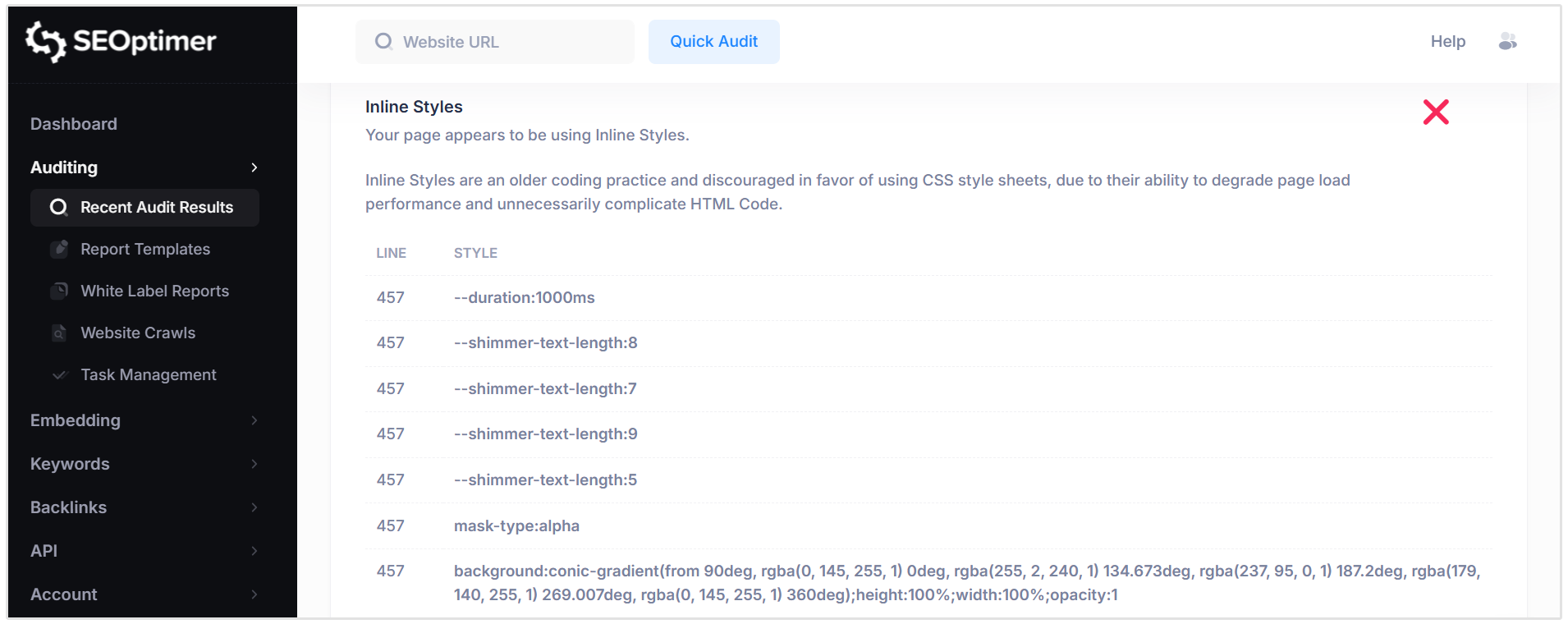
While HTML allows styles to be applied inline, modern best practice is to separate presentation (CSS) from structure (HTML).
Using external CSS stylesheets improves maintainability, reduces code complexity, and can enhance performance.
Inline styles can increase page size and make future design updates more difficult, as styling rules are scattered throughout the HTML.
Pass Condition:
- No inline styling is detected; styling is managed through external CSS files.
Fail Condition:
- Inline styles are present within HTML elements.
We recommend moving inline styles into centralized CSS files to improve code organization, maintainability, and performance.
Social Results
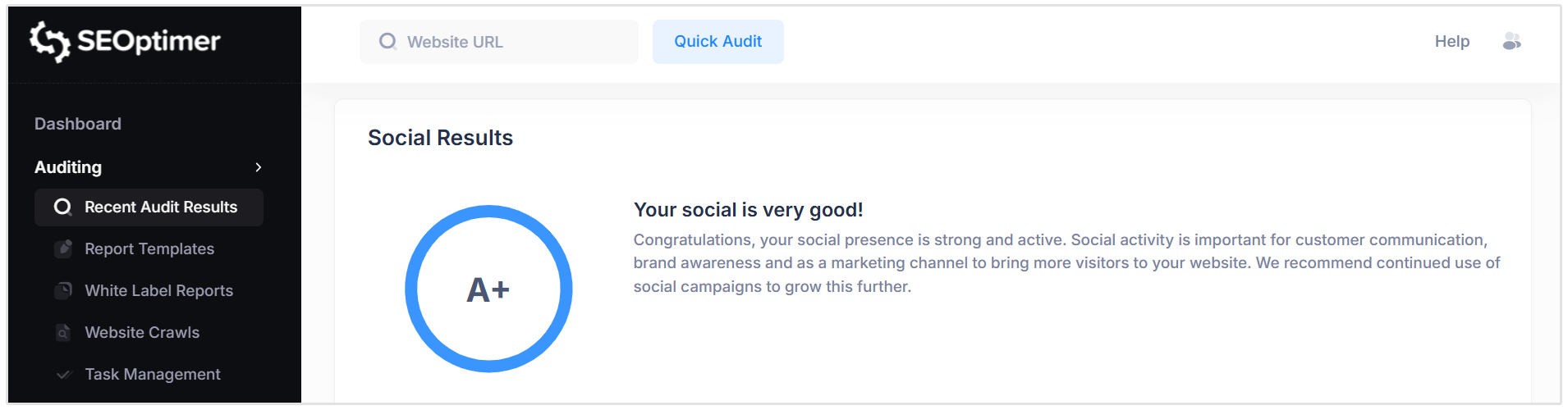
The Social Results section provides an overall grade based on your website’s social media presence and integration. This score reflects how effectively your site connects with social platforms and supports social sharing.
Facebook Page Linked
The Facebook Page Linked check verifies whether your website includes a link to an official Facebook page.
Linking to social profiles helps build credibility, strengthen brand trust, and provide users with additional ways to engage with your business. It also supports consistent brand signals across platforms.
Pass Condition:
- A valid link to a Facebook page is detected on the website.
Fail Condition:
- No Facebook page link is found.
Related Reading: Why are Social Media Links Important for Your Website?
Facebook Open Graph Tags
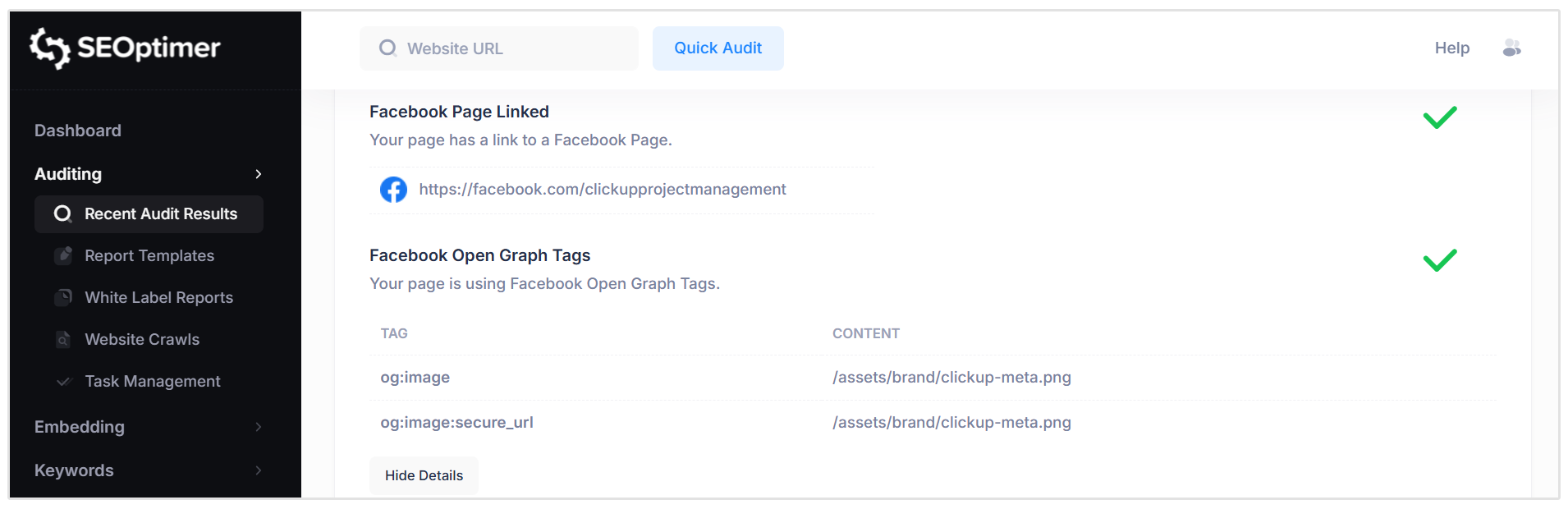
The Facebook Open Graph Tags check verifies whether your page includes Open Graph (OG) metadata.
Open Graph tags allow you to control how your page appears when shared on Facebook. These tags define elements such as the title, description, and featured image shown in the sharing preview.
Without defined Open Graph tags, Facebook may automatically select content from your page, which may not always present your brand or message effectively.
Pass Condition:
- Valid Facebook Open Graph tags are detected on the page.
Fail Condition:
- No Open Graph tags are found.
Facebook Pixel
The Facebook Pixel check verifies whether a Facebook Pixel tracking code is installed on your page.
Facebook Pixel is an analytics script that tracks visitor activity and allows you to measure the effectiveness of Facebook advertising campaigns.
It also enables retargeting and the creation of “lookalike” audiences based on site visitors.
Pass Condition:
- A valid Facebook Pixel is detected on the page.
Fail Condition:
- No Facebook Pixel tracking code is found.
Installing a Facebook Pixel can be beneficial if you plan to run Facebook or Instagram advertising campaigns, as it helps build valuable audience data over time.
X (formerly Twitter) Account Linked
The X Account Linked check verifies whether your website includes a link to an official X (formerly Twitter) profile.
Linking to your X account provides users with another channel to follow your updates, engage with your brand, and stay informed about announcements or content.
Pass Condition:
- A valid link to an X profile is detected on the website.
Fail Condition:
- No X profile link is found.
X Cards
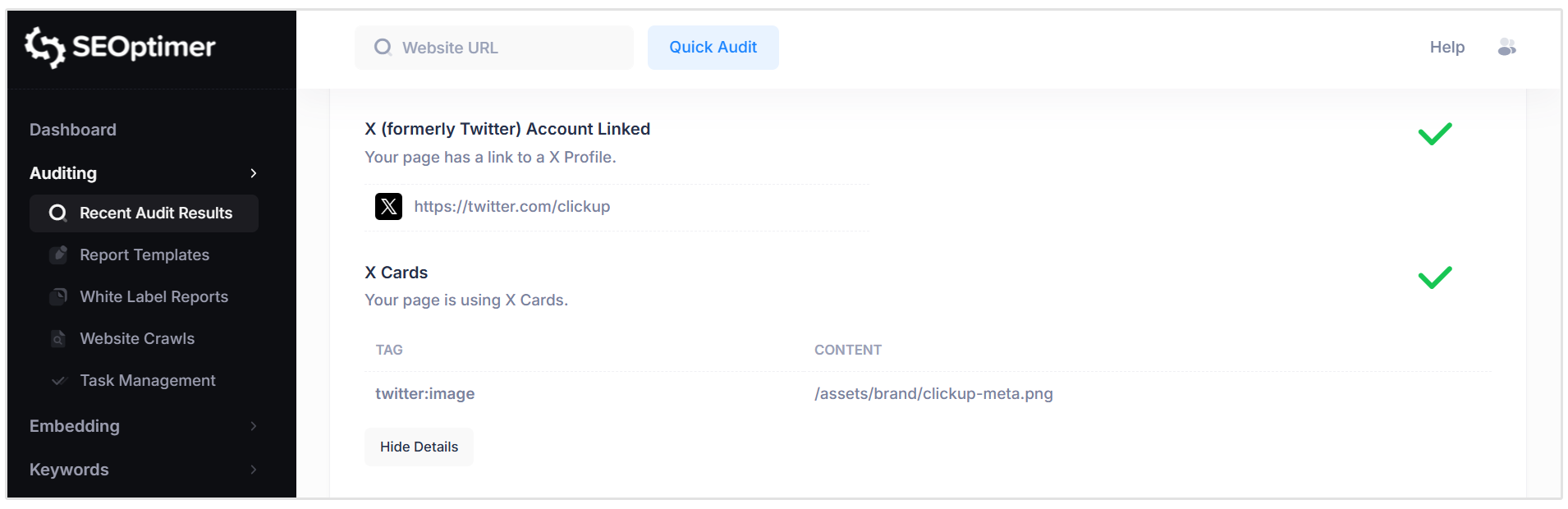
The X Cards check verifies whether your page includes X (formerly Twitter) Card metadata.
X Cards function similarly to Facebook Open Graph tags by controlling how your page appears when shared on X. They define elements such as the title, description, and image displayed in the preview snippet.
Without defined X Card tags, the platform may automatically generate a preview that may not accurately represent your content.
Pass Condition:
- Valid X Card metadata is detected on the page.
Fail Condition:
- No X Card tags are found.
Instagram Linked
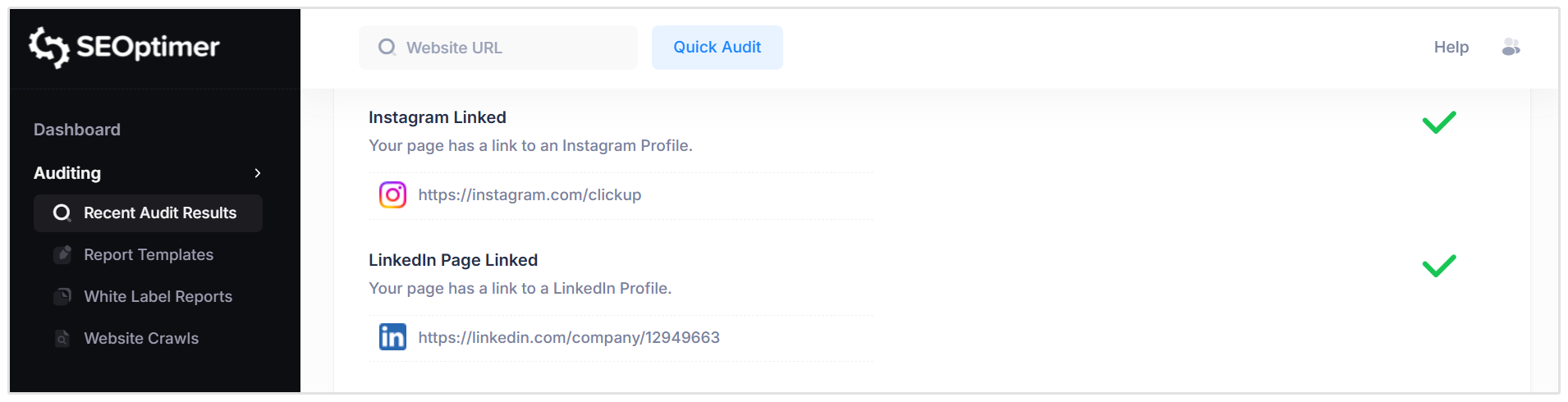
The Instagram Linked check verifies whether your website includes a link to an official Instagram profile.
Linking to your Instagram account allows users to connect with your brand through visual content, updates, and community engagement. It also strengthens your overall social presence and brand consistency across platforms.
Pass Condition:
- A valid link to an Instagram profile is detected on the website.
Fail Condition:
- No Instagram profile link is found.
LinkedIn Page Linked
The LinkedIn Page Linked check verifies whether your website includes a link to an official LinkedIn profile or company page.
Linking to LinkedIn helps strengthen professional credibility, support employer branding, and provide users with another channel to engage with your business.
Pass Condition:
- A valid link to a LinkedIn profile or company page is detected on the website.
Fail Condition:
- No LinkedIn profile link is found.
YouTube Channel Linked
The YouTube Channel Linked check verifies whether your website includes a link to an official YouTube channel.
Linking to your YouTube channel allows users to access video content such as tutorials, product demonstrations, or brand updates. It also supports cross-platform engagement and strengthens your overall digital presence.
Pass Condition:
- A valid link to a YouTube channel is detected on the website.
Fail Condition:
- No YouTube channel link is found.
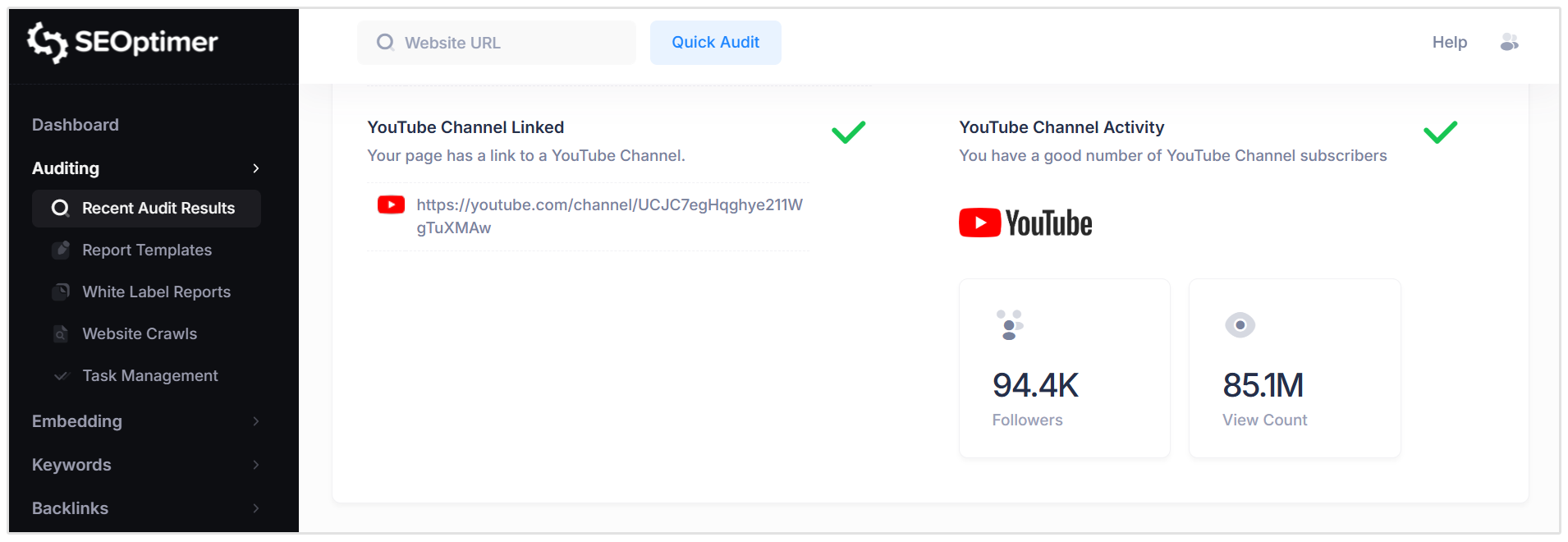
YouTube Channel Activity
The YouTube Channel Activity check provides a snapshot of your channel’s engagement metrics, including subscriber count and total view count.
These metrics help indicate the level of audience interest and activity associated with your video content. A higher number of subscribers and views generally reflects stronger brand visibility and engagement on the platform.
Pass Condition:
- The linked YouTube channel shows active engagement, including subscribers and view activity.
Fail Condition:
- No subscriber or view data is detected, or the channel appears inactive.
Monitoring channel activity can help assess the effectiveness of your video strategy and identify opportunities to grow audience engagement.
Local SEO
Address & Phone Shown on Website
The Address & Phone check verifies whether your website clearly displays your business address and phone number in visible text.
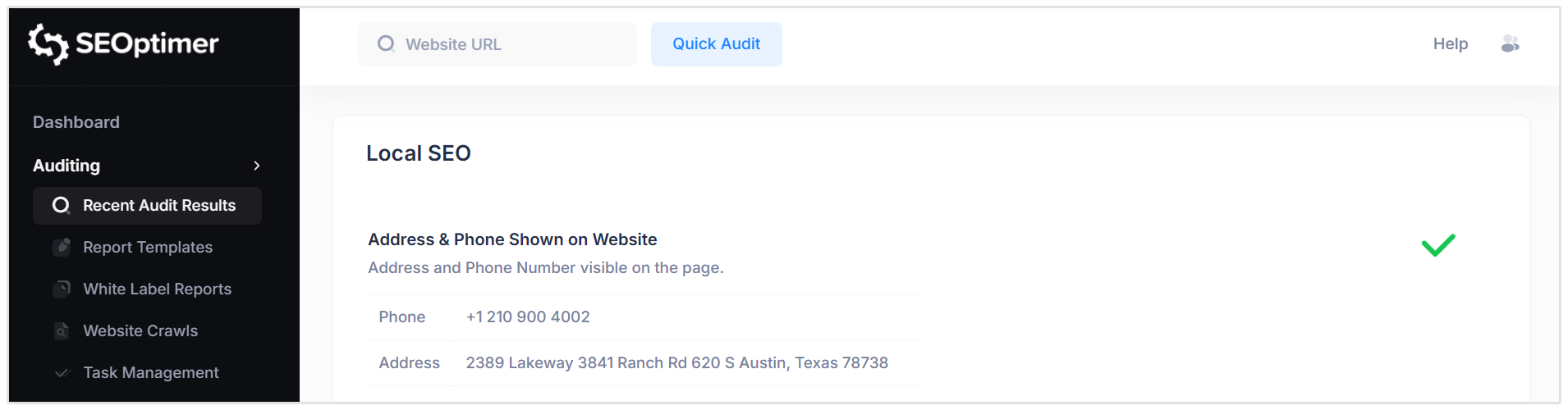
For local businesses, this information is essential not only for customer contact but also for helping search engines associate your website with a specific physical location.
Clear and consistent contact details support stronger local search visibility.
Pass Condition:
- Both a valid business address and phone number are clearly visible on the page.
Fail Condition:
- One or both components (address or phone number) are missing or not clearly identifiable.
We recommend displaying your full business address and phone number in plain text, ideally in the footer or contact page, and ensuring they are consistent with your Google Business Profile and other online listings.
Local Business Schema
The Local Business Schema check verifies whether your page includes LocalBusiness structured data markup.
Local Business Schema helps search engines better understand key business details such as name, address, phone number, opening hours, and business category.
This structured data supports improved visibility in local search results and can enhance how your business information is displayed.
Pass Condition:
- Valid Local Business Schema markup is detected on the page.
Fail Condition:
- No Local Business structured data is found.
We recommend implementing Local Business Schema that accurately reflects your business details. This can typically be added through your CMS, a schema plugin, or by manually inserting structured data into your site’s code.
Google Business Profile Identified
The Google Business Profile (GBP) check verifies whether a Google Business Profile is detected and associated with the website being analyzed.
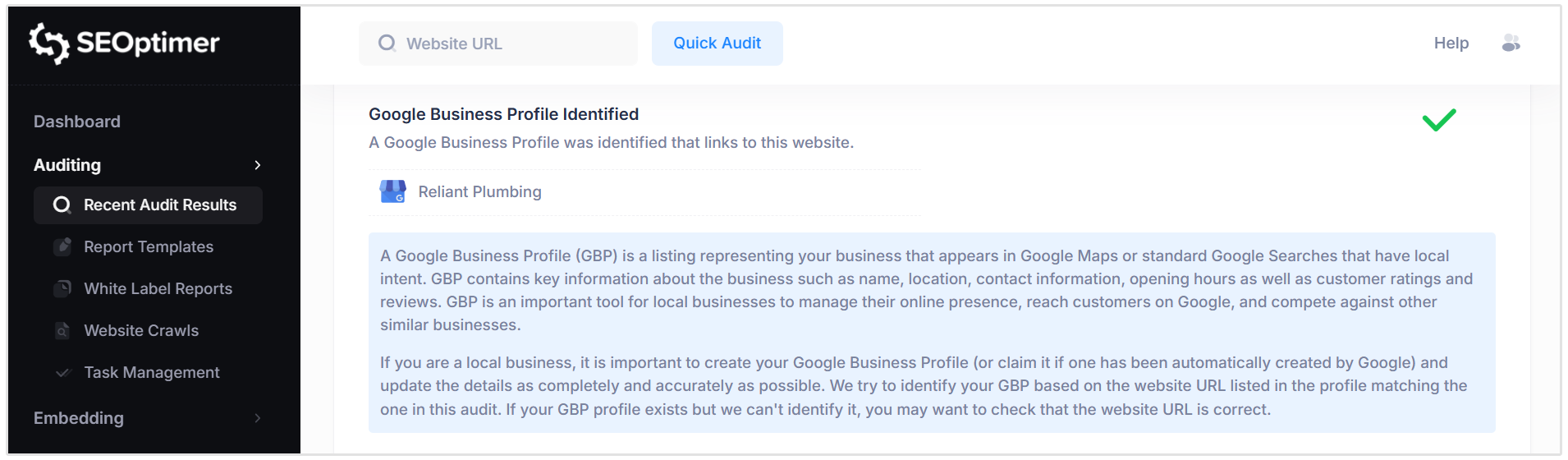
A Google Business Profile is a listing that appears in Google Search and Google Maps for businesses with local intent. It includes important details such as business name, address, phone number, operating hours, and customer reviews.
A well-optimized GBP is essential for strong local search visibility.
Pass Condition:
- A Google Business Profile is identified and linked to the website.
Fail Condition:
- No Google Business Profile is detected that matches the website URL.
If you operate a local business, ensure that your Google Business Profile is created or claimed and that the website URL listed in the profile matches your official site.
Google Business Profile Completeness
The Google Business Profile Completeness check evaluates whether your Google Business Profile (GBP) is fully completed and accurately configured.
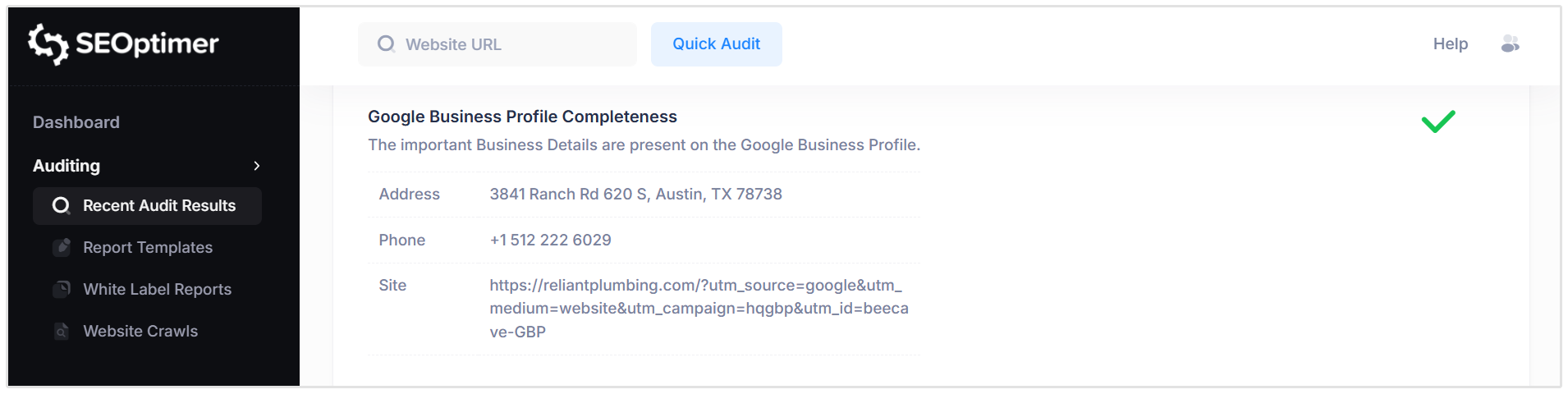
A complete profile should include consistent Name, Address, and Phone (NAP) details, along with business hours, categories, photos, and other relevant information.
Accurate and consistent information helps customers find your business and supports stronger local SEO signals.
Pass Condition:
- A Google Business Profile is identified and appears complete with consistent NAP details.
Fail Condition:
- No Google Business Profile is identified, or key business details appear incomplete.
We recommend reviewing your Google Business Profile to ensure all information is accurate, consistent, and fully populated to maximize local search visibility.
Google Reviews
The Google Reviews check evaluates whether your business has customer reviews associated with its Google Business Profile.
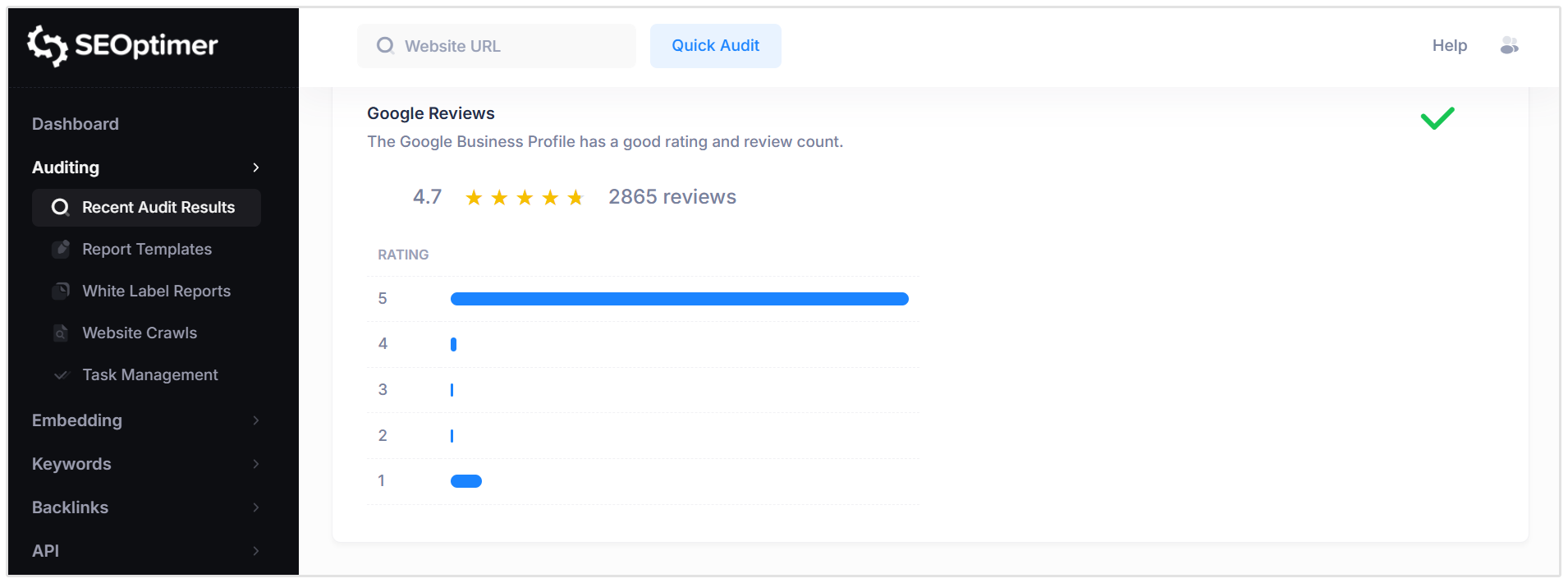
Reviews and ratings play a significant role in building customer trust and influencing purchasing decisions.
They are also considered a local ranking signal, helping Google determine how prominently your business should appear in local search results.
Pass Condition:
- A Google Business Profile is identified and has customer reviews.
Fail Condition:
- No Google Business Profile is detected, or no reviews are associated with it.
Consistent, authentic reviews can strengthen both your reputation and local search visibility.
Technology Results
Technology List
The Technology List section identifies the software platforms, frameworks, libraries, and tracking tools detected on your page.
These technologies may include content management systems, analytics tools, advertising pixels, JavaScript libraries, server technologies, caching solutions, and performance protocols.
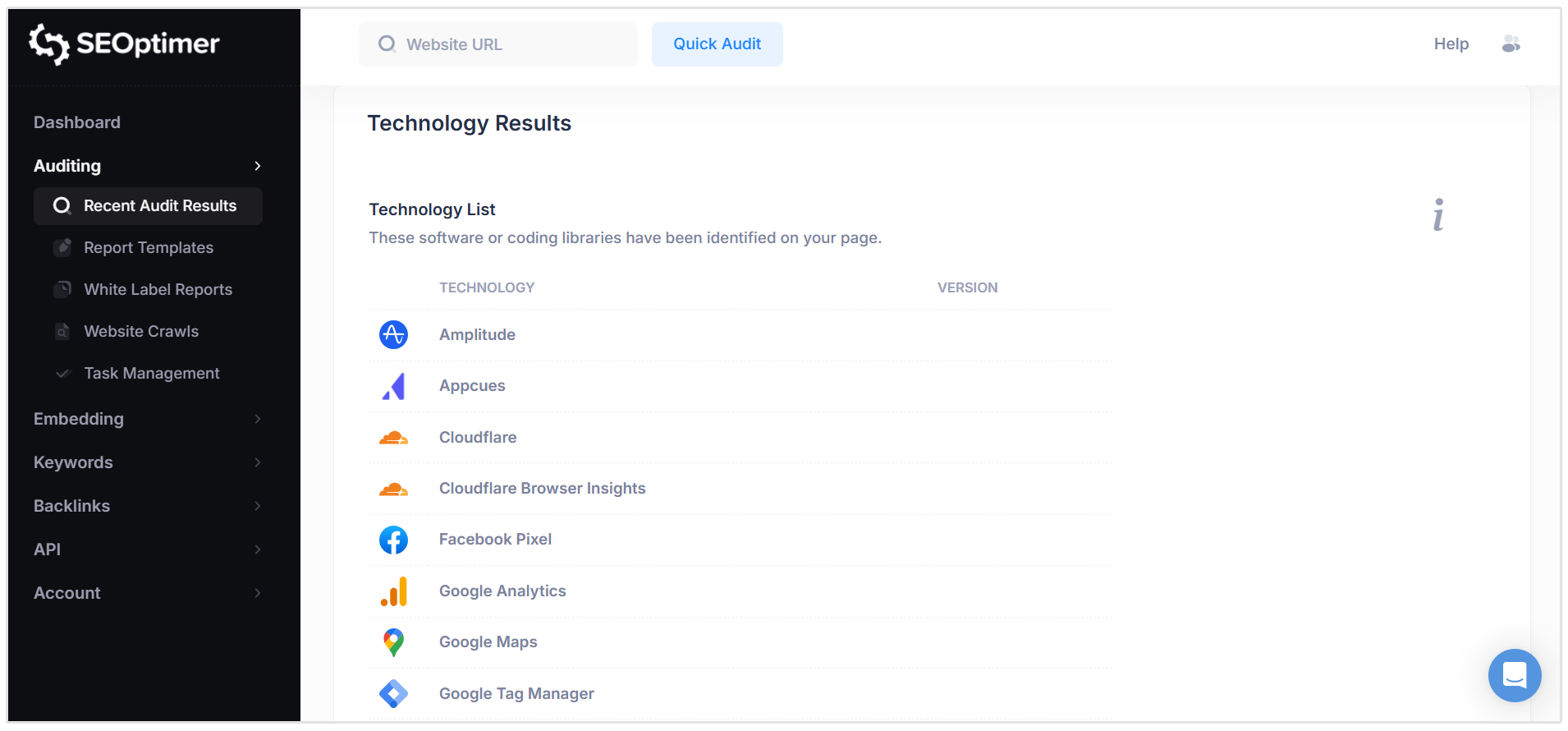
Understanding which technologies are active on your site can help with troubleshooting, performance optimization, security reviews, and development planning.
Where available, the report may also display the detected version of each technology.
There are no pass or fail conditions for this section. It serves as an informational overview to help you better understand the technical stack powering your website.
Server IP Address
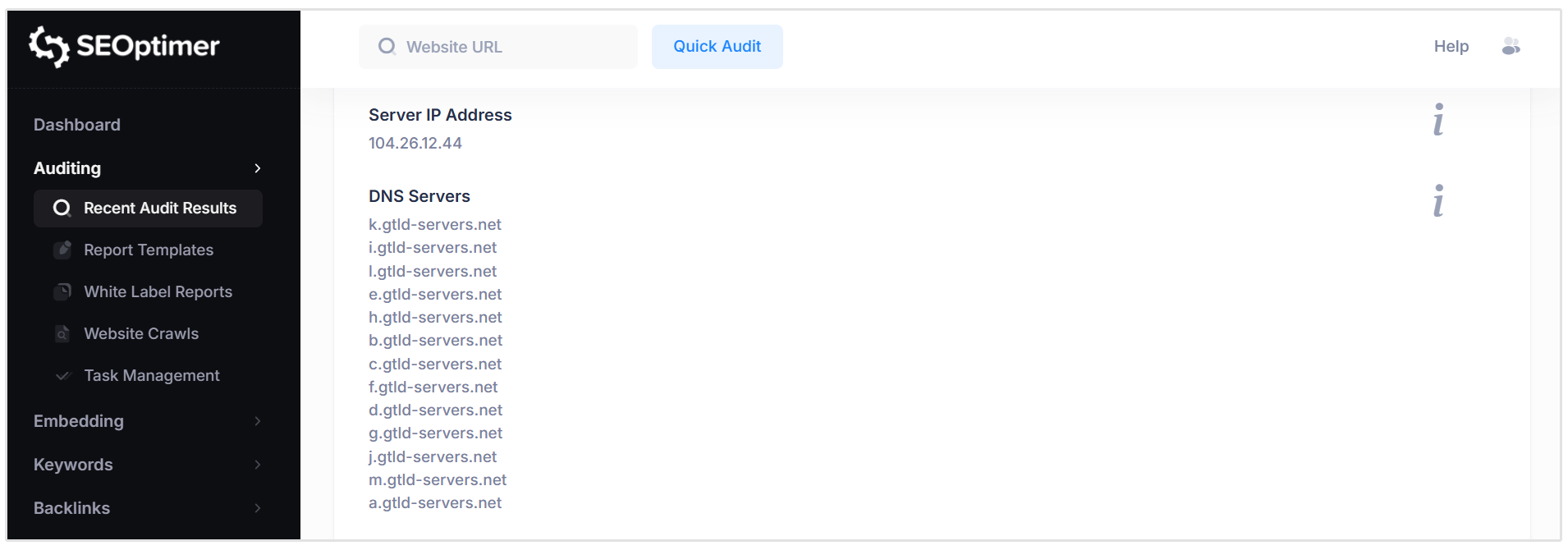
The Server IP Address check identifies the IP address of the web server hosting your website.
An IP address is a unique numerical identifier assigned to a server on the internet. It enables browsers and search engines to locate and communicate with your website.
DNS Servers
The DNS Servers section lists the authoritative name servers responsible for managing your domain’s DNS records.
DNS (Domain Name System) servers translate your domain name into the corresponding IP address so that browsers can locate and load your website. They play a critical role in directing traffic, managing email routing, and supporting subdomains.
Web Server
The Web Server section identifies the server technology or service responsible for delivering your website’s content to users.
Charset
The Charset check identifies the character encoding declared for your webpage.
Character encoding (such as UTF-8) ensures that text, symbols, and special characters are displayed correctly across browsers and devices. Without a properly defined charset, content may appear distorted or unreadable.
DMARC Record
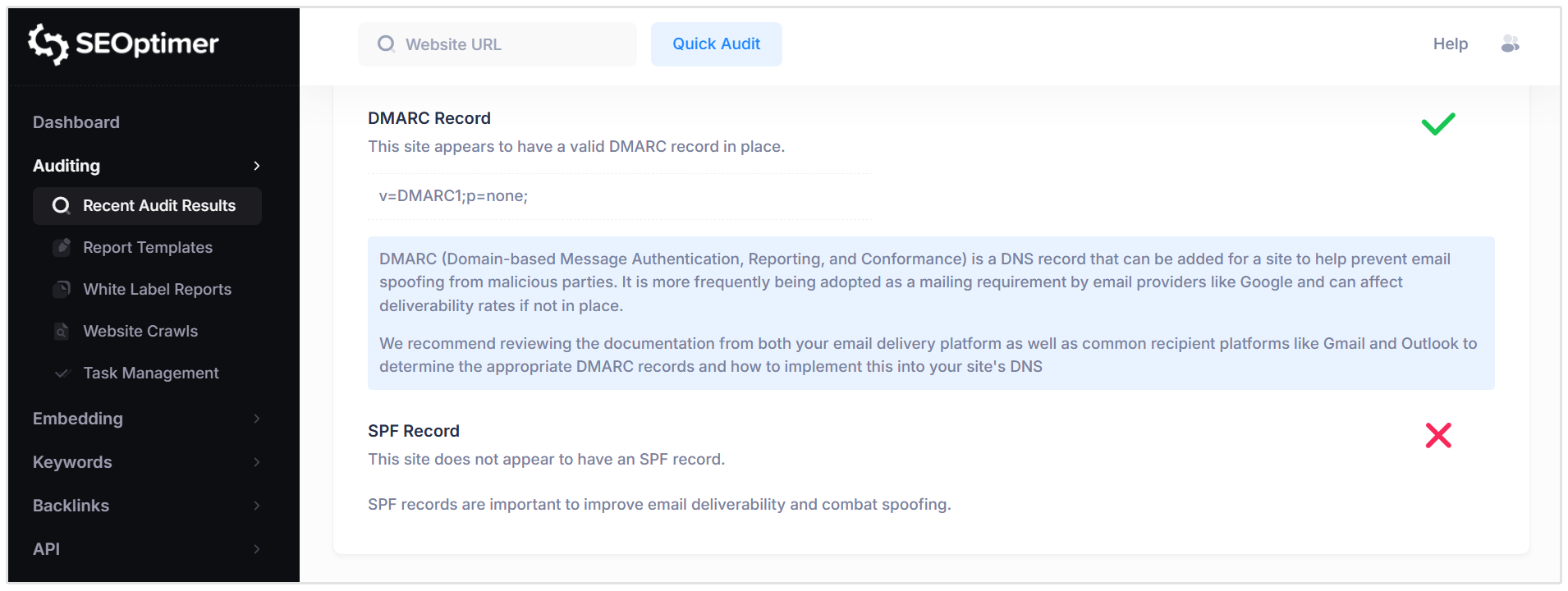
The DMARC Record check verifies whether your domain has a valid DMARC (Domain-based Message Authentication, Reporting & Conformance) record configured.
DMARC is an email security protocol that helps protect your domain from spoofing and phishing attacks. It works alongside SPF and DKIM to instruct receiving mail servers on how to handle unauthenticated emails sent from your domain.
The record typically specifies a policy (such as none, quarantine, or reject) and may include reporting instructions.
Pass Condition:
- A valid DMARC record is detected for the domain.
Fail Condition:
- No DMARC record is found.
Implementing DMARC strengthens email security, protects your brand reputation, and improves email deliverability.
SPF Record
The SPF Record check verifies whether your domain has a valid SPF (Sender Policy Framework) record configured in its DNS settings.
SPF is an email authentication method that specifies which mail servers are authorized to send emails on behalf of your domain. It helps prevent email spoofing and improves overall email deliverability.
Pass Condition:
- A valid SPF record is detected for the domain.
Fail Condition:
- No SPF record is found.
We recommend adding an SPF record that includes all approved email delivery services used by your organization to strengthen email security and ensure reliable message delivery.
Wrapping Up
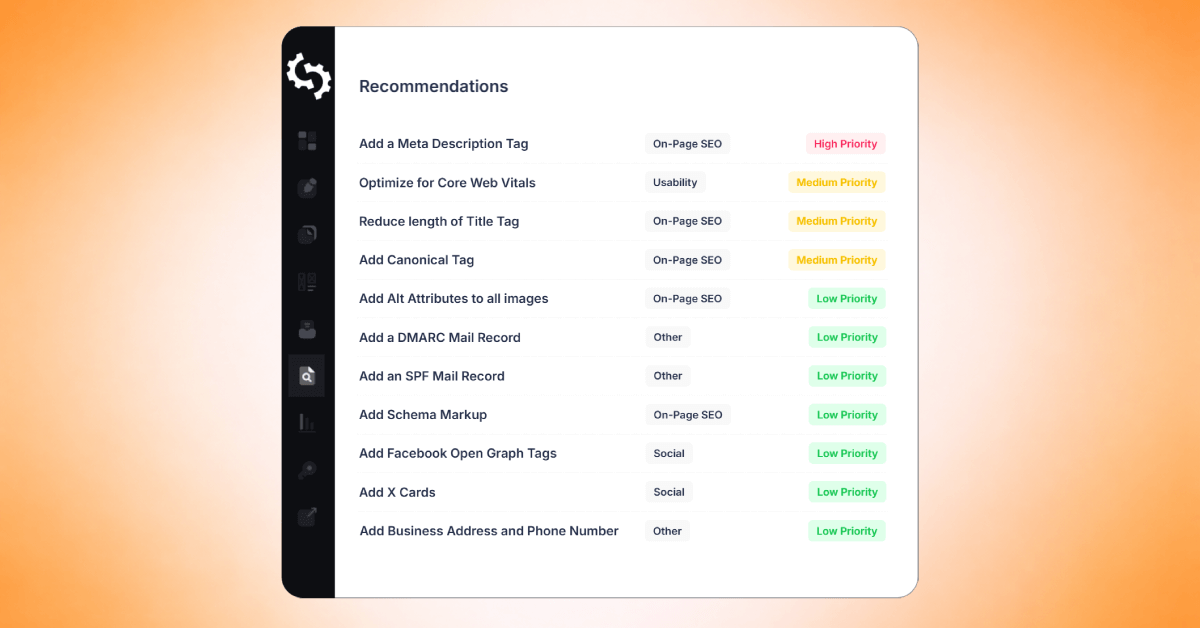
Understanding each report check allows you to move beyond simply viewing a score and instead take informed, strategic action. By reviewing the pass and fail conditions across On-Page SEO, Rankings, Links, Usability, Performance, Social, Local SEO, and
Technical results, you can clearly identify strengths, prioritize improvements, and focus on the changes that will deliver the greatest impact.
Use this guide as a reference when interpreting your audit results so you can continuously optimize, monitor progress, and strengthen your website’s overall search performance.
Need Help?
Live Chat: Click Live Chat (bottom right)
Email: [email protected]
Response time: Within 24 hours


.png)
.png)