

A technical SEO audit checklist gives you a clear process for finding problems that may prevent search engines from crawling, understanding, and indexing your website.
These same foundations also matter for AI visibility. Your content needs to be accessible and indexable before it can be considered for inclusion in AI-generated search responses.
Google says that pages must be indexed and eligible to appear in Search before they can be shown as supporting links in its AI features.
This guide walks you through the audit in a practical order. Each step explains what to check, what a healthy result looks like, and what to do when something is wrong.
What is a Technical SEO Audit?
A technical SEO audit is a checkup of the systems working behind the scenes of your website. It looks for problems that could make it difficult for search engines to find, load, understand, or index your important pages.
The audit does not automatically fix those problems. Its purpose is to identify what is wrong, show which pages are affected, and turn the findings into a prioritized action plan.
Technical SEO Audit vs. Full SEO Audit
A technical SEO audit focuses specifically on how the website works. A full SEO audit looks at technical SEO as well as the content, keywords, backlinks, and other factors that affect organic search performance and visibility in AI responses.
If you want to run a full-scale SEO Audit use SEOptimer's Free Website Analysis tool.
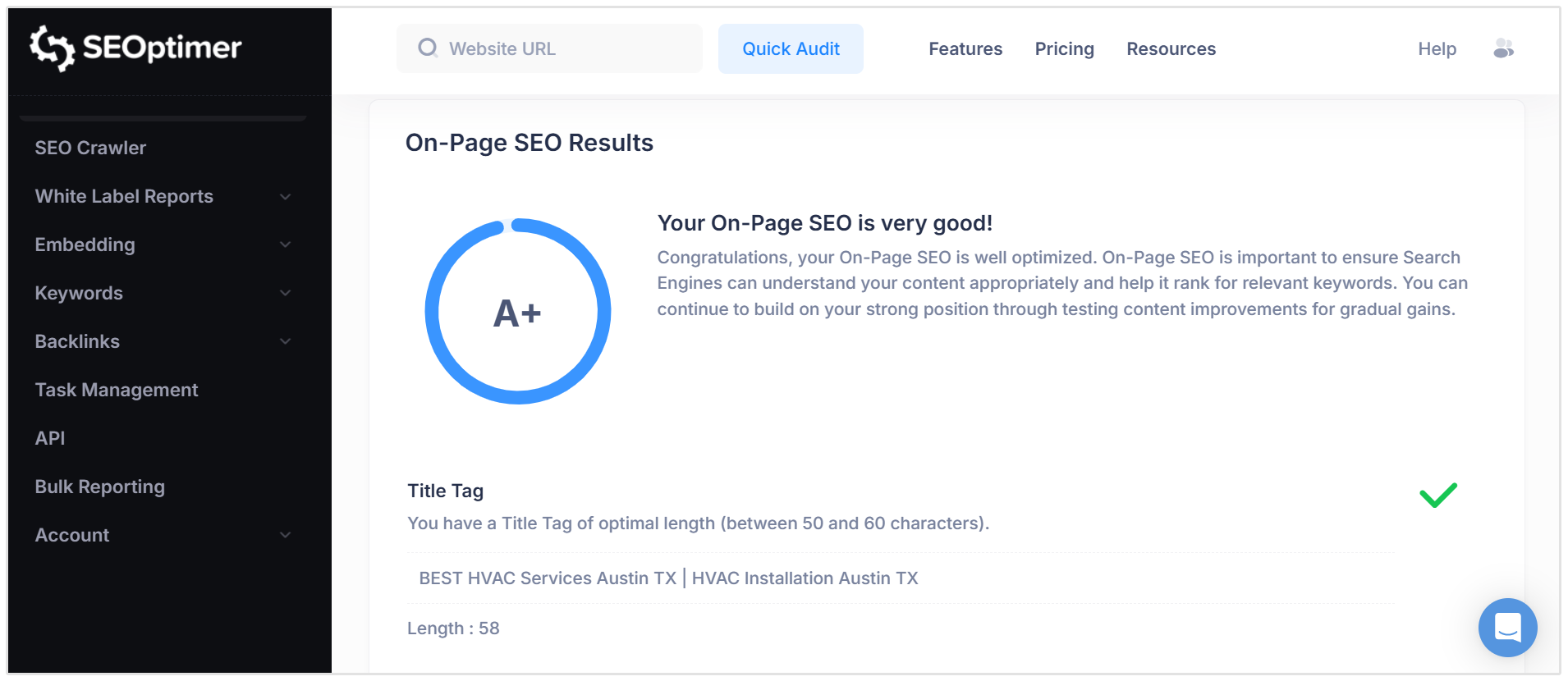
You can view how well your website performs across all of the most important parts of traditional SEO, including on-page SEO, usability, backlinks, keyword rankings, technical SEO, local SEO, as well as GEO (Generative Engine Optimization).
What You Need Before Starting
Open the following tools before beginning the audit. Each gives you a different view of the website.
| Tool | How you will use it |
|---|---|
| Google Search Console | Review indexing, inspect individual URLs, check sitemaps, and identify issues reported by Google |
| Google Analytics 4 | Identify valuable landing pages and record your traffic, key event, and revenue baseline |
| PageSpeed Insights | Test performance and Core Web Vitals on mobile and desktop |
| Rich Resuls Test | Validate structured data on important page templates |
Important: Before beginning the audit, also gather your XML sitemap, robots.txt file, a list of important pages, and details of any recent redesigns, migrations, or major website changes.
Define the Audit Scope and Establish a Baseline
Write down the audit date and exactly which parts of the website you are reviewing. Record:
- The preferred website version, including HTTPS and www or non-www
- Any subdomains, country sites, or language versions included in the audit
- Areas that should be excluded, such as staging sites or private account pages
- Priority pages that generate traffic, leads, or revenue
- The main page templates, such as products, services, categories, and blog posts
- Any recent changes that may have affected organic performance
- Choose a few representative URLs from every important template. You will use these examples for page-level checks later in the audit.
Next, export your current organic clicks, impressions, sessions, key events, revenue, and indexed-page totals from Search Console and GA4. Save the date range with the exports so you can make a fair comparison after the fixes have been implemented.
If a decline began shortly after a migration, redesign, or deployment, note the date and affected website section. That relationship can help you decide where to investigate first.
Complete Technical SEO Audit Checklist
Work through the following checks in order. For every problem you find, record the affected URL, evidence of the issue, the recommended fix, and its priority in your technical SEO audit template.
1. Check Crawlability and Page Discovery
Start by checking whether search engines and relevant AI crawlers can access and discover the pages you want them to find.
"My first check on every site is whether search engines can easily find, analyze, and index the main pages of the website.
I’ve seen multiple businesses (including my old climbing gym in Denver) launch a new website with a sitewide noindex tag or blocking robots.txt from crawling the entire site. You can write the best content on the internet and build the strongest backlink profile in your industry, but none of it matters if search engines can’t crawl and index your website."
- Pat Ahern, Managing Partner at Intergrowth
Review Your Robots.txt File
Open your robots.txt file by adding /robots.txt to the domain.
For instance, SEOptimer's robots.txt file can be found at: https://www.seoptimer.com/robots.txt.
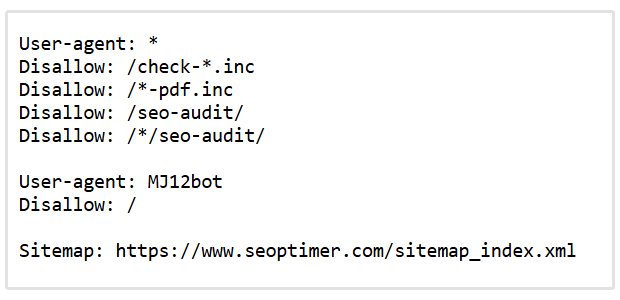
Confirm that the file loads and that no Disallow rule blocks an important page, folder, or resource. The XML sitemap should be listed, and any rules aimed at specific search or AI crawlers should match your intended access policy.
If an important section is blocked, remove or correct the relevant rule and test an affected URL again with Search Console's URL Inspection tool.
Do not use robots.txt to remove a page from search results.
A blocked URL can sometimes be indexed without its content being crawled. Use a noindex directive when a public page should not appear in search, or password protection when the content must remain private. You can read more in Google’s robots.txt documentation.
Check Your XML Sitemap
Open the sitemap listed in robots.txt or try a common location such as /sitemap.xml. It should load successfully and contain the preferred versions of your important pages.
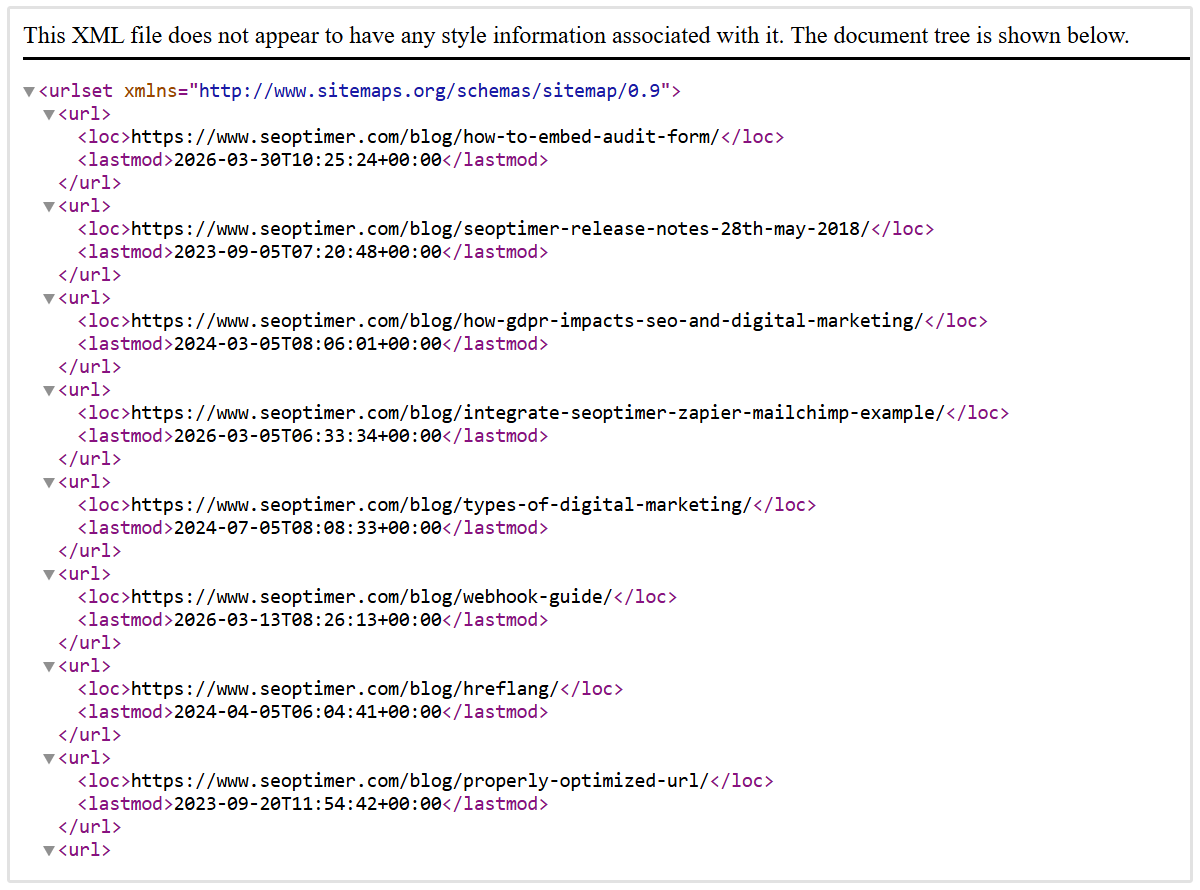
Remove URLs that redirect, return errors, are blocked, or use noindex.
Add any important indexable pages that are missing, regenerate the sitemap through your CMS or sitemap plugin, and submit the updated version in Search Console.
A sitemap helps search engines discover the URLs you consider important, but it does not guarantee that they will be indexed.
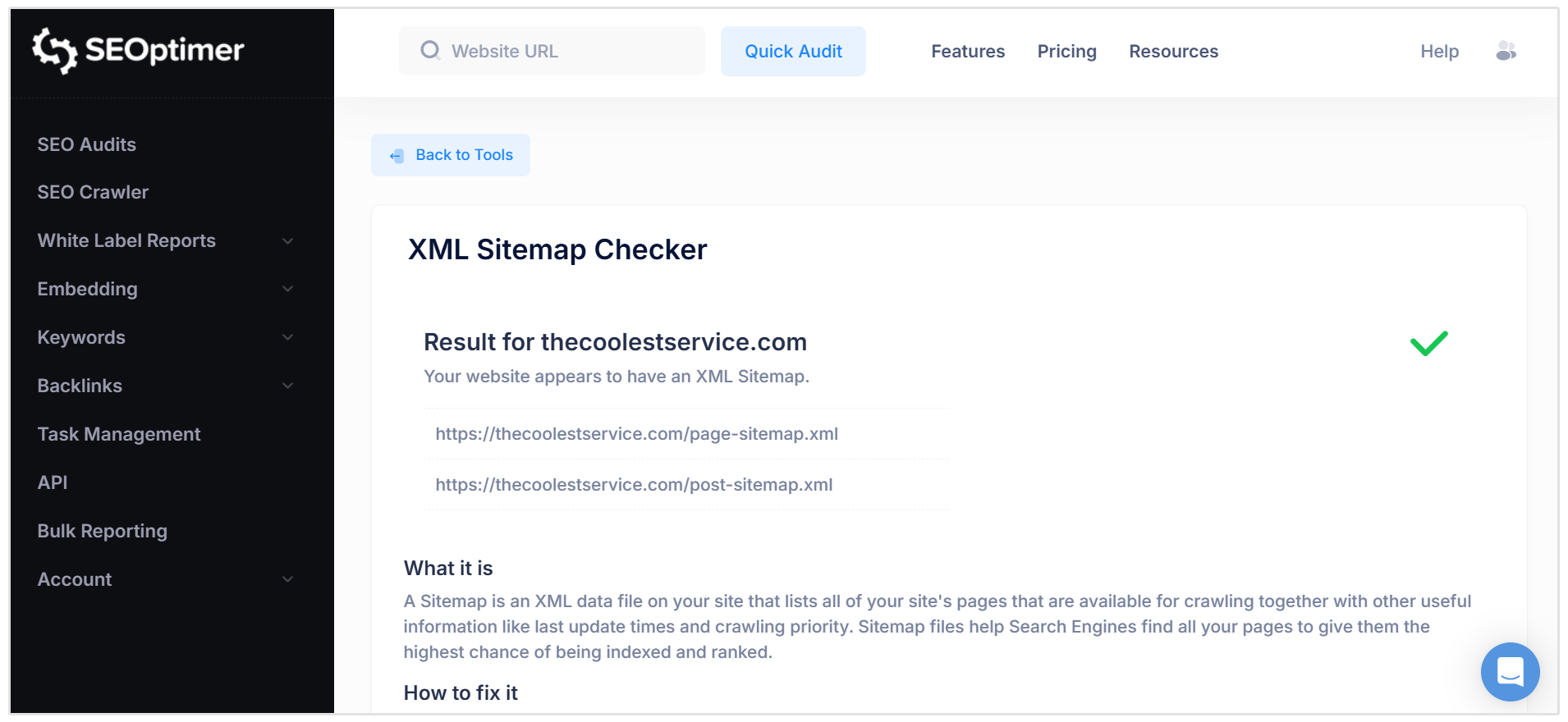
If you're unsure if your site has a sitemap or you're struggling to find it, SEOptimer has a free sitemap checker that you can use to locate it.
Just add your website's URL, and our tool will scan your entire site to find the sitemap.
Test Pagination and Crawl Traps
Open category, archive, and search-result pages that use pagination, “load more” buttons, or infinite scroll.
Make sure each paginated set has crawlable URLs and that search engines can reach the next page through a normal link.
Then review filters, sorting options, calendars, session IDs, and internal search tools. These features can generate thousands of unnecessary URL combinations.
Fix pagination by linking pages in sequence.
Remove low-value parameter URLs from internal links and XML sitemaps, and limit combinations that provide no unique search value.
A button alone may not be enough because Google's crawlers generally follow URLs in links rather than clicking buttons. If you want to read more, check out Google’s pagination guidelines which explains the recommended setup.
2. Review Indexability, Canonicals, and Duplicate URLs
Select at least one important URL from every major page template and inspect it with Search Console's URL Inspection tool.
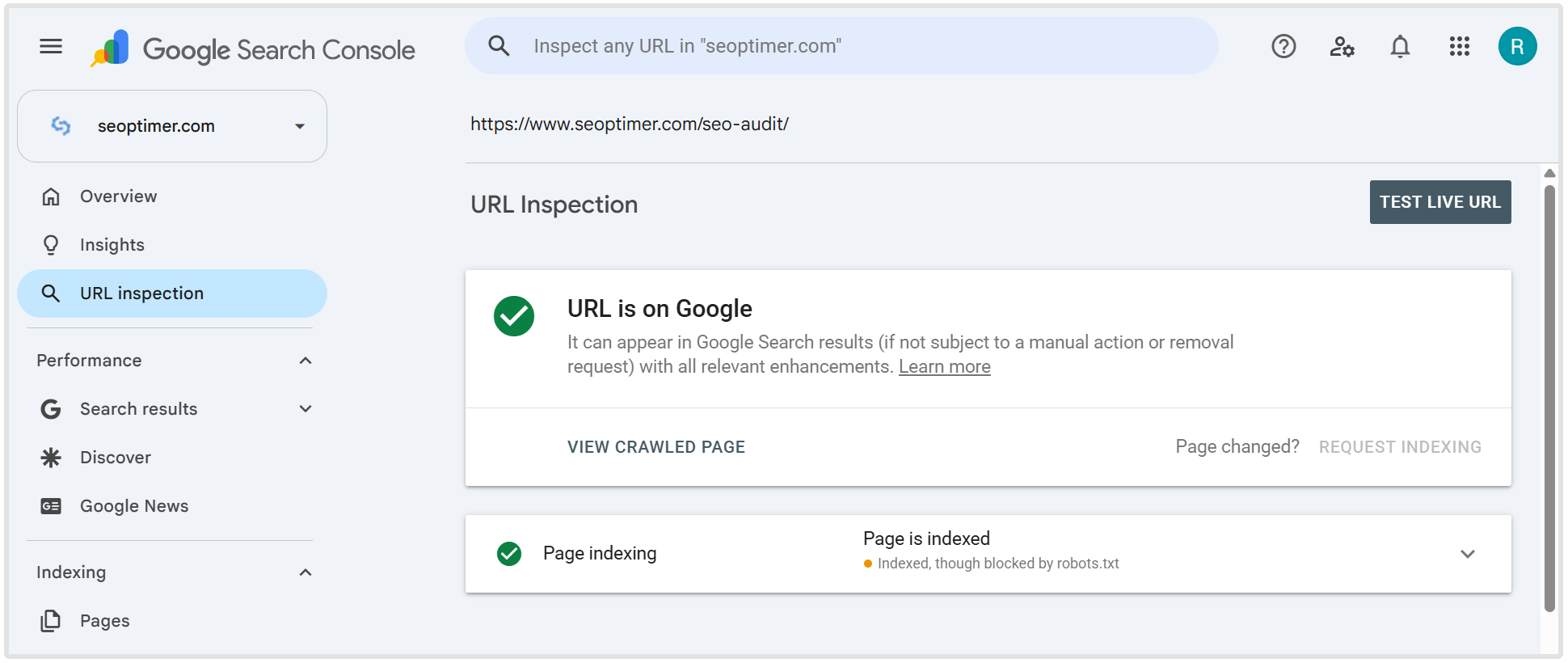
An indexable page should return a 200 status, contain no accidental noindex directive, and not point to a different page through its canonical tag.
For PDFs and other non-HTML files, also check for an X-Robots-Tag in the HTTP header.
If an important page is marked noindex, remove the directive and test the live page again. If the exclusion is intentional, keep the directive but remove the URL from your XML sitemap.
"Indexation is among my first checks. Before I worry about improving a page’s ranking, I need to know Google can actually locate it, interpret it, and include it in the index."
- Sonia Urquilla, Founder at SEO BY SONIA
Making a page indexable does not guarantee that Google will index it. It must also be discoverable and contain content that Google considers useful enough to include.
Review Canonical Tags
A canonical tag identifies the preferred URL when the same or very similar content is available at more than one address.
Most indexable pages should use a self-referencing canonical unless they are a duplicate of another page.
Confirm that each canonical points directly to a working, indexable URL rather than a redirect, broken page, or noindex page.
"One check I believe should be in all technical SEO audits and is often missed is a canonicalization list. A list can highlight pages being impacted by keyword cannibalization or impacted by fragmented indexing."
- Tianna Mamalick, Owner at SMB Marketing School
The URL Inspection Tool in GSC shows both the canonical you declared and the one Google selected. If they differ, check whether your sitemap, internal links, redirects, and canonical tags point to different URLs. Update them so they consistently support the preferred version.
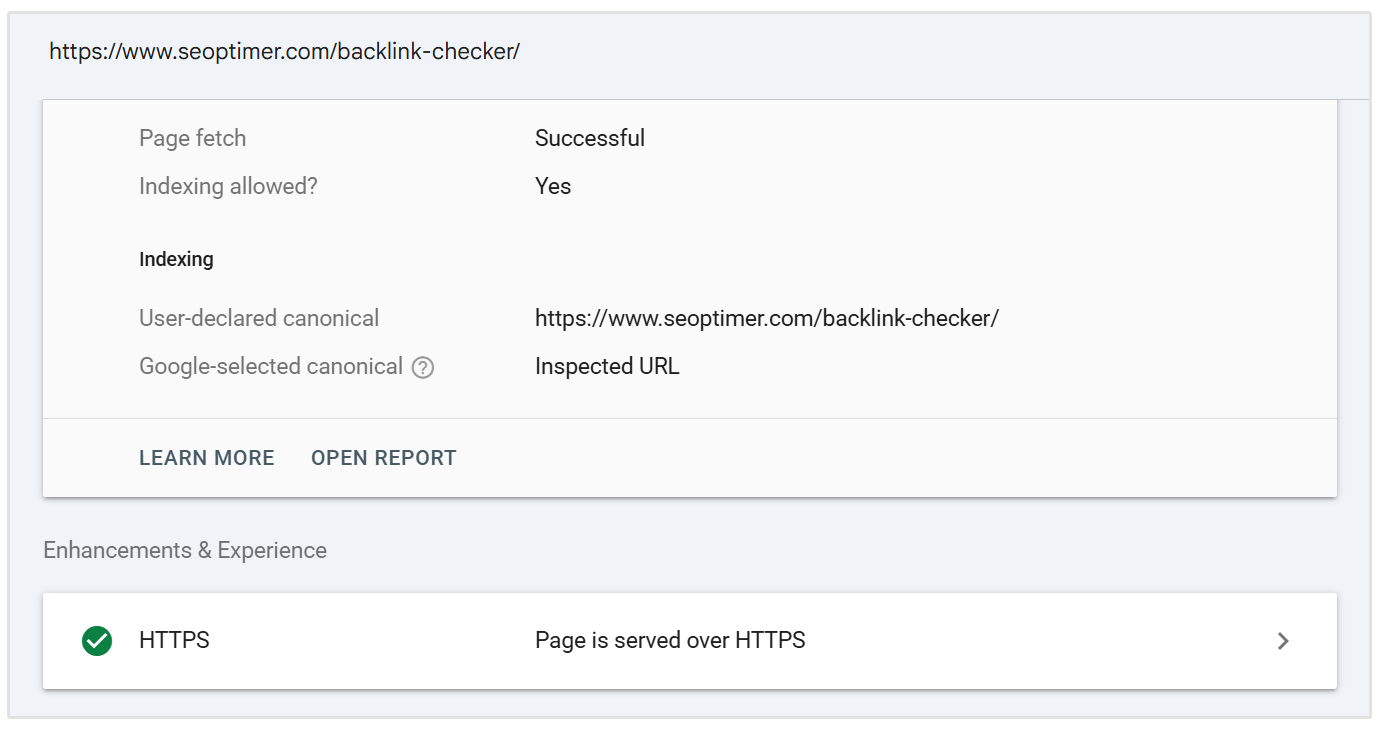
Google's canonicalization guidance explains how these signals work together.
Consolidate Duplicate URLs
Check whether the same content is available through HTTP and HTTPS, www and non-www, uppercase and lowercase URLs, trailing-slash variations, tracking parameters, product filters, or print-friendly pages.
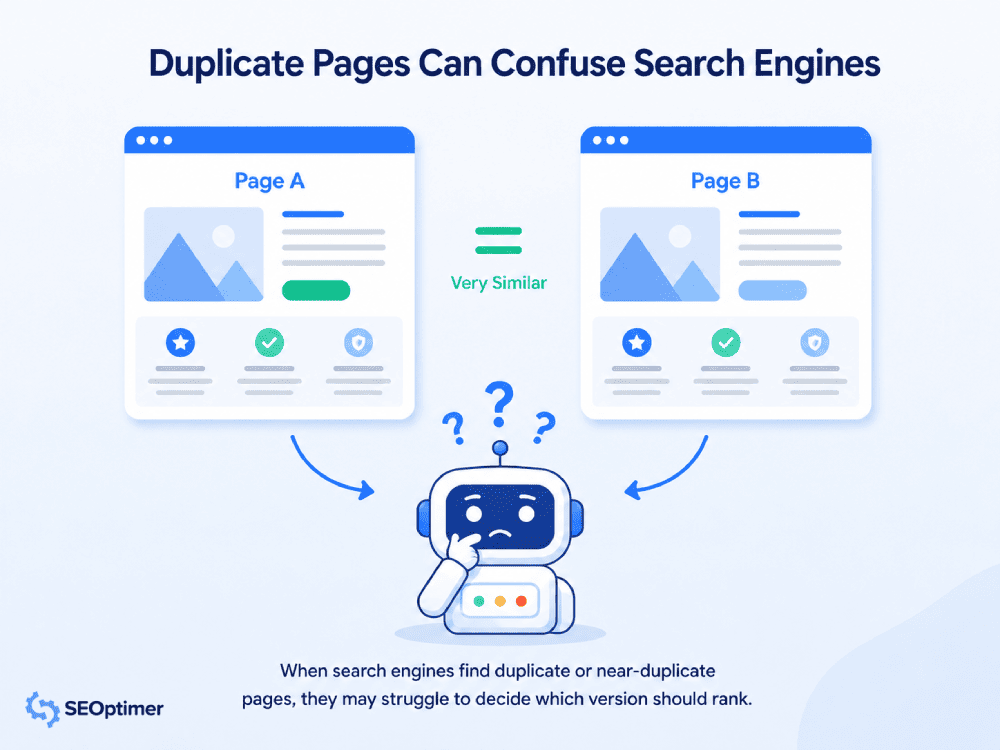
If an alternative URL is no longer needed, redirect it to the preferred version. If both URLs must remain available, use a canonical tag to identify the main one. If a page is useful to visitors but should not appear in search, use noindex.
Do not canonicalize unrelated pages simply to reduce the number of indexed URLs. Canonical pages should contain the same or very similar content.
3. Find Status-Code and Redirect Problems
Use a status-code checker or your browser's network panel to test priority pages and any URLs reported as errors.
| Status code | What it means | What to do |
|---|---|---|
| 200 | The page is working normally | No action is needed |
| 301 or 308 | The page has permanently moved | Confirm that it redirects to the correct replacement |
| 302 or 307 | The page has moved temporarily | Use only when the move is genuinely temporary |
| 404 or 410 | The page no longer exists | Restore it, redirect it, or leave the error if removal was intentional |
| 5xx | The server could not load the page | Investigate the server or hosting problem |
Check Redirects
Use a server-side 301 or 308 redirect for a permanent move. Reserve 302 and 307 redirects for genuinely temporary changes.
Also look our for redirect chains, where a URL passes through several others, and redirect loops, where the URLs repeatedly send visitors back and forth.
Update the rule so the original URL leads directly to the final destination, then change internal links to point straight to that final URL.
Keran Smith, Co-Founder of LYFE Marketing believes that SEOs need to check for broken links as part of every technical SEO audit they do.
"One check that should be included in every technical audit is a check for broken links because they have the ability to hurt your rankings and user experience."
- Keran Smith, Co-Founder of LYFE Marketing
4. Audit Site Architecture and Internal Links
Begin at the homepage and follow the navigation to your most important products, services, categories, and articles.
The route should feel logical, with broad category or topic pages leading to more specific pages.
Do not rely on a fixed rule that every page must be within three clicks of the homepage. Instead, check whether your most valuable pages are easier to reach than low-priority pages.
Review Internal Link Quality
Use descriptive link text that tells visitors what they will find. Phrases such as “emergency plumber in Denver” provide more context than “click here” when they fit naturally into the sentence.
Links should use a standard HTML href attribute and point to the preferred URL. Avoid adding large numbers of irrelevant links purely for SEO. Each link should help a visitor navigate or discover closely related information.
Google uses the connections between pages to understand site structure and relative importance. Its link best practices explain how to create links that are easy for crawlers and visitors to understand.
5. Test JavaScript Rendering
Choose representative pages that rely on JavaScript to load products, menus, tools, images, or primary content.
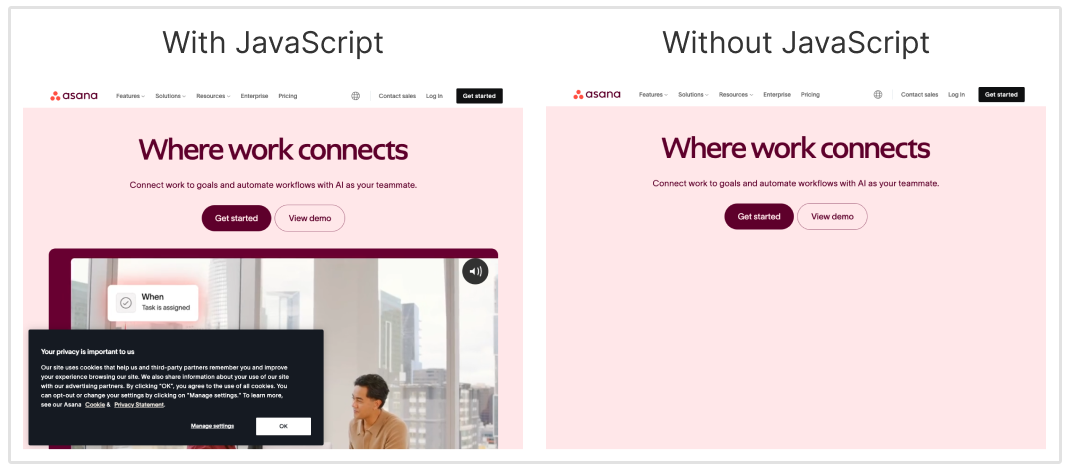
Run a live URL Inspection test and open the rendered HTML and screenshot.
Compare the rendered page with the version visible in your browser.
Confirm that Google receives the main content, internal links, title, canonical and robots instructions, structured data, and important images.
If something is missing, check for blocked JavaScript or CSS files, script errors, failed API requests, slow resources, or content that only appears after someone interacts with the page.
"I always check if a site's content is hidden behind JavaScript - it's a sneaky technical issue that shows up a lot more than you'd think.
I do it manually in Dev Tools by disabling JavaScript and reloading the page, and it's one of the first things I check when I assess a brand-new site.
It's a subtle issue that hides your site's content from both Google and the LLMS. If your pages can't be read, your site loses visibility."
- Alexandra Baciu, SEO Manager at Avid Panda
Where possible, include essential content in the HTML sent by the server through server-side or static rendering.
Otherwise, make sure the scripts and resources load successfully and that lazy-loaded content can appear without a click, swipe, or other user action.
6. Check Page Experience, Core Web Vitals, and Mobile Usability
Run PageSpeed Insights on the representative URLs selected earlier. Test both mobile and desktop, use field data when it is available, and use the lab results to diagnose specific problems.
| Metric | What it measures | Good result |
|---|---|---|
| Largest Contentful Paint (LCP) | How quickly the main content loads | 2.5 seconds or less |
| Interaction to Next Paint (INP) | How quickly the page responds to an interaction | 200 milliseconds or less |
| Cumulative Layout Shift (CLS) | How much the page moves while loading | 0.1 or less |
If LCP is slow, optimize the largest images, improve server response time, and reduce resources that delay the main content.
You can improve INP by reducing heavy JavaScript, breaking up long tasks, and limiting unnecessary third-party scripts.
Improve CLS by giving images, videos, ads, and embeds fixed dimensions so the browser can reserve their space.
Apply the fix to the affected template rather than optimizing only the tested URL. The goal is to improve real visitor experience across important page types, not to chase a perfect homepage score.
Test Mobile Usability
Open the same pages on a real phone or in your browser's mobile device mode. Check for horizontal scrolling, unreadable text, crowded buttons, broken navigation, unusable forms, and full-screen popups that hide the main content.
The mobile page should contain the same primary content and important metadata as the desktop page. The layout can change, but important information should not disappear.
Fix mobile problems with responsive layouts, correct viewport settings, readable font sizes, larger tap targets, and simpler menus and forms.
7. Check HTTPS and Security
Open the HTTP version of the website and confirm that it redirects directly to HTTPS. Then check several page types to make sure the browser shows a valid secure connection without certificate warnings.
Look for mixed content, which occurs when an HTTPS page loads an image, script, font, or other resource over HTTP. Also confirm that internal links, canonical tags, and XML sitemaps use HTTPS URLs.
Fix problems by installing or renewing the SSL certificate, adding sitewide HTTP-to-HTTPS redirects, and updating hard-coded HTTP resources and links. If the certificate or server configuration is outside your control, ask your hosting provider to correct it.
Finally, review the Security Issues and Manual Actions reports in Search Console. Resolve any reported problem before continuing with lower-priority enhancements.
8. Validate Structured Data
Test one representative URL from each structured-data template with Google's Rich Results Test.
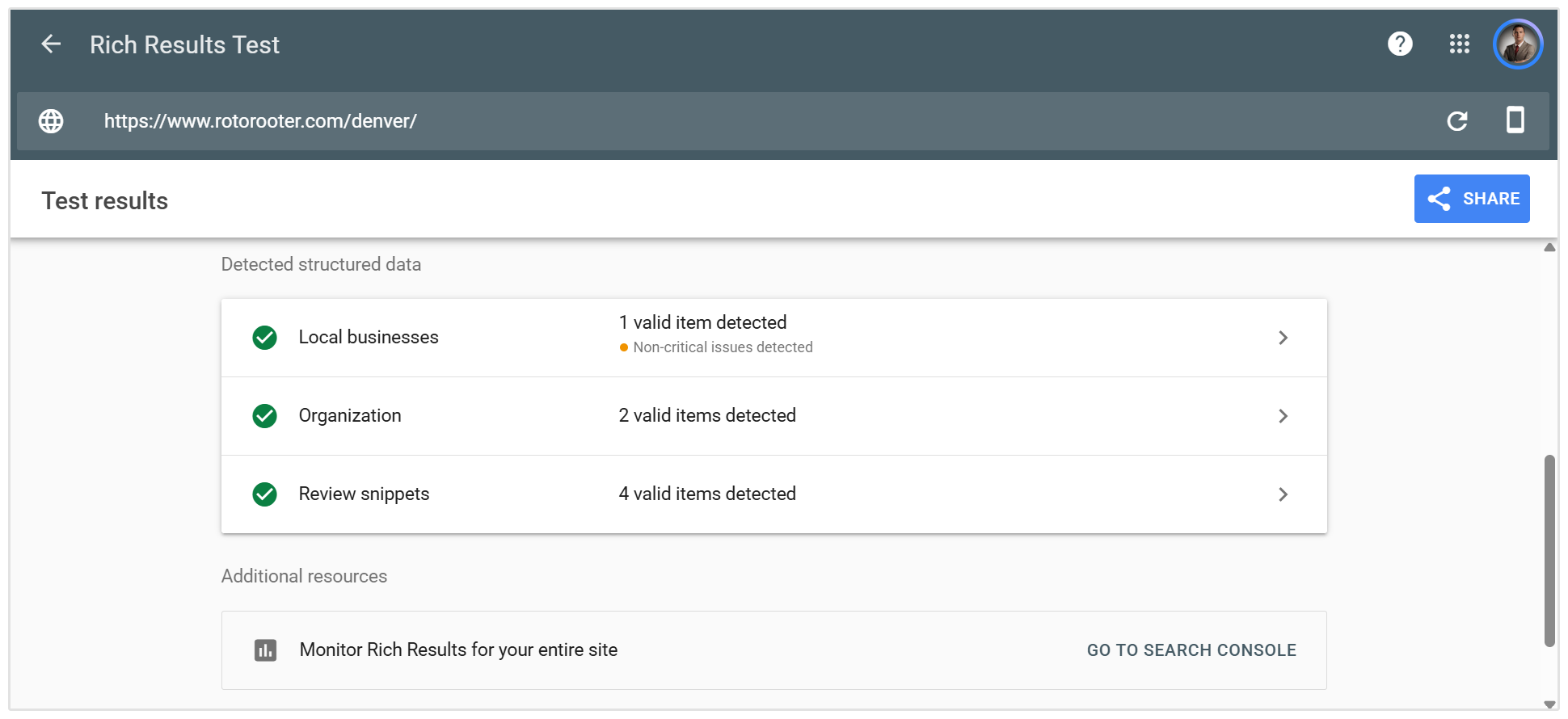
Confirm that the schema type matches the visible page and that details such as prices, availability, ratings, dates, and business information are accurate.
Charlie Marchant from Exposure Ninja told us that every audit should examine schema for both completeness and correct implementation against Google’s guidelines and the underlying schema.org specifications.
Here's what he had to say:
"Poorly implemented schema won’t directly harm a site — but it is a significant missed opportunity. The occasions where it does cause problems, however, can be much more serious.
If schema is constructed poorly or communicates conflicting information, it can make it harder for search engines and other systems to understand what a page, business or piece of content is actually about."
- Charlie Marchant, CEO at Exposure Ninja
But remember, valid structured data can make a page eligible for enhanced search results, but it does not guarantee that Google will display them.
Automate your Technical SEO Audit Checklist with an SEO Crawler
Working through this checklist manually helps you understand what each issue means. However, checking every page individually becomes slow and easy to get wrong as a website grows.
SEOptimer's SEO Crawler scans pages across your website and brings the detected issues into one report.
This makes it easier to spot repeated problems affecting an entire template, investigate individual URLs, and run another crawl after fixes have been deployed.
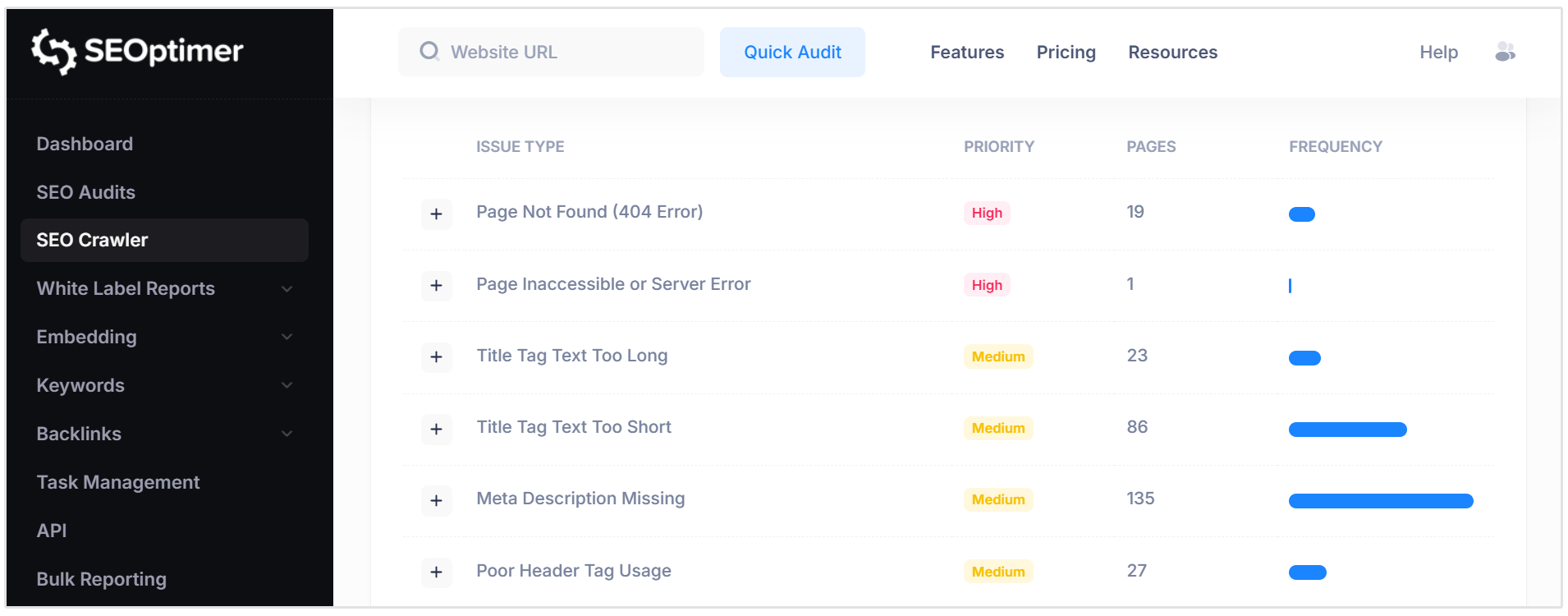
The crawler automates much of the sitewide checking and data collection, but you should still review the findings in context.
This is becuase only you can know whether a page is valuable to your business or whether its exclusion was intentional.
FAQ
What should a technical SEO audit include?
A technical SEO audit should check crawlability, indexing, canonicals, duplicate URLs, status codes, redirects, architecture, internal links, JavaScript rendering, Core Web Vitals, mobile usability, HTTPS, structured data, and essential page elements.
Is a website crawl the same as a technical SEO audit?
No, a crawl collects website data and flags possible problems. A technical SEO audit interprets that data, confirms which issues are genuine, explains their impact, and produces a prioritized plan for fixing them.
How often should you perform a technical SEO audit?
Run a full audit when starting a new SEO campaign and before or after a migration, redesign, or major platform change. Stable smaller websites may only need periodic health checks, while large or frequently updated sites should be monitored more often.
Which technical SEO issues should you fix first?
Fix anything preventing important pages from being crawled, rendered, or indexed first. Server failures, broken critical pages, incorrect canonicals, and sitewide template problems normally take priority over minor metadata warnings.
Does technical SEO affect visibility in AI-generated responses?
Yes, both Search and AI systems need to access and process your content before they can consider using it in a response. Strong technical SEO does not guarantee an AI citation, but crawling, indexing, rendering, and clear machine-readable page information provide the necessary foundation.
Conclusion
This concludes our technical SEO audit checklist.
As you can see, doing a full-scale technical SEO audit is a lot of work and can take a while to complete. This is where our SEO Crawler can help you skip all the tedious manual work. The SEO Crawler tool does a deep dive and analysis of all the technical elements of your website.
And then generates a list of high, medium, and low priority errors that you need to fix.