

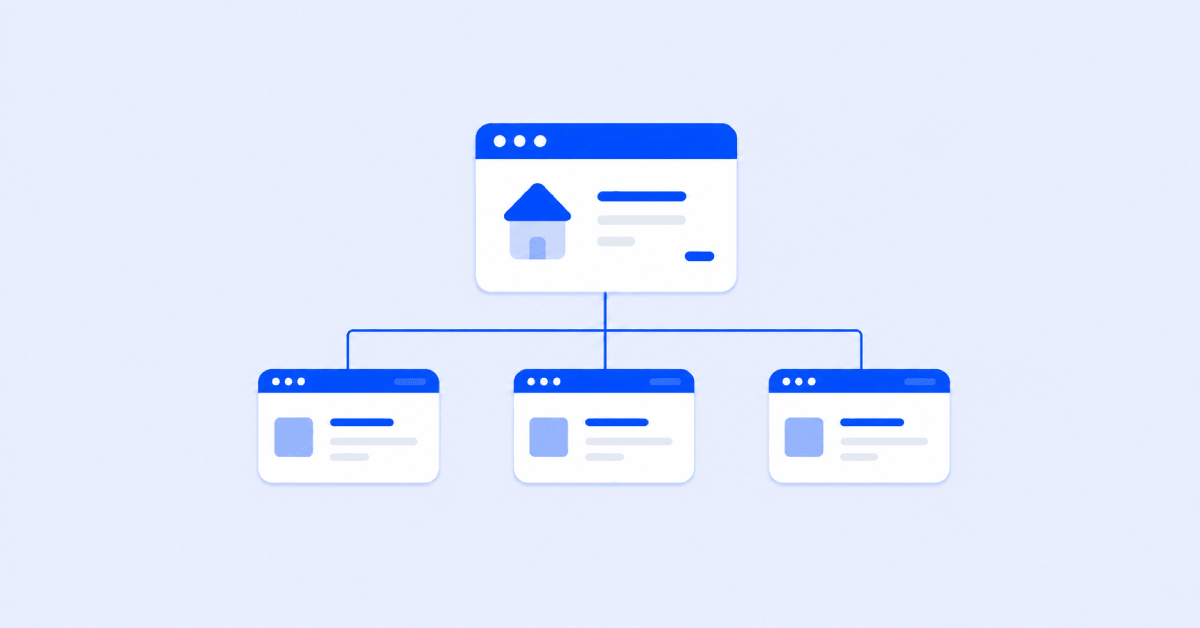
SEO taxonomy is the way your website organizes content into categories, tags, topics, product groups, filters, and other sections.
When this website structure is clear, visitors can find what they need faster, and search engines can better understand how your pages are connected.
A well-organized taxonomy creates a logical path through your content, making it easier for users to navigate your site and helping search engines discover and understand related pages.
In this guide, we’ll explain what SEO taxonomy is, why it matters, how categories and tags work, and which SEO taxonomy best practices you can use to create a cleaner, easier-to-navigate website.
What is SEO Taxonomy?
SEO taxonomy is the system you use to group related pages together in a way that makes sense for both people and search engines.
For example, Taylor Stitch is an online clothing that has a category for “Shirts & Sweaters,” with subcategories for “Long Sleeves,” “Short Sleeves,” “Oxfords,” and “Shoes.”
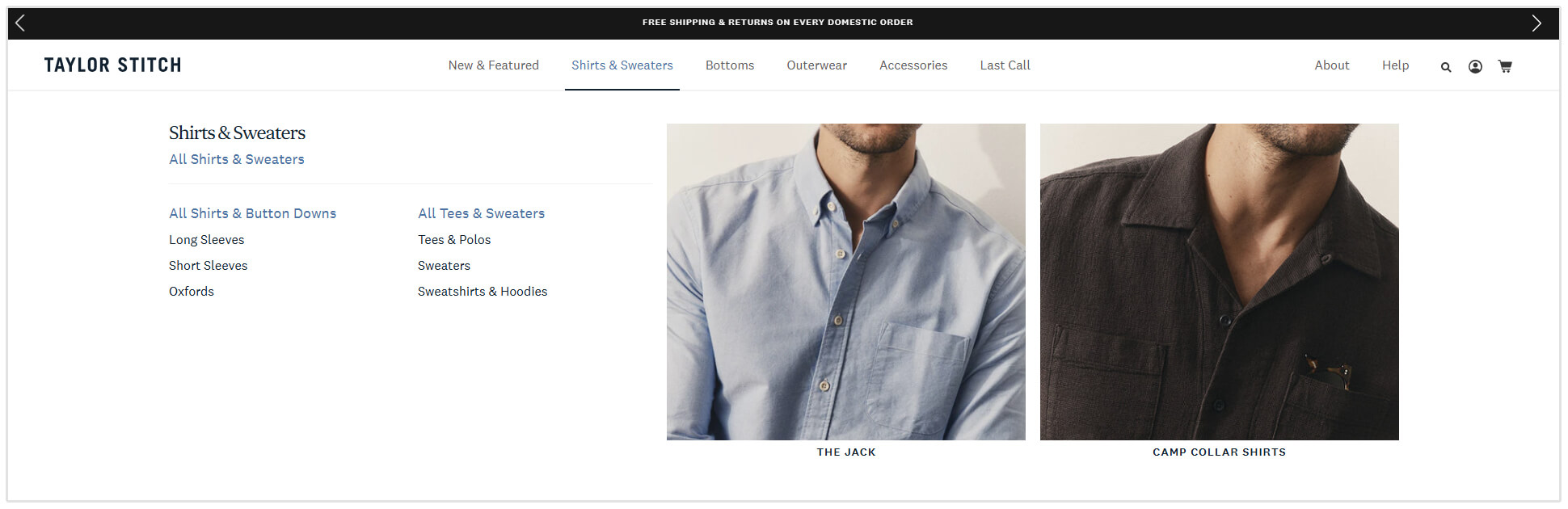
A visitor looking for men’s shirts does not need to scroll through every product on the site. They can follow a clear path from a broad category to a more specific one.
The same applies to a blog.
If you look at Search Engine Journal, you will see they group their articles into categories such as “SEO,” “Paid Media,” and “Content.”
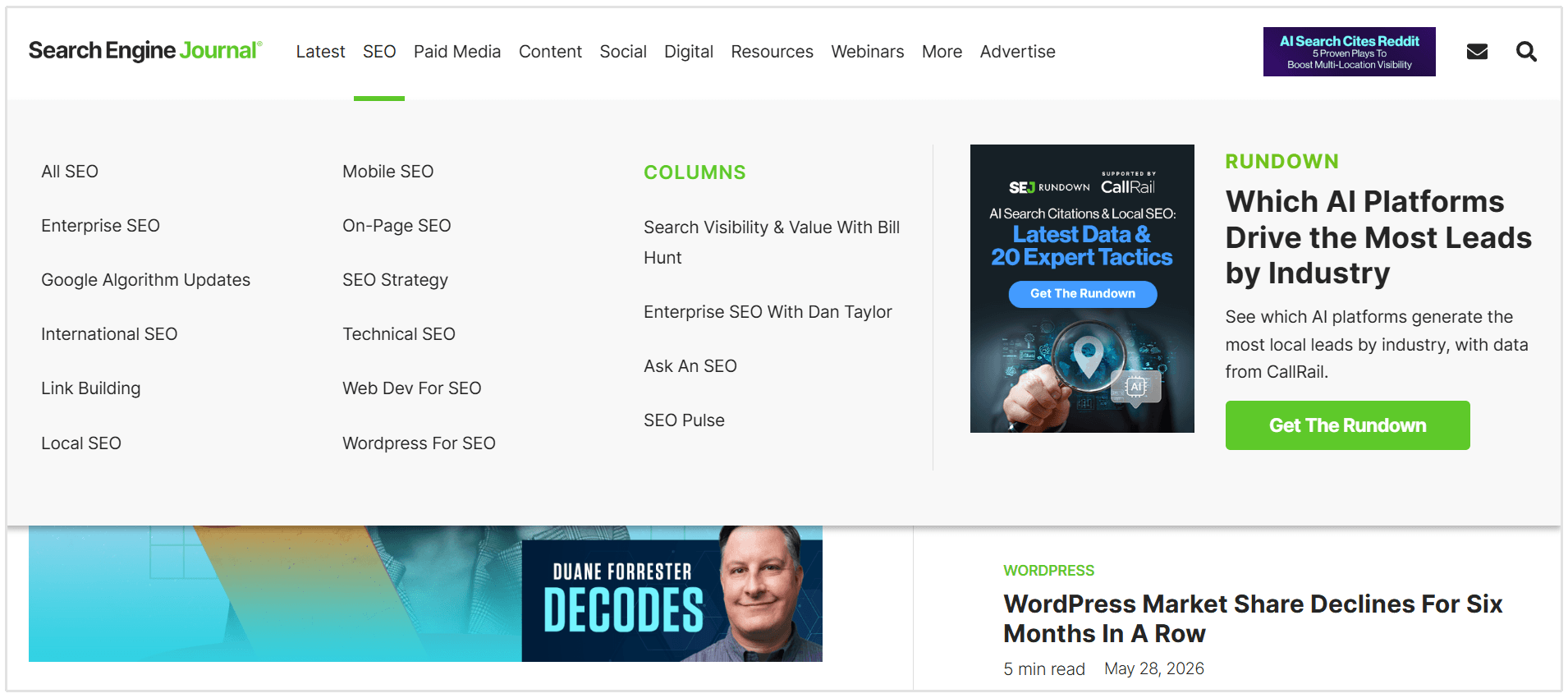
Under “SEO,” it has more specific sections for “Mobile SEO,” “Local SEO,” and “Link Building.”
This kind of structure helps search engines understand which pages belong together and which topics your website covers.
Instead of seeing a random collection of pages, search engines can start to see clear topic groups and relationships.
In simple terms, taxonomy SEO helps turn your website from a pile of separate pages into a well-organized structure where every page has a logical place.
Why SEO Taxonomy Matters
It Makes Your Site Easier to Crawl
Search engines discover pages by following links. If important pages are buried too deep in your site structure, or not connected to the rest of your site, they may not be crawled as often as they should be.
This is where crawl depth becomes important. The more clicks it takes to reach a page from your homepage, the harder it may be for search engines and users to find it.
A clear taxonomy gives every page a proper place in your structure.
This makes it easier for search engines to move through your site and discover new or updated content.
It Helps Important Pages Stand Out
Some pages deserve more attention than others. These might be your main service pages, product categories, location pages, or important blog topics.
A clear taxonomy helps you place those pages where users can actually find them.
For example, an online furniture store may want its “Dining tables” page to be one of its main category pages.
If that page is buried under “Products > Home > Indoor > Furniture > Tables,” users may miss it.
But if it sits clearly under “Products > Tables & chairs > Tables,” it becomes much easier to find and support with related pages, such as “Round dining tables,” “Accent tables,” and “Extendable dining tables.”
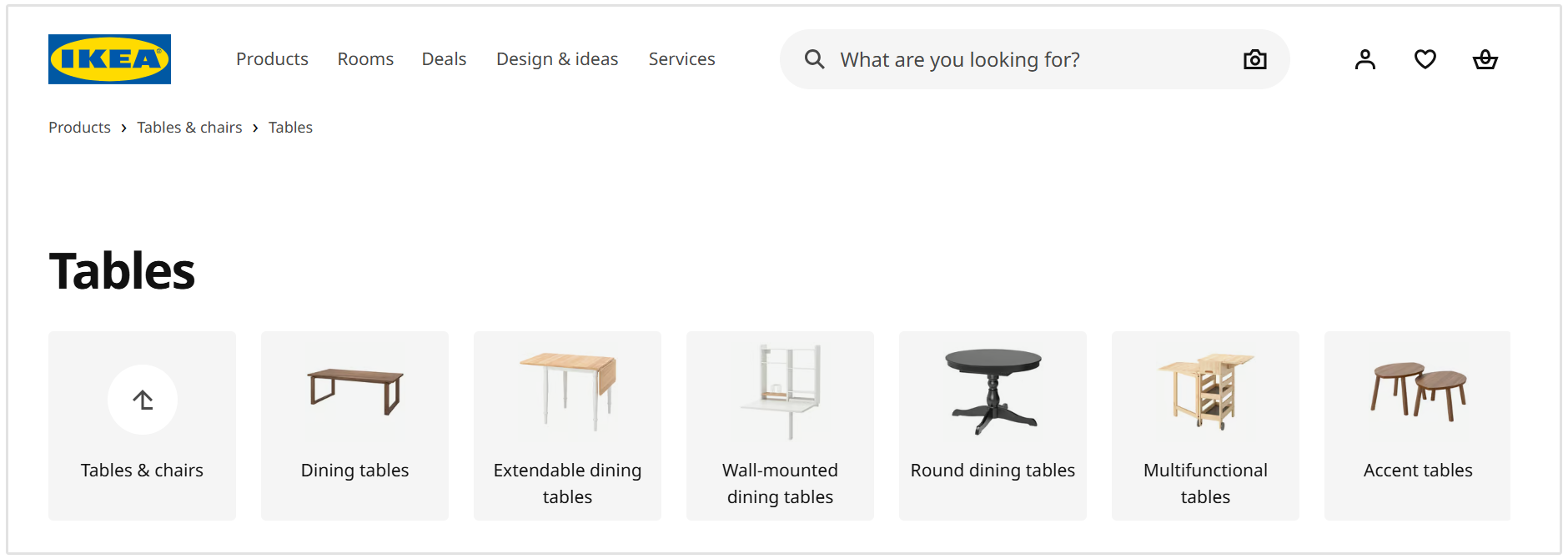
This makes your important pages easier to access, easier to link to, and easier for search engines to understand as part of your wider site structure.
It Supports Better Internal Linking
Internal linking is easier when your content is already grouped properly.
If you have a category for “Dining Tables,” it makes sense to link from that page to related product pages, buying guides, and subcategories like “Round Dining Tables” or “Extendable Dining Tables.”
It also works the other way around.
A blog post on “How to Choose the Right Dining Table Size” can link back to the main “Dining Tables” category page, helping users move from advice to actual products.
It Prevents Content from Becoming Messy Over Time
A blog may start with five categories, then someone adds “SEO Tips,” “SEO Advice,” “SEO Strategy,” and “Search Engine Optimization” as separate categories.
Over time, this makes the site much harder to manage. It can also create thin pages, duplicate pages, and confusing paths for users.
A clear taxonomy gives you rules for where new content should go.
Before adding a new category, tag, or filter, you can ask: “Does this actually help users find related content, or is it just adding more clutter?”
That simple check can prevent a lot of cleanup work later.
Types of SEO Taxonomy
There is no right way to organize a website. The best structure depends on the size of your site, the type of content you publish, and how users search for information.
In most cases, SEO taxonomy falls into one of three main types: flat, hierarchical, or faceted.
Flat Taxonomy
A flat taxonomy keeps things simple. All main categories sit on the same level, without several layers of subcategories underneath them.
This works well for small websites where users do not need to click through multiple sections to find what they need.
For example, Emprire Accountants is an Australian accounting firm that uses the flat taxonomy type.
It only needs a few main service pages, such as “Bookkeeping & Xero,” “Taxation,” “Tax Planning & Strategy,” and “Business Advisory.”

Each service sits at the same level because the website is focused and does not have hundreds of pages to organize.
A flat taxonomy is best when your site is small, focused, and easy to browse without extra layers.
Hierarchical Taxonomy
A hierarchical taxonomy uses parent categories and subcategories. The further users move into the structure, the more specific the content becomes.
This works well for larger websites, blogs, publishers, ecommerce stores, and resource hubs.
For example, Good Food organizes recipes into broader groups and then more specific recipe categories, such as quick and easy recipes, vegetarian recipes, seasonal recipes, and baking ideas.
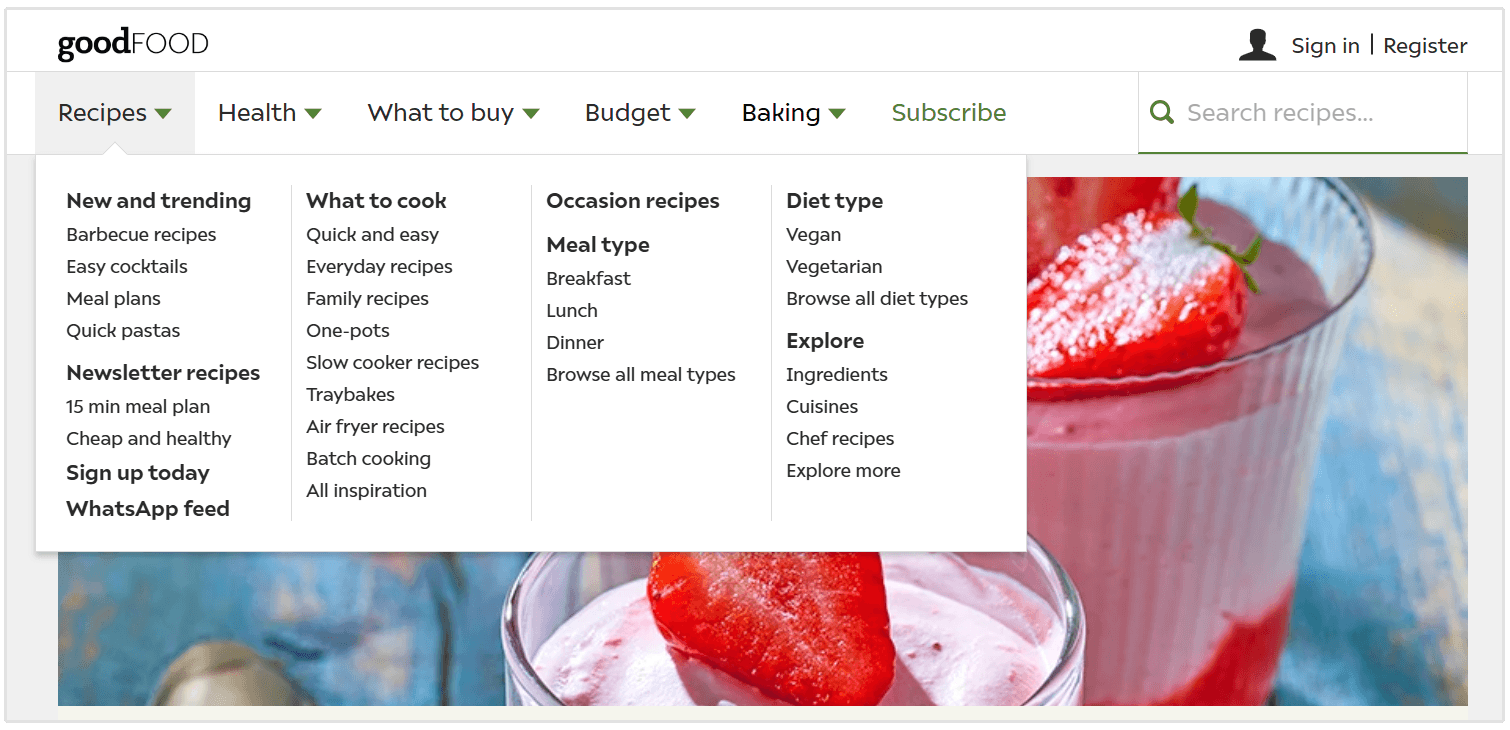
This makes sense because a recipe site may have thousands of pages, and users need clear ways to narrow down what they want to cook.
This kind of taxonomy helps break a large content library into smaller, easier-to-understand sections.
A hierarchical taxonomy is best when your website covers many related topics and needs a clear parent-and-child structure.
Faceted Taxonomy
A faceted taxonomy lets users filter content by different attributes instead of following one fixed path.
This is common on e-commerce websites, marketplaces, directories, job boards, and travel websites.
For example, on large e-commerce sites like Amazon, a shopper looking for running shoes may start with a broad category like men's shoes and then filter by size, brand, price, color, gender, and customer rating.
Amazon also allows users to browse by department and sort results by factors such as customer reviews, price, and newest arrivals.
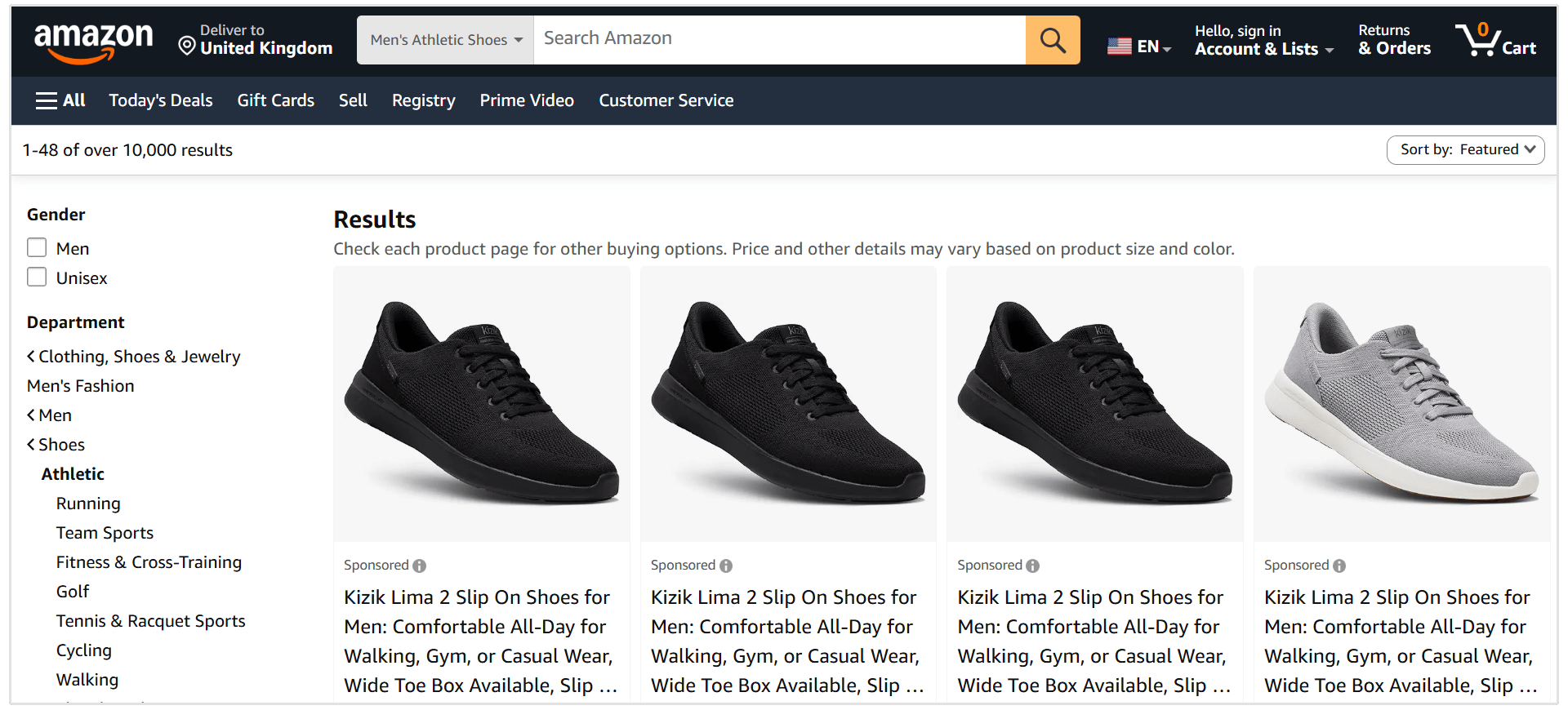
Travel websites use the same idea. Someone searching for accommodation may filter by location, price, star rating, property type, amenities, and guest reviews.
Faceted taxonomy is very useful for users because it helps them narrow down large sets of results quickly.
However, it needs careful SEO management.
Every filter combination can create a new URL, and if search engines crawl or index too many of these low-value pages, it can lead to duplicate content, thin pages, and crawl waste.
A faceted taxonomy is best for websites with large inventories or databases where users need flexible filtering options.
SEO Taxonomy Best Practices
A good taxonomy should be easy to understand, easy to manage, and useful for both users and search engines. Here are the most important best practices to follow.
1. Start with Keyword and Topic Research
Your taxonomy should be based on how people actually search, not only how your team talks about your products, services, or content.
Use a keyword research tool to identify your main topics, subtopics, and search intent. Then group related keywords into broader themes.
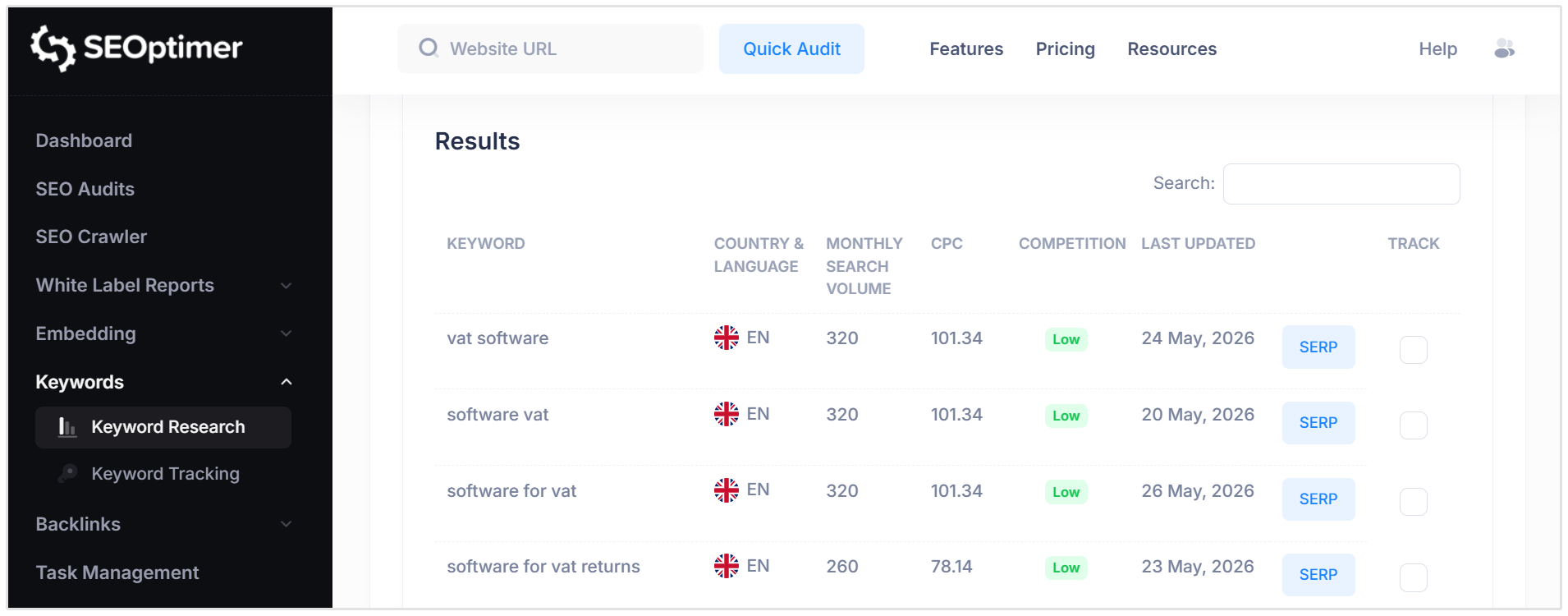
For example, if you run a marketing blog, you may find that people search for topics like:
- Technical SEO
- Local SEO
- Keyword Research
- Link Building
These could become subcategories under a broader category like "SEO".
This helps your structure match real search demand instead of relying on guesswork.
2. Keep Category Names Clear
Category names should be simple and descriptive. Visitors should know what they will find before they click.
For example, “Men’s Jackets” is clearer than “Winter Warmth.” “Technical SEO” is clearer than “Website Fixes.”
Avoid internal jargon, clever labels, or vague names like “Resources,” “Insights,” or “Other” unless they genuinely make sense for the user.
3. Be Careful with Tags
Tags can be useful, but only when they are controlled.
If every blog post gets a new tag, your site can quickly end up with hundreds of thin tag pages. Many of these pages may contain only one or two posts, which usually adds little value for users or search engines.
Only create a tag when it can group several related pieces of content together.
For example, a tag like “Google Search Console” may be useful if you have multiple articles about reports, indexing, performance data, and troubleshooting in Google Search Console. But creating a one-off tag for every small phrase in a post will only make your site harder to manage.
4. Decide Which Taxonomy Pages Should Be Indexed
Not every category, tag, or filter page needs to appear in search results.
Important category pages should usually be indexable if they target a real topic and provide useful content. Thin tag pages, duplicate pages, and low-value filtered pages may be better set to noindex.
The goal is not to get every possible taxonomy page into Google, it is to make sure the right pages are indexable.
5. Add Useful Content to Category Pages
A category page should do more than list posts or products.
Add a short introduction that explains what the category covers. You can also include helpful links, FAQs, buying advice, or a short overview of the topic.
For example, an ecommerce category page for “Running Shoes” could explain the different types of running shoes, link to popular subcategories, and answer common questions about choosing the right pair.
This gives the page more value and makes it more useful as a landing page.
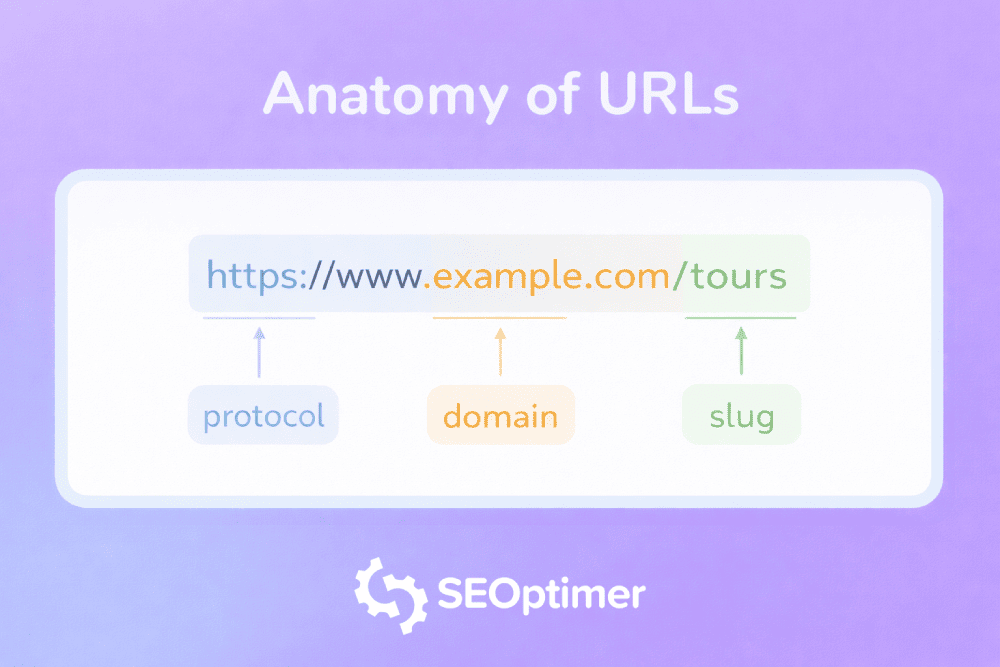
6. Use Clean, Logical URLs
Your URLs should be easy to read and follow the structure of your site.
For example:
/shoes/running-shoes/
is clearer than:
/category/product-type?id=4729
Clean URLs help users understand where they are on your site. They also make your structure easier to manage over time.
You do not need to make URLs overly long, though. Keep them short, descriptive, and consistent.
7. Link Related Pages Together
Your taxonomy should help users move between related pages.
Category pages should link to relevant posts, products, or subcategories. Individual pages can also link back to the main category or to other useful pages in the same topic area.
For example, a blog post about “How to fix crawl errors” could link back to a broader “Technical SEO” category and also link to related guides on XML sitemaps, robots.txt, and indexation.
This creates a clearer path through your content and helps important pages stay connected.
8. Use Breadcrumbs
Breadcrumbs show users where they are on your site and make it easy to move back to broader sections.
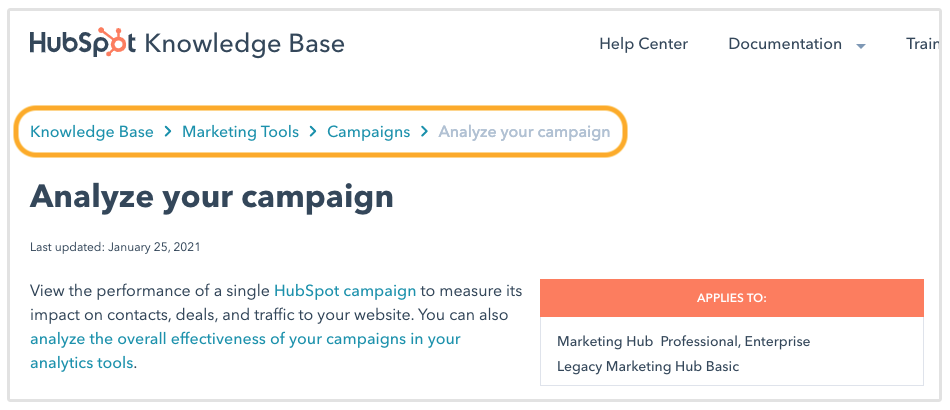
For example the above screenshot of HubSpot's Knowledge Base uses the following breadcrumbs:
Knowledge Base > Marketing Tools > Campaigns > Analyze your campaign
They are especially useful for websites with deeper structures.
Breadcrumbs also give search engines another way to understand how your pages fit together in the overall site structure.
How SEO Taxonomy Supports AI Search and Semantic SEO
Search engines are getting better at understanding topics, not just individual keywords.
That means they look at how pages connect, what each page is about, and whether your website covers a topic in a clear and useful way.
A good SEO taxonomy helps with this because it groups related content together.
For example, if your website has a main category for “Local SEO” and includes pages about Google Business Profile optimization, local keyword research, reviews, citations, and local rankings, it becomes easier for search engines to see that your site covers the topic in detail.
This also matters for AI search. AI tools and search features often pull information from pages that are easy to understand, well-structured, and clearly connected to a broader topic.
Your category pages give the broader context. Your individual pages provide the detailed answers.
Together, they help search engines and AI systems understand what your website is about and which topics you can speak to with authority.
Related Reading:
- How to Rank in AI Overviews (with Insights from Top SEO Experts)
- LLM SEO: How to Get Cited by ChatGPT, Gemini, and Claude
Conclusion
By organizing your content logically, clearly defining your categories and tags, and adhering to proven SEO taxonomy best practices, you create a seamless experience for your visitors.
When users find what they need quickly, they stay longer, read more, and convert at higher rates.
Search engines reward this positive user behavior with higher rankings and better visibility. Take a close look at your current website architecture today. By restructuring your content into a clean, intuitive taxonomy, you lay the ultimate foundation for long-term SEO success.