


What is Dwell Time in SEO?
Dwell time is the amount of time someone spends on your website after clicking a search result, before returning to the search results page.
For example, imagine you search Google for “how to get backlinks.”
You click a result, spend three minutes reading the guide, then go back to Google to explore another website's blog post. Your dwell time for that visit was three minutes.
In SEO, dwell time is often discussed as a possible indication of whether a page meets the searcher’s needs.
Someone who stays to read a detailed guide may have found it useful. Someone who returns to Google within seconds may have landed on a page that didn’t answer their question.
But time alone doesn’t tell the whole story.
A visitor might leave quickly because they found the answer straight away, while a longer visit could mean they struggled to find it. Understanding what the person came to do matters just as much as how long they stayed.
Does Google Use Dwell Time as a Ranking Factor?
Google uses search interaction signals and evidence shows that these signals include how long someone stays on a page before returning to search results.
However, this doesn’t mean that a longer visit automatically earns your page a higher ranking.
On its How Search Works website, Google explains that it uses aggregated, anonymized interaction data to help determine whether results are relevant to a search query.
This confirms that user behavior contributes to its assessment of relevance, although the page doesn’t identify dwell time as a separate ranking factor.
Court documents provide more detail.
Notes from a February 2025 discussion with Google engineer Hyung-Jin Kim describe historical click signals involving how long a user stayed on a linked page before returning to the search results. The document connects this behavior to systems such as Navboost, which uses search interaction data to help rank results.
This supports Google’s use of behavior related to dwell time, but it doesn’t establish a universal target or a predictable ranking boost. You can’t assume that increasing a visit from two minutes to four minutes will move your page up the results.
For your SEO strategy, focus on answering the searcher’s question and making your page easy to use.
You must give visitors a reason to stay when they need more detail, while allowing them to find a quick answer when that’s all they came for.
For instance, let's take this blog post as an example. We answered the key question of "What is dwell time in SEO?" as soon as you start reading the post.
But then we also answer other relevant questions like how to improve dwell time, the difference between dwell time and bounce rates, etc.
What is Considered a Good Dwell Time?
There is no universal “good” dwell time. A few seconds may be enough to answer a simple question, while a detailed guide could keep someone reading for several minutes.
For context, Siege Media’s study of 115 websites found that 57% had average session durations between two and four minutes. That measures whole visits rather than dwell time, so treat it as a rough reference, not a target.
What is the Difference between Dwell Time vs Bounce Rate?
Dwell time in SEO measures how long someone stays after clicking a search result before returning to the results.
Bounce rate is the percentage of visits where someone leaves without meaningfully engaging with your website.
In GA4’s default settings, a visit counts as a bounce if the person stays for 10 seconds or less, views only one page, and doesn’t complete a key action you’ve configured, such as submitting an enquiry or making a purchase.
How to Improve Dwell Time
Next, let’s look at some general ways to improve dwell time on your website.
Match the Page to Search Intent
The most effective thing to do to improve dwell time in SEO is to ensure your landing pages or blogs match the search intent you’re going after.
If your page doesn’t answer their question, they have a reason to return to Google and try another result.
So how do you actually check if you’re meeting search intent?
Start by searching your target keyword and reviewing the leading results.
Are they tutorials, product comparisons, service pages, or quick answers? Use this to understand what searchers likely expect.
For example, someone searching for “best tools for marketing agencies” needs help comparing options. Include pricing, key features, and who each tool suits, rather than just explaining what each software does.
Make sure your title and description accurately reflect the content, then deliver on that promise.
Make Content Easy to Read and Navigate
You should make it easy for visitors to find the information they need. Here are some practical ways to make content easier to digest:
- Break up long paragraphs and use clear, descriptive headings.
- Replace unnecessary jargon with familiar words.
- Use bullet points for lists and tables for comparisons.
- Add a clickable table of contents to longer articles.
Readability scores can help you assess how difficult your writing may be to read.
For example, Flesch Reading Ease considers sentence length and word complexity, with higher scores indicating easier reading. Use the score as a guide while keeping your audience in mind.
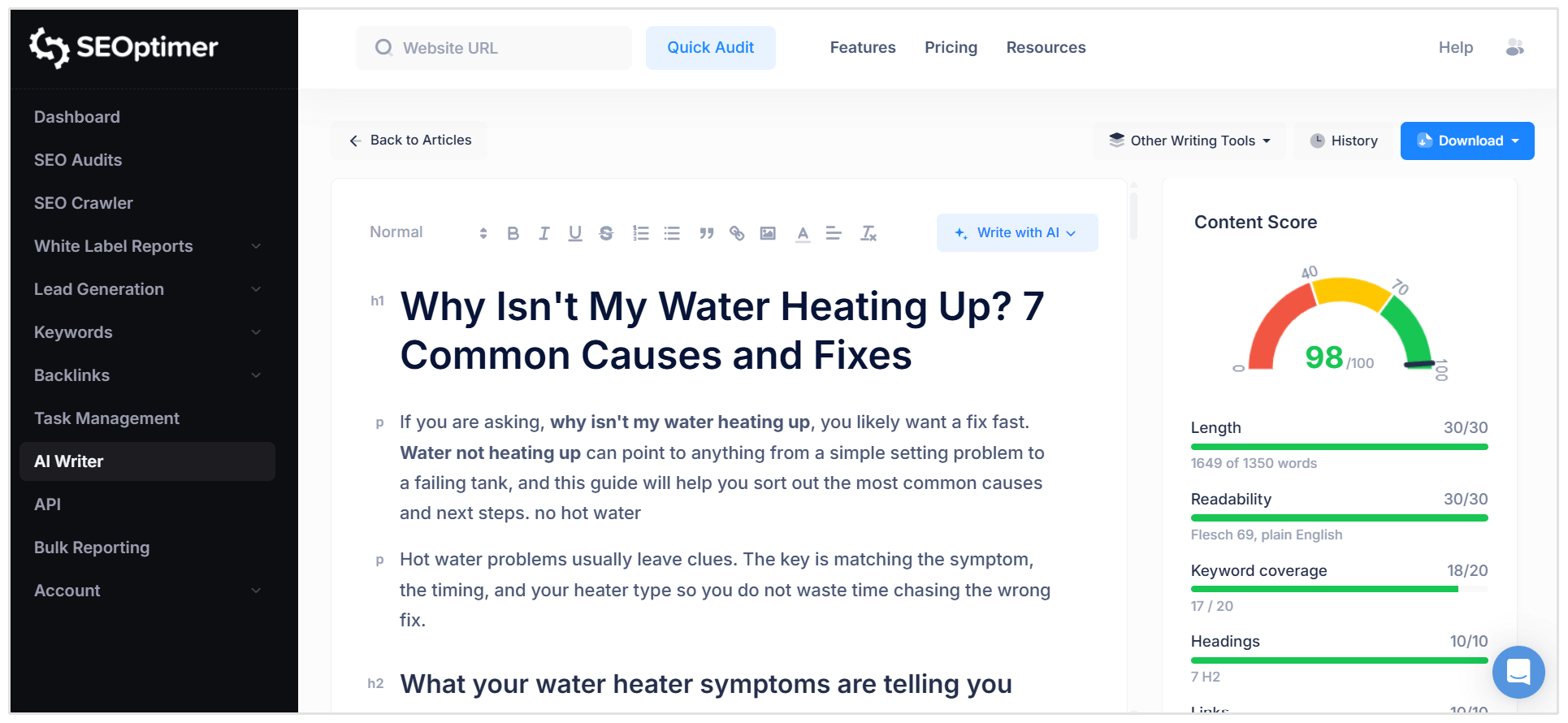
You can check an existing blog post’s readability with our AI Writer which will show you your writing’s Flesch Reading Ease.
Use it when reviewing older content or checking a new draft, then simplify lengthy sentences and awkward wording before publishing.
Use Examples and Original Insights
Support your advice with real examples, firsthand experience, or results from your own tests. These details help readers understand how to apply what you’re explaining.
For example, if you recommend compressing images to improve page speed, show the settings you used and the difference in file size. A before-and-after comparison makes the advice easier to follow.
You can also include lessons from client projects, expert quotes, or common mistakes you’ve encountered. Useful details give visitors a reason to explore your content further. Keep each addition relevant to the question they came to answer.
Use Visuals, Videos, and Interactive Elements Purposefully
Add elements that help visitors understand your content or complete a task.
Choose the format based on what you’re explaining:
- Screenshots and diagrams: Show where to click or how a process works.
- Videos: Demonstrate something that’s difficult to explain through text, such as setting up a tool.
- Interactive elements: Let visitors calculate costs, compare options, or explore information relevant to them.
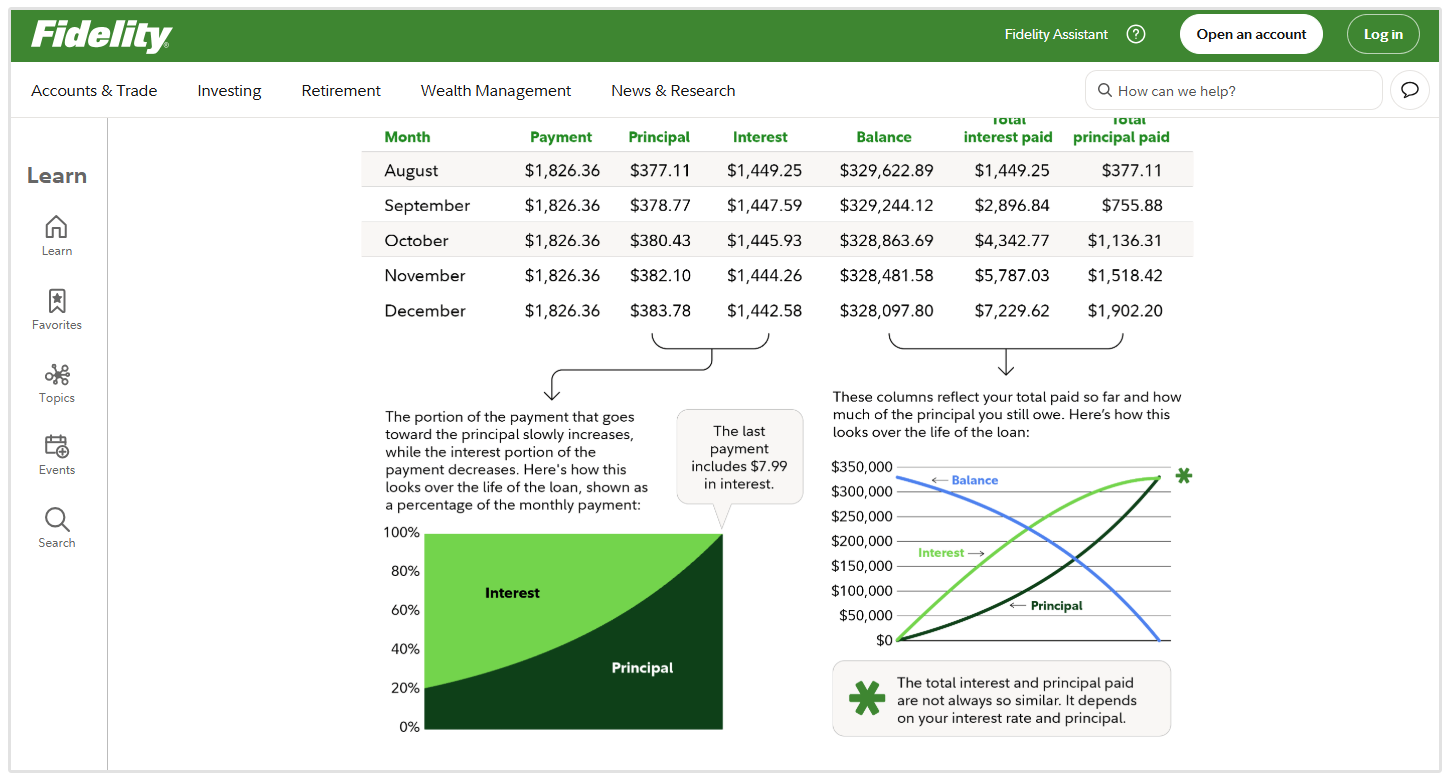
For example, this blog post from Fidelity about amortization includes useful graphs and tables on how the concept works.
Improve Page Speed and Responsiveness
Your page should load quickly and respond promptly when visitors click buttons, open menus, or use forms.
Start by testing the page in Google PageSpeed Insights or using our free Website Speed Test tool.
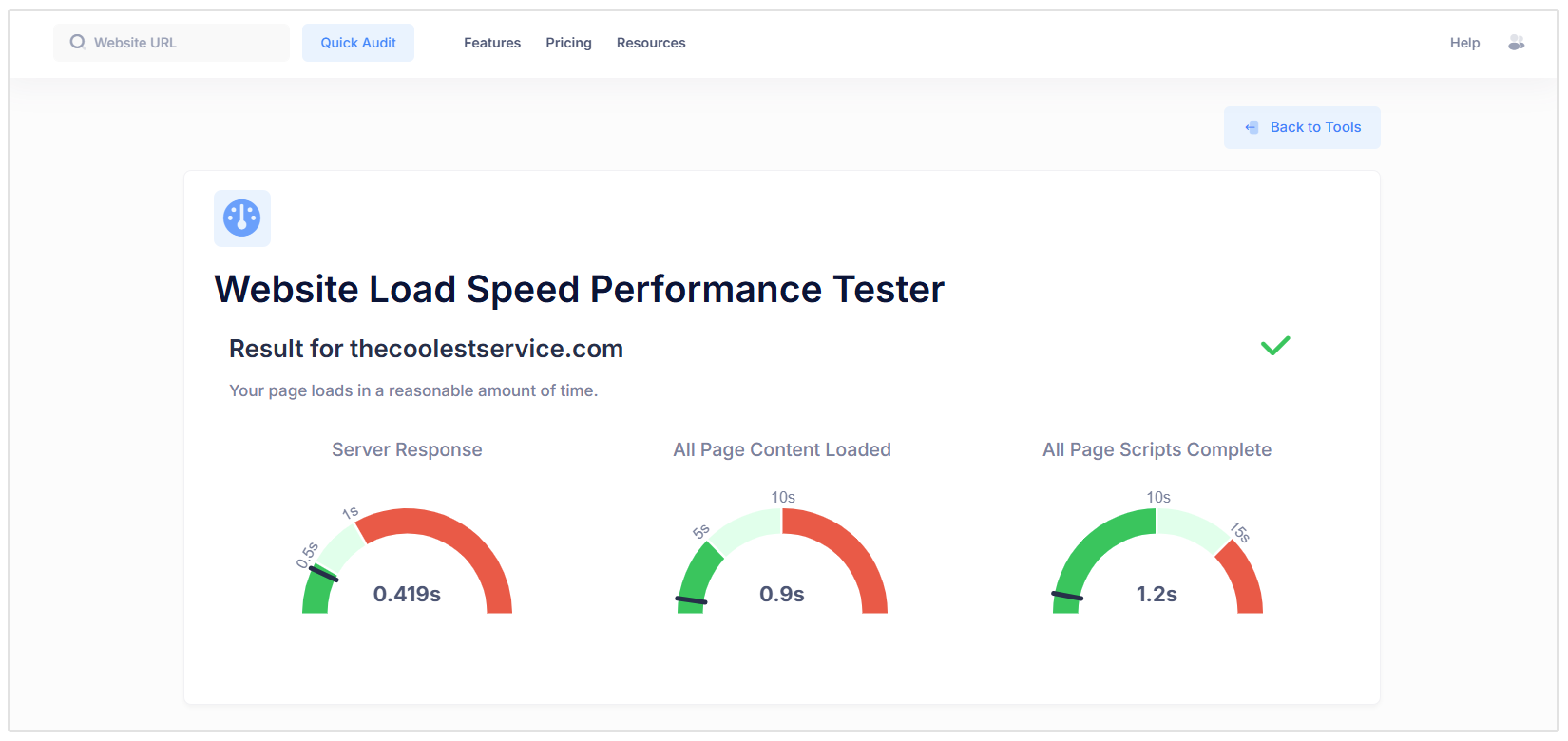
Check both mobile and desktop results, then address the problems it flags:
- Optimize images: Resize them to their display dimensions, compress them, and use formats such as WebP or AVIF.
- Reduce unnecessary code: Remove unused plugins and scripts, and defer nonessential JavaScript.
- Enable caching: Configure your hosting or caching tool to reduce repeated loading work.
- Load media when needed: Lazy-load images and videos farther down the page, while keeping the main image visible immediately.
- Prevent layout shifts: Set image dimensions and reserve space for embeds so content doesn’t jump around.
- Fix slow interactions: Ask your developer to investigate scripts that delay buttons, menus, or forms.
After making changes, retest the page and check that its features still work correctly.
Offer Relevant Next Steps Through Internal Links
Link to other pages on your website that answer a follow-up question or help readers take action.
For example, an article about keyword research could link to a guide on choosing keywords or a tool readers can use to find them.
To make those links useful:
- Place them where the reader needs more information.
- Use descriptive anchor text, such as “keyword research guide.”
- Choose relevant destinations that deliver what the link promises.
Internal links can encourage visitors to explore your website before returning to search. They may extend the overall visit, though they won’t necessarily increase time spent on the original page.
Can you Measure Dwell Time?
You can’t measure dwell time directly in Google Analytics or Google Search Console.
However, GA4 can show how long visitors from search actively engage with your website. This gives you useful information about their visits, although it isn’t the same as dwell time.
How to Check Organic Visitor Engagement in GA4
You can check your organic visitor engagement in Google Analytics 4, here's how.
First open the Landing page report. To do this, go to Reports → Engagement → Landing page.
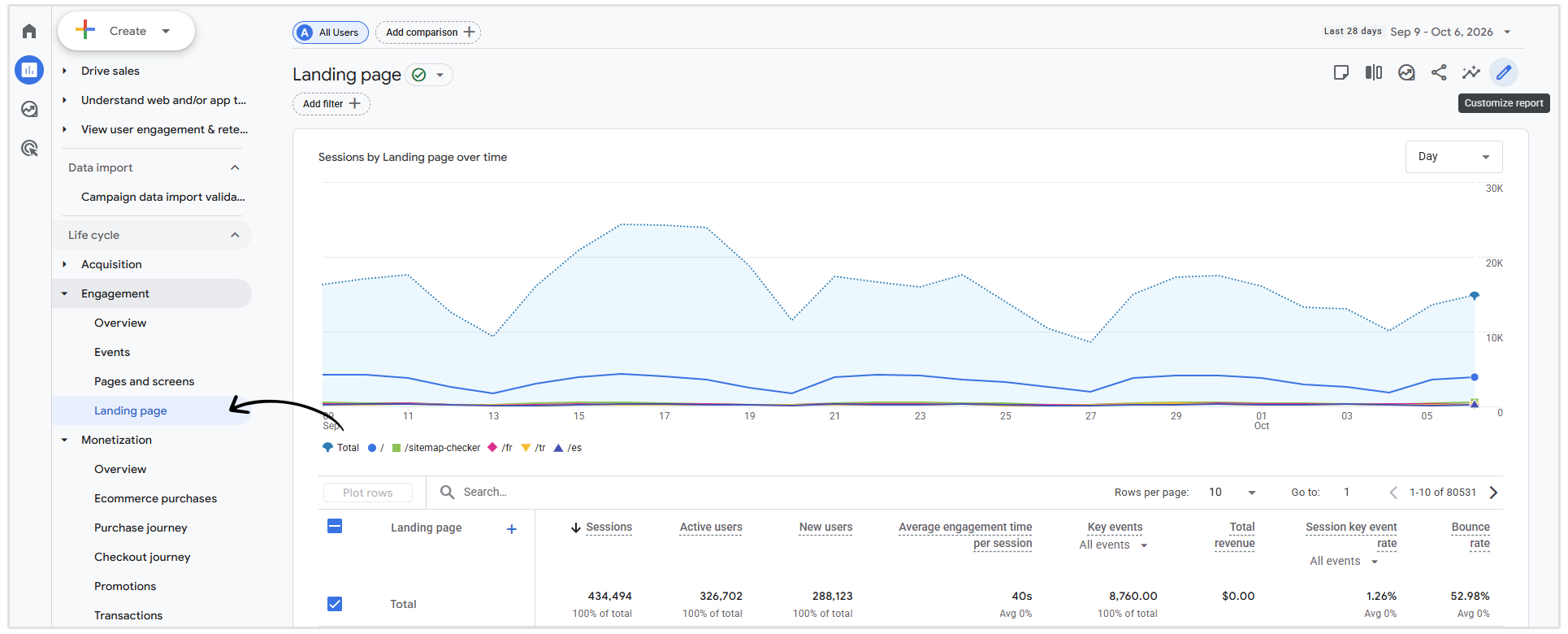
Then, click the blue plus icon to add a filter, select Session source / medium.
Then we want to only view the data for organic traffic from Google. To do that, search for "google / organic" in the search bar above the table.
Review Average engagement time per session. This shows the average time your website was in focus during sessions that started on each landing page.
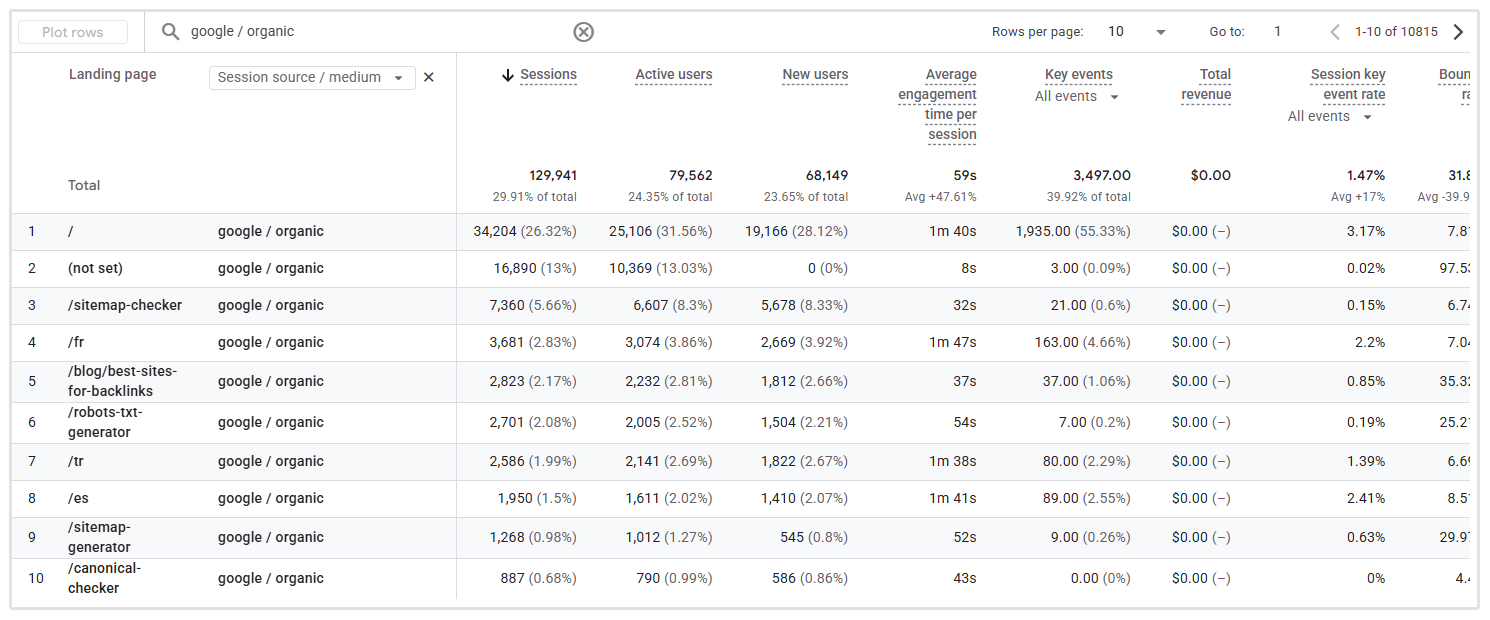
If the Landing page report isn’t visible, an editor or administrator can add it to your report navigation.
Remember that this metric covers the whole session, including other pages the visitor opens. Read it alongside key events, such as enquiries or purchases, to understand whether those visits are achieving something useful.
Dwell Time Optimization Mistakes
Trying to keep visitors on your website longer can backfire if it makes their experience worse.
Avoid these common mistakes when optimizing for dwell time:
- Adding filler content: Extra paragraphs give readers more to scroll through without helping them answer their question.
- Burying the answer: Long introductions and unnecessary background can frustrate visitors who need a quick response.
- Forcing extra clicks: Splitting simple content across several pages or hiding information behind unnecessary interactions creates more work for a user.
- Using one benchmark for every page: A contact page and a detailed tutorial serve different needs.
- Calling engagement time “dwell time”: GA4 engagement metrics don’t tell you when someone returns to Google.
- Assuming longer visits mean success: Visitors may spend more time because they’re confused. Check whether they find answers, submit enquiries, or complete purchases.
Dwell Time FAQs
Does a short dwell time mean your content is bad?
No. Someone may leave quickly because they found the answer immediately. Short visits deserve investigation when there are other signs of a problem, such as confusing navigation or few completed enquiries.
Does longer content increase dwell time?
Longer content gives visitors more to read, but it doesn’t guarantee they’ll stay. Include enough detail to answer their question, and remove anything that adds length without adding value.
Can internal links improve dwell time?
Relevant internal links can encourage visitors to explore your website before returning to search results. They may extend the overall visit, although they won’t necessarily increase time spent on the original page.
What happens if someone never returns to the search results?
There’s no observed return point to calculate dwell time for that visit. The visitor might have closed the browser, completed a purchase, or found everything they needed. You shouldn’t treat that as a zero-second dwell time.
Conclusion
Improving dwell time starts with giving visitors useful answers, writing clear content, and having a website that works smoothly.
It’s important that you don’t evaluate dwell time on its own. Instead, assess engagement alongside the actions your page is meant to support, such as enquiries for a “Contact Us” page or purchases on a product page.
Dwell time is just one of the many factors that will help your organic rankings.
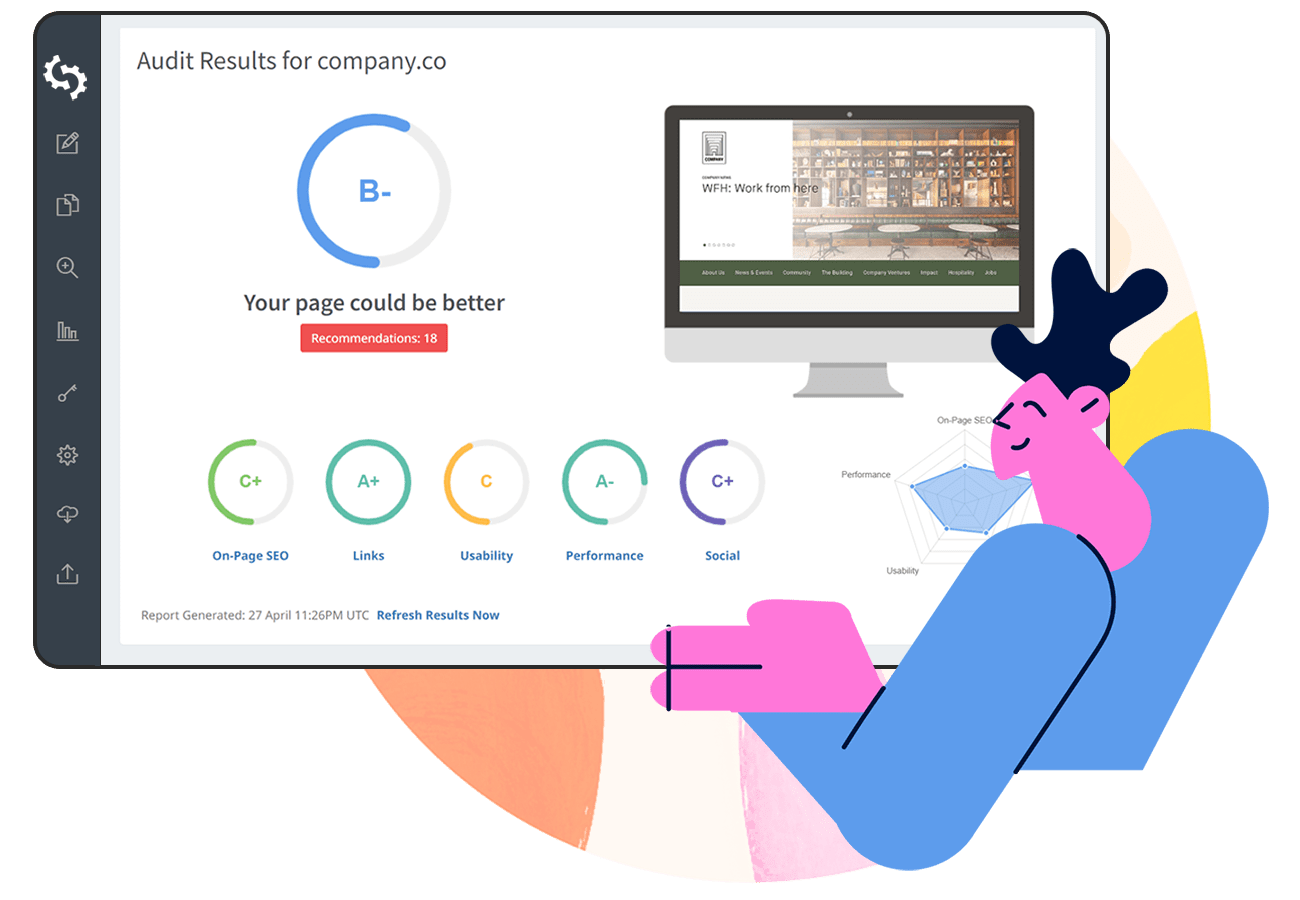
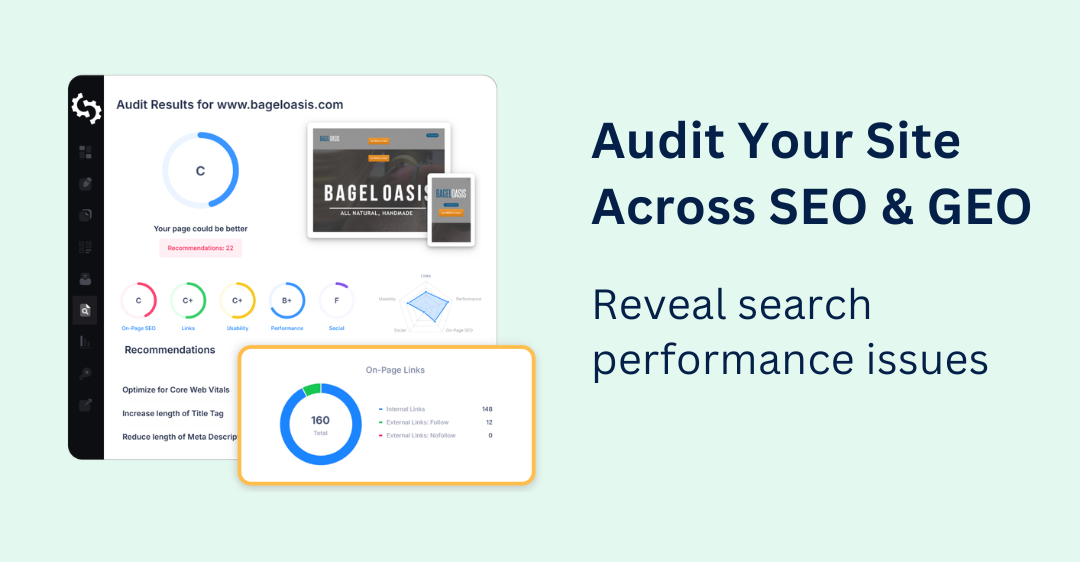
To find other areas worth improving on your site that can make a difference in your rankings, run it through SEOptimer’s SEO Audit tool.
Then, use the findings to prioritize fixes and create a better experience for visitors arriving from search.