


The best link building tools help SEOs to manage the entire link building process. This includes finding relevant websites, researching competitor backlinks, managing outreach, and monitoring the links they earn over time.
Link building is the process of getting other websites to link to your pages. These backlinks can help search engines understand which pages are useful, trustworthy, and relevant to a topic. However, finding quality opportunities and keeping track of outreach manually can take a lot of time.
The right SEO link building tools make this process more organized and manageable.
In this guide, we compare the best SEO link building tools for different parts of the link building process.
Why Link Building Matters?
A strong backlink profile can support higher search visibility, referral traffic, and brand credibility.
However, not all links are valuable or have a good impact on your domain strength.
The best links usually come from relevant, reputable websites and are earned through useful content, genuine relationships, or digital PR efforts.
Best Link Building Tools for SEO
1. SEOptimer
SEOptimer is an SEO platform with tools for backlink research, backlink monitoring, website auditing, keyword tracking, and white-label reporting.
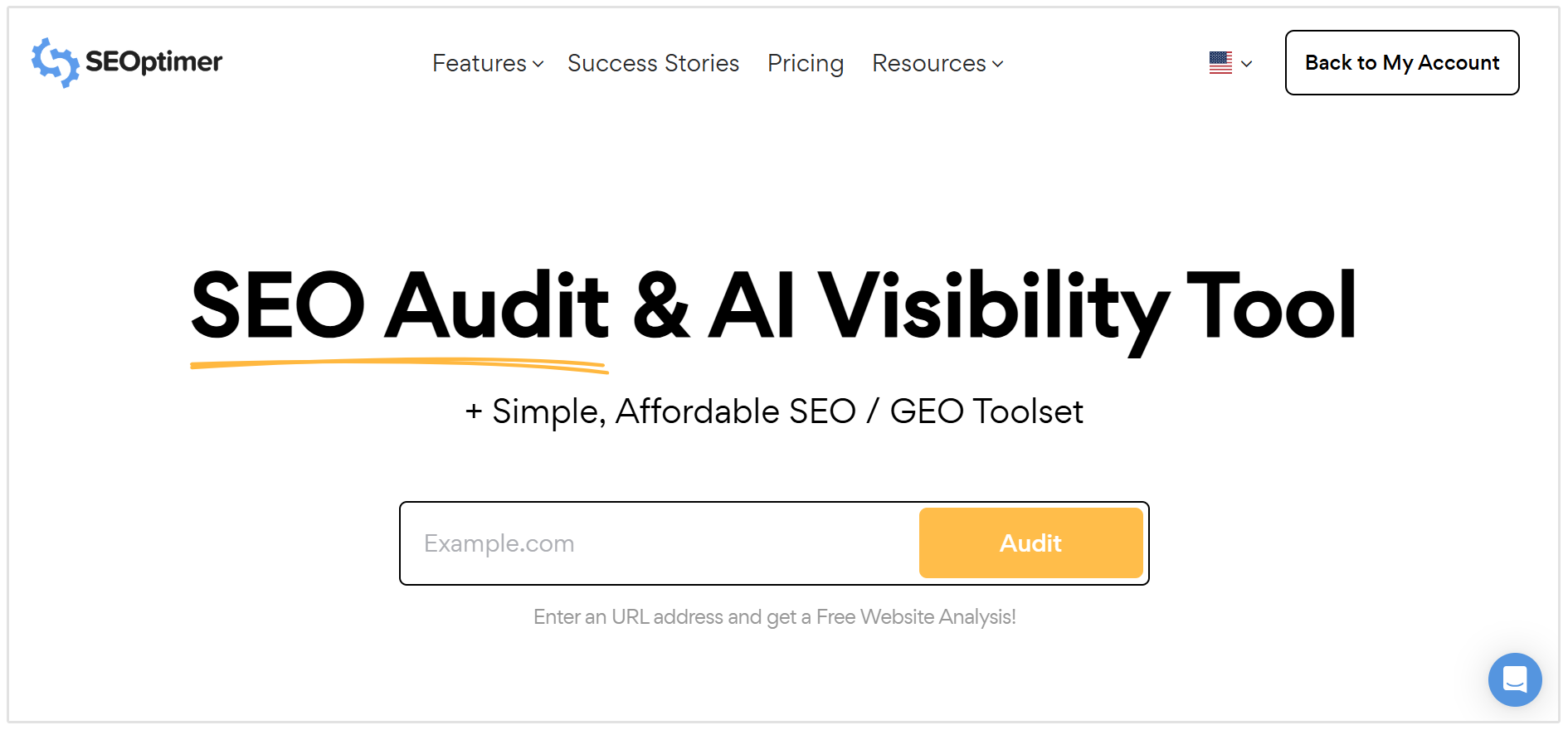
The Backlink Checker is useful for analyzing the backlink profile of any website, whether it belongs to your agency, a client, or a competitor.
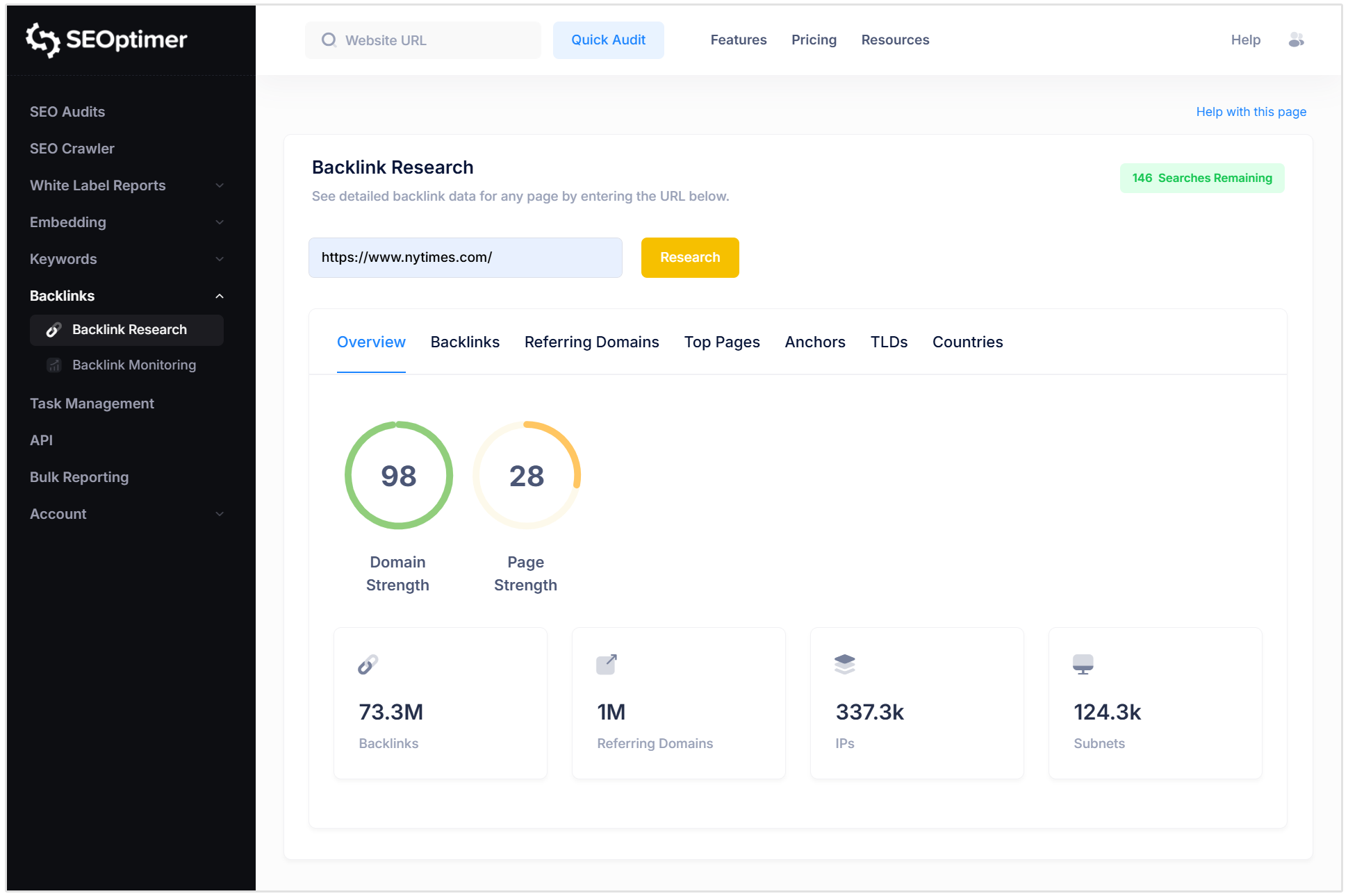
Enter a domain or URL to view the site’s most important backlink metrics in one dashboard.
This includes total backlinks, referring domains, linking IP addresses, follow versus nofollow links, Domain Strength, Page Strength, and .edu and .gov backlinks.
You can also inspect individual backlinks and referring domains, including the linking page, linked page, anchor text, follow status, and relative strength of the referring domain.
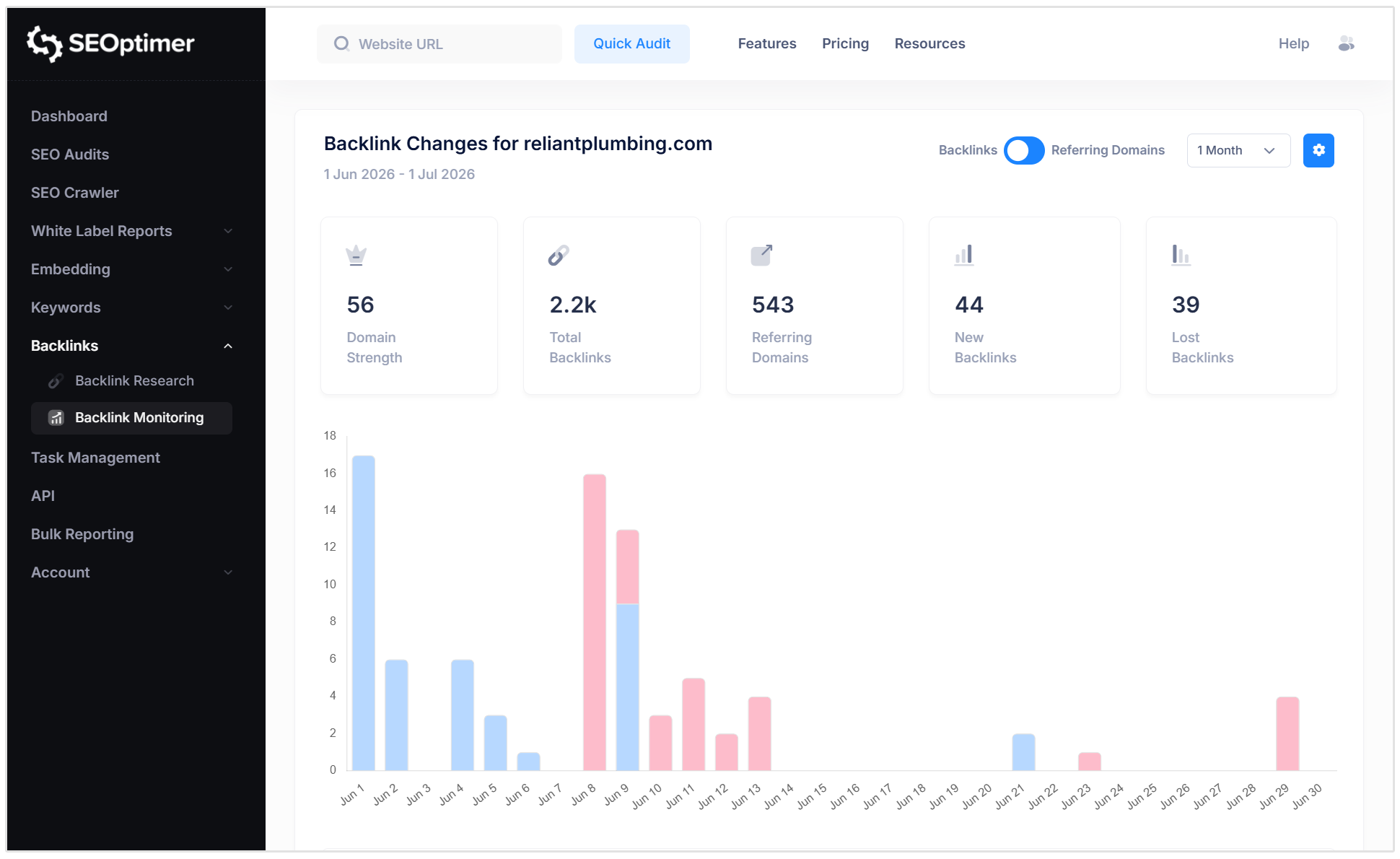
For ongoing link building campaigns, SEOptimer’s Backlink Monitoring feature tracks changes in your backlink profile over time.
It reports on new and lost backlinks through a change dashboard and regular email summaries, helping you spot successful placements, recover lost links, and investigate suspicious new backlinks.
Key features:
- Research backlink profiles for any domain or URL
- View total backlinks, referring domains, linking IPs, subnets, and follow versus nofollow links
- Analyze individual backlinks, anchor text, referring pages, and linked pages
- Identify top-linked pages, top anchor text, linking countries, and linking TLDs
- Track new and lost backlinks over time
- Receive weekly or monthly backlink change summaries by email
- Export backlink change data to CSV, Excel, or PDF
- Monitor competitor backlink changes to find potential link opportunities
Pros:
- Combines backlink research, link monitoring, SEO auditing, keyword tracking, and reporting in one platform
- Free Backlink Checker available for basic backlink checks
- Clear dashboard that makes core backlink metrics easy to understand
- Useful for agencies that need to explain link building progress to clients
- Includes white-label reporting features on paid plans
Cons:
- Does not include a dedicated outreach CRM or email sequencing tool
- Full backlink research and monitoring features require a paid SEOptimer plan
- Users running large-scale outreach campaigns may still need a separate prospecting or outreach platform
Pricing: SEOptimer offers a free Backlink Checker, while premium plans include full Backlink Research and Backlink Monitoring features. A 14-day free trial is available. Paid plans start at $29 per month, or $21.75 per month when billed annually.
2. Google Search Console
Google Search Console is a free tool from Google that shows a sample of the external backlinks and internal links Google has discovered for a verified website property.
It is not a complete link building platform, but it is useful for checking which pages on your site attract links and which websites link to you most often.
This makes it useful for adding to your list of link building tools.
The Links report is split into External and Internal links.
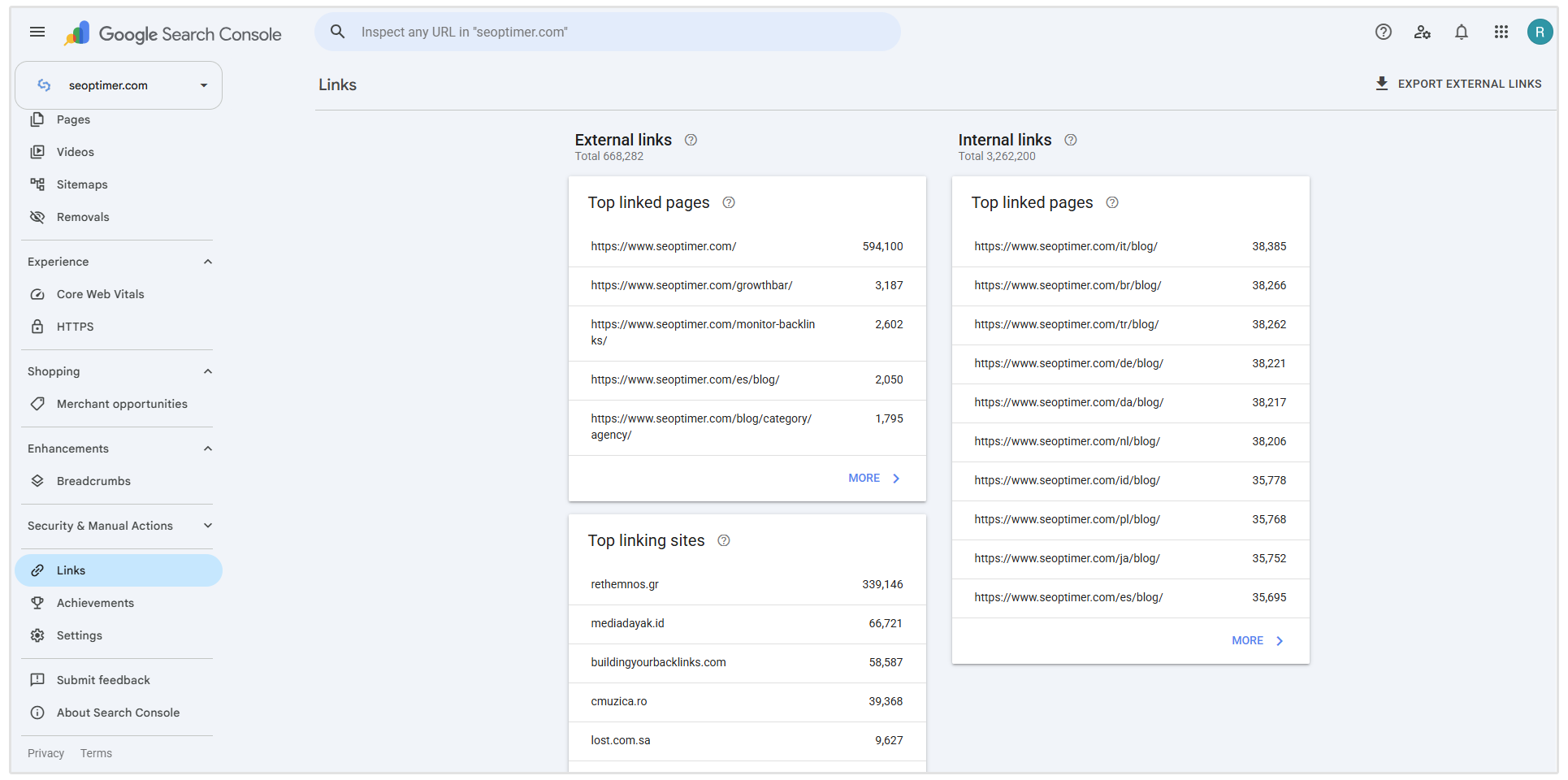
For external links, you can see your top-linked pages and top linking sites.
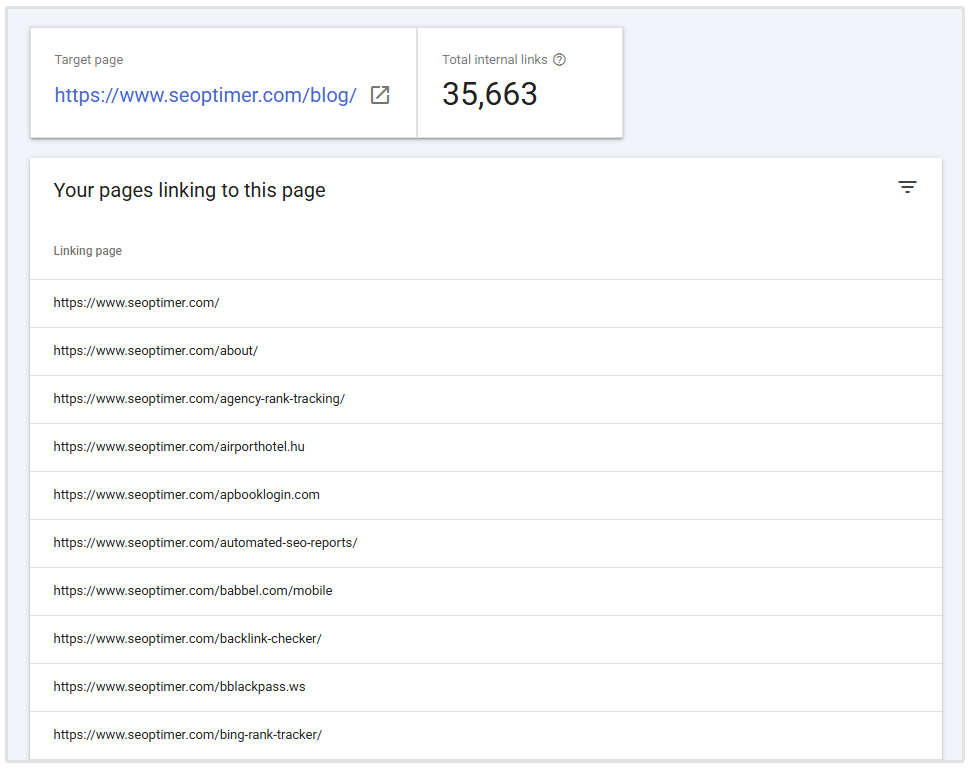
For internal links, you can see which pages on your site receive the most internal links and which pages link to them.
You can also view the Top linking text to see the most commonly used anchor text other sites use when linking to yours.
Google Search Console is limited because it only works for websites you own or have verified access to.
You cannot use it to analyze competitor backlink profiles, find new link prospects, check link quality metrics, or monitor new and lost backlinks over time.
Google also states that the Links report is just a sample, not a complete list of every link it knows about, and it does not show whether a backlink is follow or nofollow.
Key features:
- View your most linked-to pages from external websites
- Identify the domains that link to your website most often
- Review the most common anchor text used in external backlinks
- Review your most internally linked pages
- Identify which pages on your site link to a selected internal page
- Export link data available from the main Links report export
Pros:
- Completely free to use
- Uses backlink data from Google itself
- Useful for checking whether key pages are earning links
- Helps you spot unfamiliar or potentially spammy linking domains
- Includes internal link data alongside external backlink data
- Lets you export backlink data to CSV, Google Sheets, or Excel
Cons:
- Only shows data for verified websites, not competitor domains
- Does not provide Domain Authority, Domain Rating, Trust Flow, or similar link quality metrics
- Does not show whether backlinks are follow or nofollow
- Does not provide dedicated new or lost backlink monitoring
- Does not include outreach, prospecting, contact finding, or campaign management tools
- Shows a sample of Google’s known links rather than a complete backlink profile
Pricing: Free.
3. BuzzStream
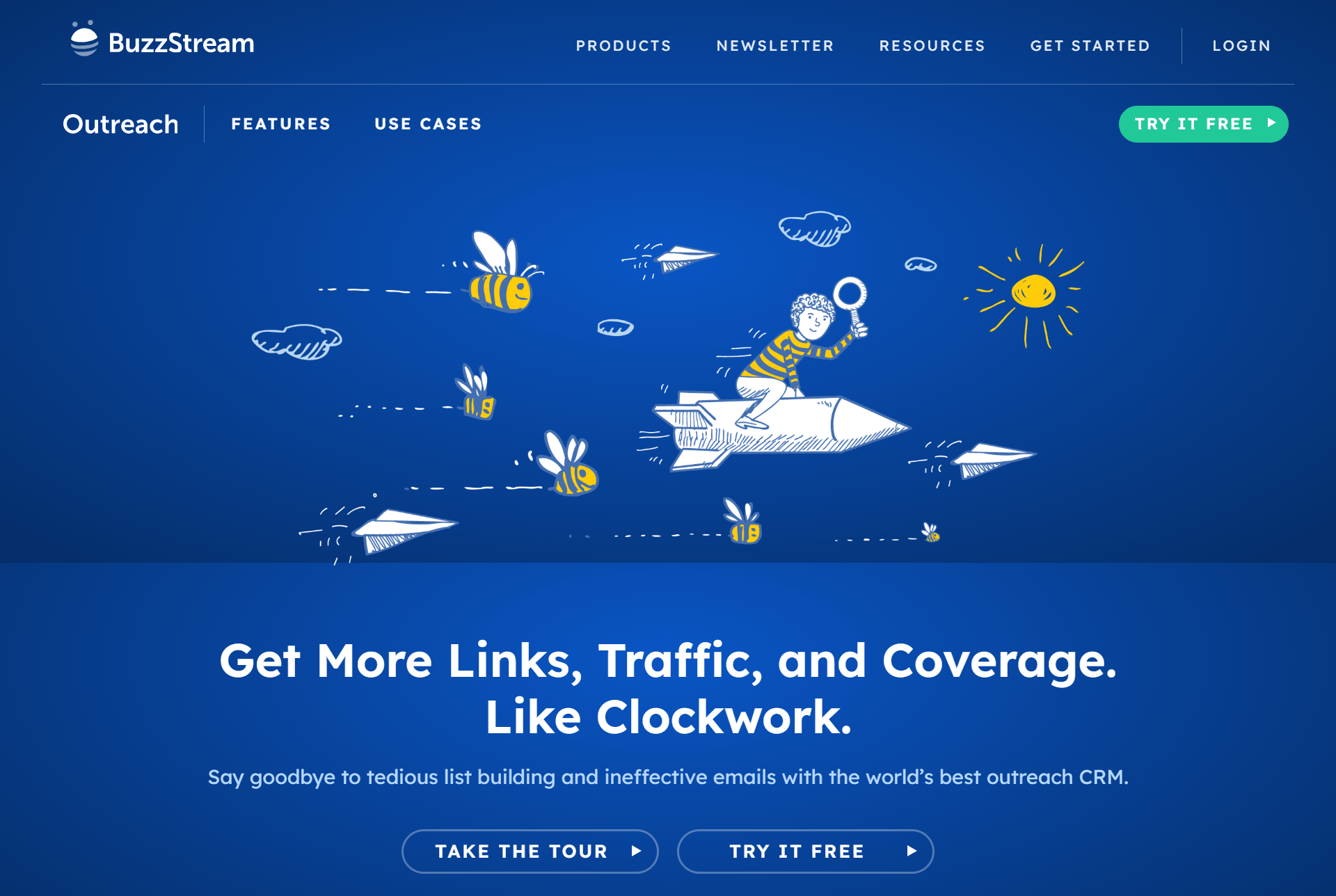
BuzzStream is a link building outreach platform. It helps SEO teams find relevant websites and contacts, organise prospects into outreach campaigns, send personalised emails, and track conversations from the first pitch to the final backlink placement.
Unlike backlink research tools such as SEOptimer, Ahrefs, or Majestic SEO, BuzzStream is not designed to analyze the complete backlink profile of any domain.
Its main purpose is managing the outreach work involved in earning backlinks through guest posting, resource page outreach, digital PR, unlinked brand mentions, content promotion, and similar campaigns.
Key features:
- Build prospect lists by adding websites, authors, bloggers, journalists, and social profiles to campaigns
- Collect website metrics, contact information, and social profile details while researching prospects
- Find and verify contact details for outreach targets
- Create personalised email templates and send outreach directly from connected inboxes
- Set follow-up reminders and track outreach stages, replies, placements, and campaign progress
- Add notes, tasks, tags, and custom fields to organise link prospects
- Track team activity and share outreach campaigns across multiple users
- Report on outreach activity, response rates, and link building progress
Pros:
- Keeps link prospecting, contact research, outreach, and follow-ups in one platform
- Useful for replacing manual spreadsheets used to track link building campaigns
- Helps teams avoid contacting the same website or journalist multiple times
- Supports personalised outreach instead of sending identical bulk emails
- Includes collaboration features for agencies and larger SEO teams
- Can be used for both traditional link building and digital PR campaigns
Cons:
- Does not provide the same depth of backlink research as dedicated backlink analysis tools
- Not suitable for analyzing competitor backlink profiles or identifying every backlink pointing to a domain
- Users may still need a separate tool for backlink monitoring, rank tracking, keyword research, and technical SEO audits
- Can take time to set up properly when managing large prospect databases or multiple campaigns
Pricing: BuzzStream offers a free trial. Paid plans start at $49 per month for one user, with plans increasing based on the number of users, contacts, prospecting searches, and backlink checks required.
4. Ahrefs
Ahrefs is an SEO platform best known for its large backlink database and competitor research tools.
It is widely used to analyze which websites link to a competitor, identify their most linked-to pages, and find backlink opportunities your own site has not yet earned.
Its main link building tool is Site Explorer.
You can enter any domain, subdomain, URL, or folder to review its backlinks, referring domains, anchor text, linked pages, and referring pages.
Ahrefs also includes Link Intersect, which finds websites that link to one or more competitors but do not link to your site.
This makes it useful for building a targeted prospect list based on proven backlink opportunities.
Ahrefs is primarily a research and analysis tool. It helps you identify where to pursue links, but you will still need a separate tool such as BuzzStream or Lemlist to manage outreach emails and follow-ups.
Key features:
- Analyze backlink profiles for any domain, subdomain, URL, or folder
- View backlinks, referring domains, anchor text, referring pages, and linked pages
- Review Domain Rating (DR) and URL Rating (UR) metrics
- Identify a competitor’s most linked-to pages for content and digital PR ideas
- Use Link Intersect to find domains that link to competitors but not to your website
- Filter backlink reports by factors such as link type, follow status, referring-domain traffic, and Domain Rating
- Export backlink and referring-domain data for further analysis
Pros:
- Strong tool for competitor backlink analysis and link-gap research
- Lets you analyse websites you do not own, including direct competitors
- Detailed filters make it easier to focus on relevant link prospects
- Useful for identifying linkable content formats and pages that already attract backlinks
- Includes wider SEO tools for keyword research, rank tracking, technical audits, and content research
Cons:
- Does not include a dedicated outreach CRM for sending pitches and managing follow-ups
- Can be expensive for freelancers, small businesses, and teams with limited SEO budgets
- The amount of data and number of reports can feel overwhelming for beginners
- Ahrefs metrics such as Domain Rating are useful comparison points, but they are proprietary estimates rather than Google ranking factors
Pricing: Ahrefs offers a free plan with limited access for verified websites. The Lite plan starts at $129 per month, while higher plans are available for larger teams and agencies. Annual billing is also available at a discount.
5. Majestic SEO
Majestic SEO is a specialist backlink analysis platform. It is built for SEOs and marketers who want to examine the quality, quantity, topical relevance, and history of links pointing to a website.
Its main tool, Site Explorer, lets you analyze the backlink profile of any domain, subdomain, URL, or folder.
You can review referring domains, individual backlinks, anchor text, referring IPs, new and lost links, and the pages that attract the most links.
Majestic is best known for its proprietary Flow Metrics.
Trust Flow estimates the quality of a site’s backlink profile, while Citation Flow measures the quantity or influence of links pointing to it.
Topical Trust Flow adds another layer by showing the industries or topics most strongly associated with a site’s backlinks. These metrics can help you assess whether a potential link prospect is relevant to your niche, not simply popular.
Key features:
- Analyze backlinks, referring domains, anchor text, referring IPs, and referring subnets
- Review Trust Flow, Citation Flow, and Topical Trust Flow metrics
- Identify new backlinks and recently lost backlinks
- Use Link Context to see where a backlink appears on a referring page and which links appear near it
- Compare multiple domains through the Compare Sites tool
- Use Clique Hunter to find websites that link to competitors but not to your site
- Review backlink history and Flow Metric changes over time
- Analyze link profile charts to spot unusual or potentially low-quality backlink patterns
- Use the Bulk Backlink Checker to review headline backlink metrics across multiple domains
Pros:
- Strong focus on backlink data and link quality analysis
- Topical Trust Flow can help identify link prospects that are relevant to a specific industry
- Useful for comparing competitor backlink profiles
- Includes Fresh Index data for more recent backlink discoveries
- Offers free Trust Flow, Citation Flow, backlink, and referring-domain metrics through its Backlink Checker
- Supports detailed competitor research through features such as Clique Hunter and Compare Sites
Cons:
- Does not include a built-in outreach CRM or email sequencing tool
- Can feel technical and less beginner-friendly than all-in-one SEO platforms like SEOptimer
- Its proprietary metrics are useful for comparing domains, but they are not Google ranking factors
- Advanced competitor comparison, backlink history, exports, and alerts require a higher-tier plan
Pricing: Paid plans start at $49.99 per month for the Lite plan, or $41.67 per month when paid annually. The Pro plan starts at $99.99 per month and includes additional features such as Historic Index access, Clique Hunter, backlink history, custom reports, raw data exports, and email alerts.
6. Linkody
Linkody is a backlink monitoring and management tool.
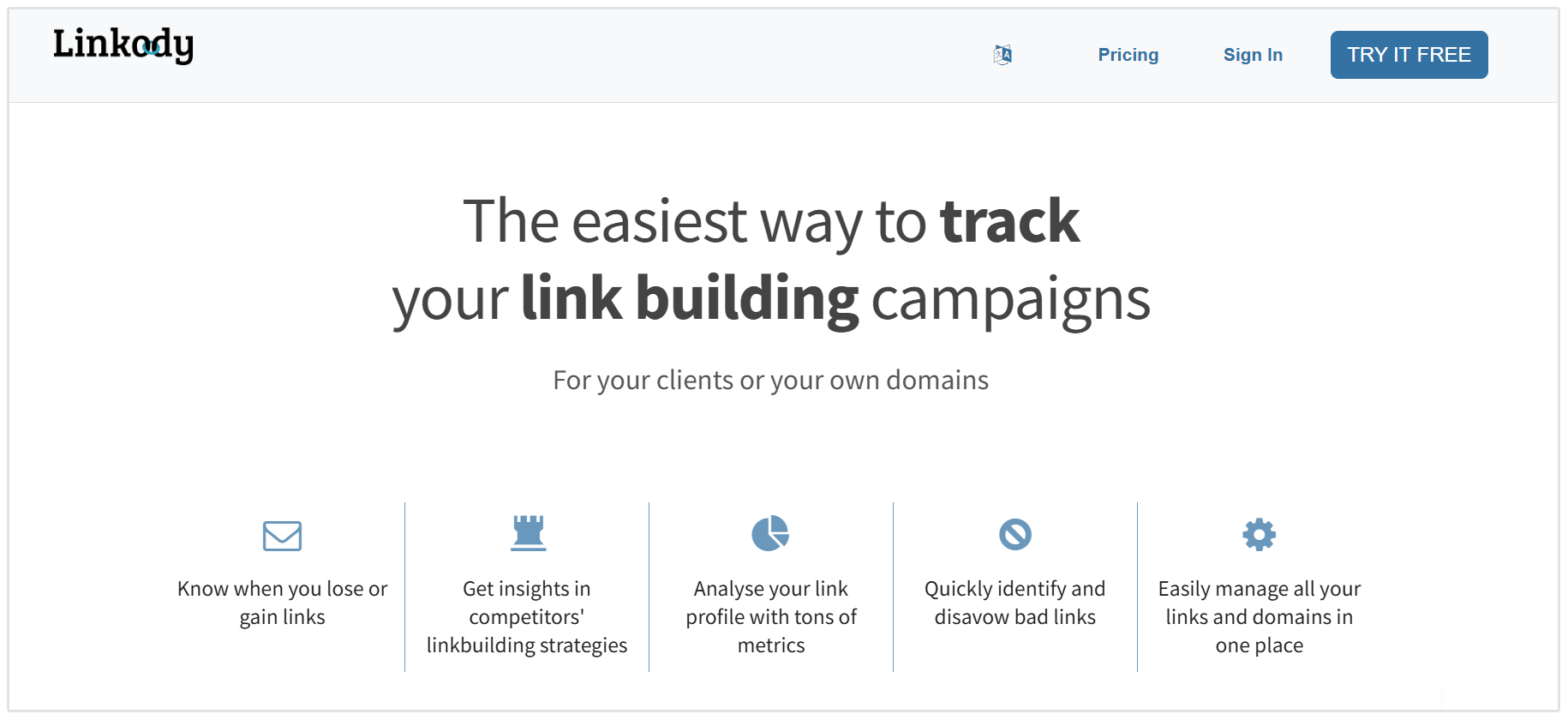
It is designed to help SEOs track the links pointing to their websites, identify new and lost backlinks, and review changes that could affect a link building campaign.
After adding a domain, Linkody checks the status of its monitored backlinks every 24 hours.
It can flag new links, lost links, broken links, and links that have changed from follow to nofollow. The platform also lets users monitor competitor backlink profiles, which can help uncover websites that may be relevant outreach targets.
Linkody includes backlink metrics from Moz, such as Domain Authority, Page Authority, and Spam Score. It also shows details including anchor text, referring pages, landing pages, link status, country, IP address, and whether the linking page is indexed by Google.
Its Link Visualizer feature shows the location of a backlink on the referring page, helping users confirm that a link is still live and visible.
Key features:
- Monitor backlinks and update their status every 24 hours
- Receive daily or weekly email reports about new links and backlink changes
- Track lost, broken, removed, and nofollow backlinks
- Analyze backlink data such as anchor text, referring domains, landing pages, countries, IP addresses, and follow status
- Review Moz metrics, including Domain Authority, Page Authority, MozRank, and Spam Score
- Use Link Visualizer to see where a backlink appears on the referring page
- Monitor competitor backlinks and identify pages that link to competitors
- Create and export white-label PDF reports for clients
- Add notes, tags, and filters to organize backlink records
- Generate a disavow file for potentially harmful backlinks
Pros:
- Strong focus on backlink monitoring and link status changes
- Alerts make it easier to spot lost backlinks that may be worth reclaiming
- Provides daily or weekly email reporting options
- Includes competitor monitoring for backlink research
- Link Visualizer can save time when verifying backlink placements
- Includes white-label reporting and multi-user access for agency teams
- More affordable than many all-in-one SEO platforms
Cons:
- Does not include a dedicated outreach CRM or email sequencing tool
- Backlink research is less extensive than platforms such as SEOptimer or Majestic SEO
- Does not include broader SEO tools such as keyword research, rank tracking, or technical site auditing
- The lower-priced plans have strict limits on monitored domains and backlinks
Pricing: Linkody offers a 30-day free trial with no credit card required. Paid plans start at €13.90 per month for the Webmaster plan, which includes two domains and 500 monitored backlinks. Annual billing reduces the effective monthly cost to €10.50 and includes three months free.
7. Hunter
Hunter is an email discovery, verification, and cold outreach tool that supports the contact-finding and outreach stages of link building.
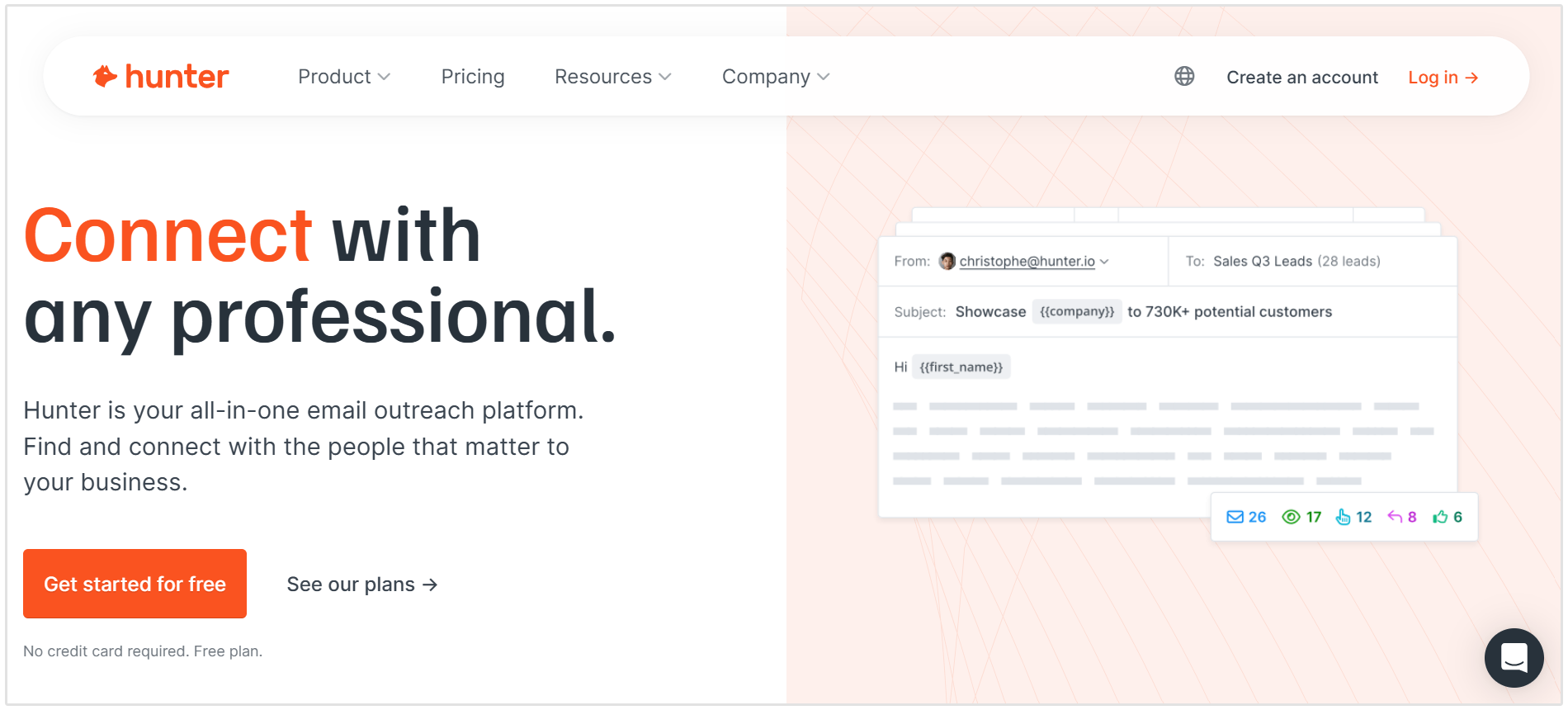
After identifying relevant websites, you can use Hunter to find the right contact, and verify their email address.
Hunter also includes Hunter Sequences, which lets you create and send automated cold email campaigns with follow-ups, personalization, and tracking.
This is useful for reaching out to bloggers, editors, and website owners at scale.
Hunter is not a backlink research or monitoring tool. It does not analyze backlink profiles or track placements, but instead helps you move from identifying a prospect to contacting them.
Key features:
- Find and verify professional email addresses for websites or specific contacts
- Use the Chrome extension to discover contact details while browsing
- Upload lists for bulk email finding and verification
- Create and send personalized cold email campaigns with Hunter Sequences
- Schedule follow-ups and track outreach performance
- Connect Gmail or Outlook accounts to send emails from your own inbox
Pros:
- Helps you reach the right contact instead of generic inboxes
- Combines email discovery, verification, and outreach in one tool
- Easy to use alongside backlink research tools
- Includes a free plan for smaller campaigns
Cons:
- Email discovery does not guarantee that a contact will reply or agree to place a link
- Larger outreach campaigns can become expensive because pricing is based on credits and sending capacity
Pricing: Hunter offers a free plan with 50 credits per month. Paid plans start at $49 per month, or $34 per month when billed annually, with higher plans available for teams that need more searches, verification credits, connected email accounts, and outreach capacity.
8. Pitchbox
Pitchbox is a link building and outreach platform for teams that run high-volume campaigns. It combines prospecting, contact discovery, personalized email outreach, follow-ups, campaign management, and reporting in one workspace.
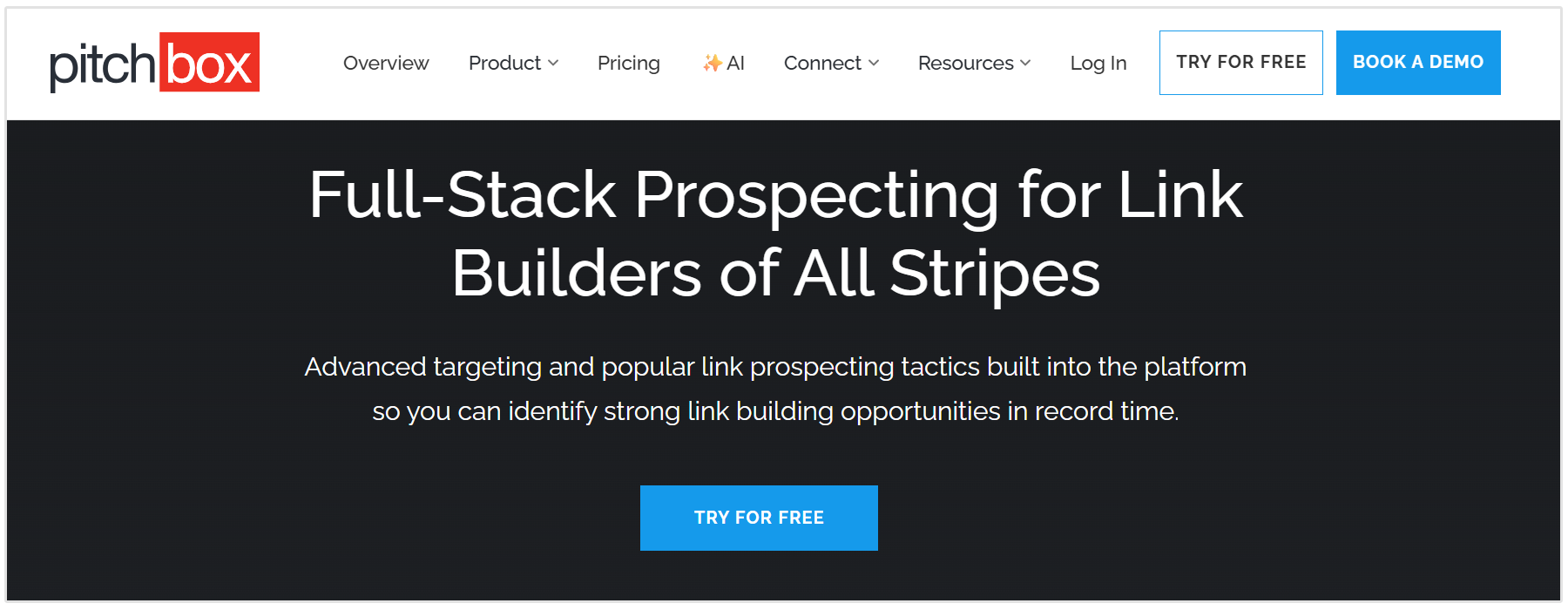
The platform is designed for agencies, in-house SEO teams, and publishers that need a structured process for earning links at scale.
Users can create campaigns around a specific tactic, such as guest posting, broken link building, digital PR, link reclamation, or resource page outreach.
Pitchbox then helps teams find relevant websites, review prospects, personalize outreach emails, and track each opportunity through the link building process.
Pitchbox is not a backlink research tool.
While it integrates with platforms such as Ahrefs, its main role is helping teams turn link opportunities into organized outreach campaigns and maintain a clear record of conversations, placements, and relationships.
Key features:
- Find link building prospects through keyword searches, advanced search operators, and campaign templates
- Collect prospect data, contact details, website metrics, and personalization information in one campaign workspace
- Create personalized outreach templates using custom fields and prospect-specific details
- Send outreach from connected email accounts
- Automate follow-up emails for prospects who do not respond
- Track prospects through custom workflow stages, from research and outreach to negotiation and placement
- Use AI personalization tools to generate campaign-specific details from a prospect’s website or content
- Add custom fields to track details such as site type, placement type, link costs, and campaign notes
- Use reporting tools to review outreach activity, campaign performance, and team progress
Pros:
- Combines prospecting, outreach, follow-ups, relationship management, and reporting in one platform
- Built specifically for link building and digital PR workflows
- Useful for agencies managing multiple clients and campaigns
- Automated follow-ups can reduce manual outreach work
- AI personalization features can help teams scale outreach while keeping emails more relevant
- Includes team collaboration and approval features for managers overseeing outreach activity
- Integrates with other SEO and marketing tools
Cons:
- Quite expensive compared to most outreach tools, making it less suitable for freelancers or small businesses
- Can take time to set up because campaigns, workflows, inboxes, and prospecting processes need to be configured correctly
- Does not replace a dedicated backlink research platform such as SEOptimer
- Large-scale outreach still requires careful personalization and quality control to avoid low-quality email campaigns
- Pricing limits the number of outreach emails, email accounts, workspaces, and campaigns available on each plan
Pricing: Pitchbox offers a free trial. Paid plans start at $300 per month when billed monthly for the Pro plan. The Advanced plan costs $600 per month when billed monthly, while the Scale plan costs $1200 per month when billed monthly.
9. Lemlist
Lemlist is a cold email and multichannel outreach platform. In the link building process, it is most useful after you have already identified qualified websites and found the right contacts to approach.
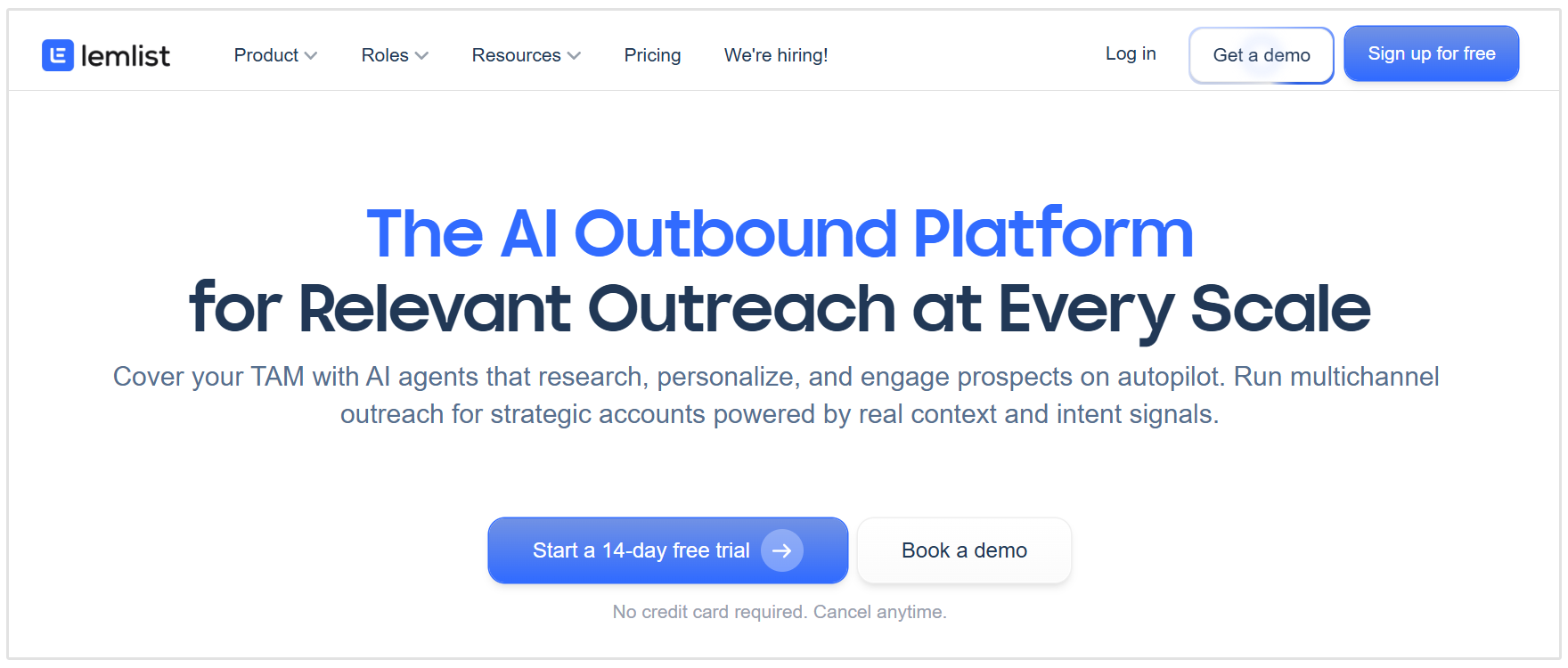
You can use Lemlist to turn a prospect list into a structured outreach campaign.
It helps teams send personalized emails, schedule follow-ups, manage replies, and protect email deliverability while contacting bloggers, editors, publishers, and website owners.
Lemlist is not a backlink research or monitoring tool.
It does not analyze competitor backlink profiles, assess the quality of a potential link opportunity, or confirm whether a backlink has been placed. Its purpose is to help link builders manage outreach at scale without relying on manual email follow-ups and spreadsheets.
Key features:
- Create automated outreach sequences with personalized email steps and follow-ups
- Add custom variables to personalize emails using prospect, company, or campaign data
- Run multichannel campaigns using email, LinkedIn actions, calls, and manual tasks
- Use a built-in lead database, email finder, and email verification tools to enrich prospect lists
- Use email warm-up and deliverability tools to help protect sender reputation
- Add LinkedIn profile visits, connection requests, messages, and manual tasks to outreach sequences
- Track campaign activity and manage prospect status throughout the outreach process
- Connect Lemlist with CRM platforms and other tools through native integrations and API access
Pros:
- Useful for managing personalized outreach campaigns at scale
- Supports email and multichannel outreach from one platform
- Built-in email warm-up and deliverability tools can help reduce the risk of outreach emails landing in spam folders
- Lets teams automate follow-ups while still using prospect-specific personalization
- Includes lead enrichment and email verification features
- Suitable for agencies running outreach campaigns for multiple clients
Cons:
- Does not replace a dedicated link building CRM such as BuzzStream or Pitchbox
- Multichannel features such as LinkedIn automation and calling require a higher-tier plan
- Outreach automation can still produce poor results if emails are not relevant or genuinely personalized
- The platform may be more complex than necessary for small campaigns with a limited number of prospects
Pricing: Lemlist offers an Email plan starting at $69 per month. Its Multichannel plan starts at $109 per user per month. A 14-day free trial is available on all plans.
10. Google Search Operators
Google Search Operators are commands that refine Google search results.
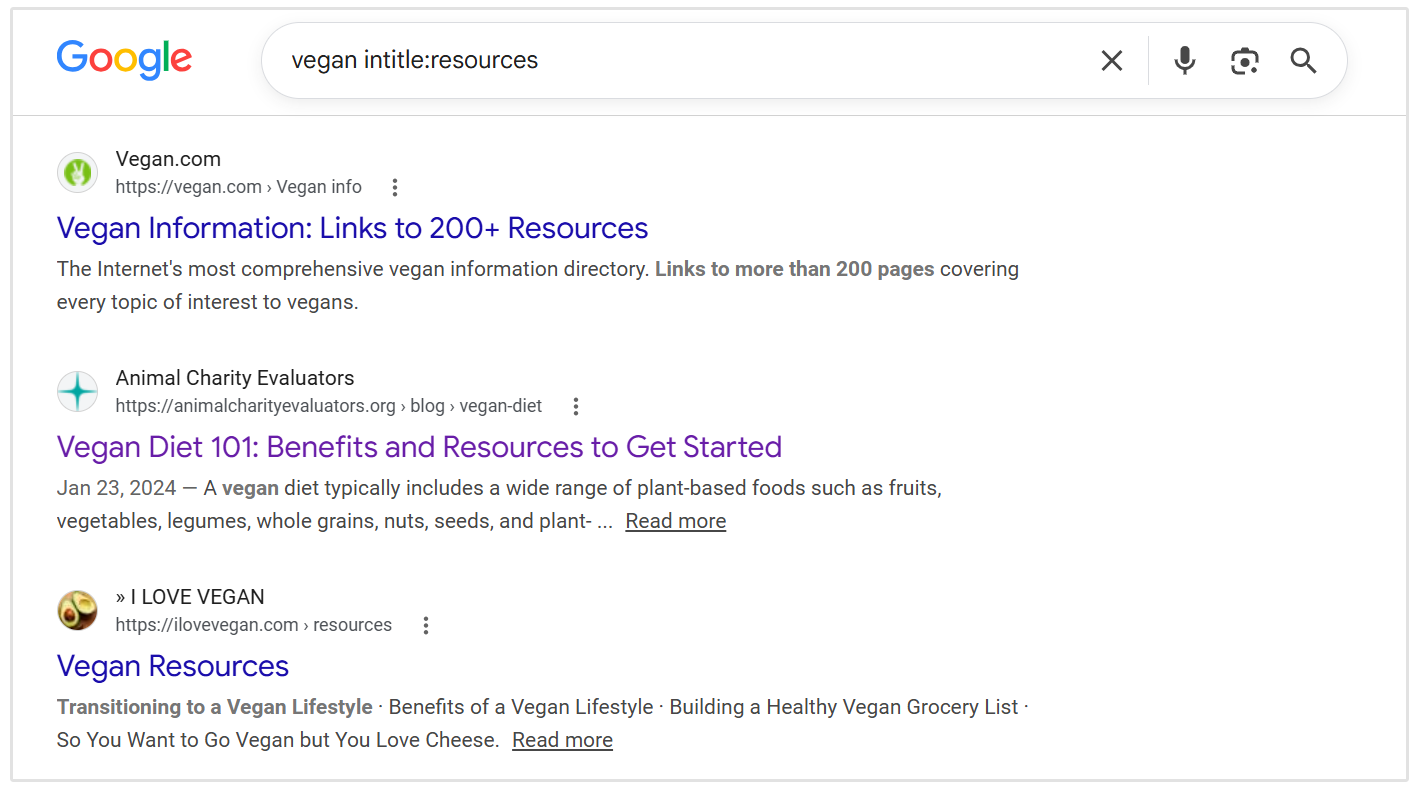
While they are not a link building tool per se, they can be useful for finding relevant websites, resource pages, guest posting opportunities, unlinked brand mentions, and other prospects for link building outreach.
For example, you can combine an industry keyword with a search operator to find pages that are specifically designed to list helpful resources or accept contributor content.
Google supports operators for exact-match searches, site-specific searches, exclusions, date filters, and file types.
Google Search Operators are most useful during the prospecting stage of a link building campaign.
They help you create a list of potential websites to review, but you still need to assess each prospect for topical relevance, content quality, traffic, and backlink quality before reaching out.
Useful Google Search Operators for Link Building:
- site:: Restricts results to a specific website, domain, or URL prefix. Example: site:example.com SEO
- intitle:: Finds pages with a specific word or phrase in the page title. Example: vegan intitle:resources
- inurl:: Finds pages with a specific word or phrase in the URL. Example: SEO inurl:resources
- "exact phrase": Finds pages containing the exact phrase in quotation marks. Example: "write for us" SEO
- OR: Finds results containing either one term or another. Example: SEO "write for us" OR "guest post guidelines"
- -: Excludes unwanted words, phrases, or websites from results. Example: SEO "write for us" -facebook -linkedin -pinterest
- after:: Finds pages updated after a specific date. Example: SEO "write for us" after:2025-01-01
- before:: Finds pages updated before a specific date. Example: SEO "write for us" before:2025-01-01
- filetype:: Finds pages in a specific file format, such as PDF documents. Example: SEO resources filetype:pdf
Useful Link Building Search Queries:
- Find resource pages:
- SEO intitle:resources
- AI inurl:resources
- Exercise "useful resources"
- Find guest post opportunities:
- SEO "write for us"
- SEO "guest post guidelines"
- SEO intitle:"guest post"
- Find tool, directory, or list-page opportunities:
- Social media intitle:tools
- PPC "recommended tools"
- SEO intitle:links
- Find unlinked brand mentions:
- "Your Brand Name" -site:yourdomain.com
- Find competitor mentions and placements:
- "Competitor Name" "guest post"
- "Competitor Name" -site:competitordomain.com
- Find recently updated outreach opportunities:
- Personal finance "write for us" after:2025-01-01
Pros:
- Completely free to use
- Helps identify relevant websites without requiring a paid prospecting platform
- Useful for guest posting, resource page outreach, digital PR, and unlinked mention campaigns
- Can be combined with any industry keyword, location, or website type
- Makes it easier to remove irrelevant results with exclusions and filters
- Useful alongside backlink research tools such as SEOptimer, Ahrefs, or Majestic SEO
Cons:
- Requires manual review to separate high-quality websites from irrelevant or low-value results
- Search results can vary based on location, language, search history, and Google’s indexing
- site: searches are not exhaustive and may not show every indexed URL from a domain or URL prefix.
- Does not include outreach, follow-up, backlink monitoring, or campaign reporting features
Pricing: Free.
FAQs
What is link building in SEO?
Link building is the process of earning hyperlinks from other websites to your own pages. These links, also called backlinks, can help search engines discover your content and understand which pages may be useful or authoritative on a specific topic.
Why are backlinks important for SEO?
Backlinks can support SEO because they show that another website considers your content worth referencing.
What makes a backlink high quality?
A high-quality backlink usually comes from a reputable website that is relevant to your industry or topic. It should appear naturally within useful content and point to a page that provides real value to the reader.
Do link building tools build backlinks automatically?
No, link building tools do not automatically create quality backlinks. Instead, they help with tasks such as researching competitors, finding link prospects, locating contact details, sending outreach emails, and monitoring new or lost links.
What are the best SEO tools for link building?
The best SEO tools for link building depend on the task you need to complete. Tools like SEOptimer are useful for backlink research and monitoring, while BuzzStream, Pitchbox, Hunter, and Lemlist support outreach.
Conclusion
The best link building tools help you manage specific parts of the link building process, from researching competitor backlinks and finding relevant prospects to contacting website owners and monitoring earned links.
There is no single tool that does everything.
The right combination depends on your goals, budget, and campaign size. Start by choosing tools that help you identify relevant link opportunities, build genuine relationships, and measure whether your efforts are creating lasting SEO value.
You can use SEOptimer’s Backlink Checker to analyze the backlink profile of any domain and Backlink Monitoring to track changes to your link profile over time.