


What information should a business website include? At the very least, visitors should be able to quickly understand who you are, what you offer and how they can contact you.
Clear and consistent business information builds trust with potential customers while helping search engines and AI tools understand your business more accurately.
In this guide, we’ll explain which business details you should include on your website, where to display them, and how to keep them consistent.
Why Clear Business Information Matters for Search and AI
Helps Search Engines Understand the Business
Clear and consistent information helps search engines connect your website with a specific business or organization. This is especially important for local SEO, where Google needs to understand what your business offers, where it is located and which areas it serves.
Google explains that local search results are primarily based on relevance, distance and prominence.
It also states that businesses with complete and accurate information are more likely to appear in local results because these details help Google match a business with relevant searches. Google’s local ranking guidance recommends providing information such as your address, opening hours and business category.
Your website should therefore clearly display your business name, address or service area, phone number, opening hours and services. These details should also correspond with the information shown on your Google Business Profile.
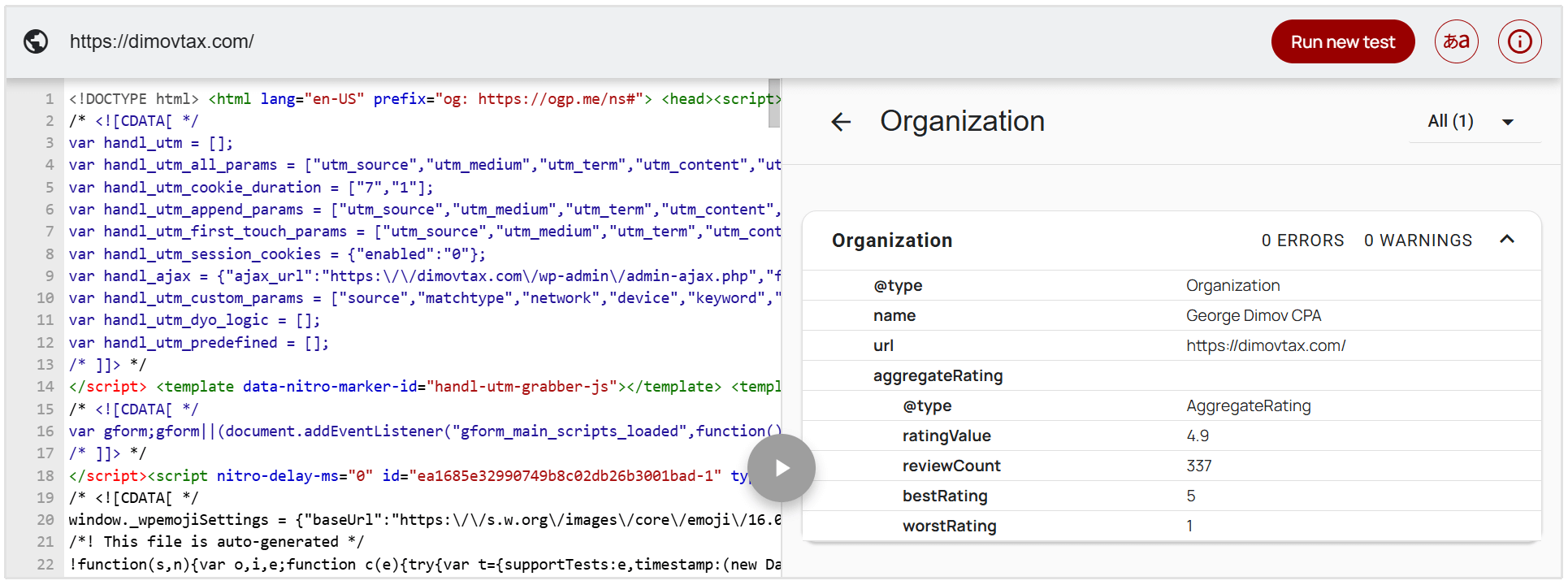
You can provide Google with additional context by adding LocalBusiness structured data to your website.
This markup can identify details such as your address, phone number, location and opening hours in a format search engines can interpret.
Businesses without a customer-facing location can use the appropriate Organization structured data instead.
Builds Customer Trust
Visitors are more likely to trust a business when they can clearly see its name, location, contact details and other important information.
Missing or vague details can make a website appear less credible, especially when someone is considering making a purchase or submitting personal information.
Makes the Business Easier to Contact
Customers should not have to search through multiple pages to find a phone number, email address or contact form.
Making these details easy to find reduces friction and helps potential customers choose the contact method that suits them best.
Reduces Ambiguity for AI Search Tools
AI search tools can use websites and other online sources when generating answers about businesses. For example, OpenAI explains that ChatGPT retrieves current information from the web and provides links to the sources used in its responses.
Publishing your official business name, location, services, contact details and verified profiles gives these tools clear information they can reference.
Note: Clear business information does not guarantee that an AI tool will mention or recommend your business. However, it ensures that more reliable source information is available and reduces the likelihood of outdated or conflicting details being used to describe your business.
What Business Information should you Add to your Site?
The exact information you need will depend on your business, but most websites should include the following details:
Official Business Name
Use the name customers recognise and keep its spelling consistent throughout your website. If your trading name differs from your registered company name, include the legal name on relevant legal pages.
Physical Address or Service Area
Businesses with a public location should provide their complete address. If you operate from home or visit customers at their premises, you can list the cities, regions or areas you serve instead.
Phone Number
Provide a direct business phone number where customers can reach you. Include the country and area code when serving customers across different regions.
Email Address
Publish an appropriate email address for general enquiries, sales or customer support. A business-domain email address can also appear more professional than a personal one.
Business and Support Hours
State when your business is open and when customers can expect assistance. If your support hours differ from your operating hours, list them separately.
Business Locations
If you have multiple branches, provide the address, contact details and opening hours for each location. Dedicated location pages can make this information easier to manage and find.
Official Social and External Profiles
Link to active social media pages, your Google Business Profile and other relevant listings. These links help visitors recognise which profiles officially belong to your business.
Registration, Licensing or Professional Details
Regulated businesses may need to display company registration numbers, professional memberships, licences or other credentials. The exact requirements will depend on your industry and location.
Where should you Display your Business Information?
You do not need to display every detail on every page, but your most important information should appear in the following places:
- Homepage: A clear business name, description and location or service area.
- Website header: A prominent phone number or contact button when contacting you is an important conversion action.
- Website footer: Your business name, address, phone number, email address and opening hours.
- Contact page: Complete contact details, a contact form, opening hours and directions where relevant.
- About page: Your official business name, background, services and other information that establishes who you are.
- Location pages: The address, contact details and opening hours for each individual branch.
- Legal pages: Your registered business name, company number and registered address where required.
- External profiles: The same information should also appear on your Google Business Profile, social media pages and relevant business directories.
Keep your Business Information Consistent and Up to Date
Your business name, address and phone number (often referred to as NAP information) should match across your website, Google Business Profile, social media pages and relevant directories.
Outdated or conflicting information can confuse customers and make it harder for search engines and AI tools to determine which details are correct.
Whenever your hours, phone number, address or services change, update every place where that information appears. It is also worth reviewing these details periodically so that old information does not quietly linger on forgotten pages or profiles.
Did you know that SEOptimer's Local SEO Audit tool can be used to check the accuracy and consitency of your NAP details on some of the most important external websites like Yelp, Bing Places, Apple Business Connect, and more?
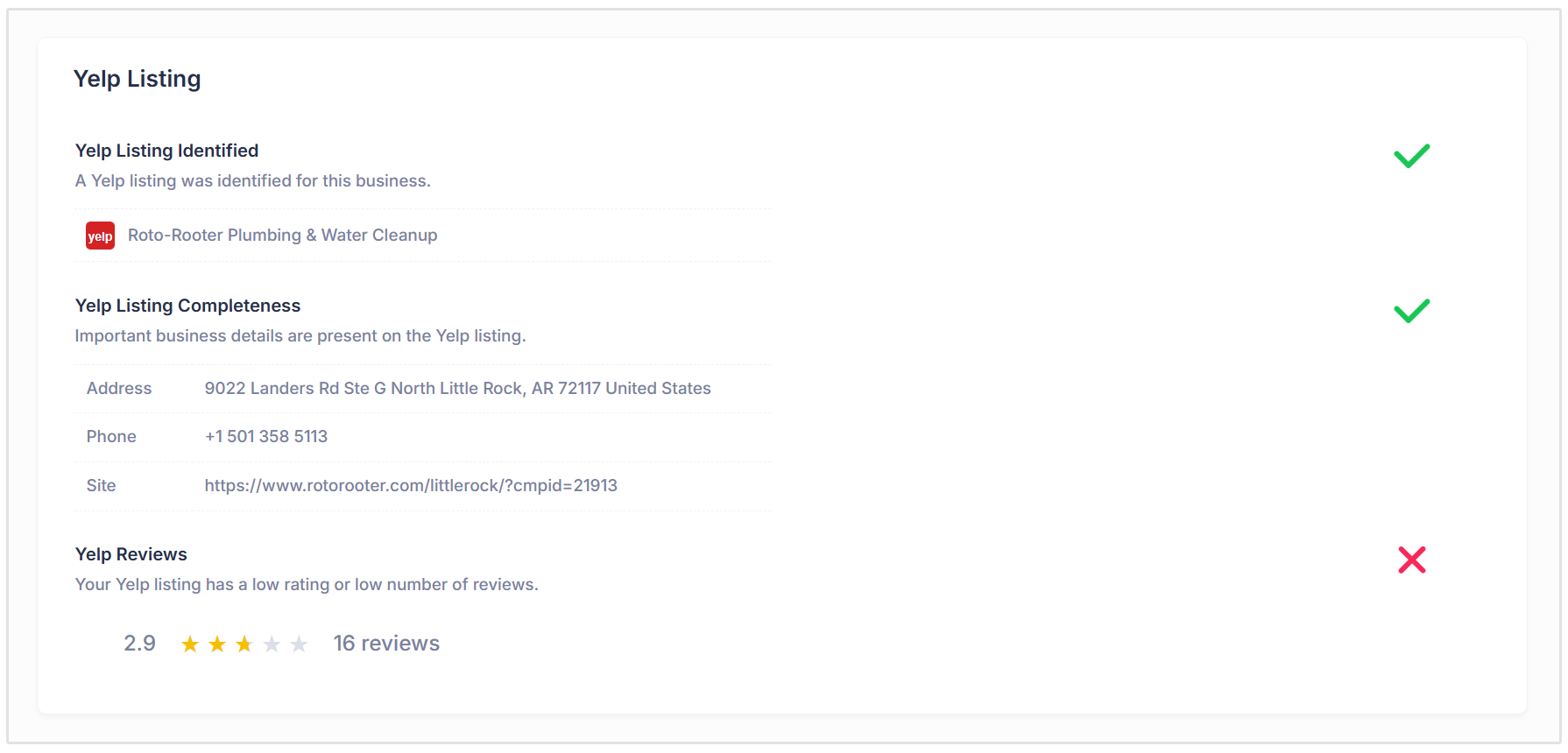
You can check your business' NAP consitency by running a local SEO audit on SEOptimer today.
Simply login to your account and navigate the the White Label Reports section, choose Local SEO Audit from the audit list, and add your business name to check NAP details and other important local SEO signals like your Google Business Profile, on-page SEO, and reviews.
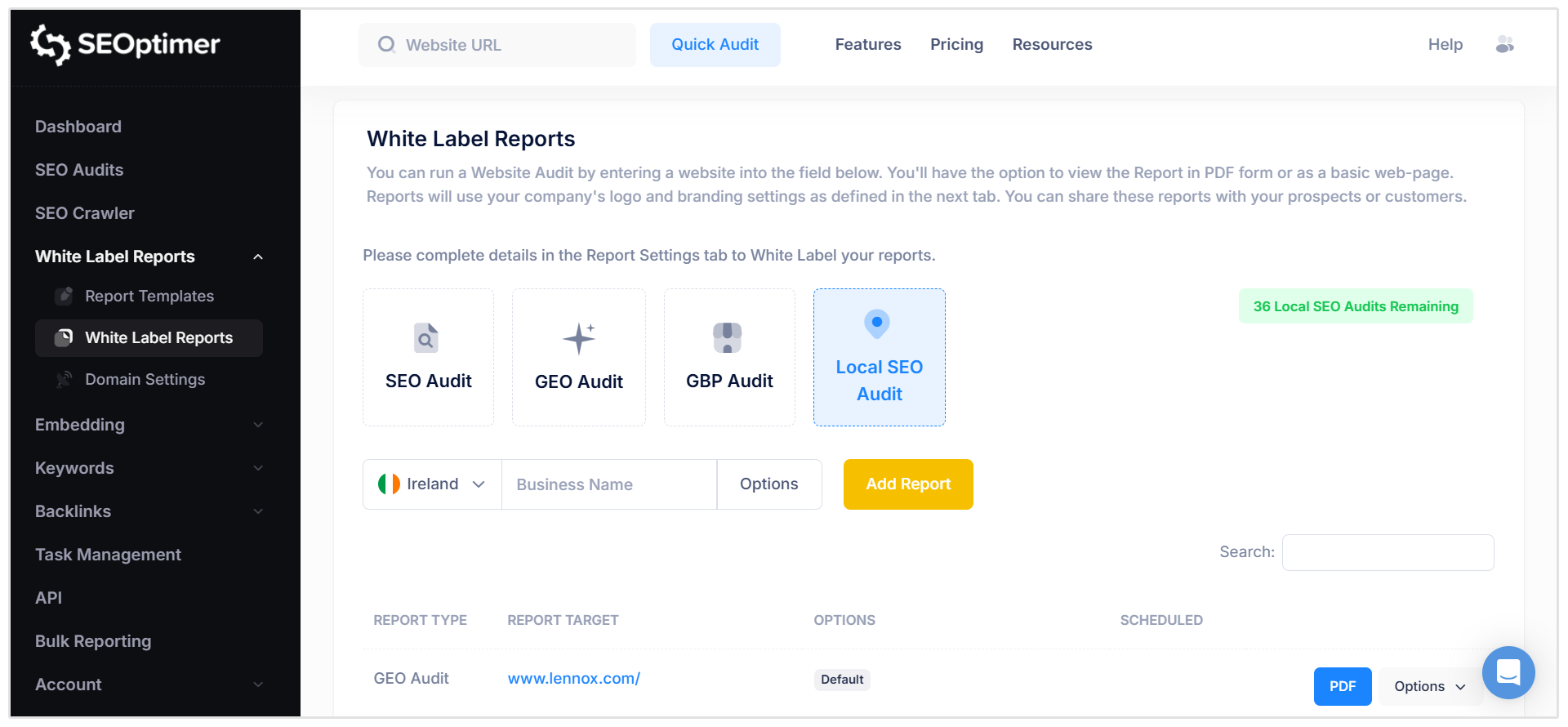
How to Check your Business Information with SEOptimer
SEOptimer’s standard SEO Audit as well as our GEO Audit includes a Contact Transparency check that analyzes whether important business and contact information can be identified on your website.
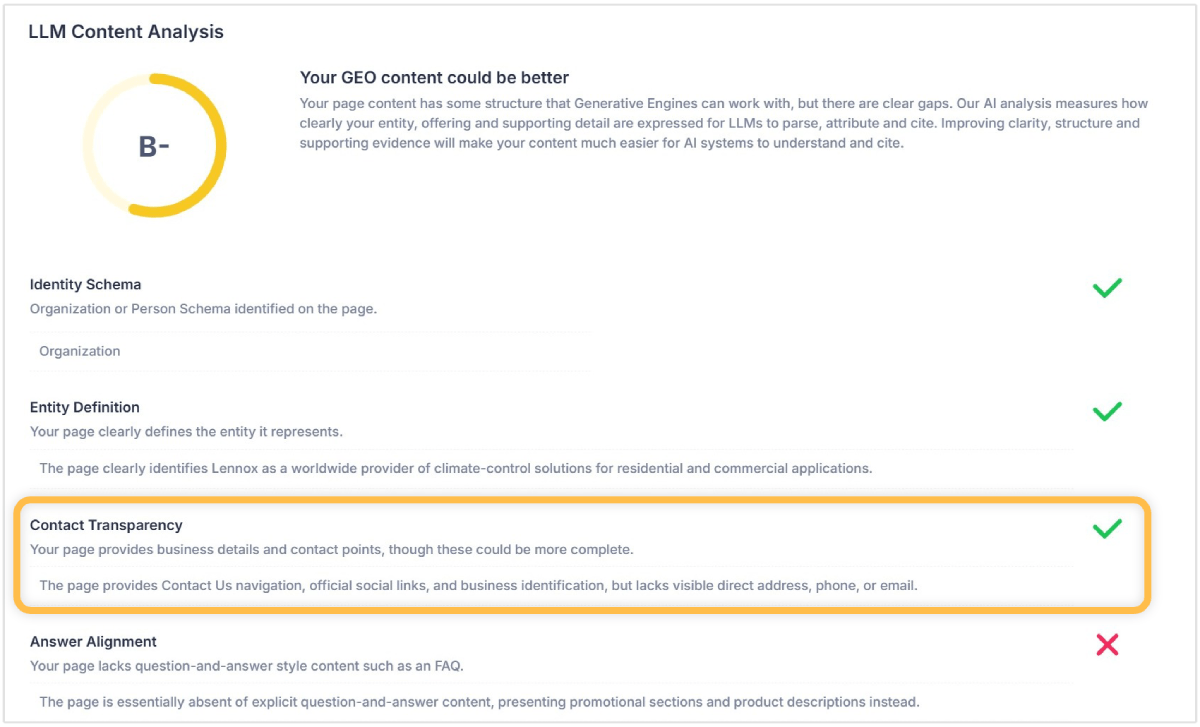
To review the check, navigate to White Label Reports in SEOptimer:
- Enter your website URL and run a standard SEO Audit or a GEO Audit.
- Open the LLM Content Analysis section of the report.
- Find the Contact Transparency result.
- Review the information detected on your website and identify any missing or unclear details.
- Update your website where necessary and rerun the audit to check the changes.
This provides a quick way to evaluate whether AI tools have enough information to identify your business and understand how customers can contact it.
Wrapping Up
Open your website as though you are visiting it for the first time and try to answer three questions within a few seconds:
- Who operates this website?
- What does the business offer?
- How can I contact it?
If any of those answers are difficult to find, you have identified a useful place to start improving your business information.