Want to get your website found on Google and AI search engines without spending thousands on an agency? You're in the right place. This guide shows you exactly how to use SEOptimer to improve your website's visibility, step by step.
By the end of this guide, you'll know exactly how to use SEOptimer to get the most value from the tool and improve your website.
In this guide you'll learn how to:
- Run your first audit
- Run your first crawl
- Check your to-do list
- Complete one task from your personalized SEO tasklist
- Track your keywords
- Check your backlinks
- Unlock 100+ free SEO tools
Your website will be easier for Google and AI search engines to find and you'll have saved yourself thousands in agency fees!
What is SEO?
SEO stands for Search Engine Optimization.
It's the process of improving your website so search engines like Google can better understand it and show it to people when they search for relevant topics.
SEO is about giving search engines clear signals about your website.
When those signals are clear, search engines are more confident showing your site to people who are looking for what you offer.
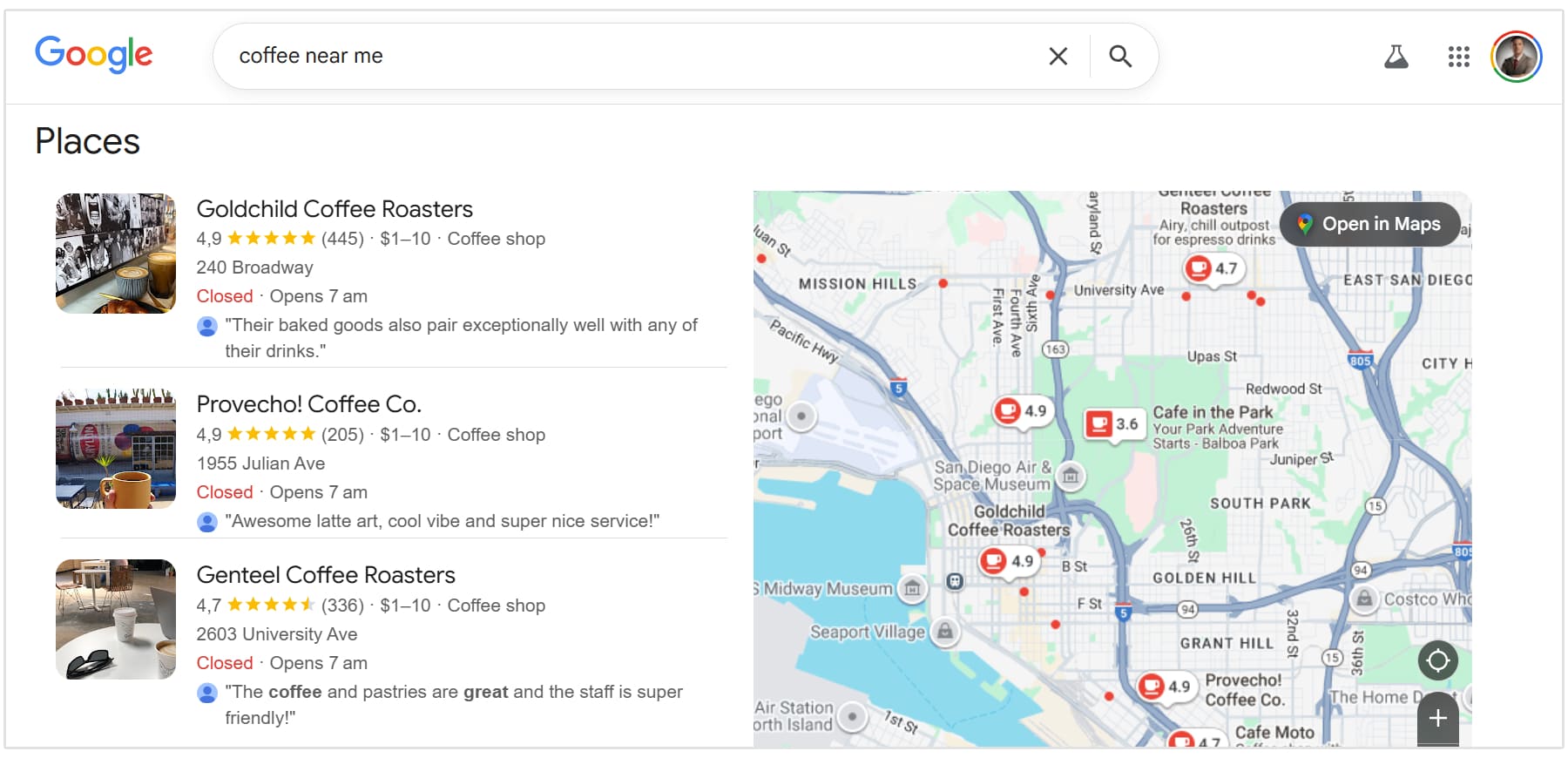
For example, if you run a coffee shop in San Diego and someone searches 'best coffee shop near me,' good SEO helps Google show your shop in those results instead of just showing your competitors.
Why it matters:
- Better SEO means more people finding you on Google and AI search engines (ChatGPT, Claude, Perplexity, etc.)
- More traffic generally means more customers for your business
- Doing it yourself can save over $6,000+ per year you'd pay an agency or marketing contractor
"SEOptimer is a great web-based tool for anyone looking to improve their website's SEO and is very user friendly and easy to learn how to use. It delivers fast, comprehensive audits with letter grades and task management recommendations. The user interface is clean and organized, making it perfect for both beginners and experienced marketers."
- Mariah Moss, verified Trustpilot review
The good news is you can do this. Let's go!
Does This Work for ChatGPT and AI Search?
Yes! And it's more important now than ever before.
AI search engines like ChatGPT, Claude, Perplexity, Google AI Overviews, and Bing Copilot all use the same foundation as traditional Google search.
AI search engines look for the same core elements as Google:
- Clear page titles and descriptions
- Structured content with proper headers
- Fast-loading mobile-friendly pages and well-organized information
The tasks SEOptimer gives you fix all of these.
Why Traditional SEO Still Matters
ChatGPT and other AI tools get their information from websites. If your website is poorly structured, AI can't:
- Understand what your business does
- Extract accurate information
- Recommend you in search results
By optimizing your SEO, you're making it easier for both humans and AI to find you.
SEOptimer helps you optimize your own website.
You're not just optimizing for today's Google, but you're future-proofing your website for tomorrow's AI-powered search.
Step 1: Run An Audit
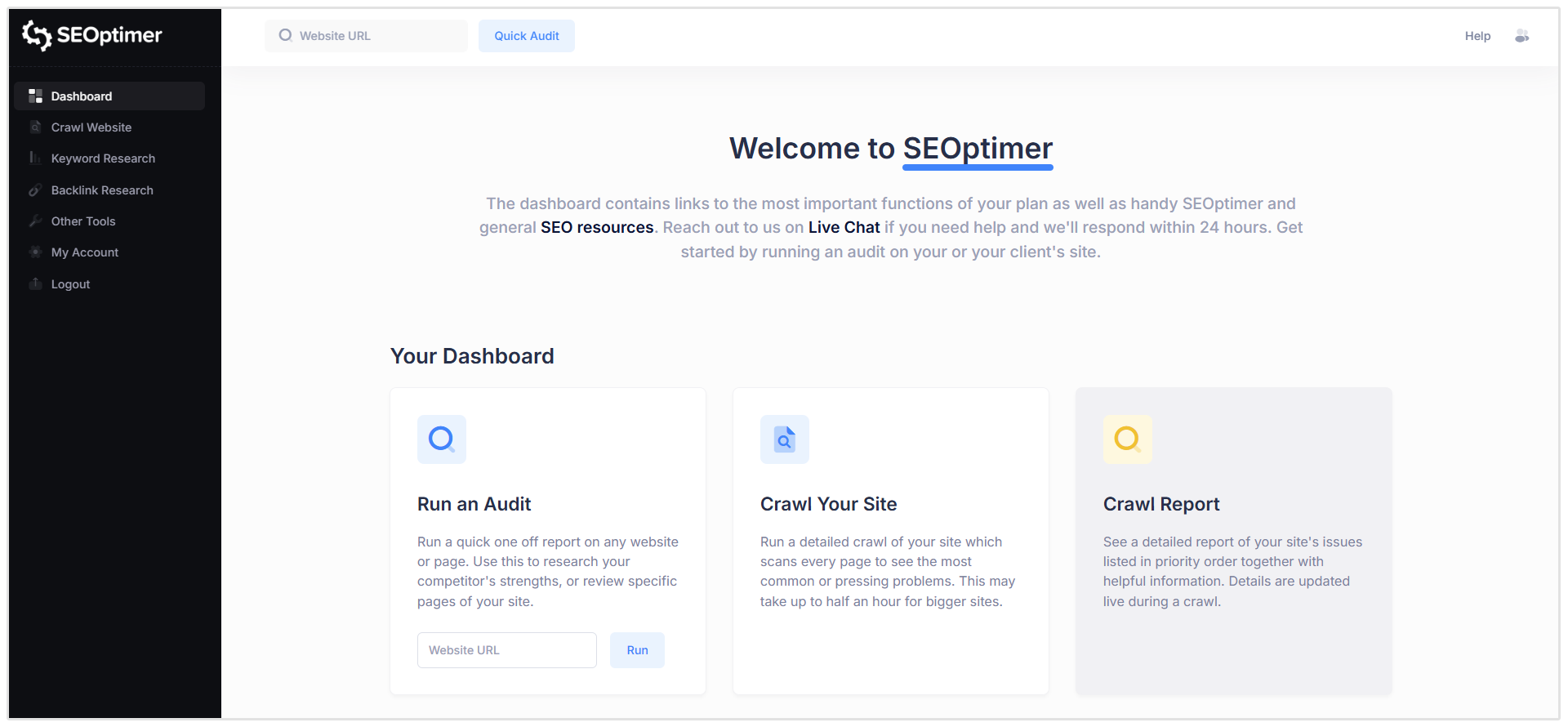
When you log in to your SEOptimer account, you'll see a few options:
- Run an Audit: Quick 20-second check of your homepage. Do this first.
- Crawl Report: Deep scan of your entire website. Do this later.
- See Your Site's Progress: Track improvements over time. Check this after you've made changes.
What to do:
- Start with Audit
- Enter your website homepage URL
- Click "Quick Audit" on top of the dashboard
What just happened?
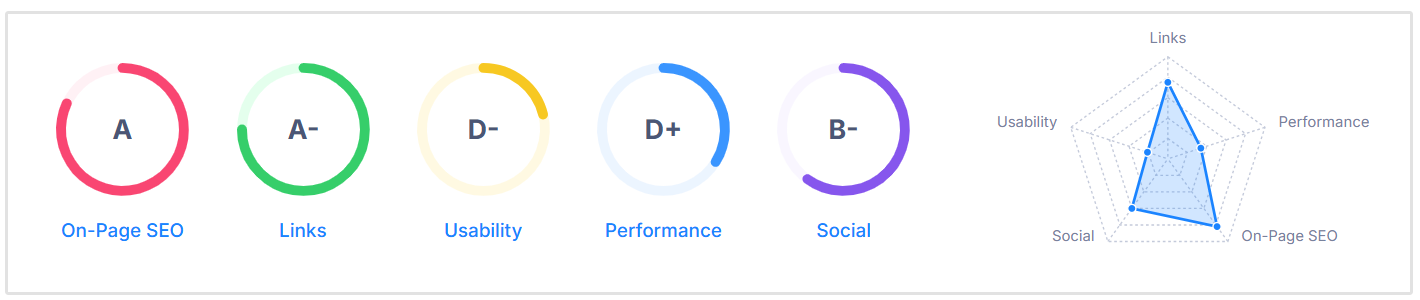
SEOptimer scans your homepage for common SEO issues. You'll get your results instantly - no waiting for an email or complex setup. You'll see grades like the following:
- On-Page SEO: B-
- Links: C+
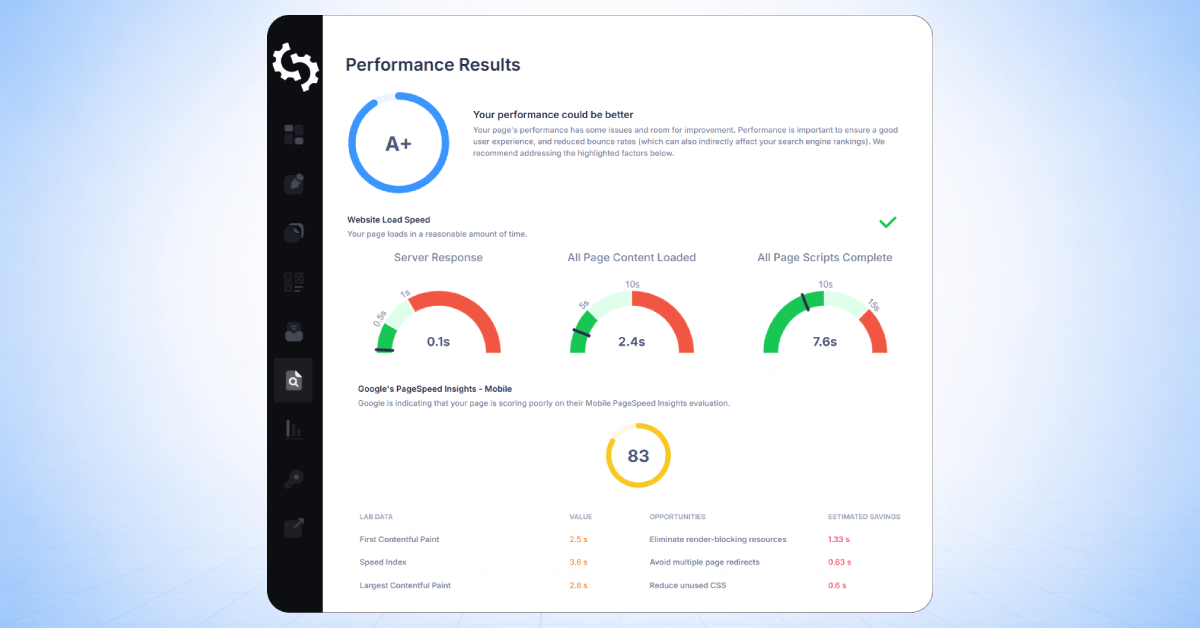
- Performance: B
This is an overview of how the page is performing.
Step 2: Crawl Your Website
Now let's go deeper. Unlike the quick audit which checks just your homepage, the SEO crawler scans your entire website: all pages, images, and links.
What to do:
- Click Crawl Website
- Enter your website URL
What just happened?
SEOptimer checked your full website for all SEO problems, not just your homepage.
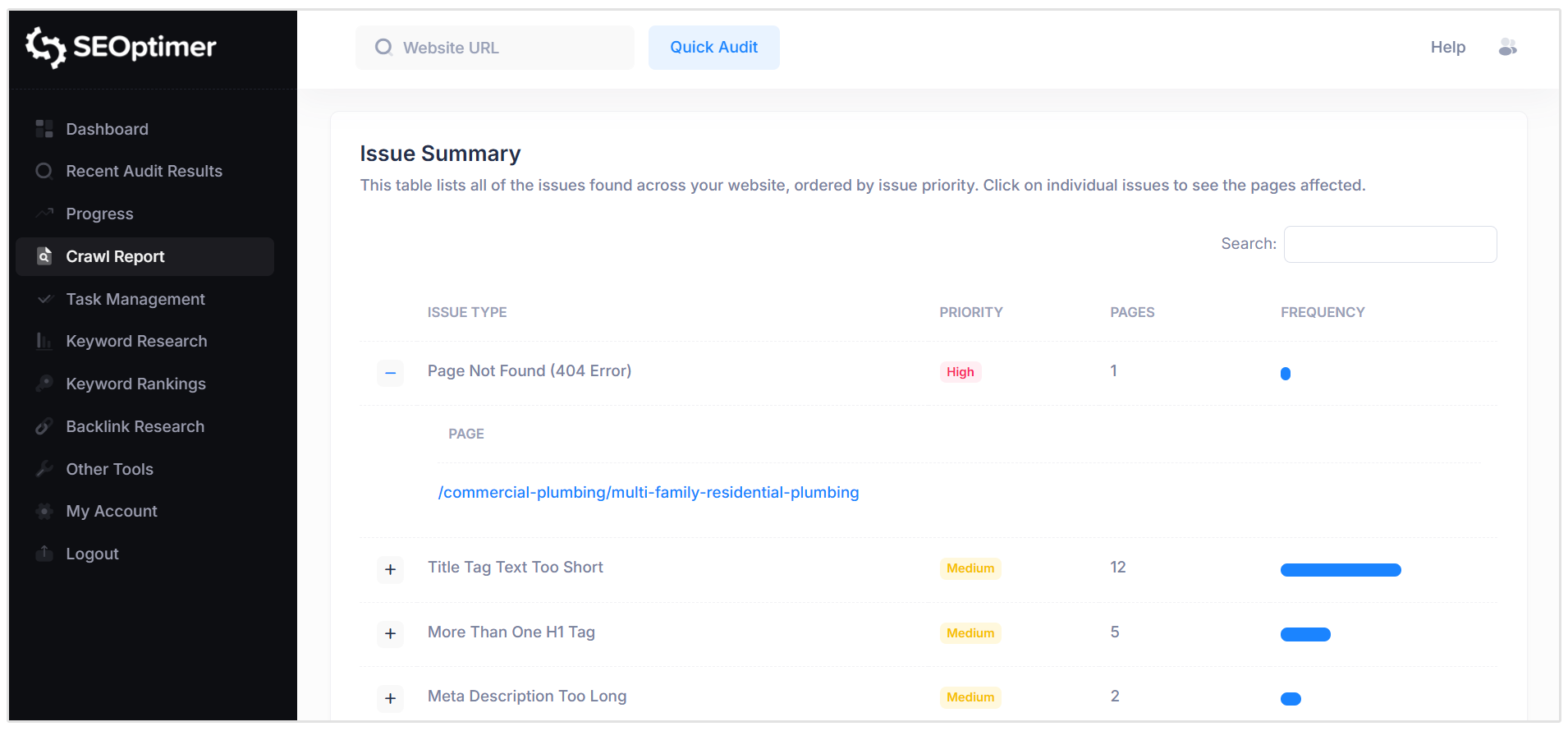
The SEO Crawler will check your site's on-page SEO, link profile, performance metrics, usability across devices, and social metrics.
Once the crawl is done, you can click on "Crawl Report" to view the issues as well as the suggestions our tool found.
Step 3: Check Your Keyword Rankings
Before you start fixing things, let's see where you currently rank. This gives you a baseline to measure your progress against.
What to do:
- Click "Keyword Rankings" in the left menu or follow the instructions after you've started your website crawl.
- You can also skip this step and click "Keyword Research" if you need help finding keywords.
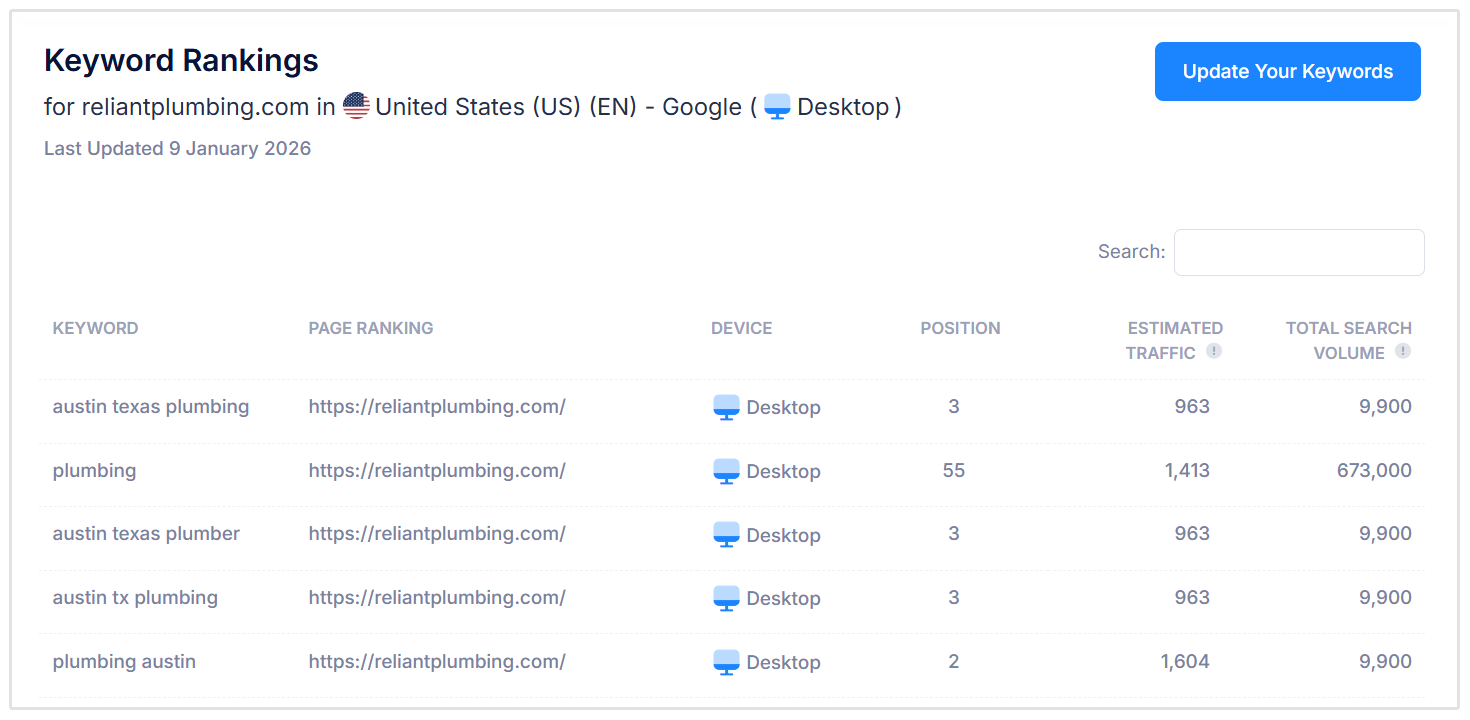
What the Keyword Tracker shows:
- Your current position on Google for each keyword
- Search volume (how many people search this per month)
- Your ranking history (are you moving up or down?)
Why these insights are important:
If you're on page 2 of Google, almost no one finds you. Checking this first shows you exactly where you stand, so you can track your progress as you complete tasks later.
Step 4: Check Your Backlinks
Backlinks are other websites linking to yours.
Why check this?
Google sees backlinks as "votes of trust." More quality backlinks and referring domains linking to you mean higher rankings.
Before you start optimizing, you need to know your starting point.
How to check your site’s backlink profile:
- Click "Backlink Research" in the left menu
- Enter your website URL
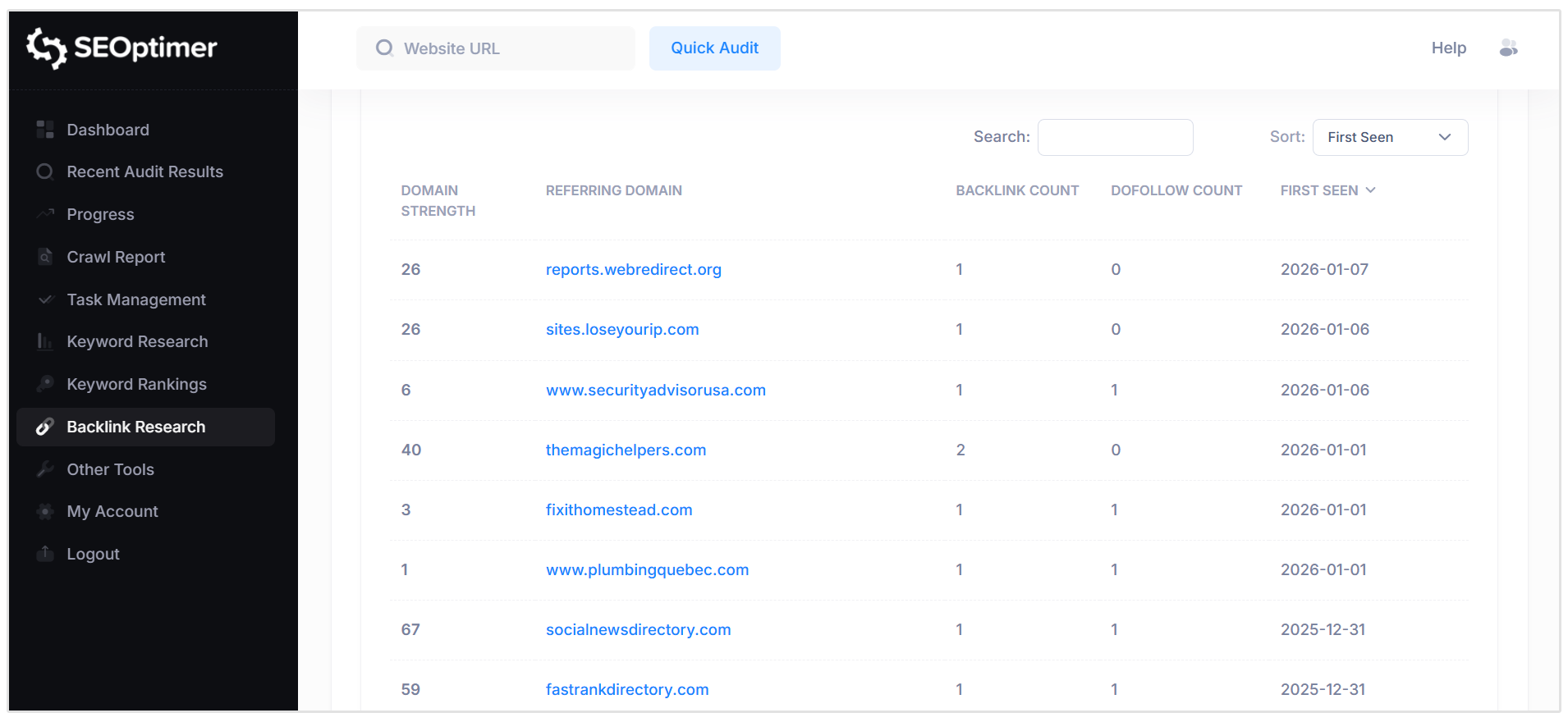
- See which sites are linking to you
What you'll discover:
- How many sites link to you
- Quality of those links (news sites, blogs, directories)
- Your baseline for measuring future growth
Pro tip: Even 5–10 quality backlinks can make a huge difference for local businesses.
Step 5: Find Your Personalized To-Do List
Now that you know where you stand (your audit, rankings, and backlinks), let's find your to-do list.
Look for "Task Management" in the left hand menu. Or click the "Go To Tasks" button in the email you received from SEOptimer after the crawl report was completed.
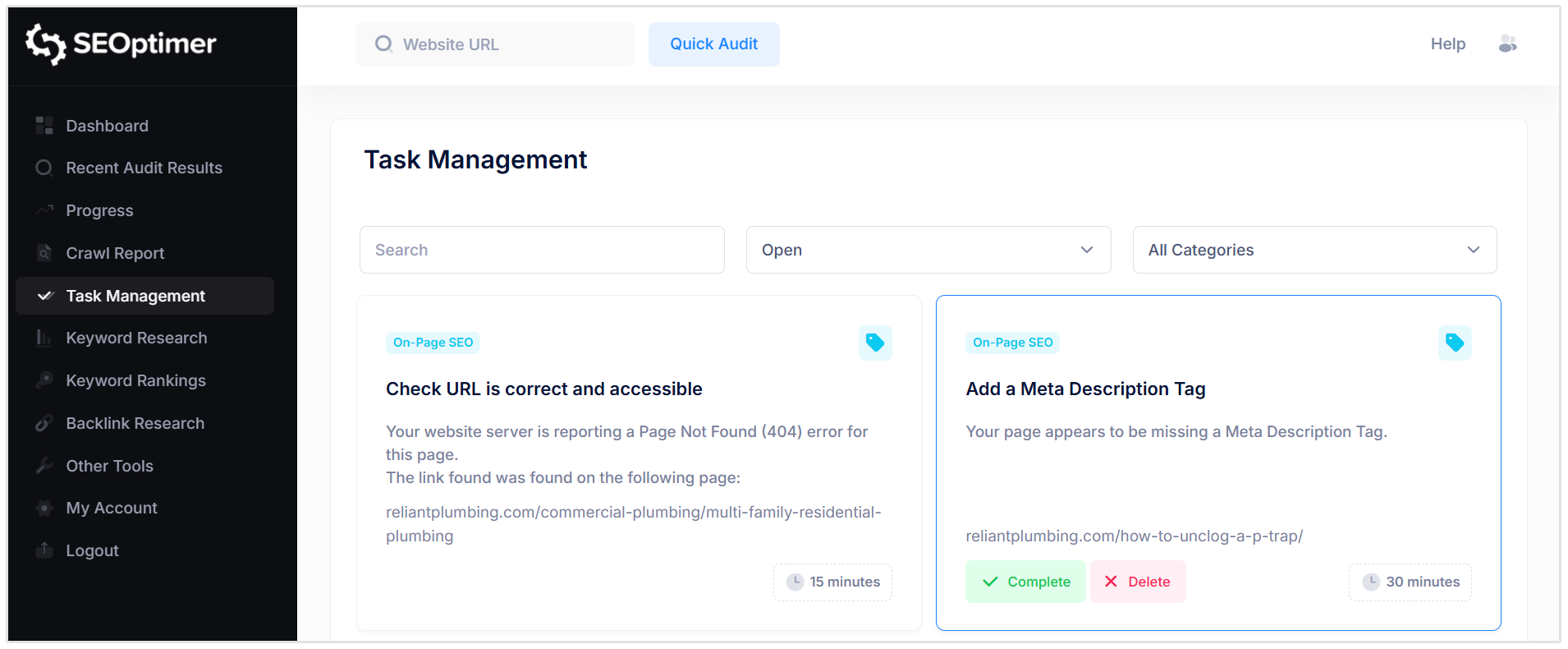
Here you'll find your personalized task list with detailed information on the issue and guides on how to fix the issues.
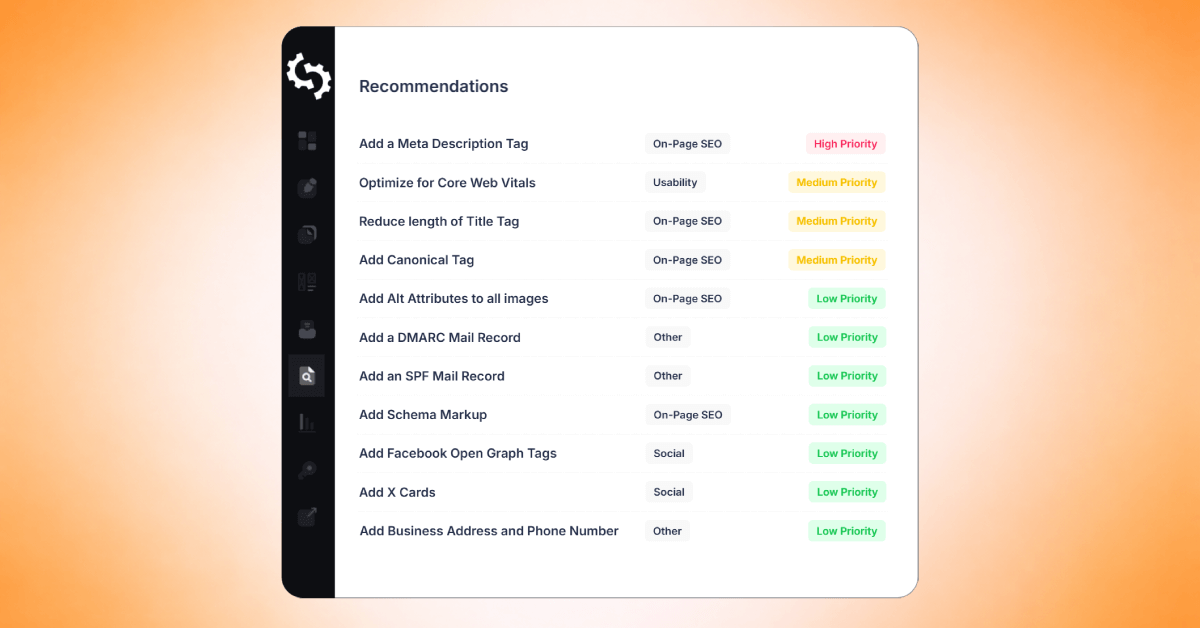
Example of tasks:
- Add a Meta Description Tag [30 mins]
- Reduce length of Title Tag [15 mins]
- Make greater use of Header Tags [30 mins]
- Increase length of Title Tag [15 mins]
What this means:
Each task is something that needs fixing on your website which is making it harder for search engines to find you.
Step 6: Complete Your First Task
Pick the easiest task first — usually something like "Add a Meta Description" or "Fix Title Tag Length."
What you'll see in each task summary:
- The problem: "Your page is missing a meta description"
- Why it matters: "This is the text people see on Google before they click. No description may results in fewer clicks."
- How to fix it: Click your platform (WordPress, Shopify, Wix) and follow the 3-step guide
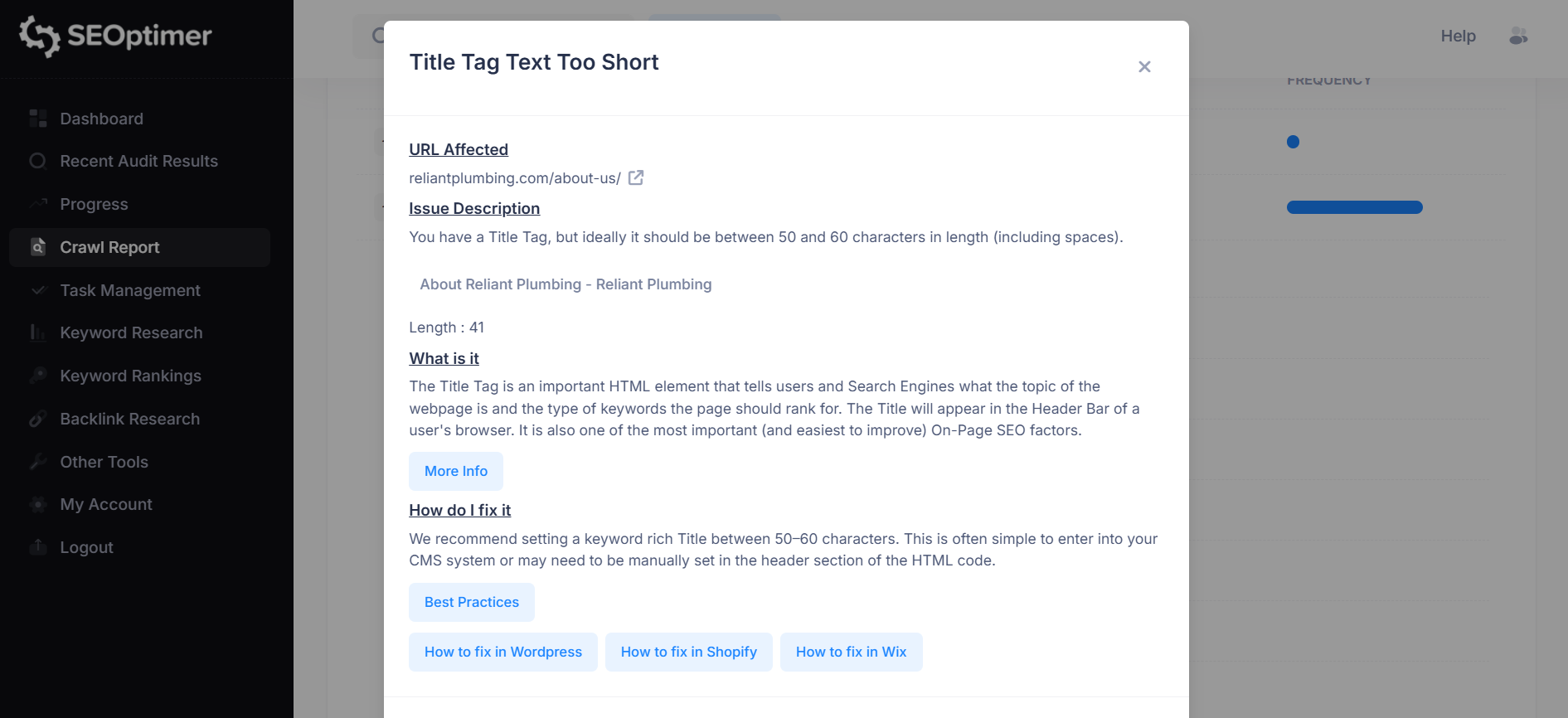
Example fix in WordPress:
- Go to your page editor
- Find the SEO section (usually at the bottom)
- Add a 1-sentence description of what the page is about
- Save
That's it. You just made your website more visible to Google and AI search engines.
Mark it as Complete in SEOptimer.
Quick Reference: SEO Terms You'll See
As you work through your tasks, you'll see these terms. Here's what they mean in plain English:
- Meta Description: The 1-2 sentence preview that appears under your blue link on Google. This is what convinces people to click on YOUR result instead of your competitor's.
- Title Tag: The blue clickable text that appears as your main link on Google - like the headline of your listing. This is one of the most important ranking factors.
- H1 Header: Main headline on your webpage
- Alt Text: Image descriptions (helps Google "see" pictures)
- Keywords: The exact words and phrases your customers type into Google when they're looking for what you offer. For example: 'dentist near me' or 'best Italian restaurant downtown.'
- Backlinks: Other websites linking to you (trust signal for Google)
- Crawl: When Google scans your website to understand it
- SERP: Search Engine Results Page (what you see after searching on Google)
Bonus: Your Free SEO Toolkit (100+ Tools)
SEOptimer includes 100+ free tools you can use anytime. Yes, even if you're not a paying customer.
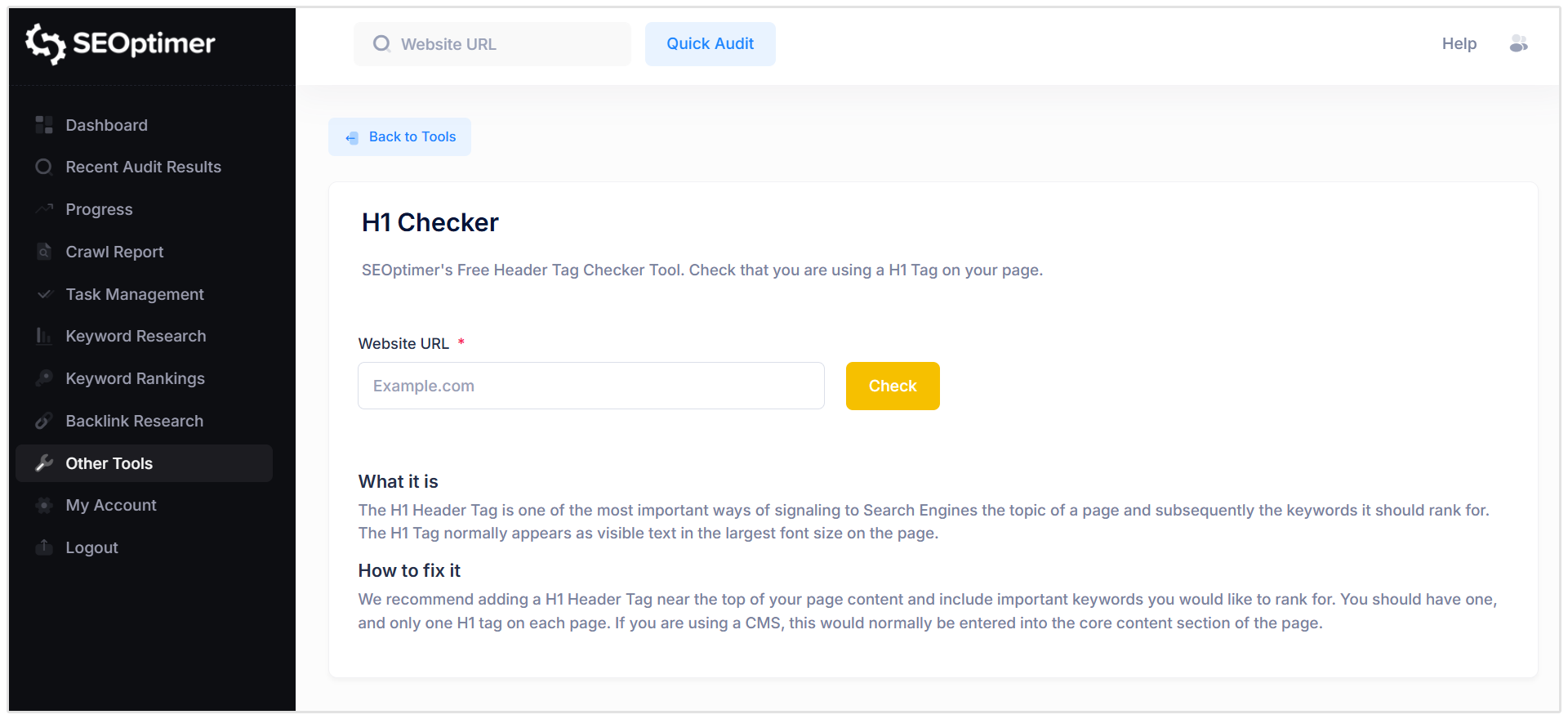
Quick wins you can use today:
- Meta Tag Generator: Create professional page descriptions in 30 seconds
- Page Speed Test: See how fast your site loads (if your site is loading too slowly you are losing customers)
- Mobile-Friendly Test: Check if your site works on phones (60% of traffic is mobile)
- Backlink Checker: See who's linking to you (and your competitors)
- AI Blog Post Generator: Turn a topic into a 500-word blog post instantly
- Robots.txt Generator: Control how search engines crawl your site
- Schema Markup Generator: Add rich snippets to stand out on Google
Where to find these free tools:
Click "Other Tools" in the left menu. Then, browse through all 100+ tools!
These tools alone would cost $200–500/month if you bought them separately. You get them all free with SEOptimer.
Pro tip: Bookmark 3–5 tools you'll use regularly (Meta Tag Generator, Page Speed Test, and Backlink Checker are the most popular).
Your 4-Week Success Plan
Now that you understand the basics, here's your roadmap to SEO success:
Week 1: Get the Complete Picture
Goal: Understand your current SEO health and complete your first task.
What to do:
- Run your first Audit (20 seconds)
- Run your first Crawl Report (60 seconds)
- Check Keyword Rankings: see where you currently rank
- Check Backlink Research: see your current backlink profile
- Review Task Management list
- Complete 1-2 easy tasks (15-30 minutes total)
- Mark them as complete
- Celebrate! Screenshot your first completed task
Time commitment: 1-2 hours total for the week.
Week 2: Dive Into Optimization
Goal: Build momentum with task completion and add keyword tracking.
What to do:
- Complete 3-5 more tasks from your list
- Add 5-10 target keywords to Keyword Research
- Think: What would I type into Google if I were looking for my own business?
- Run a competitor audit (see how you stack up)
- Explore Other Tools - try 3-5 that look useful
Time commitment: 30-60 minutes every few days or work at whatever pace fits your schedule.
Impact: Each task you complete improves your rankings.
Week 3: Expand & Compare
Goal: Finish high-priority tasks and find backlink opportunities.
What to do:
- Complete 3-5 more tasks
- Check Keyword Rankings again - did you move up?
- Run competitor backlink check
- See where your competitors are listed (directories, local blogs, industry sites)
- Reach out to get listed in the same places
Quick win: Even adding 5-10 quality backlinks can significantly boost local business rankings.
Week 4: Make It Ongoing
Goal: Measure results and set up for long-term success.
What to do:
- Complete remaining high-priority tasks
- Re-run crawl to see your improvements
- Compare your new report with Week 1 baseline
- Schedule monthly check-ins (add to calendar)
- Share your progress with your team
Celebrate your progress! You've completed your first month of DIY SEO. Your website is now more visible to both Google and AI search engines.
Frequently Asked Questions
How long until I see results?
Google takes 2–4 weeks to re-scan your site. AI search engines update faster (sometimes within days), but don't expect overnight miracles. You will see improvement.
Remember: your competitors are probably NOT doing this, so even small improvements can make a noticeable difference.
Will this help me show up in ChatGPT and AI search?
Yes! AI search engines (ChatGPT, Perplexity, Google AI Overviews) use the same foundation as traditional search.
When you fix your meta descriptions, headers, and page structure, you're making it easier for AI to understand and recommend your content.
Traditional SEO helps improve AI discoverability.
Should I keep using SEOptimer after I fix my tasks?
Yes, here's why SEO is ongoing:
- Google's algorithm changes constantly, so what worked last month might not work today
- Your competitors are improving and if you stop, they'll pass you
- Every new page needs optimization, this includes blog posts, service pages, and product pages
- Track your progress to see your rankings improve month over month by downloading your report each time and comparing it with the previous month
Is it worth it vs. hiring someone?
Let's work it out.
Your potential savings with SEOptimer:
- SEO Agency: $500-1,000/month = $6,000-12,000/year
- SEOptimer: $29/month = $348/year
- You Save: $5,652-11,652 in Year 1
So, why not use SEOptimer yourself for 90 days to learn the basics, then decide if you want to hire someone to scale it up. Many agencies charge less if you already have the foundation in place.
What if I need help?
Click the Live Chat icon at the bottom right of your dashboard. Support responds within 24 hours.
SEOptimer Quick Reference Guide
| Menu Item | What it Does | When to Use |
|---|---|---|
| Dashboard | Home base | Start here |
| Task Management | Your to-do list | Use this most, check it daily |
| Recent Audits | Past audits | Check history |
| Crawl Report | Full site scan | Week 1, then monthly |
| Keyword Rankings | Google position | Week 1 baseline, then weekly |
| Keyword Research | Find target keywords | Week 2 - add keywords to track |
| Backlink Research | See who links to you | Week 1 baseline, Week 3 for opportunities |
| Other Tools | 100+ free SEO & AI tools | Anytime you need a quick fix |
| Progress | Track improvements | Weekly check-ins |
| Competitor Audit | Compare your SEO to rivals | Week 2 (for motivation) |
Need Help?
Live Chat: Click Live Chat (bottom right)
Email: [email protected]
Response time: Within 24 hours
You're now equipped to take control of your website's SEO. Remember: consistency beats perfection. Even spending 30 minutes a week on SEO will put you ahead of most of your competitors.
Good luck, and welcome to the world of DIY SEO!


.png)