SEO isn’t a quick sprint. It’s more like a marathon which requires patience, consistency, and showing up every day if you want to be successful.
The simple truth is that ranking higher in search results takes time, steady effort, and trust from Google.
But that doesn’t mean you have to wait months before seeing any progress. There are a few smart SEO shortcuts that can help you get results faster without having to cut corners or risk getting penalized.
In this guide, you will learn some safe and proven SEO shortcuts that you can easily implement today. We’ll also share some riskier ones that can damage your rankings and that you definitely want to avoid.
Are there Any Real SEO Shortcuts?
Yes, but they might not be what you think. The most effective SEO shortcuts aren't about tricking search engines.
The best shortcuts are the ones that build up, the little steps that have a large effect, and fortify a site, rather than manipulating the algorithm.
- Michael Alexander, Founder and Managing Director of Tangible Digital
Instead, they are high-impact, ethical strategies that can deliver noticeable results faster than other, more time-consuming efforts.
For instance, I wouldn't regard link building and SEO outreach a shortcut since it can take a while to get started with your outreach campaigns, and even months before you see any real results.
All of the SEO shortcuts in this post are quick, actionable tactics that won't take weeks to complete.
Most of these shortcuts focus on optimizing pages and content that you already have instead of creating new content from scratch. Although there's one or two that deal specifically with new pages.
These SEO shortcuts work because they are aligned with Google's core mission: to provide users with the best, most relevant content.
Feature update
New AI Visibility Checks are Here. Is Your Site Ready?
Run a free audit to see how well your site is optimized for Google AI Overviews and LLMs.
Run Free Audit10 Safe SEO Shortcuts That Work
1. Write for Humans, Not Just Robots
You’ve probably heard this one a thousand times before, but that’s because it’s one of the most effective shortcuts for SEO success.
You need to create content that genuinely helps your audience and meets search intent if you want to succeed.
Google's algorithms are smarter than ever and prioritize content that satisfies user intent.
Stop writing for Google and start writing for humans who buy stuff. Because if your content isn't helping someone make a decision, it's just noise. The real shortcut is understanding what your prospects are actually Googling when they’re stressed out, under pressure, and looking for answers.
Then giving them exactly that. Clearly, quickly, and better than anyone else on page one.
If your content doesn’t hit the searcher’s intent square in the gut, none of the other optimizations matter. The shortcut is empathy. The shortcut is knowing your buyer better than your competitors. That’s how you skip the line.
- Sasha Berson, Co-Founder and Chief Growth Officer at Grow Law
If your content is engaging, easy to read, and provides real value, it will naturally perform better in search results and might even get mentioned in generative AI platforms like ChatGPT, Gemini, AI Overviews, etc.
How to implement this SEO shortcut:
- Identify search intent: Before you write, figure out what users are looking for. Are they seeking information (a blog post), a specific product (a product page), or a tool? Align your content type with what's already ranking for your target keyword.
- Focus on readability: Use short sentences, simple language, and clear headings. Aim for a Flesch reading score of 60 or higher, which is easily understood by most people.
- Answer reader questions: Structure your content to directly answer the questions your audience is asking.
2. Write Unique, Keyword-Rich Titles
Your page title (or title tag) is one of the most important on-page SEO elements.
It’s the first thing users see in search results, and it should tell search engines and readers what your page is about.
And it's been proven that a unique title can improve your click-through rate (CTR).
Unique titles that target specific keywords help search engines like Google match content to relevant search queries.
Descriptive, keyword-rich titles are great for SEO in general, even if you’re not targeting a specific search query.
- Emma Williams, Founder & CEO at Seene Digital
How to implement this SEO shortcut:
- Keep titles short and sweet: Aim for titles under 70 characters to ensure they don’t get cut off in search results.
- Include your keyword: Place your main keyword or a close variation near the beginning of the title.
- Be descriptive and unique: Write a title that promises value and accurately reflects the content. For example, "10 SEO Shortcuts to Boost Rankings Fast" is more compelling than "SEO Tips."
3. Update and Refresh Old Blog Content
Your old blog posts are a goldmine for quick SEO wins.
Content can become outdated, causing its rankings to slip. By refreshing this content, you can quickly regain lost traffic and improve its authority.
Rachita Chettri, co-founder at Linkible, a global digital marketing agency, believes that updating older blog posts that are underperforming but have high-quality backlinks is one of the best SEO shortcuts that many businesses overlook or simply ignore.
Most brands are looking to publish new content and don't realize how much time and how much value they can get from updating existing content.
A brand we've worked with recently published an updated version of 40 blog articles and within 45 days we were able to see a 65% increase in traffic without adding any new pages.
- Rachita Chettri, Co-founder at Linkible
Here's a quick breakdown on how to update old content:
- Find declining pages: Use Google Search Console or a keyword tracking tool to identify pages that have lost clicks and rankings over the last six months.
- Filter pages with high-quality backlinks: Next, use a backlink research tool to check the link profiles of these pages. You want to focus on updating the pages that have the best link profiles.
- Update info: Refresh outdated statistics, replace broken links, and add new, relevant examples or sections.
- Expand the content: If the topic has evolved, expand on the content to make it more comprehensive and valuable.
- Republish and promote: After updating, change the "last updated" date and promote it as if it were a new post.
Related Reading: How to Refresh Content for SEO and the Age of AI
4. Use AI to Uncover SEO Gaps
AI tools can analyze vast amounts of data in seconds, helping you spot opportunities your competitors might have missed.
They can identify content gaps, find new keywords, and even suggest ways to improve your existing pages.
Here are some tips on how to use AI to uncover SEO gaps:
- Run a content gap analysis: Use AI tools like ChatGPT or Gemini to compare your top pages with your competitors’. Ask the AI to list keywords your competitors are using that you don't, or topics they’ve covered that you’ve overlooked.
- Find long-tail keyword opportunities: Prompt ChatGPT with something like: “List long-tail keyword ideas related to [topic] with high intent but low competition.” You can also have the AI group keywords by search intent (informational, transactional, etc.) to prioritize what matters most.
- Analyze your on-page SEO: Paste an article into ChatGPT and ask for suggestions on how to improve keyword placement, readability, and structure.
- Use AI to cluster content ideas: You can use AI to group keywords into clusters or topic themes. This makes it easier to build out content hubs that target multiple related queries.
Related Reading: What is Keyword Gap Analysis & How to Do It in 5 Steps
5. Embed an FAQ Section with Schema Markup
Adding a Frequently Asked Questions (FAQ) section to your pages is a fantastic shortcut for capturing long-tail keyword traffic and getting mentioned in AI-generated answers.
When you pair it with FAQ schema markup, your questions and answers can increase your visibility and CTR.
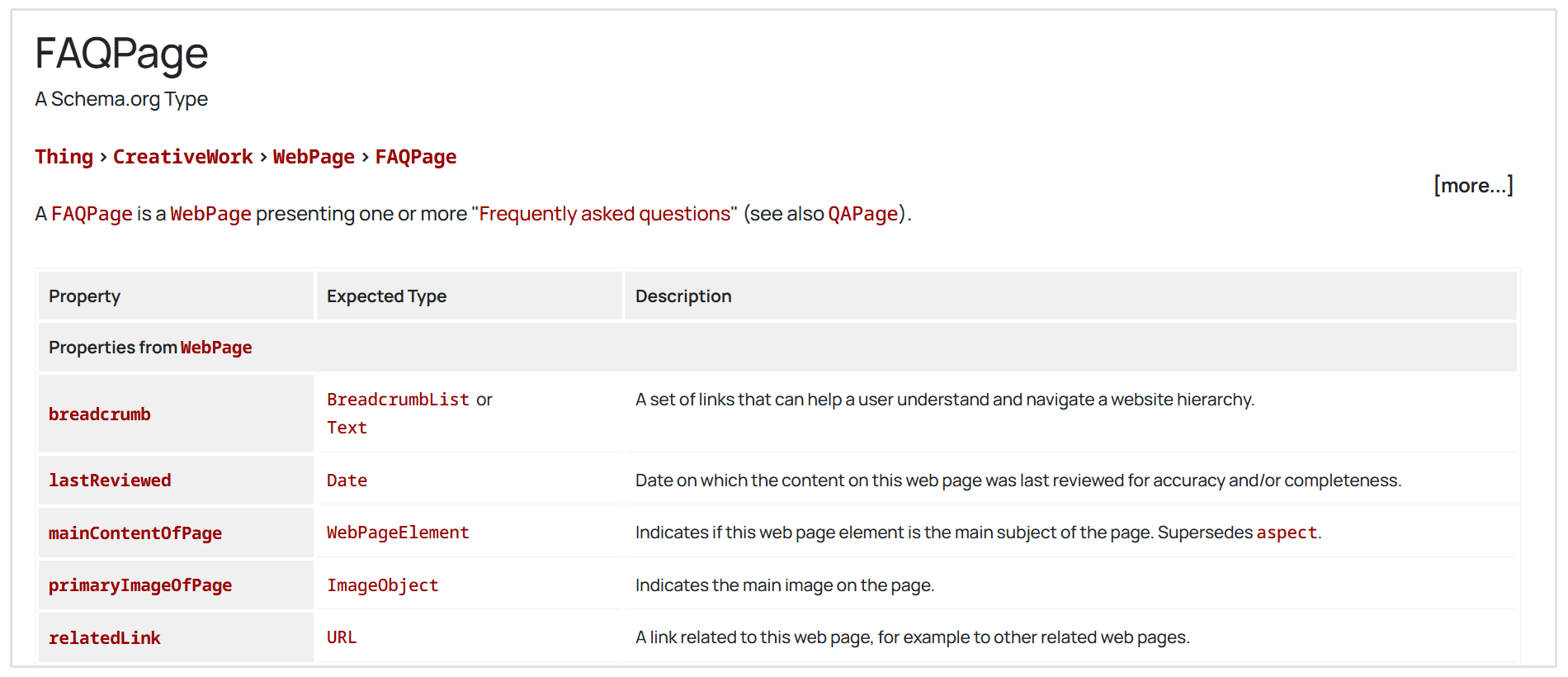
Sam Hadley, SEO Specialist at Arke Agency, suggests that adding Schema.org code to your site is a low-hanging fruit SEO shortcut that site owners need to take full advantage of not only for Google SEO, but also for Generative Engine Optimization.
LLMs love structured data, so add relevant Schema.org code to your site. There's Google-approved structured data for almost everything, from describing products and offers, to recipes and FAQs. Google has some great resources on how to use and validate structured data.
- Sam Hadley, SEO Specialist at Arke Agency
How to implement this SEO shortcut on your site:
- Find relevant questions: Use a tool like Answer the Public to find common questions related to your topic. You can also look at the "People Also Ask" section on Google.
- Add an FAQ section: Create a dedicated FAQ section at the end of your blog posts or on your service pages.
- Implement schema markup: Use a schema generator tool to create the necessary code and add it to your page's HTML. This helps Google understand and display your FAQs as rich snippets.
Feature update
New AI Visibility Checks are Here. Is Your Site Ready?
Run a free audit to see how well your site is optimized for Google AI Overviews and LLMs.
Run Free Audit6. Optimize Internal Linking
Internal links are links from one page on your site to another.
They are crucial for SEO because they help search engines understand your site's structure, discover new content, and pass authority between pages.
Most site owners treat internal linking like an afterthought, but it's one of the fastest, safest, highest-ROI things you can do. You’ve already got content. Now link it together with purpose. Push authority to your money pages. Help Google understand your hierarchy. And actually make it easier for people to navigate and buy. That’s low effort, high reward.
- Ivan Vislavskiy, CEO and Co-founder of Comrade Digital Marketing Agency
So how do you do internal linking properly withouth getting penalized?
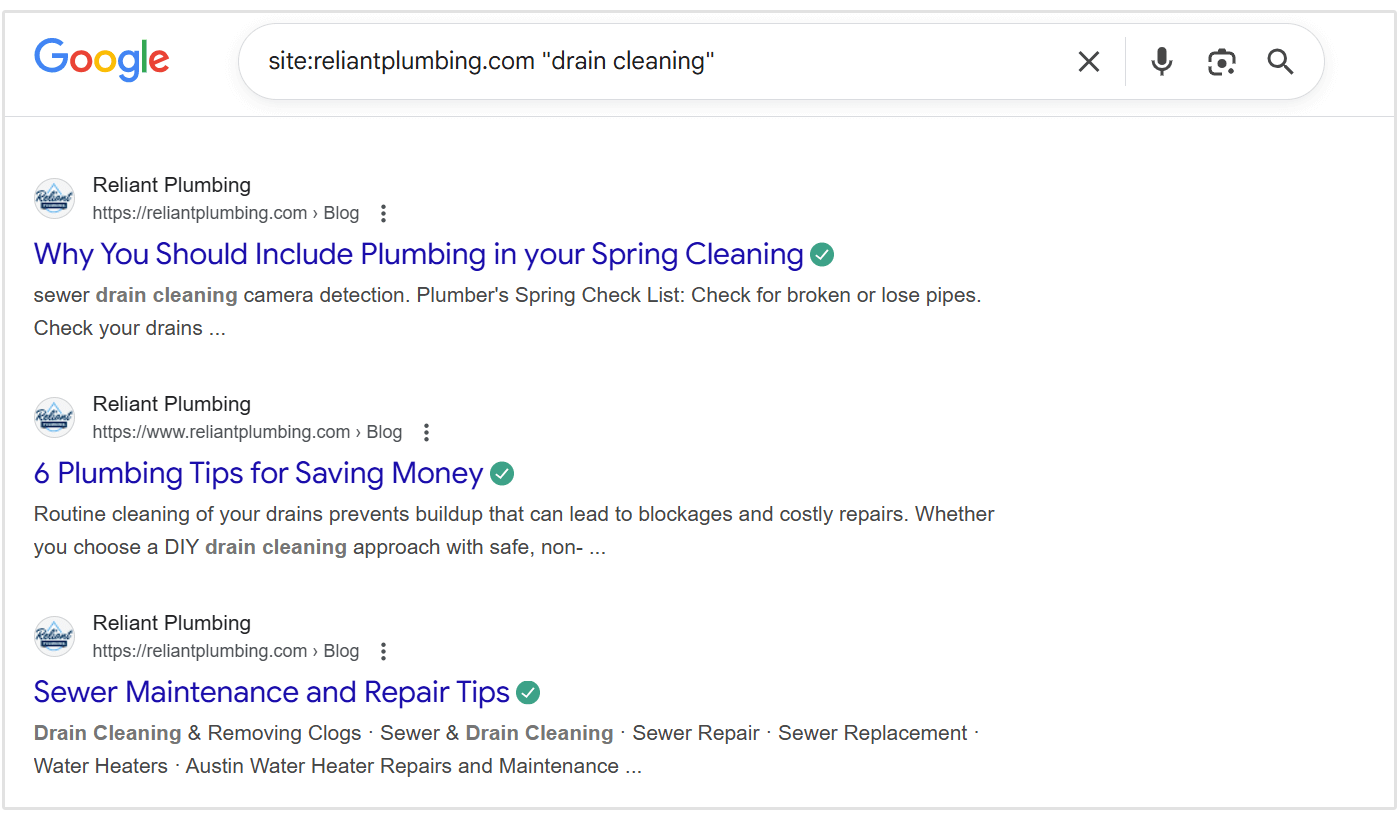
Start by finding internal link opportunities. The easiest and simplest way to do this is to use a simple site search in Google (e.g., site:yourdomain.com "topic") to manually find mentions of a keyword you’d like to link from.
So if I wanted to to find internal linking opportunities for my blog post on "drain cleaning tips", I'd use the following site search: site:reliantplumbing.com "drain cleaning". (see the below screenshot)
Next, use keyword-rich anchor text when adding a link. Make the anchor descriptive and relevant to the destination page.
Instead of using vague text like “click here” or “read more,” use something like “discover effective drain cleaning tips.” This helps Google understand the context of the linked page and strengthens its relevance for that topic.
Finally, focus on linking to your most important pages.
Your cornerstone or high-value pages should receive the most internal links.
These pages typically drive the most traffic or revenue, so directing more internal link equity to them can significantly improve their search visibility.
7. Compress and Rename Your Images
Large image files can slow down your website, which hurts user experience and your search rankings.
A single bloated image can kill your load time, and Google pays attention to that.
- Adam Binder, Founder & CEO at Creative Click Media
Optimizing your images is a quick technical SEO fix that can have a big impact.
Best practices for optimizing website images:
- Compress images: Use a tool like TinyPNG or an image compression plugin to reduce file sizes without sacrificing quality.
- Use descriptive filenames: Rename your images with descriptive, keyword-rich filenames before uploading them. For example, seo-shortcuts-internal-linking.jpg is better than IMG_1234.jpg.
- Add alt text: Always add descriptive alt text to your images. This helps search engines understand the image and improves accessibility for visually impaired users.
8. Fix Broken Links
Broken links create a poor user experience and can harm your SEO. This includes both broken internal links (leading to 404 pages on your site) and broken outbound links.
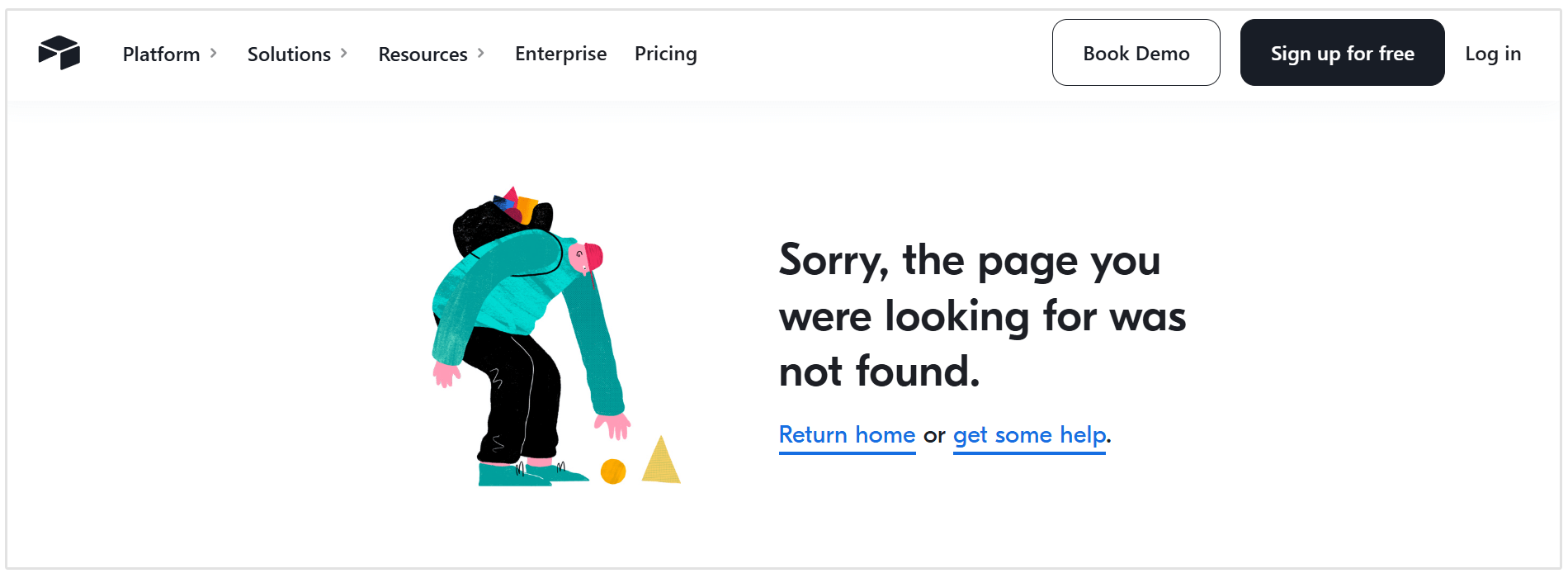
Fixing pages with broken backlinks is an easy shortcut that can have a powerful end result.
Start by finding broken backlinks on your website.
You can use Screaming Frog to scan your site for pages that return a 404 error but still have backlinks pointing to them.
It will show you which URLs are broken and where the links are coming from, so you can prioritize the most valuable ones first.
Once you’ve identified the broken links, you have two main options: redirect or restore the page.
A 301 redirect will send both users and search engines from the broken URL to a relevant, live page on your site. This is ideal if the original page was removed intentionally but you want to preserve its link authority.
Alternatively, if the page was deleted by mistake, restoring it ensures the content is available again, reclaiming the SEO value from backlinks immediately.
Regularly auditing and fixing broken links ensures your website stays healthy, improves crawl efficiency, and helps you get the most value from your backlinks without waiting for natural link growth.
9. Prune Your Low-Quality Content
Low-quality, thin, or underperforming pages can actually dilute your site's overall authority. And that's where content pruning comes into play.
Content pruning involves removing or improving this dead weight.
According to Andy Zenkevich, Founder & CEO at Epiic, content pruning is the fastest shortcut to SEO recovery.
The biggest return from any SEO shortcut I've ever gotten was in a project involving a tourism site with 8,400+ pages. Over time, they'd accumulated a lot of thin, outdated, duplicate content. We pruned about 70% of the pages, leaving a few thousand big clusters of valuable, relevant content.
At first, the site's performance dipped. But within a few weeks, Google's crawl budget was freed up, and it returned to the clusters of content instead of the crumbs in between. The site's performance stabilized and then started to improve as traffic trends bent upward.
So how does the content pruning process work?
Start by identifying underperforming pages on your site. These are typically pages with little to no traffic, no backlinks, and thin or outdated content.
You can use tools like Google Search Console, Google Analytics, or your SEOptimer to spot these pages quickly.
Once you’ve identified them, decide whether to:
- Improve: If the topic is still relevant, update outdated information, add more depth, and optimize it for current search intent.
- Consolidate: If you have multiple pages covering similar topics, merge them into one comprehensive article that offers more value and performs better in search.
- Delete: If the content is irrelevant, outdated beyond repair, or adds no value, consider removing it entirely.
But remember, if you delete the page, be sure to use a 301 redirect to a related page to preserve link equity and maintain a smooth user experience.
10. Ask for Links from People You Know
Building high-quality backlinks is one of the most challenging parts of SEO. It takes time, persistence, and trust.
And for new or smaller websites, it can feel especially difficult to compete with established sites that already have strong link profiles.
That’s why one of the simplest SEO shortcuts is to ask for links from people you already know.
Reach out to friends, business partners, clients, or industry contacts who run relevant websites. If they find your content genuinely useful or complementary to theirs, they may be happy to link to you.
These early backlinks can help search engines recognize your site’s credibility and start building your domain authority over time.
Before reaching out, it’s always a good idea to check the quality of the domains you’re targeting.
You can use SEOptimer’s Free Backlink Checker to review any website’s backlink profile and ensure it’s trustworthy and authoritative.
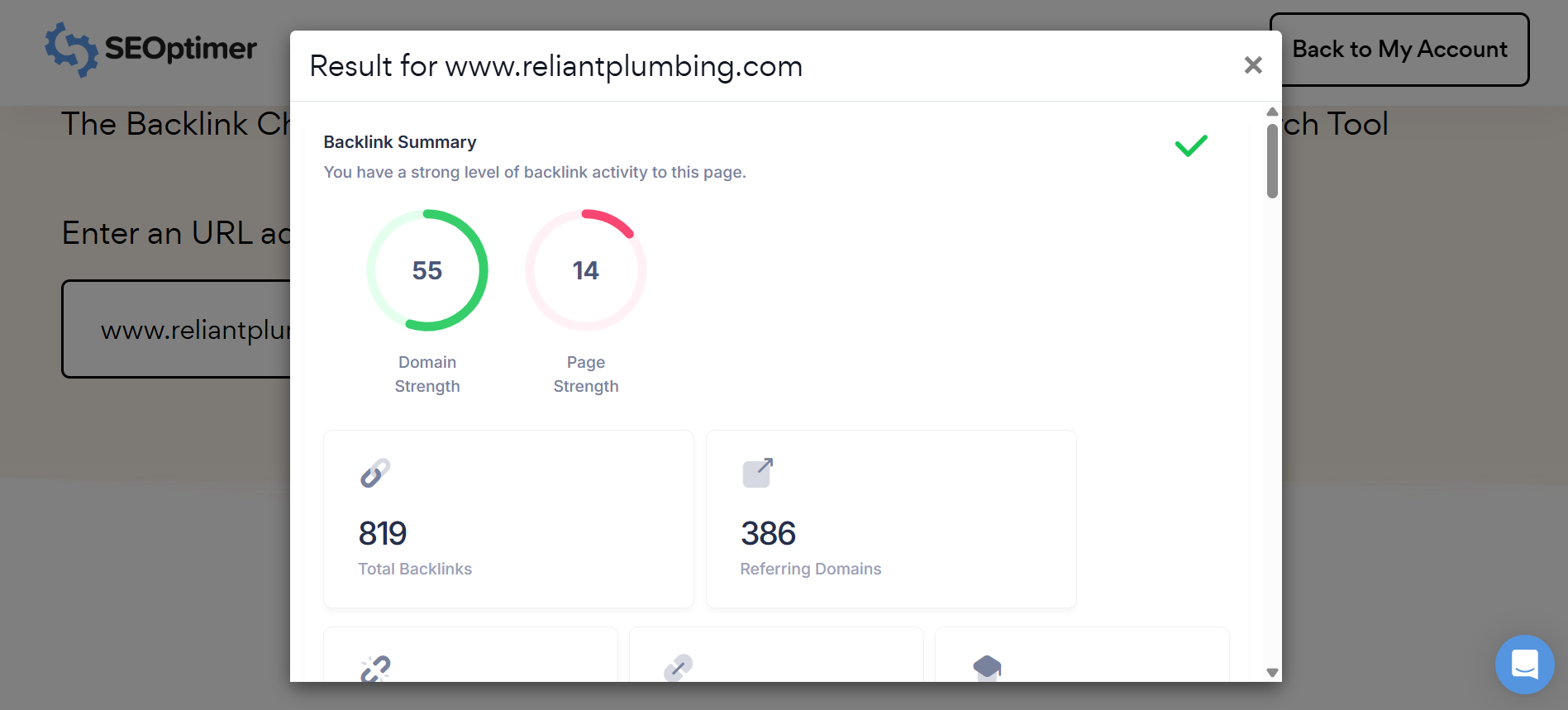
Remember: you only want backlinks from high-quality, relevant domains. A few great links will always outperform dozens of low-quality ones.
SEO Shortcuts You Must Avoid
While the SEO shortcuts I listed above are safe and effective, there are others that promise quick results but can lead to bad penalties.
Here are some tactics that you should avoid at all costs.
1. Buying Links at Scale
Buying backlinks at scale is a direct violation of Google's SEO link best practices and guidelines. While it might give you a temporary boost, Google's algorithms are excellent at detecting unnatural link patterns.
Once caught, your site can face a manual penalty, causing your rankings to plummet overnight. Earning links through great content and genuine link outreach is the best approach.
2. Keyword Stuffing
Keyword stuffing is the practice of loading a webpage with keywords in an attempt to manipulate its ranking.
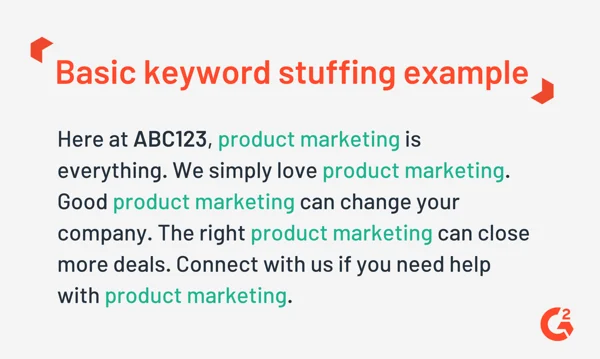
This makes the content unreadable for users and is easily detected by search engines.
Google tends to penalize sites for this practice because it creates a poor user experience.
3. Publishing AI-Generated Content at Scale
AI is a great tool for research and assistance, however, using it to generate hundreds of low-quality pages without any human editing can be considered spam.
This content rarely provides real value to users and goes against Google's helpful content guidelines.
Publishing AI-generated articles at scale seem to work for a while. But I saw cases after the March 2024 core updates where traffic dropped more than 90% within days because the content was too similar across hundreds of pages. If you try these shorts, Google will mark you as spam. And if Google and your users start treating you as spam, you probably won't ever fully recover.
- Andy Zenkevich, Founder & CEO at Epiic
Frequently Asked Questions
Is generating lots of pages with AI a safe SEO shortcut?
No, this is a dangerous practice. AI can assist in content creation, nut using it to mass-produce low-quality, unedited content is a form of spam.
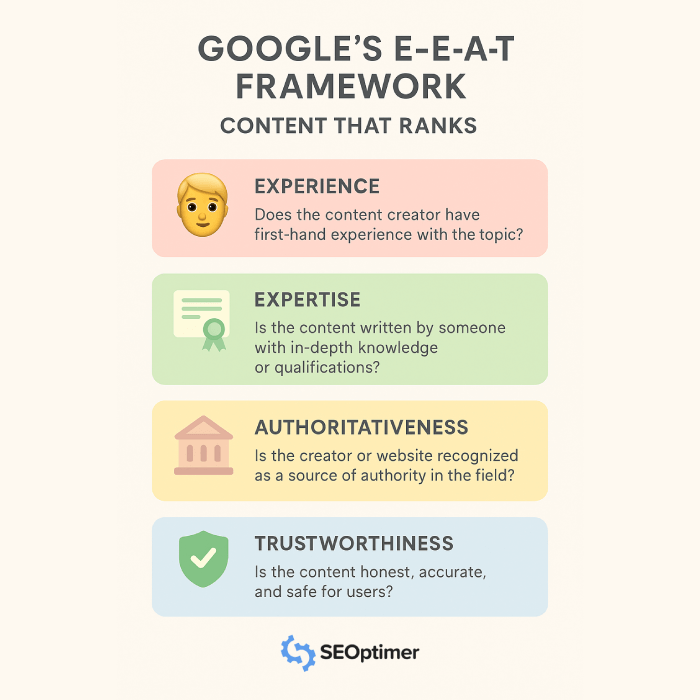
Google prioritizes content that demonstrates expertise, authoritativeness, and trust, which purely AI-generated content often lacks.
How fast can I expect results from an SEO shortcut?
Results can vary. Some shortcuts, like fixing broken backlinks or updating a title tag for better CTR, can show results in a matter of weeks. Others shortcuts, like refreshing old content or building internal links, might take a few months to show their full impact as Google re-crawls your site.
Conclusion
While there's no magic wand for instant top rankings, smart SEO shortcuts can accelerate your progress significantly.
By focusing on high-impact, ethical strategies like the ones I mentioned, you can achieve better results in less time.
The key is to work smarter, not harder.
Prioritize tasks that provide the most value and align with search engine guidelines.
Avoid the temptation of using black-hat tactics that promise the world but only do more harm than good.
Feature update
New AI Visibility Checks are Here. Is Your Site Ready?
Run a free audit to see how well your site is optimized for Google AI Overviews and LLMs.
Run Free Audit