Getting your single page app (SPA) discovered by search engines is no easy feat. SEO for single page applications helps your web applications get more organic views.
HTML-based websites are easier to access, crawl, and index because they provide a structured markup for crawlers.
Hence, having your content in HTML pages can lead to better search rankings, and they are easier to optimize than single page apps.
SPAs rely heavily on JavaScript to dynamically rewrite content based on a visitor's on-site actions (think of expandable text or pop-up boxes).
Therefore, it makes it difficult for Googlebots to index the page’s content as it does not run client-side JavaScript content.
In this article, I will discuss the real challenges of using SPAs and share the complete process of doing SEO for single page apps to gain better search rankings.
Key Takeways
- SEO for single page applications is essential because JavaScript-driven SPAs often hide key content from crawlers.
- Use server-side rendering (SSR) or pre-rendering to give crawlers fully rendered HTML versions of your pages.
- Dynamic titles, meta descriptions, and canonical tags are crucial for single page application SEO to prevent duplicate content and maintain relevance across routes.
- Combine internal links, clean URLs, XML sitemaps, and correct HTTP status codes to help search engines discover and index all key routes within your SPA.
What is SEO for Single Page Applications (SPA)?
Search engine optimization for single page apps refers to the process of making SPAs, built with JavaScript frameworks such as React.js, Angular.js, or Vue.js, accessible and indexable by search engines.
SEO for single page apps include:
- Server-side rendering or pre-rendering
- Title tags, meta descriptions, and structured data optimization
- URL and canonical tag optimization
- Internal linking optimization
- Sitemap creation and submission
- Link building
Google, Bing, Baidu, DuckDuckGo, and other search engines find it challenging to crawl and index JavaScript content since SPAs load content dynamically on the client side.
Therefore, SPA SEO consists of strategies and best practices to improve the discoverability and web presence of single page apps in search engines.
Examples of Single Page Applications
Here are the top examples of SPAs:
Gmail
Gmail is a textbook example of a SPA. When you log in, the entire user interface, including your inbox, folders, and chat, is loaded once.
From that point forward, browsing emails, opening threads, or composing new messages doesn't require a full page reload.
JavaScript manages the routing and content changes behind the scenes, making the experience fast and seamless.
Google uses asynchronous requests to fetch only the required data, reducing latency and improving user experience.
Google Maps
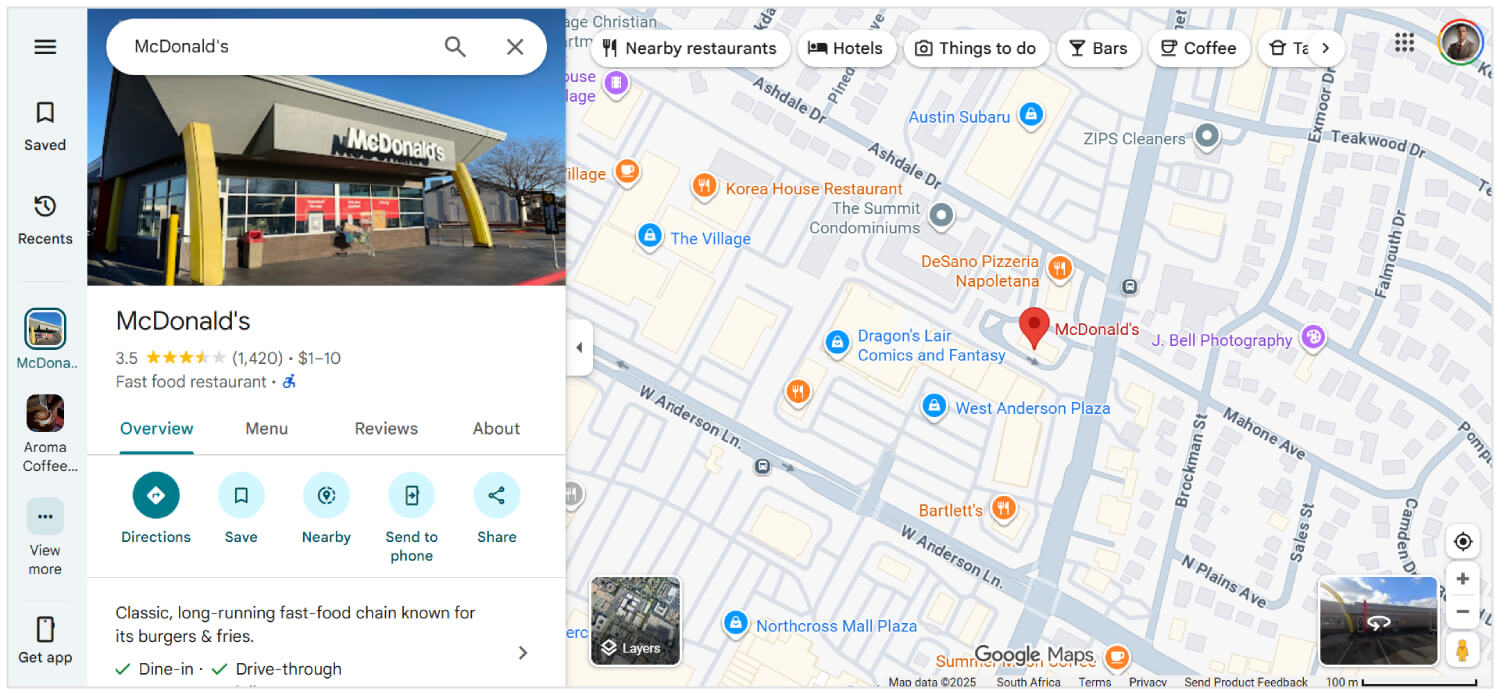
Google Maps offers rich interactive features such as panning, zooming, and searching locations, all within the same page.
It doesn’t reload when you request new directions or switch between satellite and map views.
Instead, data is fetched via AJAX, and the map tiles or UI components update dynamically. This makes Google Maps feel extremely responsive and usable, even over slower connections.
Although not 100% SPA, large portions of Facebook use SPA architecture.
When users scroll through their news feed, open posts, react, or comment, all updates happen without a page reload.
Even when switching between pages like Messages, Notifications, and Marketplace, the site uses client-side routing with JavaScript frameworks (like React) to dynamically render content, which reduces server calls and improves loading speed.
Netflix

Netflix’s web interface is another high-profile SPA. As you browse through movie or TV show suggestions, trailers auto-play, and content details appear immediately without reloading.
Clicking a title opens a modal overlay or new view while keeping the core interface intact.
The routing, recommendations, and user profile changes are managed by JavaScript, delivering a consistent experience with low wait times.
Is a Single Page Application Good for SEO?
Yes, a single page application is good for SEO if you know the right optimization tips for SPAs.
Search engines like Google can render JavaScript, but they may delay crawling or skip content that requires user interaction.
To avoid that, you can use server-side rendering, static site generation, clean URL routing, and dynamic metadata updates.
Tools like Next.js, Nuxt.js, React Helmet, and Vue Meta help make all of that work.
With the right setup, an SPA can rank just as well as any traditional site. However, without proper SEO adjustments, search engines might miss a lot of what you have built.
Related Reading: How to Perform SEO for Dynamic Content
How to do SEO for Single Page Applications
Here are the best SEO solutions for single page web apps:
Use Server-Side Rendering (SSR)
Single page applications rely on JavaScript to load content dynamically.
However, search engines expect complete server HTML in the HTTP response to access, crawl, and index content.
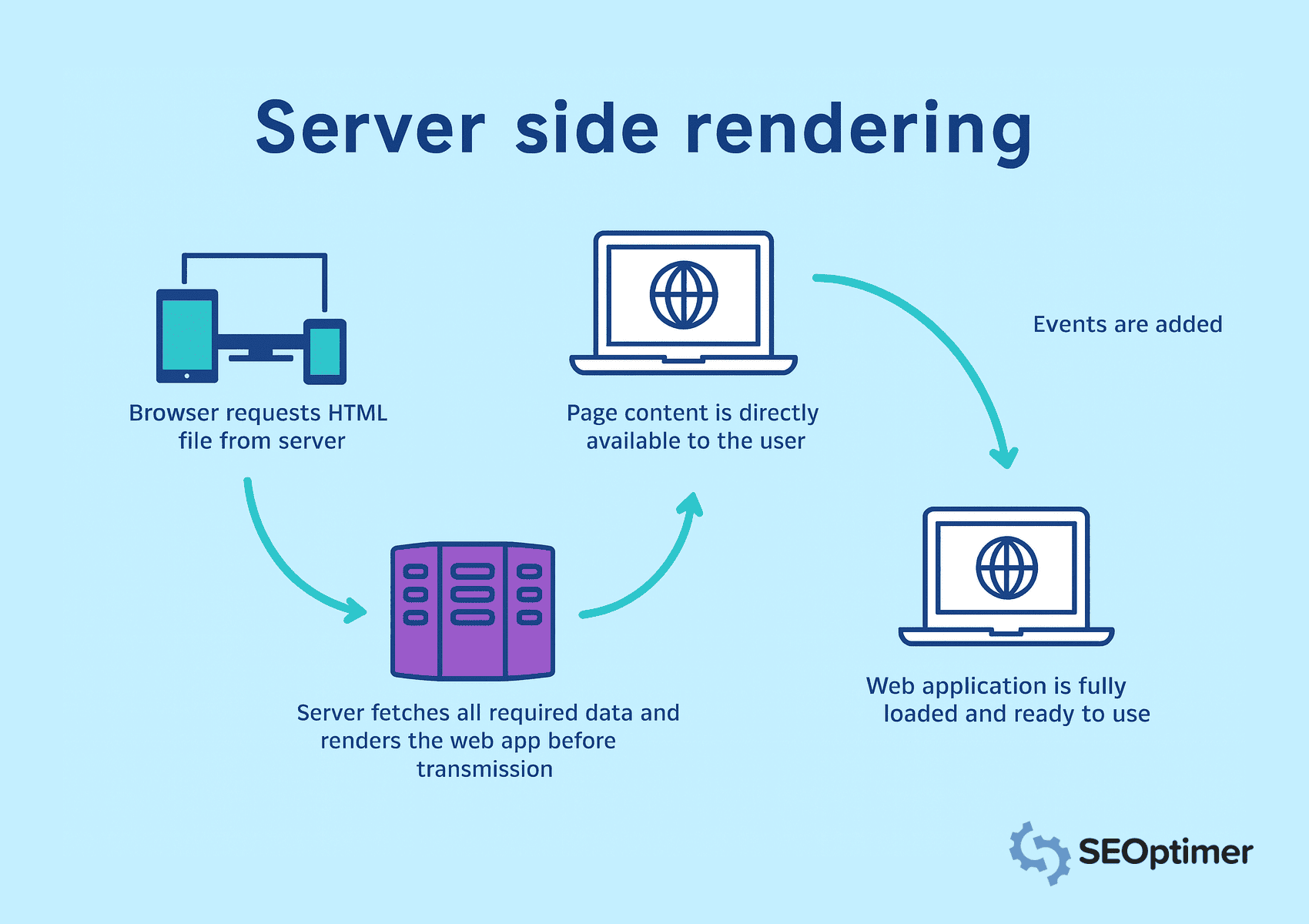
Therefore, you should implement server-side rendering to render pages on the server before sending them to the browser.
In server-side rendering, the browser requests HTML files, and the server fetches all the data. It ensures that all content is immediately visible and crawlable.
Cache frequently accessed pages to reduce load times and serve content faster. Avoid client-side rendering for key elements, as search engines may fail to process JavaScript-heavy views.
Implement Pre-Rendering for Static Routes
You should pre-render routes that show the same content to every visitor. It lets you generate HTML at build time and removes the need for runtime rendering.
As a result, search engines can access the page instantly.
Static generation tools from frameworks like Next.js or Nuxt.js can help you create static files for routes like landing pages, blogs, or product overviews.
You should serve these pre-rendered pages through a Content Delivery Network or web server to improve load speed and visibility. Avoid applying pre-rendering to views with real-time or user-specific data.
Add Clean and Crawlable HyperText Markup Language Output
You should generate well-structured HyperText Markup Language output that search engines can easily interpret.
Clean markup helps bots understand the page layout, hierarchy, and key elements without relying on JavaScript execution.
Avoid injecting content dynamically after page load. Instead, ensure that important text, headings, and links appear directly in the source code.
When you’re working on SEO for a single page app the biggest thing to remember is that Google doesn’t always see your page the way people do. Because they load content with JavaScript, sometimes the crawler just gets a blank page. So make sure what you want Google to read actually shows up in the html.
- Ciara Edmondson, SEO & Content Manager at Max Web Solutions
Use semantic tags like <header>, <main>, <article>, and <footer> to provide clear structure.
You should also minimize inline styles and script clutter that could obscure meaningful content.
Keep the document readable and lightweight for faster crawling and better indexing.
Use server-side rendering or pre-rendering to produce static HTML for each route. It guarantees that crawlers access the full page content in the initial request.
Expose Static Snapshots for Crawlers
You should expose static snapshots to ensure that crawlers can access complete content, especially when client-side rendering delays page output.
A static snapshot is a fully rendered version of the page generated ahead of time and served specifically to bots.
This tactic is useful when server-side rendering or pre-rendering is not feasible across the entire application.
Snapshots provide an alternative path for crawlers to access structured HyperText Markup Language without executing JavaScript.
You should configure the server to detect user agents like Googlebot and serve pre-built snapshots for those requests.
Tools like Rendertron, Prerender.io, or custom headless NodeJS renderers can help generate and deliver snapshots reliably.

Make sure each snapshot reflects the full content and structure of the page, including titles, metadata, links, and schema markup.
Safira from Somar Digital, an agency based in New Zealand, recommends that all SPAs should use schema markup for their SEO.
I recommend using Structured data schema markup for SPAs. Integrate relevant schema markups like organisation, web page, breadcrumb list, FAQ, etc.
I've noticed that sometimes schema markup might not show in the source code or even in Google Rich Results Test, but if you test schema using the schema markup validator, you will see added schema markups in the results. This happens because SPAs that inject the Schema (via JavaScript) do not have this available on initial load. But Google is able to read the JavaScript as it's headless.
- Safira Mumtaz, SEO/SEM Specialist at Somar Digital
You should also monitor index coverage to confirm that crawlers are processing snapshots as intended.
Serving static snapshots improves visibility for pages with complex rendering logic, helping maintain consistent indexing and SEO value.
Set Up Canonical Tags for Each View
You should set a canonical tag for every route in a single page application to avoid duplicate content issues.
Most of the time, SPAs will generate multiple accessible URLs for the same content.
For example, the same content can be present in URLs with different query strings, filters, or tracking parameters. Canonical tags help search engines understand the preferred version.
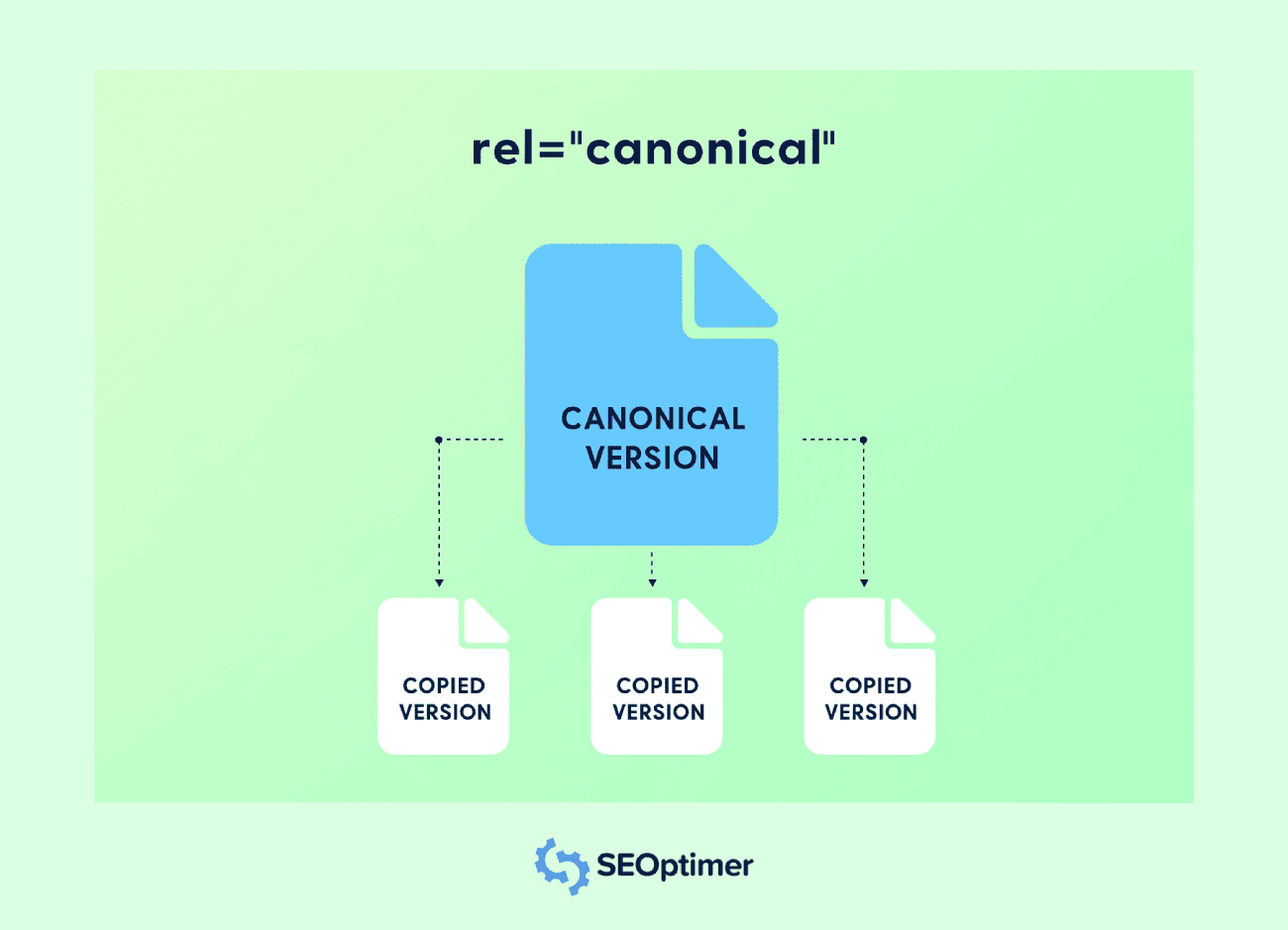
Each route should include a <link rel="canonical"> tag pointing to the original URL for that view. It prevents link equity dilution among different URLs having the same content.
You should inject canonical tags dynamically when the route changes, especially if the application updates metadata on the client side.
Use routing hooks or middleware functions to assign the correct tag on every page transition.
Avoid pointing all routes to the homepage or using a static canonical value. Every unique view should reflect its own logical URL to preserve relevance and index accuracy.
Implementing proper canonicalization supports clearer indexing, improves page authority, and prevents unwanted duplication in search results.
Handle 404 and Other Status Codes Correctly
You should configure accurate status codes for all views in a single page application to help search engines interpret your site structure properly.
Many SPAs serve a default HTML shell for every request, which can return a 200 OK even for non-existent routes.
A proper 404 Not Found response should be returned for invalid URLs.
Use server logic or middleware in NodeJS to detect unmatched routes and send the correct status code along with a custom error page.
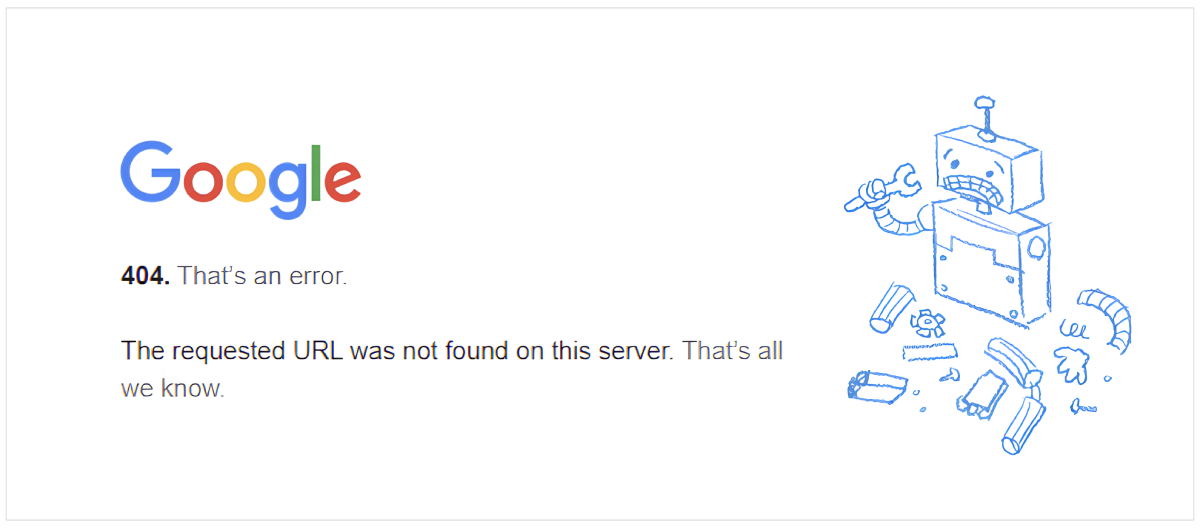
You should also handle other responses like 301 or 302 for redirection and 500 for server errors.
These status codes inform search engines how to treat each request and maintain the integrity of your crawl and index coverage.
Avoid relying solely on client-side error handling. Crawlers may not execute JavaScript, so incorrect status responses can damage search engine optimization signals and mislead indexing.
Submit Dynamic URLs to Google Search Console
You should submit all important dynamic URLs from a single page application to Google Search Console using the URL Inspection Tool. It helps search engine bots discover and index content that may not appear in a traditional crawl.
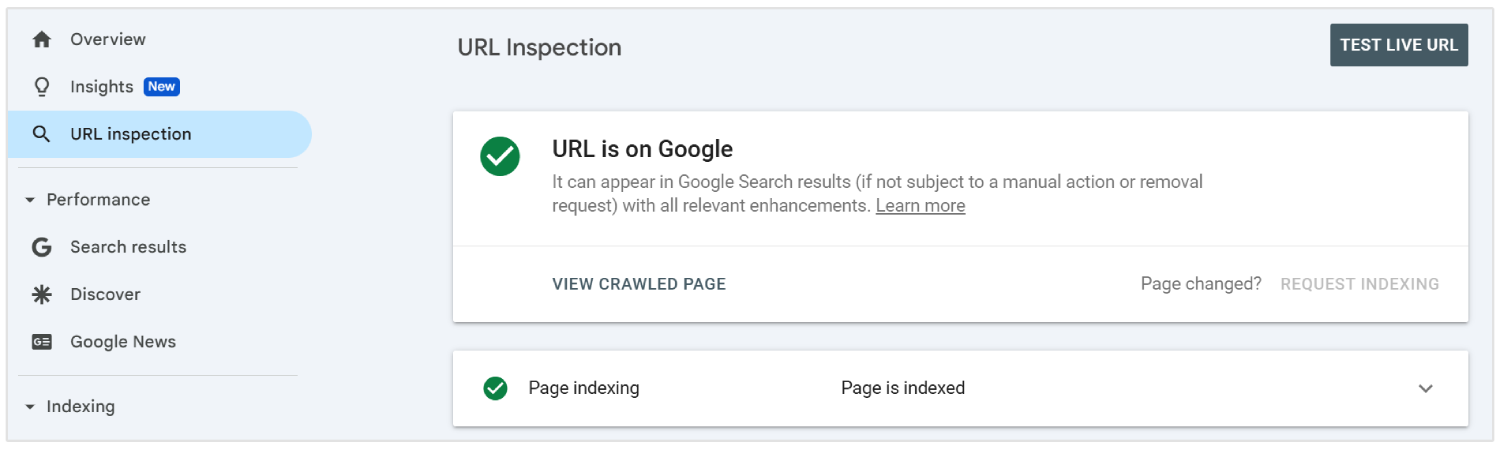
As SPAs load content through client-side routing, some internal pages may not be found by crawlers without direct linking.
To ensure visibility, list these URLs in an XML sitemap and submit it through the console interface.
You should update the sitemap whenever new routes are added or changed. Each entry must reflect the final, clean URL users and crawlers see, excluding hashes or unnecessary parameters.
Submitting dynamic URLs gives Google a clear map of your application’s structure and improves the chances of accurate crawling and faster indexing.
Enable Lazy Loading with Fallbacks
You should enable lazy loading to improve performance in SPAs by deferring the loading of non-essential elements such as images, videos, or below-the-fold sections.
It helps to reduce initial load time and enhances user experience across desktop and mobile views.
Search engines may not trigger content that loads through JavaScript, which can lead to missed indexing.
You should provide fallbacks like placeholder content or <noscript> tags to ensure all key elements remain visible to crawlers.
Use native browser features such as loading="lazy" attribute or manage scroll-based loading through JavaScript. You should always confirm visibility using tools like Google Search Console.
Avoid delaying important content or links that contribute to search visibility. Proper use of lazy loading with reliable fallbacks supports faster load speed and complete content coverage.
Defer Non-Critical JavaScript
You should defer non-critical JavaScript to speed up initial page rendering and reduce the blocking of important content in single page applications.
Scripts that are not essential for above-the-fold content can delay both user interaction and crawler visibility.
Use the defer or async attributes in script tags to prevent unnecessary execution during the first- page load.
Place non-essential scripts at the end of the document or load them after the core content has been rendered.
You should identify which scripts affect layout, metadata, or routing logic, and separate those from analytics, chat widgets, or animations.
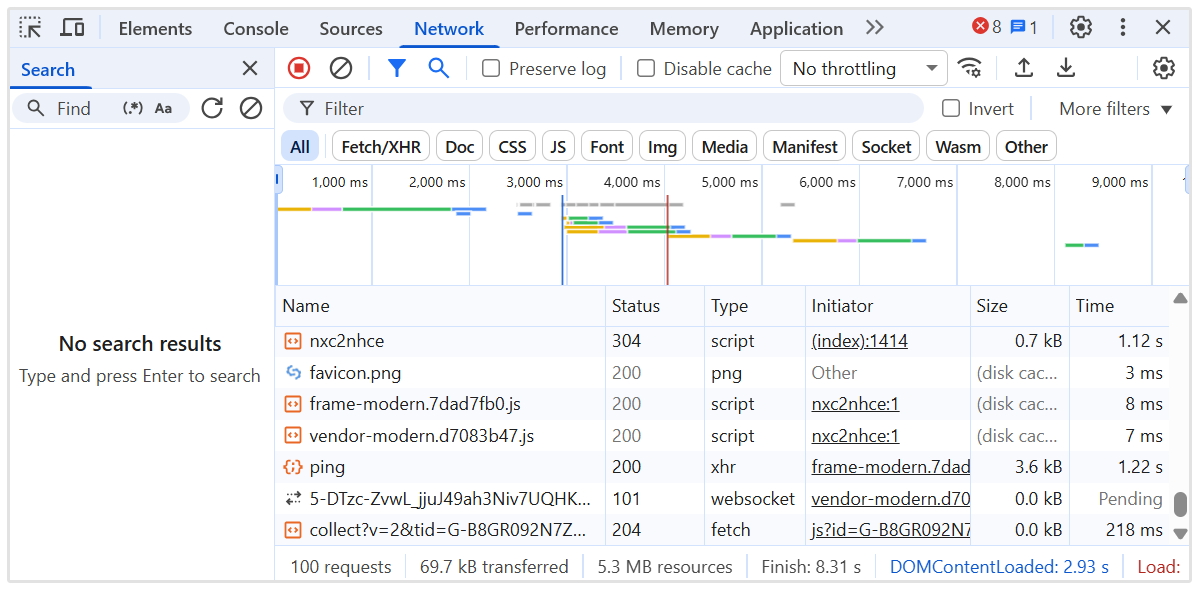
Tools like Lighthouse and Chrome DevTools can help audit script behavior and load sequence.
Implement Internal Linking between SPA Routes
You should create a clear internal linking structure between all routes in a single page application to guide crawlers through the site.
Unlike traditional websites, SPAs rely on client-side navigation, which can prevent search engines from discovering all internal pages if links are not added correctly.
Use anchor tags with proper href attributes that reflect the actual path, not just JavaScript functions or buttons. Avoid using elements like onClick handlers without meaningful URLs, as these are ignored by crawlers (most of the time).
You should ensure every important page is linked from other parts of the application, especially from the homepage and high-authority pages. It helps pass relevance and authority signals for efficient crawling.
Maintain a logical hierarchy with navigation menus, breadcrumbs, and contextual links between related views. Use descriptive anchor text to reinforce page topics.
Internal linking improves crawl depth, distributes authority, and strengthens overall search engine optimization performance across the full application.
Use a Sitemap that Reflects All Important Routes
You should generate and submit a sitemap that includes every important route in the single page application.
Since SPAs use client-side routing, many internal views may not be discoverable through traditional crawling.
Create an XML sitemap that lists all static and dynamic routes intended for indexing. Include only clean, canonical URLs without unnecessary parameters, fragments, or session data.
You should update the sitemap whenever new routes are added, removed, or changed. Automation tools can regenerate the sitemap during each deployment to keep it accurate.
Submit the sitemap in Google Search Console to help search engines find and prioritize key content. This supports complete index coverage and reinforces route-level visibility.
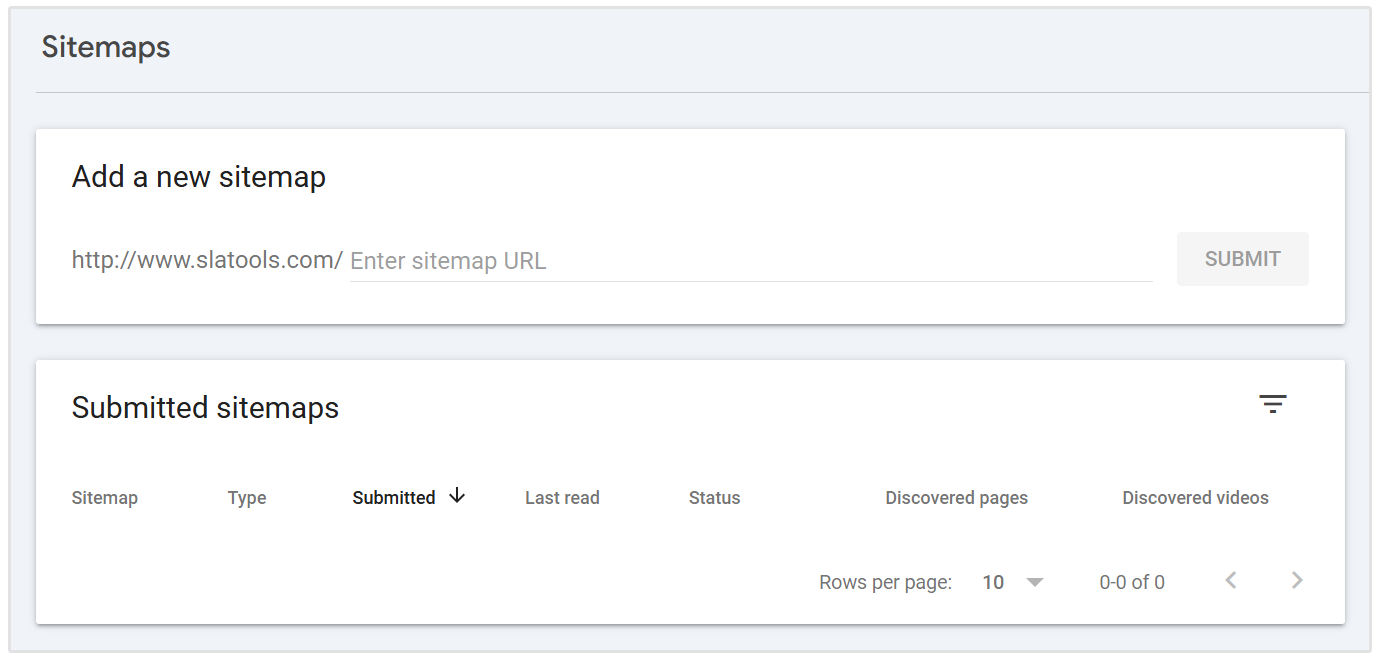
A well-maintained sitemap improves crawl efficiency and ensures that critical views receive the attention they need.
Monitor Crawl Behavior with Server Logs
You should analyze server logs to understand how search engines interact with your Single Page Application.
Logs reveal which routes are being crawled, how frequently they are accessed, and whether bots encounter errors or delays.
Review HTTP status codes, user agents, and timestamps to detect indexing gaps or crawl inefficiencies.
Look for signs of missed content, repeated hits on irrelevant pages, or failed responses that could harm visibility.
You should track how Googlebot navigates through dynamic routes and verify that important views receive crawl attention. Combine log data with insights from tools like Google Search Console to cross-check indexing coverage.
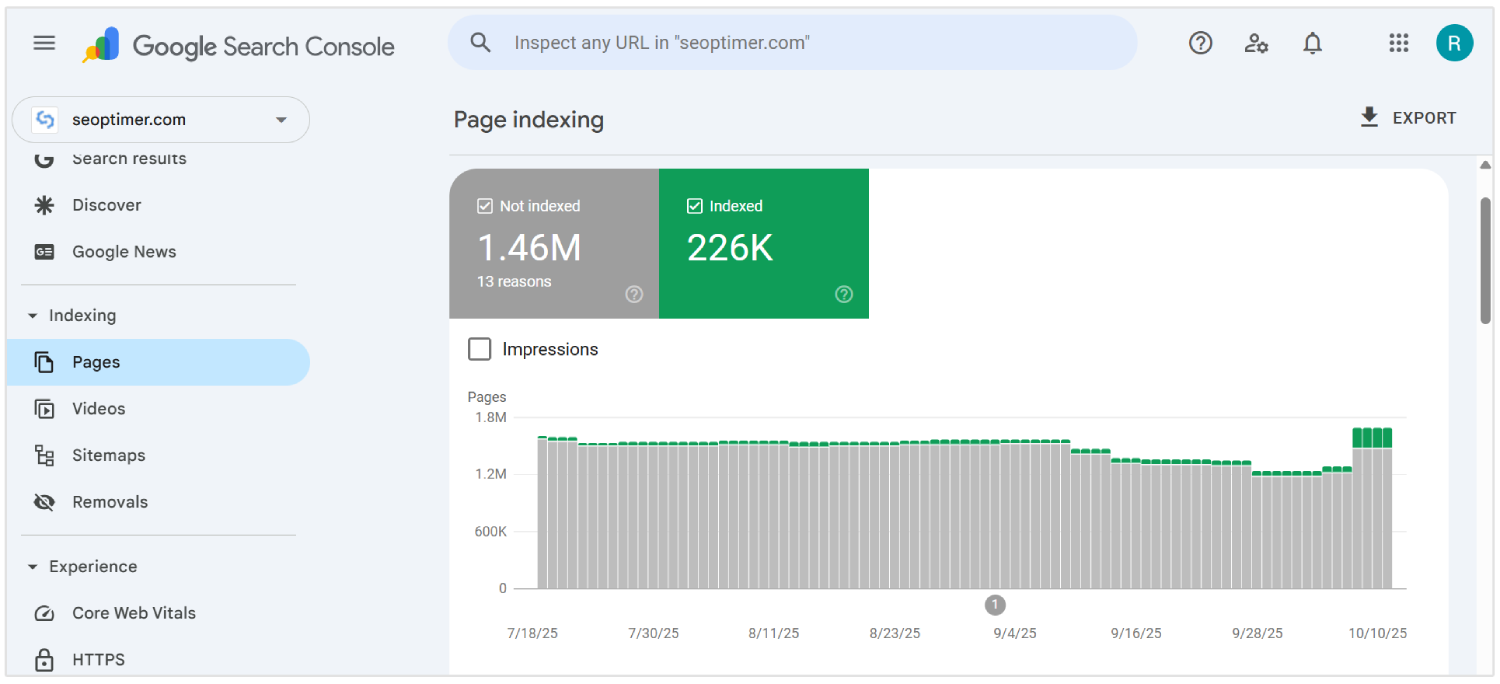
Use server log analysis tools or export data from your NodeJS server environment for deeper visibility.
Monitoring real-time bot activity helps identify crawl waste, fix discoverability issues, and optimize overall SPA SEO performance.
Resolve Rendering Issues with Dynamic Content
You should resolve rendering issues in single page applications to ensure that dynamic content is fully visible to search engines.
Content that depends on JavaScript execution may fail to appear during crawling if it loads too late or requires user interaction.
Audit each route to confirm that important text, links, and headings are available in the rendered output. Use tools like Google’s URL Inspection Tool or Lighthouse to detect content missing from the initial render.
You should apply techniques such as server-side rendering or pre-rendering to deliver fully built pages where needed.
For client-side rendering, make sure data loads quickly and does not rely on delayed triggers.
Avoid injecting critical information after the crawler has already processed the page. Delays in rendering can lead to partial indexing or exclusion from search results.
Fixing rendering issues ensures complete visibility of key content, supports better indexing, and strengthens overall search engine optimization outcomes for SPAs.
Align JavaScript Execution with Crawler Capabilities
You should structure JavaScript execution to match the processing limits of modern crawlers, particularly Googlebot’s rendering queue and resource constraints.
Crawlers operate with a time budget for each URL. Hence, excessive dependency chains, asynchronous data fetching, or render-blocking logic can result in incomplete indexing of key pages.
Prioritize rendering critical path content during the initial paint phase. Avoid nested hydration layers, delayed DOM mutations, or excessive use of client-only components.
Replace runtime content injection with server-prefetched data or skeleton layouts where full server HTML is not feasible.
You should audit execution timing using tools like Chrome DevTools Performance panel and simulate crawler conditions with Puppeteer or headless NodeJS renderers.
Track Time to Interactive (TTI), Largest Contentful Paint (LCP), and Total Blocking Time (TBT) under no-cache conditions.
Ensure route-specific metadata, canonical tags, and schema are mounted synchronously. Reduce reliance on heavy libraries or runtime routing frameworks that delay meaningful render output.
Audit SEO Performance with Specialized Tools
You should audit your search engine optimization performance regularly to detect visibility issues in single page applications.
Standard browser-based checks miss problems unique to JavaScript-heavy environments.
Using advanced tools provide deep visibility into how pages are rendered, indexed, and scored by search engines.
SEOptimer is one such tool that performs comprehensive audits across technical, on-page, and performance layers.

It scans each page for metadata quality, mobile responsiveness, internal linking structure, and content-to-code ratio.
For SPAs, SEOptimer helps identify missing HyperText Markup Language elements, misconfigured canonical tags, and weak header structures that affect crawlability.
You should run SEOptimer audits after deploying major updates or launching new routes. The tool flags rendering delays, broken links, and JavaScript dependencies that prevent content from loading correctly.
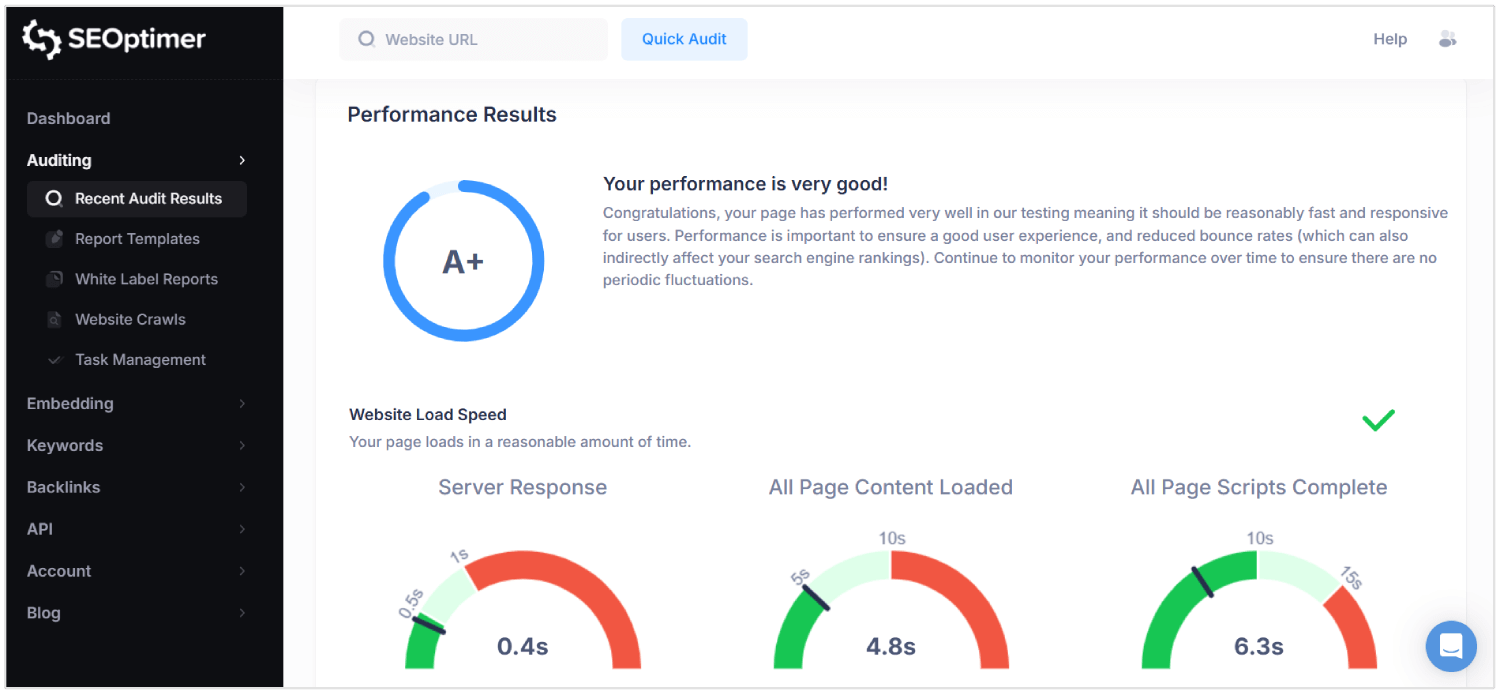
Combine SEOptimer with tools like Google Search Console and log analyzers to validate results under real-world crawl conditions.
Regular auditing ensures that routing logic, content delivery, and rendering behaviors all support sustained SEO performance.
Why SEO is Challenging for SPAs
SEO is difficult for single page apps because metadata, route-specific content, and proper status codes may be missed or misunderstood by crawlers.
Here are the top SEO challenges for SPAs:
1. Client-Side Rendering
Search engines expect meaningful content to be present in the initial HTML response. SPAs rely on JavaScript to render content after the page loads, which delays visibility.
If a crawler accesses the page before rendering completes, key elements like text and links may not be processed. This creates a risk of search engines indexing incomplete or empty pages.
As a result, content that users can see never reaches search engine results.
2. Crawling Limitations
SPAs do not expose all pages through traditional static links, making crawling more complex.
Many pages are only accessible through internal client-side navigation, which search bots may not follow.
Even modern crawlers like Googlebot render JavaScript with delays and limited processing time. Pages that require multiple rendering cycles or nested data fetching can exceed the crawl budget.
Important views may be missed entirely, weakening site visibility in search results.
3. Dynamic Metadata Handling
Each view in an SPA lacks unique metadata unless configured manually.
Without dynamic updates to titles, descriptions, and canonical tags, all URLs appear identical to search engines.
This leads to indexing errors, reduced relevance, and lower click-through rates.
Metadata tied to URL changes must be injected in real time using libraries or custom logic. Failure to manage this blocks the application from ranking properly across different search queries.
4. Non-Standard URL Structures
SPAs may use URLs that depend on hash fragments or browser history manipulation. These formats can cause confusion for search engines that prefer clean, canonical paths.
If a route lacks a proper structure, it may not be indexed or may be treated as a duplicate.
Inconsistent URLs also break deep linking, which is critical for user navigation and crawl depth.
SEO performance suffers when bots cannot interpret or access real, distinct URLs.
5. Incorrect HTTP Status Codes
Unlike traditional sites, SPAs respond with 200 OK even for non-existent routes.
This misleads search engines into indexing error pages or irrelevant content.
Without correct codes like 404 Not Found or 301 Redirect, crawlers cannot remove outdated pages or follow new paths.
Bots require accurate status signals to interpret site structure and content changes.
SPAs that mishandle these responses lose control over how their content appears in search results.
6. No Page Reloads During Navigation
In SPAs, route changes happen within the browser without reloading the page. This prevents search engines from recognizing navigation events as new pages.
Bots may assume the user is still on the same page, which limits the indexing of new views.
Unlike multi-page sites, SPAs must simulate these transitions for SEO tools to detect them. Without this, route-specific content is overlooked or misclassified.
7. Delayed Rendering of Content
SPAs delay visible content due to multiple JavaScript dependencies and asynchronous loading.
Due to this, search engine crawlers may process the page before essential data appears.
Long render times can result in partial indexing, missing headings, and incomplete page summaries.
If meaningful content is not ready during the crawl, search engines assume the page lacks value or may regard the page as "thin content."
This ultimately reduces rankings, visibility, and traffic.
Conclusion
Getting SEO right for single page applications is not simple.
Search engines need to see real content right away, not wait for scripts to load it after the fact. Hence, you should send proper HTML, treating each route like a real page, and updating titles and descriptions as the user moves through the app.
You also need to manage status codes, build internal links, add structured data, and make sure search engines can crawl every part of the site. When everything is in place, your single page application becomes easier to index and easier to rank.