Ever wondered, “who is linking to my site?”
If climbing Mount Everest were your goal, you wouldn’t start in flip-flops. You’d invest in serious hiking boots because the right support is what gets you to the top.
SEO works the same way. To climb the search engine rankings, you need strong backlinks powering your website forward.
Every website, from eCommerce stores to blogs, needs backlinks to be visible in the SERPs.
Backlinks are an integral part of any good search engine optimization (SEO) strategy as they help to improve your site’s authority and trustworthiness.
- Adam Steele, COO at Loganix
Your competitors are also actively building backlinks, and analyzing their backlink profiles can reveal valuable link-building opportunities for your own strategy.
Equally important is understanding your own website's backlink profile, as this knowledge helps you evaluate the quality, diversity, and authority of the sites linking to you, which is essential for effective SEO.
Luckily, finding out exactly who links to your site and whether those links are helping or hurting you is easier than you think.
Because not all backlinks are created equal. A single link from an authoritative, relevant site can outperform dozens of half-baked ones.
You need to have backlinks from authoritative, trusted and relevant sites if you want to reach the top of SERPs.
By the end of this blog post, you’ll be able to answer the question of “who links to my site” and we’ll show you exactly how you can do this using free tools.
Why Do I Need to Know Who Links to My Site?
So, you know why you need to focus on backlinks when piecing together your SEO strategy.
There are a few reasons why you’ll need to keep an eye on who’s linking to your site, including:
- It helps to measure your link building strategy. Got tons of awesome backlinks? Then you’re doing a great job, and you should replicate the same strategy to get even more!
- It helps to analyze the success of your content. Got a handful of backlinks organically without doing any outreach? You’re creating awesome content, just carry on with what you’re doing.
- It helps to examine brand mentions. Got a few backlinks from sites who are talking about how fantastic your blog, brand, product or service is? Fantastic! Keep your finger on the pulse, and shout about your coverage.
The best thing about finding the answer to this question is that unlike most SEO activities, viewsing all the backlinks pointing to your website only takes a matter of minutes.
Monitoring your backlinks on a regular basis also helps you spot spammy links that could harm your site's reputation or SEO.
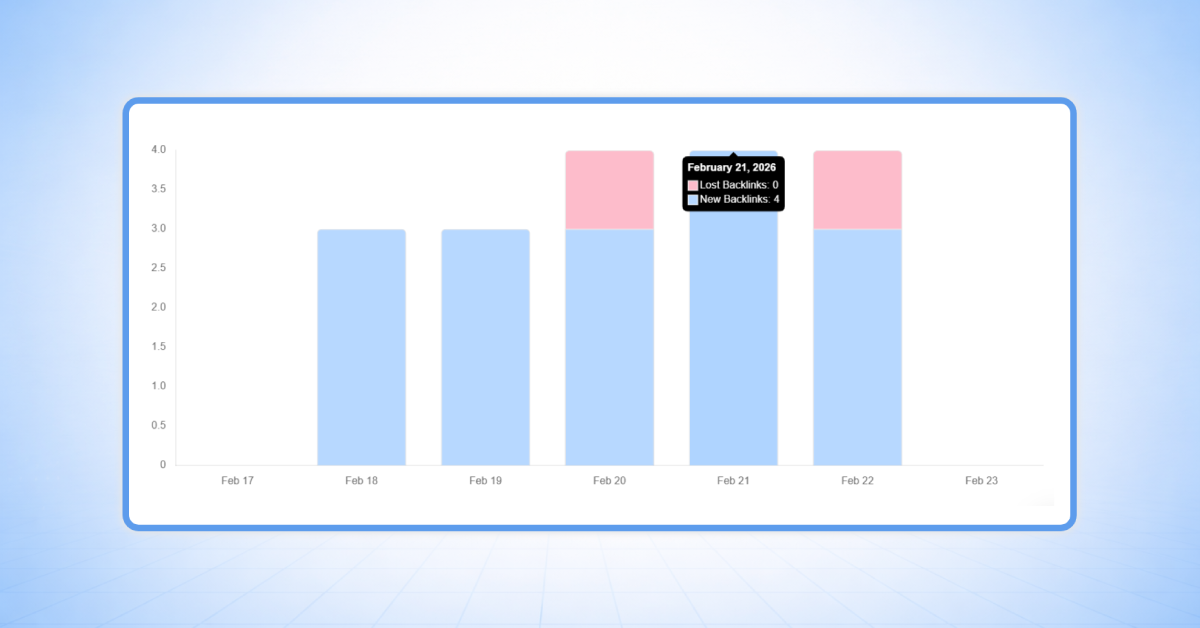
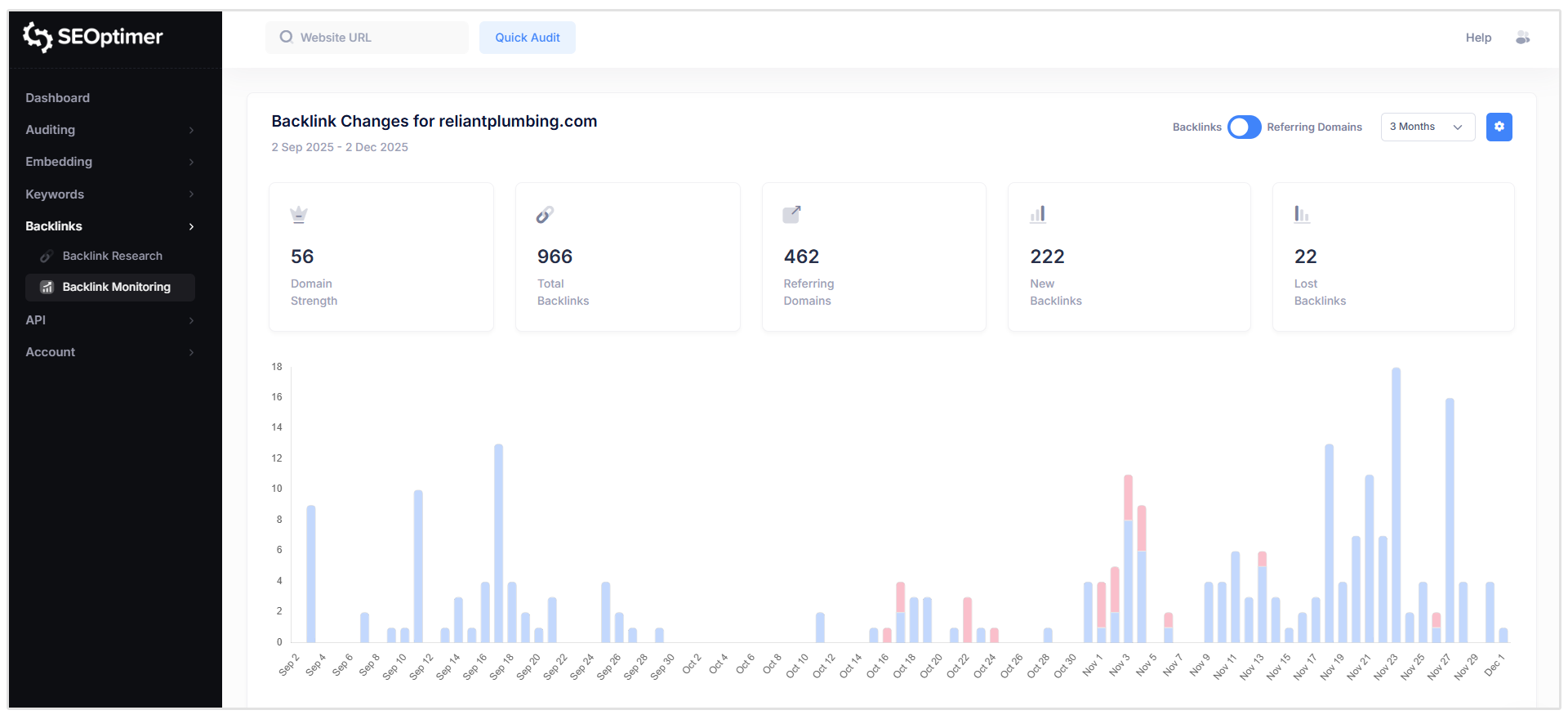
SEOptimer users can easily setup up automatic link monitoring with our Backlink Monitoring Tool.
Simply head to the Backlink Monitoring module in SEOptimer, add your domain, and our tool will show you how your link profile changes over time.
Understanding Inbound Links
Understanding inbound links is very important for search engine ranking optimization.
Inbound links, also referred to as backlinks, are incoming links from external referring domains that point directly to your site or specific web pages.
These function as digital authority signals.
When external websites link to your content, search engines interpret this as trustworthiness and relevance validation, making backlinks a fundamental ranking factor in SEO algorithms.
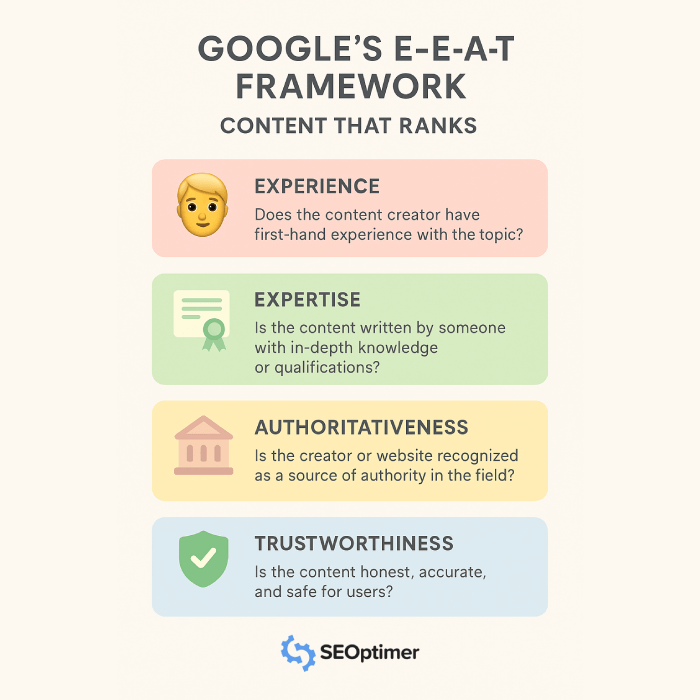
Having a strong backlink profile also contributes to your site's E-E-A-T scores.
Analyzing your website's backlink profile requires the use of comprehensive backlink checker tools that deliver detailed link analysis data.
These SEO platforms allow you to examine precisely how many backlinks point to your site, which referring domains are linking, and what anchor text distribution patterns exist.
This link intelligence is essential for understanding your link profile structure and identifying ranking optimization opportunities.
However, backlink quality significantly outweighs quantity metrics.
High-authority inbound links from relevant, authoritative external domains can dramatically boost your SEO performance.
On the other hand, spammy links or connections from low-quality domains can negatively impact your site's reputation and organic rankings. Hence, regular backlink data auditing is crucial for identifying potentially harmful links that could damage SEO efforts.
SEO professionals typically use advanced platforms like SEOptimer for comprehensive backlink analysis. These backlink checker tools provide critical SEO link building metrics including domain authority scores, anchor text distribution analysis, and unique referring domain counts.
This intelligence allows you to optimize link building strategies and focus on acquiring valuable authority links that strengthen your website's domain strength.
Outbound linking strategy matters equally.
Linking to high-quality, reputable sites enhances your own site's credibility signals.
However, outbound links to spammy or irrelevant pages produce the opposite effect. Maintaining optimal balance between inbound and outbound link profiles is fundamental for effective SEO strategy implementation.
Building your backlink profile should prioritize earning follow links from authoritative referring domains.
While nofollow links don't transfer equivalent SEO value, they still generate referral traffic and increase site visibility metrics.
Natural link profiles include both follow and nofollow link variations. Hence, seeing both types in your backlink reports is expected and healthy.
Initial analysis should begin with free backlink analysis using tools like SEOptimer or other available platforms.
These identify backlink counts, referring domain numbers, and anchor text variations targeting your site. Use this data intelligence to identify gaps, monitor progress metrics, and develop targeted link building strategies that prioritize quality over quantity acquisition.
Using backlink checker tools, monitoring link profile health, and focusing on high-quality link building efforts will improve search rankings, boost organic visibility, and drive increased website traffic. The goal is consistent, natural link growth that reflects authentic authority building rather than manipulated patterns.
Free Tools to Check Who is Linking to Your Site
1. SEOptimer
SEOptimer offers a free backlink checker tool to view basic domain metrics.
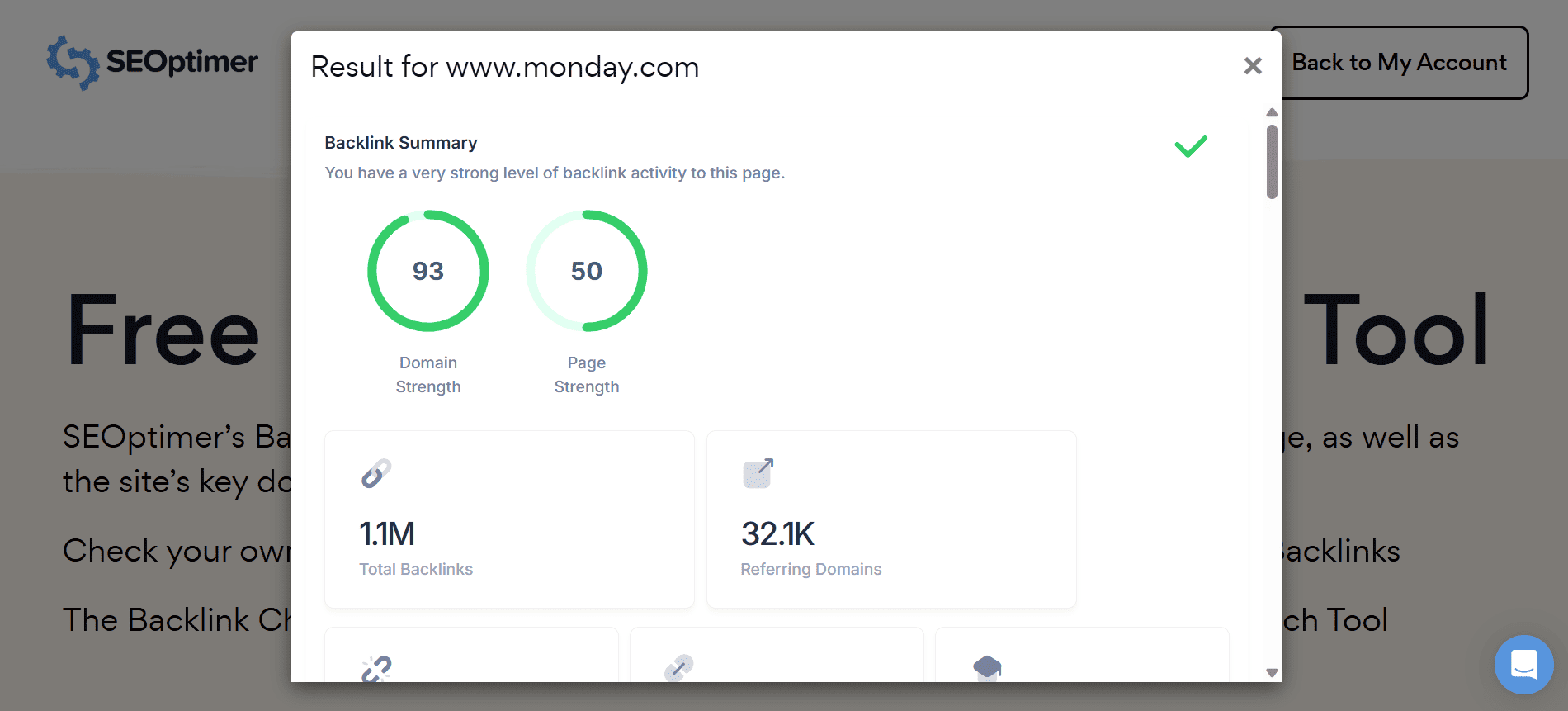
Simply navigate to our free backlink checker at www.seoptimer.com/backlink-checker and paste your domain.
Our tool will scan the domain and show you a high-level Backlink Summary as well as Top Backlinks, Top Pages by Backlinks, Top Referring Domain Geographics, and Top Anchors by Backlinks.
Of course, we also have a paid backlink research tool for more detailed backlink data. We'll explore the paid option and how you can see more data on who is linking to your site.
Moz Backlink Checker Tool
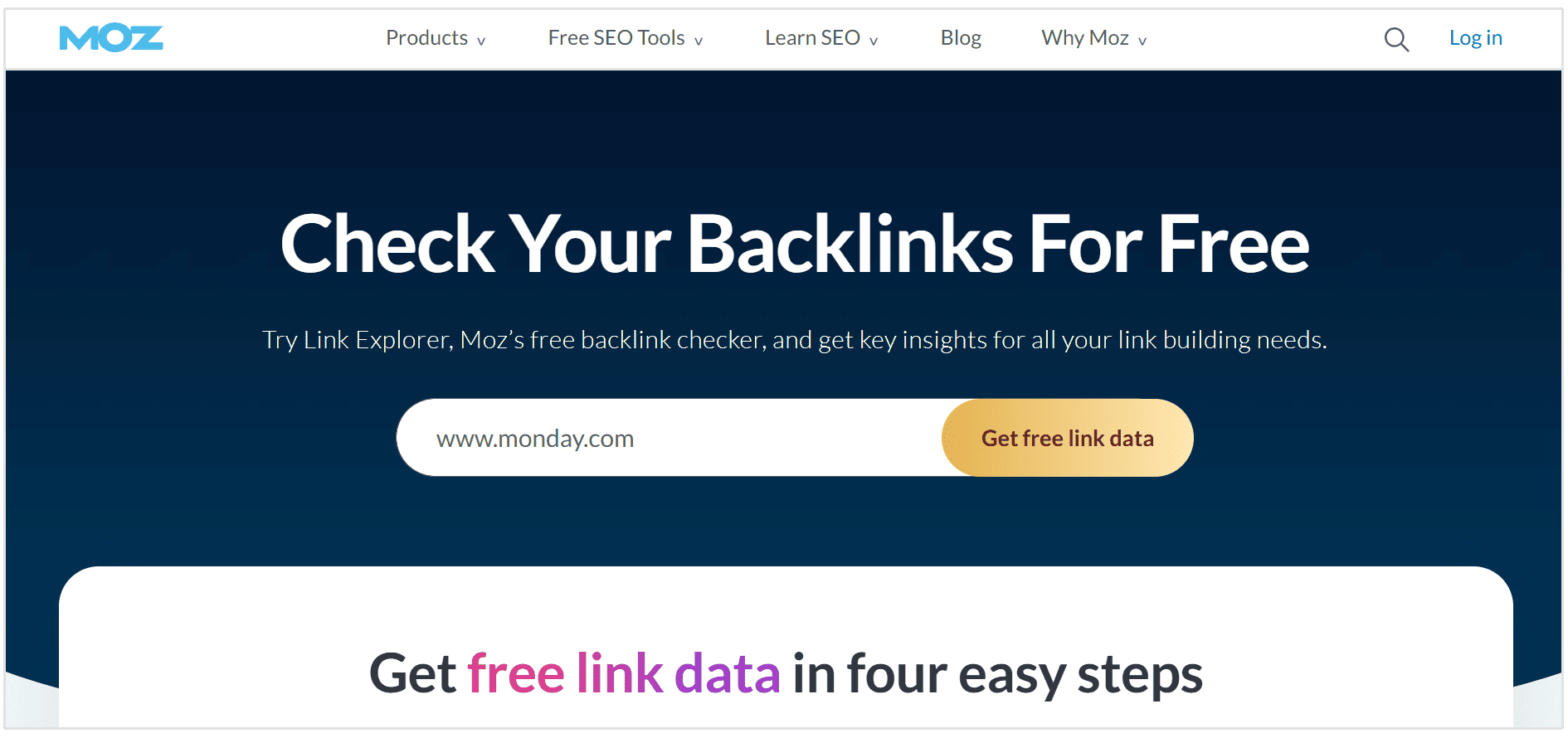
Moz offers another free solution that provides detailed snapshots of your backlink data, encompassing anchor text distribution, domain authority metrics, and page authority scores.
This tool makes it straightforward to identify which links deliver maximum SEO value and pinpoint areas requiring strategic link building focus.
Google Search Console
Google Search Console is a free resource that shouldn't be overlooked in your backlink analysis framework.
Simply navigate to the "Links" option in the dashboard on the left.
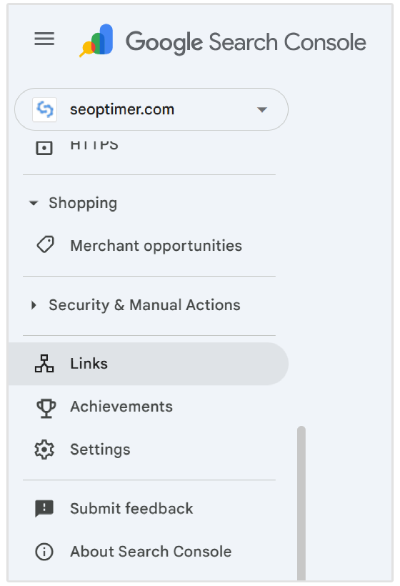
Here you'll see data on the following:
- Top external linked pages
- Top internal linked pages
- Top linking sites
- Top linking text
You'll use the Top linking sites to view who links to your site.
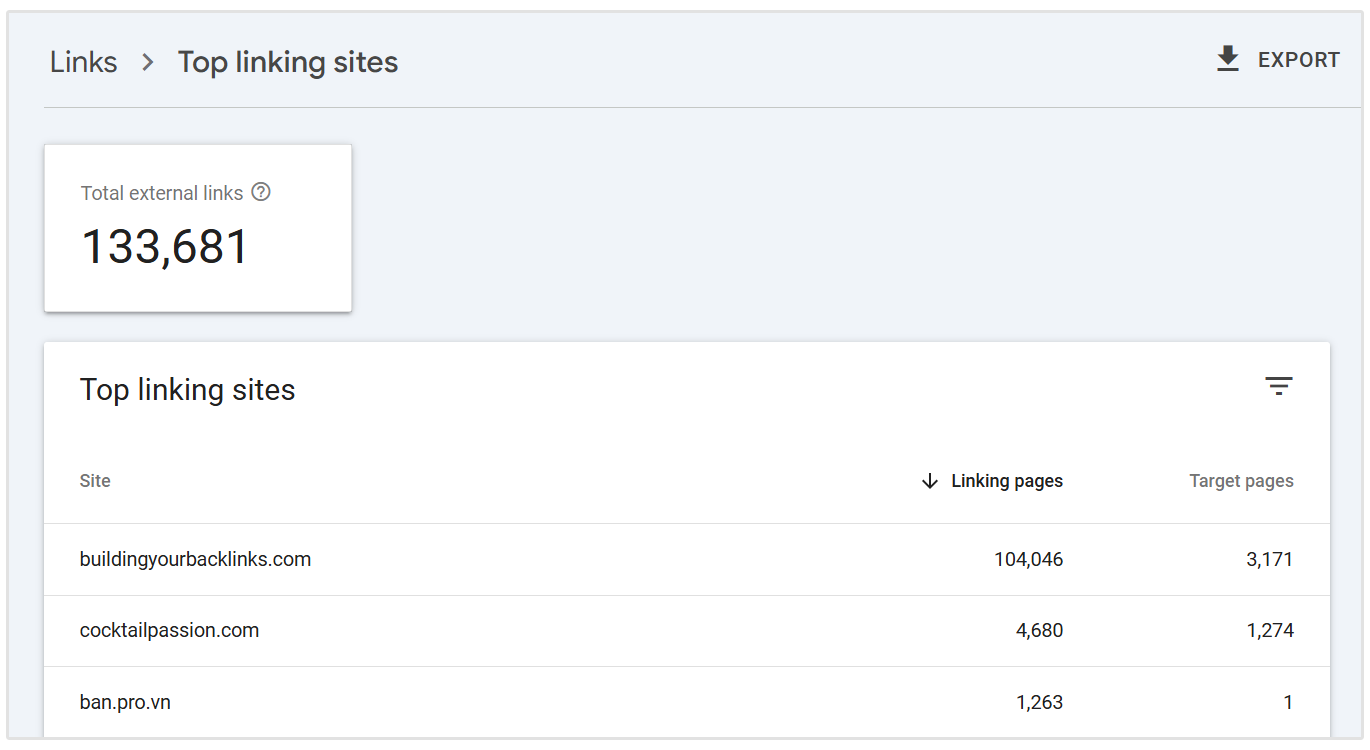
Unfortunately, GSC only shows the referring domains pointing to your site. And doesn't show detailed metrics like Domain Strength, Referring URLs, Anchor Text, TLDs, and much more.
By using these free backlink solutions, you gain deeper visibility into your website's link profile dynamics, uncover authentic improvement opportunities, and make data-driven decisions regarding your ongoing link acquisition efforts.
Whether you're launching your SEO initiatives or seeking supplementary intelligence, these free platforms represent must-have components in your optimization arsenal.
How to See Who Links to Your Site with SEOptimer
Step 1: Create an SEOptimer Account
The first thing you’ll need to do is head over to SEOptimer to create an account if haven't already.
Our backlink checker tool puts all the information you need right in front of you, without you having to lift a finger.
Once your account is set up, you can easily access backlink data and all the other features in our SEO toolkit.
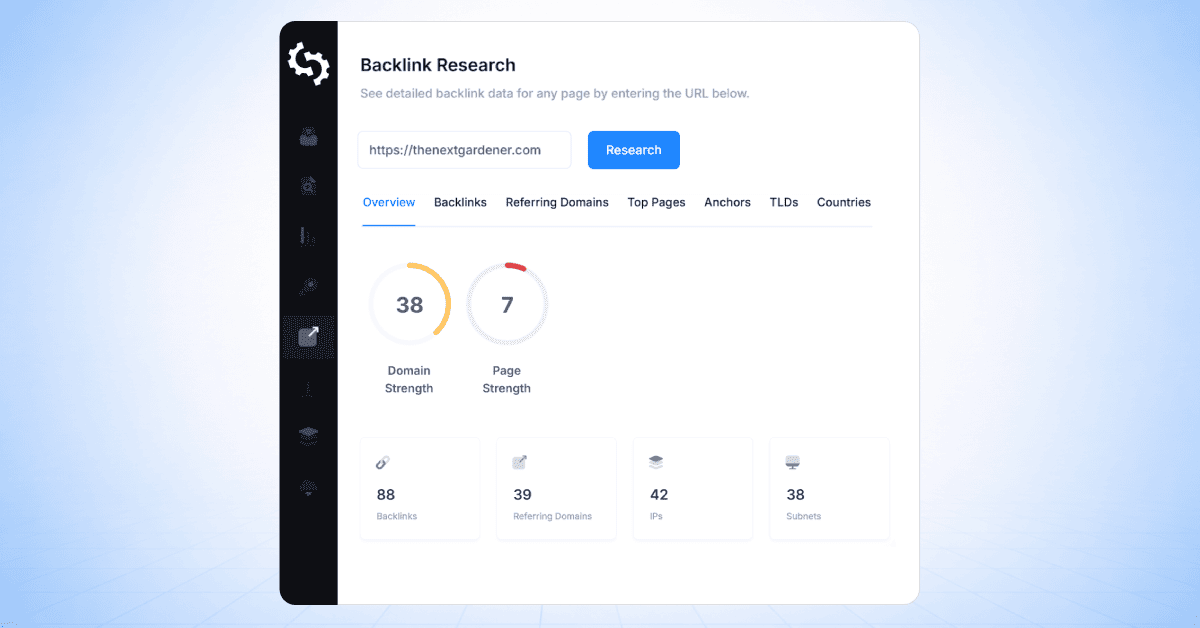
Next, just navigate to the Backlink Reseach module and add your domain. SEOptimer will automatically start pulling your backlink data for you.
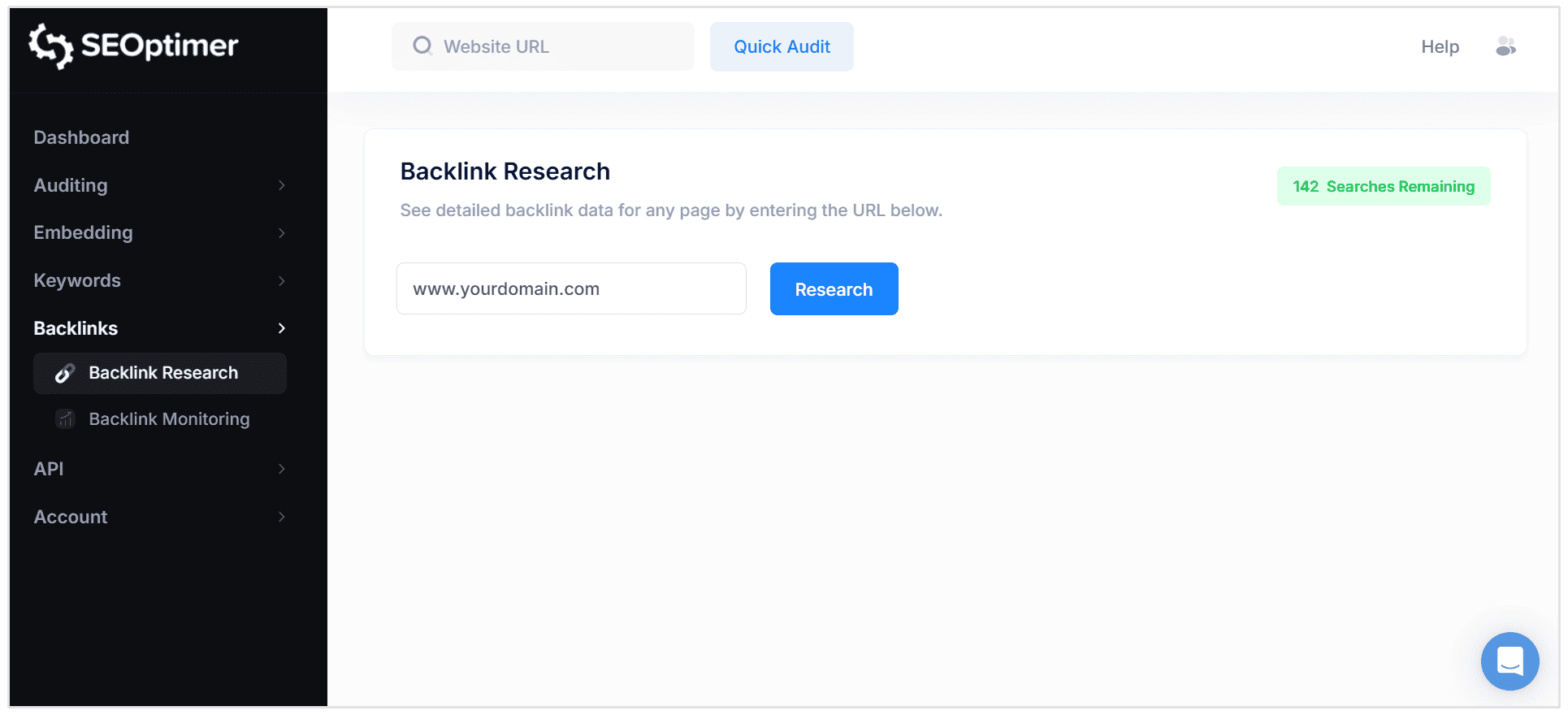
You’ll be able to find your entire backlink profile almost immediately, and unlike the majority of other backlink checker tools, you won’t need to wait for prehistoric data to import.
SEOptimer offers a streamlined experience compared to other third party tools that can also be used for backlink analysis.
Step 2: Discover Your Backlink Profile
Now, simply head over to the Backlinks tab, and be greeted with your entire backlink profile:
This set of data contains every link currently pointing to your website, as well as valuable metrics about each one to help you assess its quality, authority and relevance.
This link data provides a comprehensive overview of your website's backlink profile, allowing you to analyze link sources, quality, and domain authority for better SEO strategy.
These metrics include backlink metrics such as:
- Total Backlinks
- Unique Domains: Shows the number of referring domains linking to your site, which is important for understanding the diversity of your backlink sources.
- Nofollow Backlinks
- Dofollow Backlinks
- Domain Strength
- Page Strength
- Anchor Text
- Referring Page
- Target Page
Step 3: See Who Links to Your Site
Now, it’s time to answer the all-important question: Who links to my site?
Simply check out the Referring Page column in the Backlinks tab to find your answer.
This details the referring domains that have given a backlink to your site.
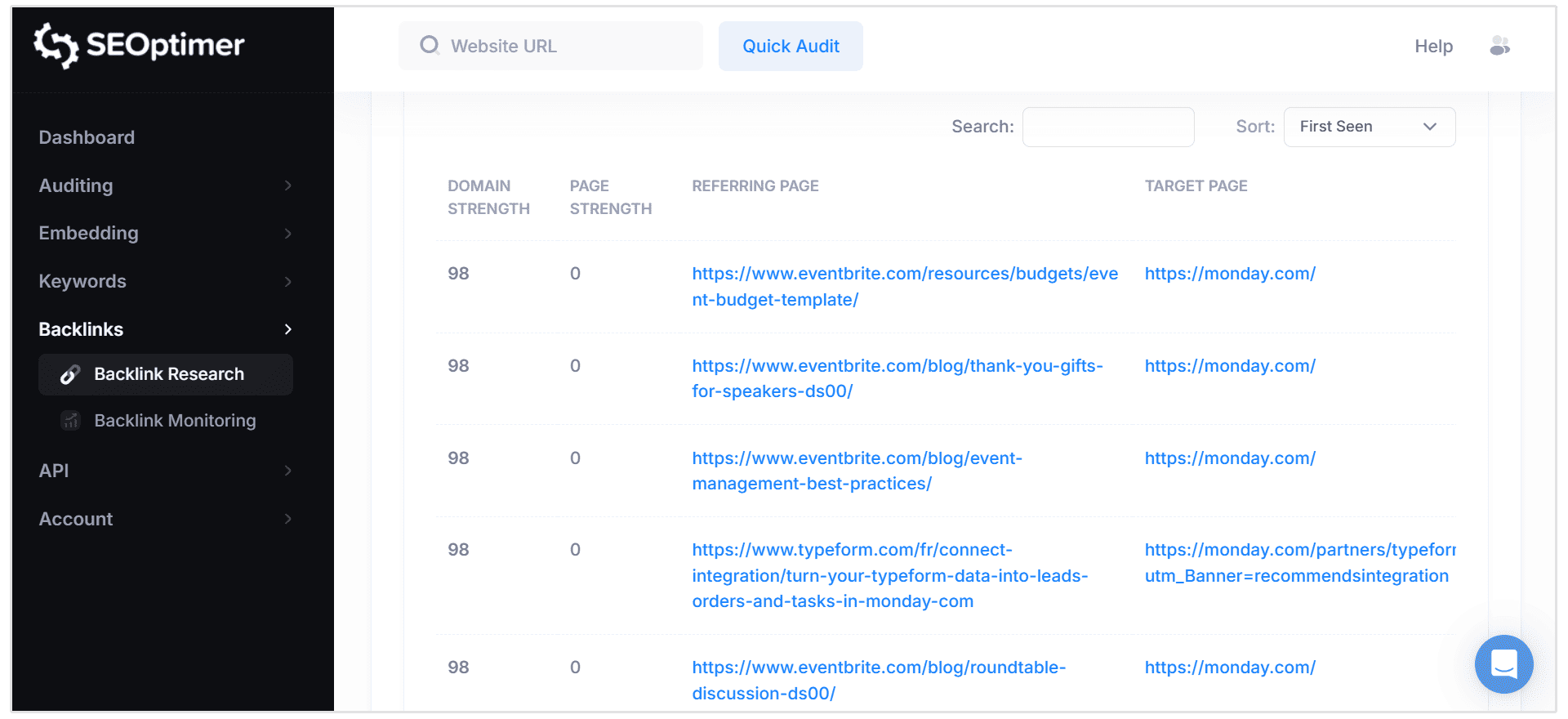
And that’s it, you’re done!
You’ve found everyone who links to your site.
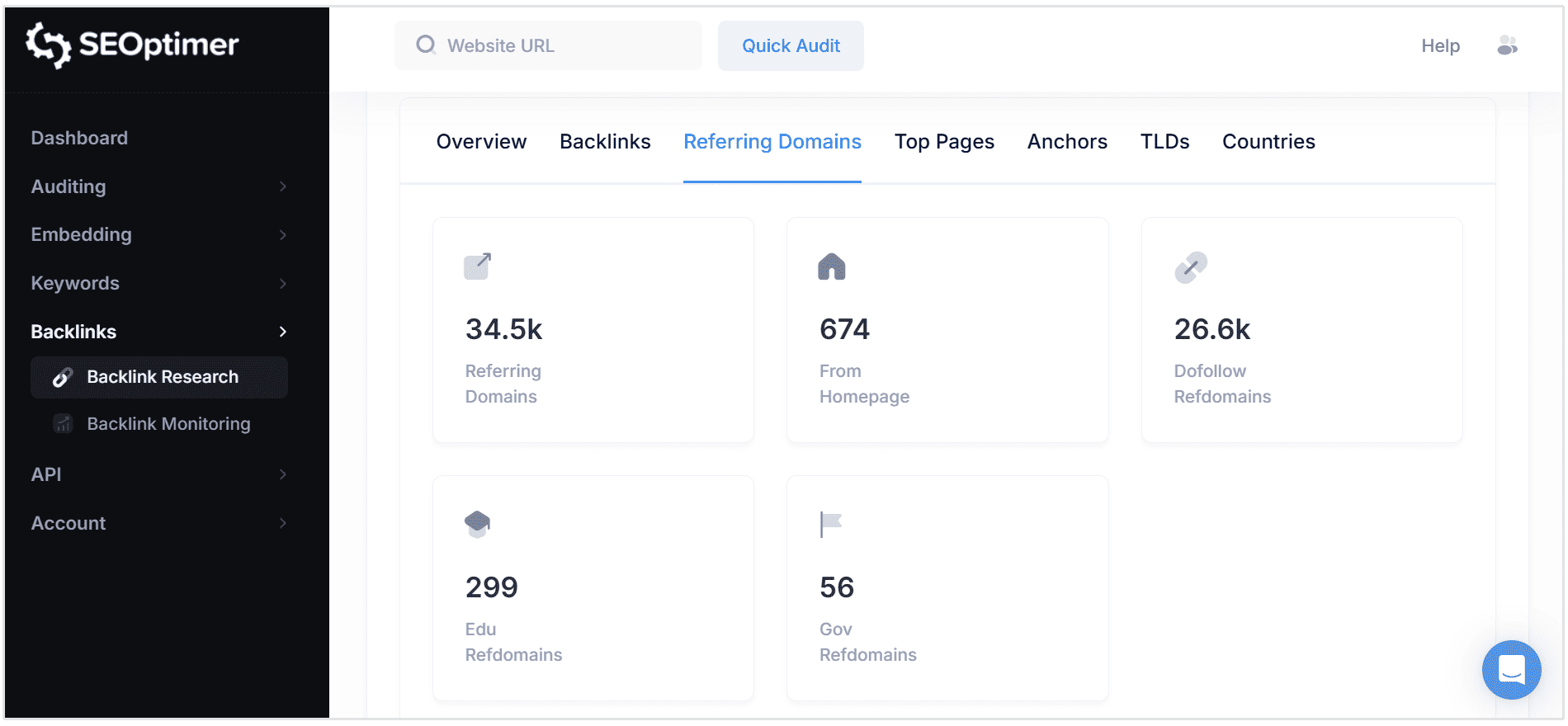
You can also use the Referring Domains report to get a broader view of all unique domains linking to your site.
Why View Who Links to Your Competitors
Understanding your competitors' backlink profiles serves as a critical intelligence-gathering activty that can direct your link building strategy.
Specifically, competitor backlink analysis reveals their link acquisition patterns, authority distribution, and strategic partnerships they may have with other sites.
A comprehensive evaluation of competitor linking strategies can also uncover high-value editorial opportunities.
To see who links to your competitors, simply add their domain in our Backlink Research module, and you'll see exactly all the same metrics I discussed earlier.
What to Do Next
In just five minutes, you now know exactly who’s linking to your site.
But what happens next? What should you do with this information?
Having this information in front of you is extremely valuable to build your entire SEO plan, going forward.
These are the important next steps: Further analysis of your backlink data can help you refine your SEO strategy by providing deeper insights into your backlink profile and competitive link-building efforts.
Make sure to regularly check for new backlinks to ensure your link profile remains strong and up-to-date.
1. Analyze Your Backlink Profile
Once you’ve seen your backlink profile, it’s wise to have a scan through for anything that could cause issues.
SEOptimer gives you a bunch of important metrics to analyze, so you can investigate the backlinks further:
Here’s what to pay attention to:
Domain Strength
Another metric you'll want to track is the Domain Strength of the sites you're collecting backlinks from.
To do this, simply sort your backlink profile by the "Domain Strength" column:
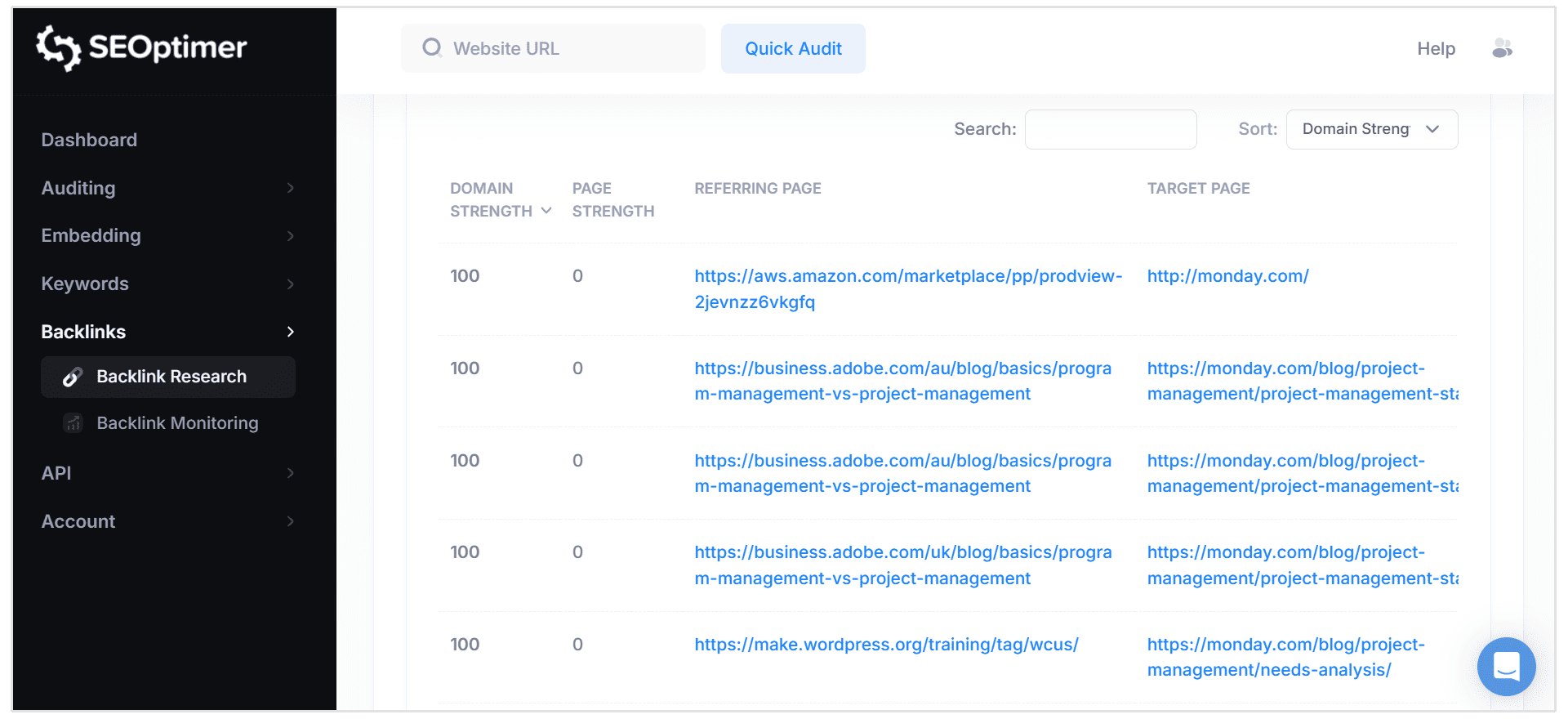
Scored on a scale of 0-100, this SEO metric predicts how likely a website is to rank in the SERPs.
For reference, Huffington Post has a Domain Strength of 93, and Facebook's score is 100.
You'll want to aim for backlinks from sites with a Domain Strength score of more than 40.
Find any that don't fit the bill by filtering for backlinks with a Domain Strength lower than 40. And add them to your warning list in a seperate Google Sheets or Excel file.
Page Strength
Finally, sort your backlink profile by the "Page Strength" column:
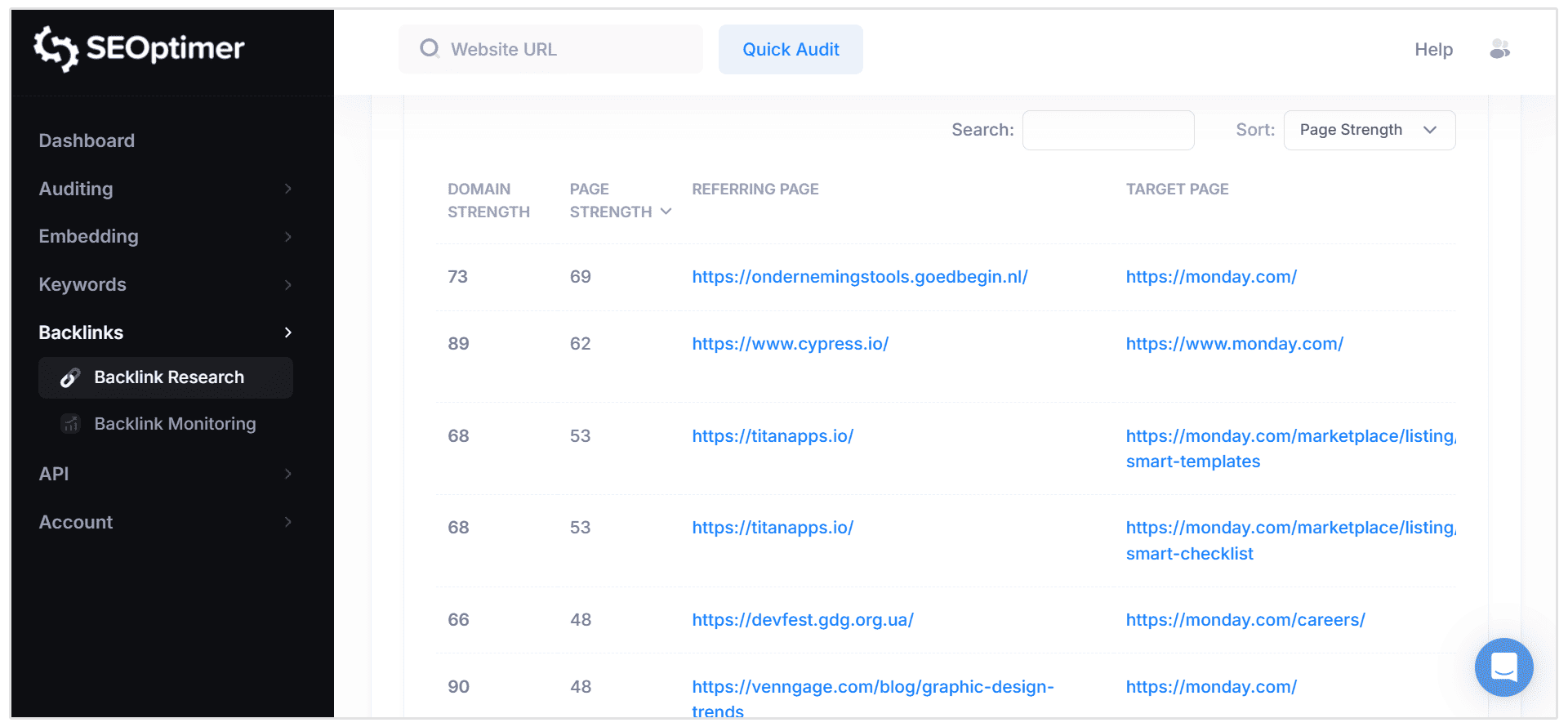
Also scored on a scale of 0-100, Page Strength is similar to Domain Strength—but predicts the likelihood of a single page ranking in the SERPs, rather than the entire domain.
Aim to fill the majority of your backlink profile entries with links from pages with a Page Strenth scores of 30 or higher.
That way, you're only collecting those juicy backlinks that are likely to have a positive effect on your ranking efforts.
2. Get Rid of Bad Backlinks
Okay, so you've got a bunch of low-quality links that you've added to a seperate document.
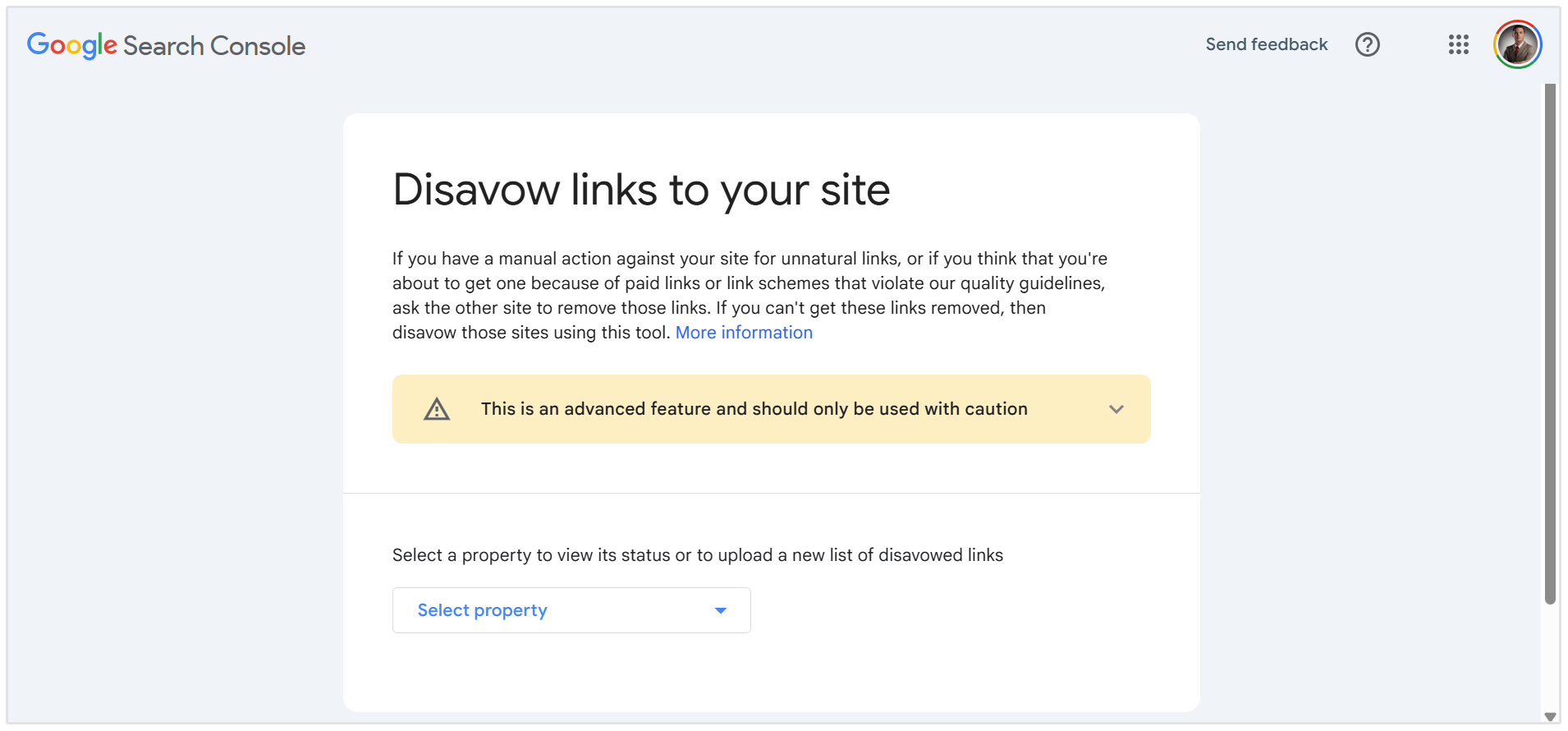
Now, it's time to disavow the links that don't fit our strict criteria.
Simply put, disavowing bad backlinks tells Google not to associate your site with the low-quality one.
Not only will this help to prevent Google penalties and poor rankings, but it improves your online reputation.
To stop these links from dragging you down, you'll need to head back to your low-quality backlinks that you found in your analysis above and create a disavow file consisting of these links.
Whether you select disavow the entire domain or just the individual URL depends on the reasoning behind your choice to disavow.
Generally, if:
- The Domain Strength is the issue, disavow the domain.
- The Page Strength is the issue, disavow the URL.
Simple, right?
Then, all you have to do is head to submit the list to Google's Disavow Tool.
Wrapping Up
Congratulations! You've found out who links to your site, and analyzed each entry to take your SEO check a step further.
However, there's one important thing to remember:
People are always linking to your site, and some of those additions you're picking up might not be up to your high standards—especially if you've collected them organically.
For that reason, don't forget to analyze and purge your backlink profile every so often.
It's a quick task that's easy to put off, but it's one with the power to change your entire site's keyword ranking positions. Believe me!