Key Takeaways
- Sitewide links appear on every page and are mainly used for navigation, branding, or attribution.
- Google heavily discounts their SEO value and treats many sitewide links from one site as a single link.
- Internal sitewide links are healthy and help users and search engines navigate your site properly.
- External sitewide links are risky when abused, especially with keyword-stuffed anchor text.
- Contextual backlinks are far more powerful than mass sitewide placements.
Link building is one of core foundations of any successful SEO strategy. But not all links are created equal. While earning high-quality, contextual backlinks is the gold standard, there’s another type of link that often causes confusion among SEOs and marketers: the sitewide link.
You’ve likely seen sitewide links hundreds of times, but you might not know them by name. Sitewide links are a normal part of how the internet works, as they help both users and search engines navigate websites efficiently.
Do they boost your rankings, or could they land you in hot water with Google?
This guide will explain what sitewide links are, how they affect your SEO, and the best practices for using them safely and effectively.
What are Sitewide Links?
A sitewide link is a hyperlink that appears on all pages of a website. These sitewide links are typically placed in headers, footers, or sidebars of a site.
Sitewide links help users find links to important sections of a website, such as the homepage, contact page, or product categories, improving navigation and SEO.
If a website has hundreds or even thousands of pages, a single sitewide link can instantly create an equal number of backlinks to the target URL. This might sound like a huge SEO win, but the reality is much more complex.
Real Examples of Sitewide Links
Sitewide links come in various forms, and some are more common and natural than others.
Here are a few real-world examples you’ll frequently encounter.
Sitewide links often help users navigate to other pages, such as category, contact, or about pages, and websites may include other sitewide links for different purposes, like legal notices or partner sites.
Internal Sitewide Links
These are the most common and necessary types of sitewide links. They point to important pages within your own website, forming the primary navigation structure.
Links to your "Home," "About Us," "Contact," or main product category pages found in your header and footer are all internal sitewide links.
For example, check the below screenshot of the footer and header of Manscaped. You can easily find the links to important pages and subpages.
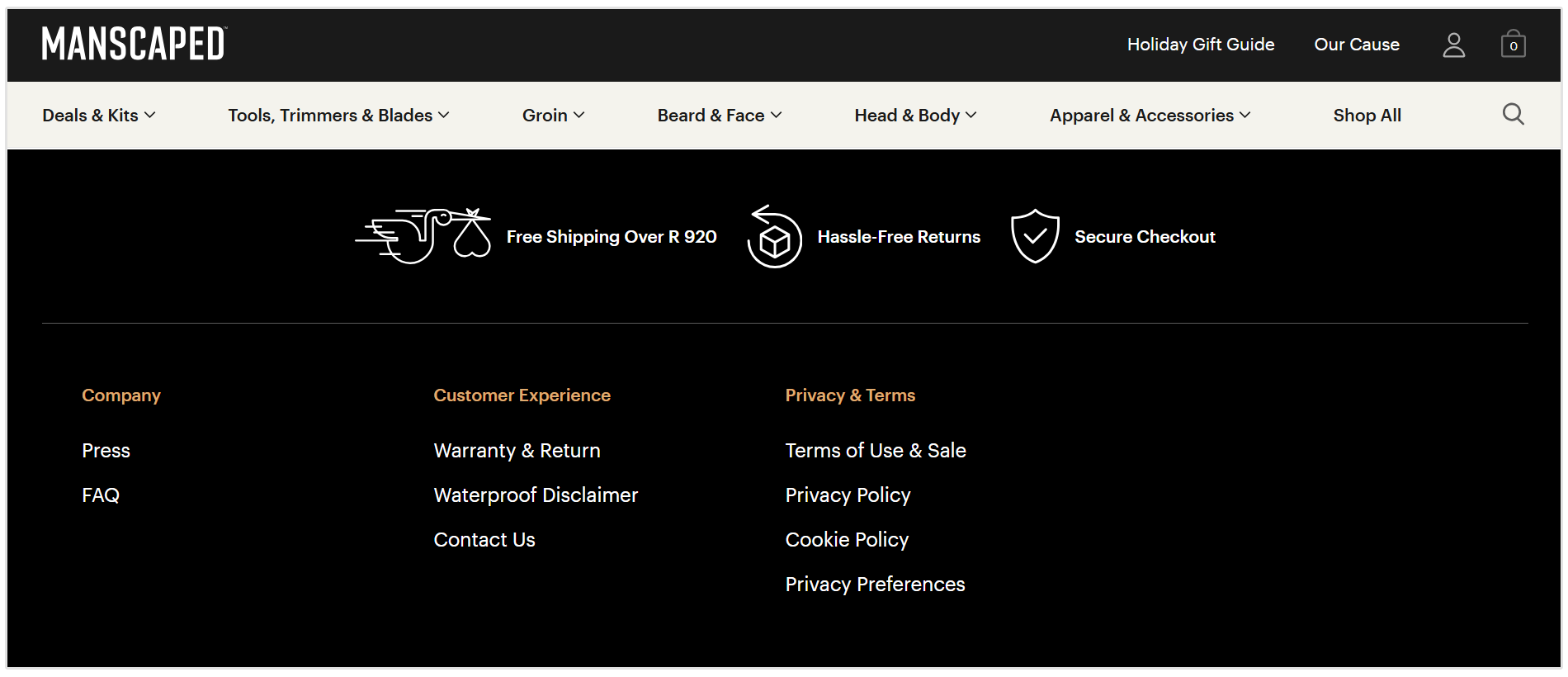
These links are essential for user experience and helping search engines understand your site's architecture.
Badge Links
Have you ever seen a "Top Rated on [Review Site]" badge on a website?
These are often badge links.
Companies provide these badges to businesses to showcase their awards or certifications, and the badge itself links back to the provider's website.
The best example of this is G2 badges that software or SaaS companies showcase in their website footers.
This can clearly be seen in SEOptimer's website footer. Each of the badges links to our G2 profile.

Website Powered By
Many SaaS platforms like eCommerce solutions (Shopify, Wix, etc.) to content management systems, automatically place a “Powered by [Platform Name]” link in the footer of their users’ websites.
For example, you might see “Proudly Powered by WordPress” on many WordPress blogs.
Designed By
Web design agencies and freelance developers often include a link to their own site in the footer of the websites they build (e.g., "Website Design by XYZ Agency").
This acts as a signature and a form of advertising for their services. And they also get an additional backlink.
This is a common practice that digital agencies use to market their service.
Here you can see an example of a sitewide link in action for a site that Online Optimism designed for one of their clients.

Social Media Links
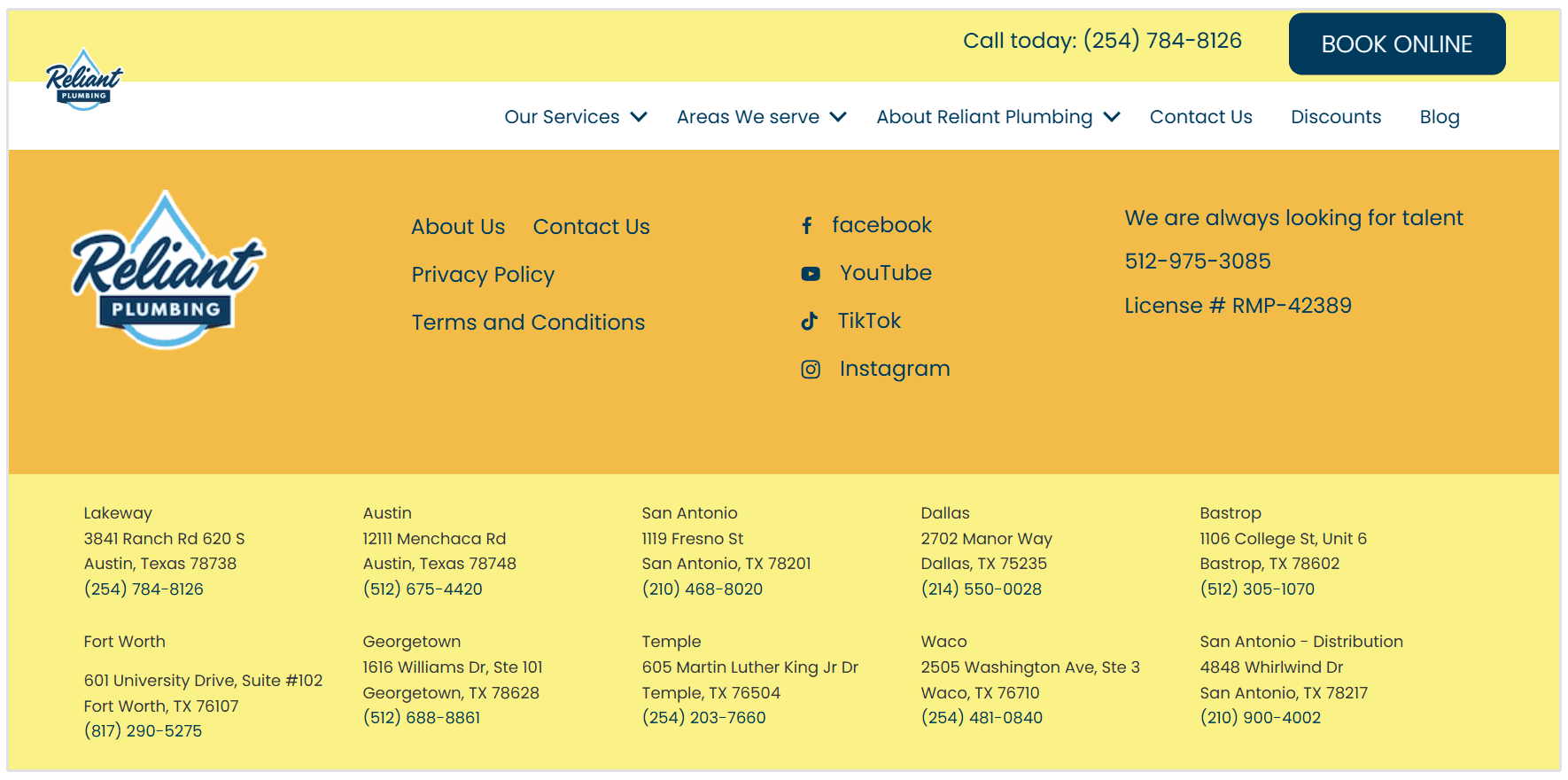
Links to a company's Facebook, Instagram, X (formerly Twitter), or LinkedIn profiles are almost always sitewide links, usually displayed as icons in the header or footer.
Here you can see all of Reliant Plumbing's social media links:
Network of Related Brands
Large corporations that own multiple brands or sister companies often use sitewide footer links to cross-promote their related websites.
This helps users navigate between the different properties within the same corporate family.
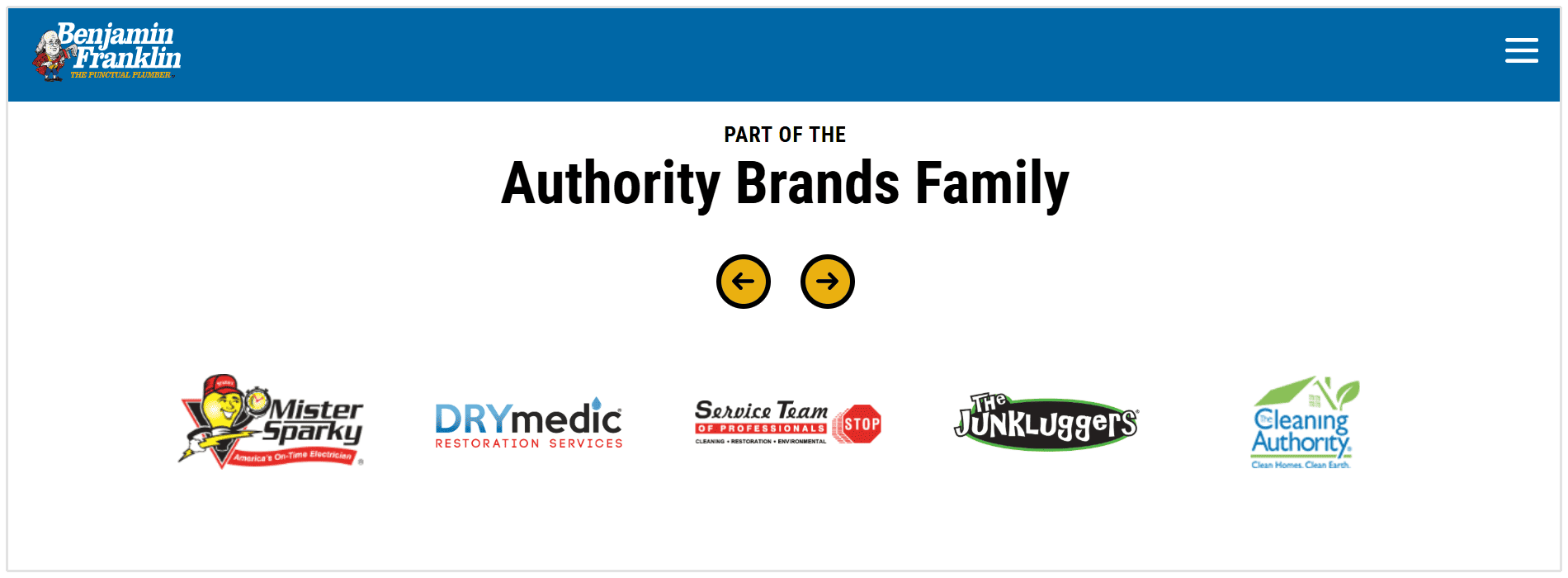
Benjamin Fanklink plumbing showcases their sister companies/brands in the footer of their website. Each sister company's logo has a link to the company's logo.
How to Use Sitewide Links: Best Practices
Not all sitewide links are bad, but you must use them responsibly. If you have a legitimate reason to place or receive a sitewide link, follow these best practices to stay on Google’s good side.
Sitewide links are generally considered natural when they serve a clear purpose, such as a people link that is created organically by website owners or users.
1. Use Branded Anchor Text
The anchor text for a sitewide link should almost always be a brand name (e.g., "SEOptimer") or a URL (e.g., "seoptimer.com").
Using keyword-rich anchor text in sitewide links is one of the biggest red flags for manipulative link building.
2. Use the Nofollow Link Attribute
To be extra safe, it's a good practice to use the rel="nofollow" attribute on sitewide links that aren't essential for navigation.
John Mueller from Google states the following:
...if you want to put your footer link there, make sure it has a nofollow link there, so that this is something that people could click on if they’re interested, but it’s seen as something that is not an editorial link by the webmaster.
This tells Google not to pass any "link equity" or ranking power through the link. It's especially useful for links like "Designed By" credits, where the primary purpose is attribution, not SEO.
3. Only Link for a Logical Reason
Ask yourself: does this link improve the user experience?
Legitimate sitewide links serve a purpose, such as helping users find your social media profiles or navigate to a sister company.
If a link doesn't have a clear, logical reason for being on every page, you should reconsider it.
Do Sitewide Links Improve SEO?
This is where things get tricky. In the early days of SEO, sitewide links were a popular tactic to quickly generate a massive number of backlinks. SEOs would buy sitewide links on other sites with keyword-stuffed anchor text to manipulate search rankings.
However, Google caught on. The 2012 Penguin update specifically targeted and penalized these kinds of unnatural link schemes. As a result, many websites that relied on this tactic saw their rankings plummet overnight.
Today, Google’s algorithm is way more sophisticated.
It can recognize that links from a single domain are sitewide and consolidate them, effectively treating thousands of sitewide backlinks from one site as a single link.
Google does this to prevent a large number of links from the same domain from unfairly influencing search results, and sitewide links are not automatically considered a ranking factor unless such links appear manipulative.
According to Google’s John Mueller, natural sitewide links generally aren’t a cause for concern, but they also don’t provide the massive SEO boost they once did.
Sitewide links from high domain authority sites can still pass some value, but their impact is limited compared to editorial links.
They are heavily discounted compared to a contextual link placed within the main body of a single, relevant article.
While sitewide links can be useful for navigation, relying on such links for SEO benefits is risky, as search engines may discount them in their ranking algorithms.
Risks of Sitewide Links
While some sitewide links are harmless, pursuing them as a link-building strategy carries significant risks. The old-school, spammy approach to acquiring sitewide backlinks can do more harm than good.
Here’s why you should be cautious:
- Can Lead to Weak Link Profiles: A sudden influx of thousands of links from a single, unrelated domain looks unnatural to search engines. If your backlink profile consists mostly of sitewide links, it can be a major red flag for spam. A large number of irrelevant sitewide links or outbound links from unrelated referring domains can trigger penalties and harm your SEO.
- Over-Reliance on a Single Domain: Relying on one or two sitewide links for your backlink profile is risky. If that website removes the link or goes offline, a huge portion of your backlinks disappears instantly.
- Risk Being Flagged: If you obtain sitewide links with exact-match anchor text (e.g., “best personal injury lawyer” instead of the brand name), Google is likely to see this as a manipulative tactic and could issue a penalty.
- Lack of Context: Unlike a link within an article, sitewide links in footers or sidebars lack surrounding text to provide context. Search engines value contextual links more because they act as a stronger editorial endorsement.
Conclusion
Sitewide links are no longer the SEO cheat code they were in the past. While natural, navigational sitewide links on your own site are essential for a good user experience, acquiring external sitewide links is a risky strategy that offers little reward.
Your focus should always be on earning high-quality, contextual backlinks from a diverse range of relevant websites. These are the links that truly build authority and drive long-term ranking improvements.
Instead of chasing sitewide placements, invest your time in creating valuable content that people will want to link to naturally. It’s a more sustainable path to SEO success.
FAQs About Sitewide Links
Do sitewide links still pass link juice?
Yes, but in a heavily discounted way. Google understands that thousands of links from one site's footer are not the same as thousands of editorially placed links from different websites.
The algorithm effectively bundles them and counts them as a single link.
Should I disavow sitewide links pointing to my site?
If you notice a suspicious, low-quality, or spammy sitewide link pointing to your site (especially with exact-match anchor text), it may be wise to disavow it.
However, if the link is from a relevant site and uses branded anchor text, it's likely harmless and can be left alone.
Are internal sitewide links good for my own SEO?
Yes, internal sitewide links (like your main navigation menu) are crucial for good site architecture and user experience. They help guide both users and search engines to your most important pages.
Does the anchor text matter for sitewide links?
Yes, using keyword-optimized anchor text is a red flag that can trigger penalties.
How can I audit sitewide links pointing to my site?
You can use an SEO tool like SEOptimer to analyze your backlink profile. Look for referring domains that are sending an unusually high number of links.
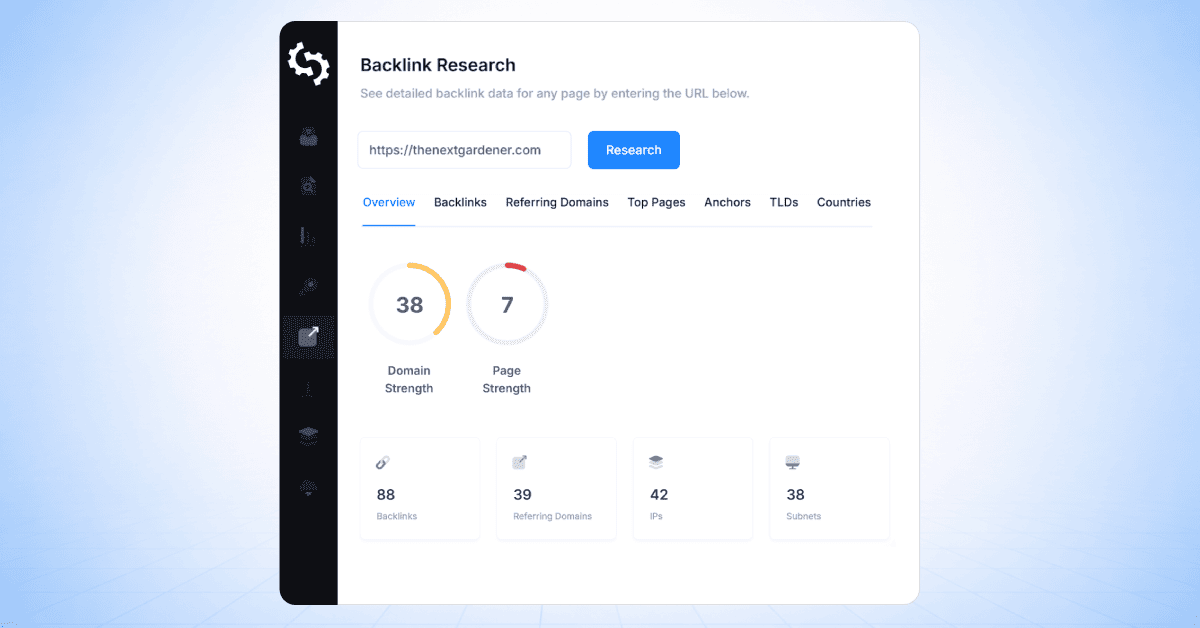
To do this, simply head to the Backlink Research tab in your SEOptimer dashboard, then click on the Referring Domains tab on the top. Here you can see all the domains linking to your site.
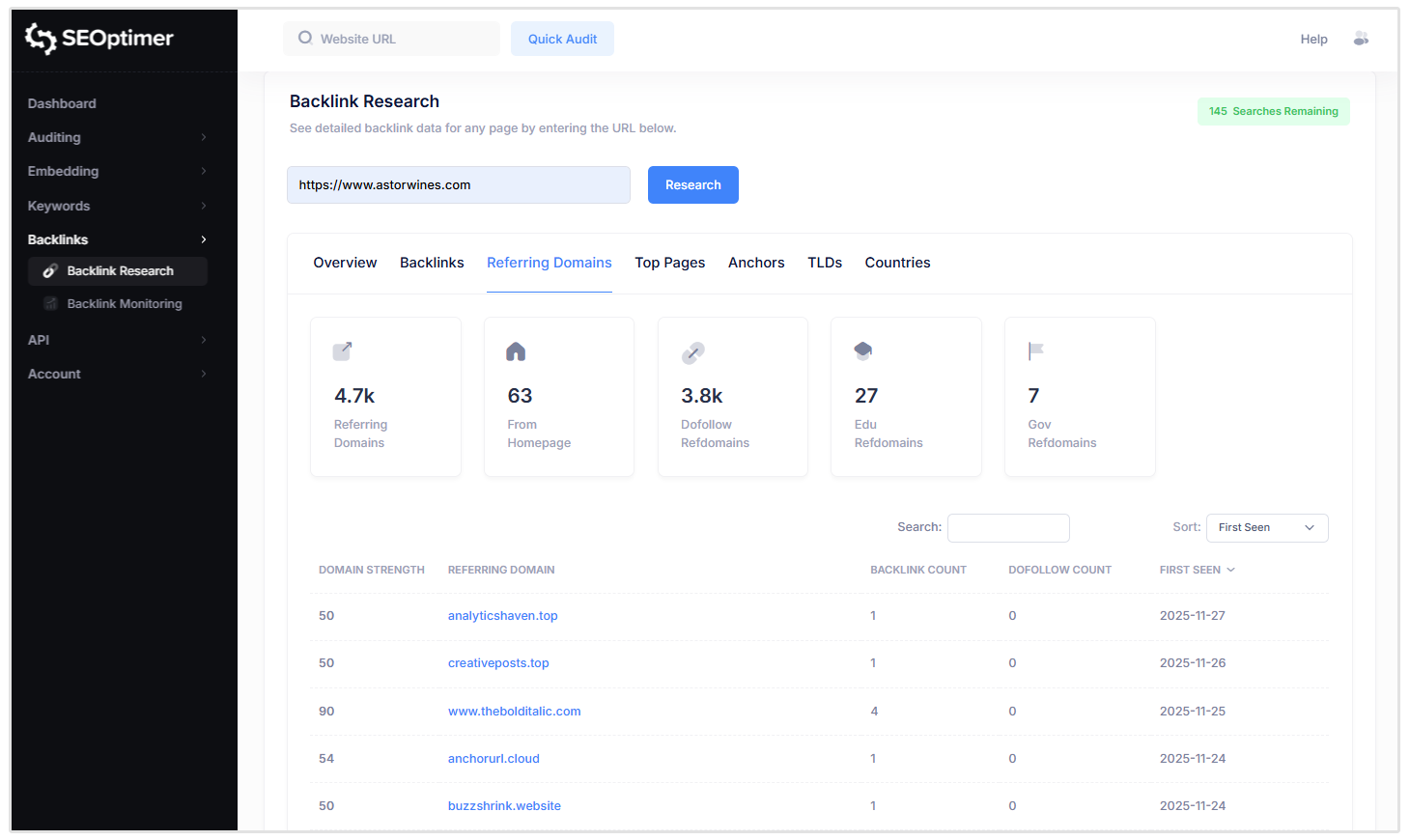
If a single domain is linking to you from hundreds or thousands of pages, it could be a sitewide link. Investigate the source and anchor text to determine if it’s natural or potentially harmful.
Keep in mind that staff members may sometimes unintentionally create sitewide links, so it's important to regularly review your backlink profile for such cases.