If you run a service based business, you need a way to capture high-intent leads who are searching for your expertise. And this is where SEO for service based businesses can be one your most valuable marketing tools.
Search engines look at service businesses differently than traditional brick-and-mortar stores.
Service area businesses face unique challenges, like figuring out how to rank in cities where they do not have a physical office.
This guide will walk you through everything you need to know about local SEO for service area businesses.
You will know how to optimize your online presence, build local authority, and ultimately improve your rankings for your target keywords in search.
What is a Service Area Business?
A service area business (SAB) provides services directly at the customer's location rather than operating out of a physical storefront that customers visit.
Google’s official definition of a service area business is “A business that visits or delivers to customers directly, but doesn't serve customers at its business address.”
Some examples of service area businesses are plumbers, landscapers, roofers, electricians, towing services, and home cleaners.
Because you travel to your customers, your geographic reach might span multiple cities, counties, or zip codes.
This changes how you must approach your local SEO.
Instead of trying to get foot traffic to a single address, you are trying to capture search traffic across a broad, defined region.
What is SEO for a Service Based Business?
SEO for a service business is the process of improving online visibility for location-based searches.
When a homeowner searches for an "electrician near me" or a "roof repair company in Denver," search engines want to display the most relevant, trustworthy local service providers.
Service area business SEO focuses heavily on local search signals.
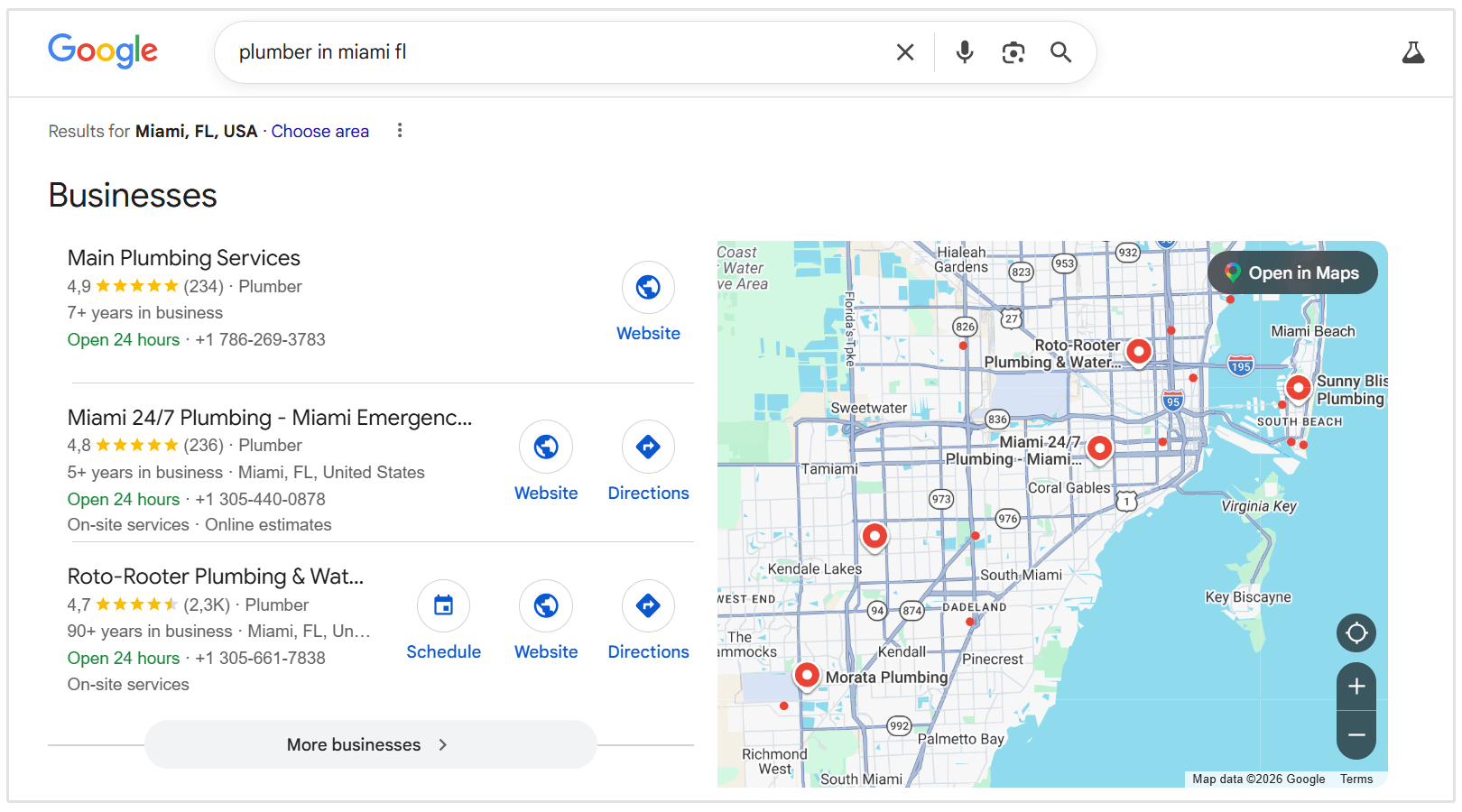
This includes not only your website, but also your Google Business Profile, which plays a central role in how your business appears in local results and the map pack.
FYI: The local map pack is the section of Google search results that displays three local businesses alongside a map. Ranking here is one of the most valuable positions for service area businesses.
In SEO for service based businesses, you need to optimize both your website and your external business presence to signal to search engines that you are the best possible option within your service area.
This typically involves a combination of:
- Creating location-specific service pages
- Optimizing your Google Business Profile
- Improving technical website performance
- Building local authority through backlinks, citations, and reviews
Local SEO for service-based businesses is all about building clear geographic relevance and trust, whether that's directly on site or with off site authority building.
- Neil Bates, SEO Team Lead at The Digital Maze
Why is Local SEO Important for Service Area Businesses
We live in a world where lLocal SEO is no longer optional if you want to grow your customer base.
Today, 98% of consumers search online to find local businesses, making search engines the primary way people discover service providers.
If you are not showing up in search results, you are essentially invisible to the vast majority of your market.
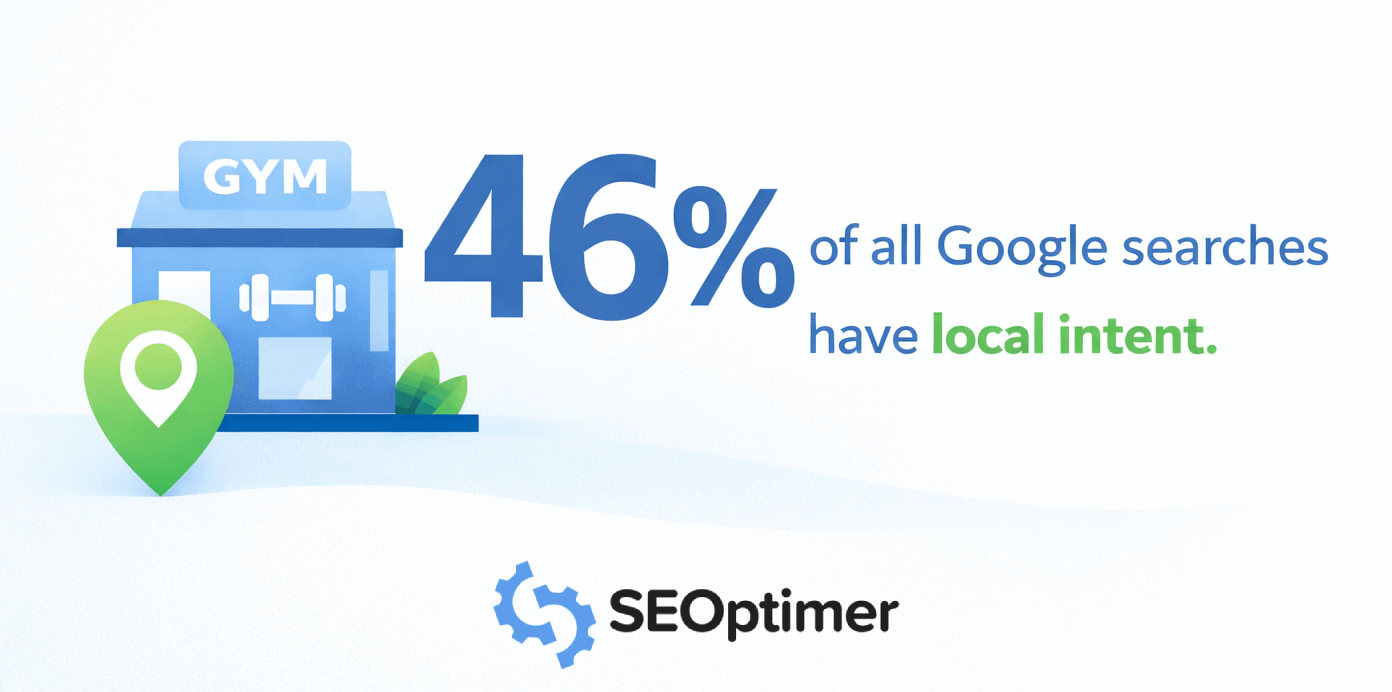
In fact, 46% of all Google searches have local intent, meaning nearly half of all searches are from users looking for businesses or services in their area.
In addition, the traffic you generate through local SEO carries incredibly high intent.
When someone searches for “emergency plumbing” or “immediate HVAC repair,” they are not just casually browsing; they are looking for immediate help with their leaking faucet or broken AC.
This is also reflected in these statistics about user behaviour:
- 76% of people who search for a local business visit within 24 hours (source)
- 28% of local searches result in a purchase (source)
This means local SEO doesn’t just drive traffic, it actually drives ready-to-buy customers.
Additionally, visibility in Google’s local results is heavily influenced by your Google Business Profile.
Businesses with a fully optimized profile are significantly more likely to be trusted, considered, and chosen by customers.
Businesses with complete profiles see up to seven times more clicks than those without.
- Omar Riaz, Google
How Google Ranks Service Area Businesses (Local SEO Signals)
To win at local SEO, you need to understand how search algorithms evaluate and rank local businesses.
Google uses three primary signals to determine which companies appear in the local search results and the map pack.
1. Relevance
Relevance measures how well your business matches the user's specific search query.
Search engines look at your website content, the information in your GBP, your chosen business categories, and your online reviews to understand exactly what services you offer.
If your profile clearly highlights “Emergency tree removal" and a user searches for that exact phrase, your relevance score increases.
2. Proximity
Proximity refers to the physical distance between the searcher and your business.
While you cannot change your physical location, service area businesses can optimize for proximity by clearly defining their service areas.
3. Prominence
Prominence evaluates how well-known and trustworthy your business is across the internet.
Search engines measure prominence by analyzing your backlink profile, the number of directory citations you have, and the overall quality of your customer reviews.
To optimize for prominence, you need to focus on generating positive customer reviews and building your link profile.
A business with hundreds of positive reviews and mentions in local news outlets will outrank a lesser-known competitor.
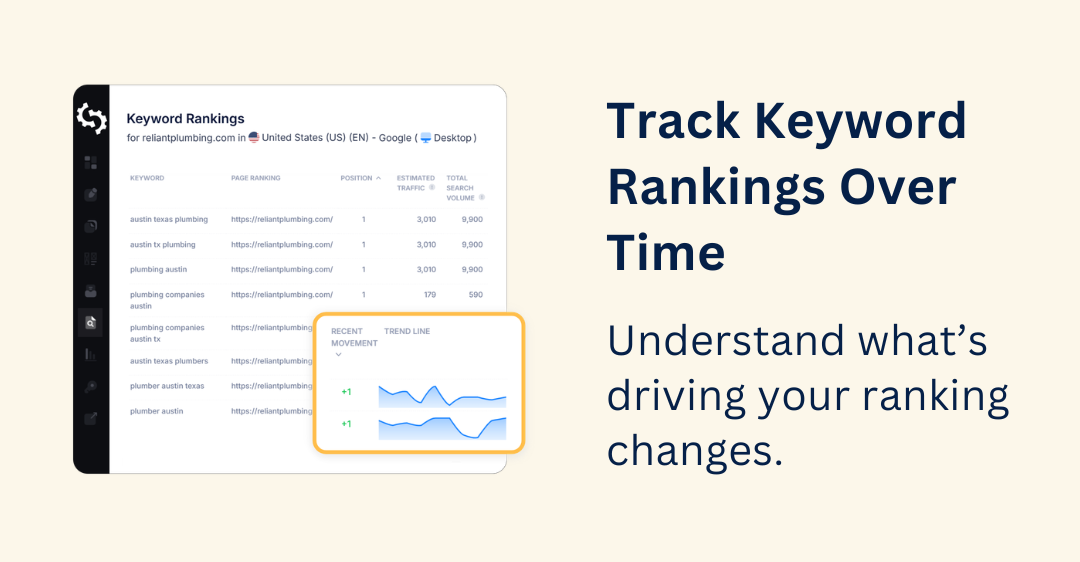
Optimizing Your Google Business Profile for Service Area Business SEO
Service area business SEO relies heavily on optimizing both your website and your Google Business Profile.
Your Google Business Profile (GBP) is the foundation of your local SEO strategy.
This free listing dictates whether you appear in the local map pack.
As Omar Riaz from Google noted in a recent podcast on the future of local SEO and AI:
Google Business Profile is the digital storefront. It’s the point of truth across Google Search and Maps.
- Omar Riaz, Google
Fully optimizing this profile is mandatory for capturing local market share.
Set Up a Service Area Business Correctly
When creating your profile, you will be asked if you want to add a location customers can visit.
If you operate purely as a service area business and do not serve customers at your physical location, you should select No when setting up your profile and hide your address.
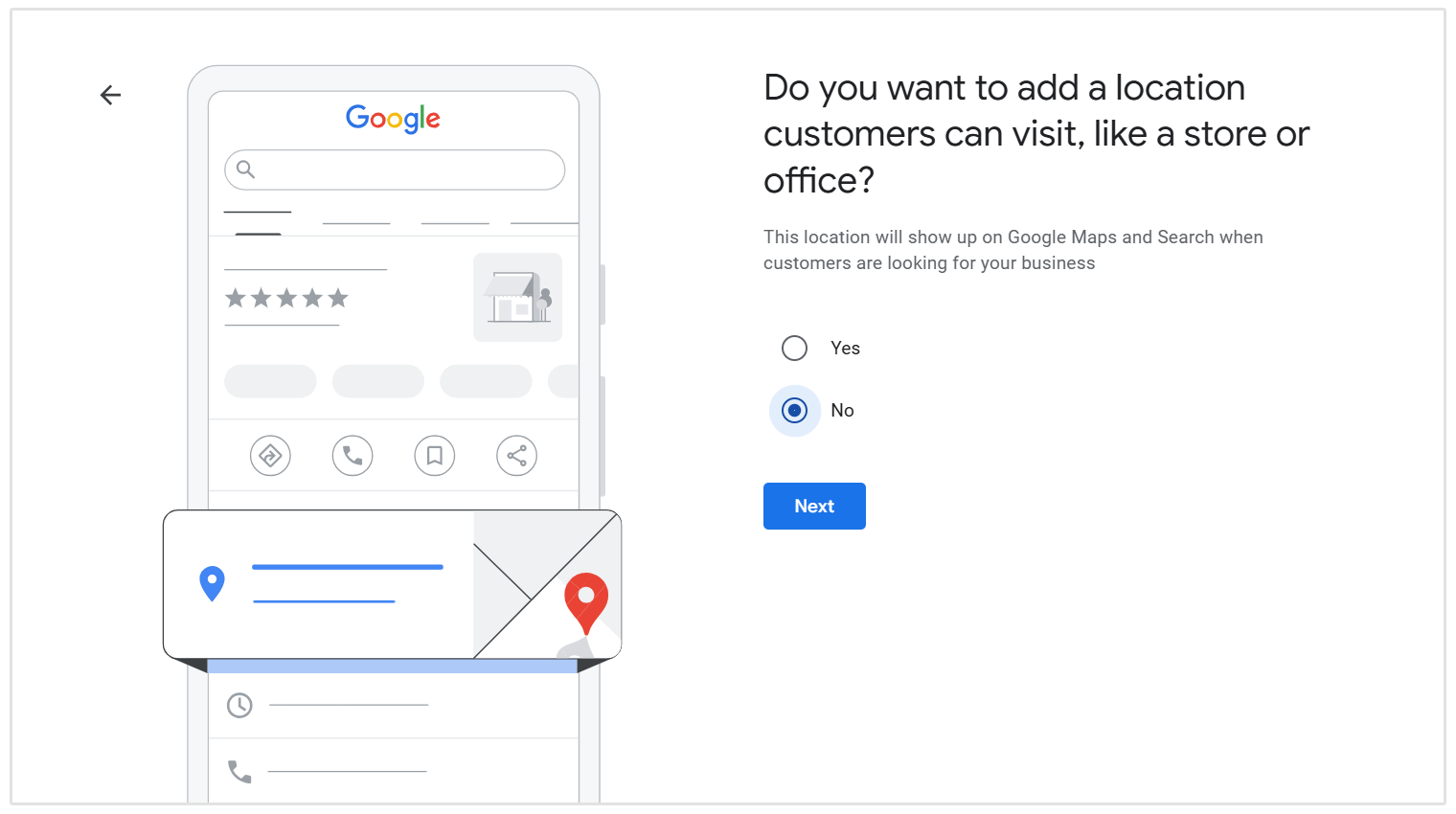
This hides your physical address from the public listing.
Hiding your home or private office address prevents customer confusion and aligns perfectly with search engine guidelines for SABs.
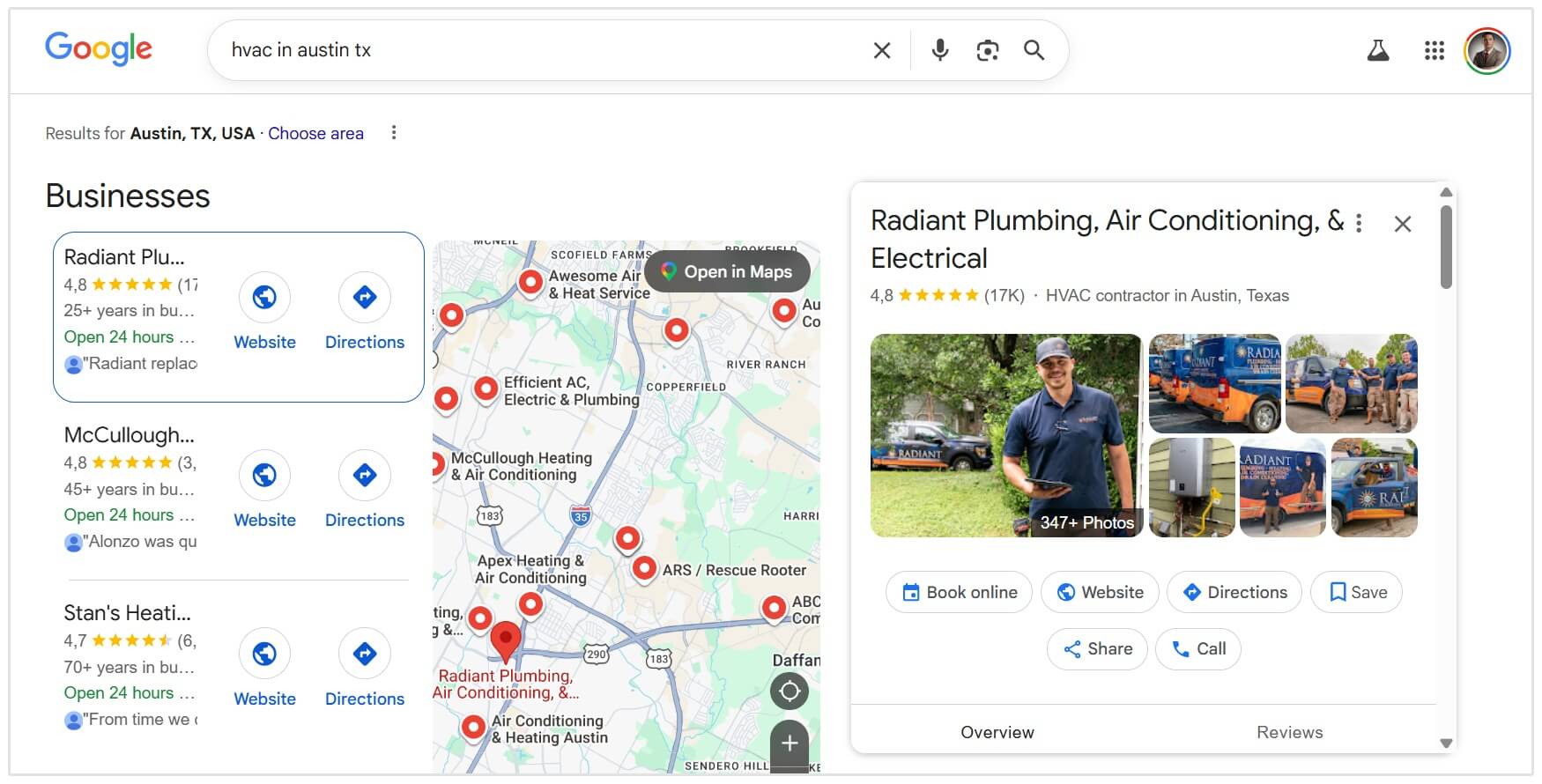
However, if you have a physical office where customers can visit during business hours, you can display your address while still defining your service areas.
An example of this would be an HVAC company like Radiant Plumbing, Air Conditioning, & Electrical that operates from a physical office where customers can visit during business hours, while also sending technicians out to service homes across a wider area.
Add Service Areas
Instead of displaying a physical address, you will define your specific service areas.
You can add up to 20 different service areas by city name, county, or zip code.
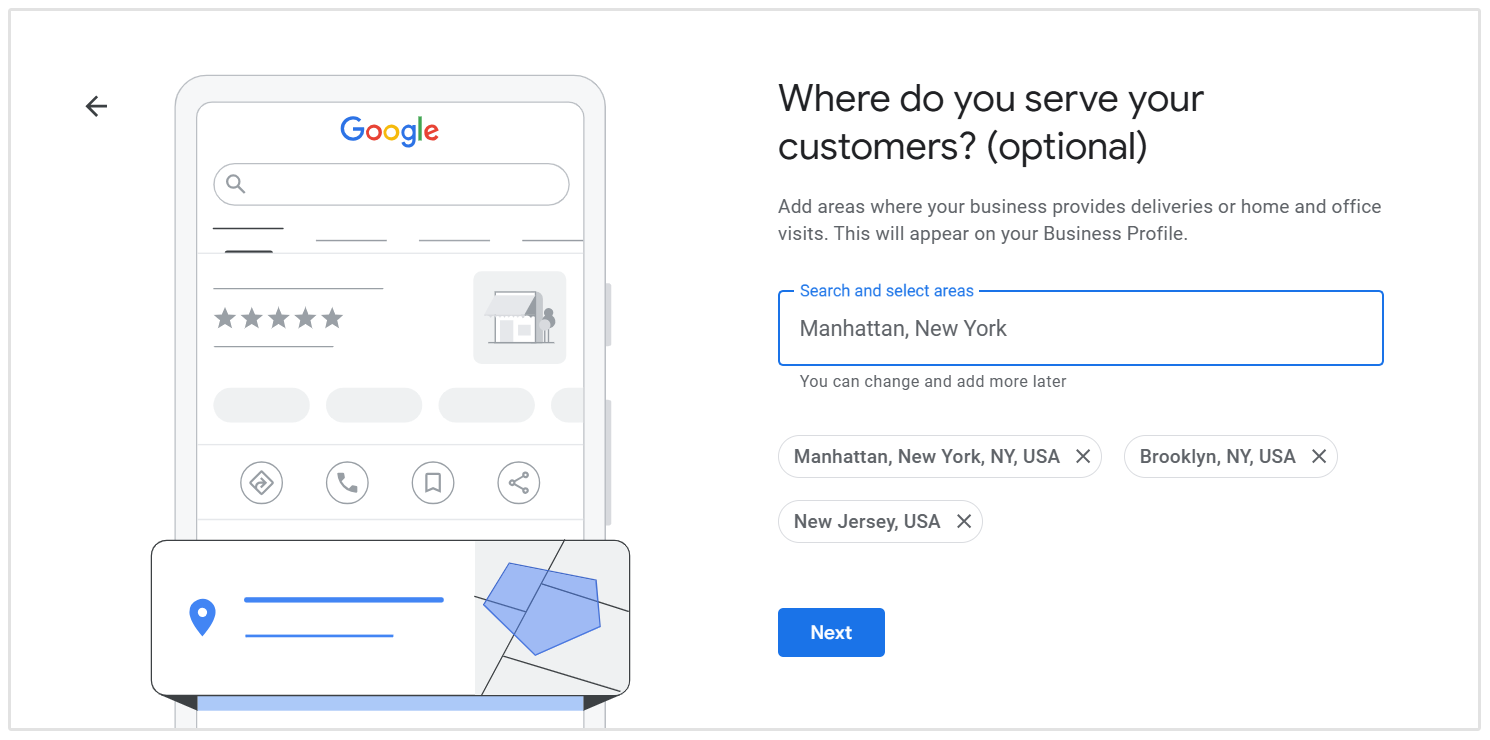
Ensure that the overall boundaries of your service area do not exceed a two-hour driving distance from your central base of operations.
Choose the Right Business Categories
Selecting the right business categories significantly impacts your search visibility.
And this is also where some business owners make the mistake of choosing the wrong category.
Categories are like pre-filled labels you can choose from, unlike some directory sites where you can type in your category. This is one of the simplest but most common mistakes one can make with their Google Business Profile. I've even seen doctors categorized as plumbers!
- David B. Wright, President at W3 Group Marketing
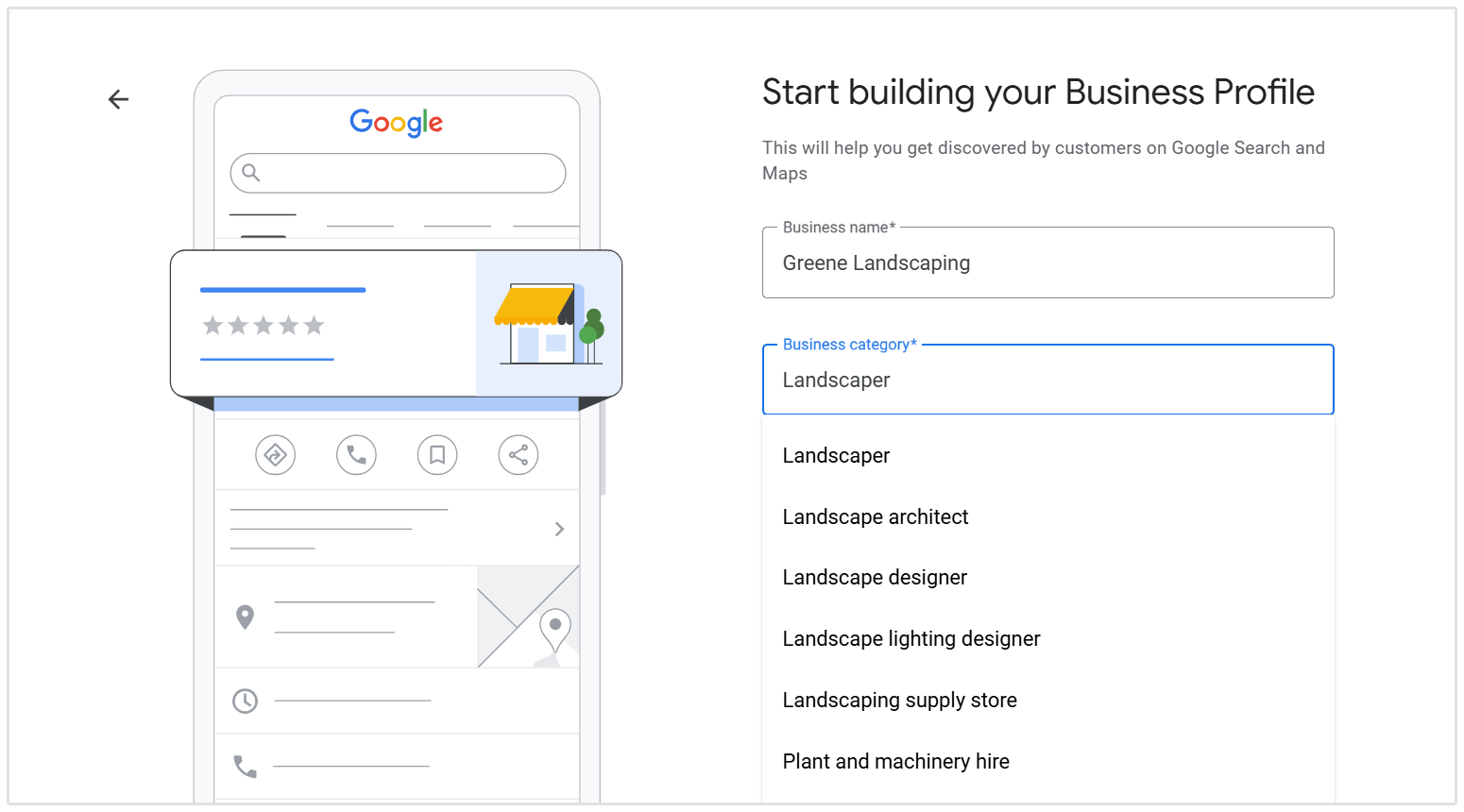
Choose the most specific primary category available for your main trade.
Then, add relevant secondary categories to expand your keyword coverage.
For example, a landscaping company should select Landscaper as the primary category, but add Lawn Care Service and Landscape Architect as secondary options.
Write a Great Business Description
You have 750 characters to describe your business to potential customers.
Use this space to clearly explain who you are, the exact services you provide, and the areas you cover.
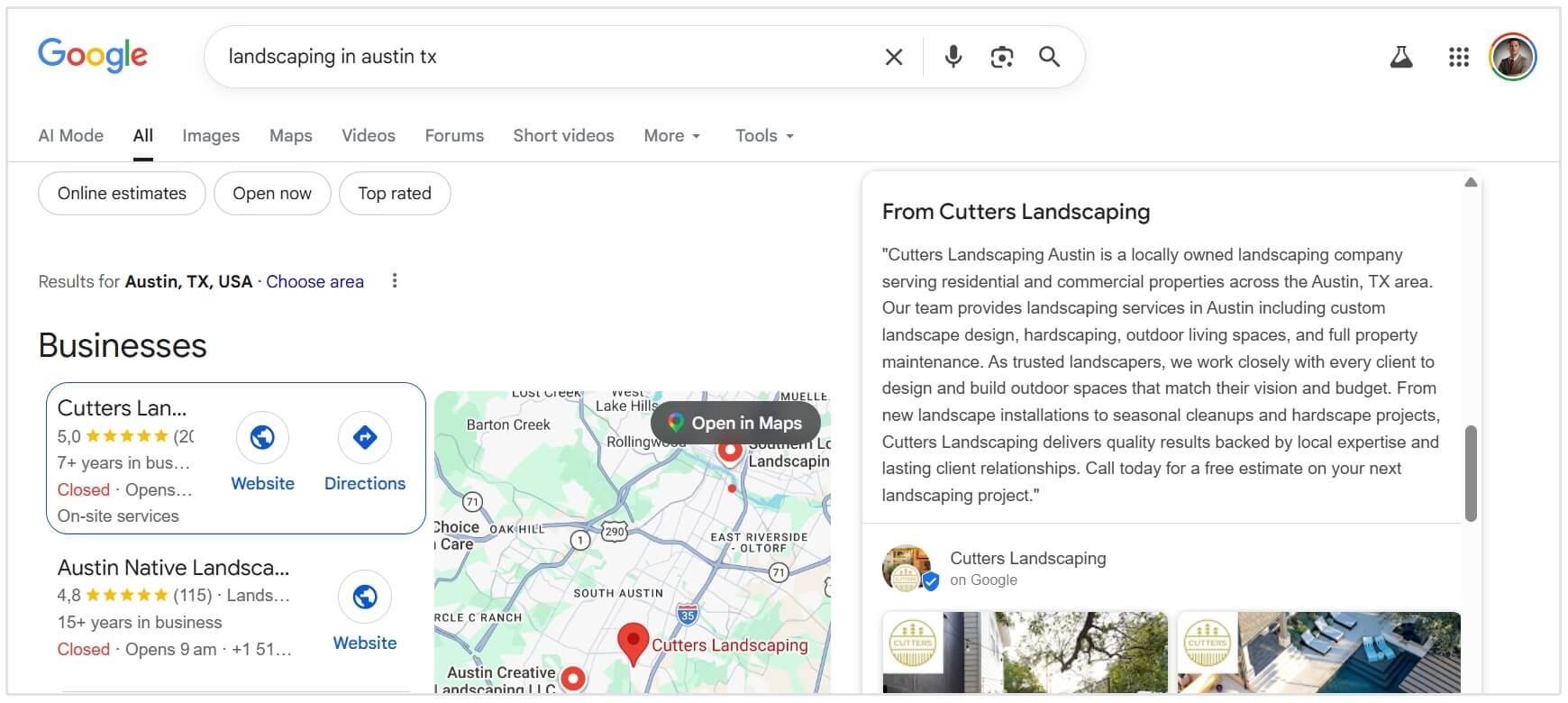
Naturally weave your most important keywords into the text, putting the most important information in the first 250 characters.
A great example of a service area business doing this well is Cutters Landscaping in Austin, TX.
They are using keywords such as "landscaping company" and "landscaping services in Austin" within the first few sentences of their business description.
Add Services and Products
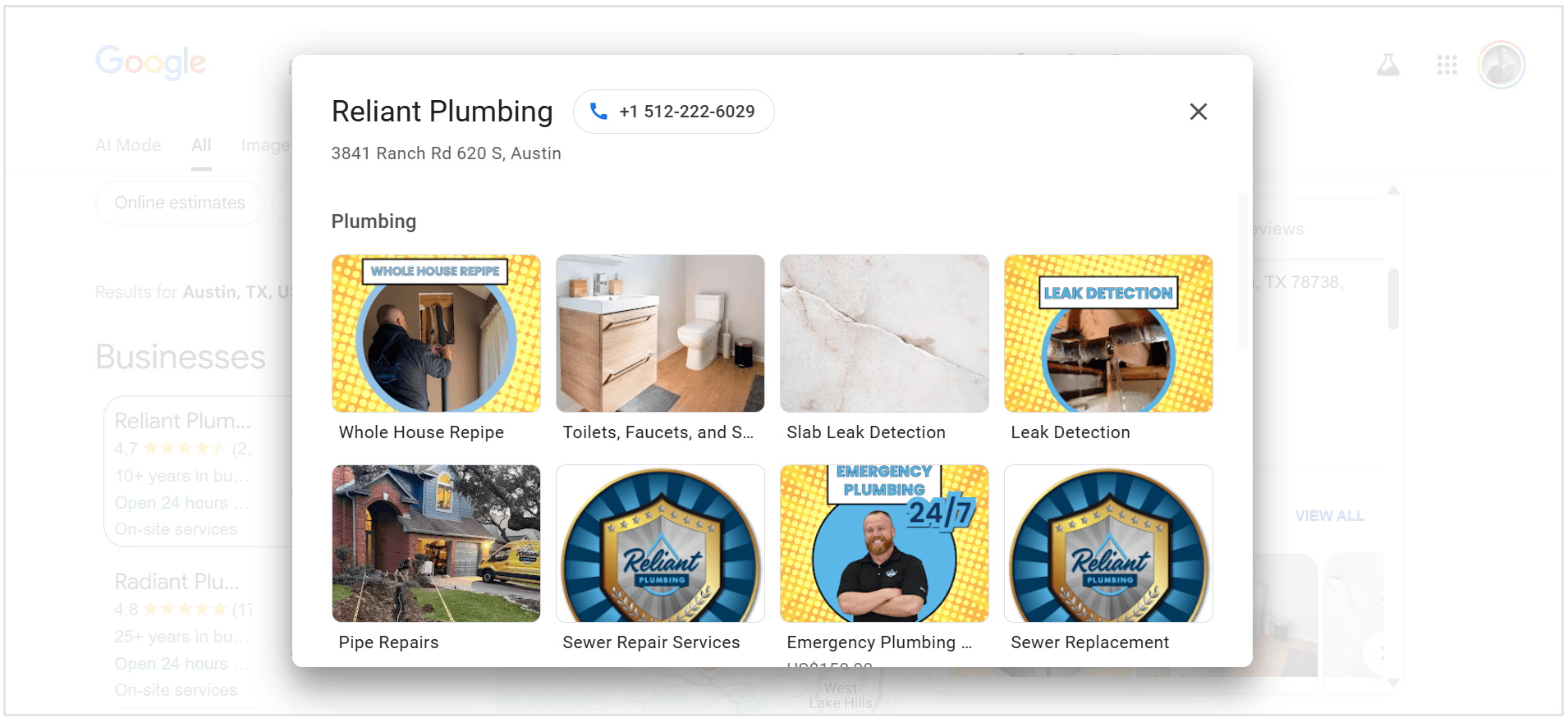
Manually add your specific services to your profile.
Write clear, detailed descriptions for each service and include pricing information if applicable.
This helps search engines understand your offerings and matches your profile to specific user queries.
Upload Images of Your Business
Profiles with photos receive significantly more engagement than those without.
Since you do not have a storefront to photograph, you will need to get creative.
Upload high-quality images of your branded company vehicles, your team at work, before-and-after project shots, and the equipment you use.
Top tip: Rename your image files with descriptive keywords before uploading them.
Create Google Posts
Use the Google Posts feature to share updates, special offers, and recent projects directly on your profile.
Publishing a new post every week signals to search engines that your business is active and engaged with the community.
On-Page SEO for Service Area Businesses
Your website is your digital storefront and can be like a 24/7 salesman.
Proper on-page SEO ensures that search engines can easily crawl, understand, and rank your content for local searches.
To improve your local search visibility, focus on the following on-page SEO best practices:
Create Location-Specific Service Pages
If you serve multiple cities, towns, or counties, you need dedicated pages for each major location.
And do not simply duplicate a page and swap out the city name.
Search algorithms are smarter than that and may penalize you for duplicating content.
Instead, write unique content for each location page, featuring local landmarks, specific community references, and testimonials from clients in that exact area.
Chris Andrade from Pixelbricks Design told us how they approach building location pages and local marketing at his agency:
I see a lot of businesses creating loads of location pages, swapping out the town name and hoping that does the job. Instead of pumping out generic pages, we started putting together simple articles around real jobs.
Photos, what was done, where it was, lessons learned, names of staff involved. Nothing over the top. Just something real and human.
Those tend to perform better because there’s actual substance behind them.
Optimize Website Tags (Title, Meta Description, Headers)
Your HTML tags tell search engines exactly what your pages are about.
- Title Tags: Include your primary service and location (e.g., "Professional HVAC Repair in Austin, TX | Brand Name").
- Meta Descriptions: Write compelling summaries that encourage users to click your link in the search results.
- Headers (H1, H2, H3): Use headers to structure your content logically. Your H1 should always contain your primary target keyword.
Add Local Keywords to Pages
Naturally use local keywords throughout your website copy.
Mention the neighborhoods you serve, local terminology, and your specific service offerings.
Top tip: Embed a Google Map on your contact page or footer and ensure your phone number is easily clickable for mobile users.
Add Local Business Schema to Your Site
Local business schema is a type of structured data that helps search engines better understand your business and the areas you serve.
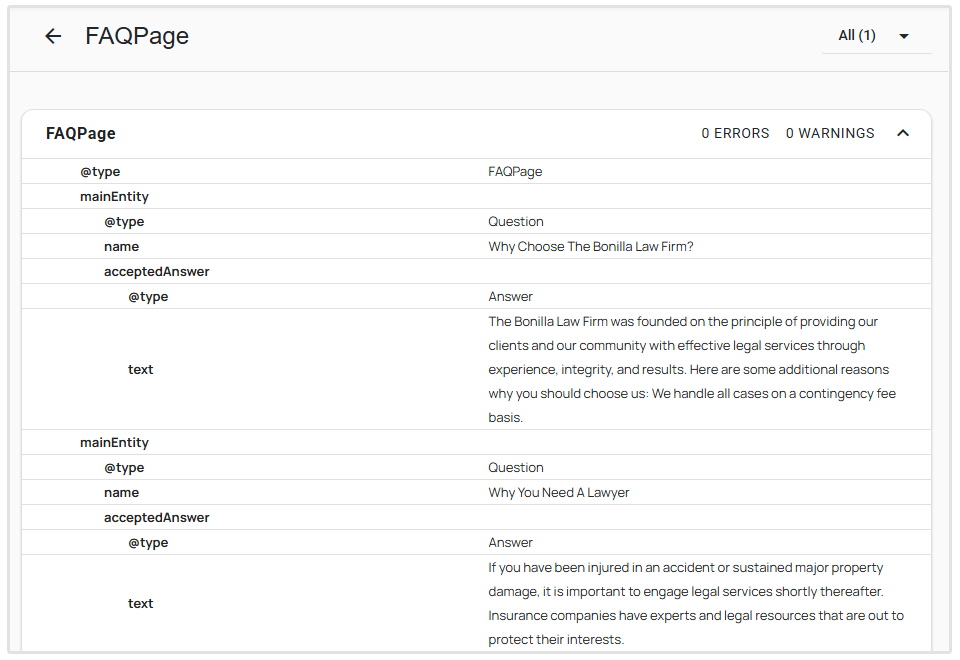
For service area businesses, this is especially useful since you may not display a physical address.
Schema allows you to clearly define your business details, service areas, and contact information in a way search engines can easily interpret.
Key elements to include:
- Business name
- Phone number
- Service areas (cities or regions)
- Business category
- Opening hours
- Website URL
Schema markup doesn’t directly improve rankings, but it strengthens your local SEO signals and helps search engines confidently match your business to relevant local searches.
Building Local Authority (Off-Page SEO)
Search engines look for external validation to confirm that your business is legitimate and authoritative.
Building local authority off-page is how you can push your rankings past your toughest competitors.
Get Local Backlinks
A backlink is a link from another website pointing to yours.
For local SEO, links from other local organizations, businesses, or publishers carry a lot of weight.
You can earn these valuable local backlinks by sponsoring youth sports teams, joining the regional Chamber of Commerce, partnering with complementary local businesses, or getting featured in local news publications.
Create Directory Listings (Citations)
A citation is any online mention of your business name, address, and phone number (NAP).
Build citations on major platforms like Yelp, Angi, Thumbtack, and industry-specific directories and sites.
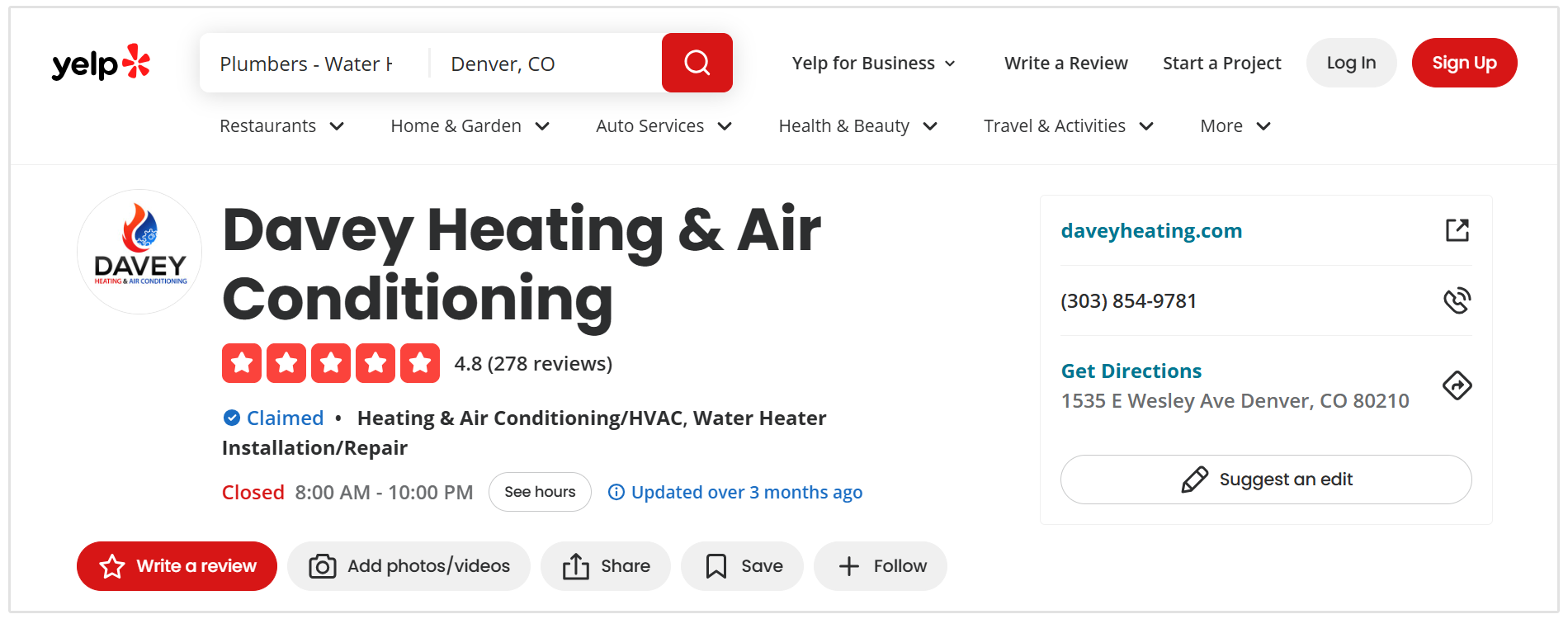
So plumbing businesses would also look to build links from plumbing-relevant directories and website.
Even though you hide your address on your Google Business Profile, you still need to provide consistent business information to these trusted directories.
NAP Consistency
NAP stands for Name, Address, and Phone number.
This information must be identical across every single website, directory, and social media profile on the internet.
So if your website says "Suite B" but your Yelp profile says "Ste. B," that minor inconsistency creates confusion for search engines and can harm your local rankings.
Several marketers, including Kumar Vaibhav Tanwar from Clickworthy, a digital agency based in Ontario, mention that beyond GBP, consistency with NAP details is key for service area business SEO:
The details on the GBP and website should be the same. Even in local citations, especially structured ones.
- Kumar Vaibhav Tanwar Founder & CEO, Clickworthy Digital Marketing
Encourage Customer Reviews
Online reviews are one of the strongest local ranking factors.
You need a systematic approach to consistently generate positive feedback.
Send automated emails or text messages to clients immediately after completing a job, asking them to leave a review.
You must also respond to every single review you receive.
Thank happy customers for their business, and professionally address any negative feedback to show potential clients that you care about their experience.
Local SEO for Service Area Business FAQ
How many service areas can I add to my GBP?
You can add up to 20 specific service areas to your Google Business Profile.
Should I hide my business address on my Google Business Profile?
Yes, if you operate a service area business and do not have a physical storefront or office staffed during business hours for customers to visit, you must hide your address so that customers don't come knocking at your home address or depot.
Can I rank in multiple cities?
Yes, you can rank in multiple cities by adding those specific areas to your Google Business Profile service areas and creating unique, location-specific landing pages on your website for each city you target.
Wrapping Up
Local search optimization is the most effective way to secure a steady stream of high-quality leads for your service area business.
By carefully managing your online profiles, publishing highly relevant local content, and building trust through reviews and citations, you establish your brand as the premier choice in your region.
Stop letting your competitors capture the customers in your service area. Start implementing these local SEO strategies for your service based business today.