
Google always tries to improve the search results by launching new updates and features. The “People Also Search For” box is one of Google’s best features that provide additional search queries to the users.
Understanding features like "People Also Search For" is crucial for anyone serious about the SEO game, as these elements on Google's search engine results pages can significantly impact your visibility and strategy.
SEO professionals and online marketers can use this feature to get lots of content ideas and optimize their existing content for increased rankings and traffic, gaining a competitive edge in Google's search engine results.
In this "People Also Search For" guide for marketers, I will share the best tips to find the top keywords leveraging the "People Also Search For" keyword box, which Google's people designed to enhance the search engine results pages.
Optimizing for features like PASF can help you stand out in the search results pages.
Let’s start.
What is the "People Also Search For" Box?
The "People Also Search For" box is a SERP feature that users see at the bottom of the search results page and provides related search queries and other related queries to help users refine their search.
Google launched the "People Also Search For" feature in the SERP results back in 2018.
The keywords shown in the PASF box are directly derived from Google's database, reflecting the contextual nature of user searches. Hence, these are a goldmine of keyword insights.
Here is an example of the "People Also Search For" box for the query “weight loss without diet”:
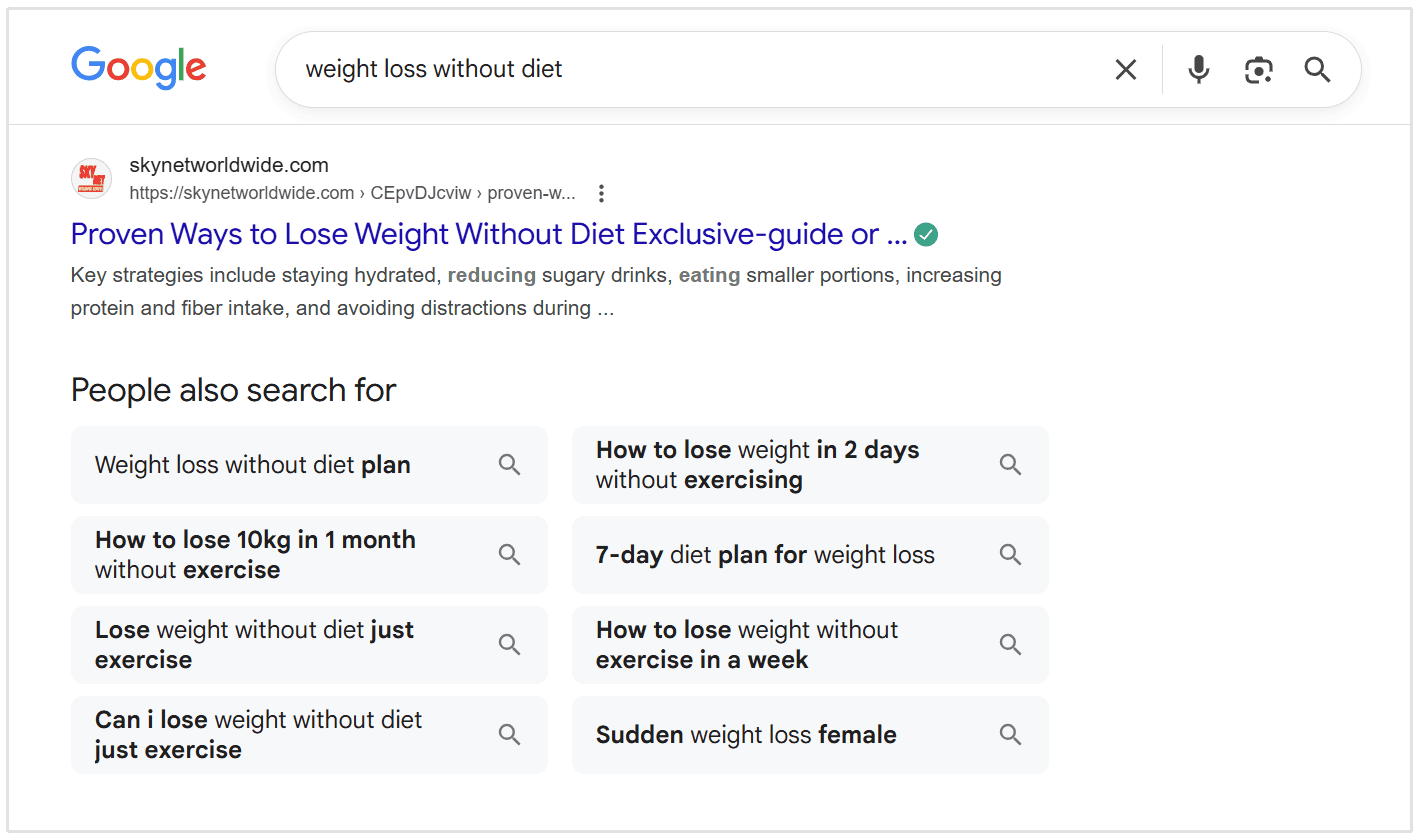
As you can see in the above image, every PASF box shows eight queries. These queries are relevant and come straight from Google, so leveraging these in an SEO strategy is highly beneficial.
How can SEOs Use the "People Also Search For" Box?
There are many benefits of the "People Also Search For" box for SEO marketers. Here are some of the ways how SEOs can use the PASF data:
- The PASF box shows secondary keywords related to the primary searched keyword. These keywords are highly relevant and should be considered during the content research and planning phase. Identifying your target keyword and using PASF for keyword targeting can help you optimize for SERPs and better understand search intent.
- You can use the PASF data to make your content more informative and relevant. For instance, you can add additional sections covering all the unique queries returned by PASF. Covering PASF queries helps build topic clusters and improve content depth, resulting in more relevant content that thoroughly addresses the main topic and relevant queries.
- You can also use the PASF queries to create separate content pieces, each covering a couple of keywords or more returned by the PASF box.
Incorporating additional keywords from PASF can inform your content strategies and help you create comprehensive topic clusters that boost your site's authority and search visibility.
Difference Between "People Also Search For" and “People Also Ask”
The "People Also Search For" box contains keywords related to the searched topic, whereas the "People Also Ask" includes a set of questions that follows your original search.
Both features help users refine their search term after their initial search, making it easier to find more relevant information.
PASF is located at the bottom of the SERP results. These features are designed to help users refine their queries and discover more information when their first search does not fully meet their needs.
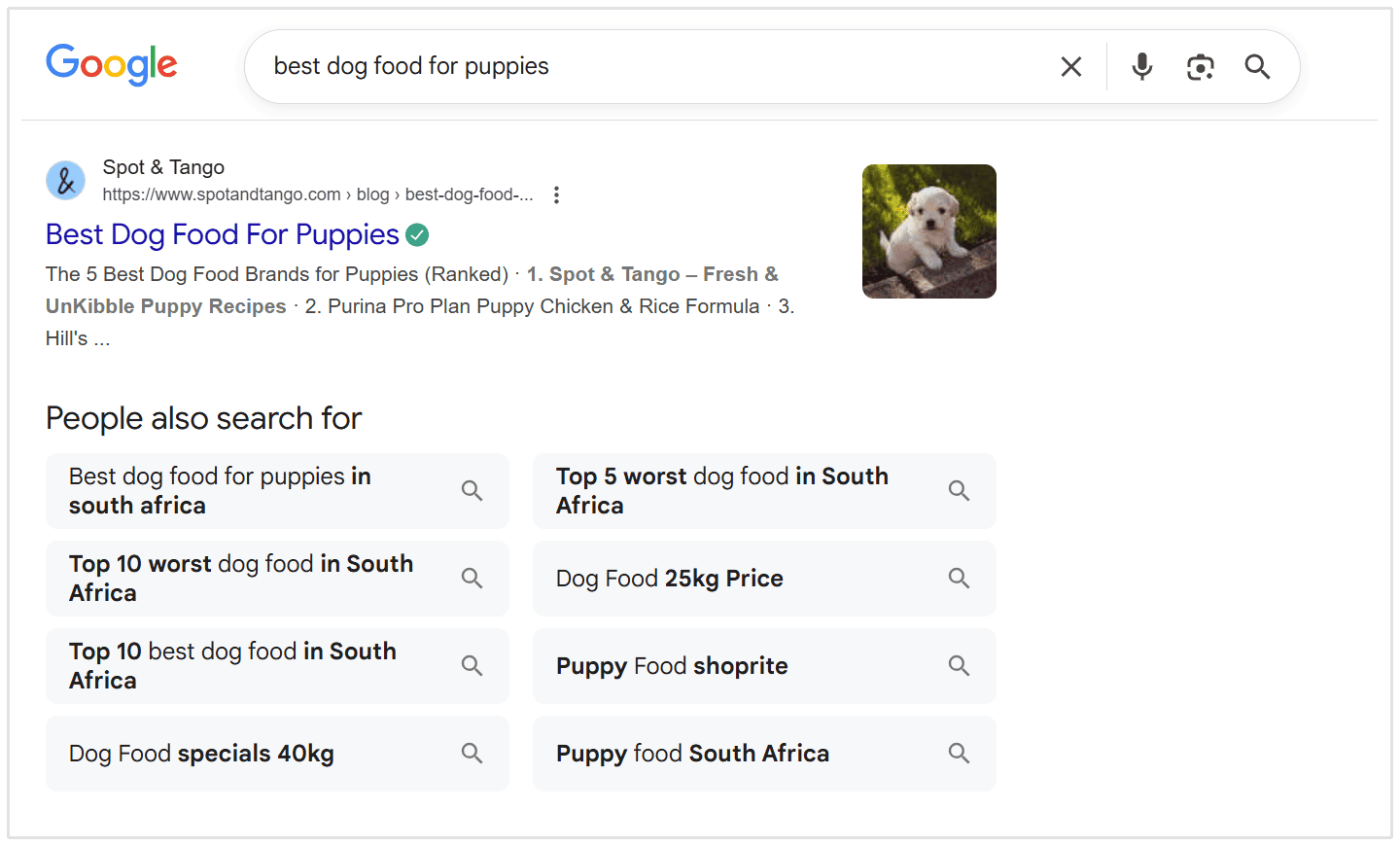
Here is an example of the "People Also Search For" box for the query “best dog food for puppies” that lists a set of related keywords.
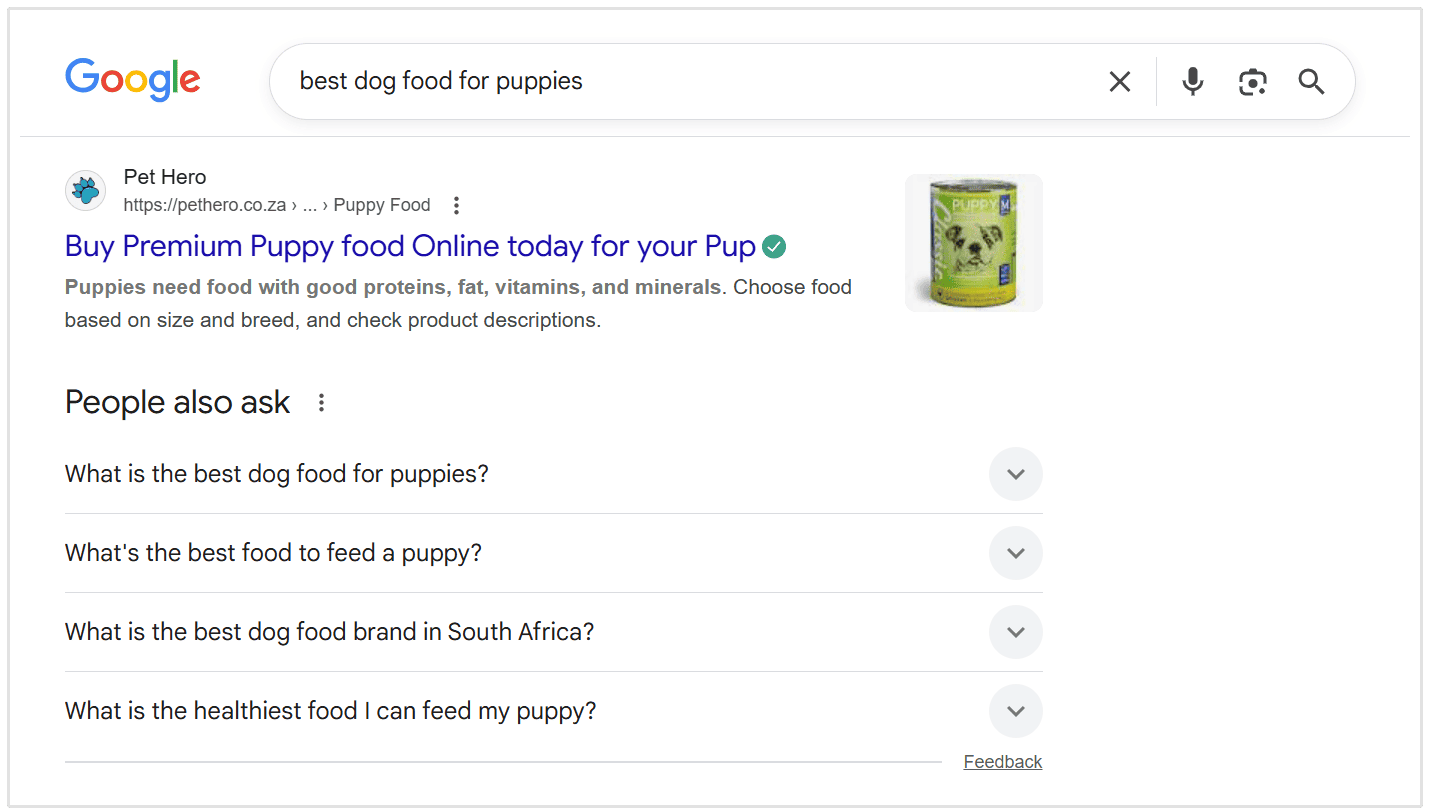
The People Also Ask section is presented after the first result in the SERP. Here is an example of People Also Ask for the same query “best dog food for puppies”:
Top SEO Tools to Find "People Also Search For" Keywords
When conducting keyword research for SEO purposes, you can use various SEO tools to find PASF keywords.
The below tools are effective for fetching relevant content ideas from the PASF box.
Google Search
One of the easiest ways to find relevant PASF keyword opportunities is to use Google search.
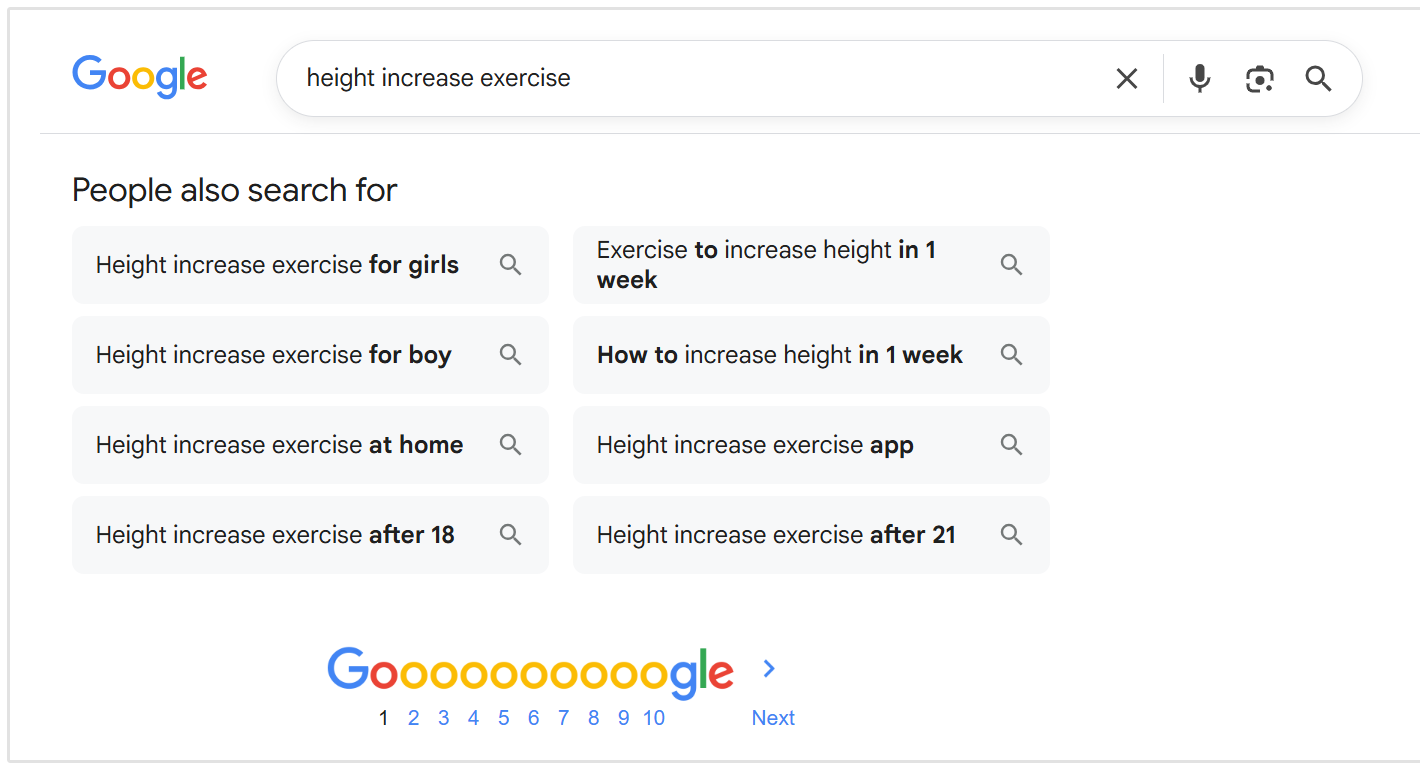
For example, if I wish to find PASF keyword ideas for the primary keyword "height increase exercise", I will enter the keyword on Google:
Then, scroll down to the bottom of the Google search results to see the PASF keywords.
Dashword
Dashword is an SEO optimization tool that helps marketers optimize their content for higher rankings and more organic traffic.
The tool lets you find and extract PASF phrases in just a few clicks.
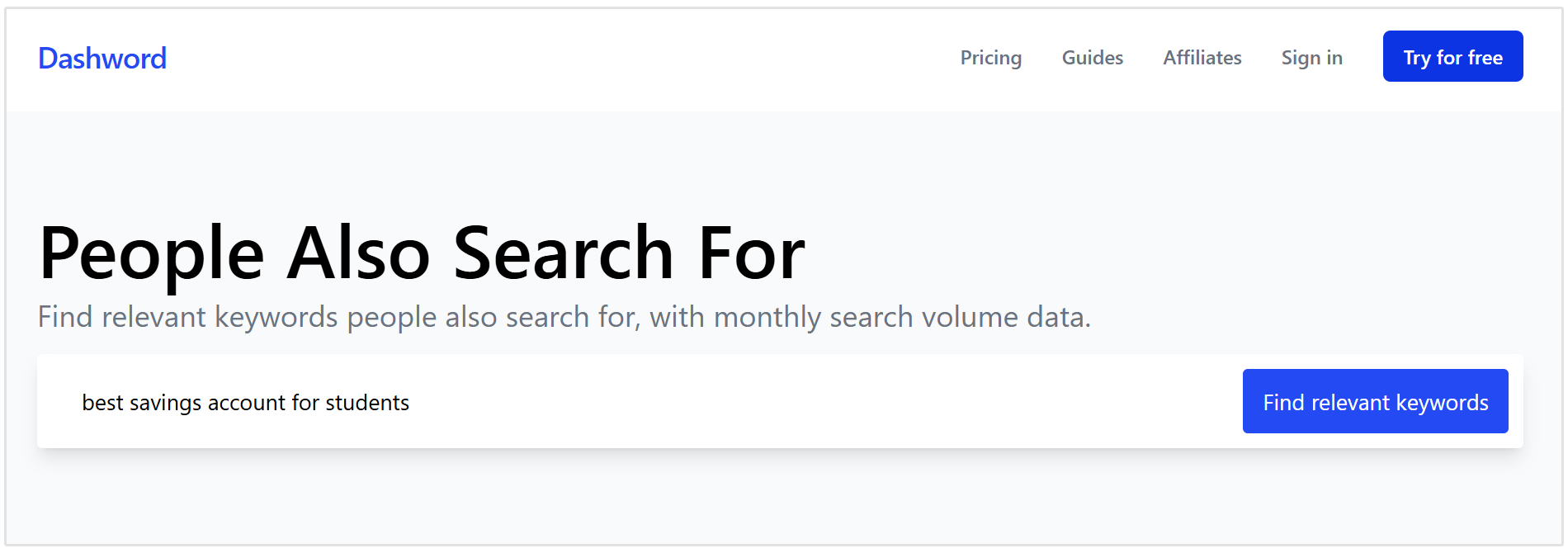
To find relevant keyword data, open the Dashworld People Also Search For keyword research tool.
Now, type your main keyword and click on the “Find relevant keywords” option, as shown in the image below.
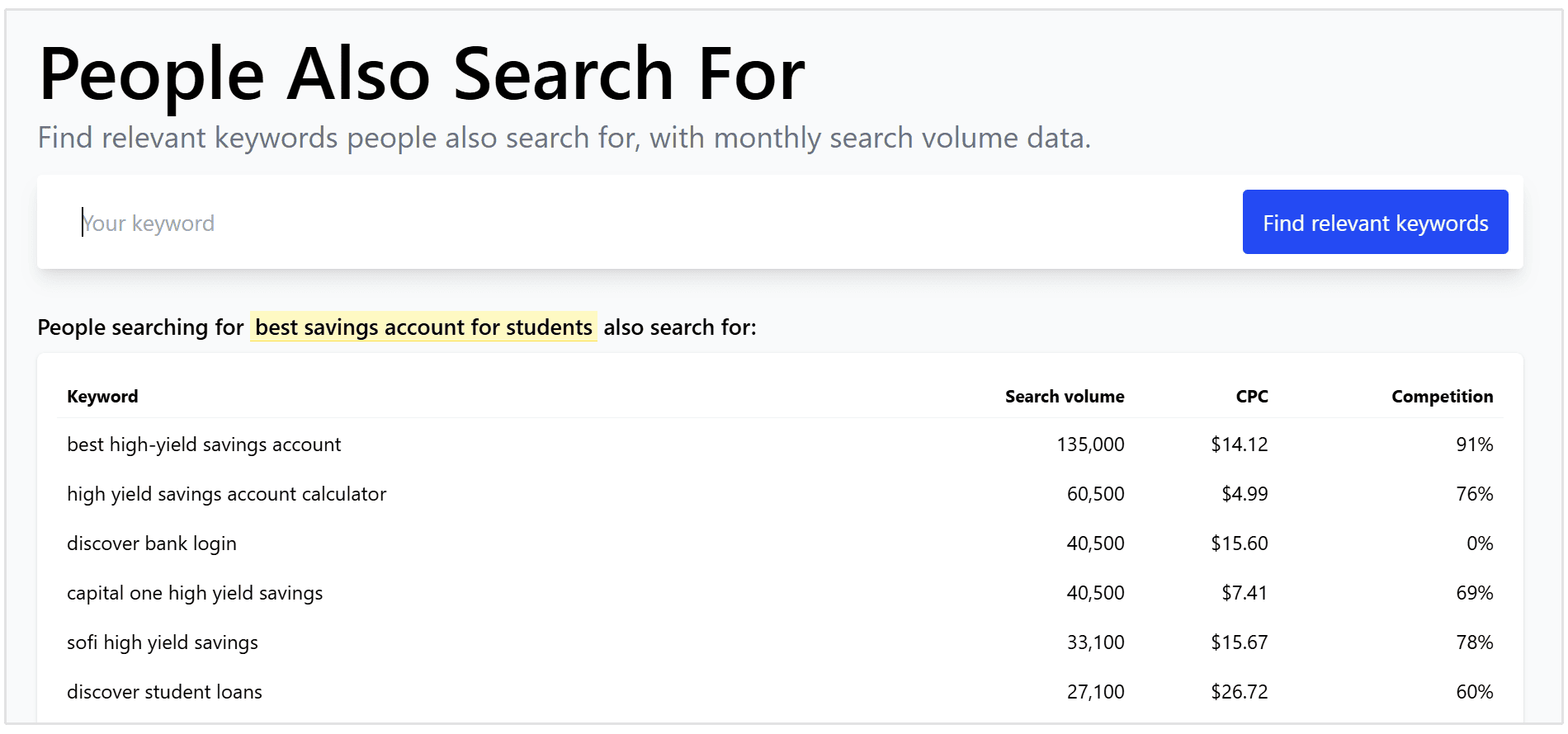
The tool will display related keywords that people are searching on Google.
The best feature of Dashword is that it also shows search volume, CPC, and competition for every keyword.
How to Optimize Your Content Using Keywords from the PASF Box
When you have sufficient PASF phrases, your next step is to optimize your website for PASF keywords.
Optimizing for PASF keywords is a form of SERP feature optimization that can help you rank higher in Google SERPs by targeting related and long-tail keywords.
Ideally, you should group all the related keywords and pick one head keyword with a high search volume as the primary keyword. All the other keywords in the group will be your secondary keywords.
You can prepare an Excel sheet containing your primary and secondary keywords.
After that, you can create content having all the mentions and variations of your primary and secondary keywords. Analyzing competing pages in the Google SERPs can help you identify further optimization opportunities and strengthen your site structure.
Performing PASF keyword research and using them in your content strategy is an excellent SEO strategy to acquire more organic traffic.
Optimizing for PASF can also help your content appear in featured snippets and build topical authority by answering related questions and establishing expertise.
Here are some tips to optimize your content using the PASF data:
Understand Search Intent
Search intent (also called user intent) is a term used to describe what users are looking for when they perform a search on Google.
Understanding search intent is crucial, as PASF (People Also Search For) recommendations help you analyze and align your content with what users are truly seeking.
The intent of a search affects the kind of keywords your content should contain to reach out to the targeted audience or customers. That’s why you should always consider search intent and understand user intent while finding keyword ideas.
To find the search intent of PASF keywords, you can use SEOptimer's Keyword Research Tool.
Enter your selected PASF keywords in the keyword research tool.
For example, for the query “indoor gardening tips”, we have eight phrases.
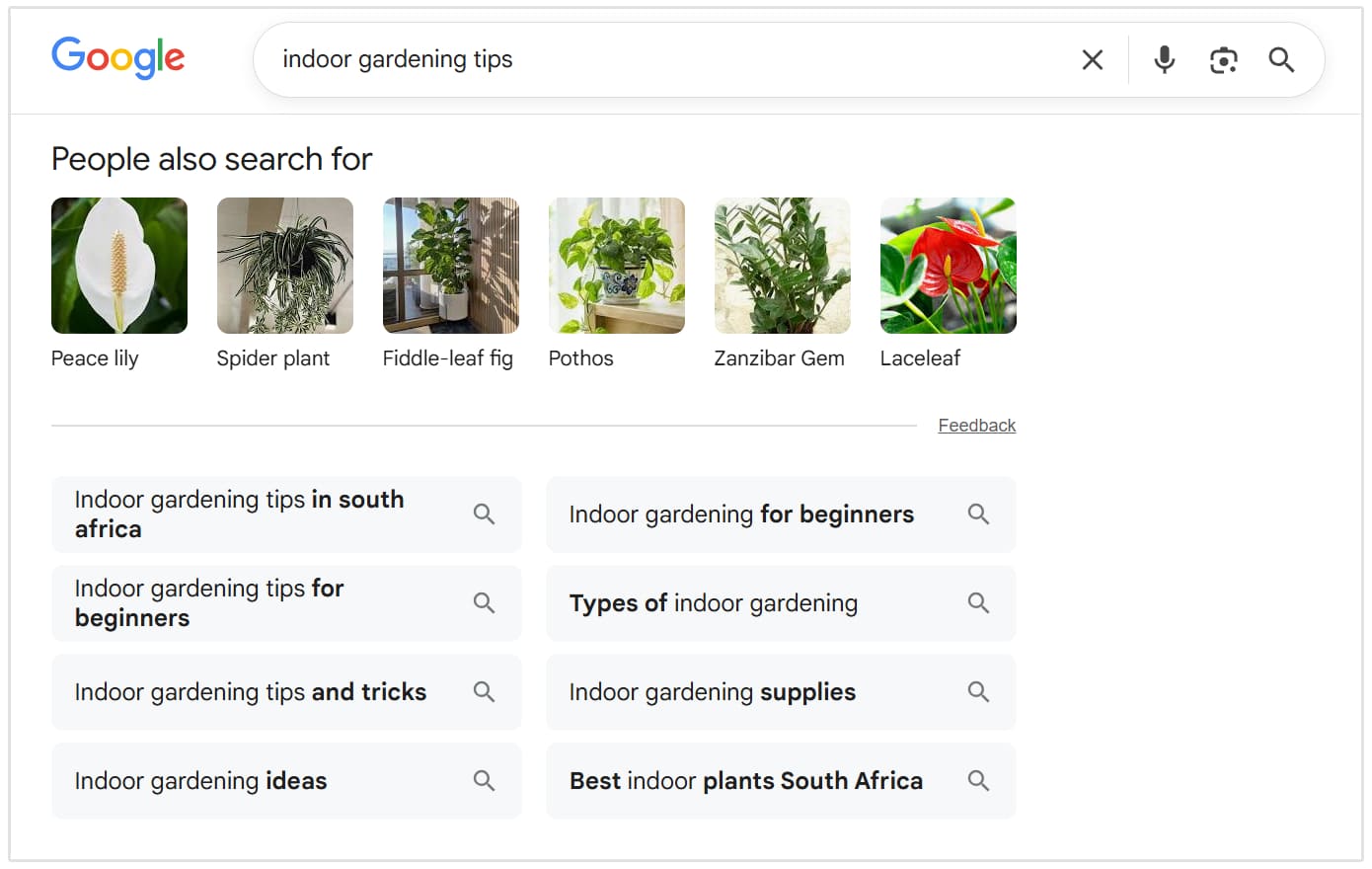
Analyzing PASF keywords reveals what users are actively searching for and helps you understand user intent.
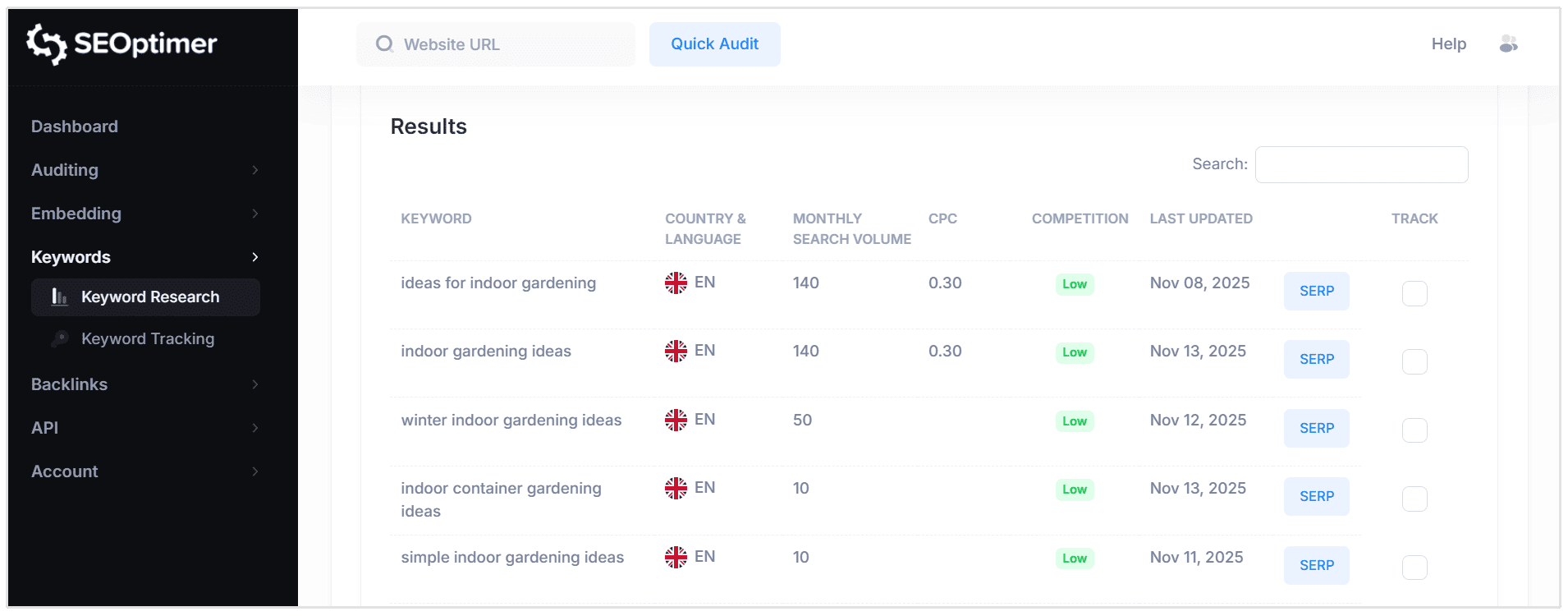
Let’s enter any one of these phrases in SEOptimer and see the results.
As you can see in the below image, the tool shows suggested keywords when adding the primary keyword “indoor gardening ideas."
Implement FAQ Schema on Important Pages and Content
Schema is a unique markup code you can put on your site to help search engines better understand your content.
Using FAQ schema will tell Google that your site content is presented in a question-and-answer format, enabling your website to appear in featured snippets.
To implement FAQ schema on your website, you can use plugins like the Structured Content (JSON-LD) in your WordPress blog posts.
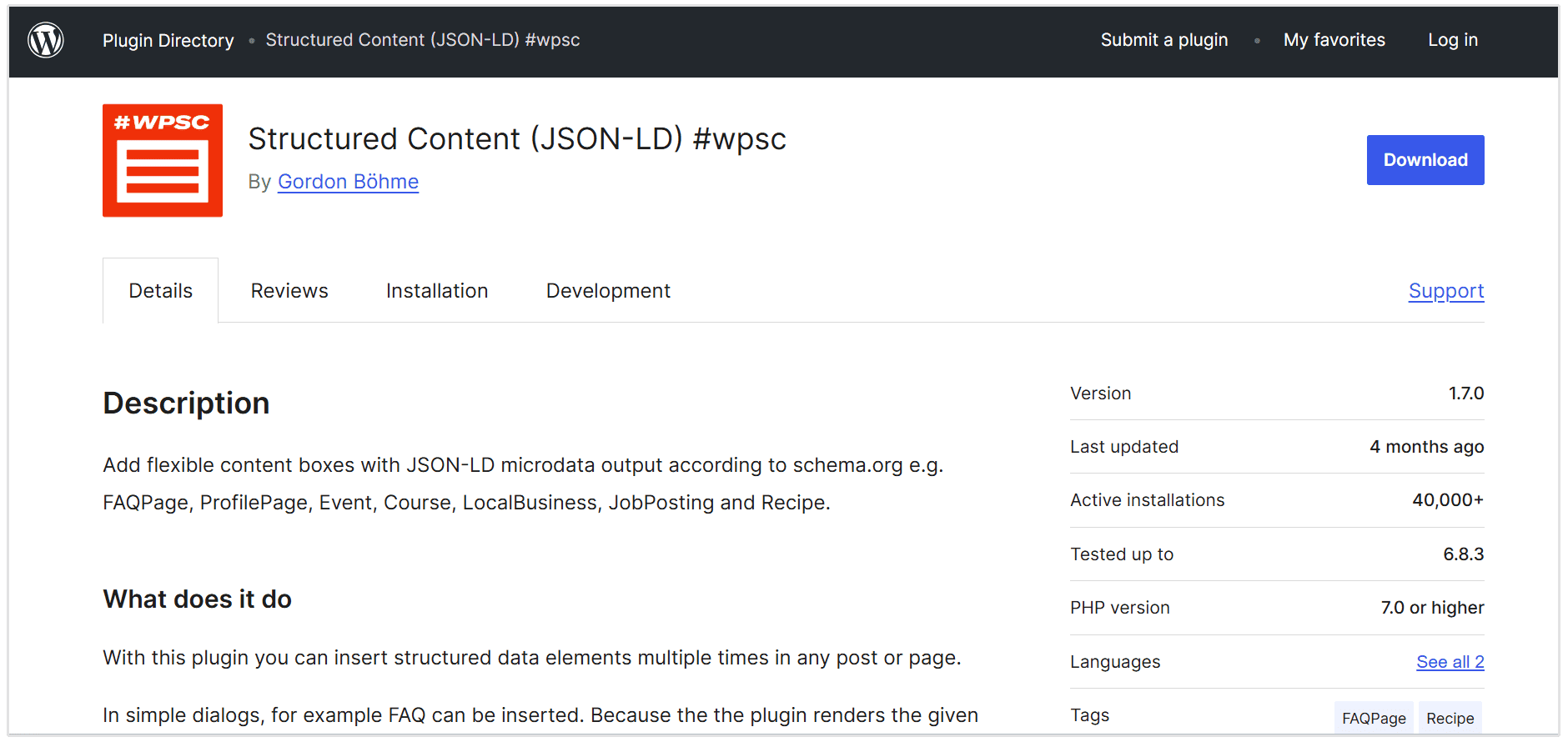
Once you have successfully installed and activated the plugin, visit any post or page where you like to add FAQ schema. Click on the plus icon, and you will find a new block named “FAQ” select it to add your content.
Now, you can add your question-and-answer keywords extracted from your PASF research.
Alternatively, you can also use an SEO tool like the FAQPage JSON-LD Schema Generator to enter questions and answers. The tool will automatically create an FAQ schema, as shown below.
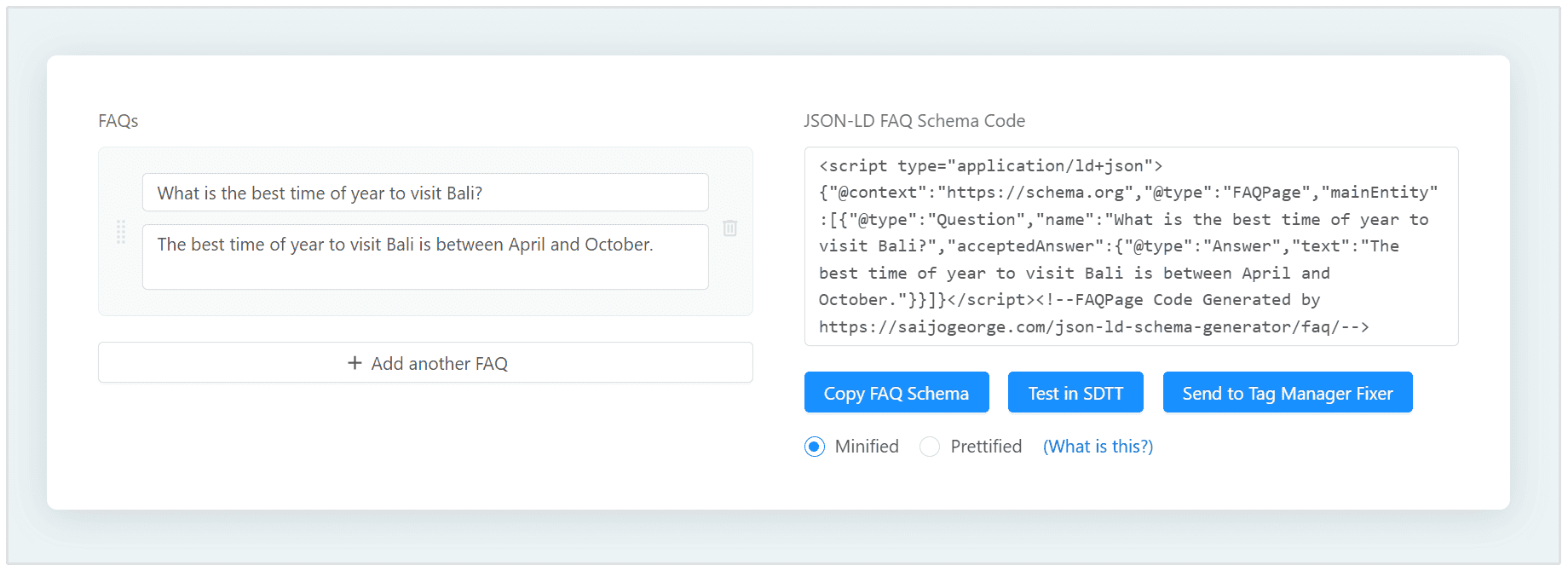
You should paste the FAQ schema code into your website to display FAQ-style snippets.
Do Keyword Research Based on PASF Phrases
You can also perform comprehensive research based on the searched PASF keywords.
Analyzing PASF phrases helps you discover new search terms to target, which can improve your content's relevance and help you better understand user intent.
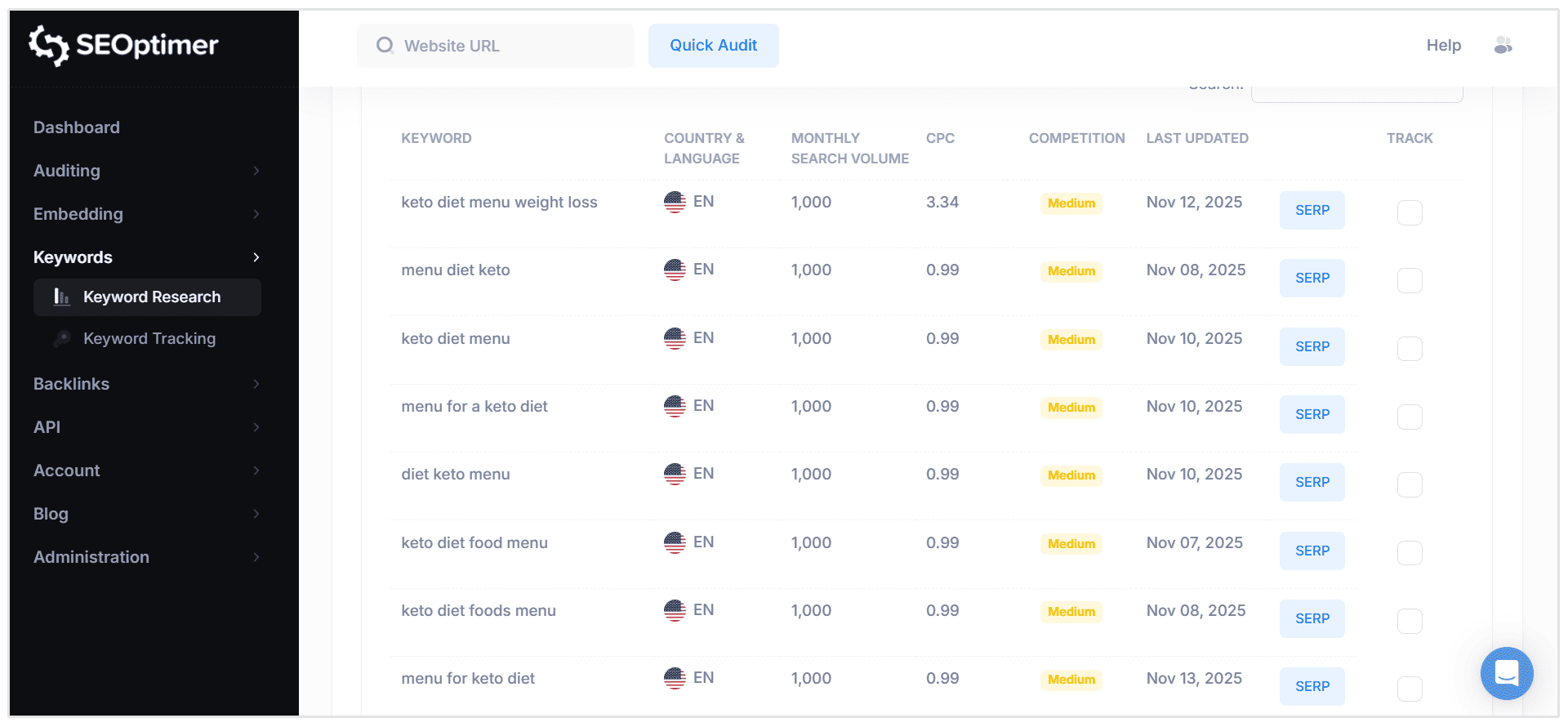
You can use the SEOptimer keyword research tool to find keywords related to the PASF phrases.
For instance, for the keyword “keto diet menu”, the tool suggests some keywords related to creating a keto diet menu.
Additionally, you can use the keyword tool to find search data on the suggested PASF questions that Google suggests.
For instance, let’s imagine you’re targeting the keyword “how to bake cake”.
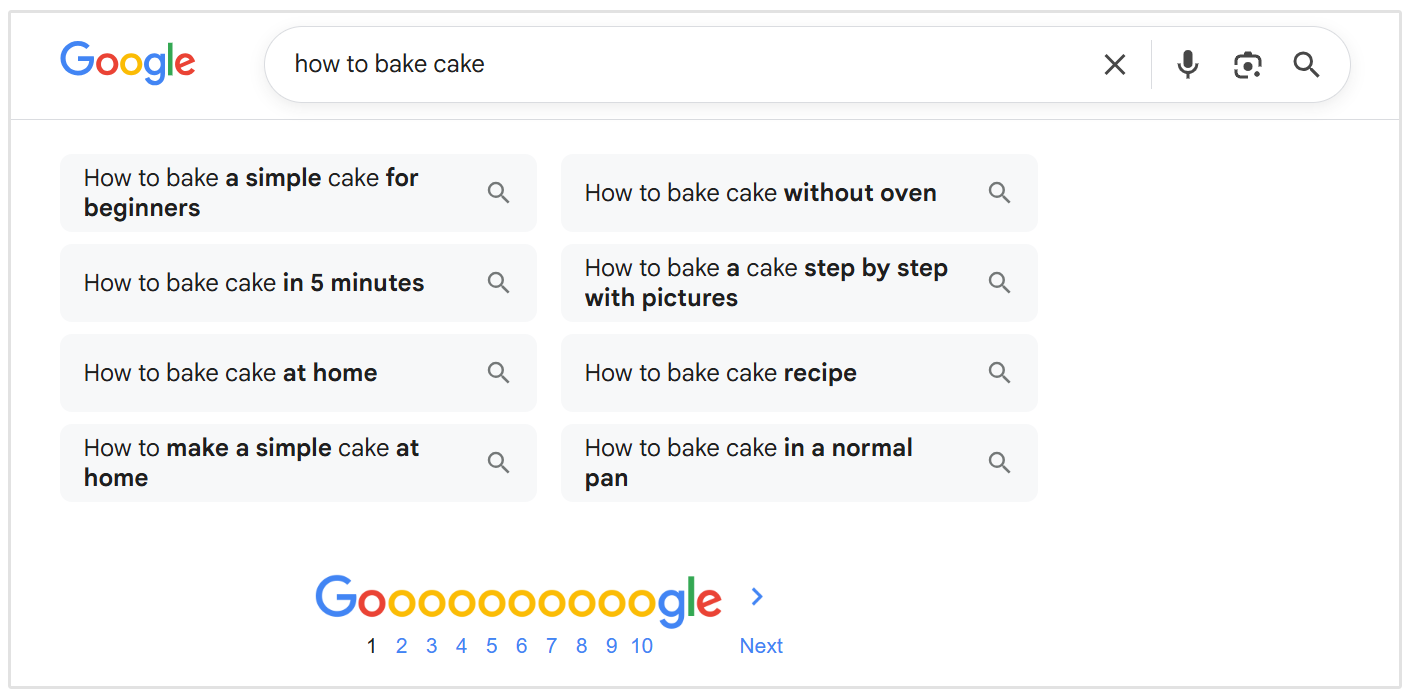
Now, let’s take the “how to bake cake without oven” phrase and find some keyword data using the SEOptimer keyword research tool.
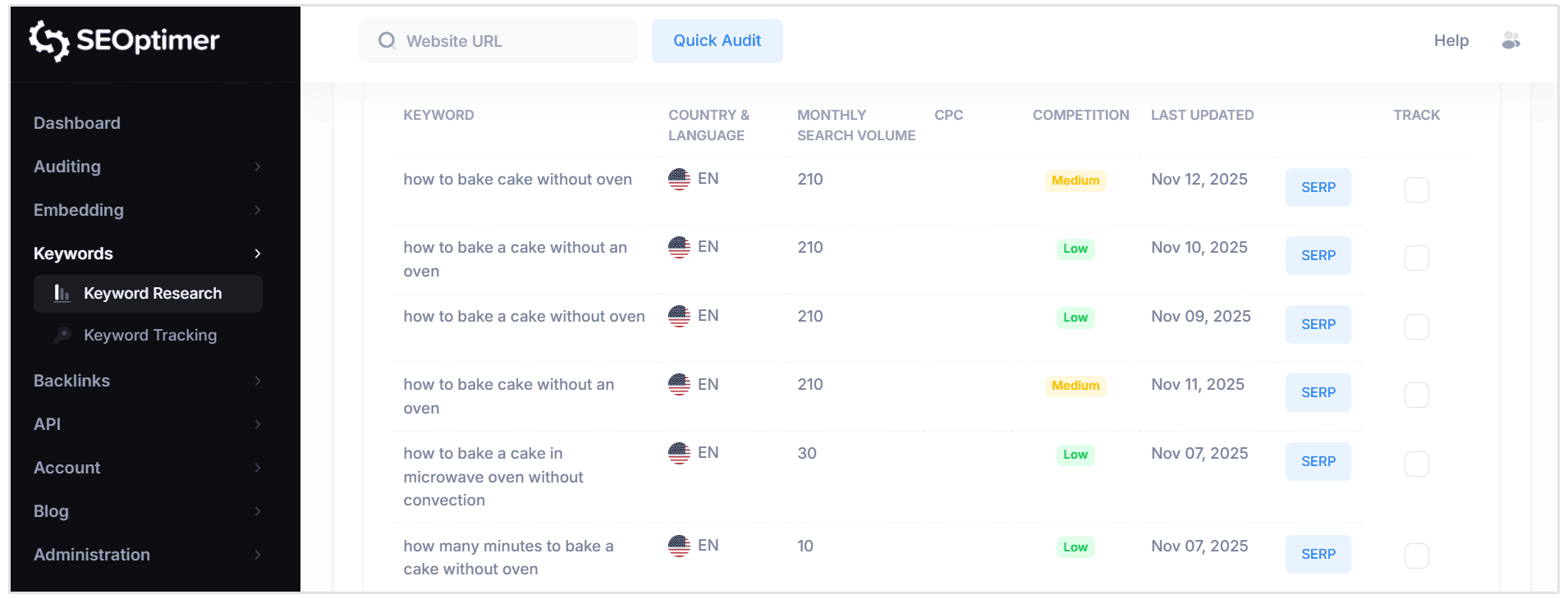
The keywords you find using this technique are related to your main content topic.
You can include the selected keywords in your content to boost the page relevancy score to gain more visibility in SERP.
Internal Linking and PASF
Internal linking is essential for SEO, but it's something most website owners completely ignore.
Here's the thing: when you dig into PASF suggestions, you're uncovering exactly what users are searching for on Google.
These queries and search patterns give you a goldmine of natural internal linking opportunities.
You can connect relevant pages and guide visitors through a logical content journey that actually makes sense.
Let's say your site has a page selling organic skincare products.
By doing a quick search, you'll see PASF questions like "organic skincare routine."
You can then use this as an idea for a blog post and then link to this blog post from your product page using the anchor text "organic skincare routine."
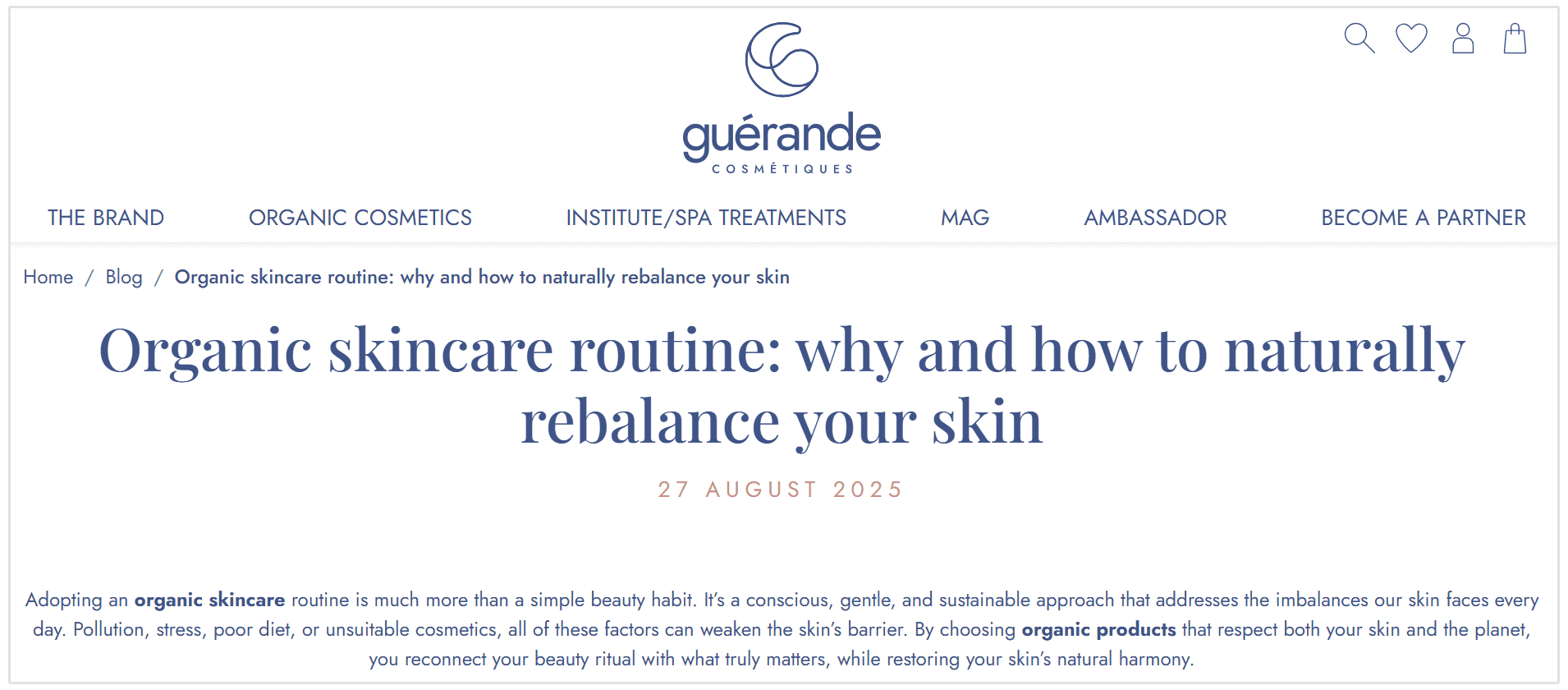
By doing this, you're helping search engines understand the contextual relationships between your pages.
This internal linking approach boosts your site's authority and enhances user engagement.
Hence, your overall search engine optimization efforts get a significant lift.
When you incorporate PASF keywords into your internal linking strategy, your website structure aligns perfectly with both user interests and search engine algorithms. Both can discover and value your content more effectively.
Content Gaps and PASF
Identifying and filling content gaps represents a critical factor for any website targeting specific audiences and boosting search engine performance.
Content gaps manifest when existing content fails to comprehensively address user queries or target audience requirements.
PASF keywords serve as powerful diagnostic tools for uncovering these gaps, revealing related searches and query patterns that current blog posts or pages haven't addressed.
For instance, a comprehensive content audit might reveal that while your site covers "email marketing," it's missing content around "email marketing automation" or "email marketing ROI calculation" - queries that generate thousands of monthly searches.
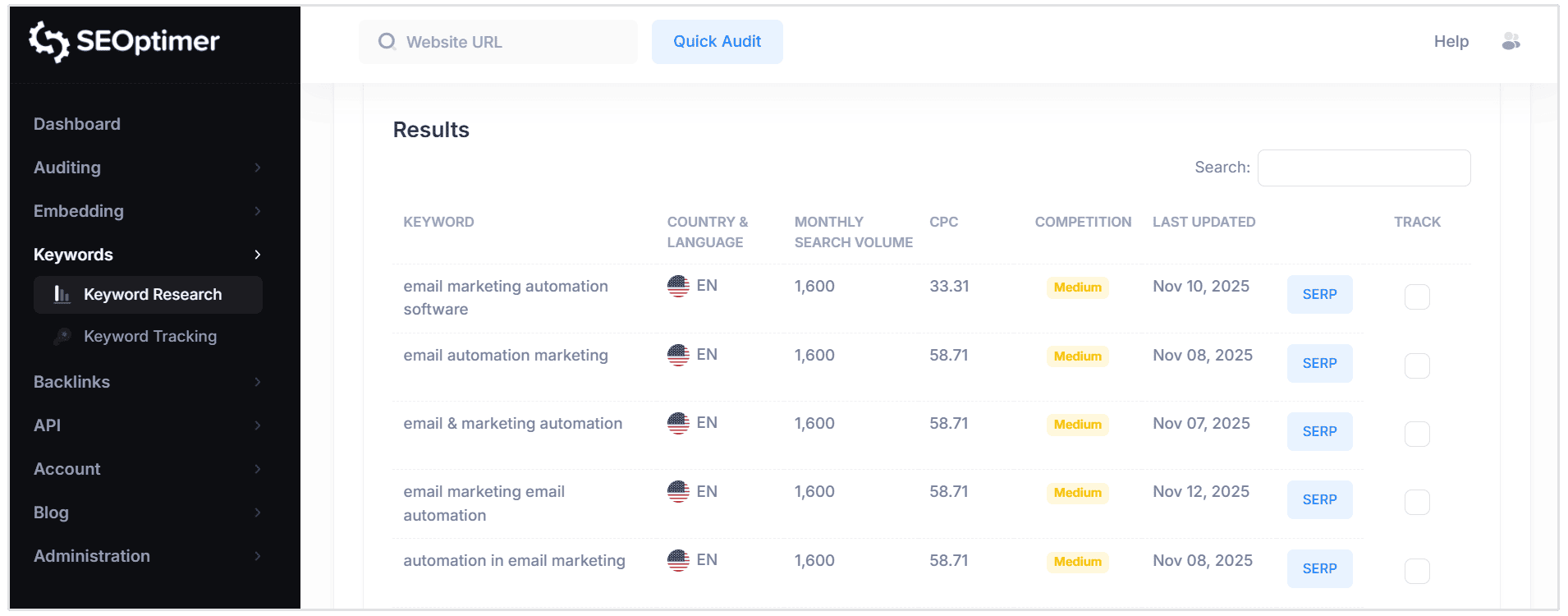
Through strategic keyword research centered on PASF suggestions, website owners unlock high-impact content opportunities that directly align with audience search behavior.
Creating targeted blog posts or expanding existing content to capture these PASF keywords enables websites to eliminate content gaps, deliver comprehensive user experiences, and establish topical authority that search engines reward with higher rankings.
This data-driven approach to content development not only drives substantial organic traffic increases, but also positions your site as the definitive resource within your niche, outranking competitors who haven't identified these content opportunities.
User Experience and PASF
User experience serves as a critical ranking factor in Google's algorithm evaluation, and PASF keywords provide direct intelligence into search behavior patterns and user intent signals.
Search engines track how users interact with PASF suggestions to determine content relevance and authority.
When you analyze PASF data, you gain access to the exact queries users.
This intelligence allows you to create content that directly matches search intent patterns, making your site more authoritative and contextually relevant to Google's ranking systems.
Take a website targeting "dog food" as an example. PASF algorithms will surface related queries like "best dog food for puppies" or "dog food reviews" based on actual user search behavior and click-through patterns.
These PASF suggestions reveal the specific search intent categories users exhibit—whether they're seeking product comparisons, expert recommendations, or review content.
However, ignoring these intent signals leads to content gaps that search engines detect through engagement metrics.
By aligning your content strategy with these related queries, you reduce bounce rates significantly, increase dwell time, and trigger positive user experience signals that Google's ranking algorithms prioritize.
Hence, optimizing for PASF keywords ensures your content architecture matches user search patterns, which directly influences how search engines evaluate your site's authority and relevance, leading to improved organic rankings and enhanced search visibility.
Conclusion
Google’s "People Also Search For" is an excellent feature offered by Google that you can leverage to further your research, helping you discover just what your audience is searching for.
The deeper your keyword research is, the better will be your SEO results. Hence, ensure to conduct comprehensive research using the tools and strategies discussed in this article.
If your research is better than your competitors, you can tremendously improve your chances of ranking higher for most search phrases, driving maximum traffic to your site.