AI writing software and content generators are becoming increasingly popular platforms for marketers and content writers.
There are a few options, like Jasper and Rytr, that make it easy to understand why the industry is exploding. Both tools make short and long-form writing a breeze, enabled by OpenAI’s GPT model, the most sophisticated natural language model ever.
There’s a serious “miracle moment” when you create your first AI content generation with either tool. It’s pretty cool to watch content spill onto the page without lifting a finger.
What are AI Writing Tools?
The emergence of natural language processing and specifically GPT-3 has opened a whole new world of tools that make the lives of writers, authors, journalists, content creators, and SEOs much easier.
AI writing tools are groundbreaking technology that can produce content in any genre from any perspective.
There are a number of them. Some of the big names include:
- Copy AI
- Copysmith
- Jasper
- Rytr
Jasper
Jasper has many features and functions that solidify it as one of the best long-form content generators on the market.
The AI instantly generates high-quality SEO-friendly content for almost endless use cases even beyond your marketing classics, from “explain it to a child” setting to real estate listings and Quora answers.
When I say “almost endless,” I mean it. Jasper has more copy options than most copy generators out there. So if you’re looking for versatility, Jasper is a great choice.
It enables you to write long-form content, rewrite existing content, and even generate images using AI.
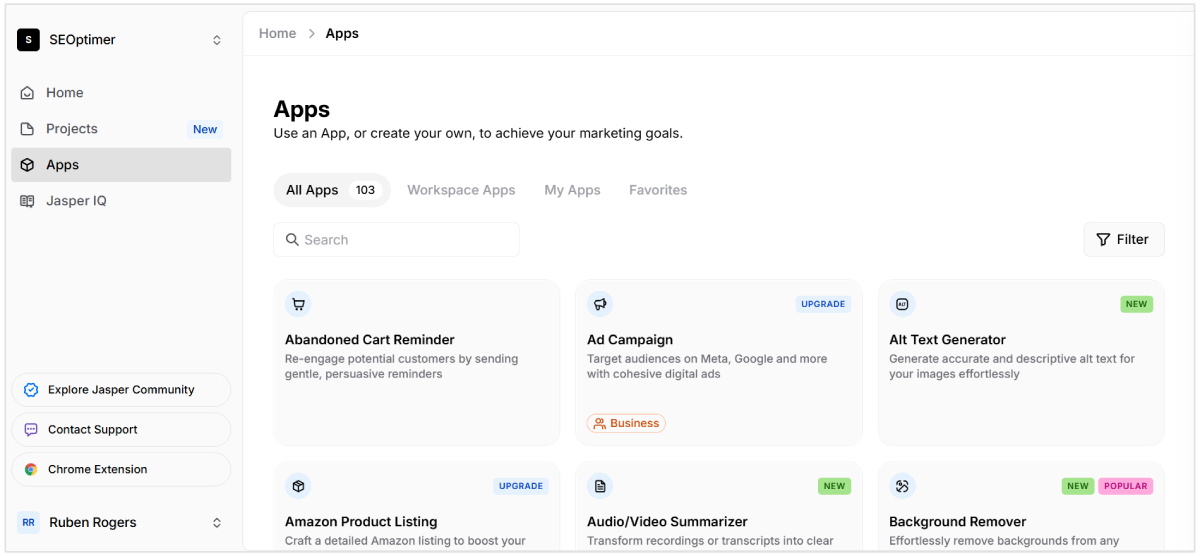
Quick Jasper overview:
- Usability: Jasper has an intuitive UI that is easy to navigate and doesn’t require any coding experience to use. (A great UI and UX are always helpful for SEO).
- Content Templates: With over 50 templates to choose from, Jasper has plenty of ways to inspire creating long-form content. Templates include product descriptions, email copy, blog post intro paragraphs, stories, social media copy, Google Ads copy, and so much more.
- Supported Languages: Jasper supports more than 30 languages for content translation.
- Quality of Support: Jasper offers a Help Center and a direct email message line for customer support. Customers who pay for the more expensive package have priority placed on their queries.
- Chrome Extension: Jasper has a Chrome extension that enables you to write with AI in Notion, Google products, Webflow, Canva, and more
- Image Generation: For $20/month extra, you can generate images using AI.
Jasper has a long-form content feature that enables you to click a button or two and generate paragraphs of content and assemble a full blog post.
It’s a good solution for long-form blog content. But as with most AI writing tools, the outputs aren’t perfect.
Here’s an example in which I input “emerging marketing trends” and got a result with “2018” in it (not exactly emerging). However, I’m yet to see a content generator produce perfect content every time. Human intervention is always needed for responsible AI use.
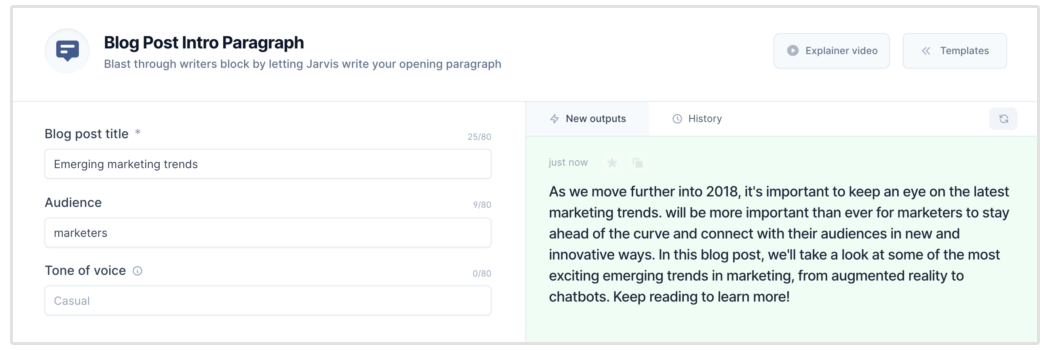
While it’s absolutely true Jasper can speed up the writing process, the more heavily the user relies on the AI’s ability to compose from scratch, the greater the risk that the text the AI produces will contain statements that are might not be 100% accurate.
Jasper Features
- 50+ use cases
- 30+ languages
- 18+ tones you can select from (convincing, awestruck, inspirational, etc.) to add personality to your content
- Jasper Chat: which enables you to “chat with the AI” and get responses fast
- Jasper images: create images with AI
- Chrome extension so you can write with AI almost anywhere!
- API available
Jasper Pros
- Long-form writing assistant in addition to 30+ short-form templates
- Integrations with Surfer SEO to provide more optimized content
- Chrome Extension enables you to write outside of the Jasper product
- AI imagine generation add-on is fun (and effective) for producing images for blog posts, social media, and more.
Marketers Use Jasper at Companies Like:
Google, Airbnb, IBM, HarperCollins, Keller Williams
Jasper Pricing
- Starter: Starts at $49 per month with access to the plagiarism checker, 1 brand voice, Jasper Chat, and limited access to Jasper apps
- Pro: Starts at $59 per month, access to all Jasper apps, long-form copy, plagiarism check, and more
Our Take on Jasper:
Jasper is a top-of-the-line AI content writer. It’s a great choice when you are looking for a lightweight, enterprise-grade, open-source persistence and object/relational mapping framework. Plus, with new integrations every day, you can tell it’s trying to become the only platform you need.
That being said, the outputs aren’t perfect and they’re not specialized in any one use case.
Jasper is a jack-of-all-trades and a master of none.
For instance, it does not excel at long-form content writing (blogs). Even if you want to use the long-form editor, you’ll need to pay $59/month or more. Plus, their pricing is credit-based and credits do not renew monthly. With a higher price point, it’s probably best for medium and large businesses.
The Chrome Extension is unique. So if you have a team that needs to write in Gmail, Notion, Github, and a lot of other places, this feature is super useful.
Rytr
Like Jasper, Rytr is a jack-of-all-trades when it comes to creating copy, but it focuses more on short-form content.
It uses AI to generate unique copy for a number of use cases, including business pitch ideas, brand names, calls to action, email, Facebook, Twitter, and LinkedIn Ads, product descriptions, meta descriptions, and more.
It’s a straightforward tool that generates unique copy in seconds. Rytr is also great because of the price point — which is significantly lower than Jasper. Plus, Rytr’s great because it was made by a solo engineer who was solving his own writing needs… and boy, did he make a great product!
Let’s do a quick Rytr overview:
- Usability: With easy organization and a simple UI, Rytr is straightforward to use and understand.
- Content Templates: Rytr has 30+ use cases, plus various skills within each type. For example, their landing page option provides copy for headers and sections within each heading. It basically writes your entire landing page for you!
- Supported Languages: 30+ languages so you can reach all of your potential clients, in 20+ tones of voice
- Quality of Support: With resources, FAQs, guides, live chat, and a private community, Rytr works hard to provide good customer support. Plus, their unlimited plan offers priority email and chat options.
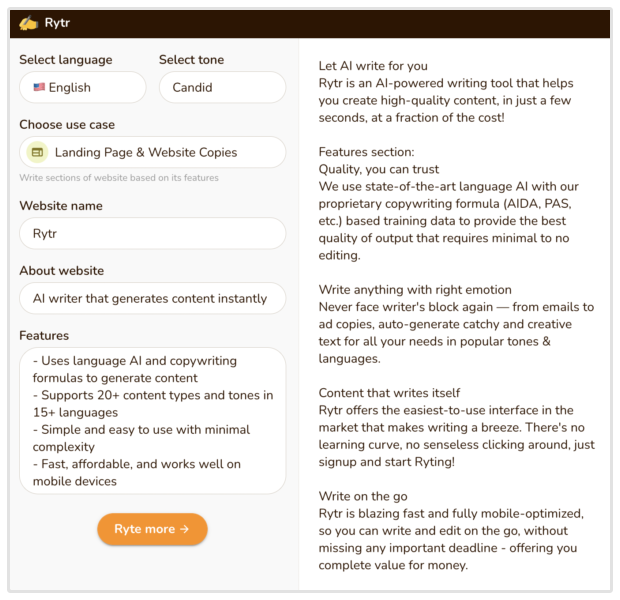
Rytr Features
- 30+ use cases, 30+ languages, and 20+ tones to add personality to your content
- API available
- “Reword” or “shorten” option for text you already have that needs a cleanup
- Built-in plagiarism checker
- “Continue Ryting” option to add on to your content using artificial intelligence
- Readability score to see how readers might like your writing
Rytr Pros
- Uses scientific copywriting formulas — such as AIDA & PAS — to provide the best quality output that requires minimal to no editing
- Honed content outputs mean pretty reliable text generations
- Convenient Chrome Extension
- Very generous free plan (and affordable plans overall)
Companies Using Rytr
Pfizer, Ikea, Ford, Payoneer, PWC, and Adidas
Rytr Pricing
- Free: Generate 10,000 characters per month, with all use cases available.
- Unlimited: $9 per month to generate unlimited characters per month, plus 50 plagriarism checks a month.
- Premium: $29 per month to generate unlimited characters per month, and 100 plagiarism check a month.
Our Take on Rytr
Rytr is a good tool that’s young in this space.
Their AI content outputs are generally error-free, and their price point is one of the best.
For that reason alone it’s worth a spin. I think it’s one of the best tools for small business owners and marketers who aren’t as concerned with search engine optimization suggestions or longer-form content (though I really do like the UI of their long-form content editor).
Rytr also has awesome help documentation that’s well-organized, plus a chatroom for users.
Jasper & Rytr Competitors
While Jasper and Rytr both are good writing options, it’s not just a Jasper vs. Rytr world. In fact, there are quite a few AI software tools that are also great content generator options.
SEOptimer
SEOptimer is a Swiss Army Knife of SEO tools—it features keyword research, backlinks, competitive metrics, keyword tracking, a one-click blog post outline generator, a paragraph generator, and a blog post idea generator.
Basically, it’s the ultimate tool for agencies, bloggers, and content creators that will help you rank your content on Google.
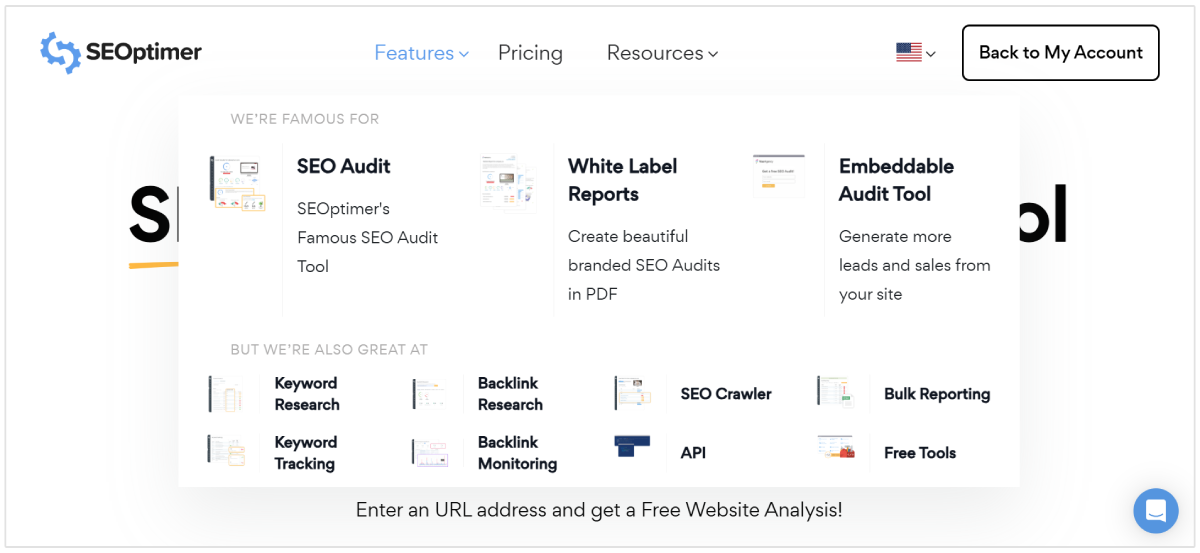
Key Features
- SEO reporting
- AI content creation
- Keyword research
- Keyword tracking
- Competitor analysis
- Backlink analysis
- Backlink monitoring
- SEO crawler
Pros
- Our AI content writing tools offer blog posts titles, paragraphs, outlines, heading suggestions, and much more
- Your copy is being designed to rank on Google, so your content can do the work for you
- It offers a suite of other SEO tools like rank tracking, keyword research, and competitor research
Cons
- Our AI writing tool focuses heavily on SEO content, so if you need copy like social media captions, video subtitles, and business ideas then it won’t be the best tool for you
Best for: Agencies, freelancers, and marketers who want more than just copy generation.
Pricing: Monthly pricing starts at $29 for DIY, $39 for White Label, and $59 for Embedding.
Smart Copy by Unbounce
As the freemium option of this list, Smart Copy by Unbounce, formerly Snazzy AI, has a collection of tools for writing and remixing content. They also offer an AI-driven Smart Builder that created optimized landing pages.
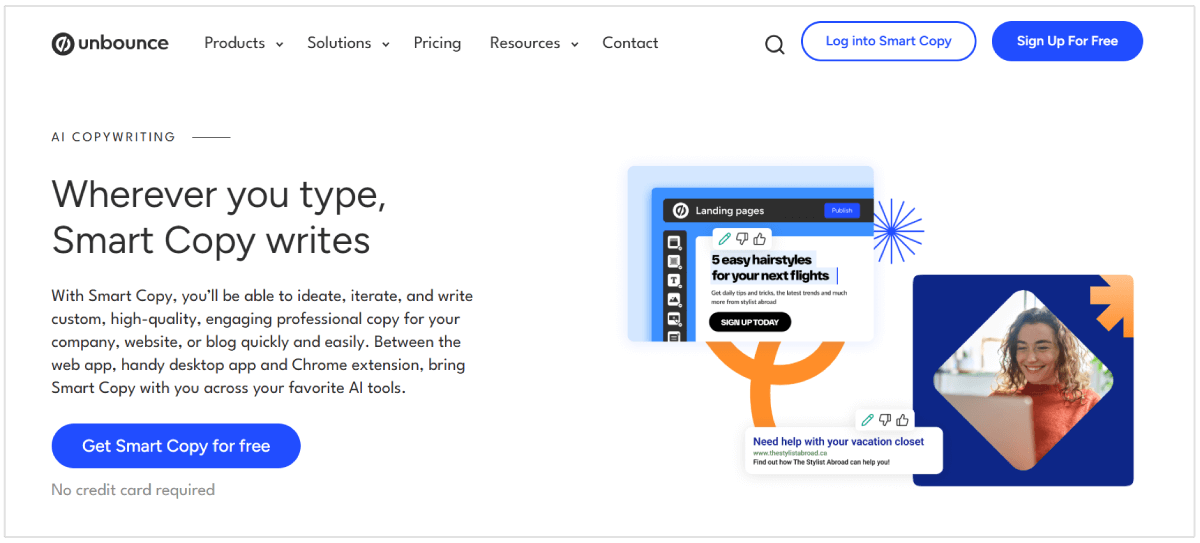
Key Features
- AI-writing assistant suggestions
- “Write more” option
- Content templates offered
Pros
- Free plan option
- Uses GPT technology
- 45+ templates
Cons
- Long-form content writer is at an earlier stage
- Users are only allowed five daily credits
Best for
Smart Copy by Unbounce is an excellent resource for startups or those who only need inspiration instead of a writing assistant. The free option is convenient for those looking to save while still receiving helpful guidance from an AI platform.
Pricing
They have a great free plan option, and then a Unlimited membership for for $40 per month. Their Smart Builder for landing pages is a separate purchase.
Writesonic
Writesonic is an AI writing tool that generates high-quality articles, blog posts, landing pages, Google ads, Facebook ads, emails, product descriptions, and more in seconds.
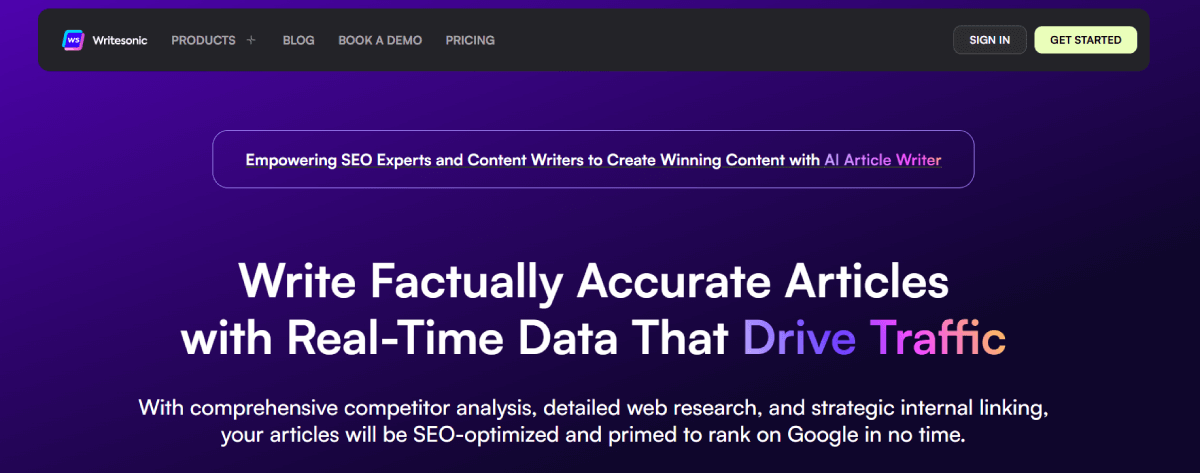
While it started with focusing on ad content, it now focuses on product descriptions, marketing copy, and article and blog generation.
Key Features
- Translate well into conversions and sales
- AI-powered
- It only takes seconds for reliable content
Pros
- Individuals can start for free
- 50+ content types
- YouTube video copy
Cons
- Other tools generate better short and long-form content
- Unreliable customer service
Best for
Writesonic is great for digital marketing agencies or startups that focus on creating advertising for their clients.
Pricing
Writesonic’s Lite package goes for $49 per month, Standard for $99 per month, Professional for $249 per month, and Advanced for $499 per month. They also offer a free trial.
How Does AI Writing Software Work?
Most content generators work by marrying some of their own algorithms with GPT natural language generation.
With AI writing platforms like Rytr and Jasper, the user provides some “seed text” that the AI will use to find and generate its own content. Functionally, it takes information from across the web and uses algorithms to organize that information and surface (ideally accurate) content results from the seed text.
The seed text often includes a title, description, and a field for the user to enter as many relevant keywords as they can fit within the character limit. Once you tell the AI what you want it to do, you can even ask it to provide a few variations on the same theme.
How to Choose the Right AI Writing Tool?
AI content is used either as a baseline for digital content creation or as wholesale content for a business.
Though in many cases, the AI content won’t be the quality most marketers will like for their blog—which means there is usually some human intervention that happens before publishing.
Which tool is the best? The answer to that question came down to preference and required features.
Before choosing an AI-powered content tool, consider the following:
- What teams will be using it? Marketing? Tech? Design?
- What type of content does the team generate the most? Blog posts, social media captions, product FAQs?
- What are the current content weaknesses you are seeing within your teams? Is it content quality? Production speed? Need inspiration?
- What are your content goals? SEO, improved ad conversions, more blog topic ideas?
- Deciding between them really comes down to your budget and needs. The best way to figure it out? Try them!