Sponsored links are a common part of the modern web, appearing in search results, articles, product reviews, and social media content. They are used to promote products or services in exchange for payment or another form of compensation.
While sponsored links are widely used, their role is often misunderstood, particularly when it comes to search engine optimization.
Are sponsored links simply advertisements, or do they function like regular backlinks? Do they influence search rankings, and what happens if they are used incorrectly?
Website owners, marketers, and publishers may have encountered sponsored links before without fully understanding how they work.
Paid placements, affiliate relationships, and sponsored content each follow specific guidelines, and handling these links correctly can help avoid unnecessary SEO issues.
This guide explains what sponsored links are, how to recognize them, how they differ from organic links, and the impact they have on SEO, including whether they pass link equity and how they should be marked up correctly.
What are Sponsored Links?
Sponsored links are hyperlinks that are paid for. This involves a transaction where a meaningful exchange of value (usually money, but sometimes goods or services) occurs between a website owner and an advertiser in return for a link placement.
Sponsored links are designed to drive traffic from one site to another, usually with the intent of generating sales, leads, or brand awareness.
It is important to note that Google has very strict policies regarding paid links.
To maintain the integrity of their search results, they require that any link that is bought or sold must be qualified.
This means telling search engines this link is there because of a commercial arrangement.
This is typically done using a specific HTML attribute known as the sponsored tag (which we will cover in detail later).
What does a Sponsored Link Look Like?
A sponsored link can look different depending on where you find it. There are three main ways to identify them:
1. Visually on Search Engines
When you search for something on Google, the first few results at the top of the page are often paid advertisements.
Google clearly labels these with the word "Sponsored" in bold text above the URL. These are paid search listings.

2. Visually on Websites
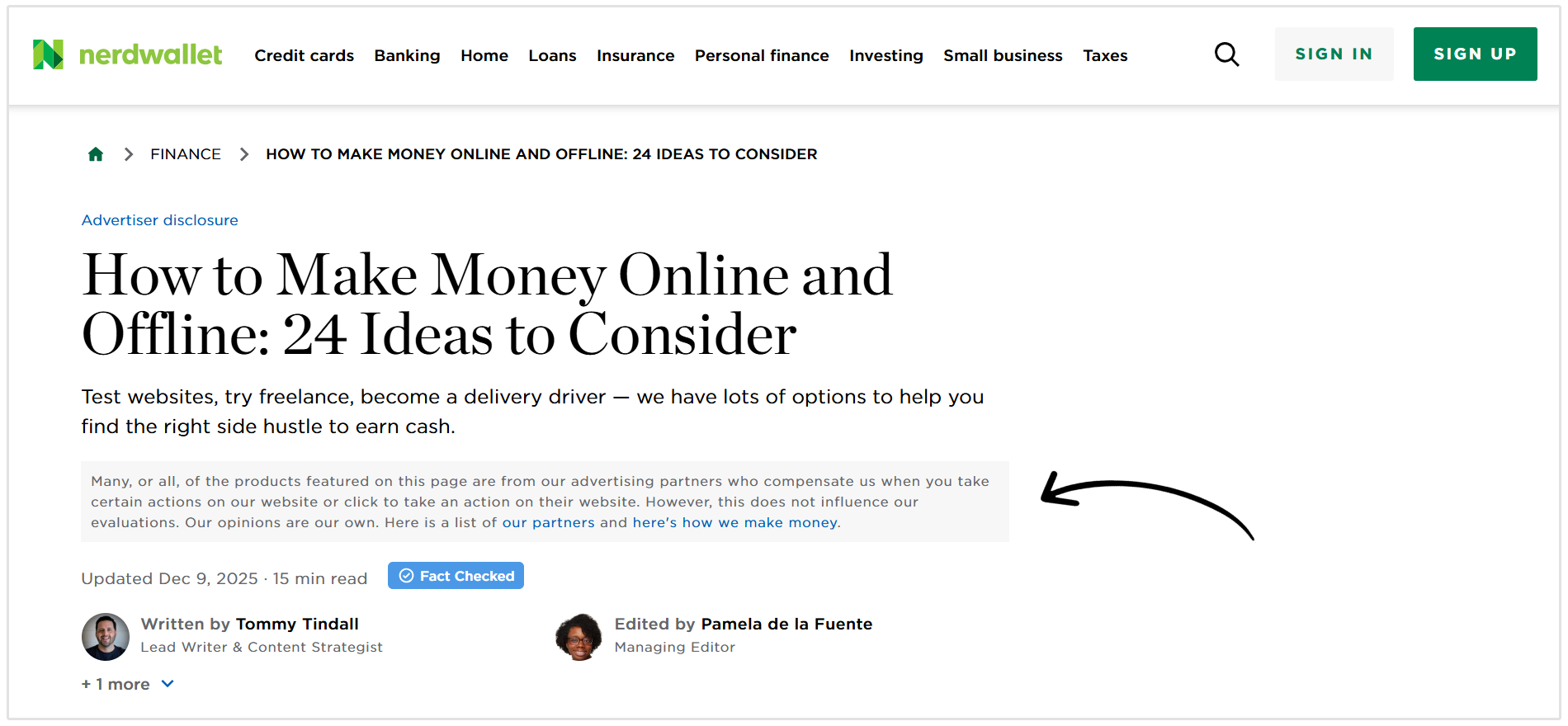
On blogs or news sites, sponsored links might look like regular text links.
However, publishers will usually include a disclaimer at the top of the article saying, "This post contains affiliate links" or "Sponsored Content."
Like NerdWallet, who has a clear strip of text with a disclaimer about their relationship with some of the companies and products they discuss in their post.
3. Technically in the Code
To a search engine crawler, a sponsored link looks different from a standard link because of the rel="sponsored" attribute.
- Standard Link: <a href="https://example.com">Visit Example</a>
- Sponsored Link: <a href="https://example.com" rel="sponsored">Visit Example</a>
This extra bit of code is invisible to the user but tells Google that the link was paid for.
Types of Sponsored Links
Not all sponsored links serve the same purpose. Depending on your marketing goals, you might encounter or utilize different formats.
Here are the four most common types of sponsored links:
- Paid search ads
- Sponsored content
- Affiliate links
- Influencer and publisher-sponsored links
Paid Search Ads
These are the most recognizable form of sponsored links.
Platforms like Google Ads and Bing Ads allow businesses to bid on specific keywords.
When a user searches for that keyword, the business's link appears at the very top or bottom of the search results page.
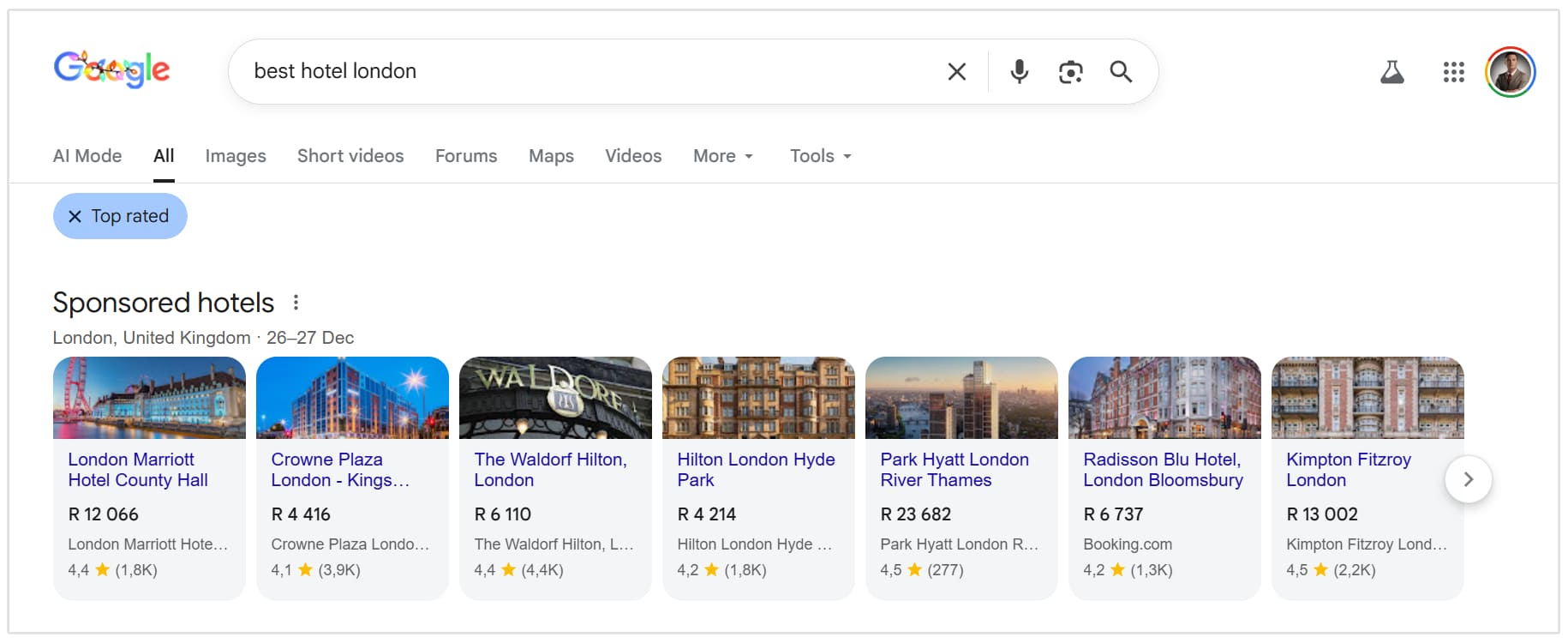
These are "Pay-Per-Click" (PPC) links.
You only pay when a user actually clicks the link. They are incredibly effective for generating immediate traffic and targeting users who are ready to buy.
Sponsored Content
This is often referred to as native advertising.
In this scenario, a brand pays a publisher to create an article or video that features their product.
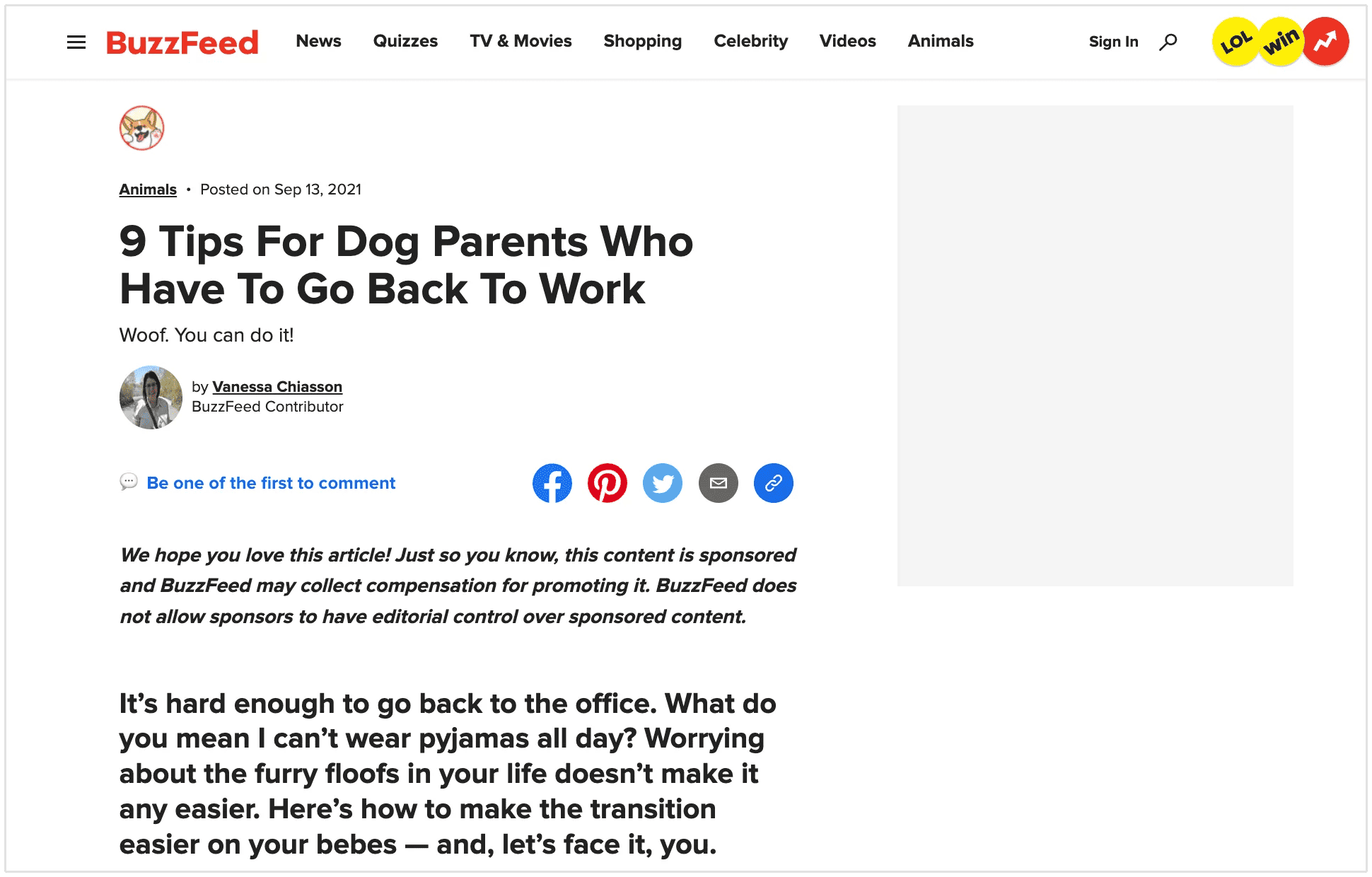
The entire piece of content is sponsored, and the links within that content pointing back to the brand's website are considered sponsored links.
For example, the below screenshot is a blog post by Buzzfeed that is sponsored by another company.
Affiliate Links
Affiliate marketing is a massive industry. In this model, a website owner (the affiliate) promotes a product or service using a unique tracking link.
If a visitor clicks that link and makes a purchase, the affiliate earns a commission.
Because the affiliate is receiving financial compensation for the referral, these are technically paid links.
Google requires that affiliate links be marked with the sponsored tag (or the rel="nofollow" tag) to indicate the commercial relationship.
Influencer and Publisher-Sponsored Links
This category covers social media shoutouts and direct link placements. If a brand sends a free pair of shoes to a fashion blogger in exchange for a link to their store, that is a sponsored link.
Even if money didn't change hands, the exchange of goods constitutes a payment.
Sponsored Links vs Organic Links
The primary difference between sponsored and organic links is intent and acquisition. Here is a useful table showing the differences:
| Link type | Intent | Acquisition | SEO Value |
|---|---|---|---|
| Organic links (Editorial Links) | A website owner links to your content because they believe it is valuable, authoritative, or relevant to their readers. | Earned naturally. You did not ask for it, and you did not pay for it. | High |
| Sponsored Links | Traffic, visibility, and exposure to new audiences. | Acquired through a transaction. You paid money or provided value to get the placement. | Low |
What Happens when You Click on a Sponsored Link?
From a user's perspective, clicking a sponsored link feels exactly the same as clicking an organic link. You are directed to a new webpage.
However, behind the scenes, a few extra steps happen:
- Tracking: The URL usually contains tracking parameters (like UTM codes or click IDs). This allows the advertiser to see exactly where the visitor came from.
- Cost: If it is a PPC ad, the advertiser is charged a fee the moment the click occurs.
- Attribution: If the user buys something, the tracking codes ensure the publisher or affiliate gets credit (and commission) for the sale.
Sponsored Links Impact on SEO
This is the most common question marketers have: Do these paid links actually help my SEO?
The answer is nuanced.
Do Sponsored Links Affect Rankings?
Directly? No.
Google's algorithms are designed to ignore paid links when calculating rankings.
If you pay for a link and tag it correctly with rel="sponsored", Google will not pass PageRank or authority to your site.
This is intentional. If paid links counted toward rankings, the companies with the biggest budgets would simply buy their way to the #1 spot, ruining the quality of search results.
However, they can have an indirect positive effect.
- Traffic: Paid links drive visitors to your site. If those visitors engage with your content, read your blog posts, and share them, that user behavior signals relevance.
- Exposure: A sponsored post puts your brand in front of a new audience. Some of those people might like your content enough to link to it organically from their own websites later on.
Can Sponsored Links Harm Your Website?
Yes, if used incorrectly.
Google considers buying links that pass PageRank to be a violation of their Spam Policies. This is known as a link scheme.
If you pay for a link and the publisher does not add the sponsored tag (making it look like a natural organic link), you are trying to manipulate the system.
If Google detects this, they may issue a manual penalty against your site, causing your rankings to plummet or removing your site from search results entirely.
Best Practices for Using Sponsored Links Safely?
Using sponsored links is a legitimate marketing strategy, provided you follow the rules.
Here is how to stay safe and use sponosored links properly:
Always Disclose
If you are the publisher, clearly state on the page that the content is sponsored. This builds trust with your readers and complies with legal regulations.
Use the Right Attributes
Ensure that any paid link in the HTML code uses rel="sponsored" or rel="nofollow".
Monitor Your Backlinks
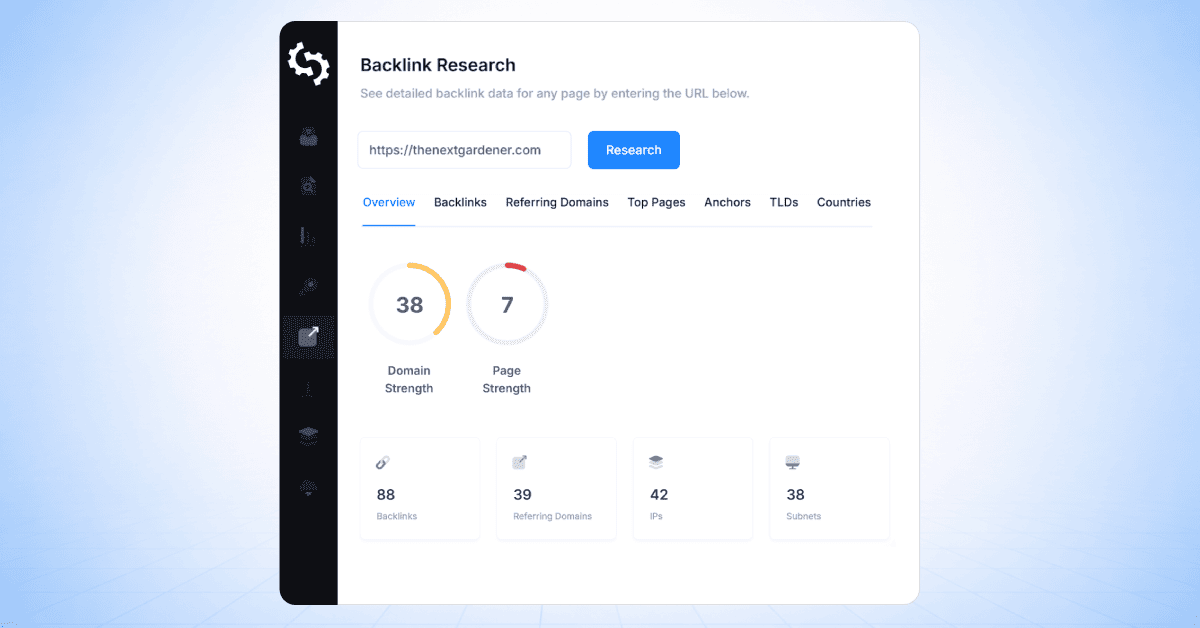
If you hire an agency to build links for you, ensure they are not buying "dofollow" links on shady networks. This can do more harm than good.
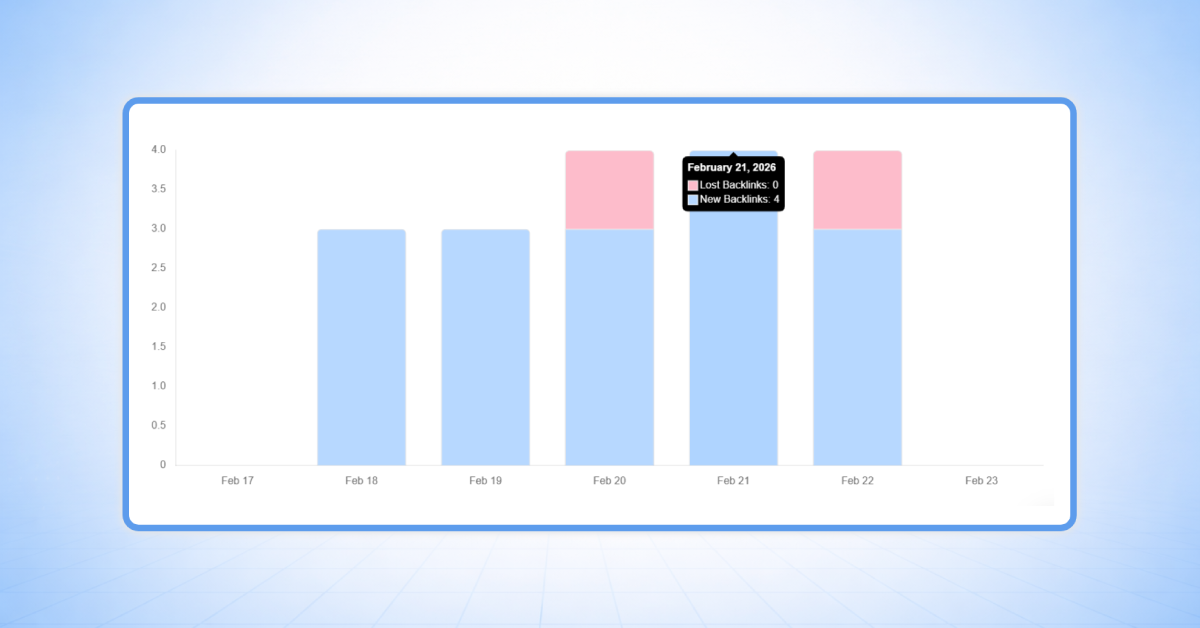
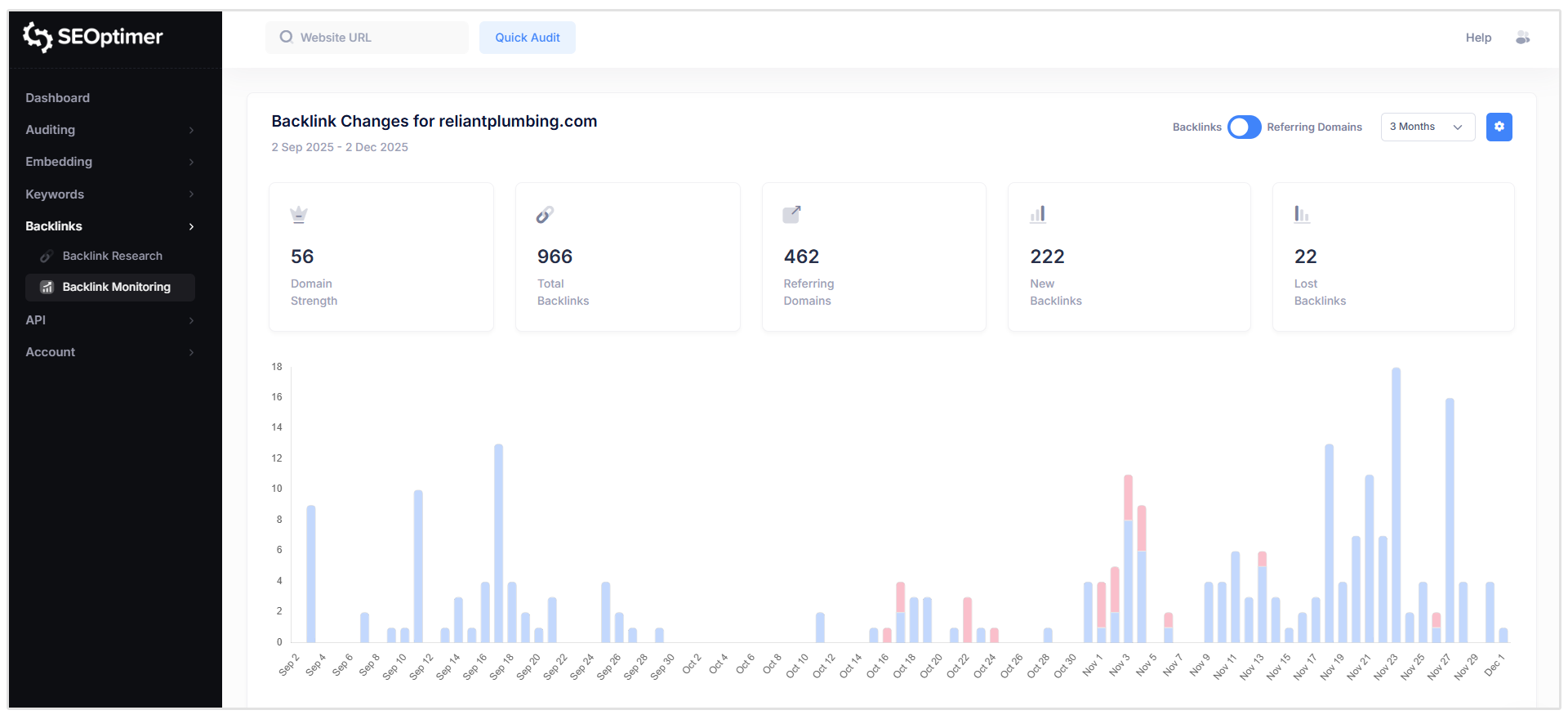
Fortunatly, you can easily monitor changes to your backlink profile using our Backlink Monitoring Tool.
Our tool shows you all of your site's New and Lost links and you can check if each is Nofollow or Dofollow.
Focus on Relevance
Only buy sponsored placements on websites that are relevant to your industry.
A link to your bakery website from a car repair blog looks spammy and brings low-quality traffic.
What is the rel=”sponsored” Attribute?
In 2019, Google introduced the rel="sponsored" attribute. Before this, webmasters used rel="nofollow" for everything they didn't want Google to count, including paid ads and user-generated content.
The sponsored tag allows you to be more specific. It tells Google that you endorse this link enough to put it on your site, but it is there because of a commercial agreement.
You can use the tag in your HTML like this:
<a href="http://www.example.com/" rel="sponsored">Link Text</a>
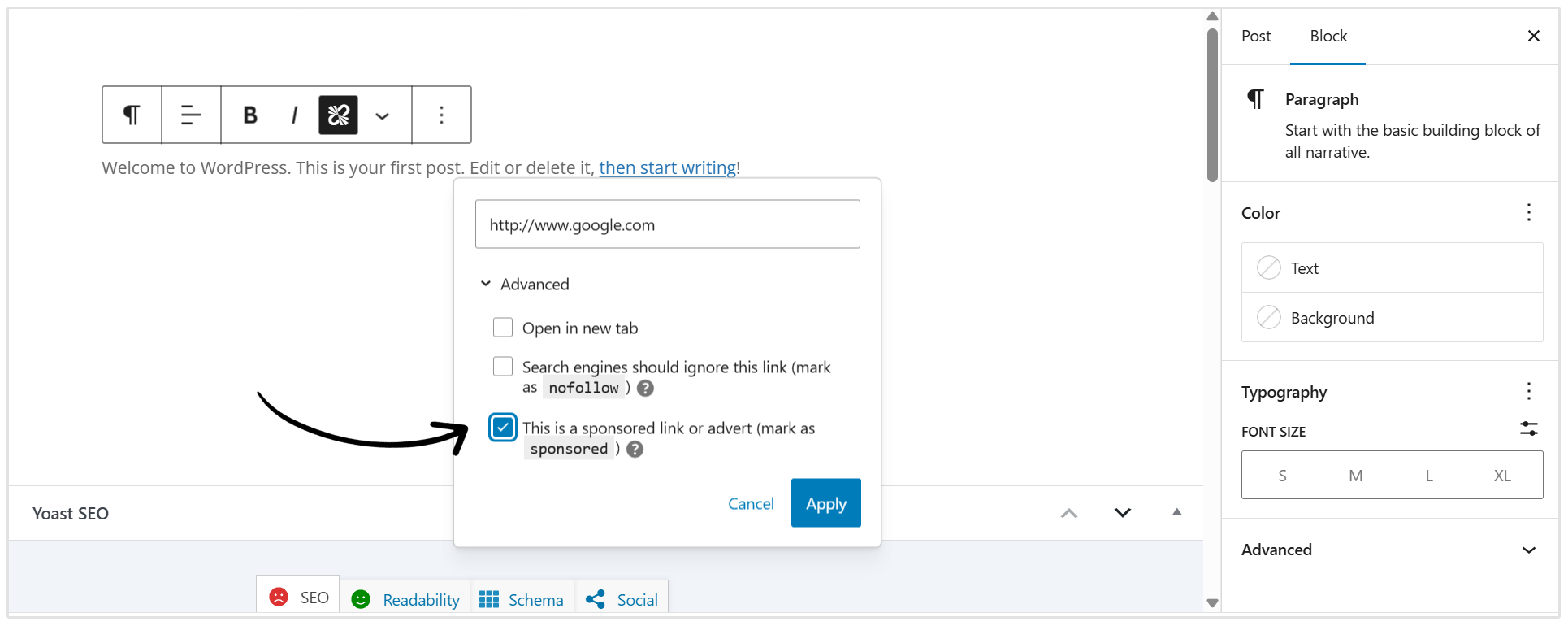
Note: If you use WordPress or other CMS platforms, there is often a simple checkbox to "Mark as Sponsored" when adding a link, so you don't always have to touch the code.
Do Sponsored Links Pass Link Equity?
Link equity, often called link juice, is the value and authority that passes from one page to another through a hyperlink.
Sponsored links do not pass link equity.
When the rel="sponsored" attribute is applied, it acts as a stop sign for the flow of authority.
Google sees the link, crawls it to discover the new page, but does not give the destination page any points for it in the ranking algorithm.
This is why buying links purely for SEO authority is a bad investment. You should buy sponsored links for the direct traffic and brand visibility they provide, not for link juice.
FAQ
What is the difference between sponsored and paid links?
There is effectively no difference. Paid links is the general term for any link acquired through payment. Sponsored links is the specific terminology Google uses for the attribute (rel="sponsored") applied to those paid links.
Are sponsored links bad for SEO?
No, they are not bad for SEO if they are tagged correctly. They simply don't provide a direct ranking boost.
They may become bad only if you try to hide the fact that they are paid (by using dofollow tags), which risks a Google penalty.
Can sponsored links be indexed by Google?
Yes. Google still crawls sponsored links to discover new content and understand the web's structure. They just don't use them as a vote of authority for ranking calculations.
Do sponsored links count as backlinks?
Yes, they technically count as backlinks. But they don’t hold the same SEO value as organic backlinks.
Are affiliate links considered sponsored links?
Yes. Since you earn money from the traffic or sales generated by affiliate links, they are commercial in nature. Google guidelines state that affiliate links should be marked with the sponsored tag.
Should all paid links be marked as sponsored?
Yes. Any link where money, goods, or services were exchanged should be marked with rel="sponsored" or rel="nofollow" to comply with Google's spam policies.
Conclusion
Sponsored links are a powerful tool in the digital marketer's toolkit. They offer a way to bypass the slow grind of organic growth and get immediate eyes on your products or content.
Do not view sponsored links as a shortcut to SEO rankings. That path leads to penalties.
Instead, view them as a mechanism for traffic, branding, and lead generation.
By adhering to best practices and correctly using the sponsored tag, you can build a diverse, healthy, and effective marketing strategy that keeps both your customers and search engines happy.
If you are currently running paid partnerships or affiliate campaigns, take a moment today to audit your links. Ensuring you are using the correct attributes is a small step that protects your website's long-term health.