


Extensión SEO para Chrome de SEOptimer
Audita instantáneamente tu página web actual y realiza más de 100 comprobaciones importantes de SEO en menos de 20 segundos directamente desde tu navegador.
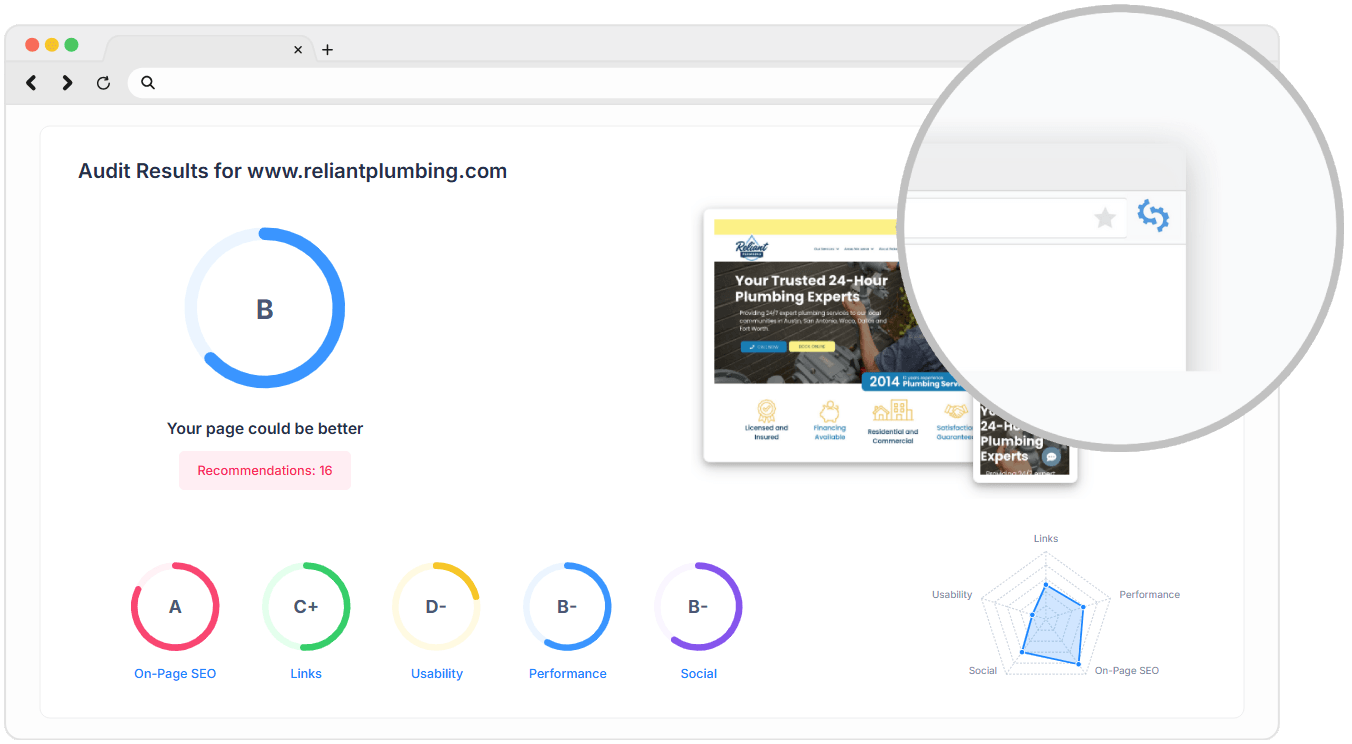

Auditorías con un solo clic
Simplemente haz clic en el icono de SEOptimer en tu navegador mientras visitas cualquier sitio web y la extensión ejecutará automáticamente una auditoría SEO completa de tu página web actual.

Generar Informes al Instante
Serás redirigido al informe web de SEOptimer donde podrás compartir o descargar fácilmente el informe en PDF (para miembros premium).
Amado y Usado por Miles




¿Qué Incluye el Informe?

Recomendaciones Personalizadas
Cada auditoría SEO de nuestra extensión de Chrome te ofrece recomendaciones personalizadas para mejorar las clasificaciones del sitio web actual.
Las sugerencias están priorizadas de Alta a Baja Prioridad, para que puedas ver qué corregir primero.
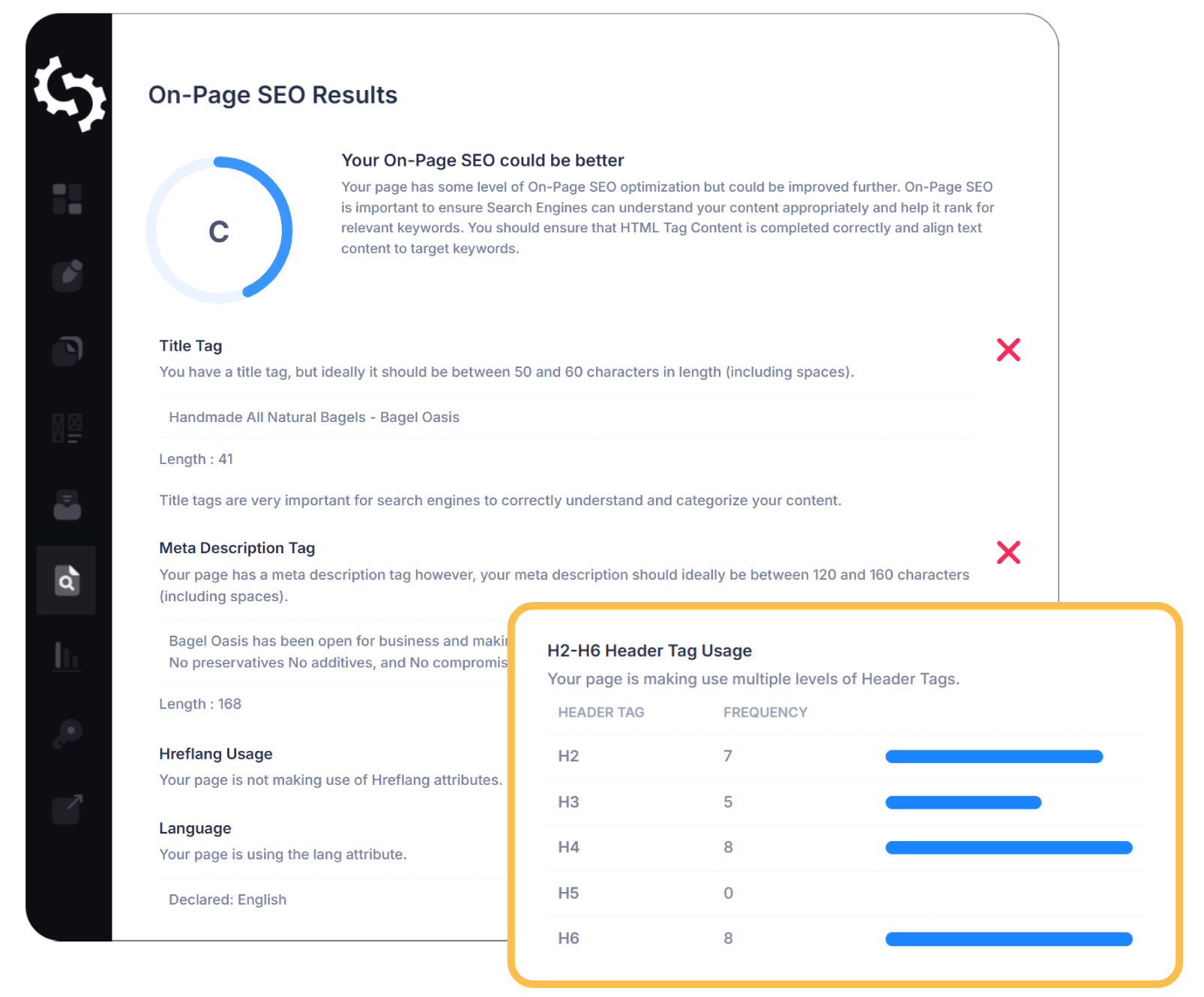
Análisis SEO On-Page
Analiza rápidamente el SEO on-page de tu sitio web con nuestra Extensión de Auditoría SEO. Revisa encabezados, uso de palabras clave, etiquetas alt de imágenes, enlaces canónicos y mucho más.
Además, obtén consejos prácticos y enlaces a guías útiles sobre cómo solucionar problemas directamente desde tu navegador.
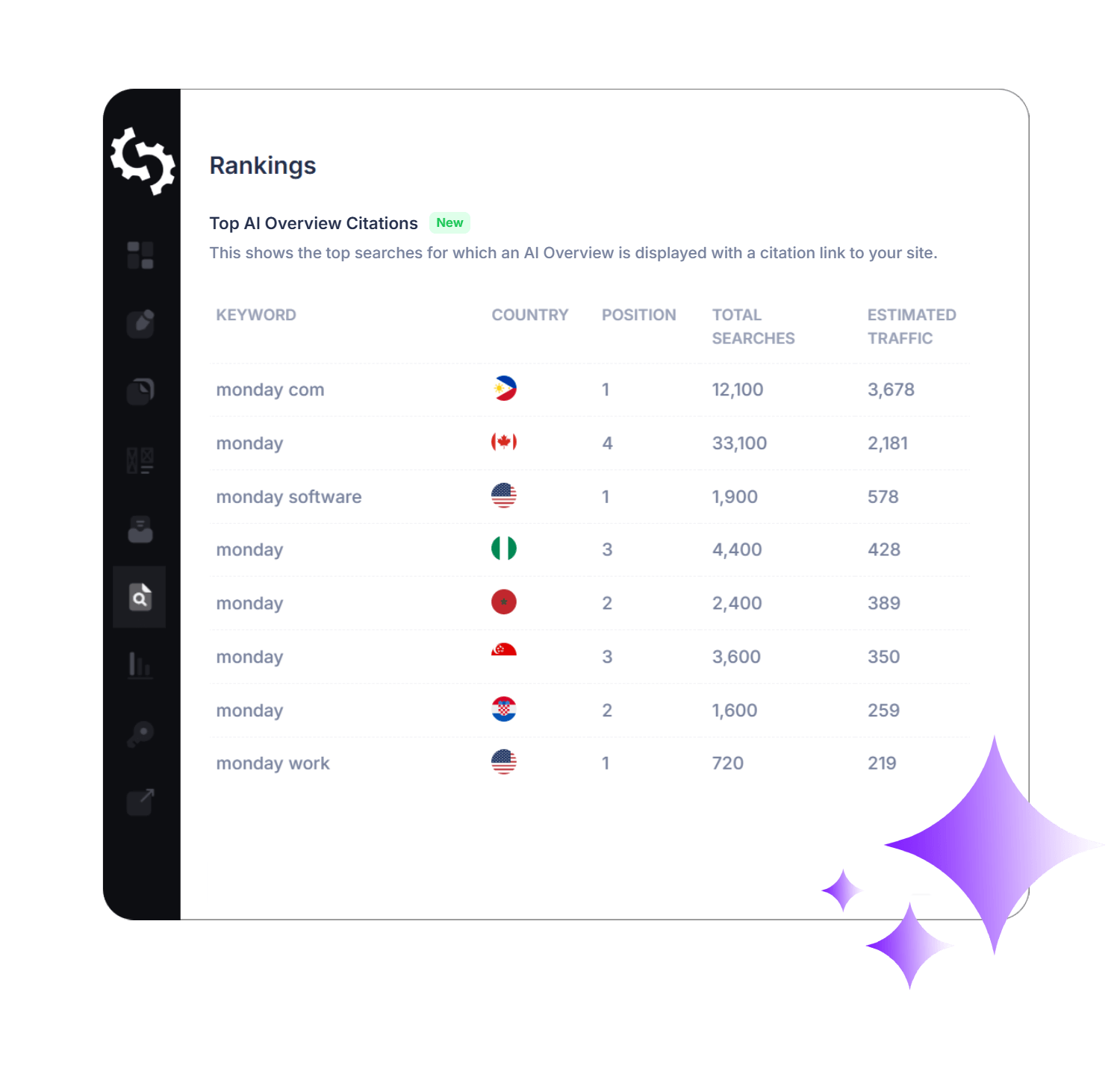
Visibilidad AI
Comprende cómo se desempeña tu sitio web en los resultados de búsqueda impulsados por IA. Cada auditoría verifica múltiples factores para asegurar que tu contenido esté optimizado para la visibilidad en IA.
También verás citas, menciones de marca y cómo aparece tu negocio en las Resúmenes de IA de Google, ayudándote a rastrear y mejorar tu presencia en búsquedas impulsadas por IA.

Accesibilidad del motor de búsqueda
Asegúrate de que tu sitio web pueda ser encontrado por Google y otros motores de búsqueda.
Cada auditoría verifica factores críticos, como etiquetas noindex y otras señales que podrían impedir que las páginas sean indexadas, para que puedas solucionar problemas y hacer que tu sitio sea completamente accesible para los motores de búsqueda.
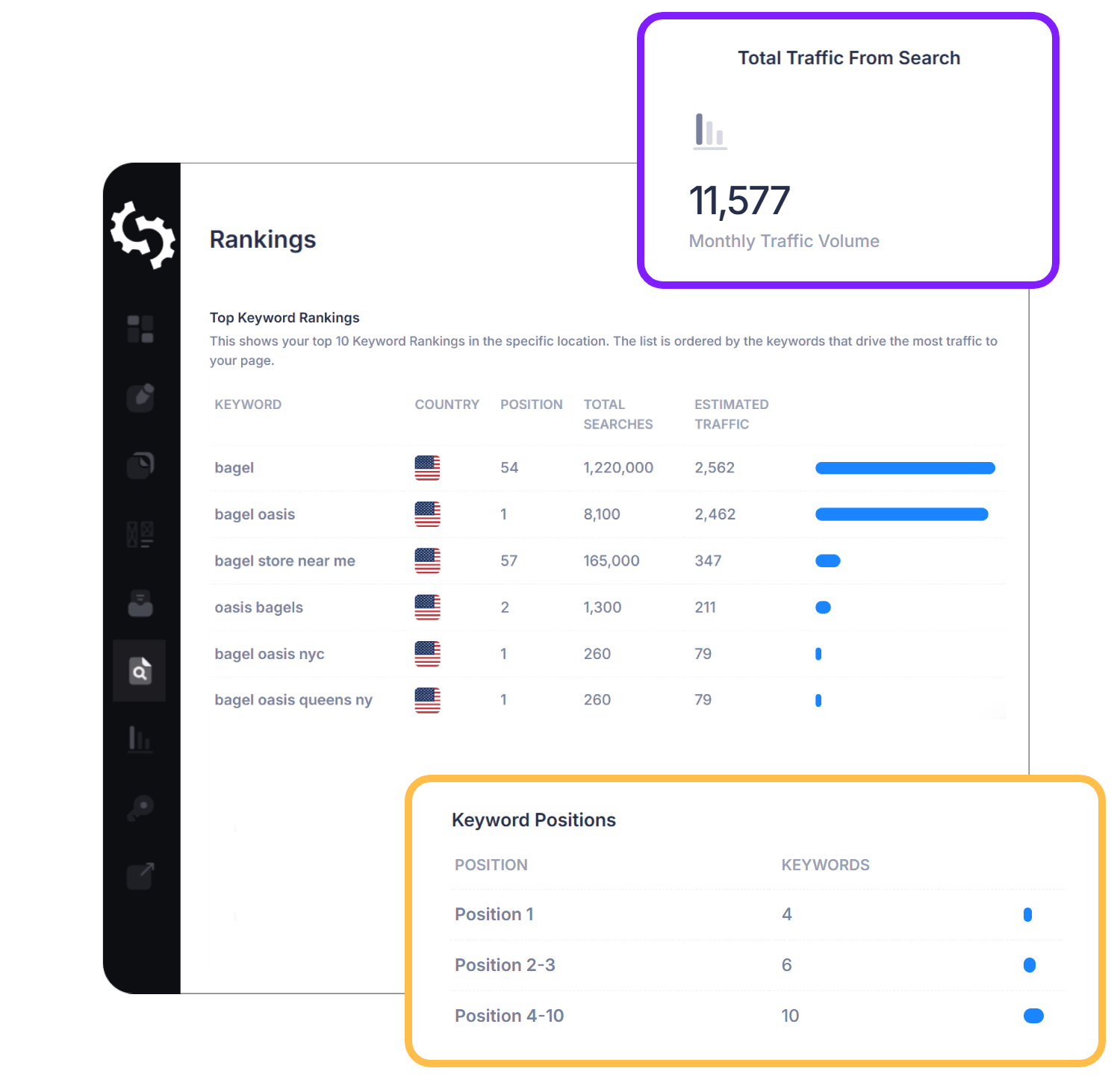
Informe de Clasificación de Palabras Clave
Haz un seguimiento de cómo se desempeña tu sitio web en los resultados de búsqueda con cada auditoría. Con cada auditoría en nuestra extensión SEO para Chrome, te mostraremos tus clasificaciones de palabras clave en búsqueda orgánica y pagada, junto con el tráfico proveniente de Búsqueda, Pagada y Visión General de IA.
Esto te ayuda a entender dónde te encuentras y medir las mejoras a lo largo del tiempo.
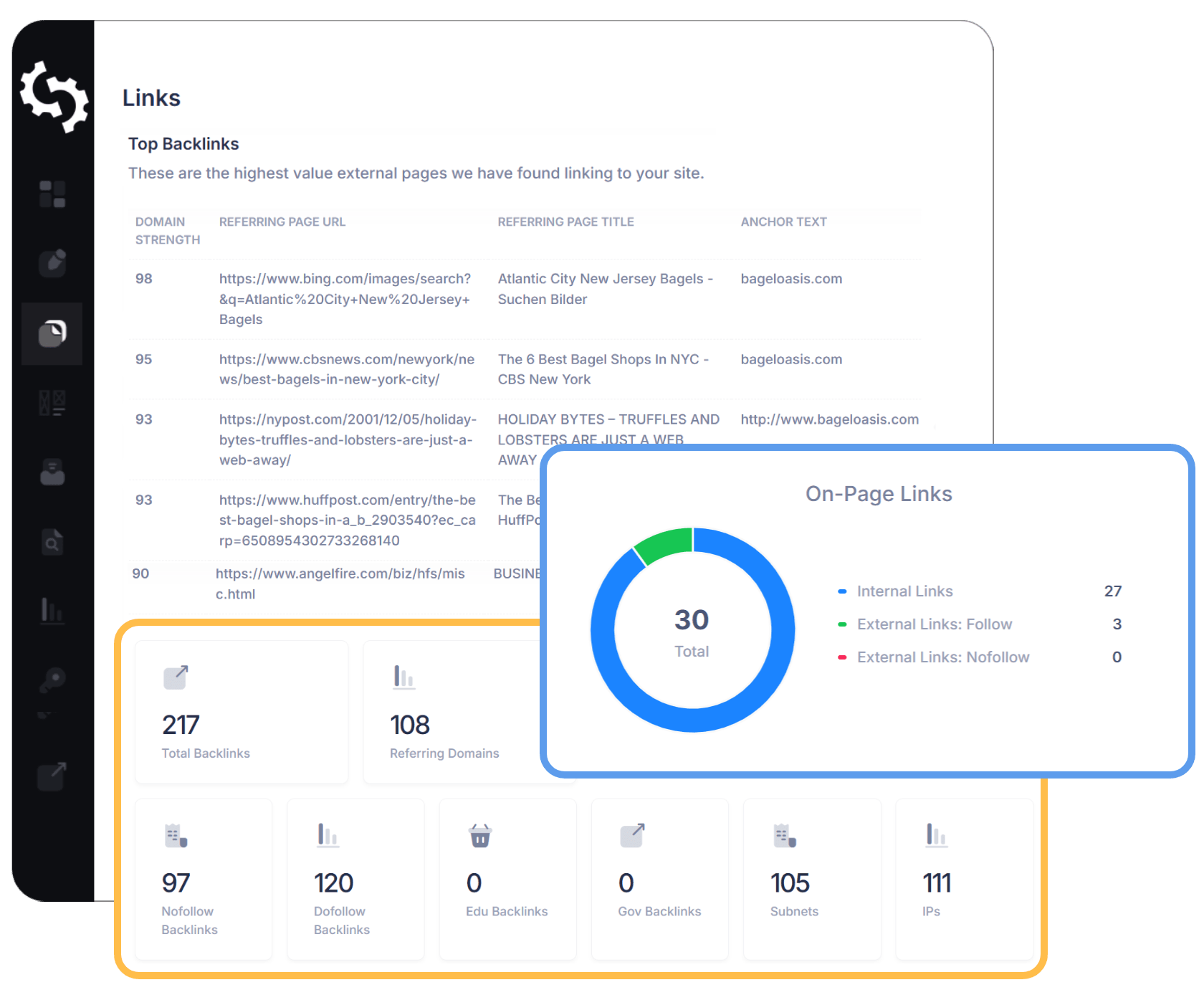
Perfil de Backlinks y Fuerza del Dominio
Ve cómo los motores de búsqueda perciben la autoridad de tu sitio web con nuestra extensión SEO para Chrome.
Cada auditoría desglosa tu perfil de backlinks, destaca los dominios de referencia de alto valor y mide la fortaleza de tu dominio. El informe de Backlink te ayuda a entender qué enlaces están mejorando tus rankings y de qué sitios están obteniendo enlaces tus competidores.
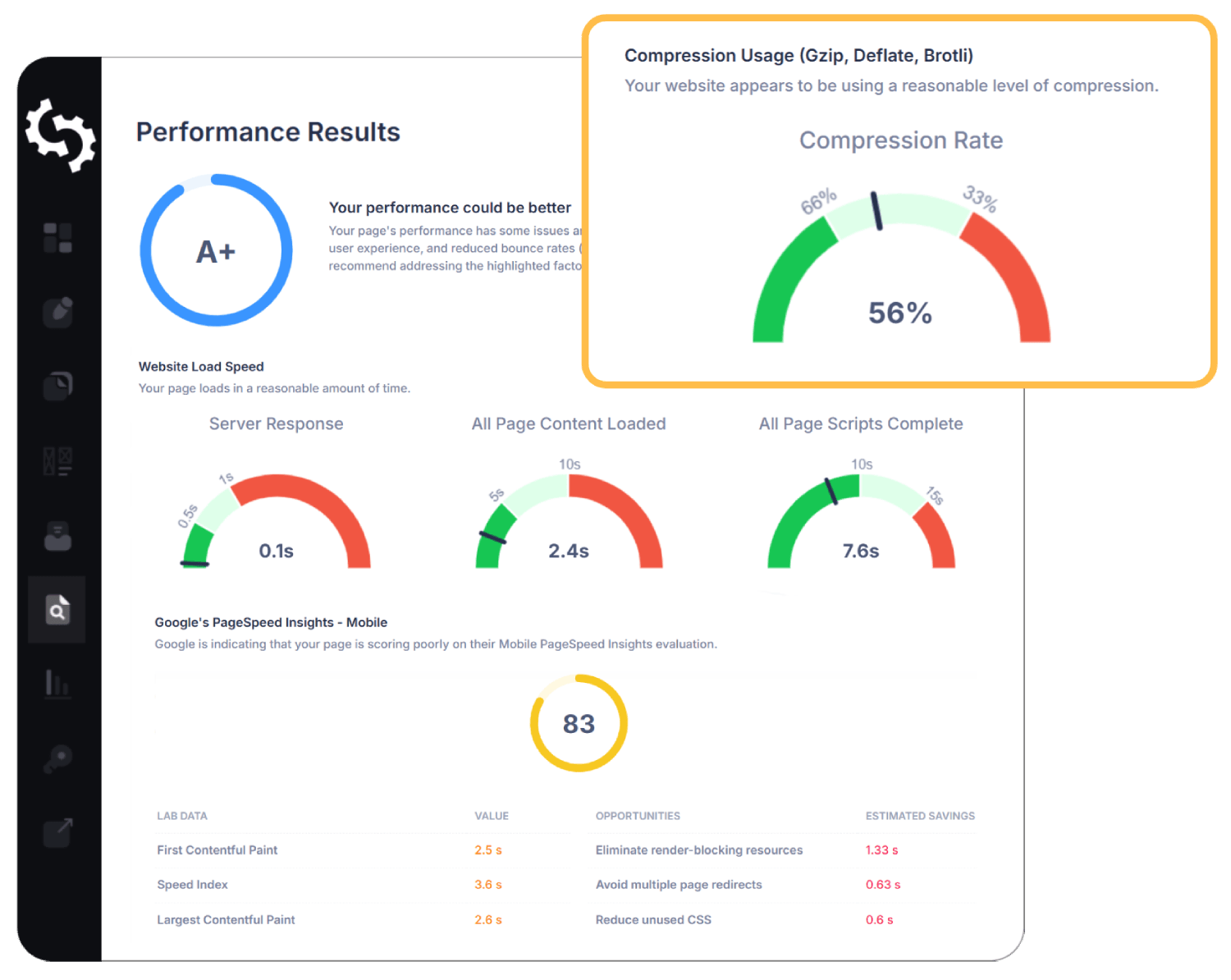
Capacidad de respuesta del sitio web y rendimiento técnico
Con la indexación móvil primero ahora estándar, el rendimiento móvil y en tabletas de tu sitio importa más que nunca. Con la indexación móvil primero ahora estándar, el rendimiento móvil y en tabletas de tu sitio importa más que nunca.
Nuestra extensión SEO para Chrome comprueba cómo se renderiza tu sitio web en diferentes dispositivos y te proporciona información instantánea sobre Google PageSpeed, Core Web Vitals, tamaño de la página y velocidad de carga. Ve exactamente cómo funcionan tus páginas para usuarios reales, con referencias claras de aprobación/rechazo.
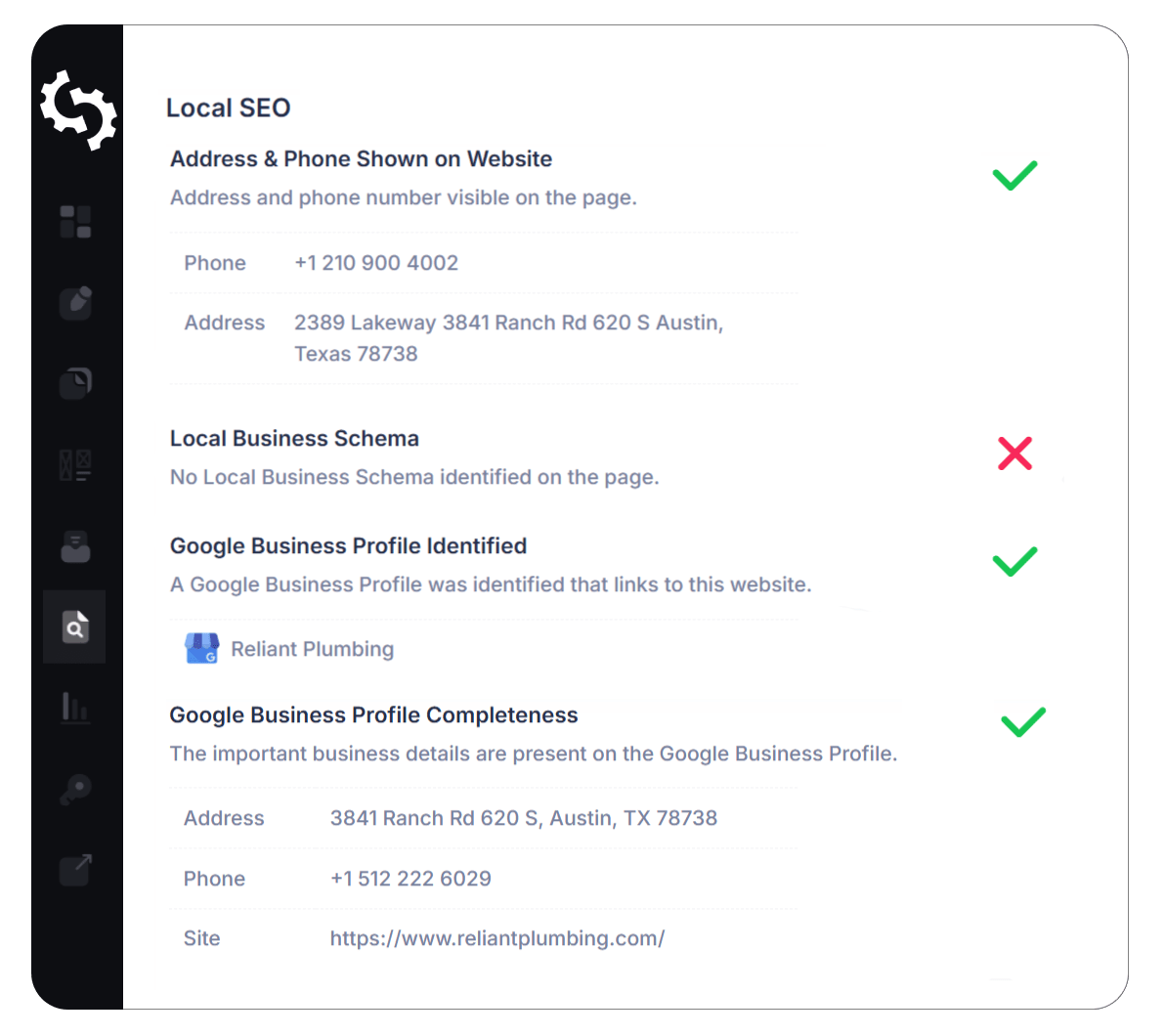
Visión general del SEO local
Asegúrate de que tu negocio sea fácil de encontrar localmente con nuestra extensión SEO para Chrome.
Cada auditoría verifica elementos esenciales del SEO local, incluyendo tu perfil de Google Business, la precisión del NAP (nombre, dirección, teléfono) y otras señales locales clave.
¿Cómo instalar y usar la extensión SEOptimer para Chrome?

- Navega al Página de la extensión SEOptimer para Chrome en la Chrome Web Store.
- Haz clic en Añadir a Chrome para instalar la extensión.
- Ve a la página web que te gustaría auditar.
- Haz clic en el icono de SEOptimer en la esquina superior derecha de la ventana de tu navegador Chrome.
- Obtén tu auditoría SEO con un solo clic.
Preguntas frecuentes
Una extensión SEO para Chrome es una herramienta del navegador que te permite analizar el SEO de cualquier sitio web directamente desde Chrome. Proporciona información como SEO on-page, backlinks, métricas de rendimiento, clasificaciones de palabras clave, etc.
Sí, la extensión SEO para Chrome de SEOptimer es completamente gratuita para descargar e instalar.
No, no necesitas un plan de pago para usar la extensión SEO y puedes realizar auditorías de forma gratuita. Sin embargo, se recomienda actualizar a un plan de pago si deseas evitar alcanzar los límites de uso y garantizar acceso ininterrumpido a auditorías SEO ilimitadas.
No, la Extensión SEO para Chrome no te permite rastrear palabras clave ni monitorear backlinks. Sin embargo, puedes utilizar nuestras herramientas dedicadas de Seguimiento de Palabras Clave y Monitoreo de Backlinks como parte de nuestro conjunto de herramientas SEO asequibles.
SEOptimer respeta tu privacidad. No almacenamos ningún dato personal de tus auditorías y nunca vendemos o compartimos tu información con terceros.