SEO for multiple locations is a lot different from optimizing a single storefront. When your business operates across multiple cities or regions, a broad, one-size-fits-all strategy simply isn’t enough.
To show up in the right places, you need a structured approach to local SEO for multiple locations that targets each area you serve.
An effective multi-location SEO strategy helps search engines connect nearby customers with the exact branch closest to them. Without it, you risk losing valuable traffic and leads to competitors who have optimized their presence for each location.
Think about it from the customer’s perspective.
When someone searches online, they want quick, accurate results for their area, not information about a head office in another city.
So if you have a restaurant with five different locations, each one needs to be visible and relevant on its own.
By following a clear plan, you help search engines understand your full geographic footprint while ensuring every branch has the best chance to rank locally.
In this guide, we’ll break down how to build an effective strategy for SEO for multiple locations.
You’ll learn the key principles, common mistakes to avoid, and the exact steps needed to improve visibility across every area you serve.
What is SEO for Multiple Locations?
SEO for multiple locations is the process of improving your online visibility across all the areas where your business operates.
Instead of optimizing for just one location, you need to send clear signals to search engines about each individual market or area you serve.
Search engines prioritize three key factors in local results: proximity, relevance, and prominence.
In simple terms, they aim to show users the most relevant business closest to them.
SEO for multiple locations basically comes down to these three core activities: optimize individual location pages, create localized content, and manage listings for each branch.
Why is Multi-Location SEO Important?
When you operate multiple branches, treating your SEO as a single national campaign dilutes your local relevance.
You might be competing against hyper-local businesses that dedicate all their time and resources to ranking in one specific city.
If you do not optimize for each of your locations individually, search engines will favor the single-location competitor because their local signals are stronger.
A multi-location approach connects your business to local demand, city by city, ensuring that each branch will be seen by searchers.
Who Needs Multi-Location SEO?
Any organization that serves customers in more than one distinct geographic area needs a multi-location SEO gameplan.
This includes traditional brick-and-mortar businesses such as retail chains, restaurant franchises, fitness centers, and medical clinics.
For these entities, the primary goal is to drive physical foot traffic to specific addresses.
For example, a retail brand like Target operates hundreds of stores across the United States. Each location needs to appear in search results for queries like “Target near me” or “Target in Austin,” which means every store listing and page must be individually optimized.
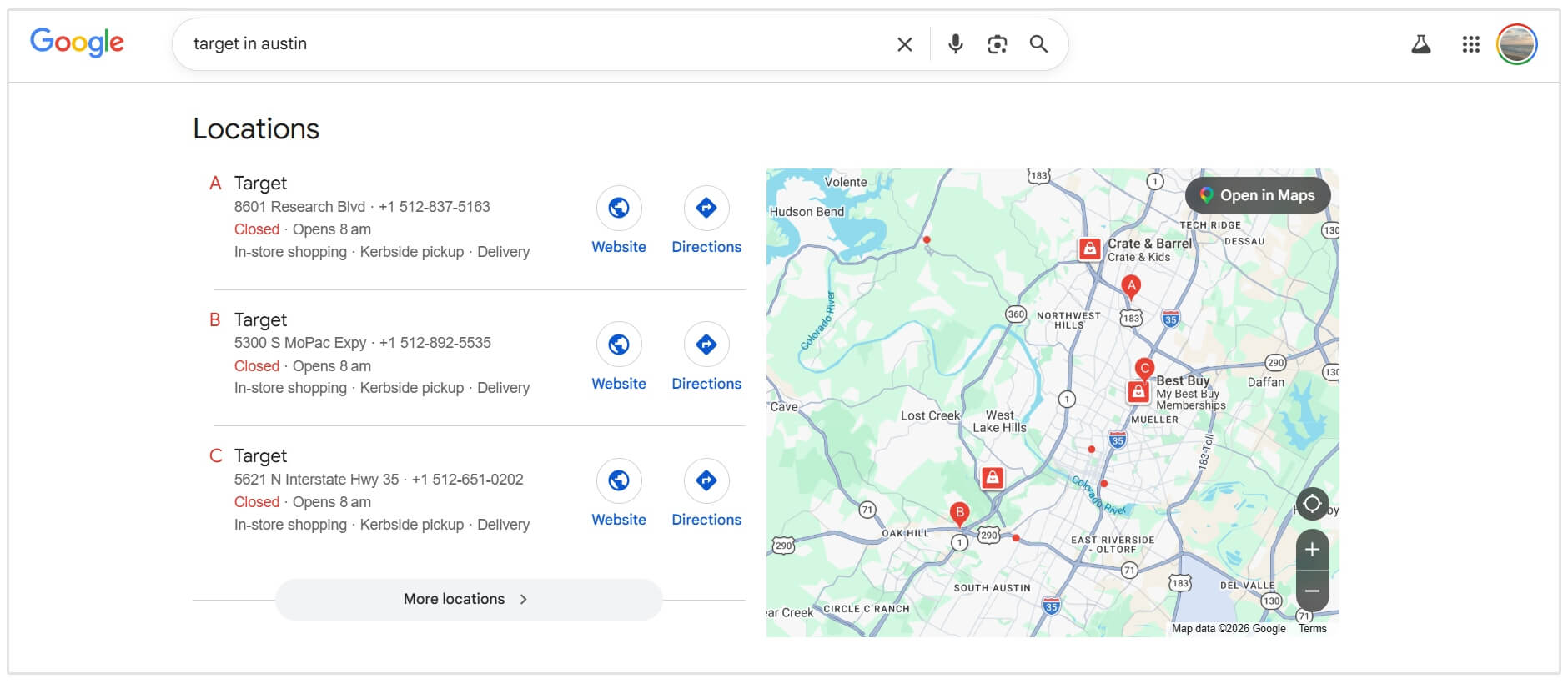
The same applies to restaurant chains like Chipotle Mexican Grill, where each branch competes in its own local market, and fitness brands like Planet Fitness, which rely heavily on local visibility to attract nearby members.
Service area businesses also require multi-location SEO.
Plumbers, HVAC technicians, electricians, and home cleaning services often travel to the customer rather than operating from a traditional storefront.
For example, companies like Benjamin Franklin Plumbing or One Hour Heating & Air Conditioning serve multiple cities within a region.
Even without customer-facing locations in every area, they still need to appear in local searches across all the places they operate.
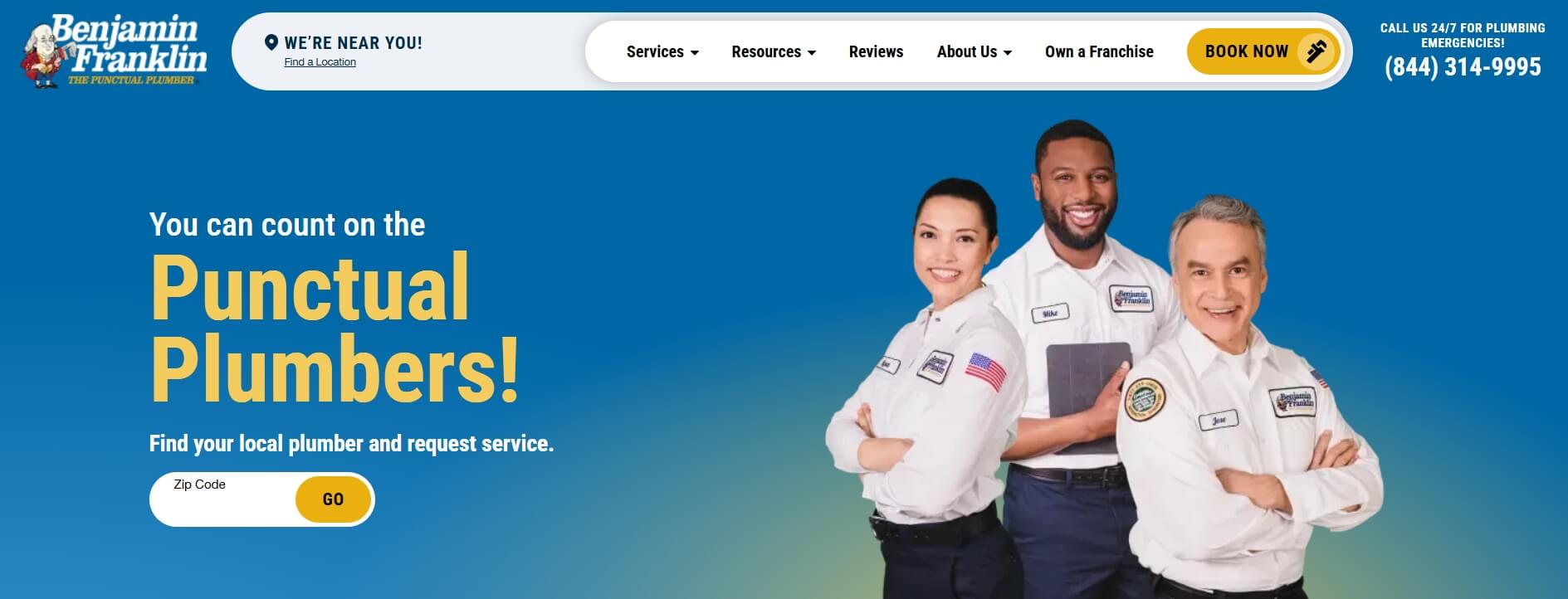
These businesses rely on multi-location SEO to capture demand in each service area, ensuring they show up when potential customers search for services in their specific location.
Related Reading: Local SEO for Service Based Businesses
How to do Local SEO for Multiple Locations
Building a presence for multiple branches requires a lot of organization and consistency.
You must treat each location as its own entity while maintaining a unified corporate brand. The following steps outline how you can implement local SEO for multiple locations.
Create and Optimize GBP for Each Location
Your Google Business Profile is the foundation of your local visibility, especially when managing SEO for multiple locations.
But before creating multiple profiles, it’s important to understand what actually qualifies as a “location.”
According to Google’s guidelines, you should only create a separate profile for a real, physical business location.
This means a place where your business is genuinely operating, typically with staff present during business hours. It should not be a virtual office, co-working space used occasionally, or a location where you don’t consistently serve customers.
You should create a new profile when:
- You open a new physical branch or office in a different area
- You have separate teams operating from different locations
- Each location has its own address, staff, and local presence
In these cases, each branch should be treated as its own entity in local search.
You should avoid creating additional profiles when:
- You’re trying to rank in nearby towns without a real presence
- You’re using virtual offices or shared spaces without dedicated staff
- Your business operates from a single location but serves multiple areas
If your business operates as a service-area business (like a plumber, electrician, or mobile service), you can still create a profile.
However, instead of showing a physical address, you’ll hide it and define the geographic areas you serve.
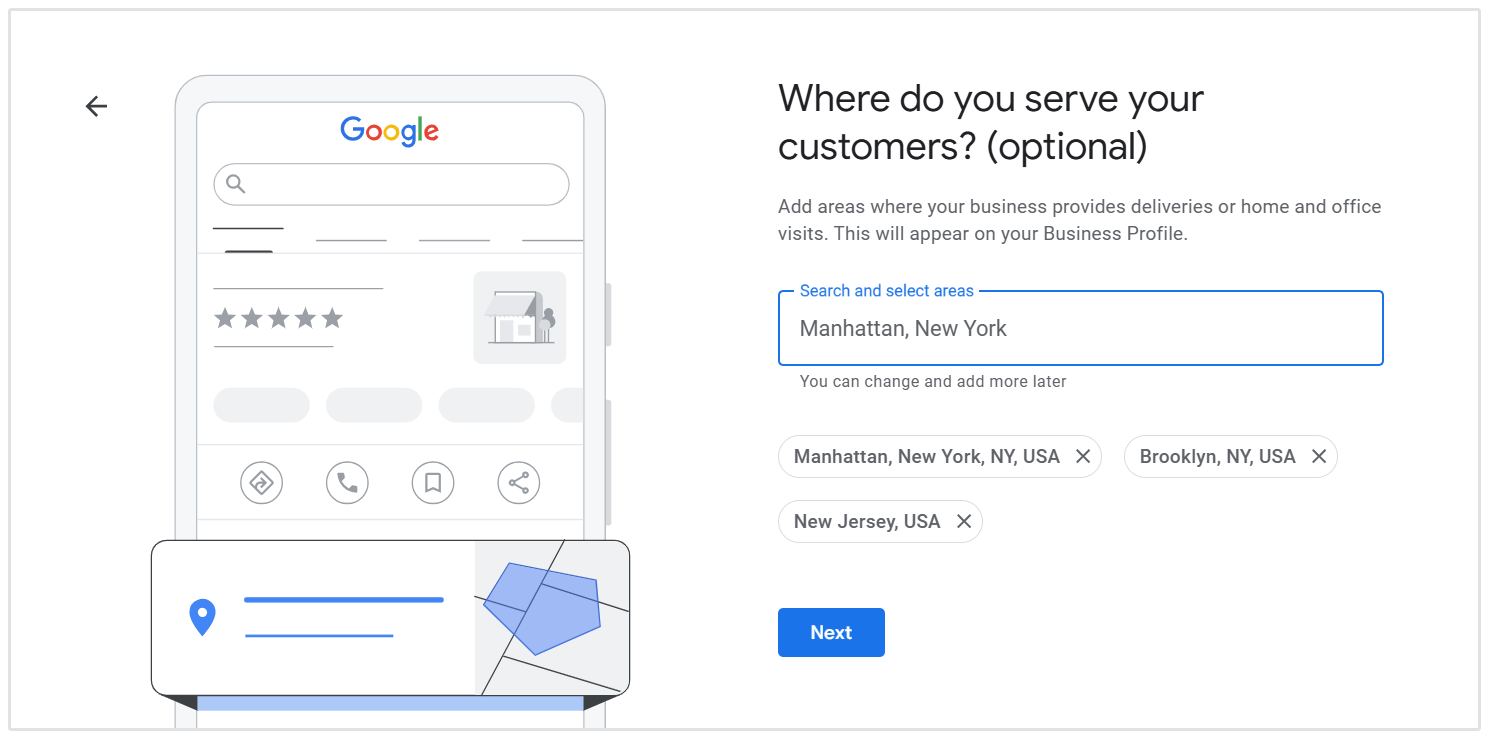
In short, only create profiles for places where your business truly exists and operates.
Once that’s clear, the next step is optimizing each profile properly.
Start by keeping your business name consistent across all locations. Avoid adding keywords unless they’re part of your official business name, as this can lead to penalties.
From there, choose the most accurate primary category, and use secondary categories to reflect additional services.
Make sure your contact details, opening hours, and local phone number are correct, and link each profile to its specific location page, not just your homepage.
Visual content also matters more than most people think. Adding high-quality photos of the actual location, including the exterior, interior, and team, helps build trust and improves engagement.
A fully completed profile not only looks more credible, but it’s also far more likely to attract clicks and visibility in local search results.
Businesses with complete profiles see up to seven times more clicks than those without.
- Omar Riaz, Google
Build a Dedicated Page for Each Location
If you want to rank in multiple areas, your website needs to clearly show where you operate.
The most effective way to do this is by creating a dedicated landing page for each location. Instead of trying to rank one generic page across several cities, you give every branch its own page to be found in local search.
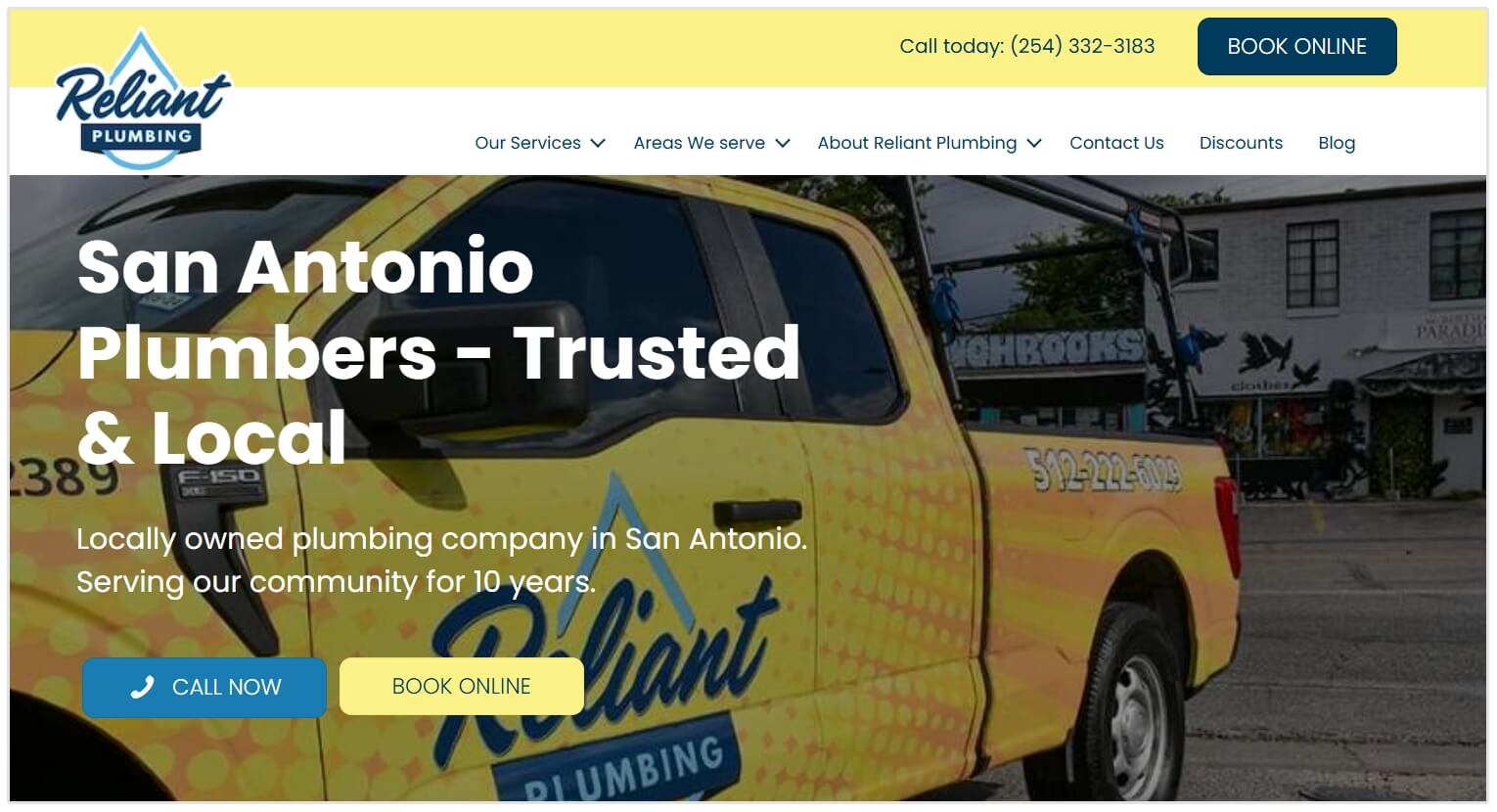
For instance, check the below screenshot from Reliant Plumbing's website menu. As you can see they have links to pages targeting different locations.
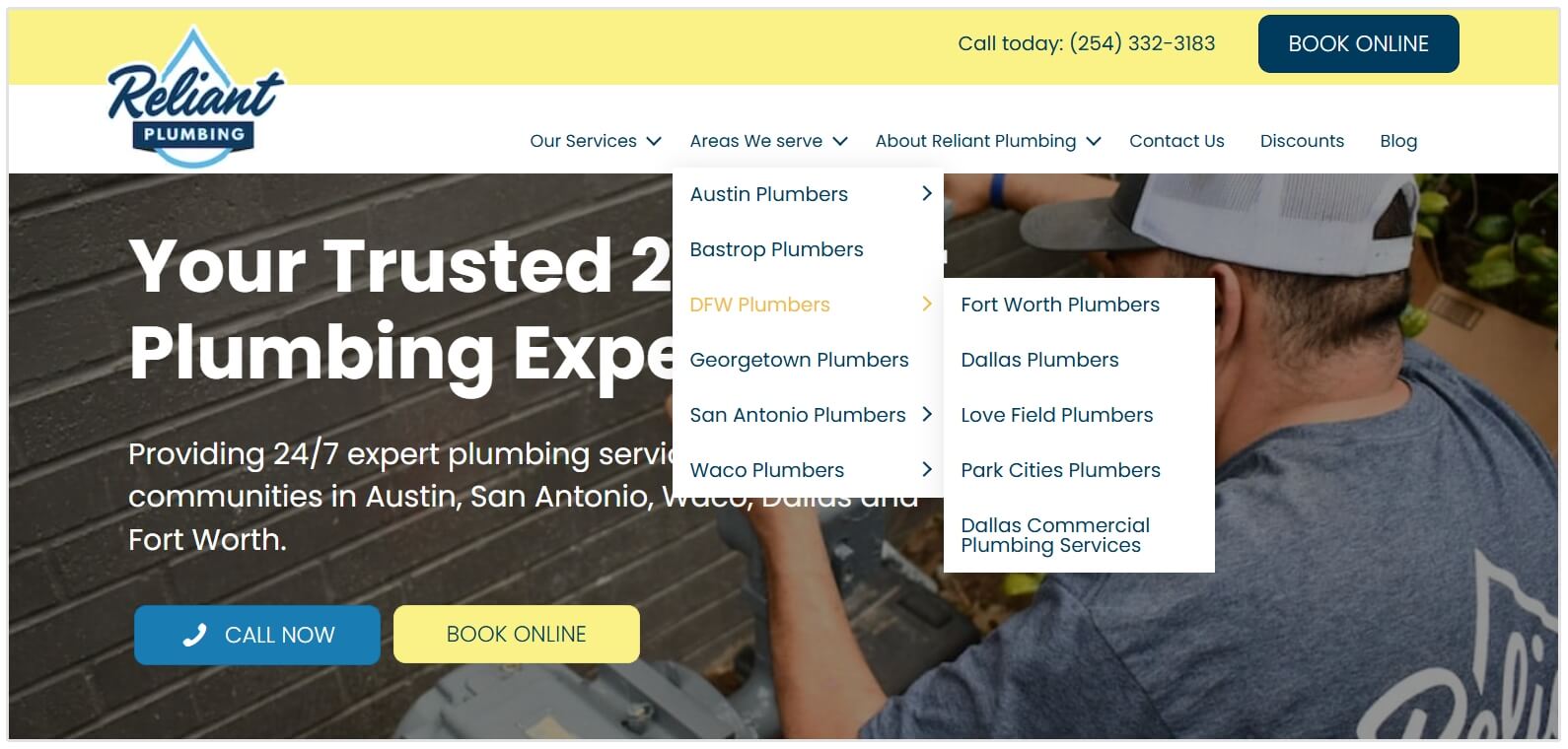
A clean URL structure helps both users and search engines understand your setup. Something like /locations/chicago keeps things simple and scalable as you grow.
But the real impact comes from what’s on the page.
Each location page should feel genuinely local, not like a template with the city name swapped out.
The biggest mistake I've seen is template fatigue, business owners often create one landing page and swap out the city name. Google's too smart for that now to rank in competitive markets like London or even New York. Every location page needs to be unique with local data and insights. I'm talking about:
- specific staff bios for the branch
- localized case studies
- even embedded maps with directions from local landmarks to their location
- Adam Collins, Founder at Ignite SEO
Search engines can easily spot duplicate content, and it weakens your ability to rank.
Instead, focus on making each page unique and useful.
Include the correct Name, Address, and Phone number (NAP) for that branch, and highlight the specific services offered at that location.
If possible, introduce the local team, share details like directions or parking, and add anything else that would actually help someone visiting that branch.
You can also strengthen the page by embedding a map of the exact location and including testimonials from local customers. These small touches build trust and reinforce relevance.
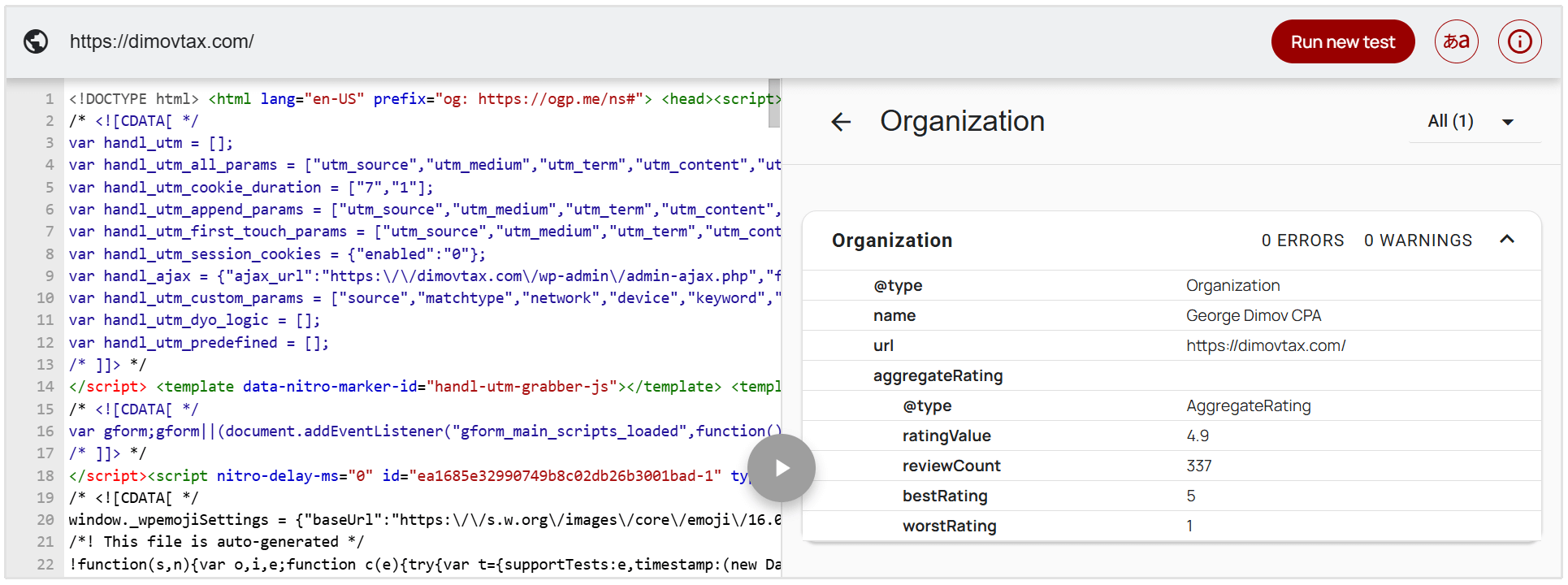
On the technical side, adding local business schema markup helps search engines better understand key details like your hours and contact information.
In simple terms, your goal is to make each location page strong enough to stand on its own, just like an individual local business would.
Stick to Consistent NAP Details for Each Location
Search engines rely on data consistency to verify the legitimacy of a business.
Your Name, Address, and Phone number must be identical everywhere they appear on the internet for a given location.
If your website lists your address as "Suite 100" but your Google Business Profile says "Ste 100," this minor discrepancy can cause confusion for search engine crawlers.
You must document the exact formatting for each location's NAP data and ensure it is used uniformly across your website, social media profiles, and local directories.
Consistent NAP data serves as a trust signal to search engine algorithms, improving your chances of ranking well in the local map pack.
Generate Reviews for Each Location
Online reviews play a major role in both customer decisions and local search rankings.
Think about it this way: if one location has hundreds of positive reviews and another has none, it’s no surprise which one search engines are more likely to show.
Reviews act as a strong signal of trust, relevance, and activity.
That’s why it’s important to have a consistent approach to generating new reviews across all your locations, not just your main branch.
I'd additionally like to point out that a location may have hundreds of old reviews, some of them even glowing, and still be outranked by the competition if that competitor has consistently fresh reviews coming in, since recency signals show an active and legitimate presence.
- Paul Warren, Founder and VP of Business Development at The Local Agency
The key is to guide customers to leave feedback on the specific Google Business Profile for the location they visited. This ensures each branch builds its own reputation in its local market.
There are plenty of simple ways to encourage this.
You might follow up with a post-purchase email, send a quick text message, or even use in-store signage to remind customers to leave a review.

But collecting reviews is only part of the process. Managing them matters just as much.
Responding to reviews, both positive and negative, shows that your business is active and engaged.
A quick thank you for positive feedback goes a long way, while thoughtful, professional responses to negative reviews help build credibility and trust.
Over time, this kind of engagement doesn’t just improve your reputation with customers, it also signals to search engines that each location is relevant, responsive, and worth ranking.
Build Out Links and Local Citations for Each Location
To strengthen your visibility in each area, you need more than just on-page optimization. Off-page signals help build authority for every individual location.
One of the most important of these signals is local citations.
A citation is simply any online mention of your business’s Name, Address, and Phone number (NAP). These typically appear on directories and platforms like Yelp or Bing Places, as well as industry-specific websites.
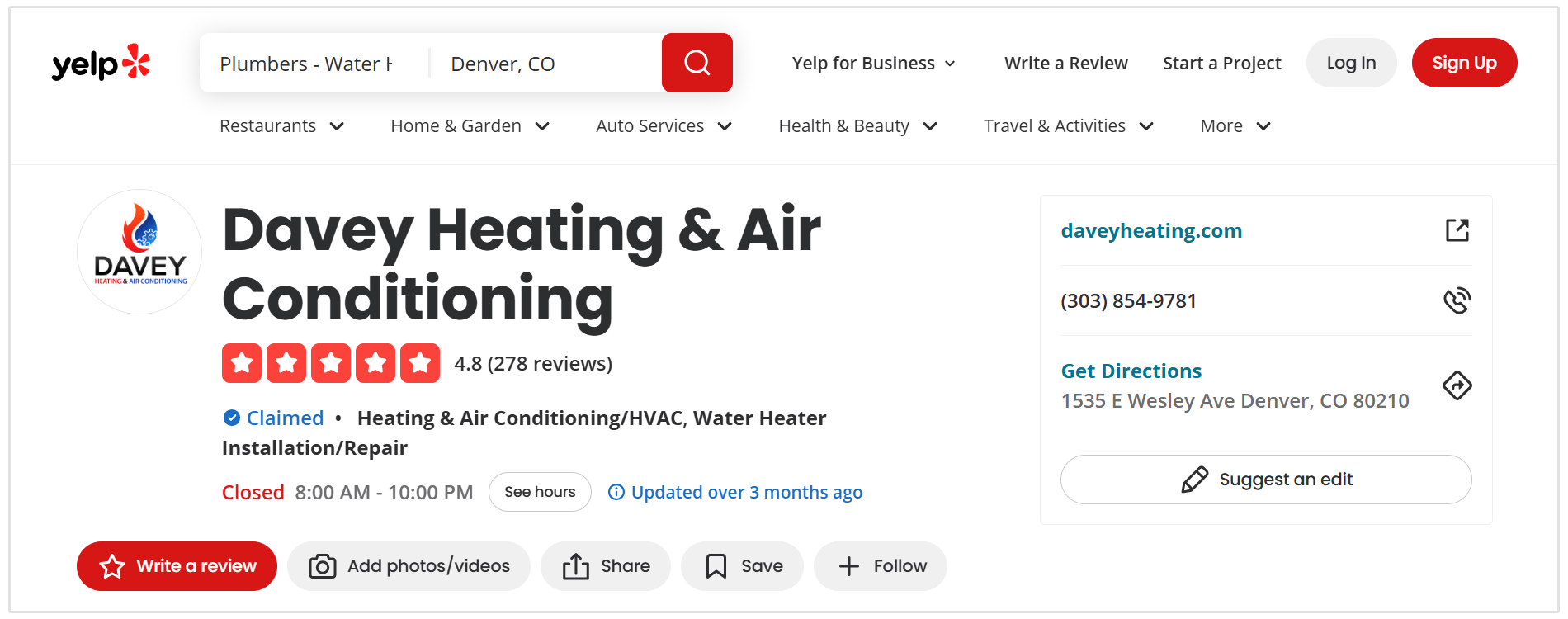
For multi-location businesses, it’s important to build citations for each branch, not just your main office. This helps search engines verify that every location is legitimate and active within its local area.
Backlinks also play a big role. When other websites link to your location pages, it signals trust and relevance, especially when those links come from local sources.
You can build these local links by getting involved in the community. This might include sponsoring local events, joining your regional Chamber of Commerce, or partnering with nearby businesses.
For example, a link from a local news site in Austin pointing directly to your Austin location page will carry far more weight for that area than a generic link to your homepage.
John Wieber, the founding partner at Web Moves, says that they don't even bother going after domain level backlinks when working on multi-location SEO:
I don’t chase backlinks at the domain level. Instead, I go for location-specific authority. Don't be afraid to reach out to local press, niche directories, and sponsorships from businesses that only exist in that city.
Having one solid local link can help you outperform a dozen generic ones, especially when you’re trying to get a specific branch to rank.
- John Wieber, Founding Partner at Web Moves
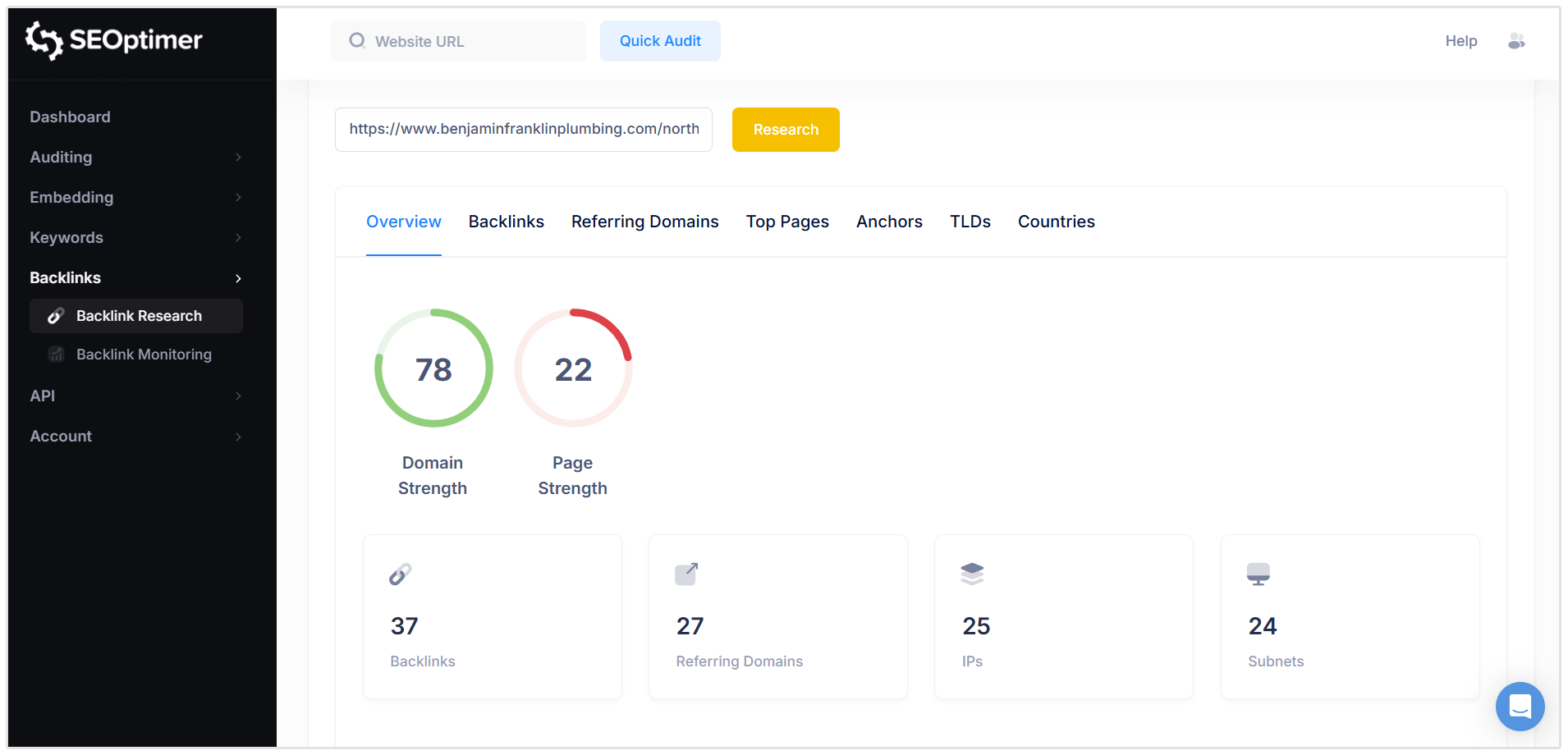
You can check the backlink profile of any of your location pages or even competitor location pages using SEOptimer's Backlink Research tool.
It'll show you a clean overview of all the links pointing to your site, the referring page, anchor text, and much more.
In short, the more locally relevant signals you can build around each branch, the stronger its ability to rank in that specific market.
Tracking and Measuring SEO for Multiple Locations
You cannot improve what you do not measure.
Tracking performance at a national level provides a skewed view of your business health. You must monitor rankings, traffic, and conversions at the local level.
Track your target keywords by specific zip codes or cities to understand how your branches perform in their respective markets. Monitor the organic traffic going to each specific location landing page.
Look at the metrics provided by your Google Business Profiles, such as direction requests, website clicks, and phone calls.
By analyzing the data per location, you can identify which branches are thriving and which require additional optimization and resources.
Avoid These Multi-Location SEO Mistakes
Thin Content
Publishing pages with only a few sentences of text, an address, and a generic image provides no value to the user or the search engine.
Location pages must be comprehensive. They need to answer the questions a local consumer might have about that specific branch.
Duplicate Content
Creating fifty location pages with the exact same 500-word block of text, simply changing the city name in the header, is a highly detrimental practice.
Search engines easily identify this pattern and will often filter these pages out of the search results. You must invest the resources to write unique, relevant content for each service area.
Targeting All Locations on One Page
Listing all of your locations on a single "Contact Us" page makes it very difficult to rank for local searches.
A search engine will struggle to determine the geographic relevance of a page that lists twenty different cities.
You need individual pages to send a clear, focused local signal for each market.
Ignoring Reviews
Failing to respond to customer reviews hurts your business reputation.
Neglected reviews indicate to search engines that the business is inactive. It also shows potential customers that management does not care about customer service, which directly reduces conversion rates and foot traffic.
Multi-Location SEO FAQ
What should I include on each location page?
Each location page should include the exact Name, Address, and Phone number for that branch. It needs unique descriptions of the services provided, local keywords, business hours, and an embedded Google Map.
Adding photos of the location and reviews from local customers also improves the page quality.
Can I rank multiple locations on one page?
No, you should not attempt to rank multiple locations on one page.
Search engines look for specific geographic relevance. Grouping several cities on a single page dilutes that relevance, making it unlikely the page will rank well in any of those local markets.
Do I need a page for every location?
Yes, creating a dedicated page for every physical location or distinct service area is a fundamental requirement for multi-location search optimization. It allows you to build specific local authority and link directly from each respective Google Business Profile.
Tools for Multi-Location SEO
Using the right software allows you to scale your efforts efficiently across numerous branches.
The following tool types are necessary for managing multiple markets.
Local Rank Tracking Tools
You need to know where you stand in each city. SEOptimer offers a local keyword position tracker that allows you to track keyword rankings at the specific city or region level.
This means you can monitor how your Dallas location ranks for "HVAC repair" in Dallas, separate from how your Houston location ranks in its market.
Local SEO Audit Tools
Auditing your location pages ensures they meet technical standards.
A local SEO audit tool assesses your on-page elements, checking for proper header tags, keyword usage, schema markup implementation, and overall page performance to ensure your local pages are fully optimized.
Google Business Profile Audit Tools
Monitoring the health of your listings is critical.
This is where a Google Business Profile Audit tool is useful.
A GBP Audit tool helps you verify that your profiles are correctly aligned with your website data, ensuring consistency and highlighting areas where your listings could be further optimized to improve map pack visibility.
Conclusion
Managing SEO for a business with multiple branches requires discipline and a strict adherence to local search principles.
By creating unique location pages, ensuring data consistency, and utilizing tools like SEOptimer to monitor your progress, you can build a highly visible presence in every market you serve.
Prioritize accurate information and consistent local signals to ensure that nearby customers always find your business first.