


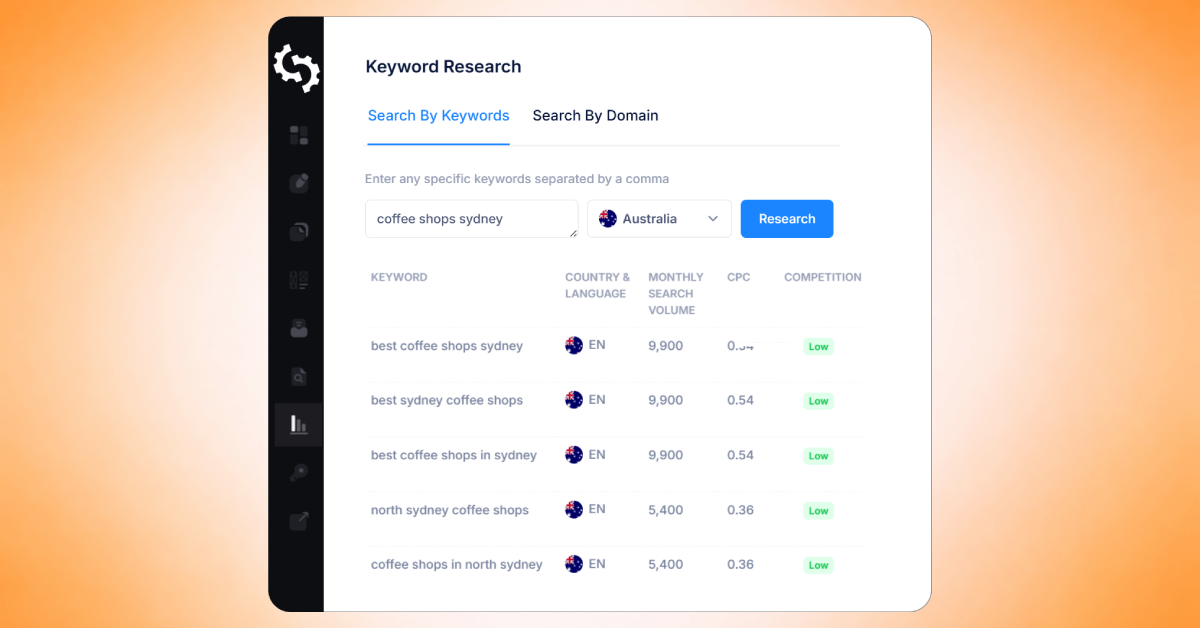
What is SEOptimer's Keyword Research Tool?
SEOptimer’s Keyword Research Tool is a feature inside the SEOptimer platform that lets you research keywords using real search data.
It allows you to search for keyword data by entering a keyword or by entering a domain to retrieve keyword rankings associated with that website.
The Keyword Research Tool is available to all customers with an active SEOptimer subscription. There is no extra charge for this tool as it is included in your existing license.
What it Helps You do
SEOptimer’s Keyword Research Tool helps you quickly find keyword opportunities to improve your SEO strategy.
It’s great for researching new content ideas, planning blog topics, and discovering keywords that people are searching for online.
You can also use it to check which keywords your competitors are ranking for, and identify gaps where your website could compete.
With a quick search, you can view important keyword data such as Estimated Monthly Searches, Competition, CPC, and more (we’ll cover each metric in detail later in this guide).
You can also instantly explore the search results for any keyword in different regions around the world, helping you understand what users see in Google and which websites are currently ranking at the top.
Overall, the tool makes it easier to:
- find high-potential keywords to target
- validate whether a keyword is worth creating content for
- uncover competitor keyword strategies
- prioritize keywords based on traffic potential and difficulty
- build a shortlist of keywords to track over time
Accessing the Keyword Research Tool
To access the Keyword Research tool simply login to your SEOptimer account, and then click on “Keyword Research” under the “Keywords” tab in the SEOptimer dashboard.
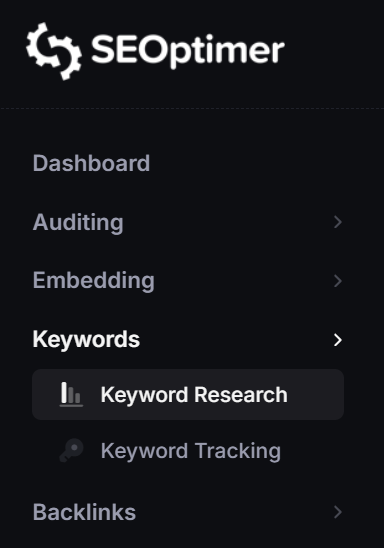
You will now be redirected to the Keyword Research module.
How to Find Keywords
There are two primary ways to search for keywords in SEOptimer:
- By keywords
- By domain
Search by Keywords
What it does
The Search by Keyword option allows you to enter one or more keywords and instantly retrieve keyword metrics such as Estimated Monthly Searches, Competition, and CPC.
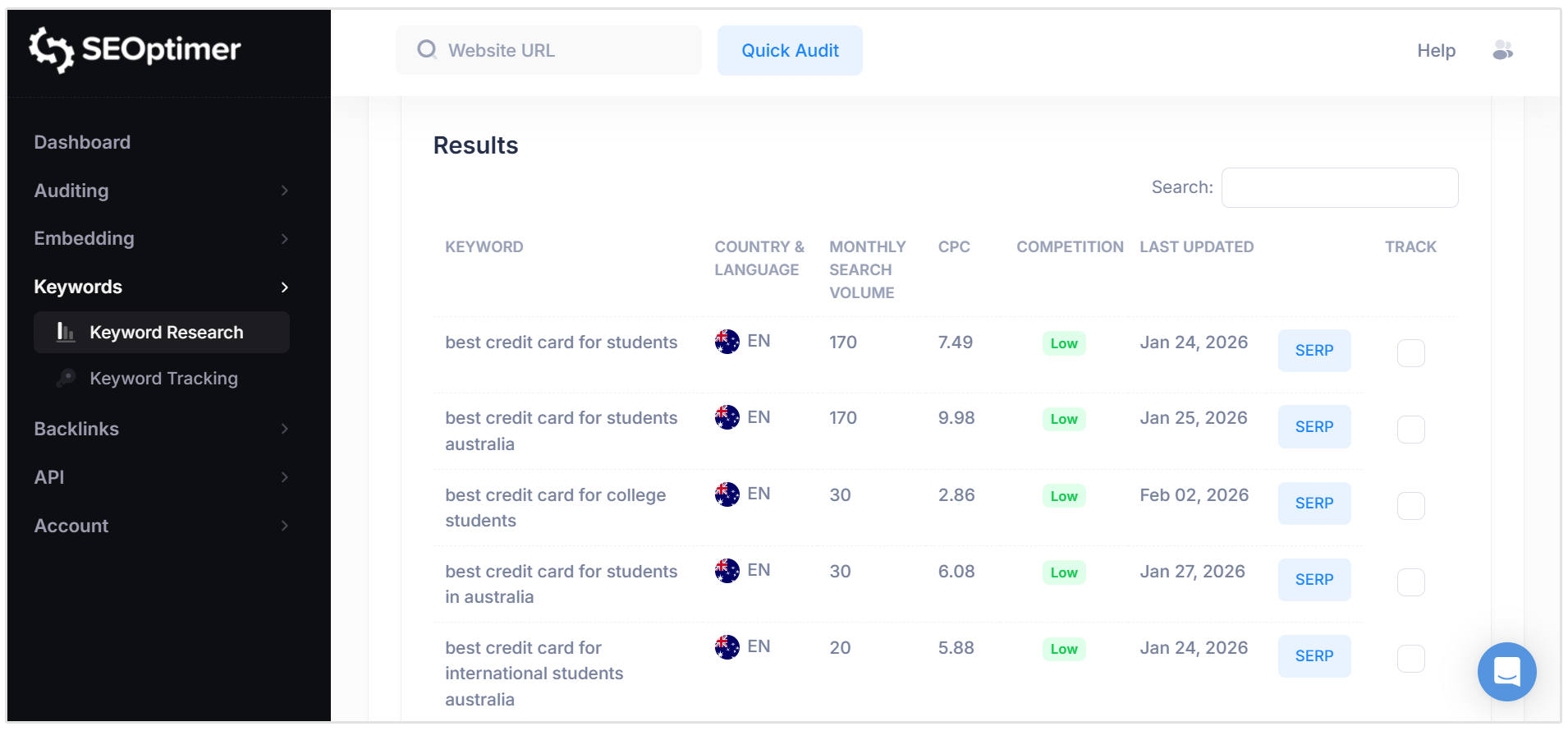
This helps you evaluate which keywords may be worth targeting for SEO campaigns.
When to use it
Use this option when you want to:
- Research new keyword ideas for blog posts, landing pages, or service pages
- Validate whether a keyword has enough search demand
- Compare multiple keyword variations (for example, short-tail vs long-tail keywords)
- Explore keyword opportunities in a specific industry or niche
How to enter keywords (single keyword vs multiple keywords)
You can enter:
- a single keyword (for example: plumber near me)
- multiple keywords at once by separating them with commas (for example: plumber near me, emergency plumber, blocked drain service)
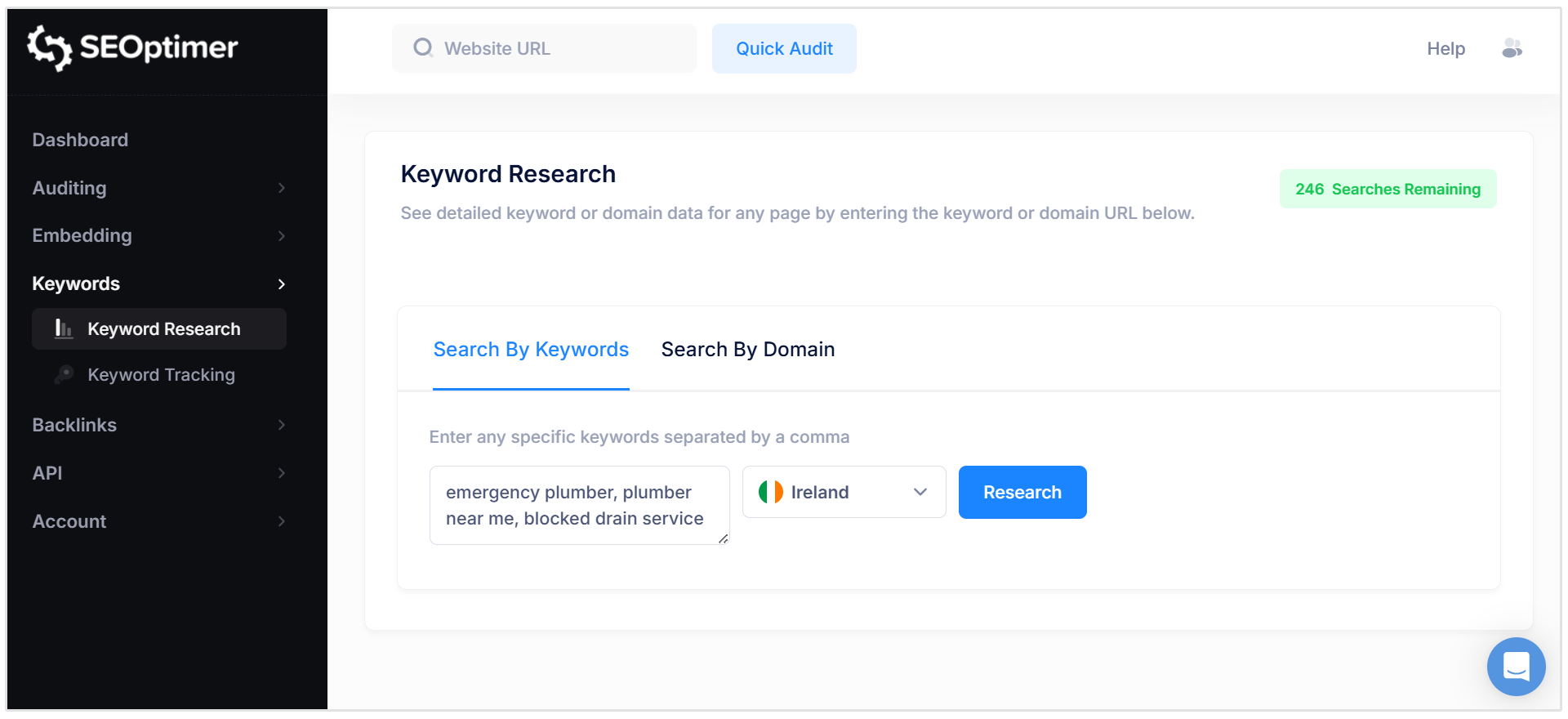
Selecting a target country
Before running your search, select a target country and language from the location dropdown.
The tool will display keyword data and search results based on the selected country, since search volume and competition can vary significantly by region.
Search by Domain
What it does
The Search by Domain option allows you to enter a website domain and view the keywords that domain is currently ranking for in Google.
This makes it easy to analyze existing keyword performance and uncover keyword opportunities.
When to use it
Use this option when you want to:
- Research competitor keyword strategies
- Discover which keywords a competing website is ranking for
- Identify keyword gaps and content opportunities
- Review keyword rankings for your own web pages
- Find high-performing pages and the keywords driving traffic to them
You can enter either:
- a root domain (example: www.giolitti.it) to see keywords across the entire website
- a specific URL (example: www.giolitti.it/shop) to focus on keywords related to that page
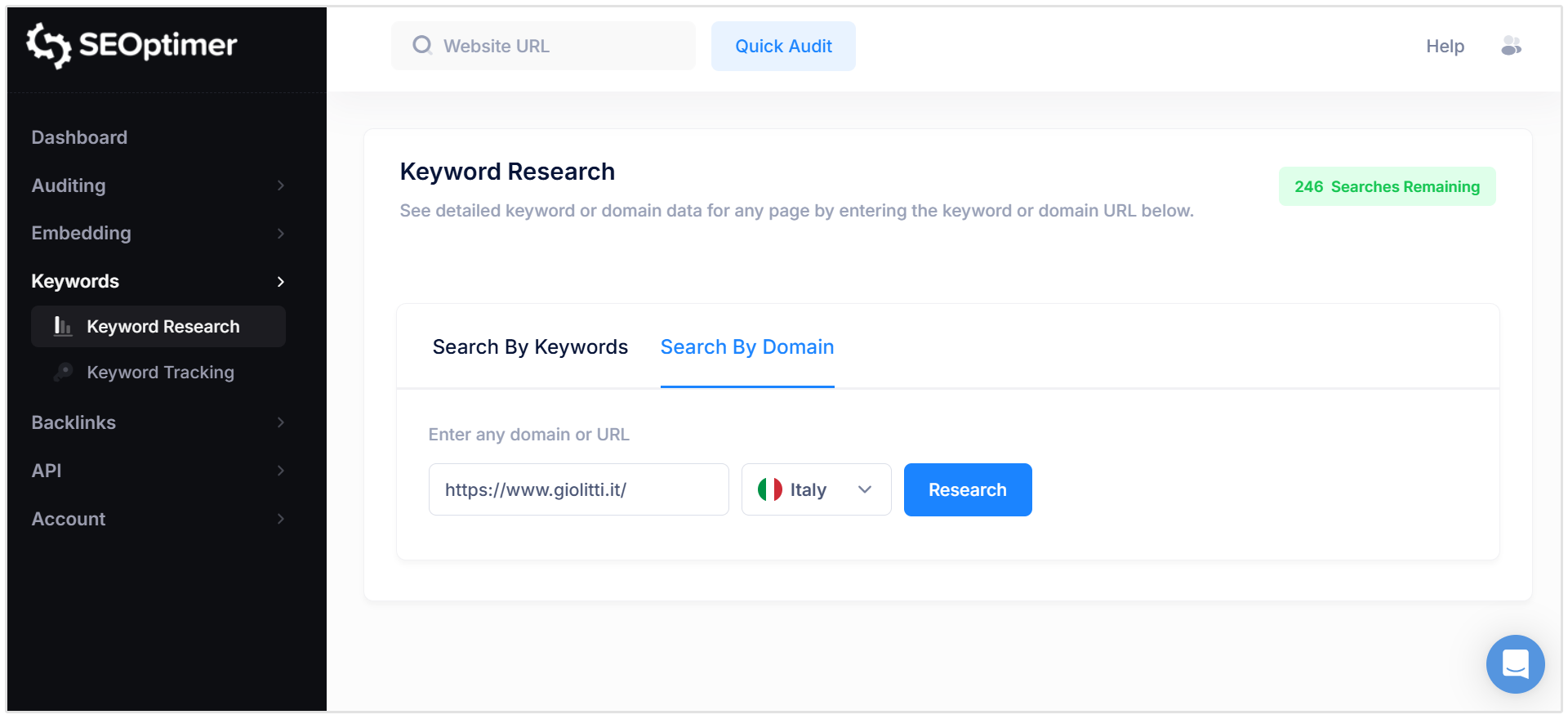
Selecting a target country
Before running your domain search, choose a target country from the location dropdown.
The keyword rankings returned are location-specific, meaning a website may rank for different keywords in different regions.
Countries/Locations Supported
SEOptimer’s Keyword Research Tool supports keyword research across 90+ countries, including major English and non-English speaking regions:
- United States
- United Kingdom
- Canada
- Australia
- South Africa
- Germany
- France
- Spain
- Italy
- Netherlands
- Brazil
- India
- and more
Countries that have Google operating in multiple languages (eg. Canada) have the option to refine and filter by language. (eg. French or English)
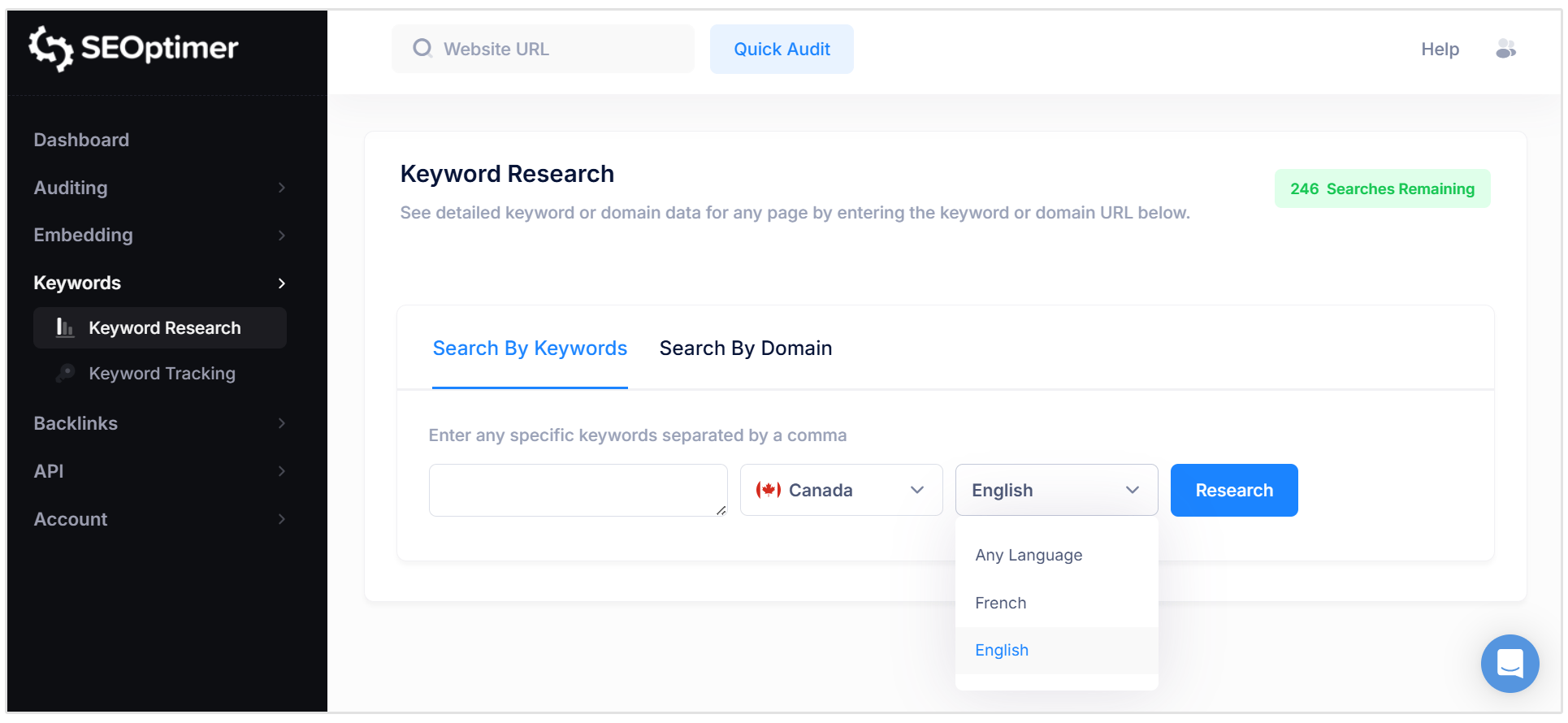
This makes it a great tool for businesses and agencies running international SEO campaigns, researching keywords for different markets, or comparing search results across multiple locations.
Understanding the Keyword Results Table
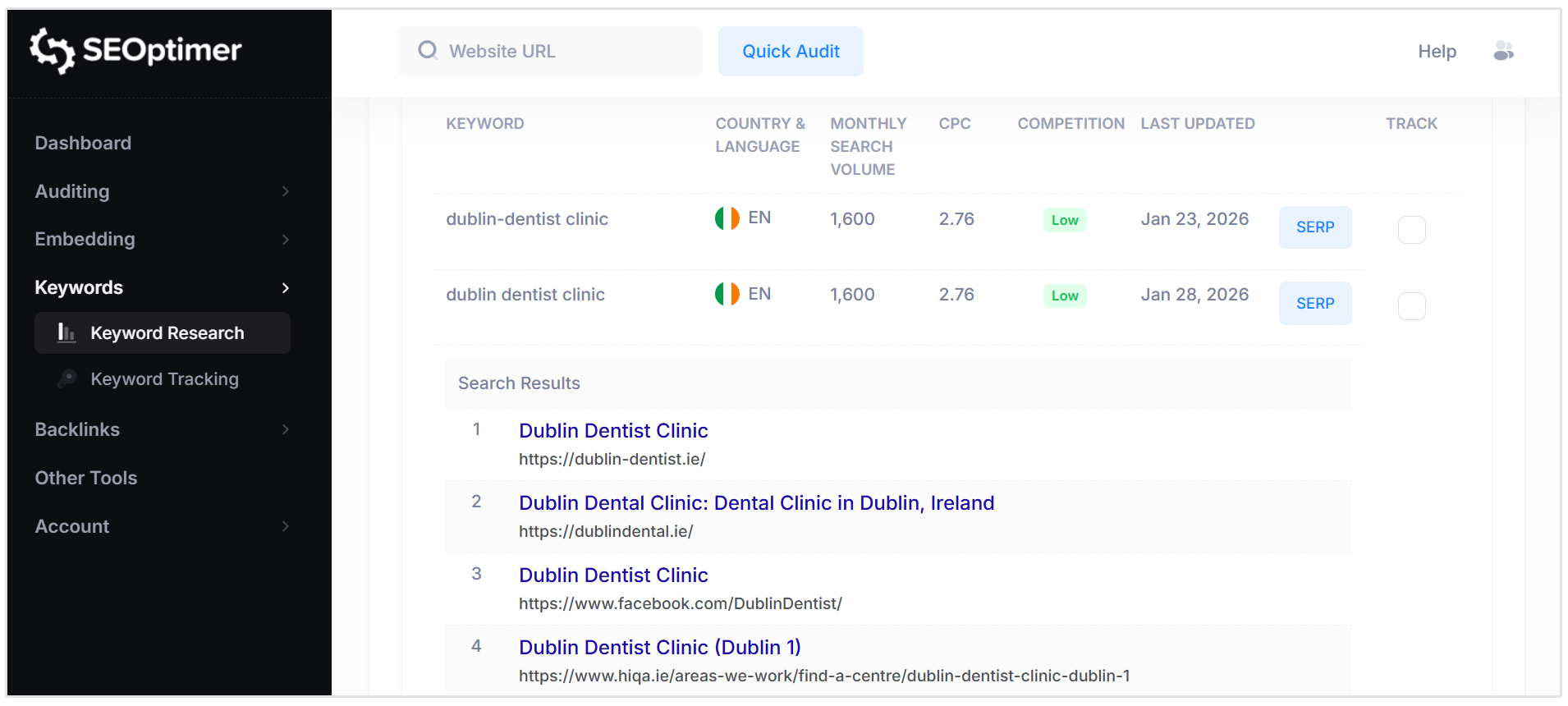
Each keyword result includes the following columns:
- Keyword: The search term being analyzed. The tool will also generate relevant secondary keyword suggestions related to the main keyword you entered.
- Country and Language: The selected location and language the keyword data is based on.
- Monthly Search Volume: The estimated average number of monthly searches for the keyword in the selected country.
- CPC: An indicator in USD of what the estimated cost would be on this keyword if you were to use Google Ads to bid on these terms.
- Competition: An indicator showing how difficult the keyword may be to target (Low / Medium / High).
- SERP: A button to view the live Google search results page for that keyword in the selected country.
Here is an example of a screenshot for the keyword results table for "dublin dentist" with all of above mentioned data points as well as with the SERP button clicked:
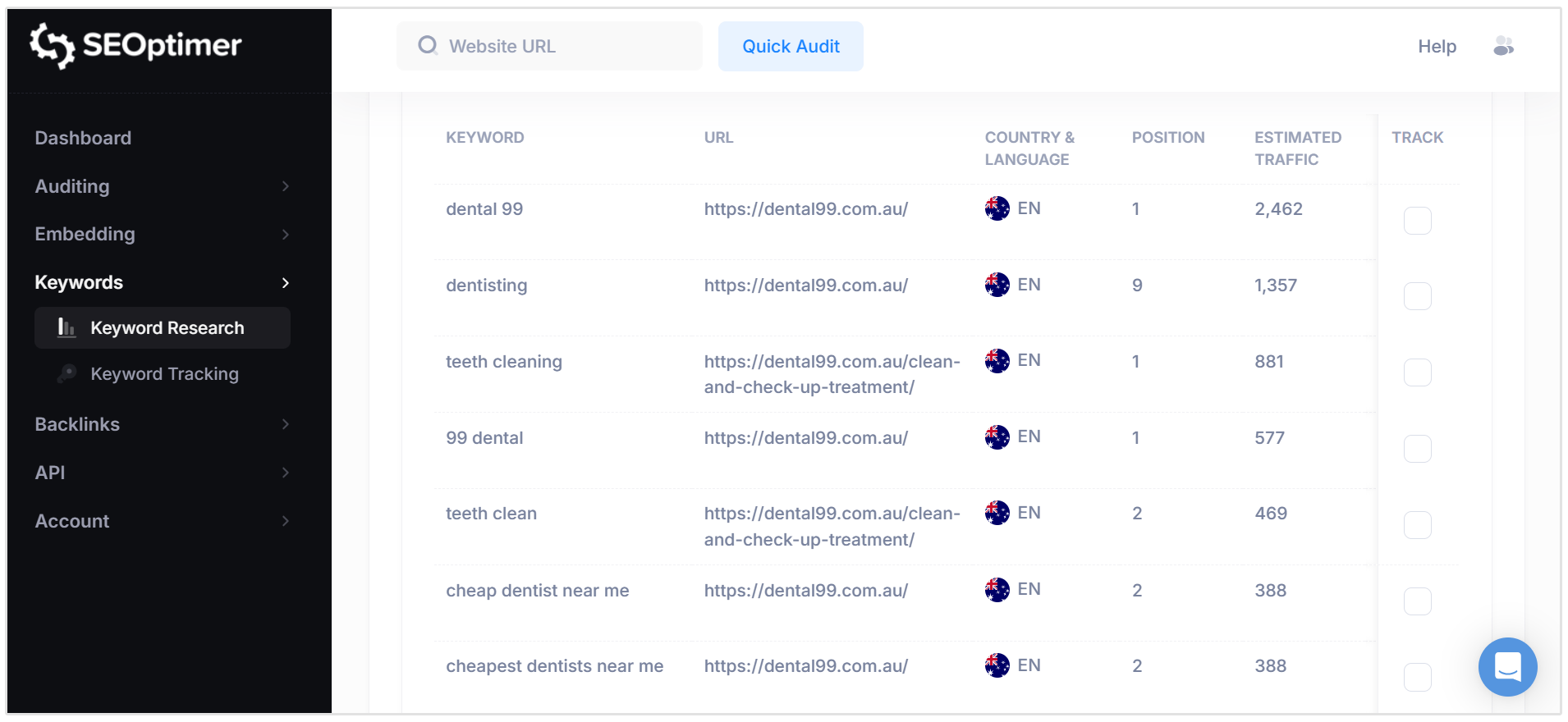
When you use the Search by Domain option, some additional columns are added to the keyword results table:
- Position: The ranking position of the URL in Google search results.
- Estimated Traffic: An estimated amount of monthly traffic the ranking URL may receive from that keyword.
- URL: The webpage currently ranking for that keyword.
Saving and Exporting Keyword Data
SEOptimer makes it easy to save your keyword research results for reporting or further analysis.
At the bottom of the keyword results table, you’ll find several export options that allow you to download or copy your keyword data in just a few clicks.
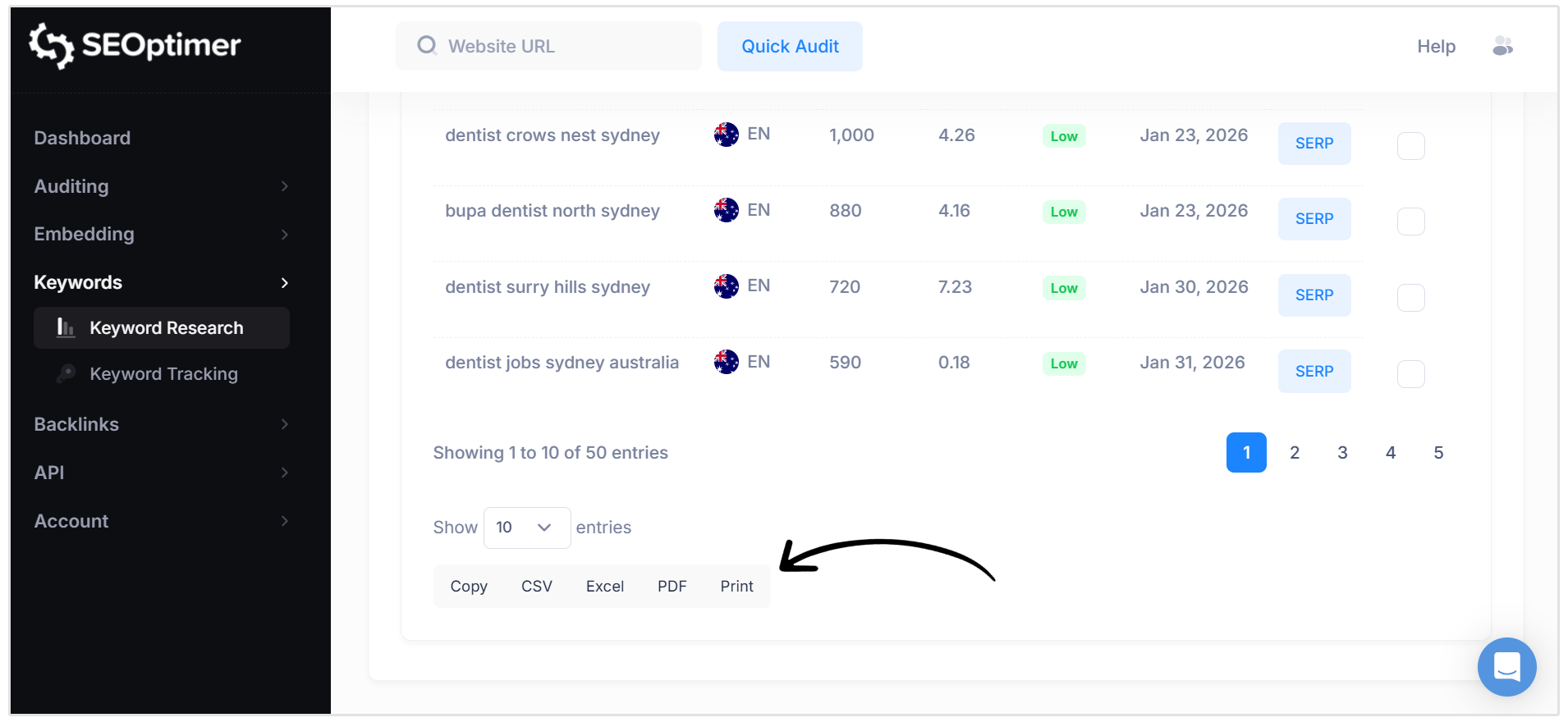
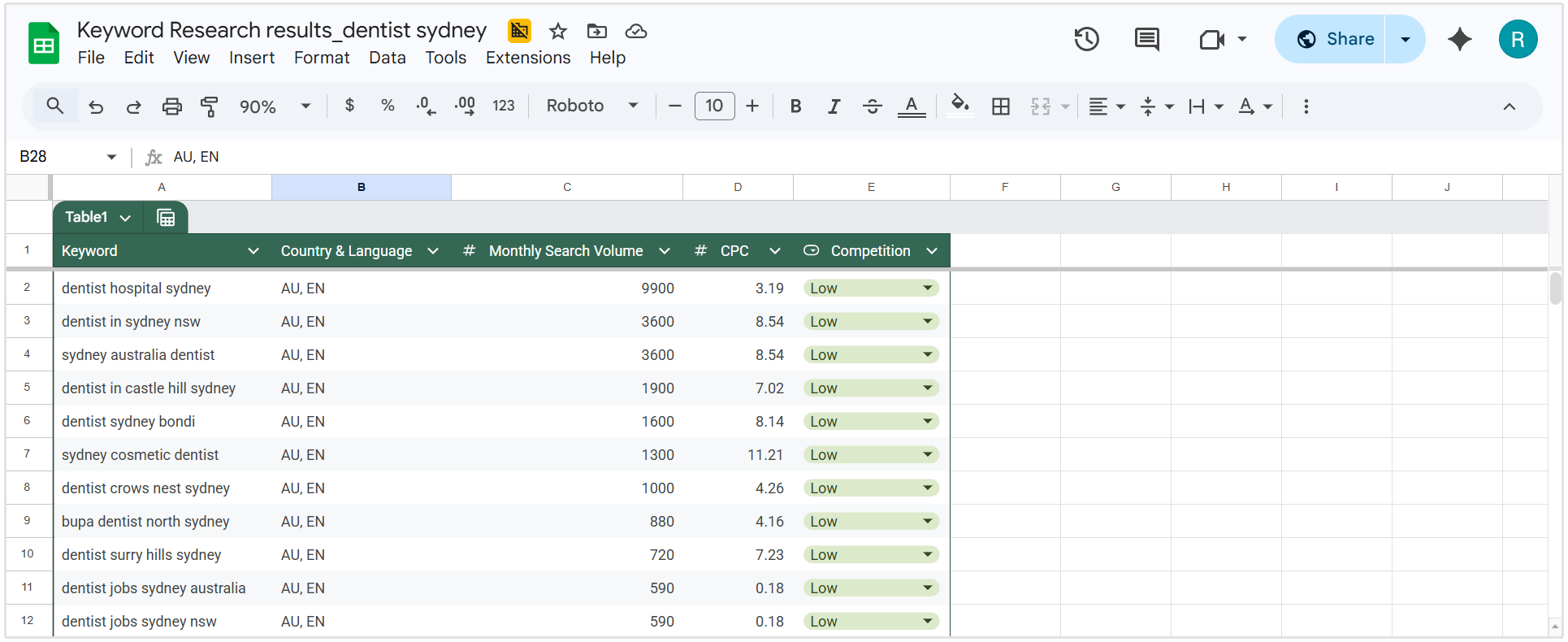
You can export your keyword research results as:
- Copy to your clipboard
- CSV
- Excel
These export options are useful for sharing keyword research with clients, building content plans, or saving keyword lists for future SEO work.
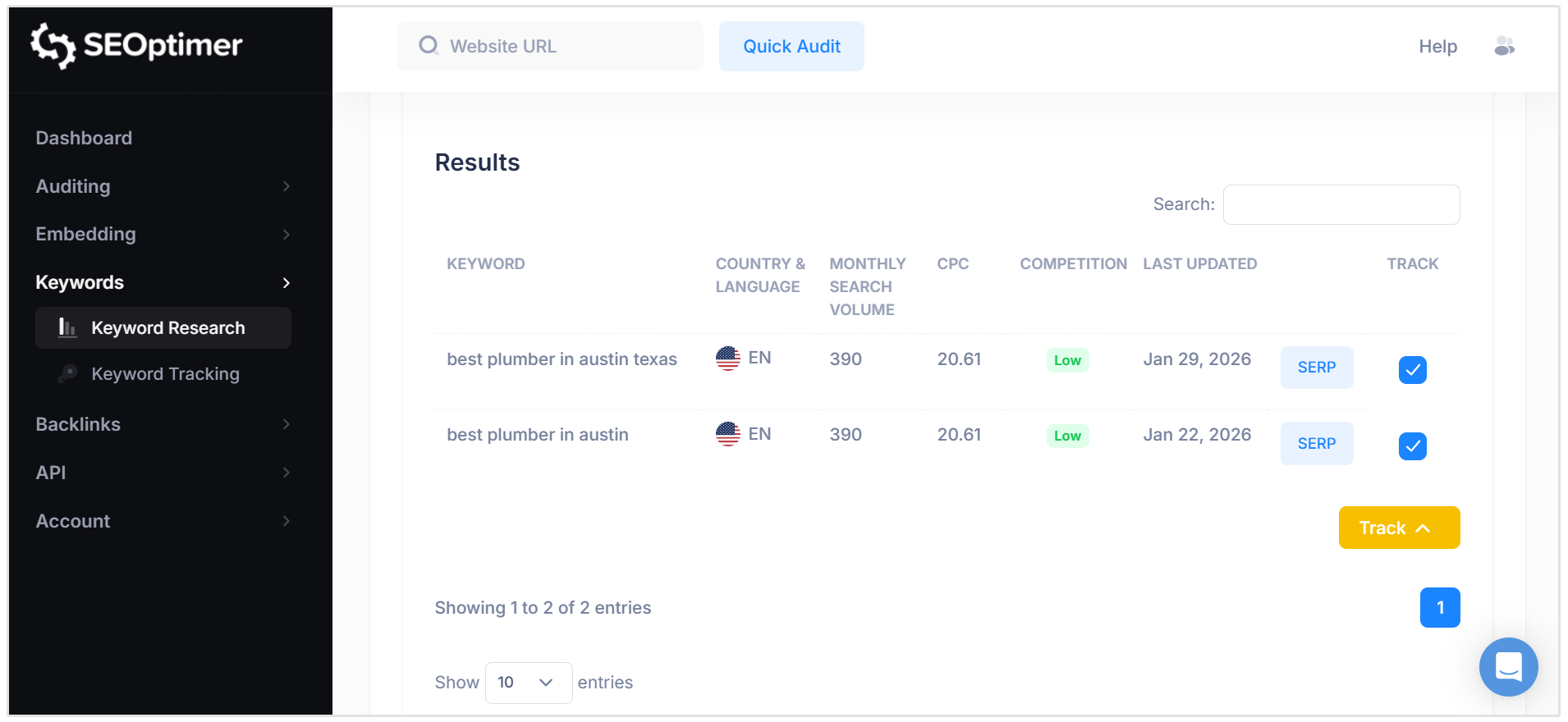
Adding Keywords to SEOptimer’s Keyword Tracking Tool
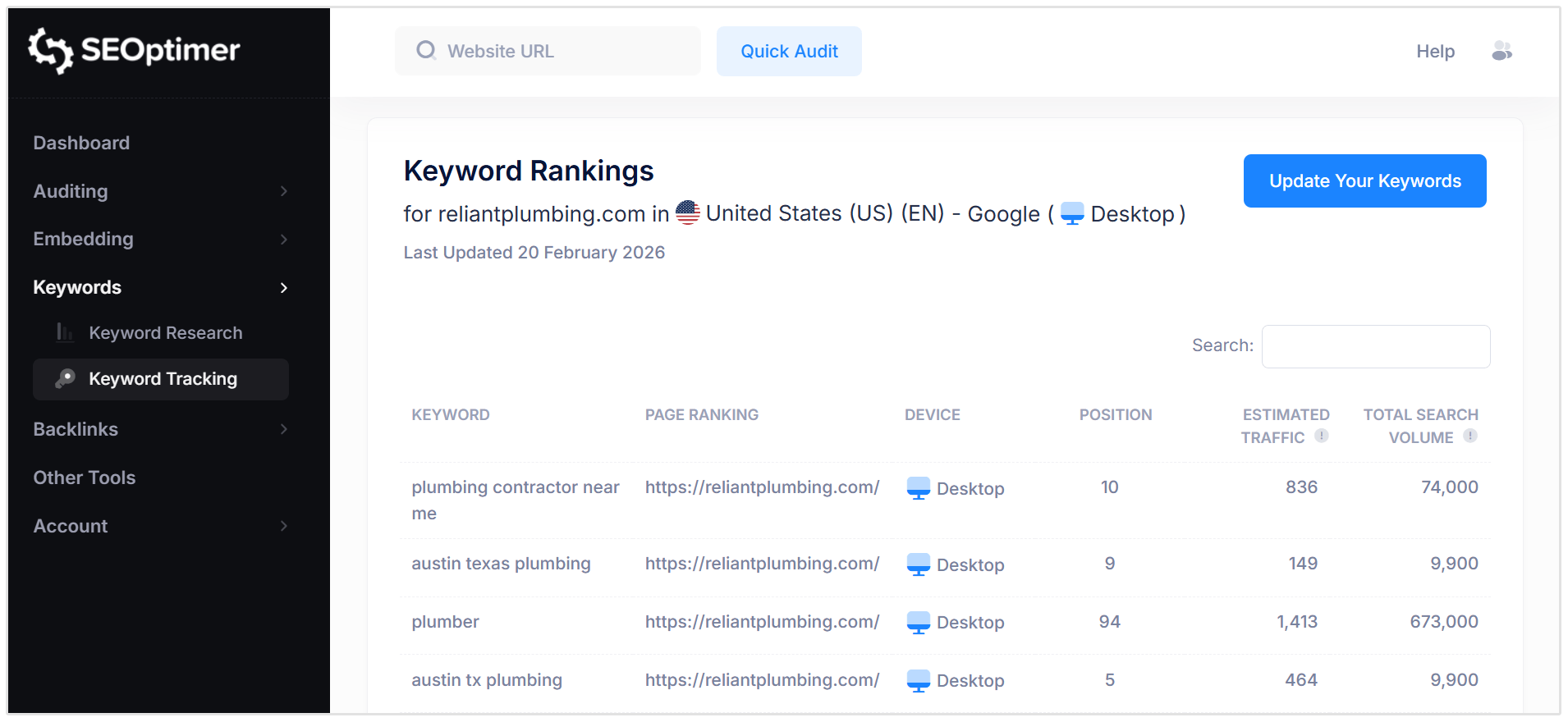
Once you’ve generated keyword results, you can easily add keywords directly to SEOptimer’s Keyword Tracking Tool to monitor rankings.
Here’s how to do this:
In the keyword results table, select the keywords you want to track by clicking the checkbox at the far right of each keyword in the Track column.
Next, you can choose to “Add to an existing Tracked Website” or “Track for a New Website.”
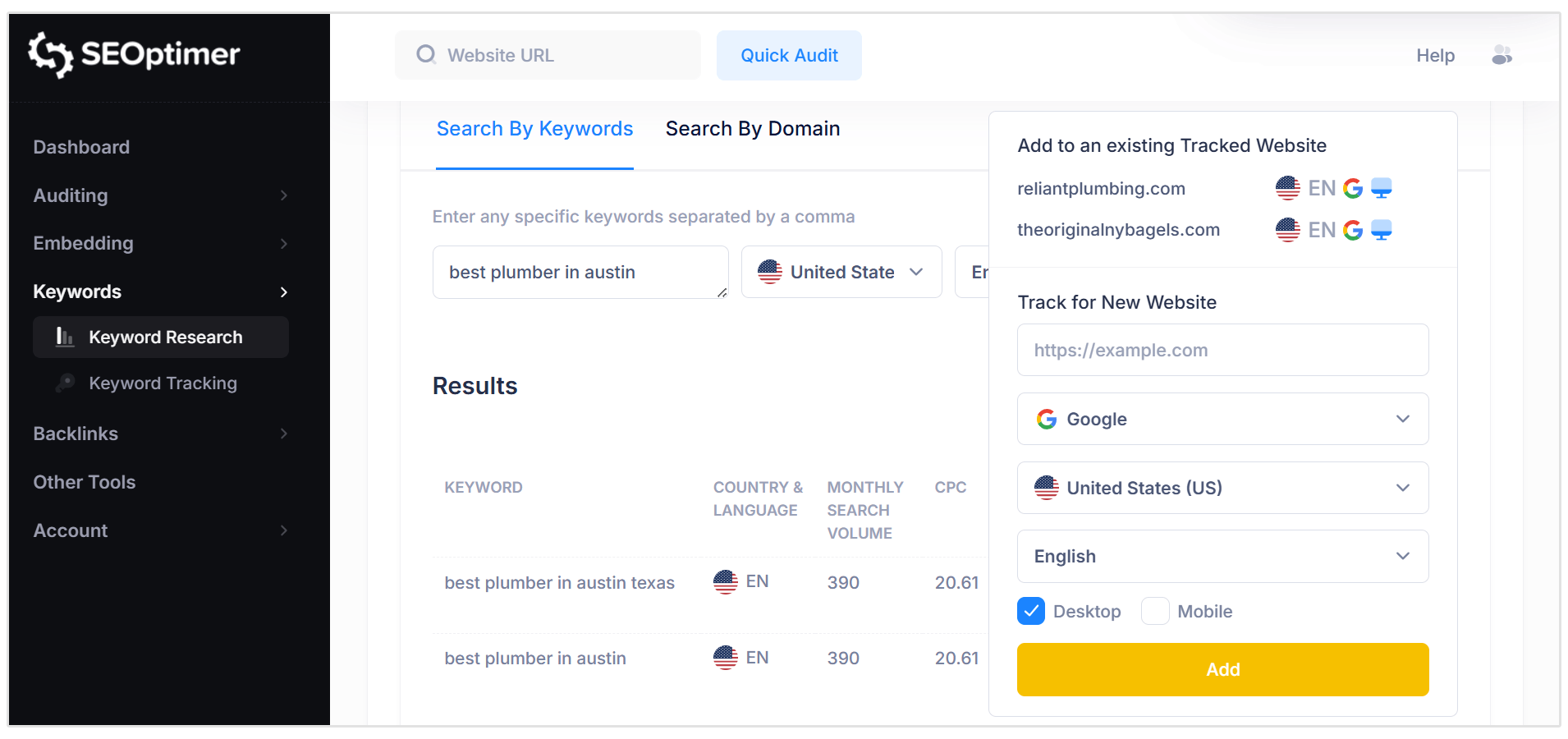
After selecting your website, the tool will add them to your tracked keyword list, where they will be monitored as part of your Keyword Tracking setup.
What Happens after Adding Keywords
Once added, SEOptimer will begin tracking keyword ranking positions in your selected country.
You’ll be able to view ranking changes over time, monitor improvements or drops, and measure SEO progress across your tracked keyword list.
Best Practices for Keyword Tracking
To keep your keyword tracking list focused and meaningful, it’s best to track keywords that support your SEO goals.
Instead of tracking hundreds of random keywords, prioritize keywords that are:
- Relevant to your products, services, or content strategy
- Realistic to rank for based on competition
- High-intent (keywords that indicate a user is ready to take action)
- Important for business growth and lead generation
Tracking a smaller, strategic set of keywords will give you clearer insights and more actionable SEO reporting.
Wrapping Up
SEOptimer’s Keyword Research Tool makes it easy to discover keyword opportunities, analyze competitor rankings, and identify search trends across different countries and languages.
With access to essential keyword metrics, export options, and the ability to add keywords directly into tracking, it provides everything you need.
Whether you’re building a content strategy, improving existing pages, or monitoring SEO performance over time, the Keyword Research Tool helps you make smarter, data-driven decisions.
Need Help?
Live Chat: Click Live Chat (bottom right)
Email: [email protected]
Response time: Within 24 hours


.png)
.png)