SEO Friendly URL Checker
SEOptimer’s SEO Friendly URL Checker analyzes your website URLs to ensure they are optimized for search engines, with clear, concise, and keyword-rich structures.

SEO Audit Any Site in Seconds
+ Comprehensive SEO / GEO Tools for Every Function
Run over 100 checks on your website across On-Page SEO, Usability, Performance, Social and Links. Now with GEO in every report. SEOptimer also offers keyword research, rank tracking, backlinks and a full site crawler.

About SEO Friendly URLs
What makes a URL SEO friendly?
An SEO friendly URL describes its page in plain words, using lowercase letters with hyphens between them, and without query strings, numeric IDs or session parameters. It reads as a sentence fragment rather than a database reference.
The benefit is mostly human, and that is not a weakness. A readable URL survives being pasted into a message, printed on a slide or read aloud, and it tells someone what they are about to click before they click it.
An SEO friendly URL checker matters because URLs are the hardest thing on a site to change later. Content can be rewritten freely; an address that has been shared, linked and bookmarked carries a cost every time it moves.
Do URLs still matter in 2026?
Their direct ranking weight is small and has been for years, so a tidy URL will not lift a page on its own. What has not changed is that URLs are shared, quoted and displayed constantly, and an unreadable one erodes confidence at exactly the moment someone is deciding whether to trust the link.
They are also structural. A coherent URL usually reflects a site someone has organised, and a chaotic one usually signals a site nobody has, which tends to be true of more than just the addresses.
The URL is displayed as part of every search result, so it competes for attention alongside the title and description rather than sitting invisibly behind them.
How URLs relate to AI search
A URL is frequently the only thing shown alongside a citation in an AI answer, and sometimes the only basis a reader has for judging whether a source is credible before following it.
Descriptive URLs also give a crawler a low-cost hint about page topic and site hierarchy before any content is parsed. On a large site, where not every page will be read in a given crawl, that hint decides what gets prioritised.
Parameterised URLs are the common failure. A citation pointing at an address full of tracking codes reads as less trustworthy, even when the page behind it is identical.
URL best practices
- Use lowercase throughout. Some servers treat differing cases as different pages.
- Separate words with hyphens rather than underscores or nothing at all.
- Keep them short and descriptive; drop filler words that add length but no meaning.
- Avoid query strings and IDs in URLs meant to be indexed and shared.
- Reflect the site structure without burying pages several folders deep.
- Once a URL is published, leave it alone. If it must change, redirect the old one permanently.
Common mistakes
- Including dates in URLs for content that will be updated, which makes it look stale.
- Letting a CMS generate URLs from the full page title, producing very long addresses.
- Changing URLs during a redesign without redirecting the old ones.
- Allowing the same page at several addresses through parameters or trailing slashes.
- Using non-Latin characters or spaces, which are encoded into unreadable sequences.
What this tool checks
The SEO friendly URL checker inspects the address of the page you submit and reports whether it follows the readable-URL conventions above, flagging URLs that rely on parameters, unusual characters or non-descriptive structure.
It judges the address only, not the page behind it. A perfectly readable URL can lead to a poor page, and an awkward one can lead to an excellent page that simply needs a better address.
Where to go next
A URL is one of several signals that decide which version of a page wins. Confirm the canonical tag agrees with the address you want indexed, check the URL status code the URL returns, and make sure your XML sitemap lists the same versions.

Comprehensive SEO Toolbox with over 55 Tools
Check Titles, Meta Descriptions, Headings, Schema, Core Web Vitals, SSL and Robots.txt. Generate Meta Tags, Sitemaps and .htaccess Rules, minify CSS, JS and HTML, and draft copy with our AI Writing Tools - instantly and for free.
Further Reading
See More
How to Create Properly Optimized URLs for SEO
URLs are important in the digital marketing industry, especially in the field of SEO. URLs are the address of our online home – our website,...

What is a Permalink & How to Optimize for SEO?
Permalinks, or "permanent links," have a strong impact on website URLs. It influences user experience and impacts SEO performance.
A...

URL Capitalization: Does it Matter for SEO?
URL capitalization is an aspect of SEO that often raises questions. People are confused about whether they should capitalize or keep their U...

Question Mark in URL: What Does It Mean?
Have you ever landed on a website address with a question mark in the URL and wondered what it means?
These question marks in URLs p...
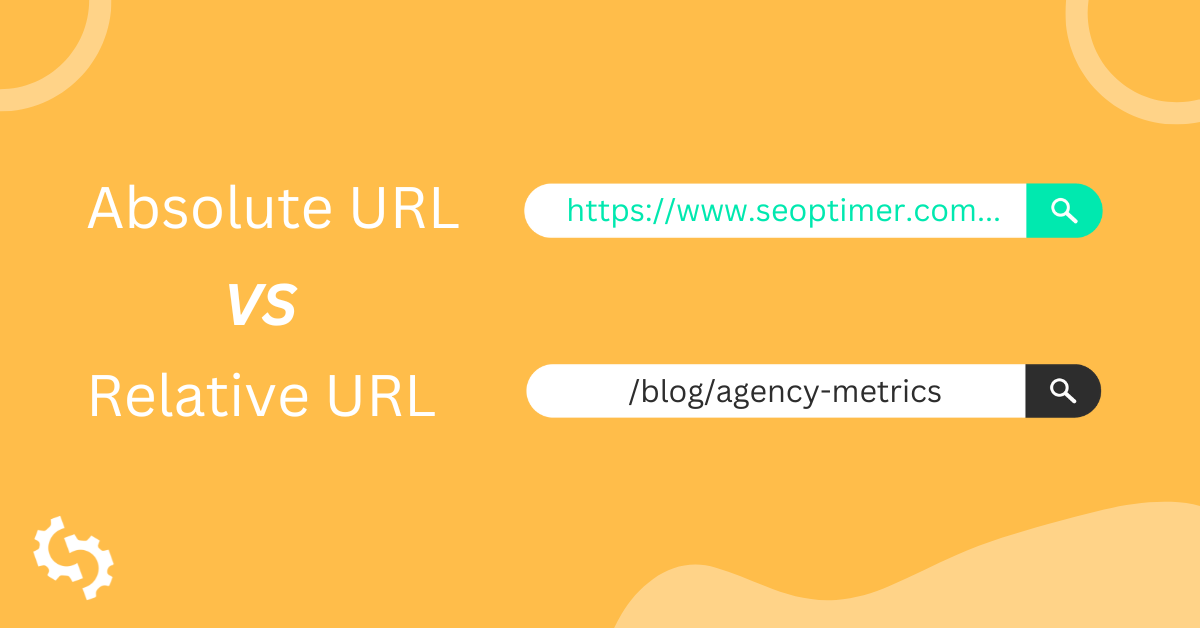
Absolute URL vs Relative URL: What’s the Difference & Which Should You Use?
If you are creating a new website or optimizing an existing one, the first thing you need to work on is the URL structure. URLs can be of tw...
Canonical URLs: Why They Are Important & How to Use Them
Canonical URLs help webmasters solve the problem of duplicate content issues.
Knowing how to implement them correctly is essentia...