Acerca de las etiquetas de título
¿Qué es una etiqueta de título?
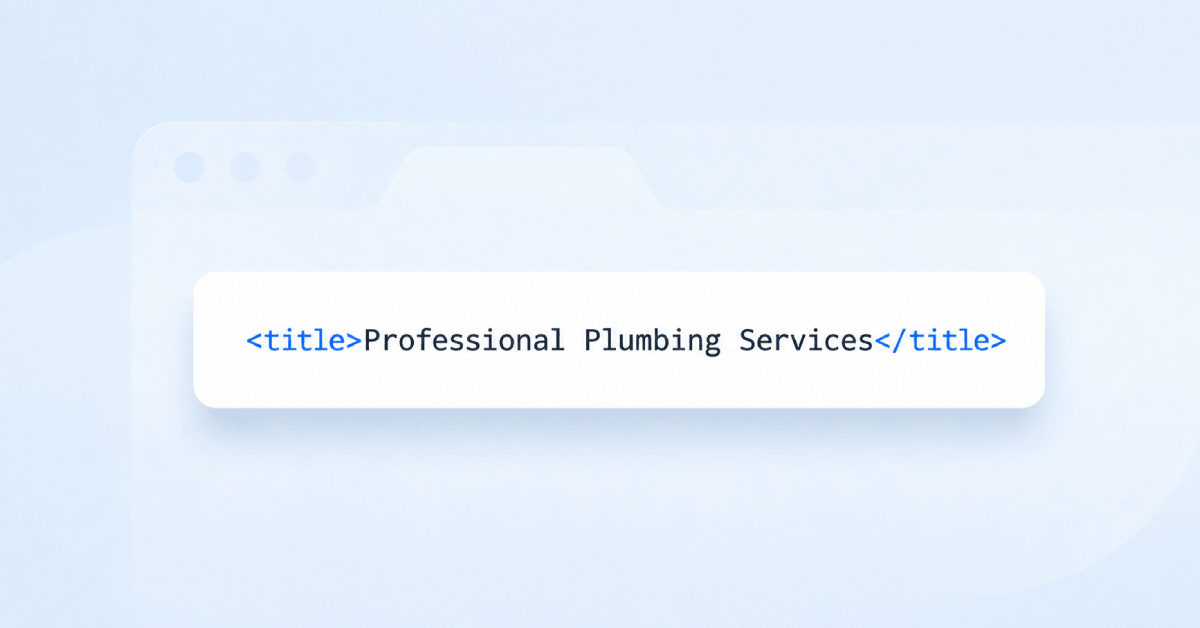
La etiqueta de título es un fragmento de HTML que se encuentra en la sección head de una página y le da nombre. Los navegadores la muestran en la pestaña, los motores de búsqueda suelen mostrarla como el titular en el que se puede hacer clic en los resultados y las plataformas sociales recurren a ella cuando no se proporciona ningún otro título. No es visible en la propia página, por lo que a menudo se deja con el valor predeterminado de la plantilla.
Como es lo primero que lee un usuario sobre tu página, la etiqueta de título cumple una doble función: indica a los motores de búsqueda de qué trata la página y persuade a la persona para que haga clic en lugar de seguir desplazándose. Un título técnicamente correcto que parece la etiqueta de un archivo seguirá perdiendo tráfico frente a un competidor cuyo título parece una respuesta.
¿Siguen siendo importantes las etiquetas de título en 2026?
Sí, y posiblemente más que antes. La etiqueta de título ha sobrevivido a todos los grandes cambios de los buscadores porque es el único texto que controla el editor y que aparece en casi todos los contextos en los que se muestra una página: resultados orgánicos, pestañas del navegador, marcadores, enlaces compartidos, búsquedas internas del sitio y, cada vez más, las listas de citas asociadas a las respuestas generadas por IA.
Lo que ha cambiado es la competencia por la atención. Ahora las páginas de resultados incluyen anuncios, módulos de compras, carruseles de vídeos, hilos de debate y resúmenes generados por IA, por lo que un resultado orgánico ocupa menos espacio en pantalla que antes. El título es el que tiene que conseguir el clic en ese espacio más reducido.
Cómo se relacionan las etiquetas de título con la búsqueda mediante IA
Los modelos de lenguaje de gran tamaño y las funciones de búsqueda basadas en IA no leen una página como lo hace una persona. Trabajan con texto y se apoyan en señales estructurales para determinar de qué trata un documento antes de decidir si lo citan. La etiqueta de título es una de las señales más claras: una declaración breve e inequívoca del tema de la página, situada donde todo analizador busca primero.
Eso importa en dos aspectos. Cuando un modelo decide qué fuentes responden a una consulta, un título preciso facilita que una página coincida con la pregunta. Cuando una respuesta de IA cita sus fuentes, el título suele ser la etiqueta que el lector ve y en la que hace clic, del mismo modo que ocurre en un resultado tradicional.
El consejo práctico no cambia demasiado: escribe un título que exponga claramente el tema, en lugar de uno que dependa del contexto de la página circundante. Un título que solo tiene sentido una vez que ya estás en la página es una señal débil para un motor de búsqueda y aún más débil para un modelo.
¿Cuánto debe durar una etiqueta de título?
Google no cuenta los caracteres a la hora de decidir qué mostrar, sino que mide la anchura renderizada del texto en píxeles y lo trunca con puntos suspensivos cuando un título es demasiado ancho para el diseño de los resultados. En la práctica, esto suele equivaler a unos 50-60 caracteres, aunque un título compuesto por letras estrechas se muestra completo durante más tiempo que uno escrito en mayúsculas.
Esta herramienta utiliza el intervalo de 50 a 60 caracteres como objetivo y cuenta todos los caracteres, incluidos los espacios. Tómalo como una guía, no como una cuota: un título breve y específico es mejor que uno alargado artificialmente, y las palabras importantes deben aparecer lo bastante pronto como para no desaparecer al truncarse en una pantalla estrecha.
Buenas prácticas para las etiquetas de título
Los títulos eficaces suelen compartir varias características:
- Único para la página. Los títulos duplicados en un sitio dificultan que los motores de búsqueda distingan esas páginas y que los usuarios elijan el resultado adecuado.
- El tema es lo primero. Coloca cerca del principio la frase que refleja de verdad el contenido de la página, antes de cualquier nombre de marca o texto estándar, para que sobreviva al truncamiento.
- Escrito para una persona. Aparece en una lista de resultados competidores, así que debe conseguir un clic, no limitarse a describir un documento.
- Comprensible por sí solo. Un lector que vea el título en una cita de IA o en un enlace compartido no dispondrá del contexto del resto de la página.
- Honesto con el contenido. Un título que promete algo que la página no ofrece genera un clic y un rebote inmediato, lo que no beneficia a nadie.
- Sin exceso de palabras clave. Repetir una frase en varias versiones resulta poco natural para las personas y no ofrece ninguna ventaja en los motores de búsqueda.
- Debe coincidir con el encabezado de la página sin ser idéntico a él. El título compite en una lista de resultados; el encabezado presenta la página a alguien que ya ha llegado a ella.
Qué comprueba esta herramienta
La herramienta carga tu página, lee la primera etiqueta de título que encuentra en el HTML y mide su longitud en caracteres, incluidos los espacios. A continuación, informa de uno de cuatro resultados:
- No se ha encontrado ninguna etiqueta de título, por lo que los motores de búsqueda deben inventar un titular a partir del contenido de la página.
- Un título de menos de 50 caracteres, lo que normalmente significa que hay margen para decir algo más útil.
- Un título de entre 50 y 60 caracteres, que cumple los requisitos.
- Un título de más de 60 caracteres, que corre el riesgo de aparecer truncado en los resultados antes de llegar a la parte útil.
La longitud es un punto de partida, no un veredicto. La herramienta no determina por ti si un título es único en todo el sitio, si se lee bien o si está saturado de palabras clave, por lo que un resultado aprobado sigue mereciendo una revisión comparándolo con las prácticas recomendadas anteriores.
Por qué el título que escribes no siempre es el título que se muestra
Los motores de búsqueda se reservan el derecho de reescribir un título cuando consideran que otro se ajusta mejor a la consulta, y lo hacen en una proporción significativa de los resultados. Esto no es motivo para dejar de redactarlos cuidadosamente: normalmente se reescriben porque el original era impreciso, estaba duplicado en varias páginas o contenía demasiadas palabras clave, y el título proporcionado sigue siendo la señal más sólida disponible.
Si tus títulos se sustituyen de forma constante, considéralo como una indicación sobre los propios títulos, no como una peculiaridad del algoritmo.
Cómo solucionarlo en tu plataforma
La mayoría de los sistemas de gestión de contenidos muestran la etiqueta de título en un panel de configuración de la página o mediante un plugin de SEO, en lugar de exigir que edites directamente el HTML. En WordPress, normalmente la establece tu plugin de SEO; en Shopify, se encuentra en la sección de resultados del motor de búsqueda de un producto o una página; y en Wix, está en el panel de SEO de la página.
Una vez cambiado, el nuevo título no aparecerá inmediatamente en los resultados de búsqueda. Se aplicará la próxima vez que se rastree la página, lo que puede tardar desde unas horas hasta varias semanas, dependiendo de la frecuencia con la que se visite la página.
Qué hacer a continuación
Una etiqueta de título rara vez falla por sí sola. Si esta página necesita mejoras, conviene comprobar la
meta descripción que aparece junto a ella en el mismo resultado, el
Encabezado H1 que repite el tema en la propia página y la
Vista previa del fragmento de SERP para ver cómo se muestran realmente juntos al usuario que realiza la búsqueda.