It’s not just traditional SEO which had the ten blue links that is getting disrupted by AI. Local SEO is also going through a period of transition thanks to the rise of AI technology.
For a long time, the local SEO playbook was fairly straightforward. You’d build a few location pages, optimize your GBP, get some reviews, and create citations in local directories.
And all of these still matter, but there’s an extra layer of change that’s starting to reshape how local search works.
Google is no longer just matching keywords to pages and business profiles. It’s using AI to interpret intent, analyze content, and surface insights directly within search and Maps.
AI is changing local search and almost every part of how people discover local businesses. Users aren’t just searching for keywords like “pizza near me” anymore. Instead they’re asking more conversational questions specific to their unique situation.
In this guide, we’ll break down both sides of AI in local SEO.
First, we’ll show you how Google is embedding AI across local search, Maps, and Google Business Profiles. Second, we’ll show you how you can use AI to improve local visibility.
Own a service-area business? Check out this handy guide on Local SEO for Service Based Businesses
How AI is Changing Local SEO (AI Local SEO Trends)
Gemini-Powered Search in Maps (Ask Maps)
On March 12, Google introduced a new AI-powered feature in Maps called “Ask Maps”, powered by Gemini.
Instead of relying on simple searches like “bakery near me”, users can now ask more detailed, context-rich questions such as “Find a quiet café with WiFi nearby” or “Best brunch spot between these locations [X] and [Y].”
Ask Maps then generates a curated response by analyzing a wide range of data, including reviews, photos, and information from Google Business Profiles.
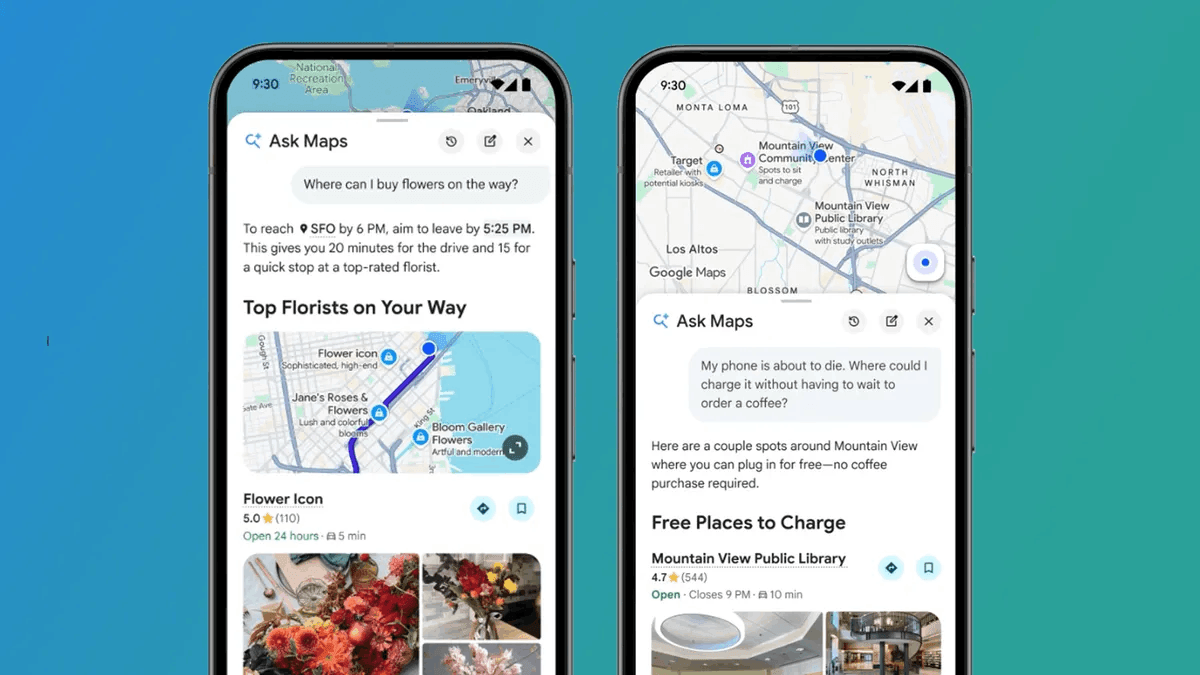
Rather than returning a list of links, Google surfaces a set of recommendations tailored to the user’s intent, often alongside summarized insights about each place.
This changes how users interact with local search. Instead of scrolling through multiple options, they’re being guided toward a smaller set of businesses that best match what they’re looking for.
So if you own a local business, you’re no longer just trying to rank in local results.
You’re trying to be selected as the most relevant option based on context, intent, and the information Google can understand about your business.
Reviews are Powering AI Insights in Maps
Another way Google is using AI in local search is through its new “Know before you go” tips in Maps, powered by Gemini.
When users view a business, Google can now surface helpful, pre-visit insights such as parking availability, reservation tips, or even what items people commonly recommend. These are designed to answer the kinds of questions users typically have before deciding where to go.
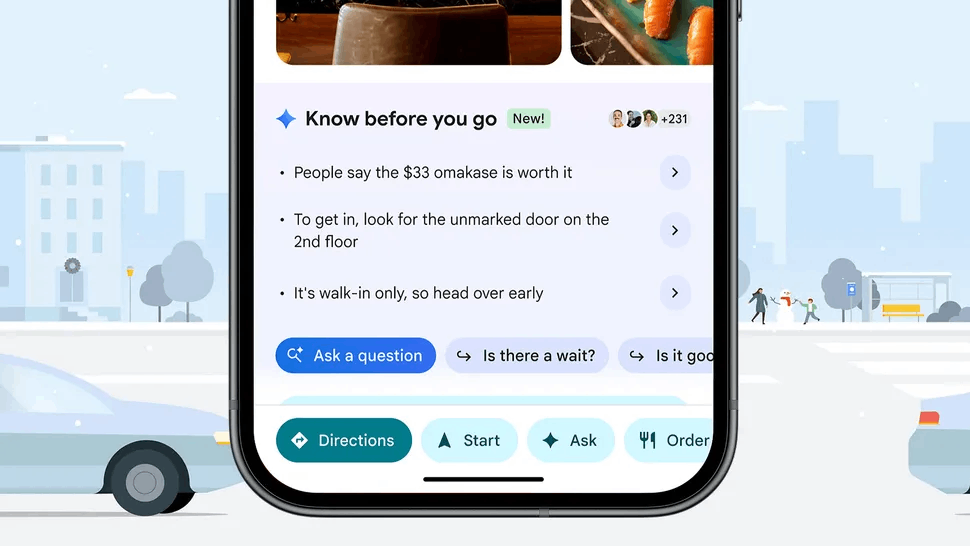
What’s important is where this information comes from.
According to Google, these insights are generated by analyzing reviews and other information from across the web, then surfacing the most useful takeaways directly within the listing.
This means reviews are doing more than just influencing perception. They’re being interpreted and turned into structured insights that help users decide if they want to visit your store or use your services.
This means the content of your reviews, not just the rating, plays a role in how your business is understood and presented in search.
AI in Google Business Profiles
Google is also beginning to introduce AI directly into how businesses manage their Google Business Profiles.
One example is a feature currently being tested that suggests AI-generated replies to customer reviews.
First spotted by local SEO expert Chandan Mishra, the feature creates draft responses based on the content of the review and your business details, which you can then edit before publishing.
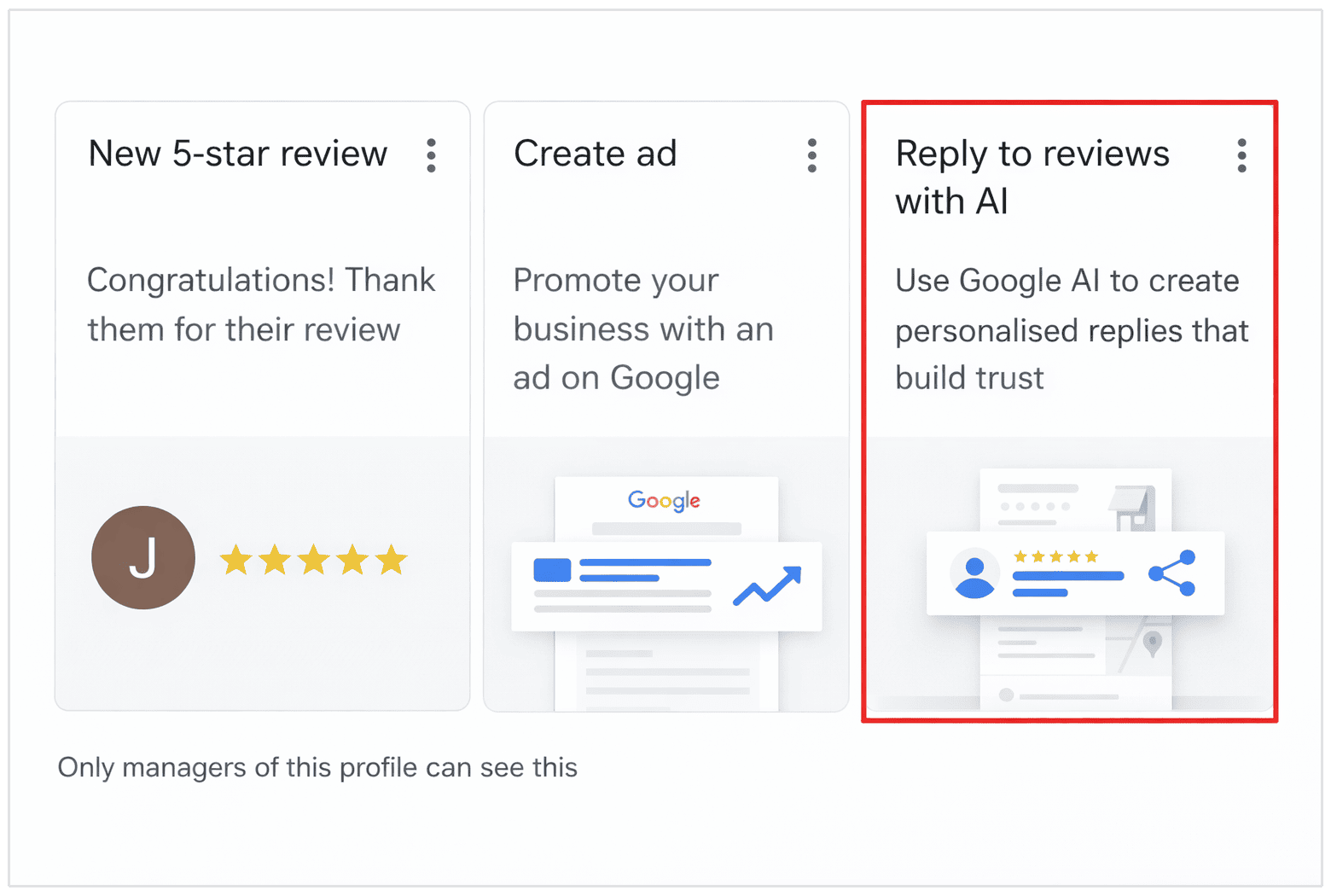
At the moment, this functionality appears to be in limited testing and isn’t consistently visible across all profiles, suggesting it’s still in an early rollout phase. It’s unclear whether Google will expand the feature more widely or continue refining it before a full release.
On the surface, this makes it easier to stay responsive and manage customer interactions at scale.
But it also raises some questions.
If too many businesses rely on AI-generated replies without adding their own input, responses risk becoming repetitive and impersonal. Over time, that could reduce the authenticity that customers expect when engaging with a business.
How to Use AI for Local SEO
Optimize Google Business Profile with AI
Your Google Business Profile is still one of the most important assets in local SEO. That hasn’t changed.
In fact, in a recent podcast discussing the future of local SEO and AI, Omar Riaz from Google explained:
Google Business Profile is the digital storefront. It’s the point of truth across Google Search and Maps.
- Omar Riaz, Google
What has changed is how easy it is to improve and maintain it using AI.
AI can help you optimize several key parts of your profile.
For example, you can use it to write or refine your business description, making sure it clearly explains what you offer while naturally including relevant local keywords.
It’s also useful for expanding your services and products, helping you describe them in a way that aligns with how people actually search.
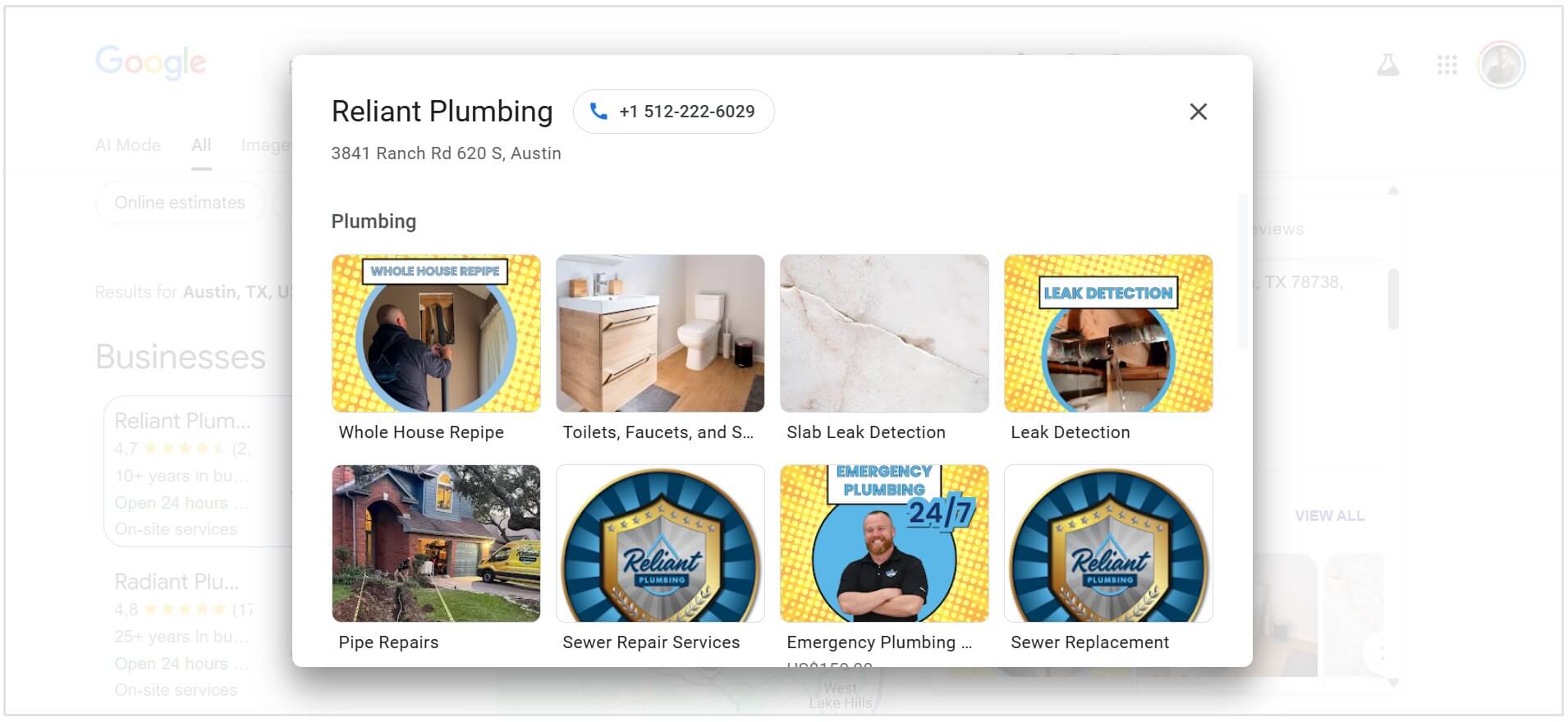
You can also use AI to generate Google Posts, whether it’s promoting an offer, announcing an update, or sharing seasonal content.
Keeping your profile active with regular posts sends strong freshness signals and gives users more reasons to engage.
Another area where AI can help is Q&A content.
You can anticipate common customer questions and generate clear, helpful answers that improve your profile’s usefulness and visibility. Over time, this builds a more complete picture of your business for both users and Google.
But remember, the key is to use AI as a tool, not a replacement.
Generate & Respond to Reviews
Reviews have always been a key part of local SEO, but AI is making it much easier to manage them consistently.
As mentioned earlier, Google is already testing AI-generated review responses in Google Business Profiles.
But even if you don’t have access to those features yet, you can still use tools like ChatGPT or Gemini to help draft replies.
This is especially useful when responding to negative reviews.
Every local business gets them at some point, and knowing how to respond professionally can make a big difference.
Instead of reacting emotionally or avoiding the response altogether, you can use AI to structure a calm, thoughtful reply that acknowledges the issue and offers a resolution.
AI can also help you stay consistent with positive reviews, making it easier to thank customers and reinforce key aspects of your service without repeating the same response every time.
That said, it’s important not to rely on AI completely.
Your responses should still feel personal and specific to the situation. You can use AI to draft and guide your replies, then refine them so they reflect your tone and genuinely address the customer’s experience.
Keyword Research for Conversational Queries
The way people discover local businesses is becoming more conversational, and AI can help you adapt to that shift.
Instead of relying on short queries like “pizza near me”, users are now asking more specific, context-driven questions such as “Where can I get a good pizza in Melbourne that’s open late and has outdoor seating?”
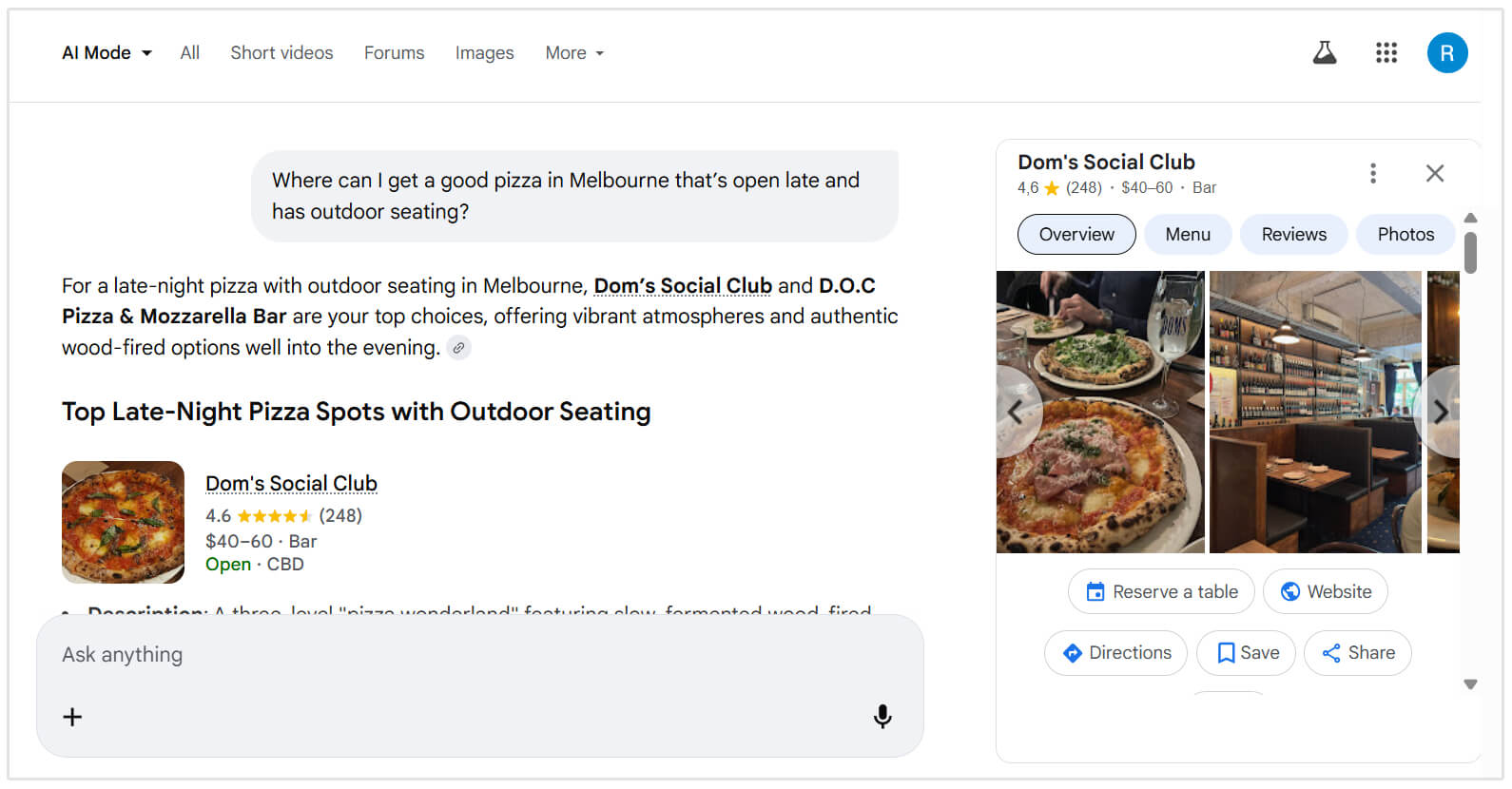
And the data suggests that this isn't just a small change:
- By late 2025, more than 60% of ChatGPT users were performing local searches. (source)
- AI Overviews now appear in up to 68% of local searches. (source)
- 45% of consumers are now using AI tools to find local businesses. This is up from just 6% last year. (source)
AI tools like ChatGPT and Gemini can be useful for uncovering these longer, more natural queries.
You can prompt them to generate variations of how customers might search for your services, identify common questions, or expand a single keyword into multiple conversational phrases.
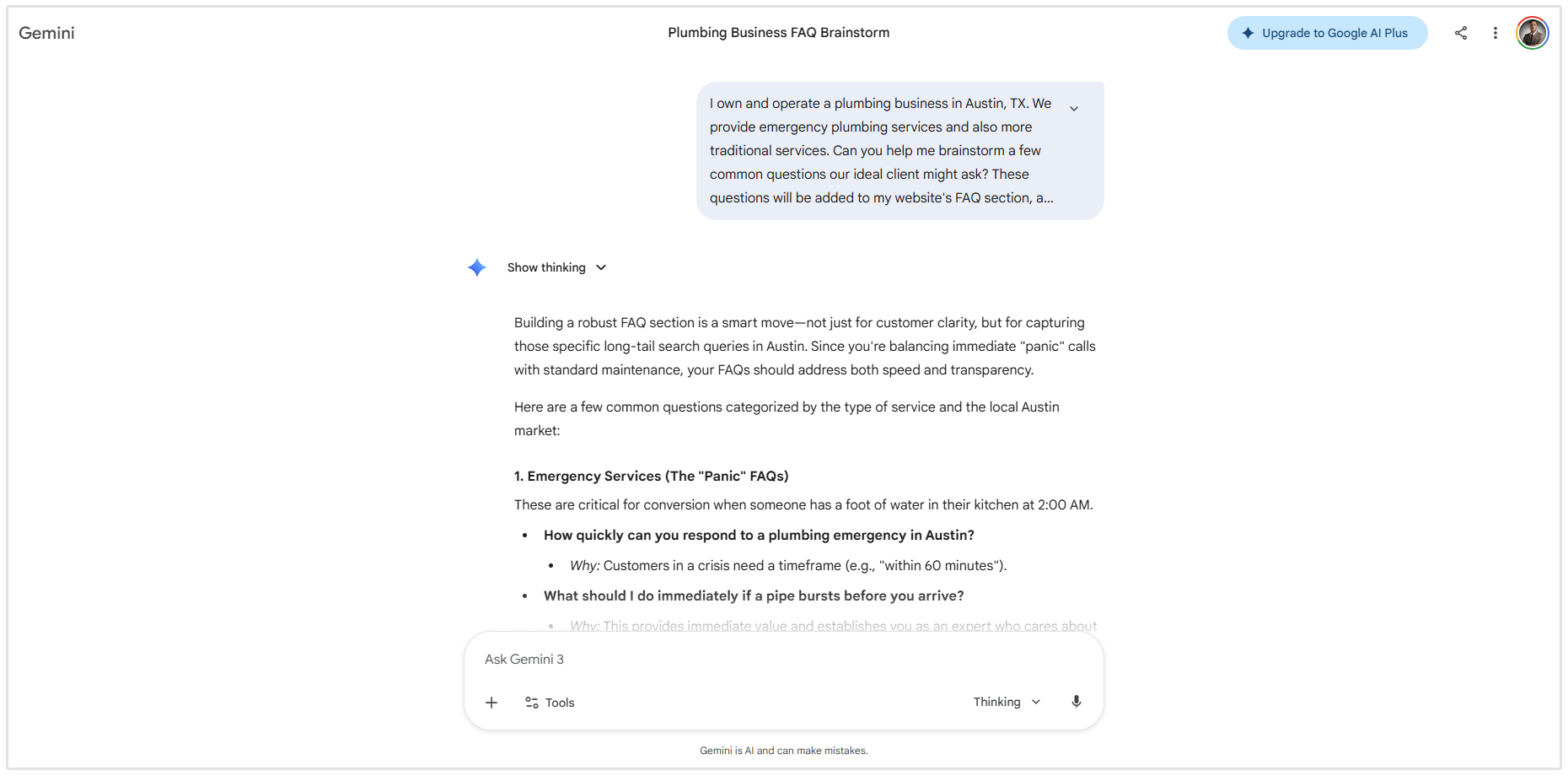
For businesses, this means moving beyond basic keyword targeting. Your website content, Google Business Profile, and even your reviews should reflect the kinds of detailed, real-world questions your customers are asking.
What Businesses can do Going Forward
1. Turn Your Services Into Questions
Instead of only targeting keywords like “Emergency plumber Melbourne.”
Also consider how people actually search:
- “Who fixes burst pipes near me urgently?”
- “Can I get a plumber in Melbourne late at night?”
Add these types of queries into:
- FAQ sections
- Google Business Profile Q&A
2. Expand Your Google Business Profile
Your Google Business Profile is now a key source for AI-generated answers.
Make sure to optimize:
- Business description with natural, conversational phrasing
- Services and products with detailed explanations
- Q&A section with real customer-style questions
For example, you can add the following type of questions to your Q&A section:
- “Do you offer same-day repairs?”
- “Is there parking available?”
3. Use Reviews Strategically
AI doesn’t just count reviews, it reads them.
Encourage customers to include the service they received, your location, and more importantly, the specific details about their experience.
So instead of getting a review like:
“Great service”
A plumbing company may want a review that looks more like this:
“Great same-day plumbing service in Melbourne, fixed my leak quickly”
4. Use AI to Generate Query Variations
AI tools like ChatGPT or Gemini can help you uncover how people actually search.
For example, prompt:
What are 20 ways someone might search for a dentist in Cape Town?
Use the results to:
- Expand your content
- Identify long-tail queries
- Uncover new search intent
Now, I know what you’re thinking. How are you going to optimize for these long tail, conversational-type questions?
The trick is you don’t need to match every query word-for-word.
Instead, focus on clearly answering the question and providing useful, relevant information about your business.