Test voor Interaction to Next Paint (INP)
De Interaction to Next Paint-test van SEOptimer toont de INP van je pagina ten opzichte van de drempelwaarden van Google, op basis van de eigen veldgegevens van Google van echte bezoekers.

Voer in enkele seconden een SEO-audit uit voor elke website
+ Uitgebreide SEO-/GEO-tools voor elke functie
Voer meer dan 100 controles uit op je website op het gebied van On-Page SEO, gebruiksvriendelijkheid, prestaties, social media en links. Nu met GEO in elk rapport. SEOptimer biedt ook zoekwoordonderzoek, ranktracking, backlinkanalyse en een volledige sitecrawler.

Over Interaction to Next Paint
Wat is Interaction to Next Paint?
Interaction to Next Paint meet hoe lang een pagina erover doet om zichtbaar te reageren wanneer iemand ermee communiceert – door te tikken, te klikken of een toets in te drukken. De meting loopt vanaf het moment van de interactie tot het moment waarop het scherm opnieuw wordt bijgewerkt.
Wat deze metriek vastlegt, is het gevoel dat een pagina niet reageert: het menu dat niet opent, de knop waarop twee keer wordt gedrukt omdat er de eerste keer niets gebeurde. Die vertraging wordt vrijwel altijd veroorzaakt doordat de hoofdthread bezig is met iets anders.
Het werd in maart 2024 een Core Web Vital en verving First Input Delay. Die wijziging was belangrijk omdat de oude metriek alleen de vertraging mat voordat de verwerking van de eerste interactie begon. Daardoor kregen pagina's die aanvankelijk snel reageerden, maar daarna steeds trager werden, een te gunstige beoordeling.
Wat geldt als een goede INP?
Google beschouwt 200 milliseconden of minder als goed, 200 tot 500 milliseconden als voor verbetering vatbaar en alles boven de 500 milliseconden als slecht, opnieuw gemeten op het 75e percentiel van echte interacties.
In tegenstelling tot LCP gaat het hierbij niet om één meting per paginalading. Een bezoeker heeft tijdens een sessie vele interacties, en INP rapporteert bijna de slechtste daarvan. Daardoor wordt een pagina beoordeeld op het langzaamste moment, en niet op het gebruikelijke moment.
Daarmee is dit van de drie het moeilijkst te manipuleren. Een pagina kan zo worden gebouwd dat deze tijdens een test snel laadt; gedurende een hele sessie responsief blijven, is echter een eigenschap van de manier waarop de pagina is gebouwd.
Wat doorgaans een slechte INP veroorzaakt
INP-problemen zijn vrijwel altijd JavaScript-problemen, en dan met name lange taken die de hoofdthread blokkeren wanneer de bezoeker de pagina probeert te gebruiken.
- Zware eventhandlers die hun werk synchroon uitvoeren voordat ze de controle teruggeven.
- Grote scripts die nog steeds worden geparseerd en uitgevoerd terwijl de pagina gereed lijkt.
- Tags van derden — chatwidgets, analysetools, A/B-tests en advertentiescripts — die strijden om dezelfde thread.
- Dure layoutbewerkingen die door een interactie worden geactiveerd, zoals het opnieuw renderen van een lange lijst.
- Frameworks die meer van de pagina opnieuw renderen dan er daadwerkelijk door de interactie is gewijzigd.
Derden verdienen bijzondere argwaan, omdat zij het deel van de pagina zijn waar niemand eigenaar van is en dat verandert zonder dat iemand iets uitrolt.
Hoe u dit verbetert
- Breek lange taken op en geef de browser de kans om tussendoor te renderen.
- Toon eerst het zichtbare resultaat van een interactie en voer daarna het resterende werk uit.
- Stel alles uit wat niet nodig is voor de eerste interactie, vooral scripts van derden.
- Controleer de tagmanager. De meeste sites bevatten tags die al jaren niet meer nodig zijn.
- Voorkom dat hele secties opnieuw worden gerenderd wanneer er maar één element is gewijzigd.
- Test op een telefoon uit het middensegment, waar de thread veel gemakkelijker verzadigd raakt dan op een laptop.
Wat deze tool controleert
De INP-test leest de veldgegevens van Google voor de pagina uit — metingen die zijn verzameld van echte bezoekers in Chrome — en toont waar deze binnen de bovenstaande drempelwaarden valt.
INP kan alleen worden gemeten wanneer iemand daadwerkelijk interactie heeft met de pagina. Daarom is deze statistiek waarschijnlijk niet beschikbaar op een pagina waarop weinig gebeurt of die mensen alleen lezen. Dat betekent niet dat er sprake is van een fout; het betekent dat er nog niets te rapporteren valt.
Gebruik voor de andere twee statistieken, of voor alle drie samen, de Core Web Vitals-test.
Waar je nu verder kunt gaan
Responsiviteit is een scriptprobleem, dus begin met wat de pagina uitvoert. Controleer op JavaScript-fouten, bekijk met de tool paginaverzoek hoeveel afzonderlijke bestanden de pagina inlaadt en controleer met een volledige site-audit of er niets volledig defect is.

Uitgebreide SEO-toolbox met meer dan 55 tools
Controleer titels, metabeschrijvingen, koppen, Schema, Core Web Vitals, SSL en Robots.txt. Genereer metatags, sitemaps en .htaccess-regels, verklein CSS, JavaScript en HTML, en maak content met onze AI-schrijftools — direct en gratis.
Verder lezen
Meer Zien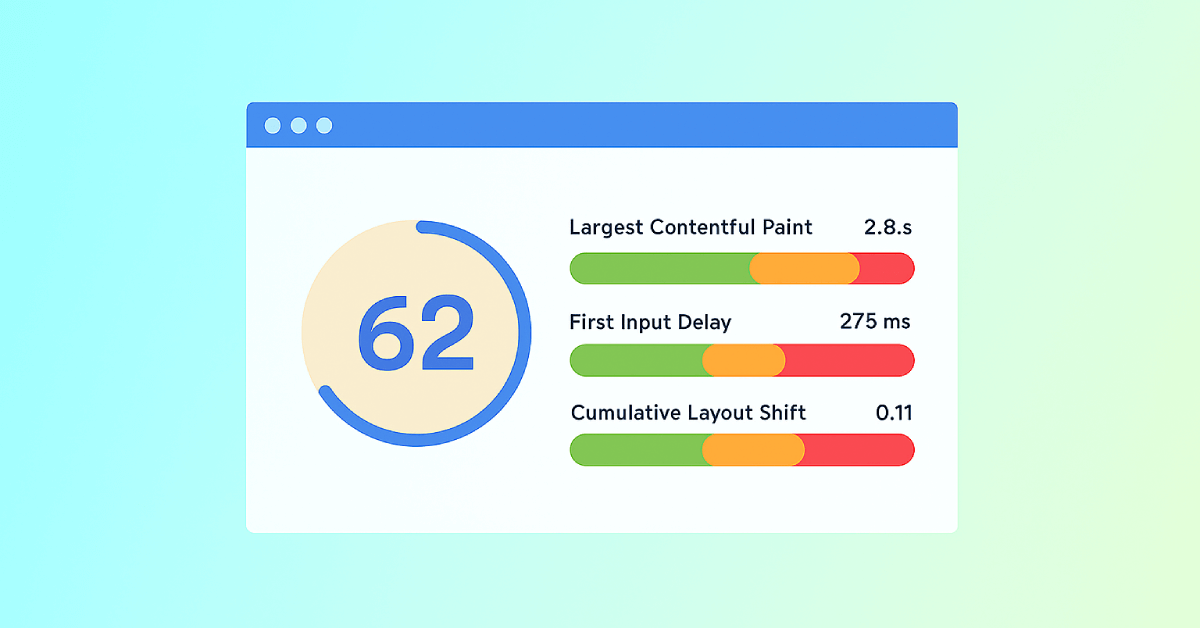
Core Web Vitals: What are They? How are They Crucial to SEO?
You should optimize your web pages for a seamless user experience. But how can you measure the quality of user experience on a site? That’...

SEOptimer's Core Web Vitals Checks
What are Core Web Vitals?
Google launched the Core Web Vitals (CWV) initiative in 2020 - "essential metrics for a healthy site". T...

Page Speed: What It Is, and How It Impacts SEO
What is Page Speed?
The term page speed refers to the amount of time your media content or web page will take to download from the...

Webpage Size - Why is it important? And how do you optimize it?
What is Webpage Size?
The term webpage size in the SEO world refers to the downloaded file size of a given web page.
The...